Agent Management page on Deployment Server not loading after Splunk Enterprise 10.2 upgrade
Available Languages
Applicability
Splunk Enterprise 10.2Description
After a Deployment Server is upgraded to Splunk version 10.2, it may fail to load the Agent management page and provide the following error:
Agent management unavailable
There is an error in your serverclass.conf file, which is preventing the deployment server from initializing
Additionally, a screenshot of the error: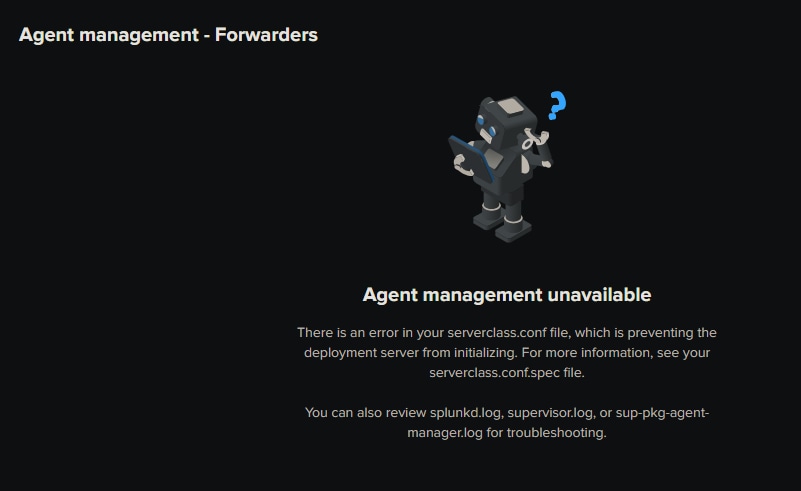
Investigation
Is my server affected?
Further investigation will show that the affected Deployment Server in 10.2 also has other roles such as Distributed Monitoring Console, Search Head or Cluster Manager. This can be confirmed by checking if there are search peers added on the DS under Settings > Distributed Search > Search peers. If there are added and enabled search peers, the page will not load.
This problem does not affect the underlying functionality of the deployment server to communicate and push apps to forwarders via .conf files. Only the visibility of the web interface.
Cause of the problem
The error is caused by the web page being unable to parse the output of the API | rest /services/licenser/localpeer when the results of this API contain more than one json string. This happens when the Splunk server where the DS is running, has search peers added so the API returns results not only for the DS server itself, but also for any other search peers added to it.
Resolution
As a workaround, separate Search Head capabilities from the Deployment Server such as Monitoring Console or Cluster Manager to prevent the server from returning API results for other servers (search peers) than itself.
Revision History
| Revision | Publish Date | Comments |
|---|---|---|
1.0 |
01-Oct-2026
|
Initial Release |
 Feedback
Contact Cisco
- Open a Support Case

- (Requires a Cisco Service Contract)