The Agent Management page fails to load after upgrading to 10.0.3 in FIPS mode
Available Languages
Applicability
Splunk Enterprise 10.0.3 Splunk Enterprise 10.2 FIPS modeDescription
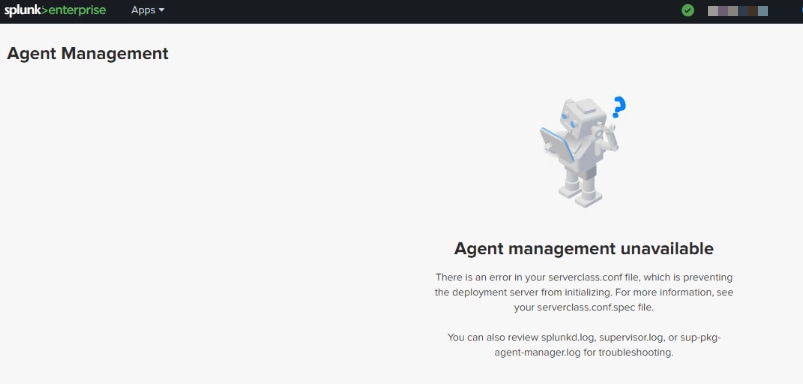
After a Deployment Server is upgraded to version 10.0.3, and on servers running in FIPS mode, the Agent Management page fails to load and shows the following error:
Agent management unavailable
There is an error in your serverclass.conf file, which is preventing the deployment server from initializing.
Investigation
The following errors can be found in $SPLUNK_HOME/var/log/splunk/sup-pkg-agent-manager-stdout.log:
{
  "level": "ERROR",
  "time": "<time>",
  "location": "splunkd/error_handling_round_tripper.go:65",
  "message": "Sending request to DS failed on AM side",
  "service": "agent_manager",
  "hostname": "<hostname>",
  "component": "ds_settings_worker",
  "error": "crypto/ecdh: use of X25519 is not allowed in FIPS 140-only mode",
}{
  "level": "ERROR",
  "time": "<time>",
  "location": "dssettings/ds_settings.go:114",
  "message": "while polling splunkd to get DS settings received an error",
  "service": "agent_manager",
  "hostname": "<hostname>",
  "component": "ds_settings_worker",
  "error": "Get ....: crypto/ecdh: use of X25519 is not allowed in FIPS 140-only mode"
}
To determine this issue is applicable and Splunk is running in FIPS mode, run the following command:
$SPLUNK_HOME/bin/splunk show fips-mode
If FIPS mode is enabled, the following is returned:
FIPS mode enabled.
Resolution
The issue has been fixed in the Splunk Enterprise version 10.0.4 and 10.2.1
Revision History
| Revision | Publish Date | Comments |
|---|---|---|
1.0 |
01-Oct-2026
|
Initial Release |
 Feedback
Contact Cisco
- Open a Support Case

- (Requires a Cisco Service Contract)