ES Content Management Cloning or Updating error
Available Languages
Applicability
Splunk Enterprise 9.1.4 to 9.1.6Description
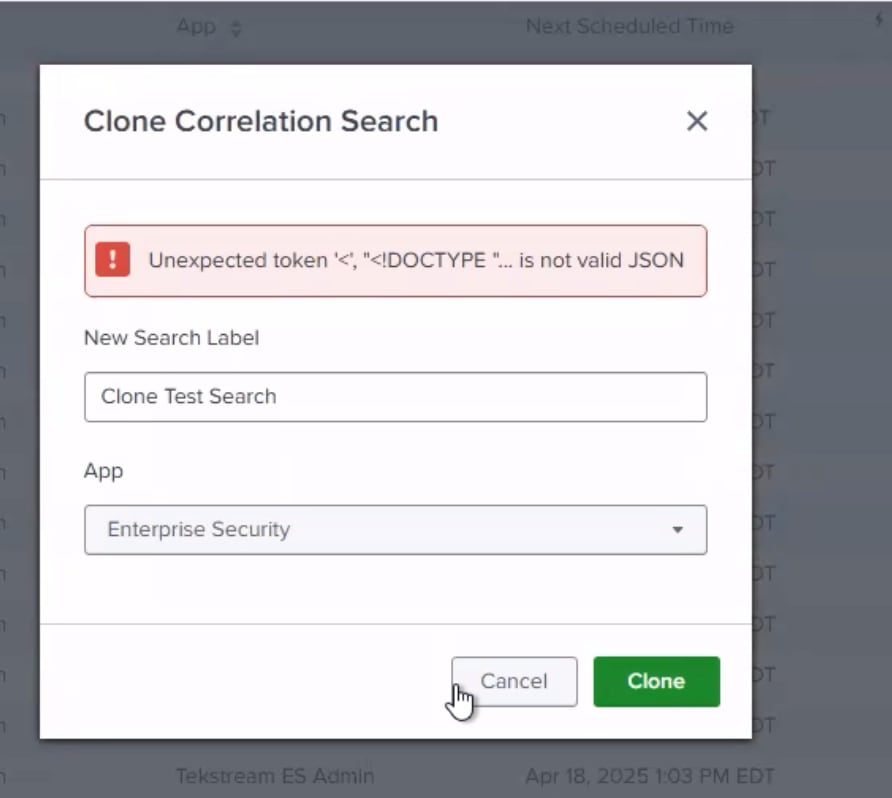
When cloning or updating search the error below is present.
ES Content Management UI is erroring out when trying to update/clone correlation searches. This error became present after upgrading Splunk Enterprise from 9.1.4 to 9.1.6
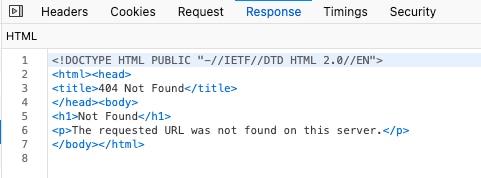
Error: "<DOCTYPE"... is not valid JSON".
This error message is displayed in the UI but not found in the logs.
Investigation
Cloning an existing correlation search, the special characters were removed from the new search name however the issue persisted. A restart of the searchheads was performed after the upgrade.
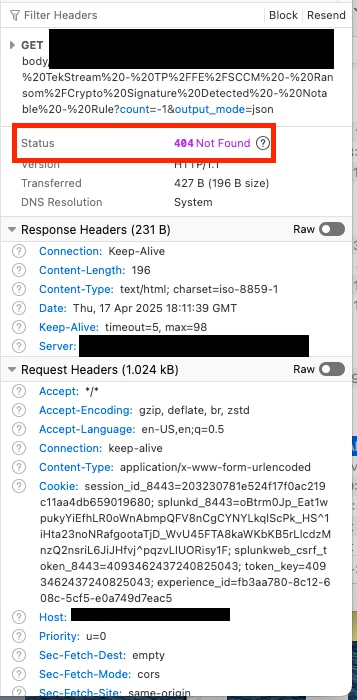
A .HAR file was captured. A 404 error is present when the GET command is being executed for the correlation search in question: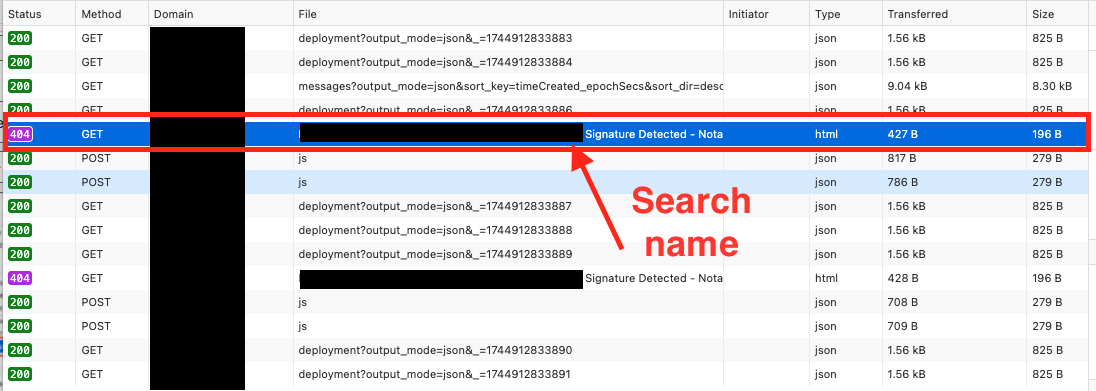
Resolution
The searches had to be manually recreated with no special characters in the Name/Title. The issue stems from the special characters being used in the Name of the Correlation search prior to modifying/updating it.
Revision History
| Revision | Publish Date | Comments |
|---|---|---|
1.0 |
01-Oct-2026
|
Initial Release |
 Feedback
Contact Cisco
- Open a Support Case

- (Requires a Cisco Service Contract)
This Document Applies to These Products
Related Articles
- Frequent release of Splunk ES Content Update versions
- Error: "Search could not be obtained" when accessing searches in Enterprise Security Content Management
- Correlation searches disappearing in Content Management (Cluster Environment)
- Enabled correlation searches not scheduling and the "Next Scheduled Time" field in Content Management page is empty