Custom Apps not loading after upgrading
Available Languages
Applicability
Splunk EnterpriseDescription
The splunk custom apps page is not loading after upgrading to v9.0.3, which can be verified by checking in Splunk Settings> Apps>Upgrade Readiness App.
Upgrade Readiness App
Investigation
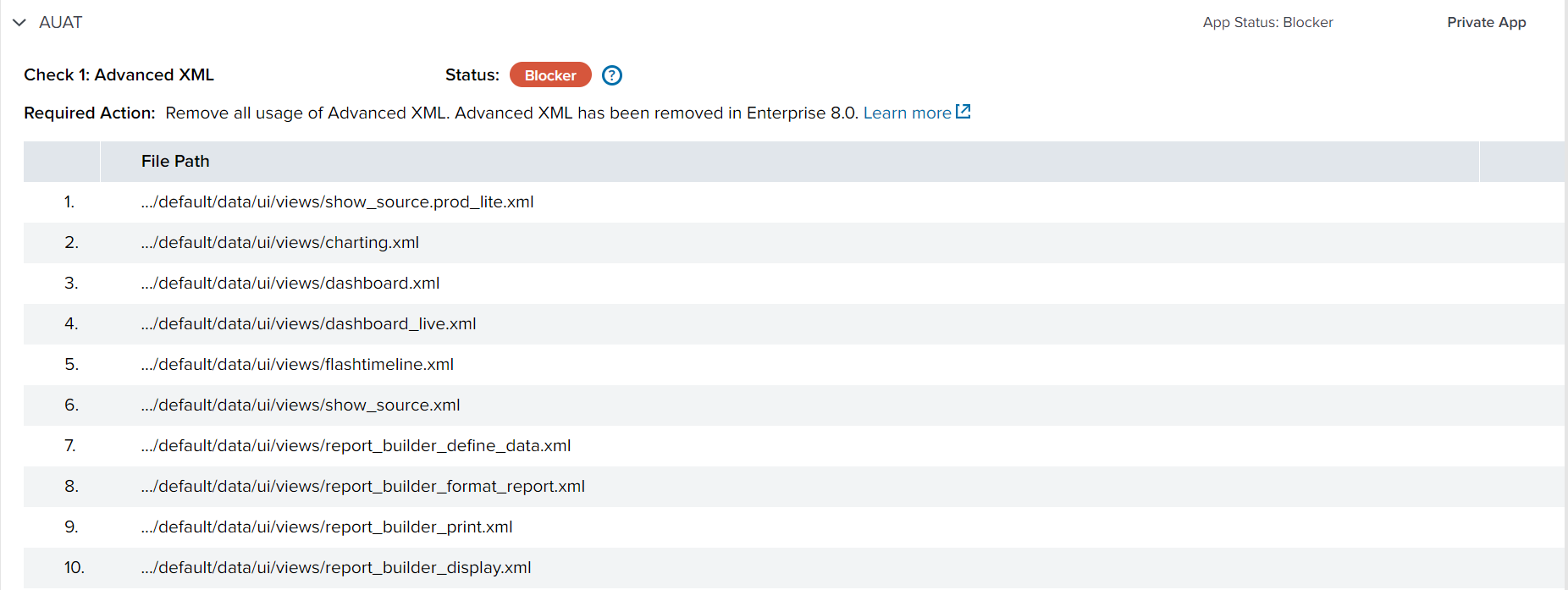 When trying to open any custom applications, the page just shows a loading screen and never loads the application. The only app that was loaded with no issue was the Search and Reporting app. A rolling restart of the SHC was initiated and internal logs were checked, but it wasn't able to find any absolute errors pointing to the issue. It was then noticed that it was mainly happening on custom apps. All advanced .xml files were renamed and a reload was initiated. This fixed the issue; we could run the upgrade readiness app on the custom apps without any issues.
Resolution
Removing the "default" directory$SPLUNK_HOME/data/ui/viewslet's splunk find the correct file, which had system-wide visibility (so every app can use it). The issue was resolved by removing all the flagged advanced XML and afterward, all apps loaded as expected.
Revision History
| Revision | Publish Date | Comments |
|---|---|---|
1.0 |
30-Sep-2026
|
Initial Release |
 Feedback
Contact Cisco
- Open a Support Case

- (Requires a Cisco Service Contract)