All the custom apps were stuck on loading
Available Languages
Applicability
Splunk EnterpriseDescription
After upgrading Splunk from 8.2.1 to 9.0.4, tried to access the search, but every app was stuck in the loading status.
When trying to access others such as the dashboard, alerts are working fine. This issue is seen only in search :X.X.X.X:8000/en-US/app/<app-name>/search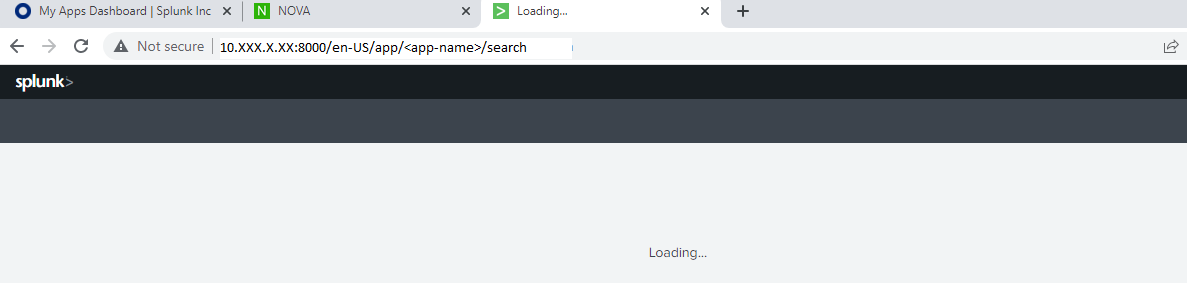
Investigation
Followed a few troubleshooting steps:
Step-1 - Try clearing the cache by following the below steps.
http://<host:mport>/<locale_string>/_bump (http://<hostmport>) ? - In our case, the URL would be something like: http://fqdn:8000/en-GB/app/activedirectory/search/_bump
and also: http://<host:mport>/debug/refresh (http://<hostmport>)
Perform the above step for debug and refresh, hence please perform the below-given steps.
Step-2 - Please add the following config as a local file /otp/splunk/etc/local/web.conf for the specific app we are having the issues:
[settings]
cacheEntriesLimit = 0
cacheBytesLimit = 0
Restart splunk and then try to access the app again.
Step 3- If the above doesn't work as a last resort, have the contents of the folder below deleted:
$SPLUNK_HOME/var/run/splunk/appserver
should have:
[root@so1 appserver]# ls
i18n modules
Remove all folders and restart splunkd.
After performing the above step's also the issue still needs to be resolved.
Step 4: Even after performing all these steps, then
set "js_logger_mode=Server" in/otp/splunk/etc/local/web.conf to log any JS error to web_service.log
[settings]
js_logger_mode = Server
And after that try to load couple of apps then please provide the web_service.log file.
Later tried to reproduce the issue by installing all of the apps, and observed the page getting stuck at "Loading" for the majority of our apps. But observed that those apps were missing search.xml under /opt/splunk/etc/apps/<app-name>/default/data/ui/views but any one of the apps is breaking this .xml file.
Resolution
1. Added the search.xml under the following for the given app /opt/splunk/etc/apps/<app-name>/default/data/ui/views; below is the default search.xml file:
<?xml version="1.0"?>
<view template="pages/search.html" type="html" isDashboard="False">
<label>Search</label>
</view>
2. Perform a Splunk restart, and after that issue is resolved.
Revision History
| Revision | Publish Date | Comments |
|---|---|---|
1.0 |
30-Sep-2026
|
Initial Release |
 Feedback
Contact Cisco
- Open a Support Case

- (Requires a Cisco Service Contract)