AI Defense on AI POD Ordering Guide
Available Languages
Bias-Free Language
The documentation set for this product strives to use bias-free language. For the purposes of this documentation set, bias-free is defined as language that does not imply discrimination based on age, disability, gender, racial identity, ethnic identity, sexual orientation, socioeconomic status, and intersectionality. Exceptions may be present in the documentation due to language that is hardcoded in the user interfaces of the product software, language used based on RFP documentation, or language that is used by a referenced third-party product. Learn more about how Cisco is using Inclusive Language.
- US/Canada 800-553-2447
- Worldwide Support Phone Numbers
- All Tools
 Feedback
 Feedback
Purpose
This publication provides information about ordering the AI Defense on AI POD Solution.
Scope
This ordering guide describes the following information:
● Catalog of Product IDs for AI Defense on AI POD Solutions.
● Step-by-step process for ordering AI Defense on AI POD Solution.
Audience
Cisco sales teams, partners and distributors.
Solution Overview
Cisco AI PODs are comprehensive, pre-validated infrastructure solutions designed to simplify and accelerate the deployment of enterprise AI applications, including generative AI. They support the full AI lifecycle—training, model optimization (fine-tuning and Retrieval-Augmented Generation), and inferencing—enabling organizations to innovate efficiently while balancing scalability, security, and sustainability.
Key aspects of the solution include:
● Pre-validated Architectural Stacks: Based on Cisco Validated Designs (CVDs), AI PODs provide tested blueprints and fabric designs that reduce deployment risk and setup time by up to 50%, allowing AI developers and IT operations teams to focus on innovation and streamlined management.
● Enterprise-grade Security and Compliance: Integrated security features like Cisco AI Defense and Isovalent ensure robust data protection, sovereignty, and regulatory compliance, providing peace of mind for IT operations.
● Developer Empowerment: The solution integrates with leading AI software stacks including Red Hat OpenShift, PyTorch, TensorFlow, and NVIDIA AI Enterprise, supported by APIs and tutorials to accelerate model building and deployment.
● Comprehensive Ecosystem: Components include Cisco UCS C845A, C885A and C880A X-Series and Rack servers, Cisco Intersight SaaS management, automation tools like Ansible and Terraform, and optional storage solutions from partners such as VAST Data, Nutanix, Hitachi, NetApp, and Pure Storage.
● Consolidated Support: Cisco Technical Assistance Center (TAC) provides integrated support for the entire AI PODs ecosystem, ensuring reliability and efficient issue resolution.
Ordering Structure of AI Defense on AI POD
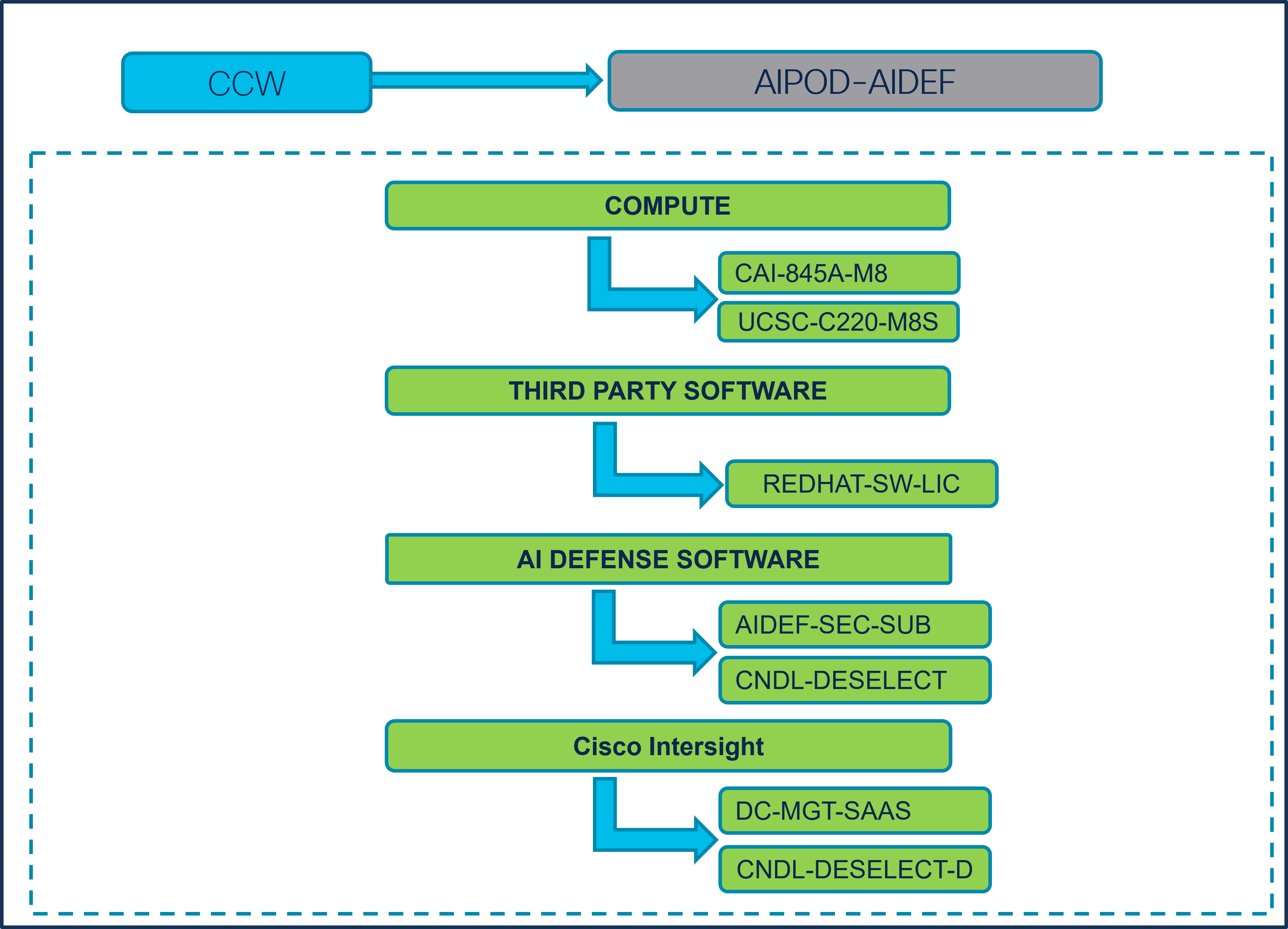
Catalog of Solution IDs (SIDs)
Table 1. Solution SIDs
| Solution ID (SID) |
Description |
| AI Defense on AI POD - Large |
AI Defense on AI POD - Large |
| AI Defense on AI POD - Medim |
AI Defense on AI POD - Medium |
| AI Defense on AI POD - Small |
AI Defense on AI POD - Small |
Note: RedHat OCP is required for AI Defense.
Step-by-Step Ordering Process of “Configuring AIPOD-SMALL”
Task 1) Selecting the Appropriate Pricelist
Step 1.
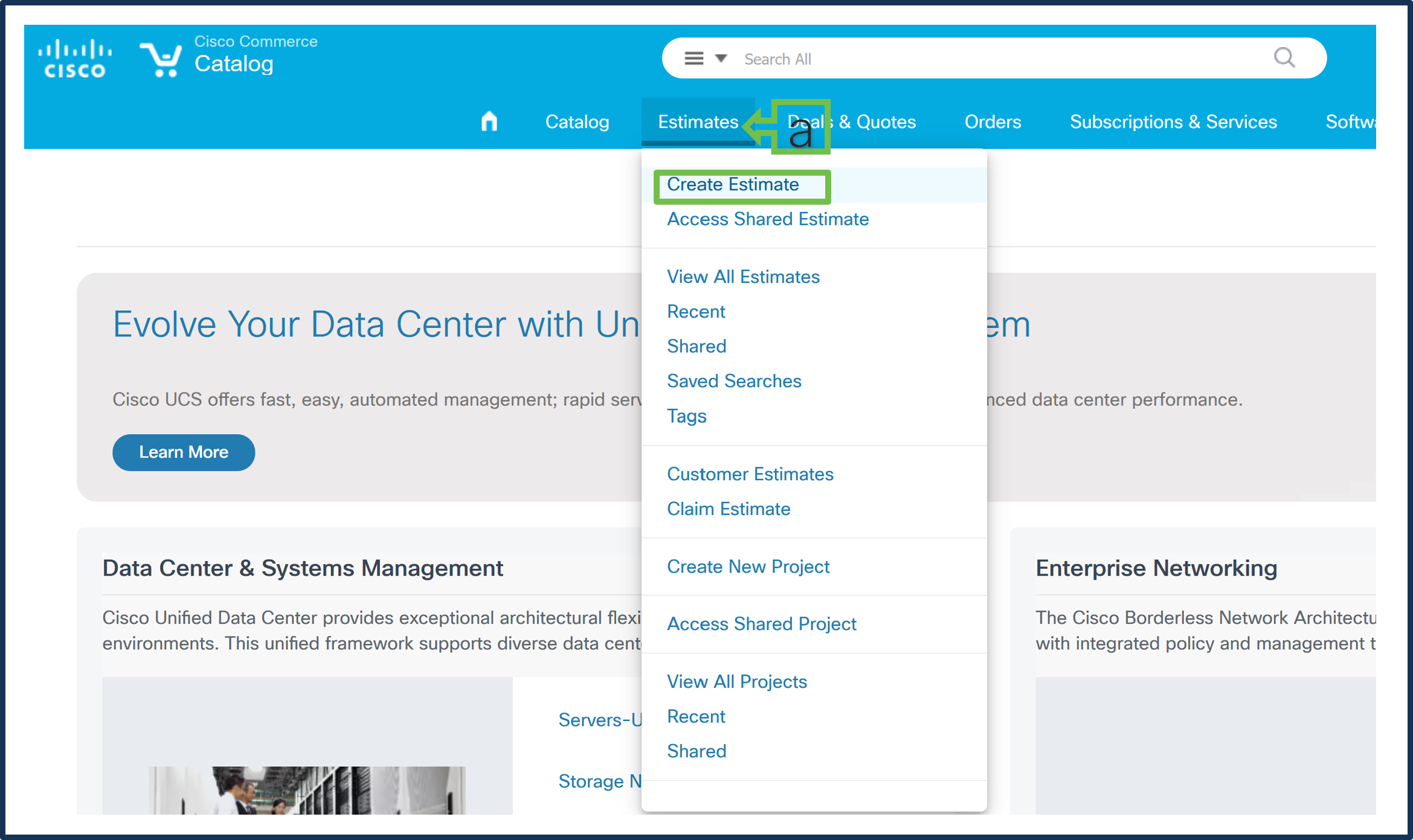
a. On the Estimates page, click on the estimate and then select “Create Estimate”
Step 2.
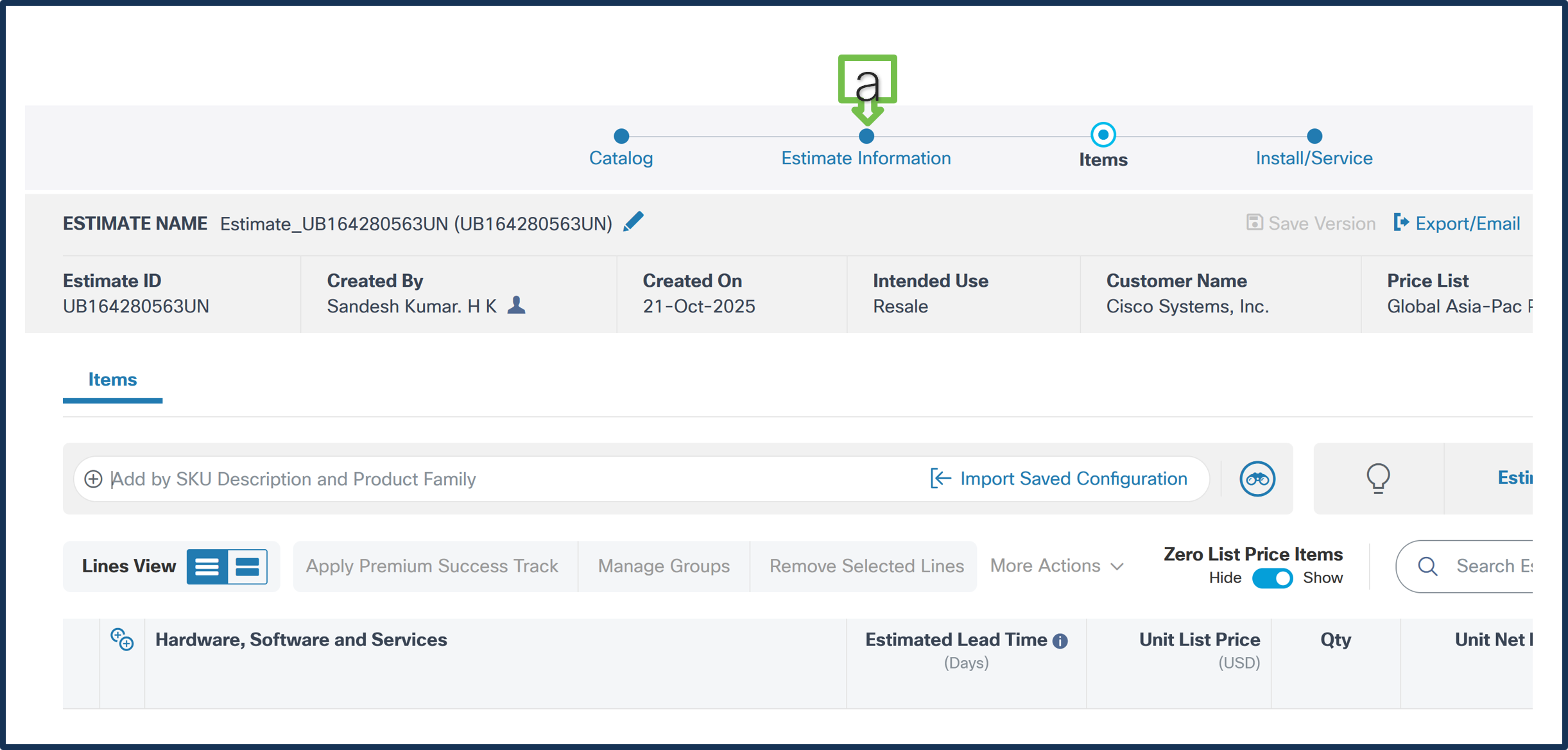
a. Click on “Estimate Information”
Step 3.
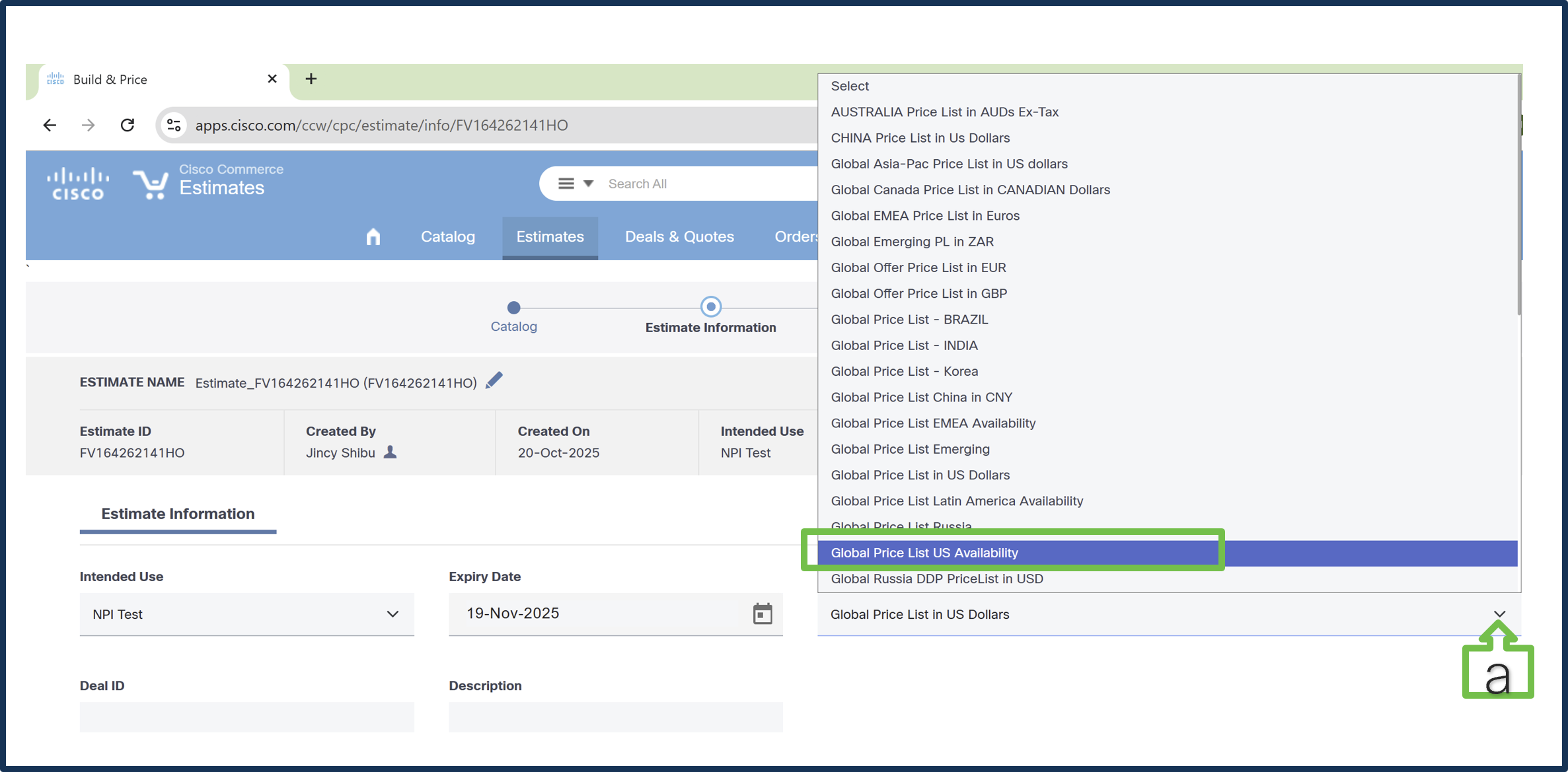
a. From the drop-down menu, select "Global Price List US Availability”
b. Click on “Save and Continue”
Task 2) Selecting the Appropriate Solution
Step 1.
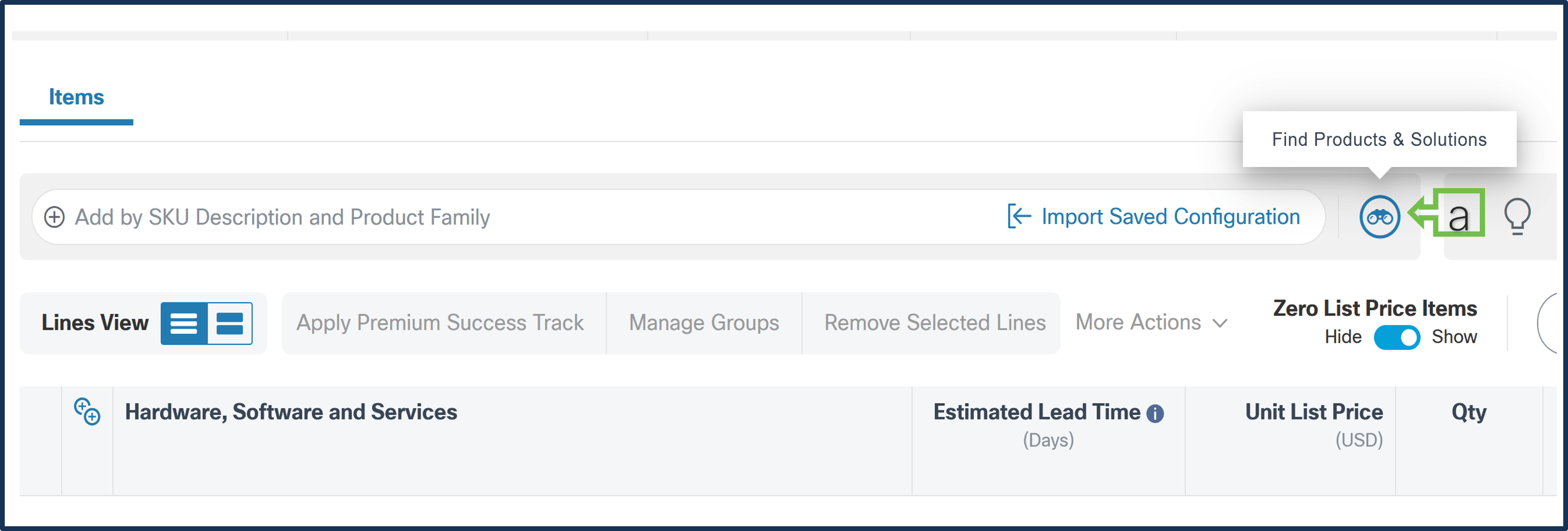
a. Click on the ‘Find Products and Solutions’ binocular icon.
Step 2.
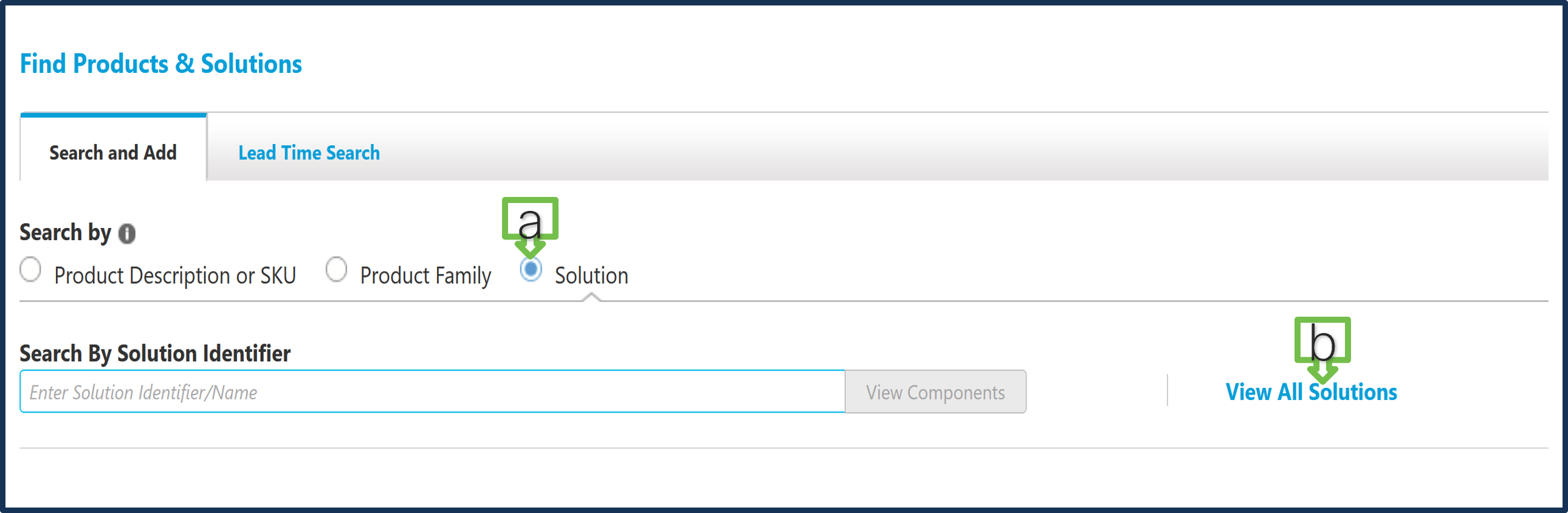
a. Select “Solution”
b. Click on “View All Solutions”
Step 3.
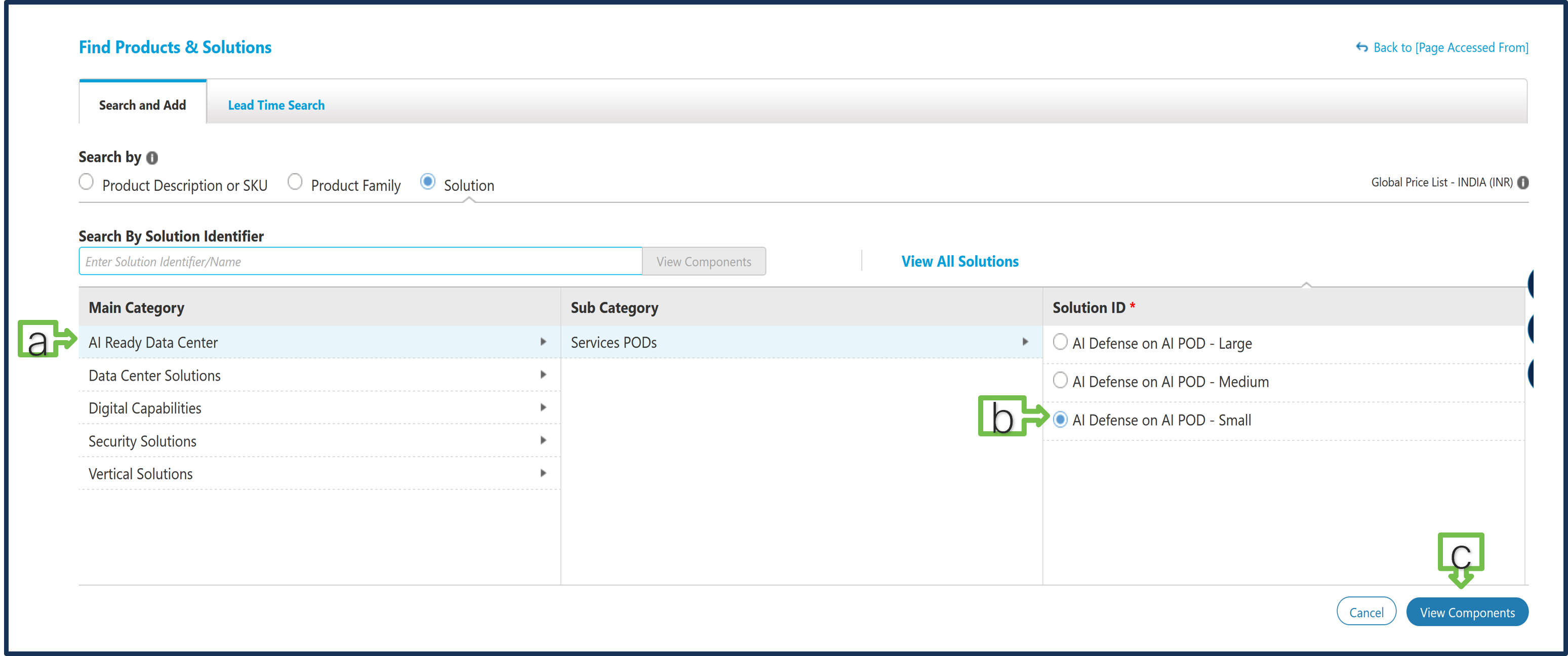
a. Click on “AI Ready Data Center” main category > “Service POD” subcategory
b. Select the required Solution ID. For this example, select "AI Defense on AI POD – Small”
c. Click on “View Components”
Step 4.
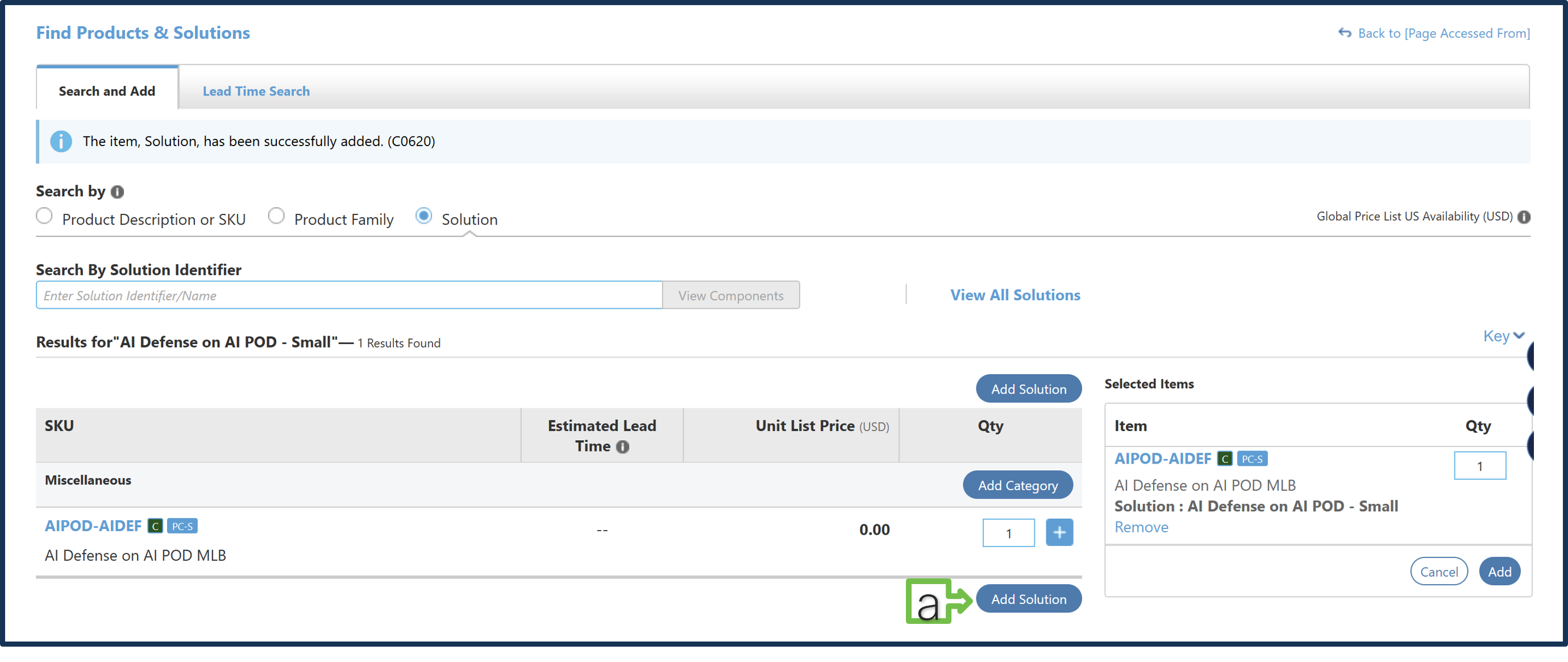
a. Click on “Add Solution”
Step 5.
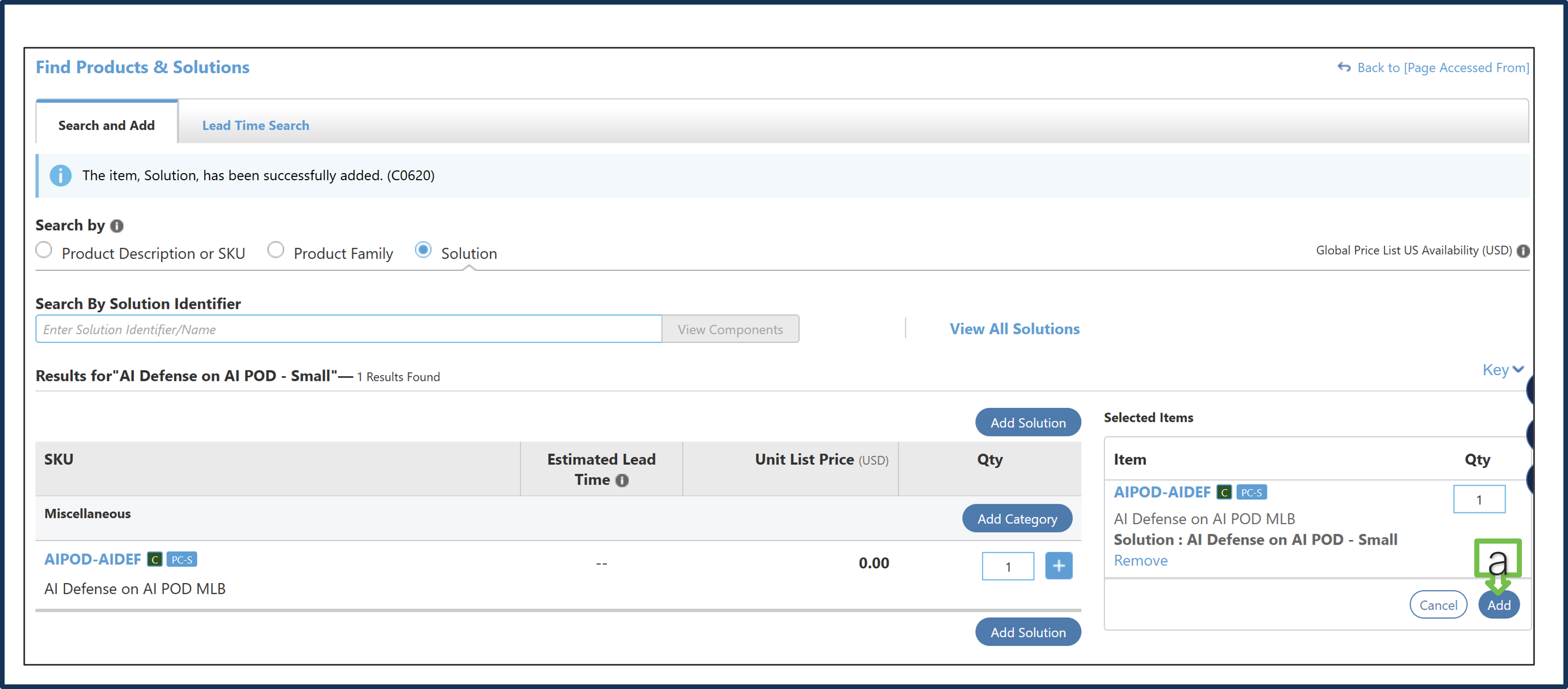
a. Click on “Add” to enter the configurator.
Task 3) Configuring the Selected Solution
Step 1.
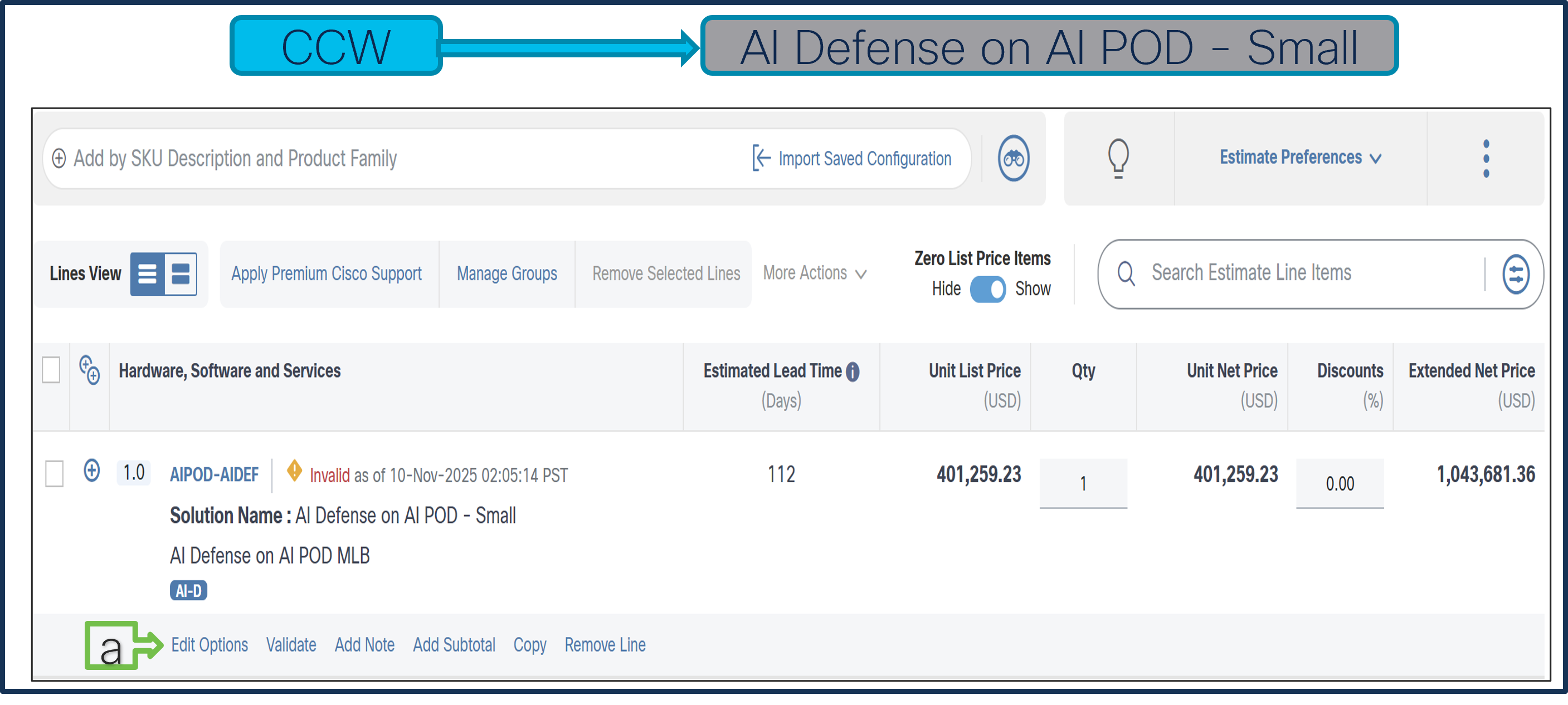
a. Click on “Edit Options” to enter the configurator.
Step 2.
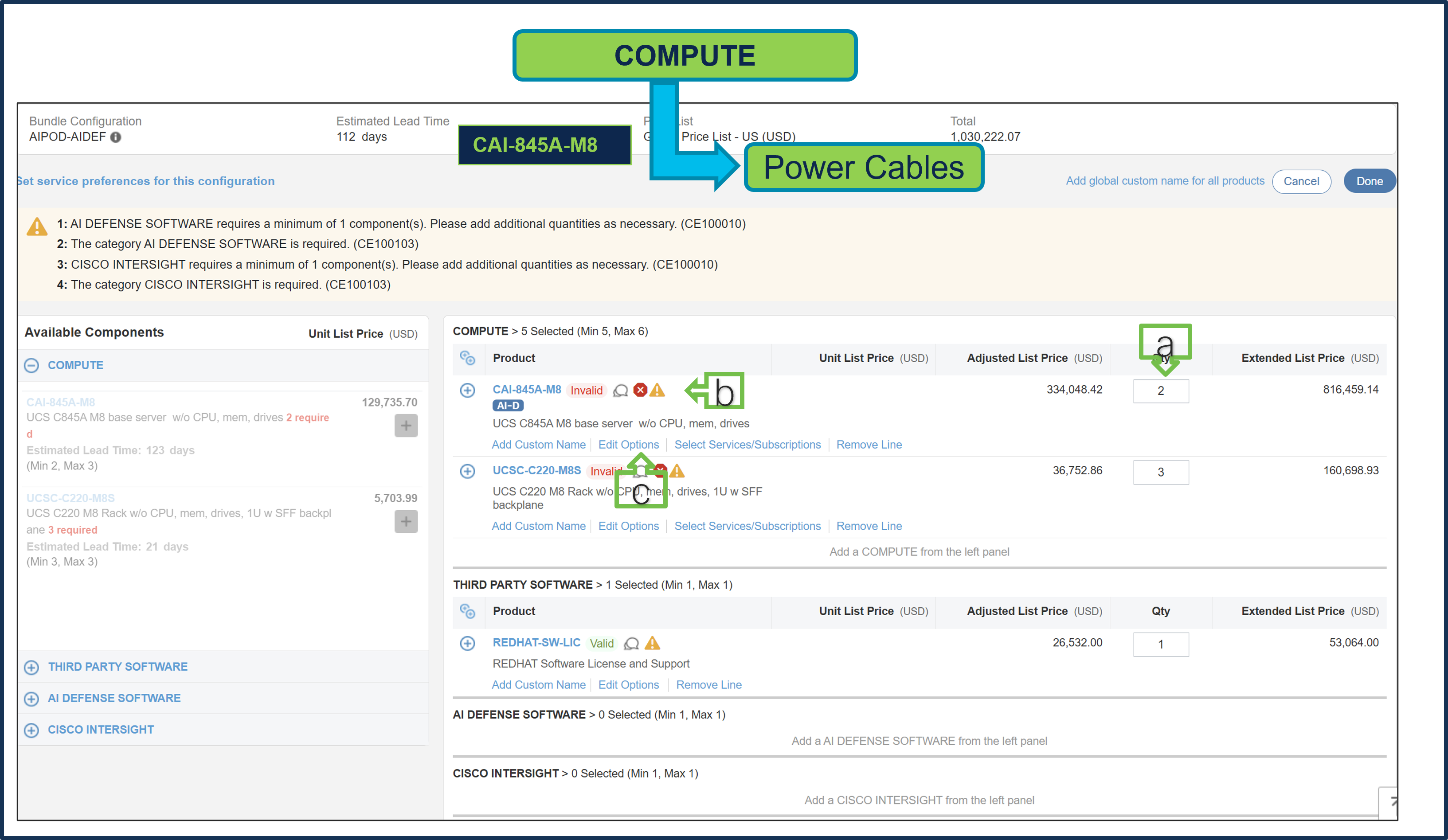
a. Server: CAI-845A-M8 is preselected with a quantity of 2.
b. Notice that the Server: CAI-845A-M8 status is invalid, as further configuration is needed.
c. Select ‘Edit Options’ to enter the configurator.
Step 3.
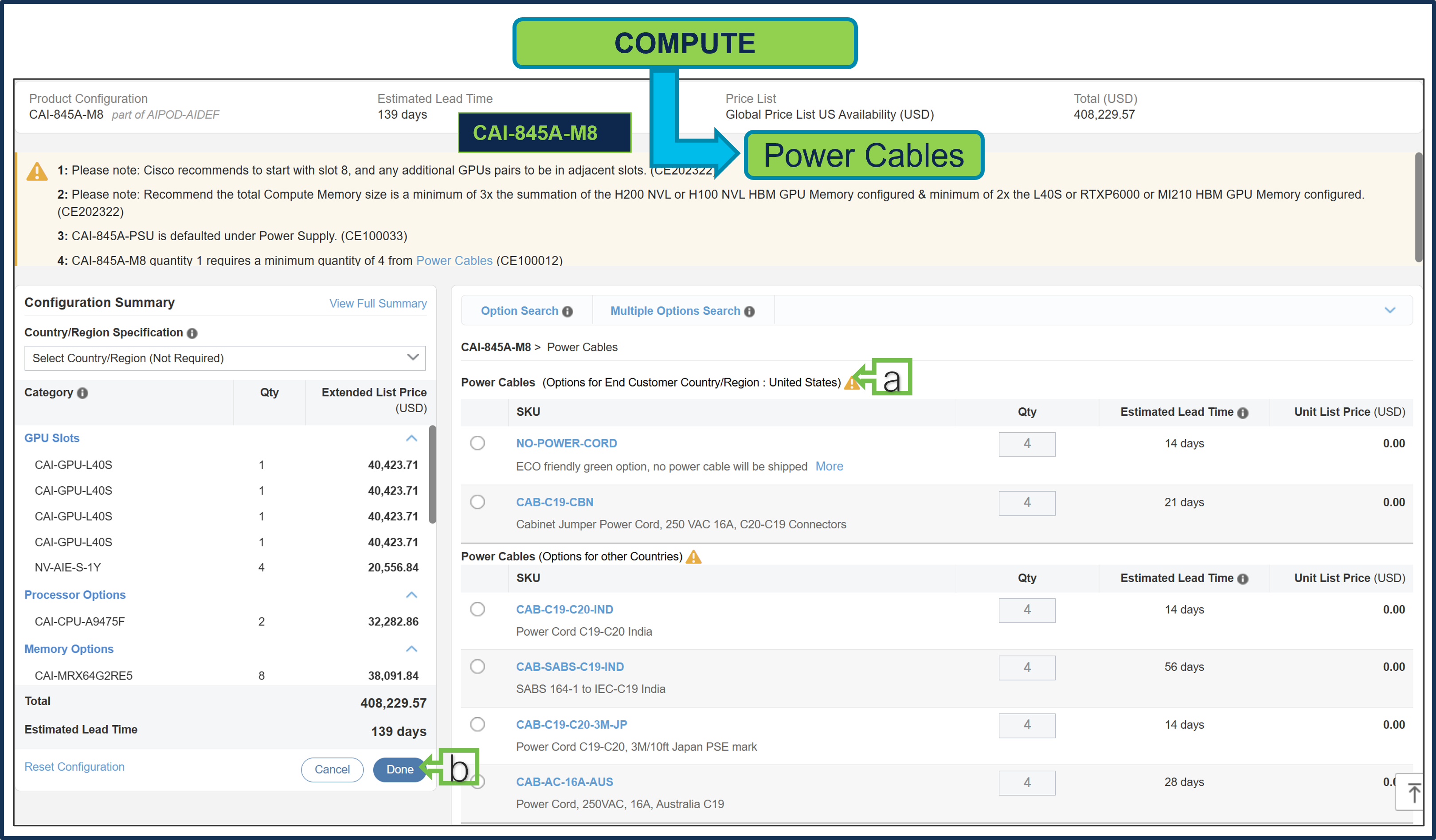
a. Configure Server: CAI-845A-M8 by selecting the Power Cable. PIDs are listed in the window on the right. GPU, Processor, Memory, and other components are preselected.
b. Select “Done” when completed.
Step 4.
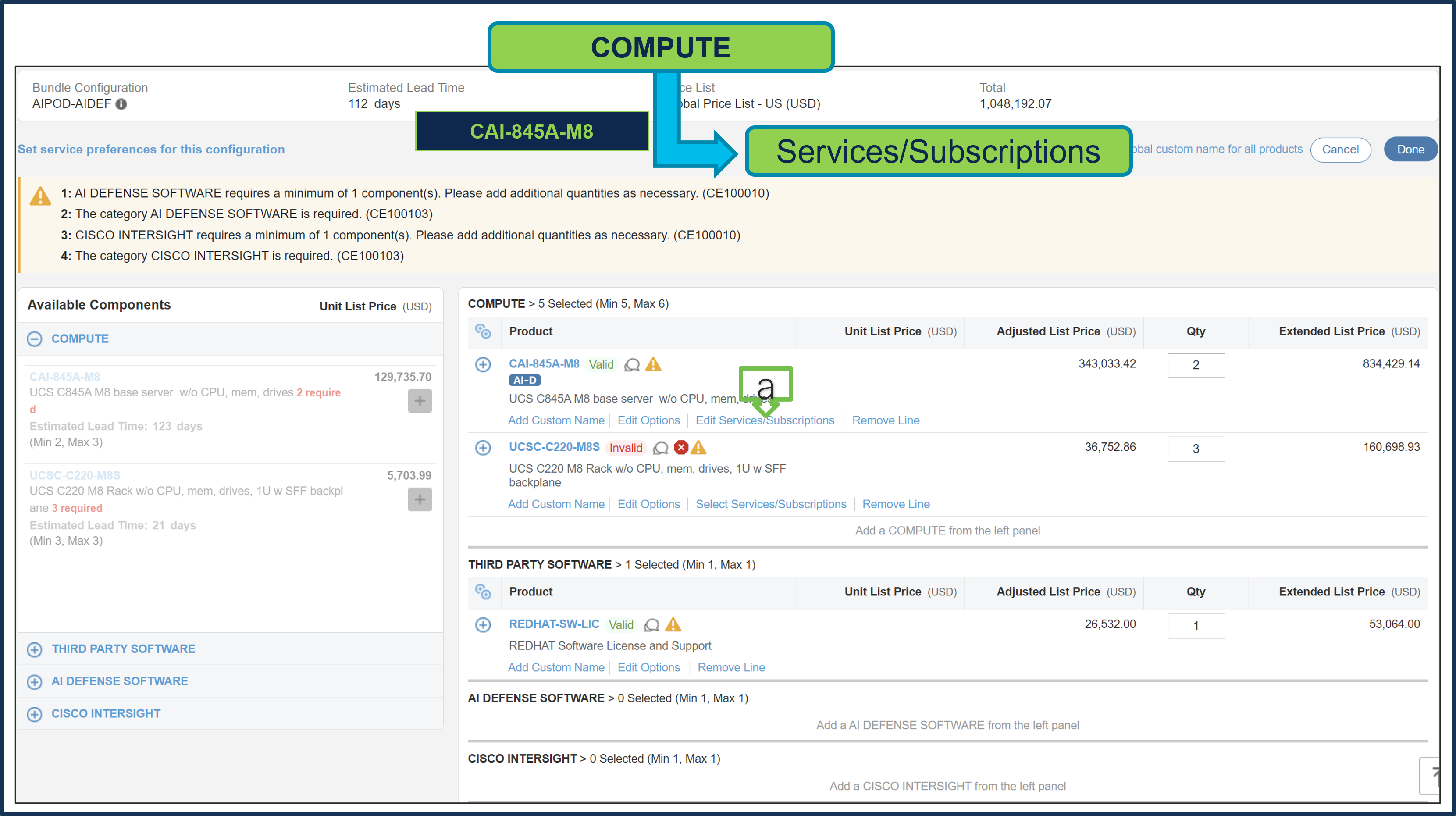
a. Click on “Edit Services/Subscriptions” to edit the Term Duration for HW Support.
Note: It is recommended that the Term Duration for HW Support must align with the Software Subscription Duration.
Step 5.
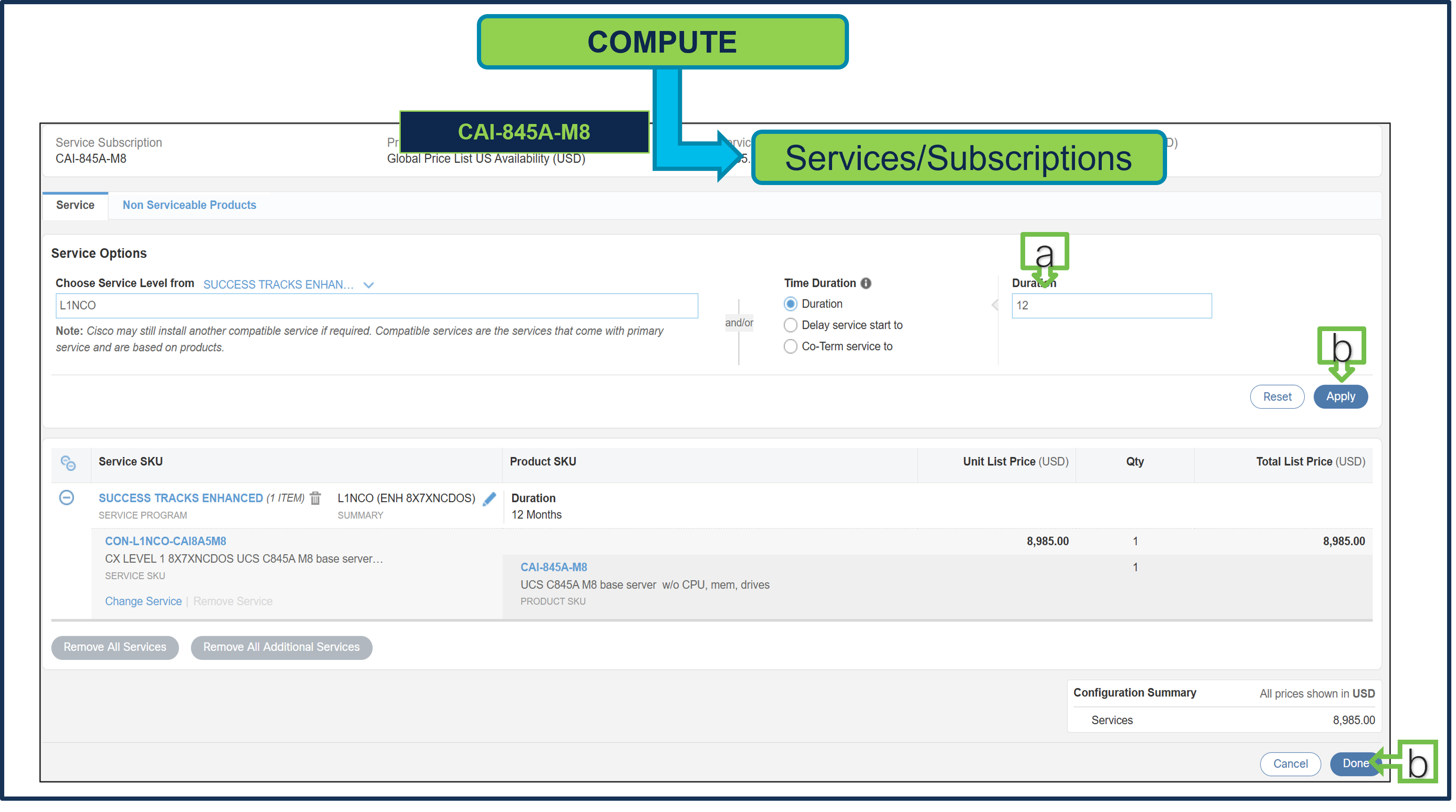
a. It is recommended that the customer select CX Success Track Level 1, Level 2, or Solution Support to ensure consistent SLA response time between hardware and software.
b. Enter the Term Duration, then click on “Apply” and “Done”
Step 6.
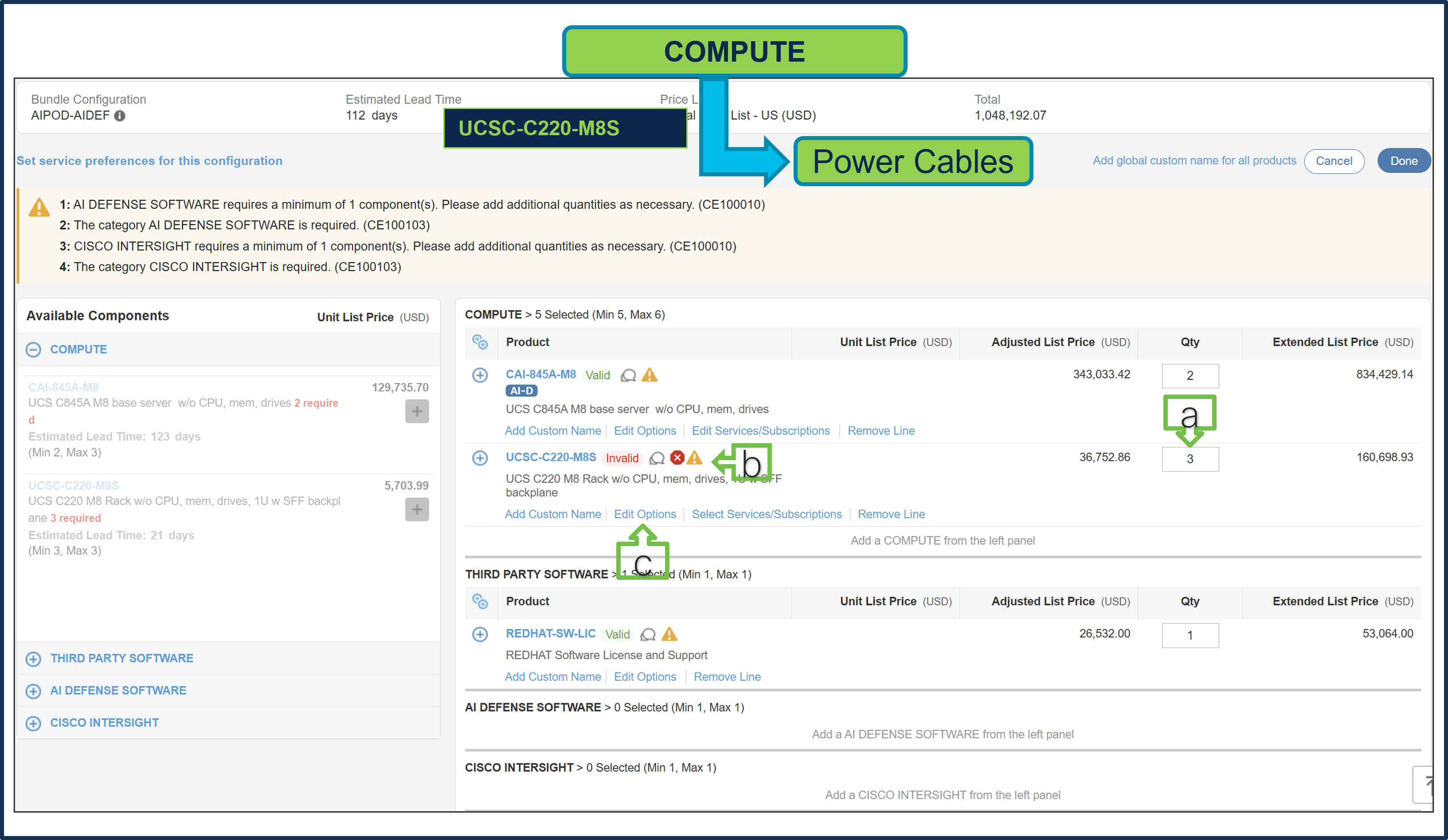
a. Server: UCSC-C220-M8S is preselected with a quantity of 3.
b. Notice that the Server: UCSC-C220-M8S status is invalid, as further configuration is needed.
c. Select ‘Edit Options’ to enter the configurator.
Step 7.
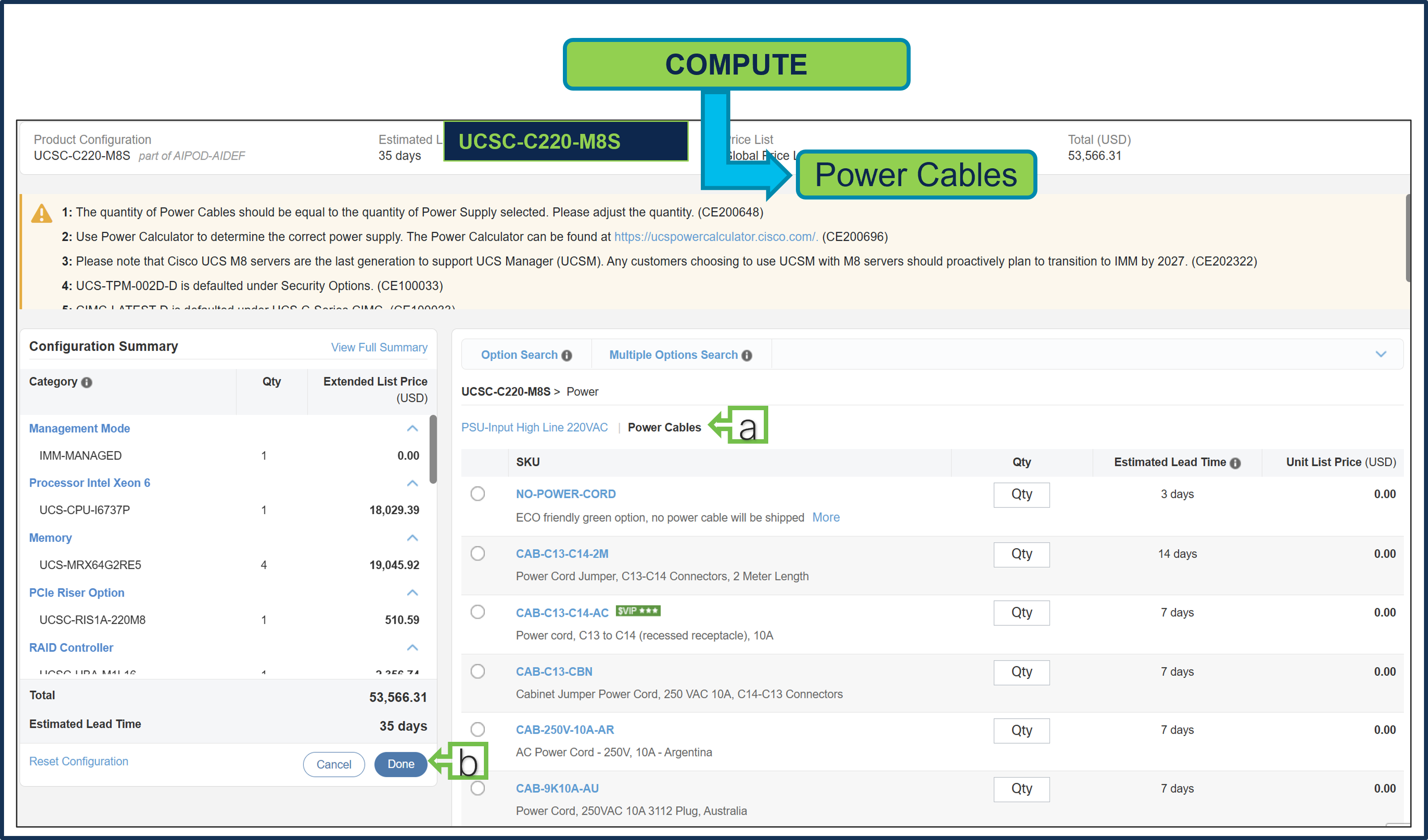
a. Configure Server: UCSC-C220-M8S by selecting Power Cable. PIDs are listed in the window on the right. Processor, Memory and other components are preselected.
b. Select “Done” when completed.
Step 8.
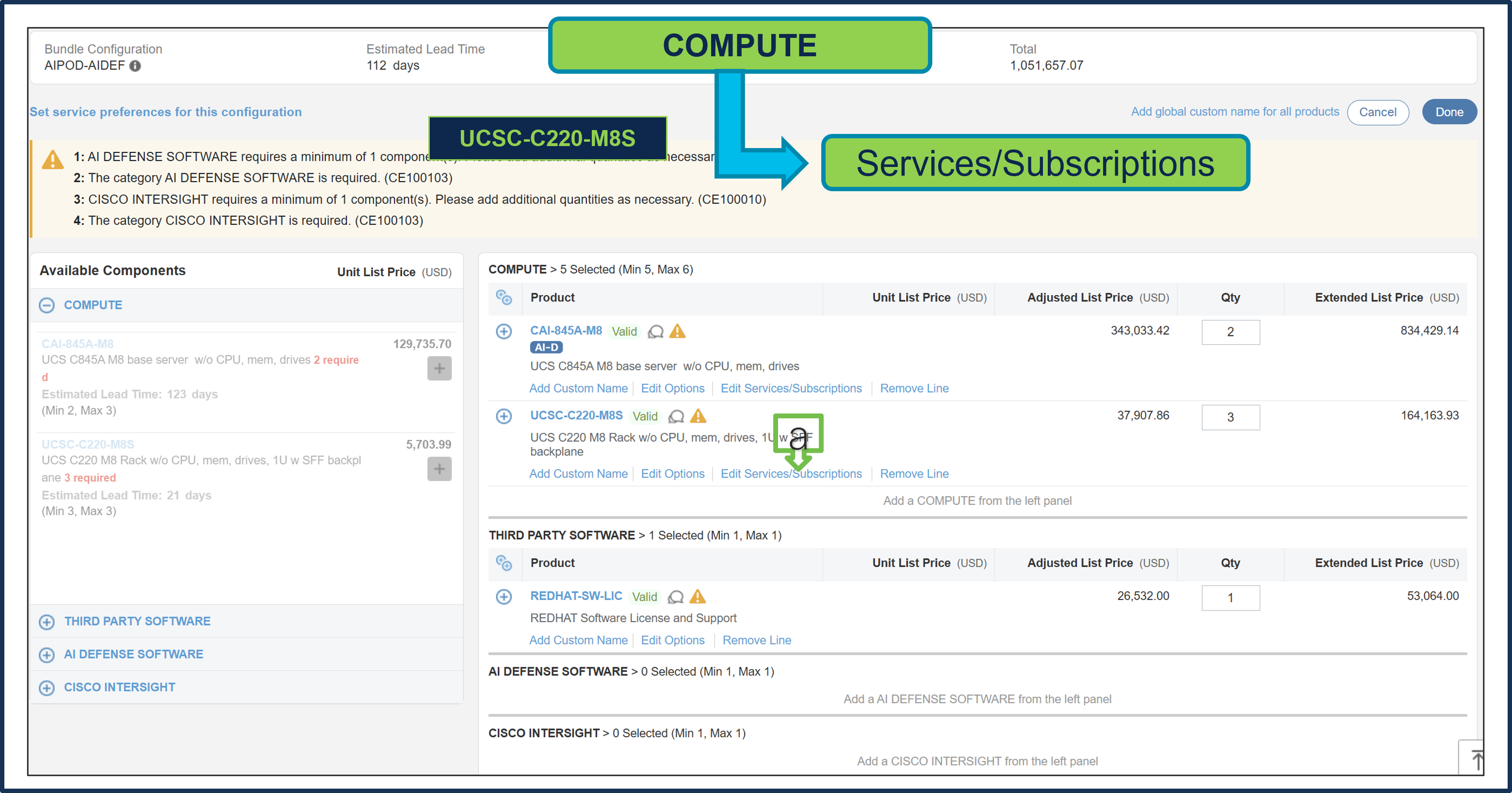
a. Click on “Edit Services/Subscriptions” to edit the Term Duration for HW Support.
Note: It is recommended that the Term Duration for HW Support must align with Software Subscription Duration.
Step 9.
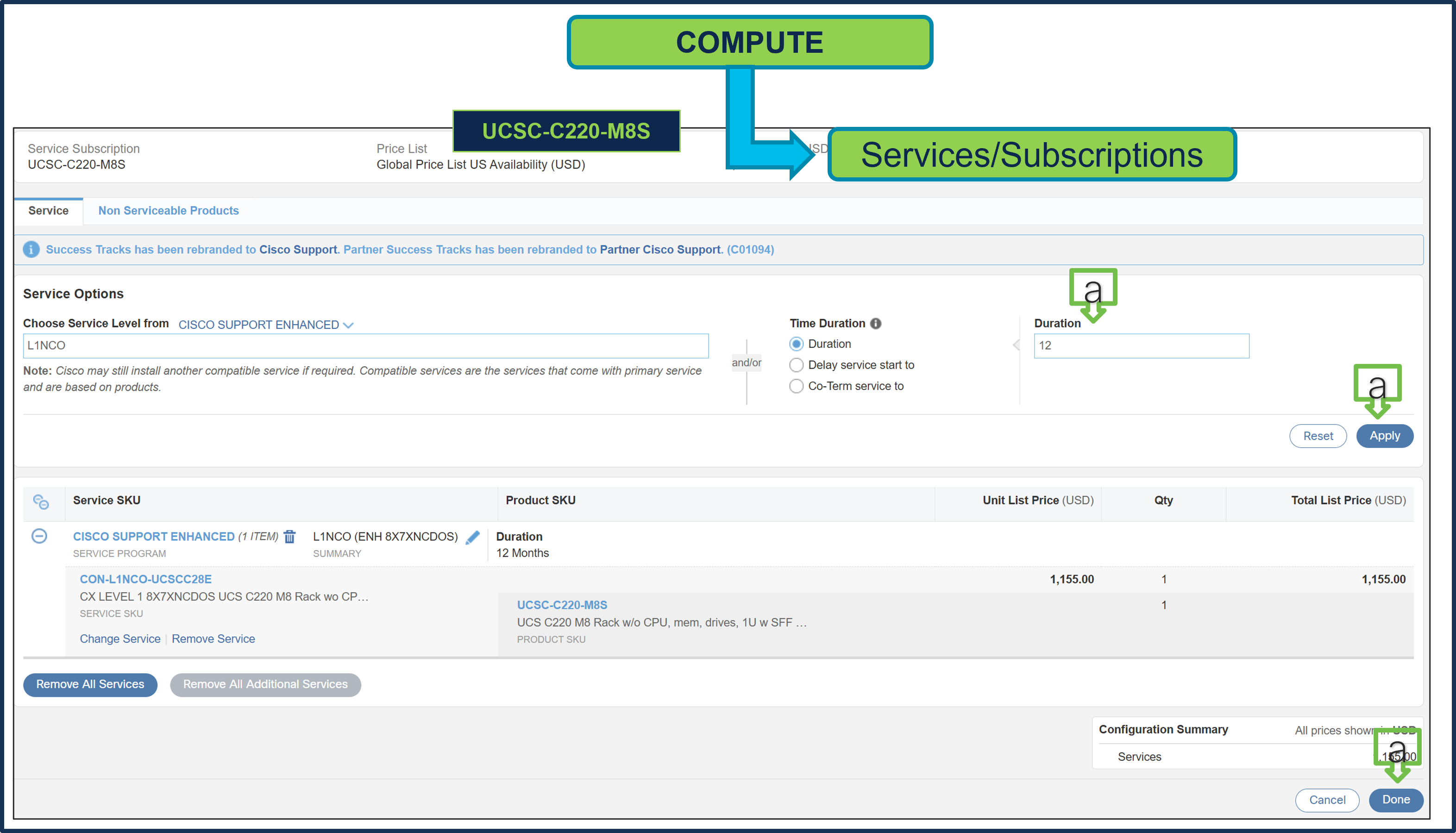
Note: It is recommended that customer select CX Success Track Level 1 or Level 2 or solution support to ensure consistent SLA response time between hardware and software.
a. Enter the Term Duration, then click on “Apply” and “Done”
Step 10.
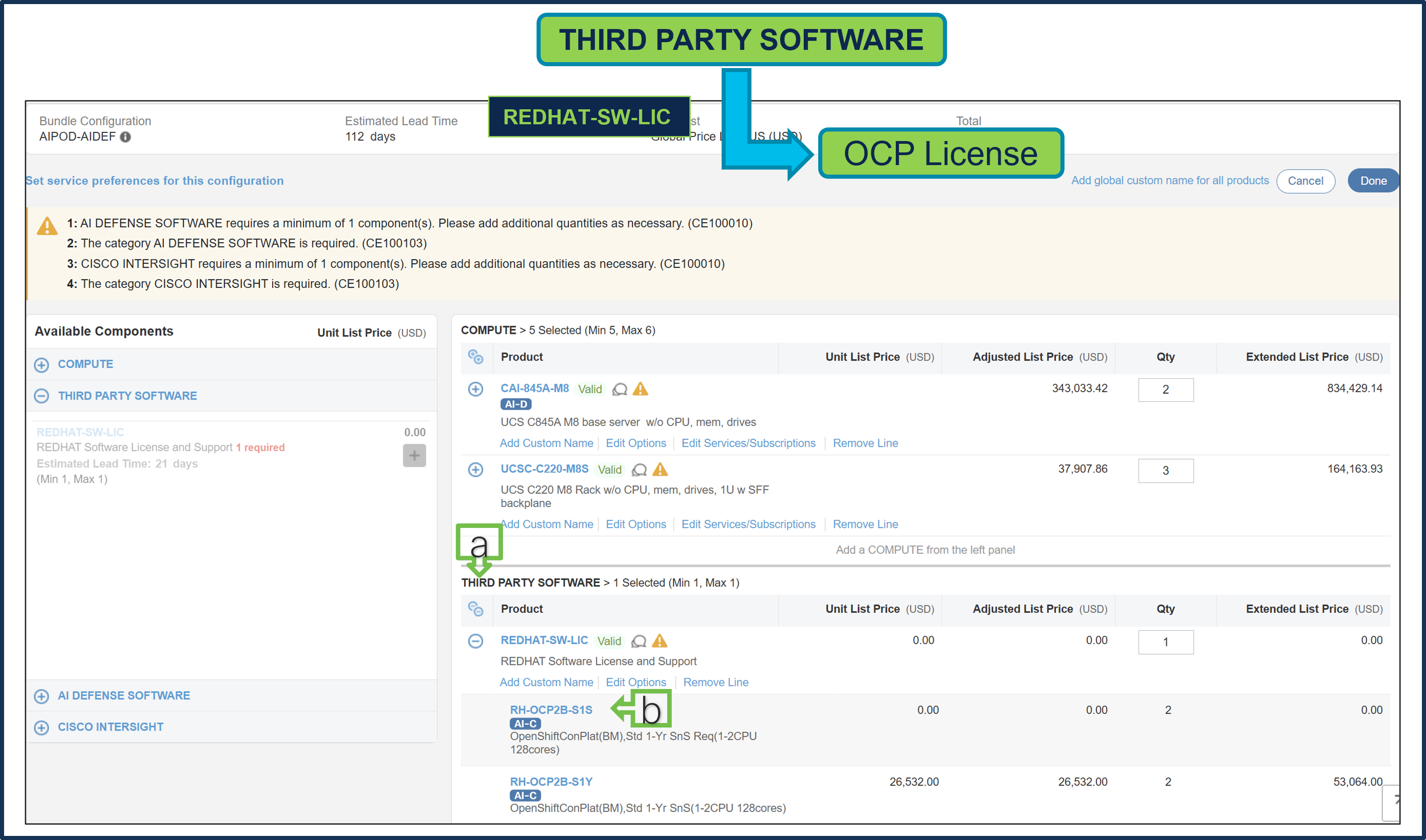
a. PID: REDHAT-SW-LIC is preselected from Third Party Software Category.
b. OCP License PID is also preselected and QTY must be equal to QTY of Server: CAI-845A-M8
Note: OCP is an optional component depending on the customer configuration.
Step 11.
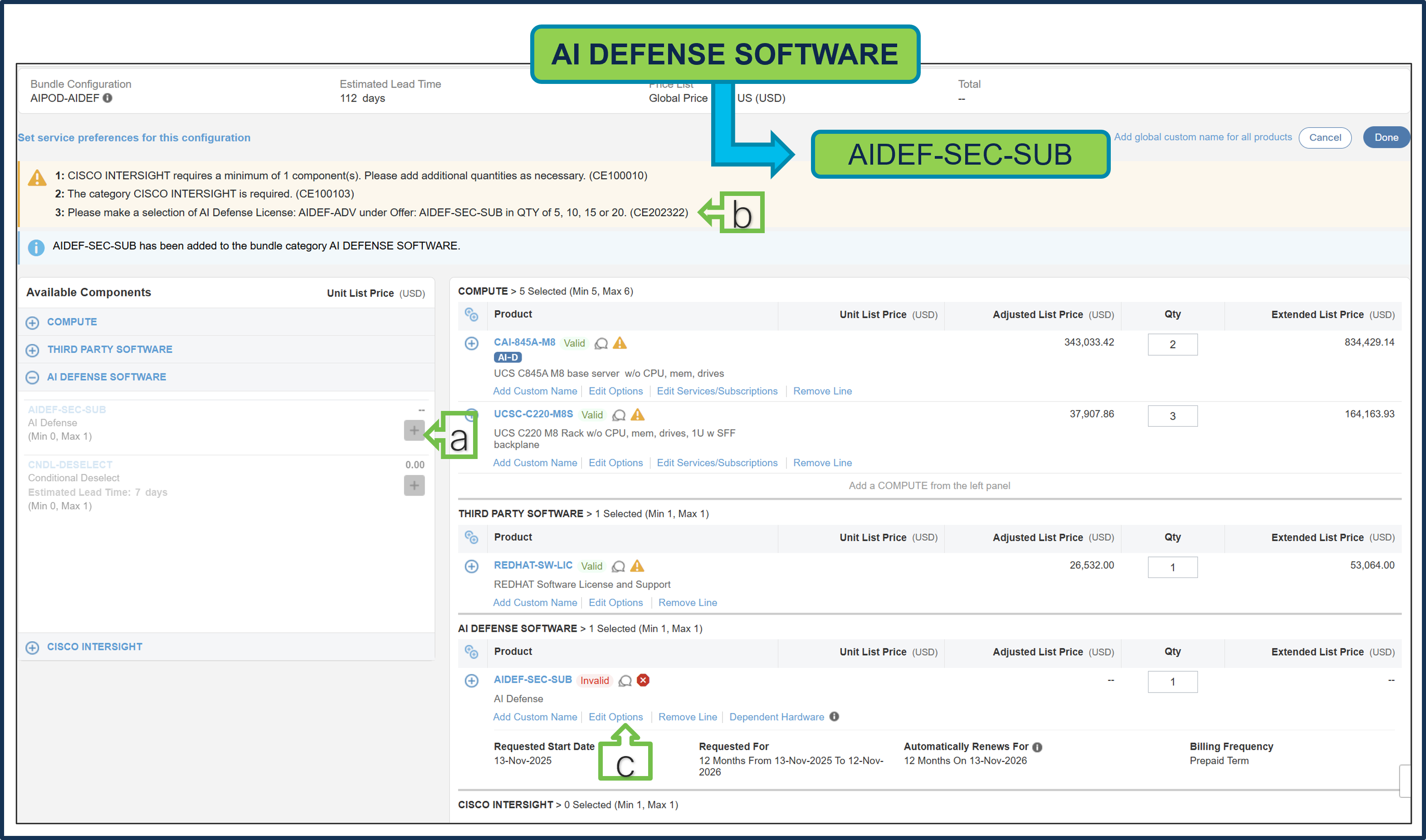
a. AIDEF-SEC-SUB is a required selection. Please make your selection by clicking “Plus”
b. Selection of AI Defense License: AIDEF-ADV under Offer: AIDEF-SEC-SUB in quantity of 5, 10, 15 or 20 is required.
c. Click on “Edit Options” to configure the product.
Step 12.
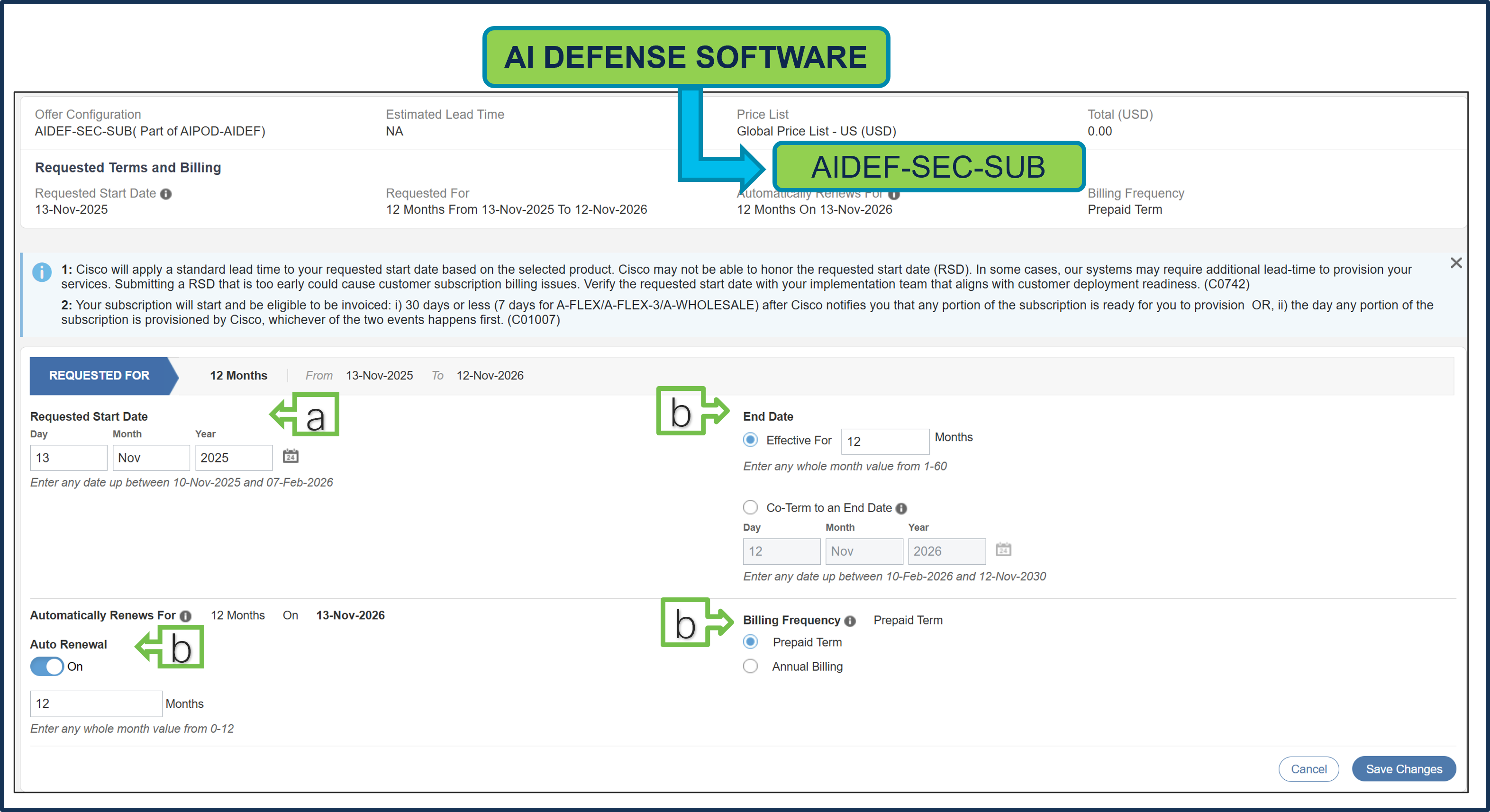
a. Requested Start Date (RSD) is now dependent on the HW Ship Date and will automatically start when the HW ships. If you change the RSD, the software will start either on the RSD you picked or the HW Ship Date whichever is later.
b. End Date (duration in months) is defaulted to 12 Months, Auto Renewal (on/off) is defaulted to Off and Billing Frequency is defaulted to Prepaid Term. You can still change the setting accordingly.
Step 13.
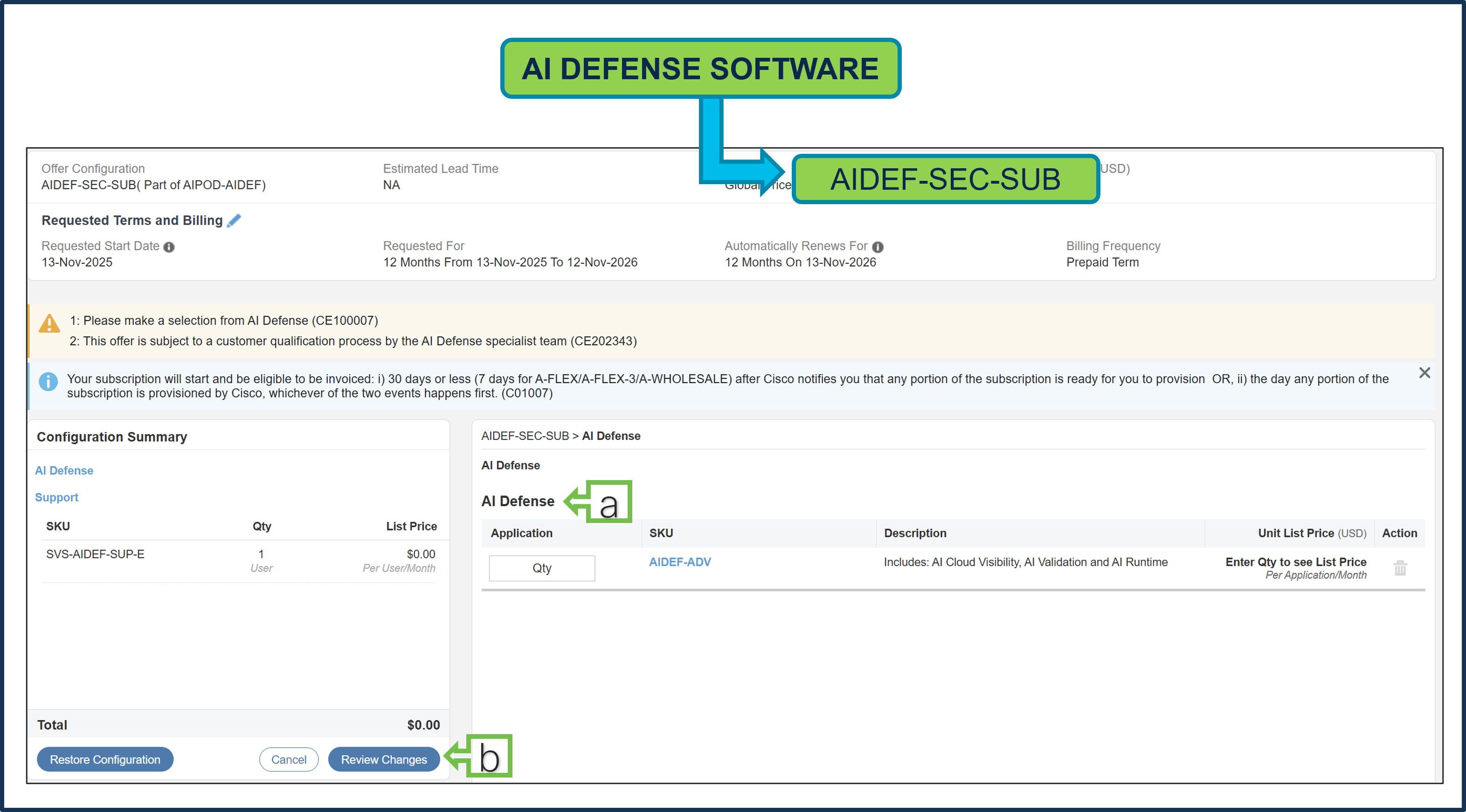
a. The quantity of AI Defense License: AIDEF-ADV should be 5, 10, 15 or 20.
b. Click on “Review Changes”
Step 14.
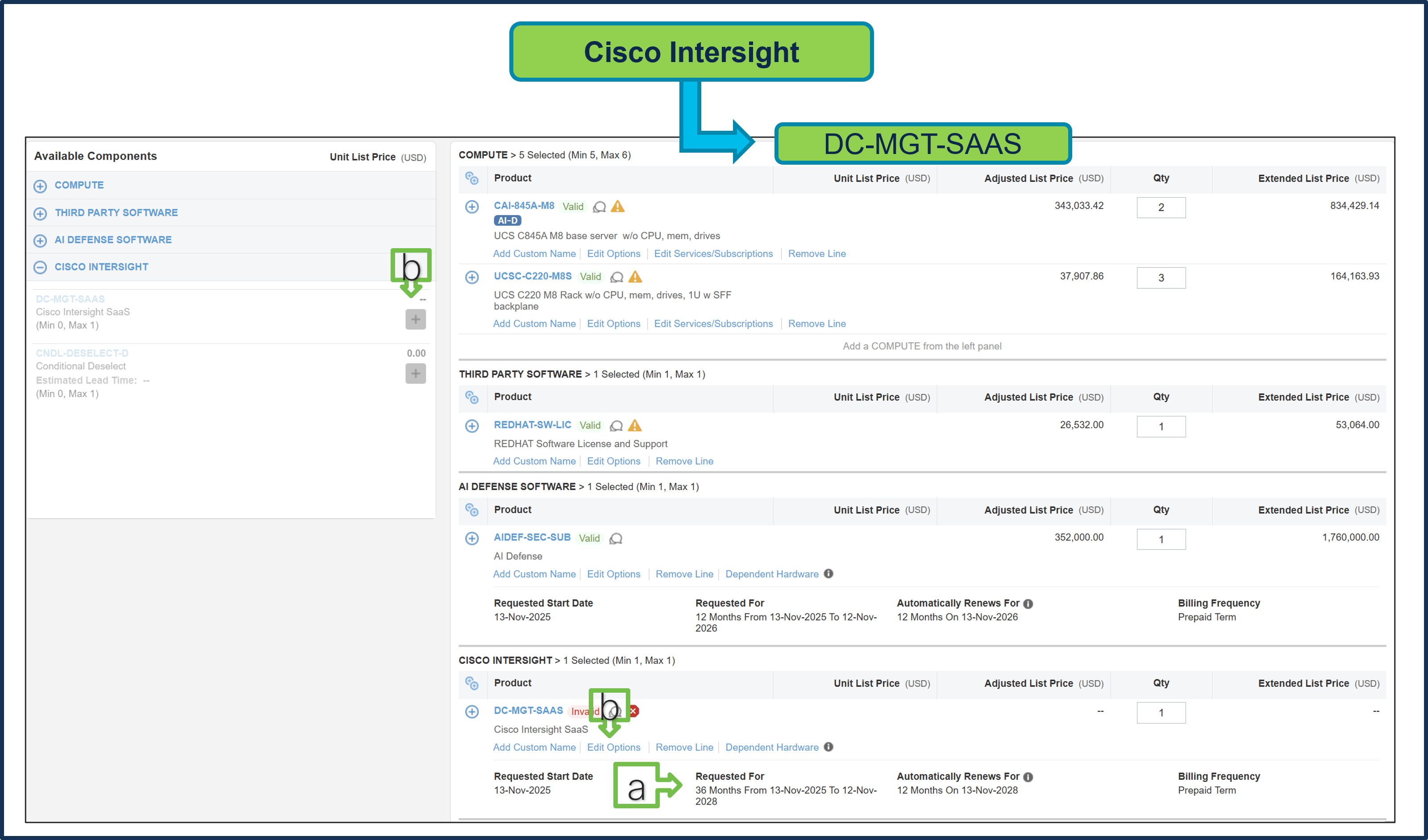
a. It is recommended that Term Duration for HW Support align with Software Subscription Duration.
b. Intersight is a required selection if you have not previously purchased Cisco Intersight Software. Please make your selection by clicking “PLUS.” Then, click on “Edit Options” to configure.
Step 15.
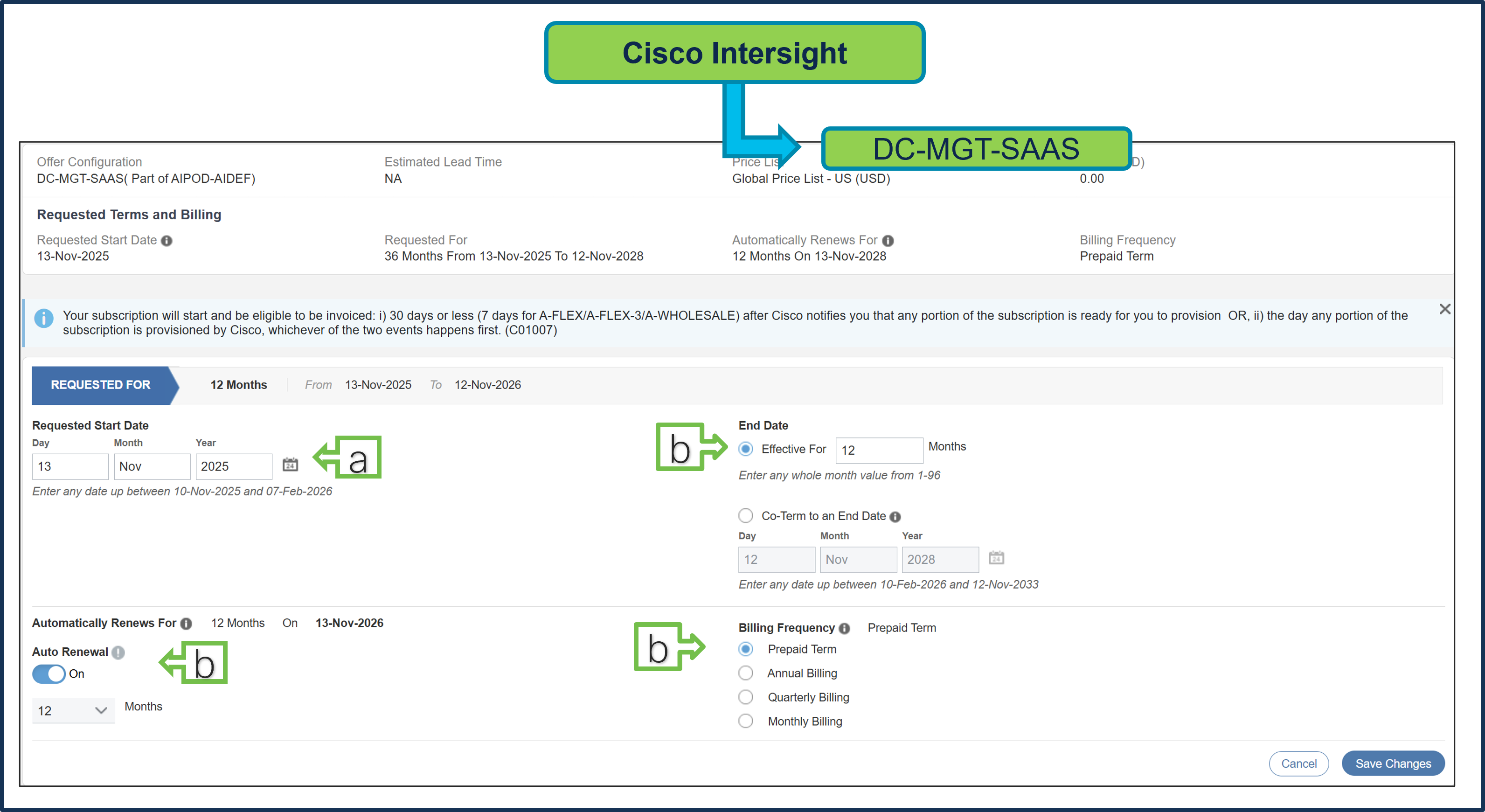
a. Requested Start Date (RSD) is now dependent on HW Ship Date and will automatically starts when the HW ships. If you change the RSD, the Software will start either on the RSD you picked or the HW Ship Date whichever is later.
b. End Date (duration in months) is defaulted to 12 Months, Auto Renewal (on/off) is defaulted to Off and Billing Frequency is defaulted to Prepaid Term. You can still change the setting accordingly.
Step 16.
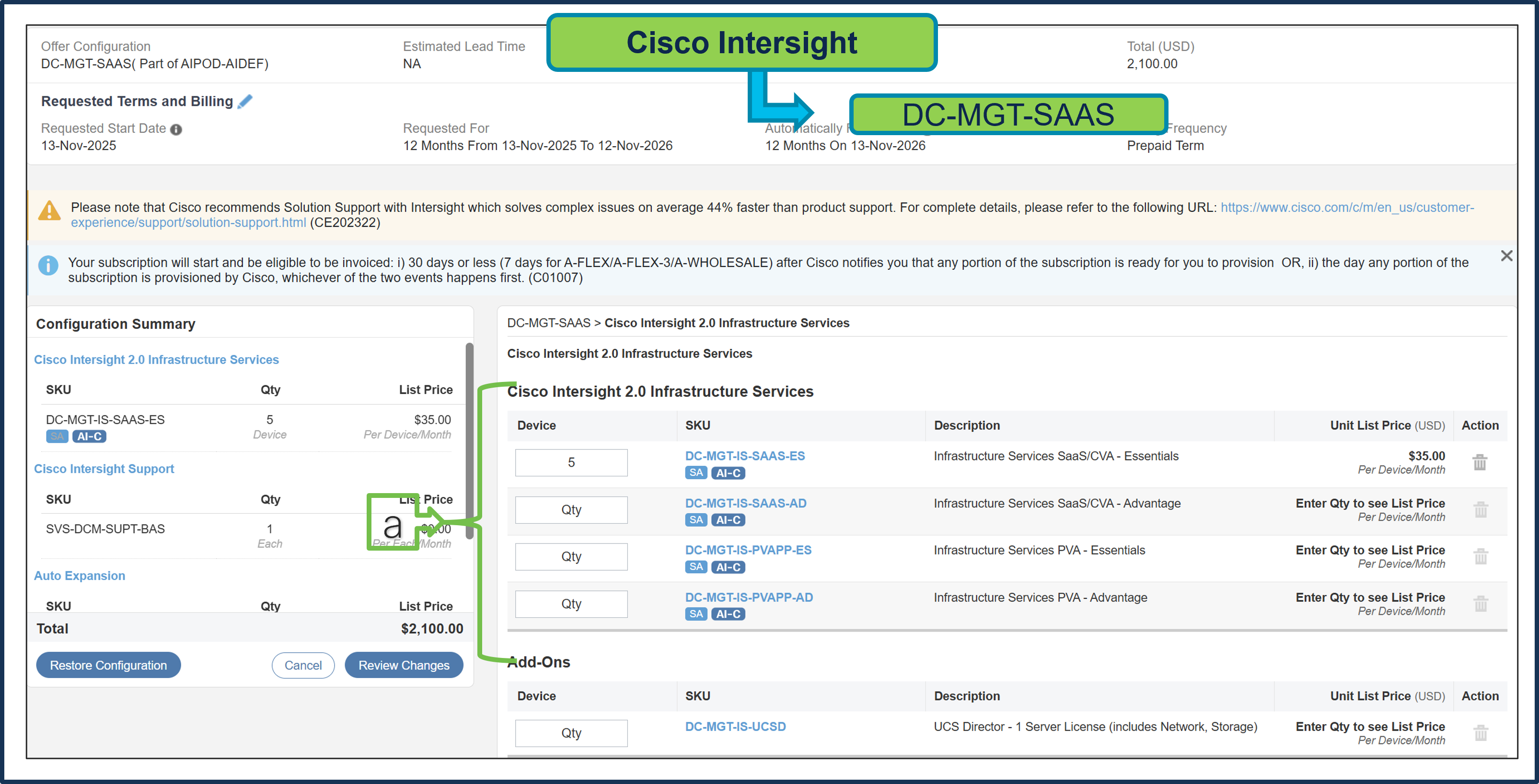
a. The quantity of Cisco Intersight 2.0 Infrastructure Services License under Offer: DC-MGT-SAAS should be equal to the quantity of servers selected. Enter the quantity.
Step 17.
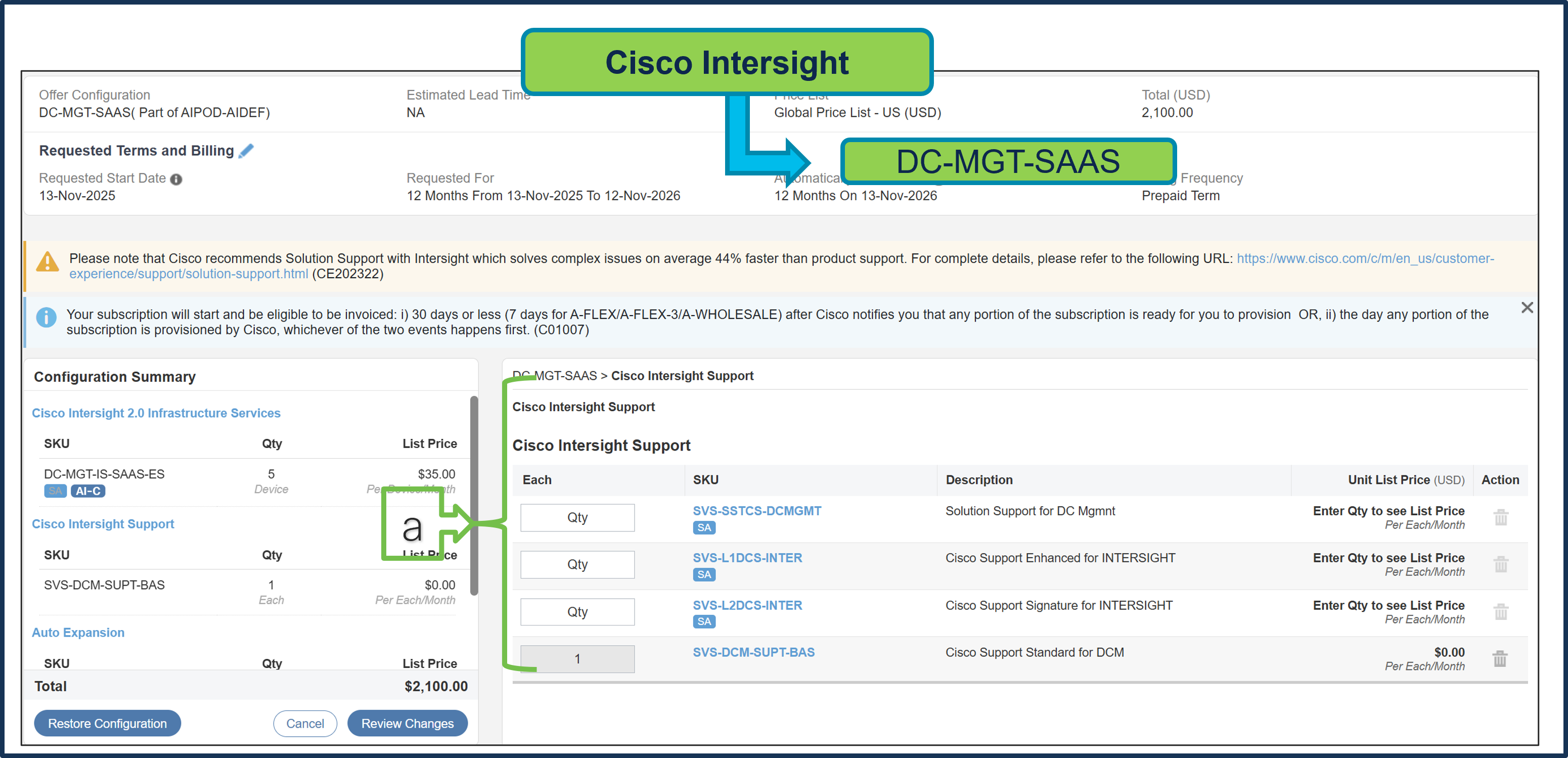
a. The Cisco Intersight License comes with separate support. Basic Embedded Support is the default selection. Customers may upgrade to Solution Support, CX Success Track L1 and L2 (supported only with SaaS) if needed.
Step 18.
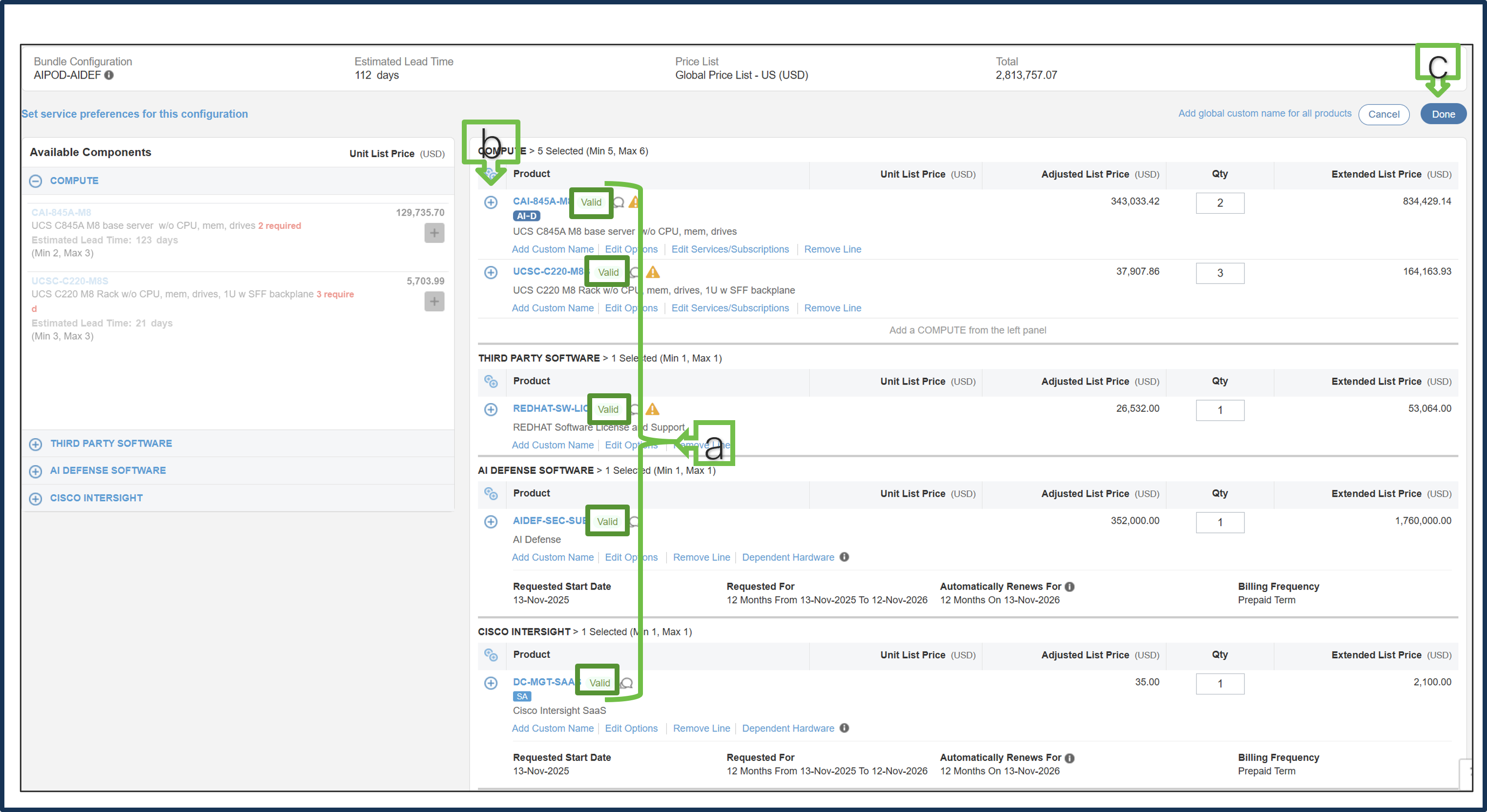
a. Configuration for MLB is completed when status of each product is Valid, and warning messages are cleared.
b. Click on the “Plus” to expand and view the selections made for each Product.
c. Click on “Done” to complete MLB configuration.
Step 19.
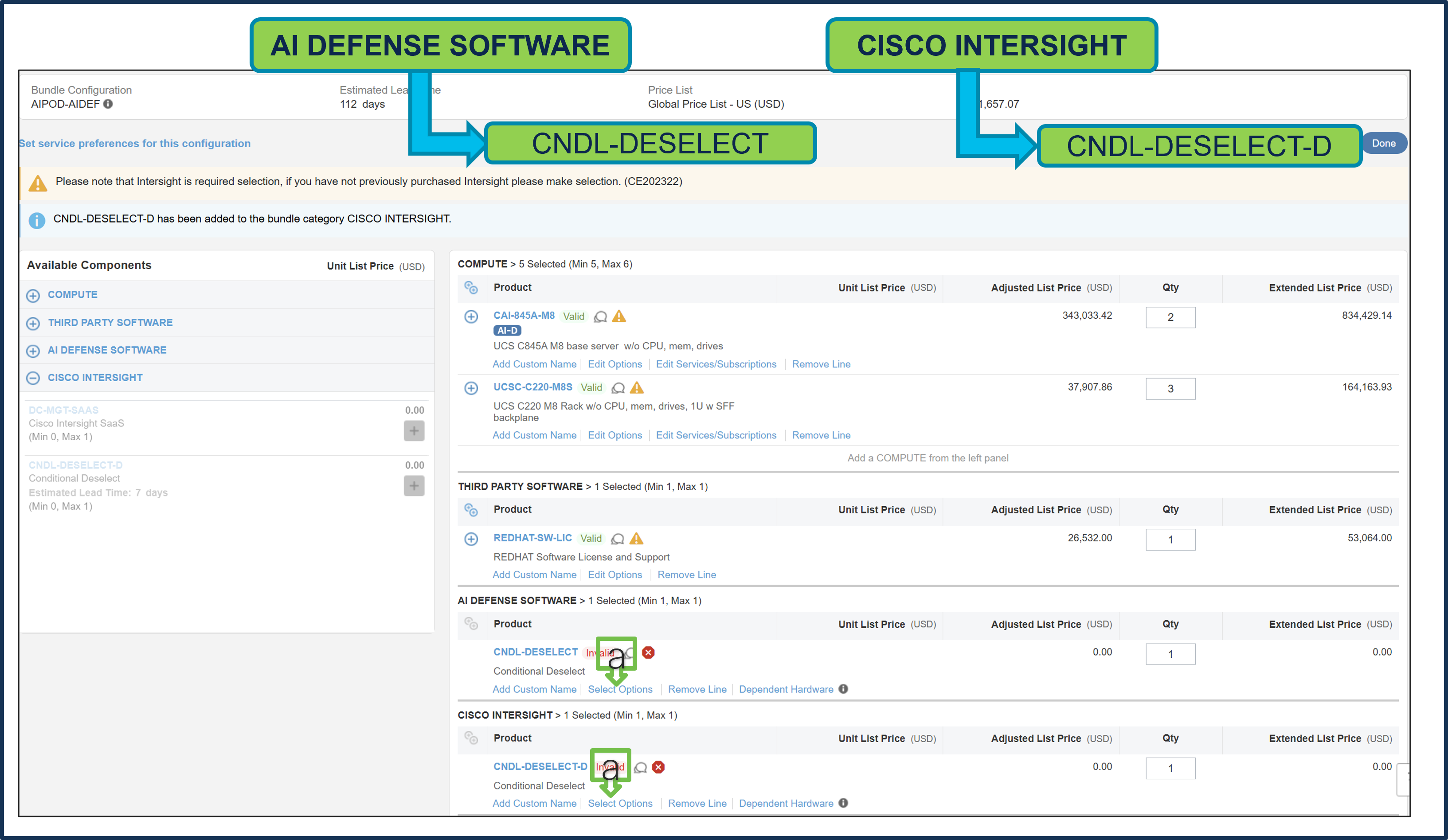
a. Click on “Select Options” to configure.
Note: CNDL-DESELECT and CNDL-DESELECT-D is meant to select only if Customer has already purchased Software License previously or via EA Contract or order is for Disti Fulfillment.
Step 20.
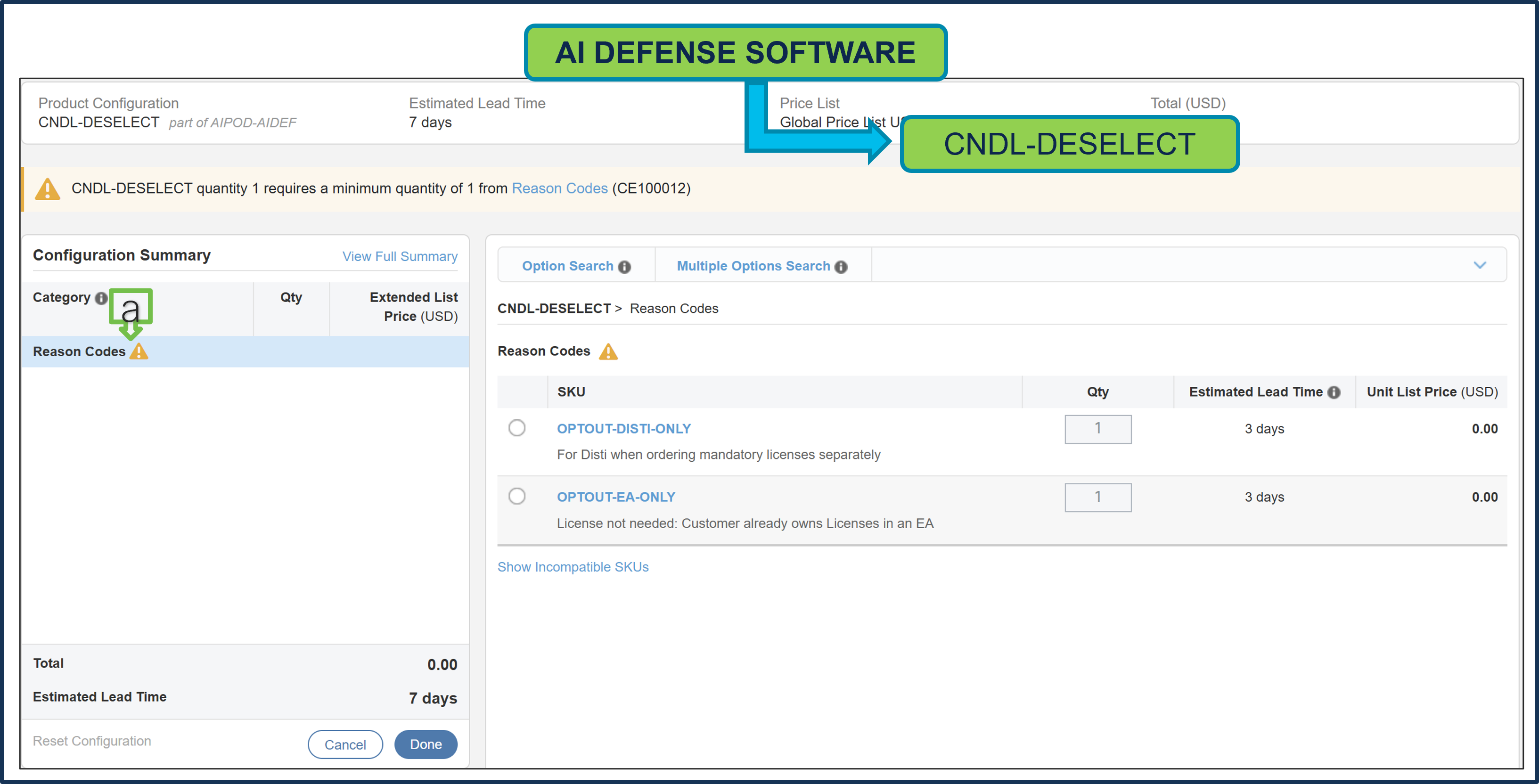
a. Please select the appropriate “Reason Code”
Step 21.
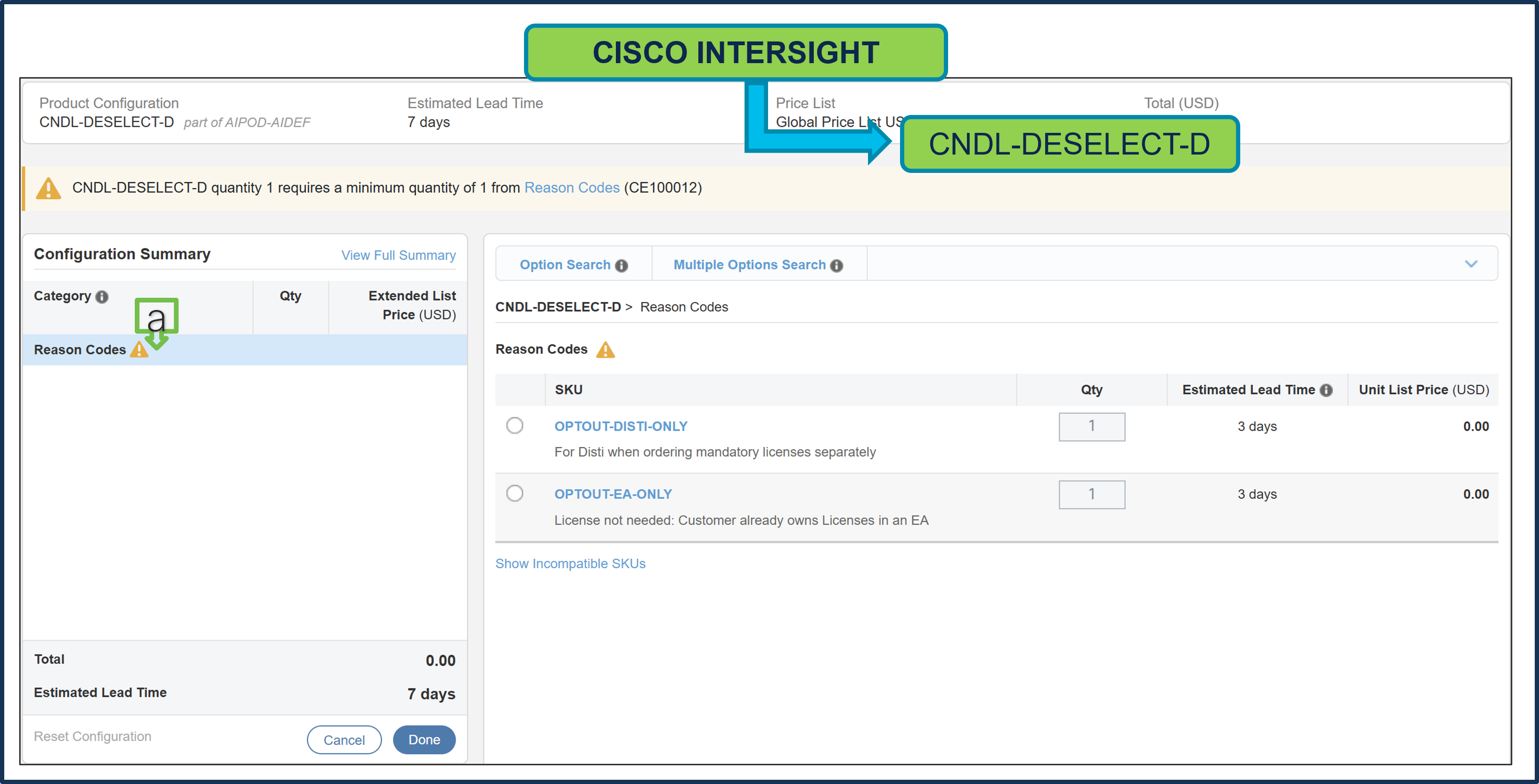
a. Please select the appropriate “Reason Code”
Step 22.
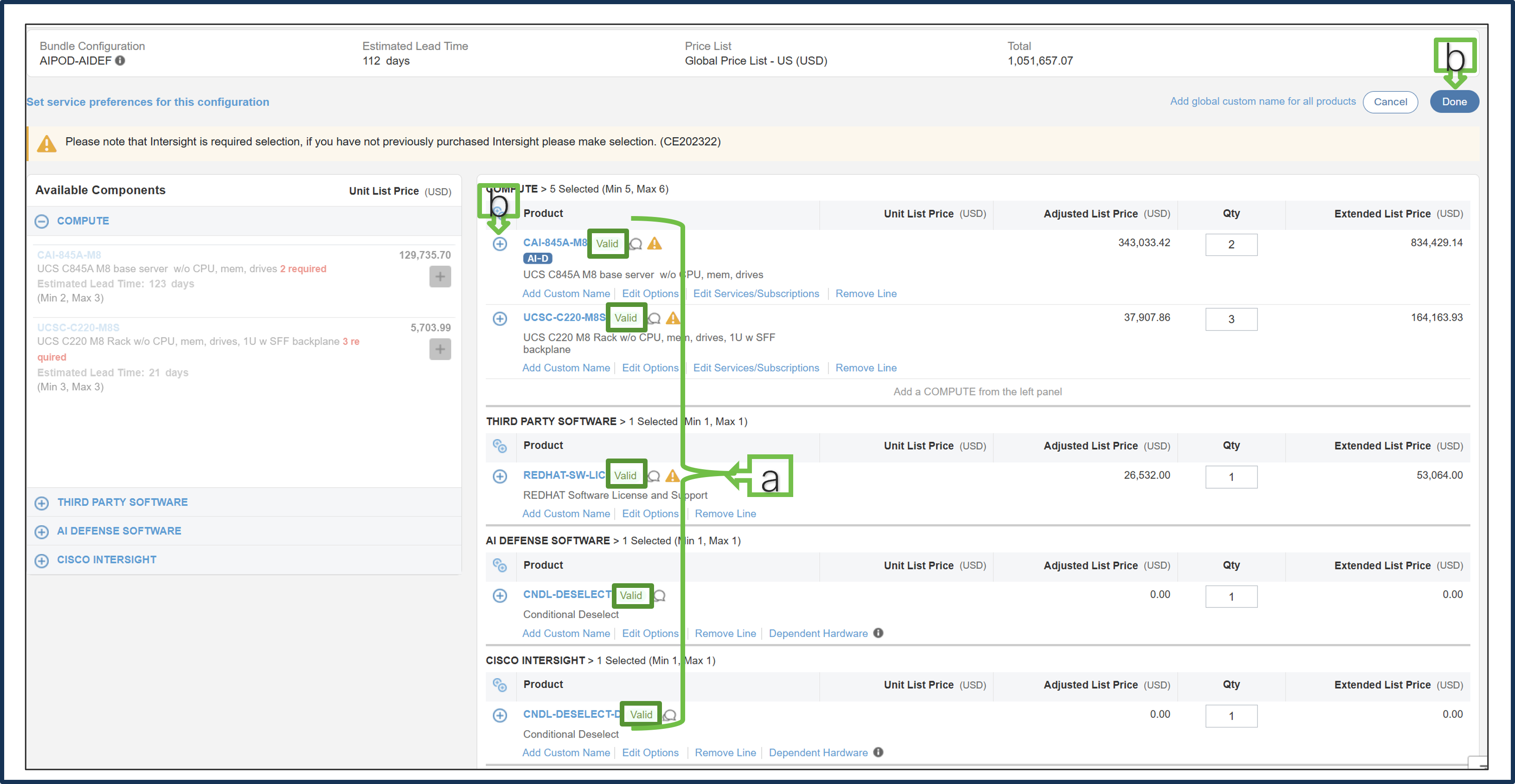
a. Configuration for MLB is completed when status of each product is “Valid” and warning messages are cleared.
b. Click on the “Plus” to expand and view the selections made for each product.
c. Click on “Done” to complete MLB configuration
Step 23.
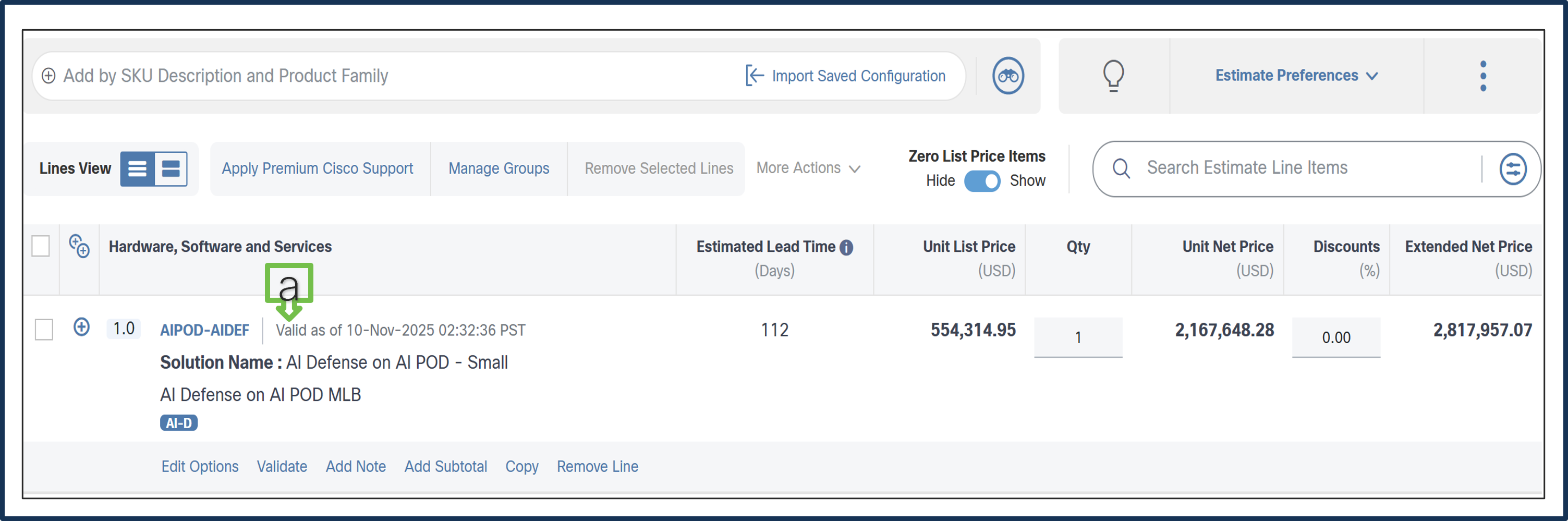
a. Configuration for AI Defense on AI POD – Small is now valid.
Learn More
Table 2. Important Collaterals
| Resource Name |
Purpose |
Link |
| AI Defense Ordering Guide |
Provide information about the end-to-end quote-to-fulfillment process for AI Defense standalone offer in the Cisco Commerce Workspace and Cisco Service Contract Center |
https://salesresources.cisco.com/Link/Content/DCd6jdPF6p6F68hGpDjCBXFV297d |
| VOD for SID search and configuration |
Demo how to search and configure SIDs |
https://app.vidcast.io/share/15832b58-5beb-4d18-a7b0-727f6135a9d3 |
| How to buy |
Browse options to purchase Cisco products, services, and software offerings. |
|
| Accessing CCW |
Guidelines for accessing CCW for partners and distributors |
https://salesconnect.seismic.com/Link/Content/DCa3e0d657-0fcf-427b-b936-da439d8f942c |