Device Console User Interface
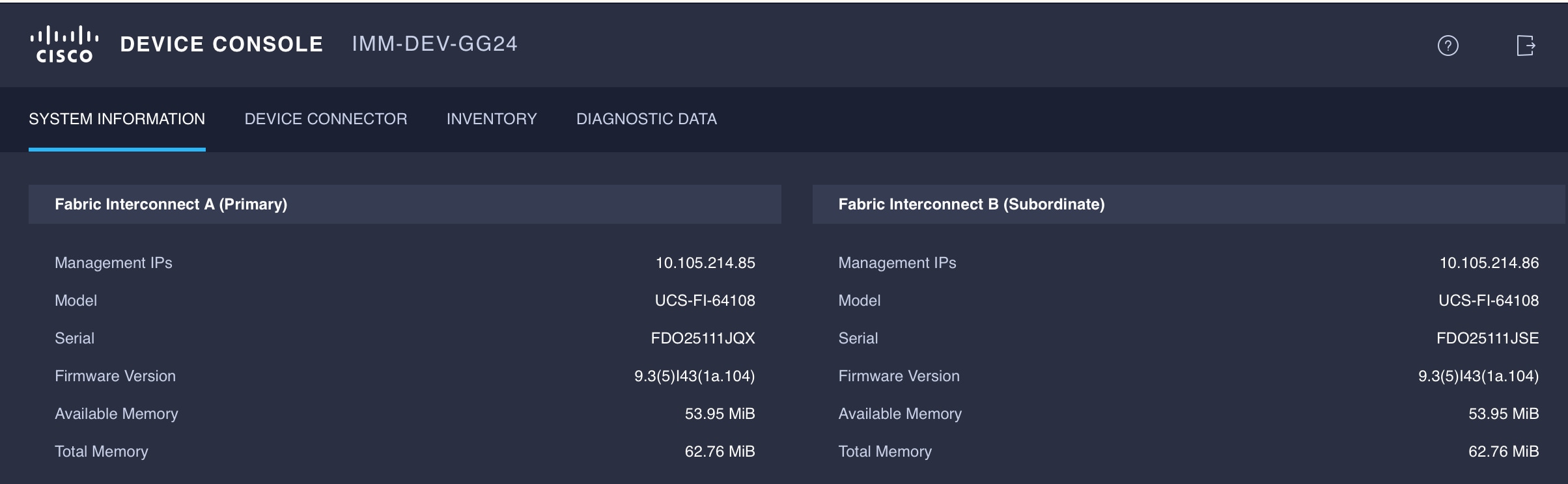
The Device Console UI consists of the following main elements:
-
A central pane that includes four tabs: System Information, Device Connector, Inventory and Diagnostic Data.
-
A top navigation menu that contains the Help menu and Logout button.
System Information
The System Information tab provides details for the Fabric Interconnects, which includes a summary of the fabric interconnects properties, memory size, and firmware versions.
|
Details |
Description |
|---|---|
|
Management IP |
Displays the Cisco UCS management IP address. |
|
Model |
Displays the Cisco UCS Fabric Interconnect series model. |
|
Serial |
Displays the host ID/serial number of the server. |
|
Firmware Version |
Displays the current firmware version running on the Fabric Interconnect. |
|
Available Memory |
Displays the available memory. |
|
Total Memory |
Displays the total allocated memory. |
 Feedback