Overview
How to add a device to the Firewall Management Center using the device hostname or IP address plus a registration key and NAT ID.
Register the firewall to the Firewall Management Center.
Procedure
| 1. | Log into the Firewall Management Center. |
|
| 2. | Choose . |
|
| 3. | From the Add drop-down menu, choose Device. |
|
| 4. | Click Registration Key, click Basic, and then click Next. 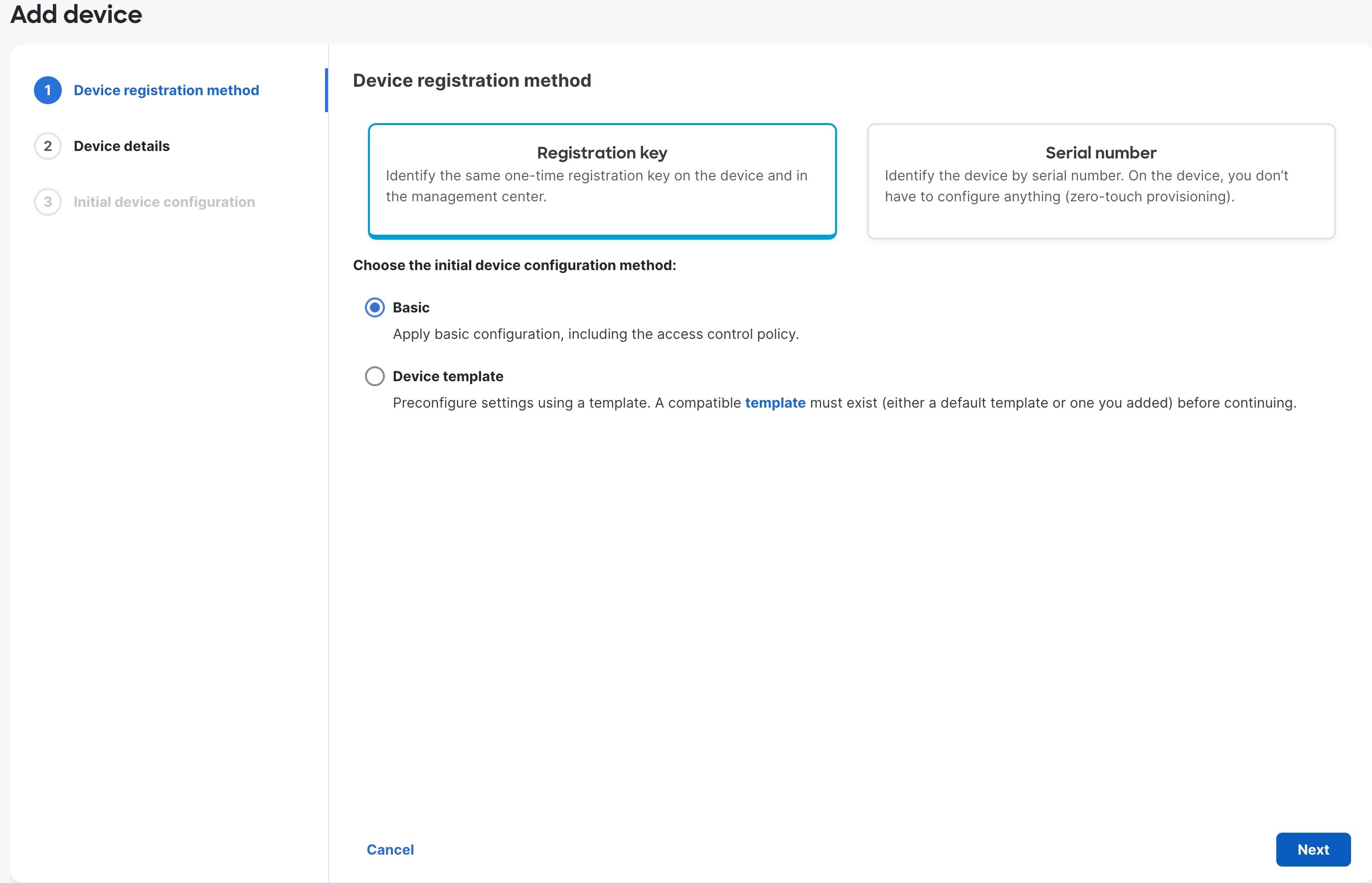
|
|
| 5. | Configure the device details and click Next. 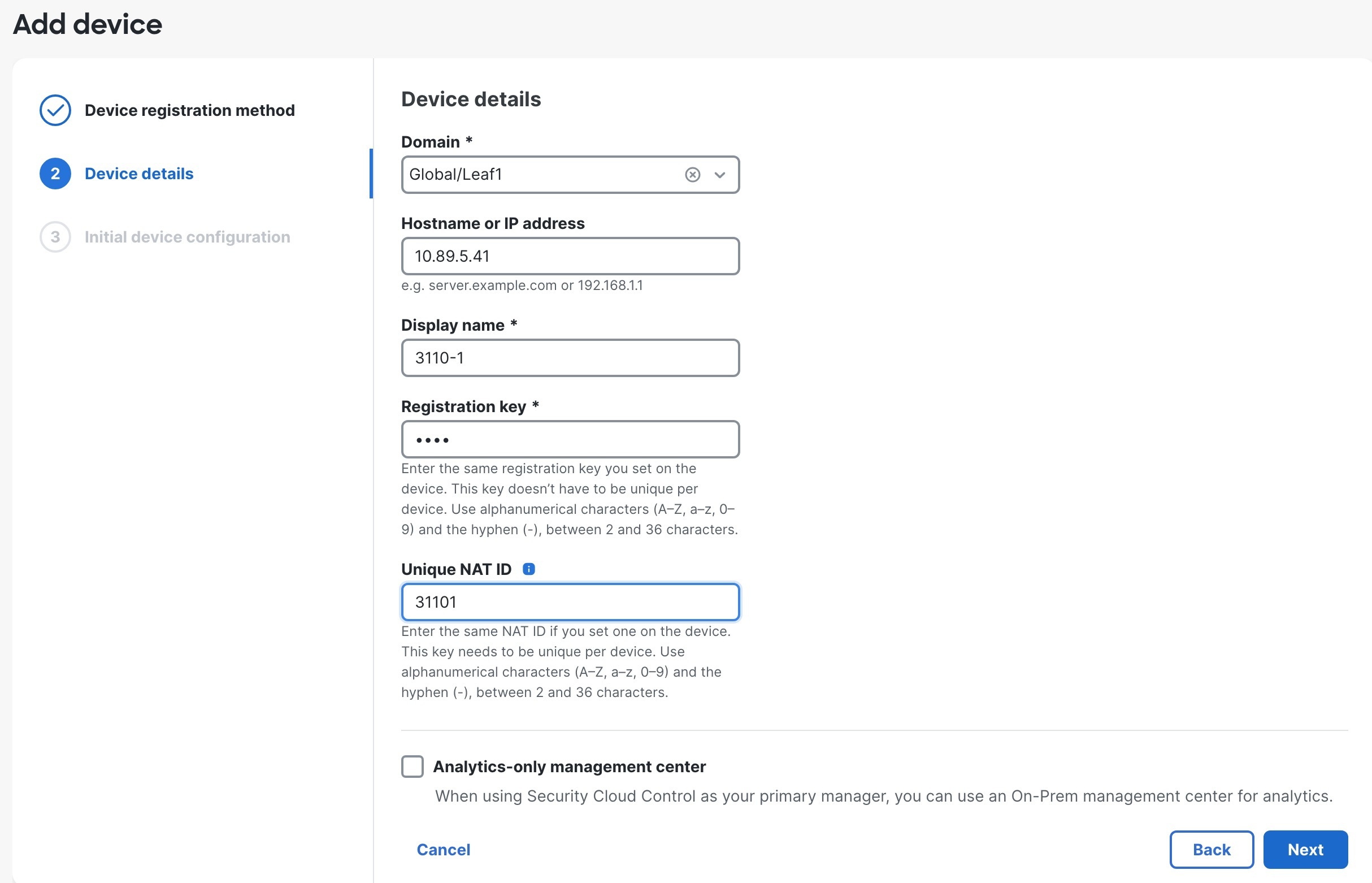
|
|
| 6. | Configure the initial device configuration. 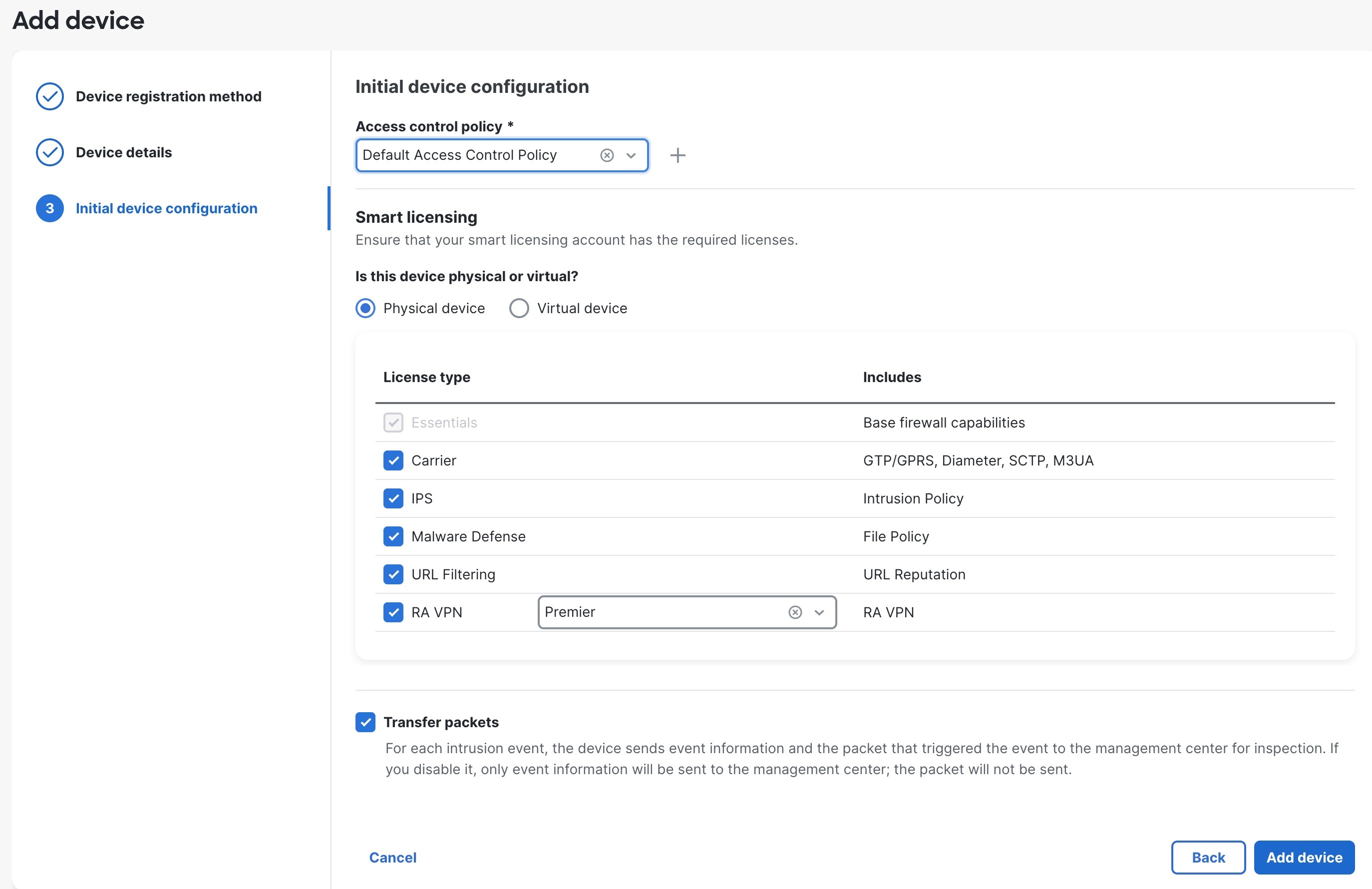
|
|
| 7. | Click Add device. It may take up to two minutes for the Firewall Management Center to verify the device’s heartbeat and establish communication. If the registration succeeds, the device is added to the list. If it fails, you will see an error message. If the device fails to register, check the following items:
For more troubleshooting information, see https://cisco.com/go/fmc-reg-error. |
