Overview
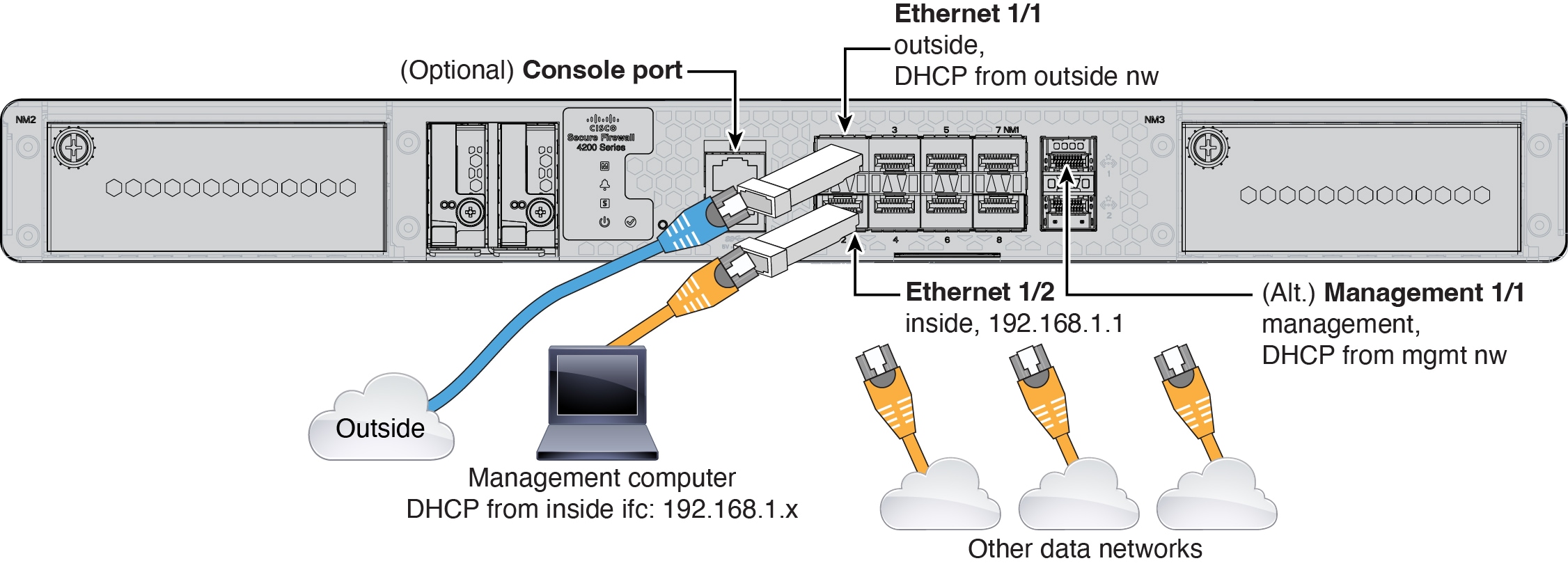
Learn how to cable the Secure Firewall 4200 so you can complete the initial hardware setup and prepare required ports for network connectivity before configuration.
-
(Optional) Obtain a console cable—The firewall does not ship with a console cable by default, so you will need to buy a third-party USB-to-RJ-45 serial cable, for example.
-
Install SFPs into the data interfaces and optional Management ports—The built-in ports are 1/10/25-Gbps SFP28 ports that require SFP/SFP+/SFP28 modules.
-
See the hardware installation guide for more information.