Overview
Learn how to cable the Secure Firewall 1210/20 so you can complete the initial hardware setup and prepare required ports for network connectivity before configuration.
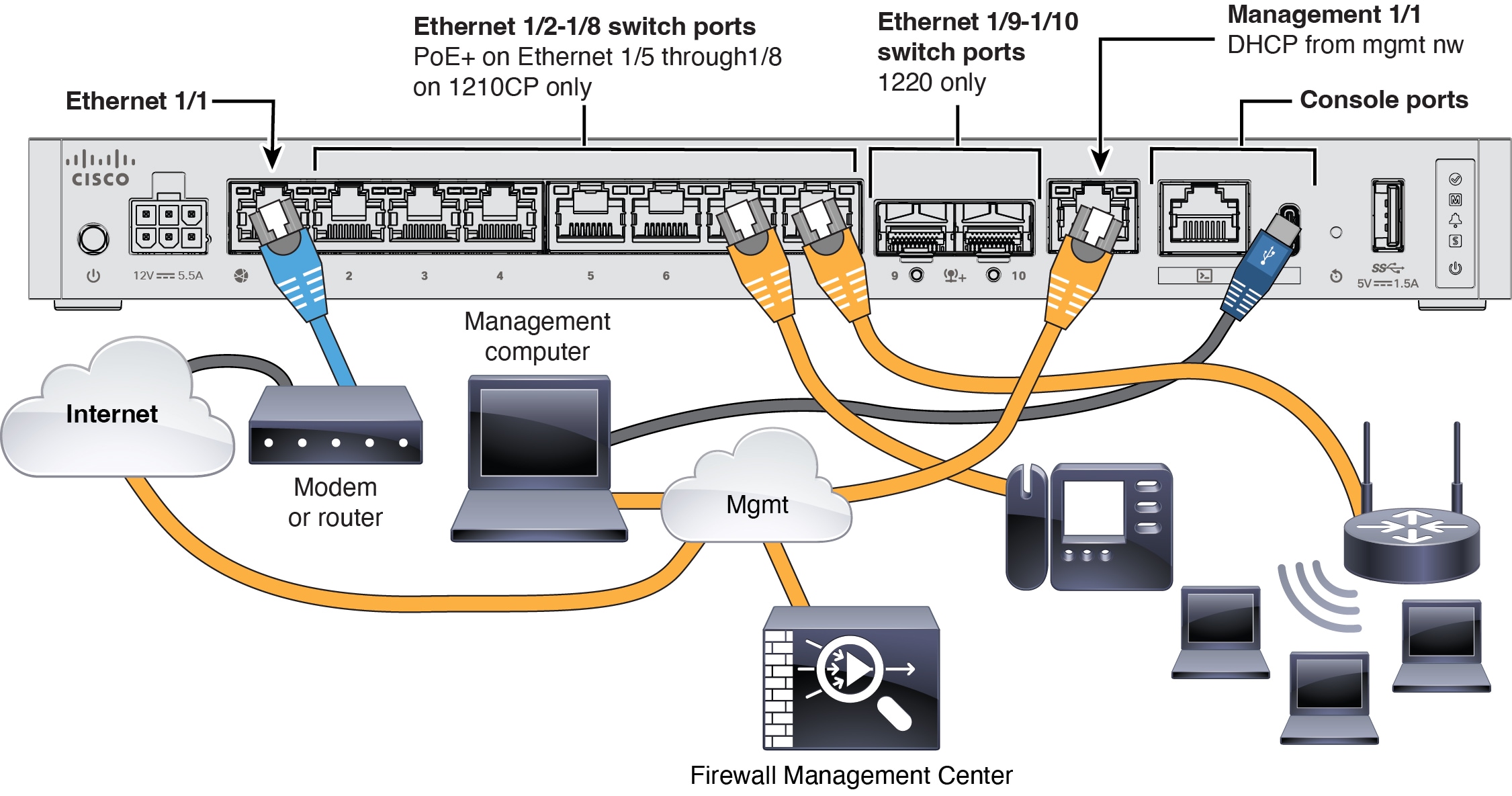
Connect the Firewall Management Center to the dedicated Management 1/1 interface. The management network needs access to the internet for updates. For example, you can connect the management network to the internet through the firewall itself (for example, by connecting to the inside network).
-
For the Secure Firewall 1220, install SFPs into Ethernet 1/9 and 1/10—They are 1/10-Gb SFP+ ports that require SFP/SFP+ modules.
-
See the hardware installation guide for more information.