Cisco Security Cloud Control: Cisco IOS Management

PDF

Cisco Security Cloud Control: Cisco IOS Management

Use the Security Cloud Control Command Line Interface Tool

Want to summarize with AI?

Log in

Learn how to use the Security Cloud Control command line interface tool. Use the Security Cloud Control command line interface (CLI) to manage or troubleshoot IOS and other device types.


Use the Security Cloud Control command line interface (CLI) to manage or troubleshoot IOS and other device types.

For more information, refer to the Security Cloud Control configuration guide.
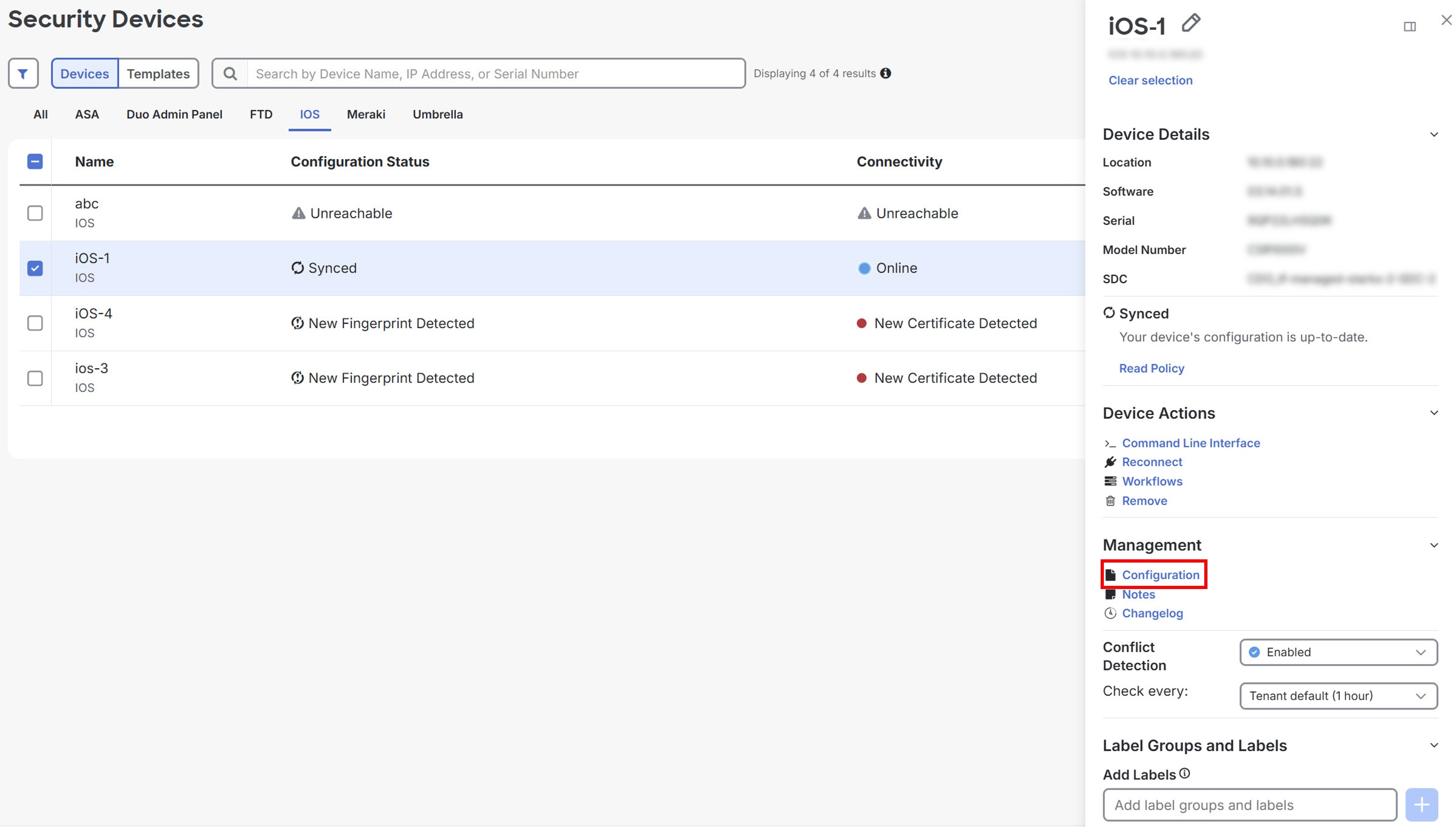

View Device Configuration File

You can view the configuration file using Security Cloud Control.

Note

Cisco IOS devices have read-only configurations.

Procedure

1.

Click Security Devices.

2.

Click the Devices tab to locate the device or the Templates tab to locate the model device.

3.

Click the appropriate device type tab.

4.

Select the device or model whose configuration you want to view.

5.

Click Configuration under the Management section.

Security Devices page showing Configuration button.
After you complete these steps, you can see the full configuration file.