Learn how to monitor AWS VPC tunnel connectivity in Security Cloud Control Firewall Management using AWS Transit Gateway and run on-demand checks for active or idle VPN tunnel status.
Amazon Web Services (AWS) Transit Gateway acts as a cloud router. It connects enterprise virtual private clouds (VPCs) to AWS VPCs through a central hub, which allows for simplified peering relationships.
Security Cloud Control Firewall Management allows you to monitor the connection status of your onboarded AWS VPCs using AWS Transit Gateway.
Procedure
| 1. | From the Security Cloud Control Home page, click Firewall. |
|
| 2. | Choose .
The
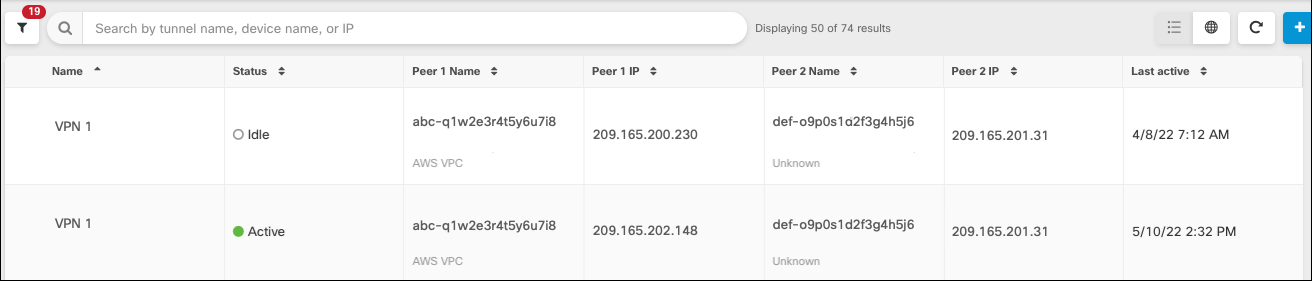
VPN Tunnels page displays the connection status for all network tunnels managed by your
Security Cloud Control tenant. The connection status for the VPN tunnel can be
active or idle.
|
|
| 3. | Select a VPC, and then under Actions, click Check Connectivity. This triggers a real-time connectivity check against the tunnel and identifies whether the tunnel is currently active or idle. If you do not click the on-demand connectivity check link, a check across all tunnels on all onboarded devices occurs every ten minutes.
|