Verify AWS VPC tunnel connectivity in Security Cloud Control Firewall Management using AWS Transit Gateway, and run on-demand checks to determine active or idle VPN tunnel status.
Provide visibility into the connection status of onboarded AWS VPC VPN tunnels using AWS Transit Gateway and enable on-demand connectivity checks within the management platform.
Amazon Web Services (AWS) Transit Gateway acts as a cloud router. It connects enterprise virtual private clouds (VPCs) to AWS VPCs through a central hub, which allows for simplified peering relationships.
Security Cloud Control Firewall Management allows you to monitor the connection status of your onboarded AWS VPCs using AWS Transit Gateway.
Before you begin
Follow these steps to monitor AWS VPC tunnels using AWS Transit Gateway:
Procedure
-
Select a VPC, and then under Actions, click Check Connectivity. This triggers a real-time connectivity check against the tunnel and identifies whether the tunnel is currently active or idle. If you do not click the on-demand connectivity check link, a check across all tunnels on all onboarded devices occurs every ten minutes.
Security Cloud Control prompts a notification if the connection of a VPN tunnel goes down. No notification appears when the link comes back up.
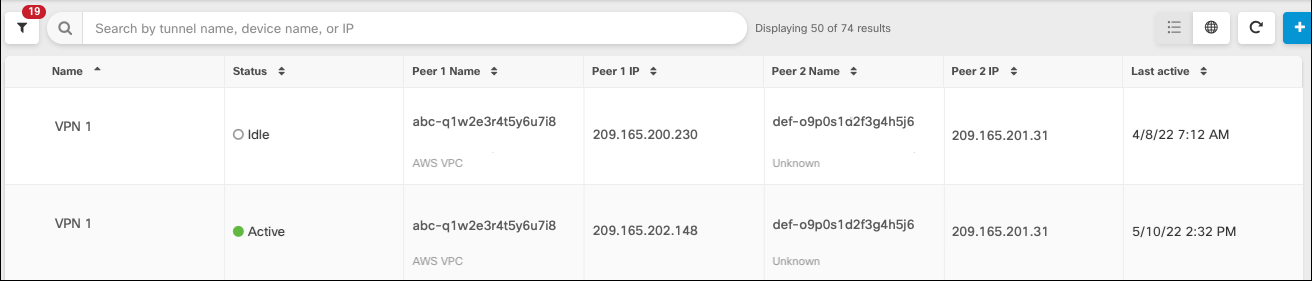
The VPN tunnel status for AWS VPCs is displayed on the VPN Tunnels page as active or idle. If you do not run an on-demand check, the system checks all onboarded tunnels every ten minutes. A notification appears when a tunnel goes down; none appears when it comes back up.