Details the interplay between Role-Based Access Control and AAA, highlighting how authorization, authentication, and accounting integrate to provide comprehensive access control.
The Cisco Catalyst SD-WAN AAA software implements role-based access to control the authorization permissions for users on Cisco IOS XE Catalyst SD-WAN devices.
RBAC consists of three components:
-
Users: They are allowed to log in to a Cisco IOS XE Catalyst SD-WAN device.
-
User groups: They are collections of users.
-
Privileges: These are associated with each group. Privileges define the commands that the users are authorized to issue.
Users and user groups
All users who are permitted to perform operations on a Cisco IOS XE Catalyst SD-WAN device device must have a login account. For the login account, you configure a username and a password on the device itself. These allow the user to log in to that device. A username and password must be configured on each device that a user is allowed to access.
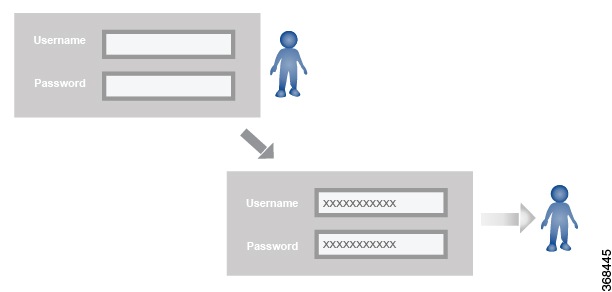
The Cisco Catalyst SD-WAN software provides one standard username, admin, which is a user who has full administrative privileges, similar to a UNIX superuser. By default, the admin username password is admin. You cannot delete or modify this username, but you can and should change the default password.
User groups pool together users who have common roles, or privileges, on the Cisco IOS XE Catalyst SD-WAN device. As part of configuring the login account information, you specify which user group or groups that user is a member of. You do not need to specify a group for the admin user, because this user is automatically in the user group netadmin and is permitted to perform all operations on the SD-WAN device.
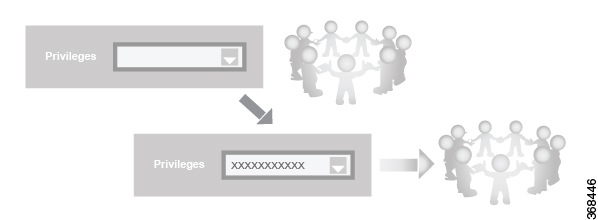
The user group itself is where you configure the privileges associated with that group. These privileges correspond to the specific commands that the user is permitted to execute, effectively defining the role-based access to the Cisco Catalyst SD-WAN software elements.

Standard user groups
Cisco Catalyst SD-WAN software provides standard user groups and allows creation of custom user groups as needed.
-
basic: The basic group is a configurable group and can be used for any users and privilege levels. This group is designed to include users who have permission to both view and modify information on the device.
-
operator: The operator group is also a configurable group and can be used for any users and privilege levels. This group is designed to include users who have permission only to view information.
-
netadmin: The netadmin group is a non-configurable group. By default, this group includes the admin user. You can add other users to this group. Users in this group are permitted to perform all operations on the device.
-
network_operations: From Cisco vManage Release 20.9.1, network_operations user group is supported. The network_operations group is a non-configurable group. Users in this group can perform all non-security-policy operations on the device and only view security policy information. For example, users can create or modify template configurations, manage disaster recovery, and create non-security policies such as application aware routing policy or CFlowD policy.
-
security_operations: From Cisco vManage Release 20.9.1, security_operations user group is supported. The security_operations group is a non-configurable group. Users in this group can perform all security operations on the device and only view non-security-policy information. For example, users can manage umbrella keys, licensing, IPS signatures auto update, TLS/SSL proxy settings, and so on.
Users of the network_operations group are authorized to apply policies to a device, revoke applied policies, and edit device templates. Users of the security_operations group require network_operations users to intervene on day-0 to deploy security policy on a device and on day-N to remove a deployed security policy. However, after a security policy is deployed on a device, security_operations users can modify the security policy without needing the network_operations users to intervene.
All user groups, regardless of the read or write permissions selected, can view the information displayed on the Cisco SD-WAN Manager Dashboard screen.
Only admin users can view running and local configuration. Users associated with predefined operator user group do not have access to the running and local configurations. The predefined user group operator has only read access for the template configuration. If you need only a subset of admin user privileges, then you need to create a new user group with the selected features from the features list with both read and write access and associate the group with the custom user.
Previously, users with roles other than netadmin, such as basic, network_operations, security_operations, and operator, could execute arbitrary commands on the host system, which posed a significant security risk. To resolve this issue, only specific users (root, vmanage-admin, ciscotacro, ciscotacrw) were given permission to execute the commands. Now, only ciscotacro and ciscotacrw users have access to the request execute function, while netadmin group members are permitted access only when Cisco SD-WAN Manager is enabled. This change blocks unauthorized users from alternative shell or command execution methods, enforces proper restrictions, and mitigates the security risk.