
Cisco Nexus Hyperfabric — Device Inventory
View device inventory for an organization
The device inventory lists all devices in an organization. It includes a quick summary of
- devices that are claimed and not bound
- devices that are bound to a fabric
- empty fabric nodes (logical position) that do not have any bound devices
The device inventory provides a quick way to identify unbound devices that may be pending deployment, ensure that devices aren't overlooked, and verify that devices are properly assigned.
Step 1 | Choose Inventory ( 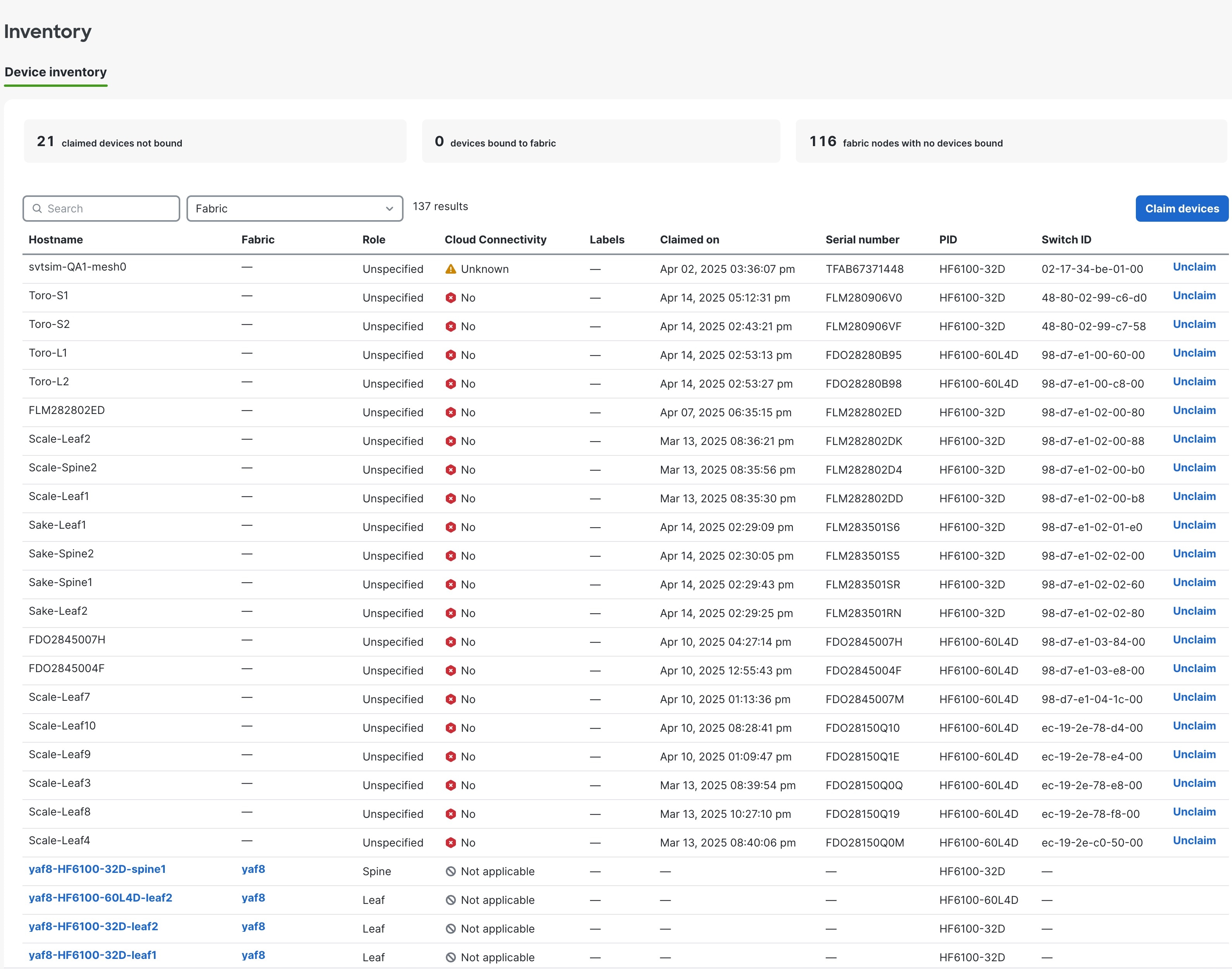
|
Step 2 | To filter the device list, click one of these options:
For each device, you can view information such as hostname, the fabric name the device belongs to, role, cloud connectivity status, labels, claim date, serial number, PID, and device ID. |
Step 3 | To view only devices for a specific fabric, from the Fabric drop-down list, select the fabric name. |
Step 4 | To unclaim a device, from the device row, click Unclaim. If a device is bound to a fabric, you have to unbind the device first to enable Unclaim. |
Step 5 | To claim one or more devices, click Claim devices. See Claim a device. |
 ) .
) .Fabric topology and device inventory
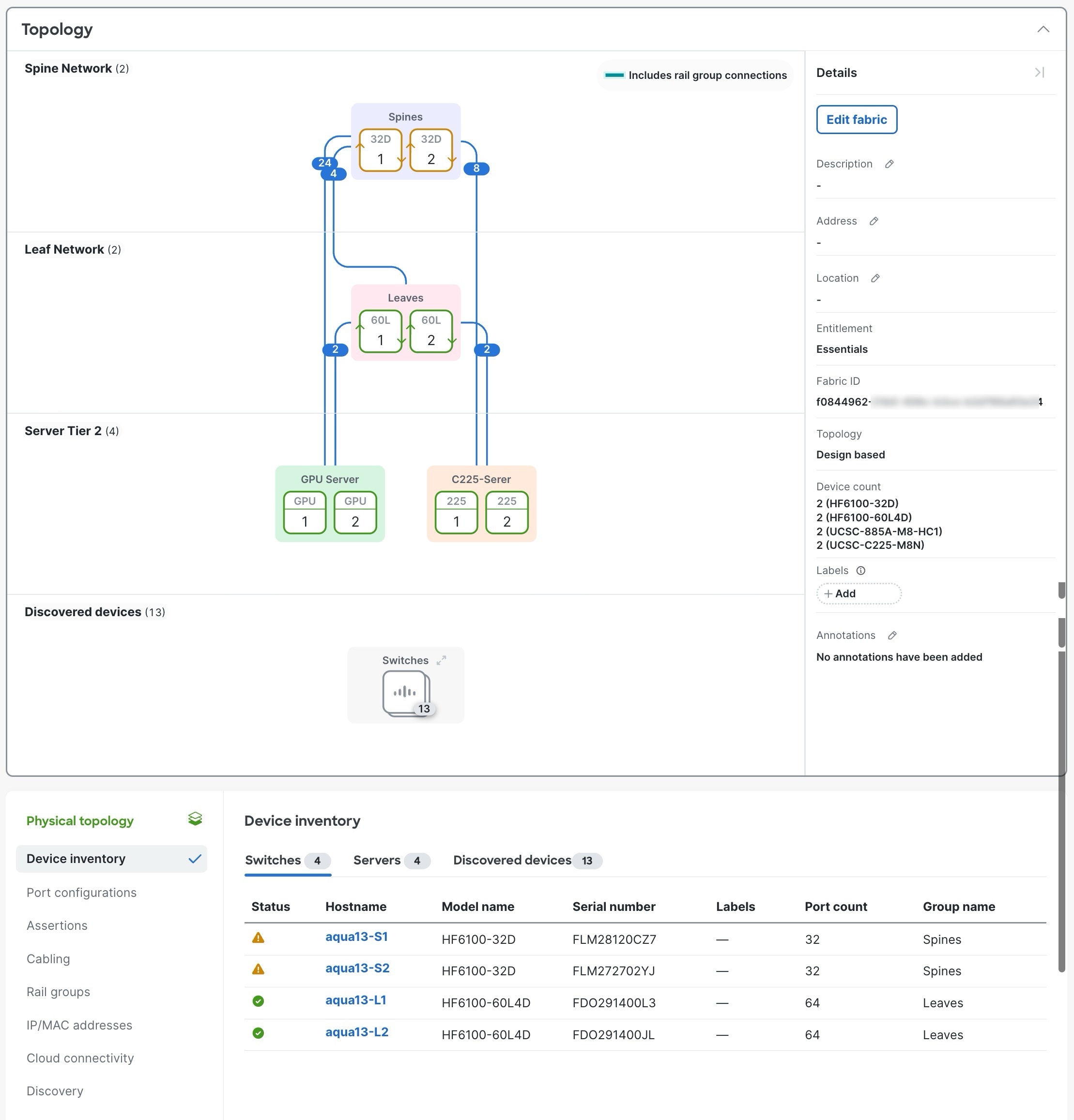
After choosing a fabric, the fabric topology and device inventory table appears.
Fabric topology
The Topology area shows a graphical representation of your fabric and offers several advantages:
- Quickly grasp fabric structure: Provides a visual map that allows you to understand the entire fabric's structure at a glance.
- Easy device identification: Enables you to readily identify different device types, such as backend or frontend leaves and spines, management leaves, and GPU servers.
- Quick problem identification: The border color of a device indicates the assertion level.
- Clear interconnection visualization: Helps you visualize and manage all device interconnections within the fabric.
- Visibility of unbound devices: Shows discovered and supported device model types (as defined in your fabric blueprint) that are available in your organization and not yet bound to your fabric.
- Simplified device binding: Option to easily bind or unbind a selected device.
Device inventory
The Device inventory is shown below the fabric topology and lists
- Switches or Servers: Lists blueprint nodes and the bound devices.
- Discovered devices: Discovered devices with the same model types included within the fabric's blueprint, but not bound to the fabric.