Kentick Integration with Splunk On-Call
Available Languages
Applicability
Splunk On-CallDescription
Integrate Kentik with Splunk ON-Call for automated incident notifications and streamlined alert management. It allows alerts generated by Kentik’s network analytics to trigger notifications within Splunk On-Call, leveraging its robust paging and escalation capabilities. This enables seamless communication between the two platforms to enhance operational efficiency. This integration helps ensure that On-Call teams are promptly notified of critical network incidents, facilitating rapid response and resolution.
Resolution
Follow the below steps to send alerts from Kentik to Splunk On-Call:
1. Create the Kentik account by using the website hyperlink provided.
2. Login to Kentik account.
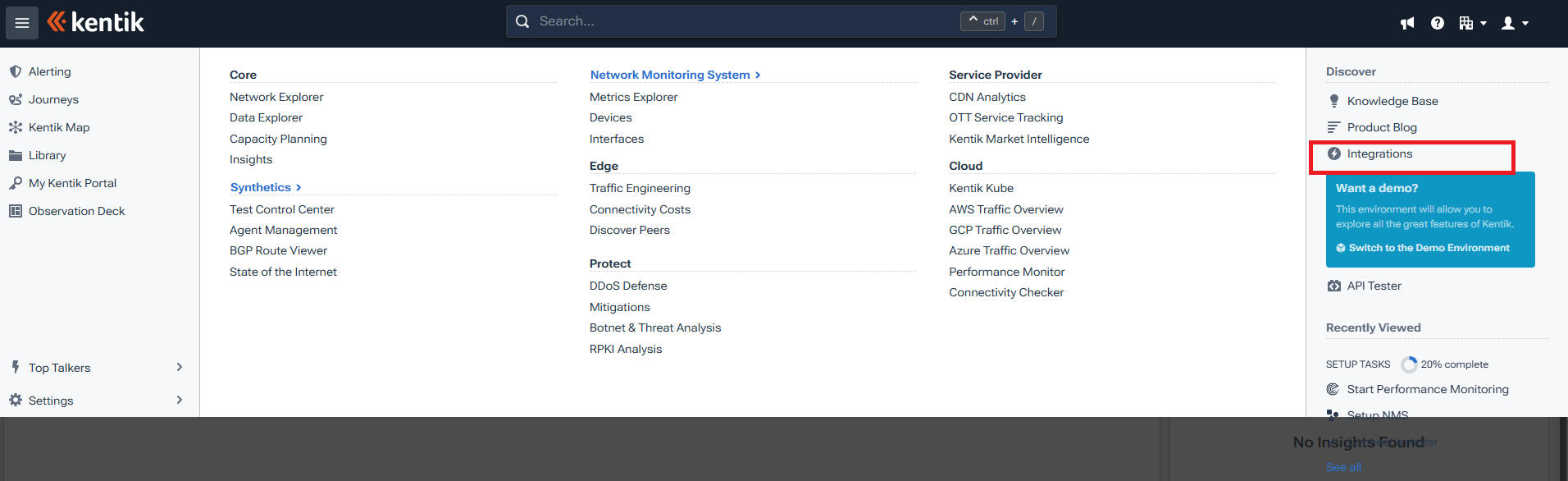
3. Then click on the three-horizontal line on the left:
(i) Click on Integrations under the Discover tab on the right side.
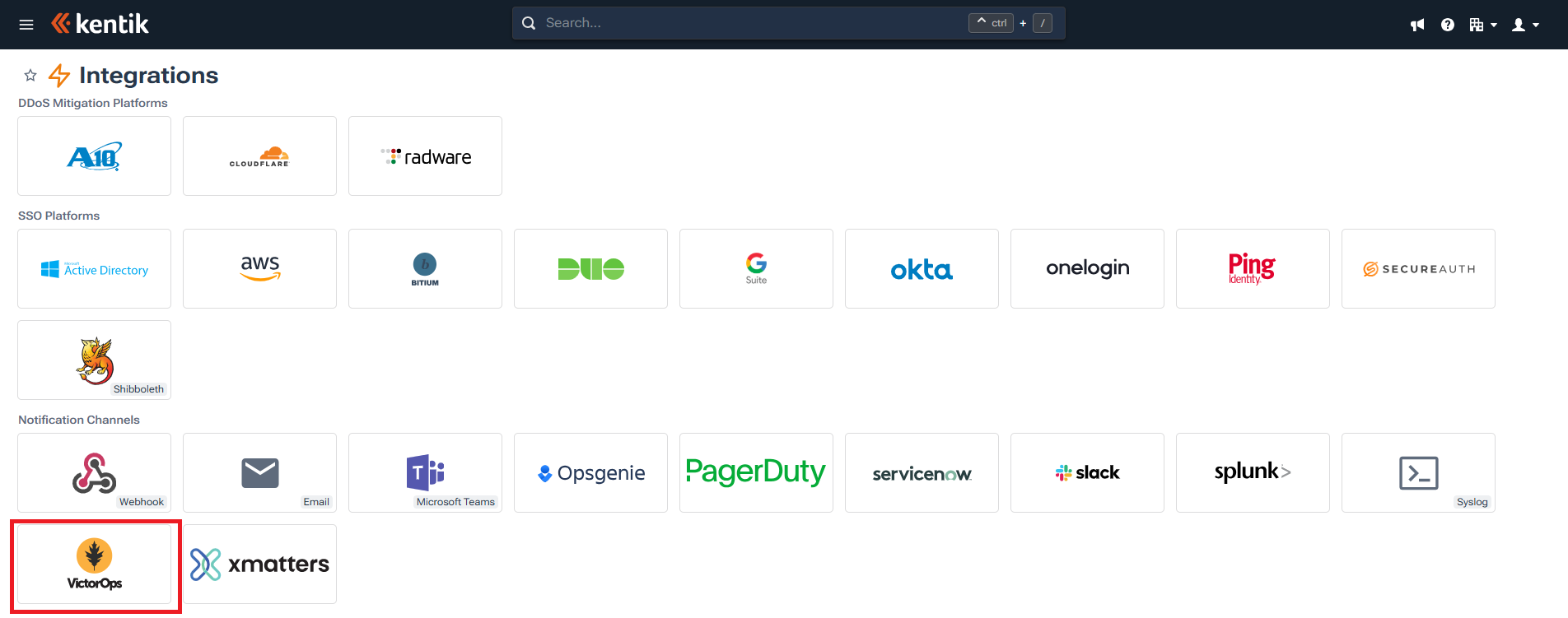
4. Click on Victorops under the notification channel.
5. In notification channel, then click on add notification channel.
(i) In the name field give name as per the requirement, and then select type as VictorOps.
(ii) And add the REST Endpoint url in the URL section.
(iii) Provide the REST endpoint url from the Splunk On-Call. Go to Integrations > Enable REST endpoint > Copy the url and update it in the URL section of Kentik.
(iv) Note that updatation of the routing key is required at the end of the REST URL link before pasting it to the URL section.

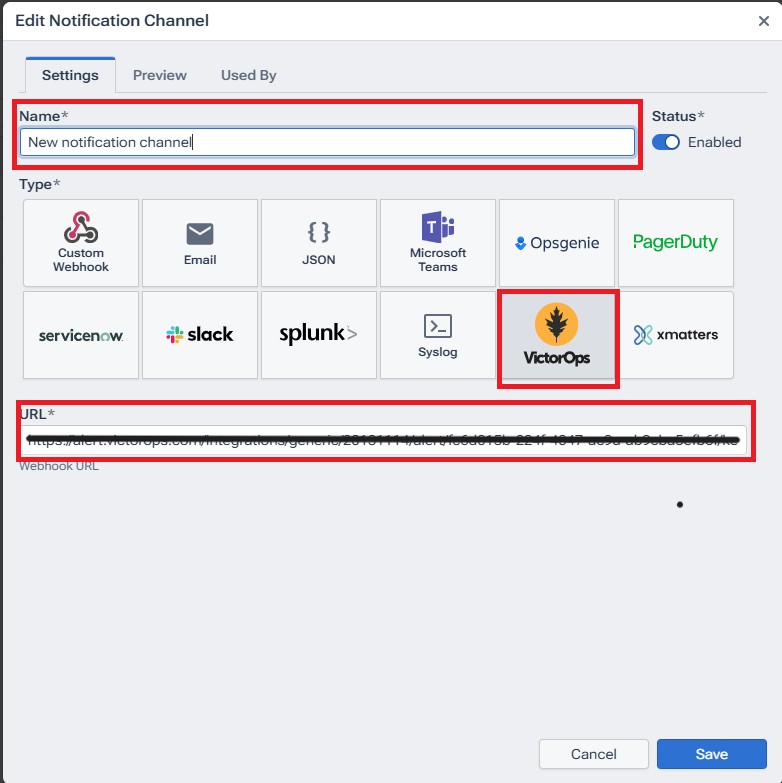
(v) Then click on save.
6. Click on the three horizontal lines on the left and select alerting.
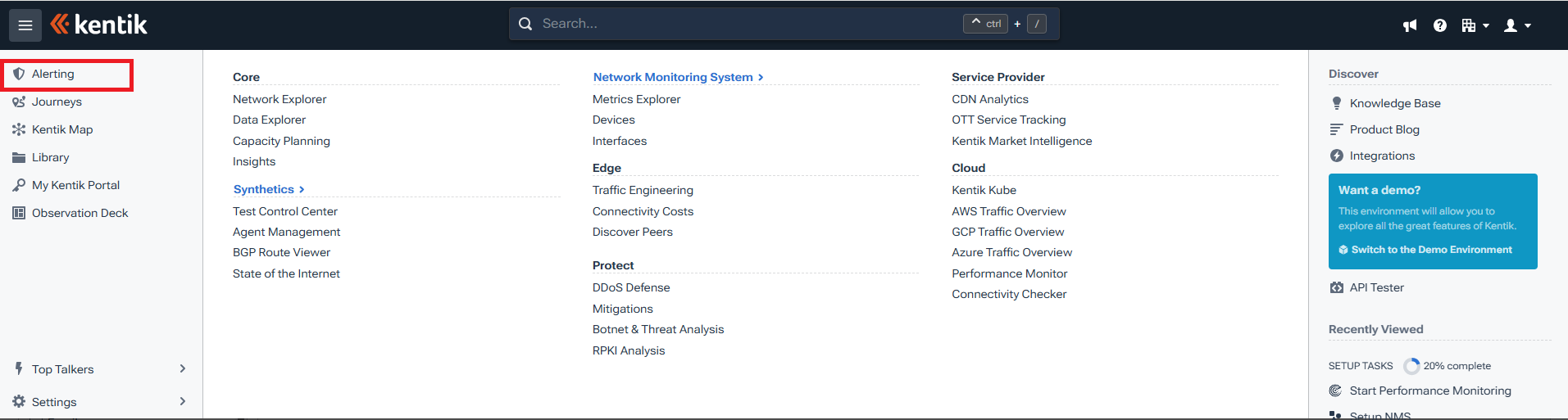
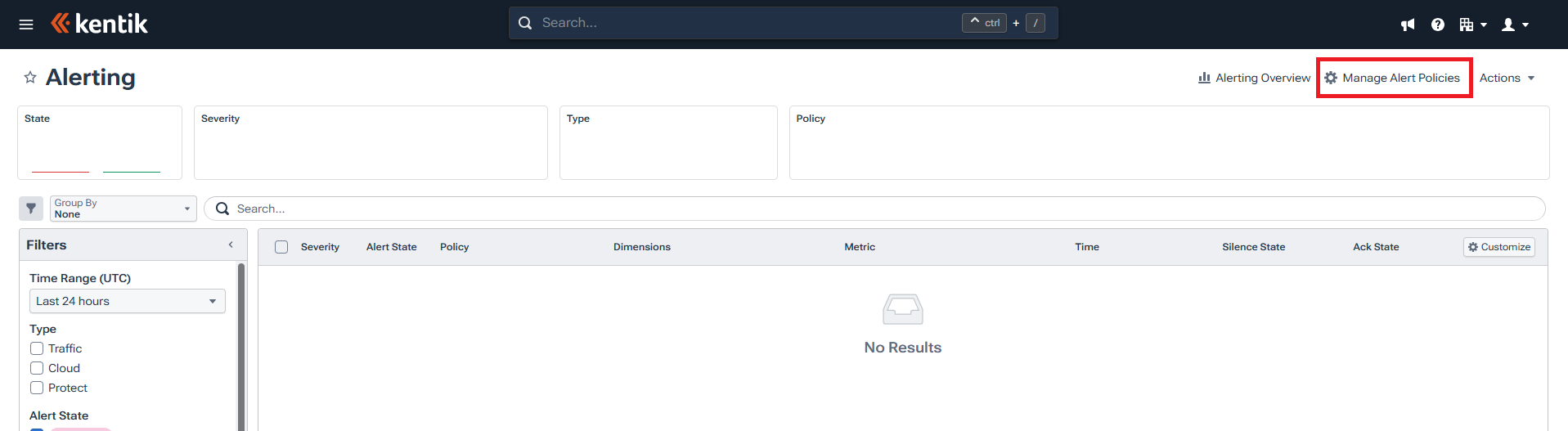
7. Then click on Manage alert policies in the alerting tab.
8. Click on add alert policy in the alert policy tab.
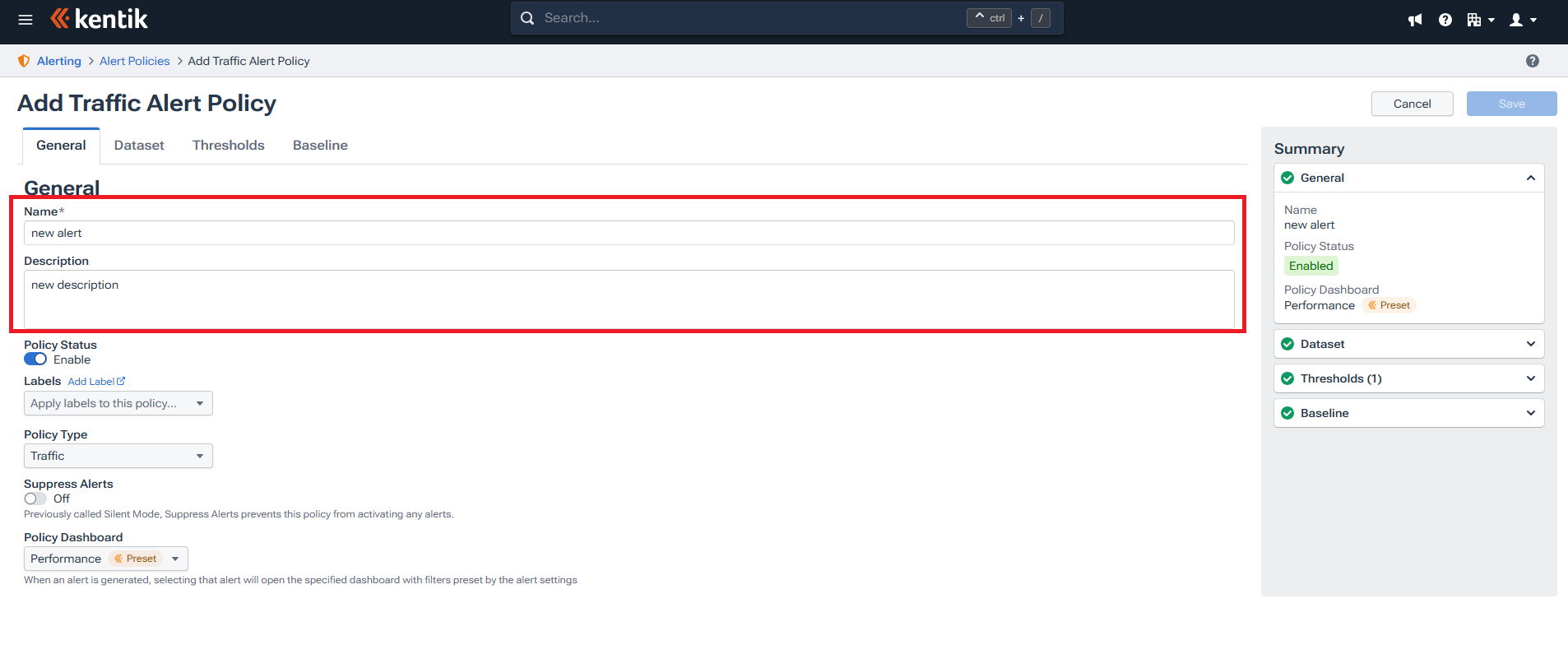
9. Under General tab, give name and description.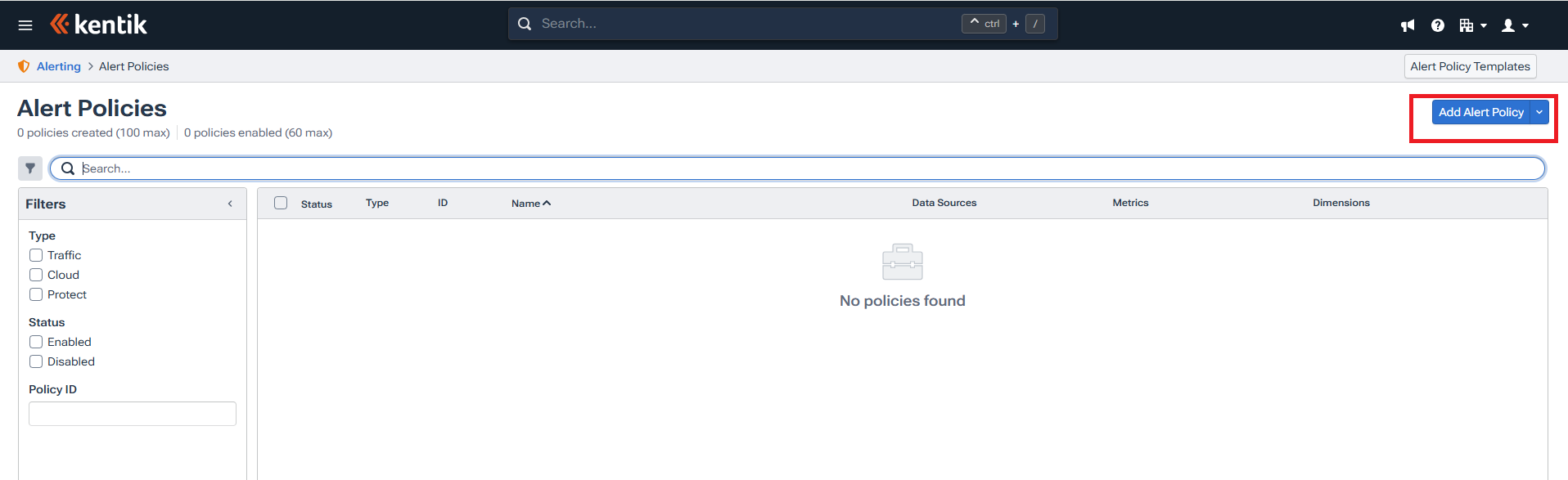
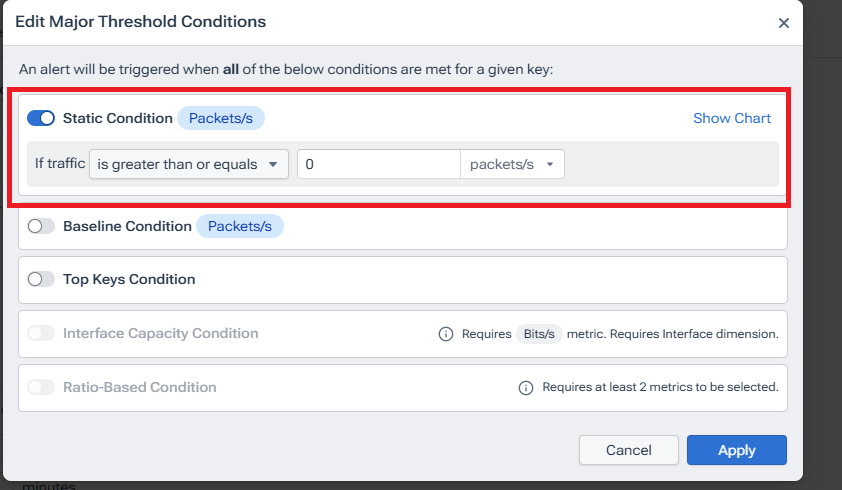
10. Below the thresholds tab, click on conditions and add static condition or select any other option as per the choice.
11. Under actions, enable acknowledgement required and test notification channel that was created previously.

12.Click on test notification channels.
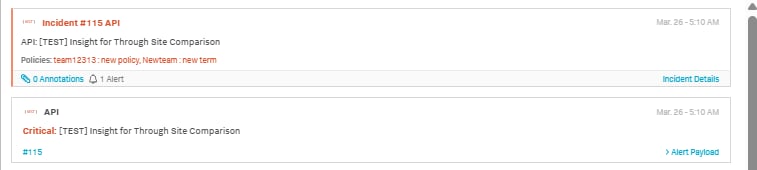
13. An alert will be received, and an incident will be created in the Splunk On-Call Instance.
Revision History
| Revision | Publish Date | Comments |
|---|---|---|
1.0 |
01-Oct-2026
|
Initial Release |
 Feedback
