Splunk On-Call: How to contact Splunk On-Call Support
Available Languages
Applicability
Splunk On-CallDescription
Contacting via Live Chat:
You may reach On-Call Support directly through in-product Live Chat -- this is the "Chat with an Expert" button found in the bottom right-hand corner of the Incidents, Users, Integrations, and Settings tabs in the UI.
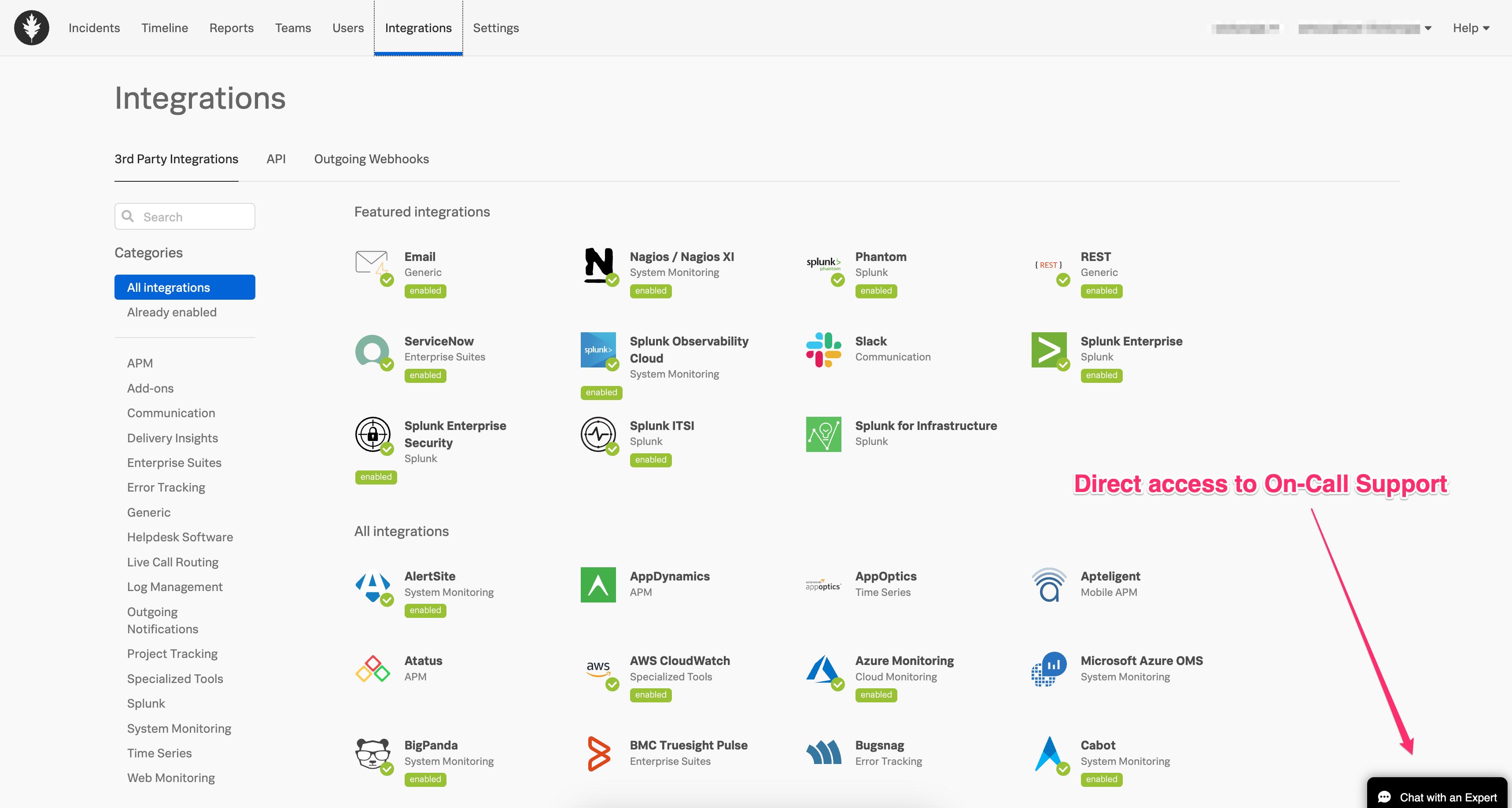
Any active, logged-in user in the On-Call product may utilize Live Chat to access an On-Call TSE quickly. Please see the link below for further documentation on how best to contact Splunk On-Call Support via Support Portal and Phone if you are not able to log into the product.
Contacting via Splunk Support Portal
This method requires you to have an account with Splunk and linked to an Entitlement that you are raising the ticket on. The Entitlement is done on backend by Splunk Support. First, access Splunk.com and from the drop down menu, click either Login or Sign up.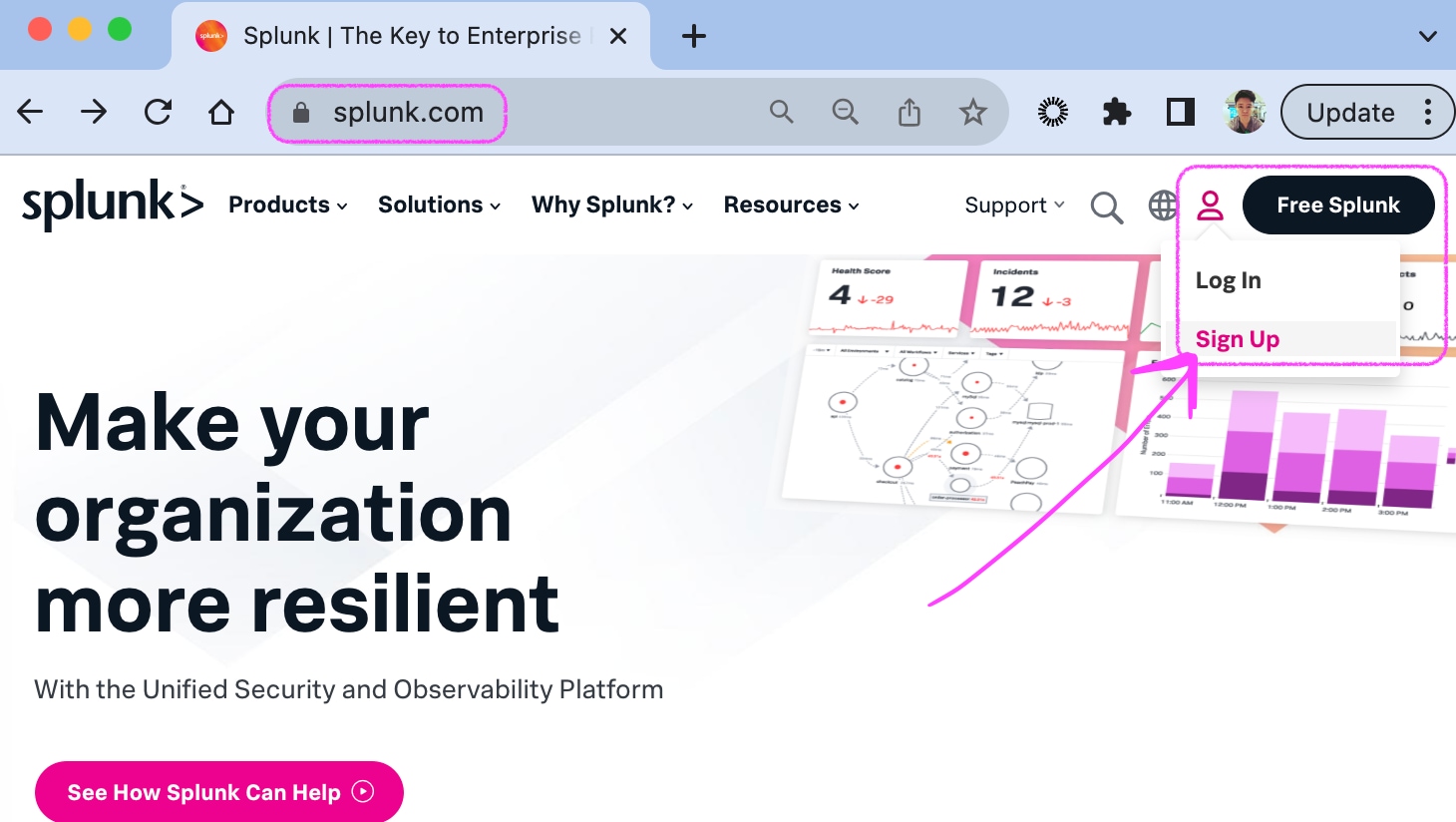
Once you have signed in, go to Resources drop down > Support Portal (Submit a case ticket.)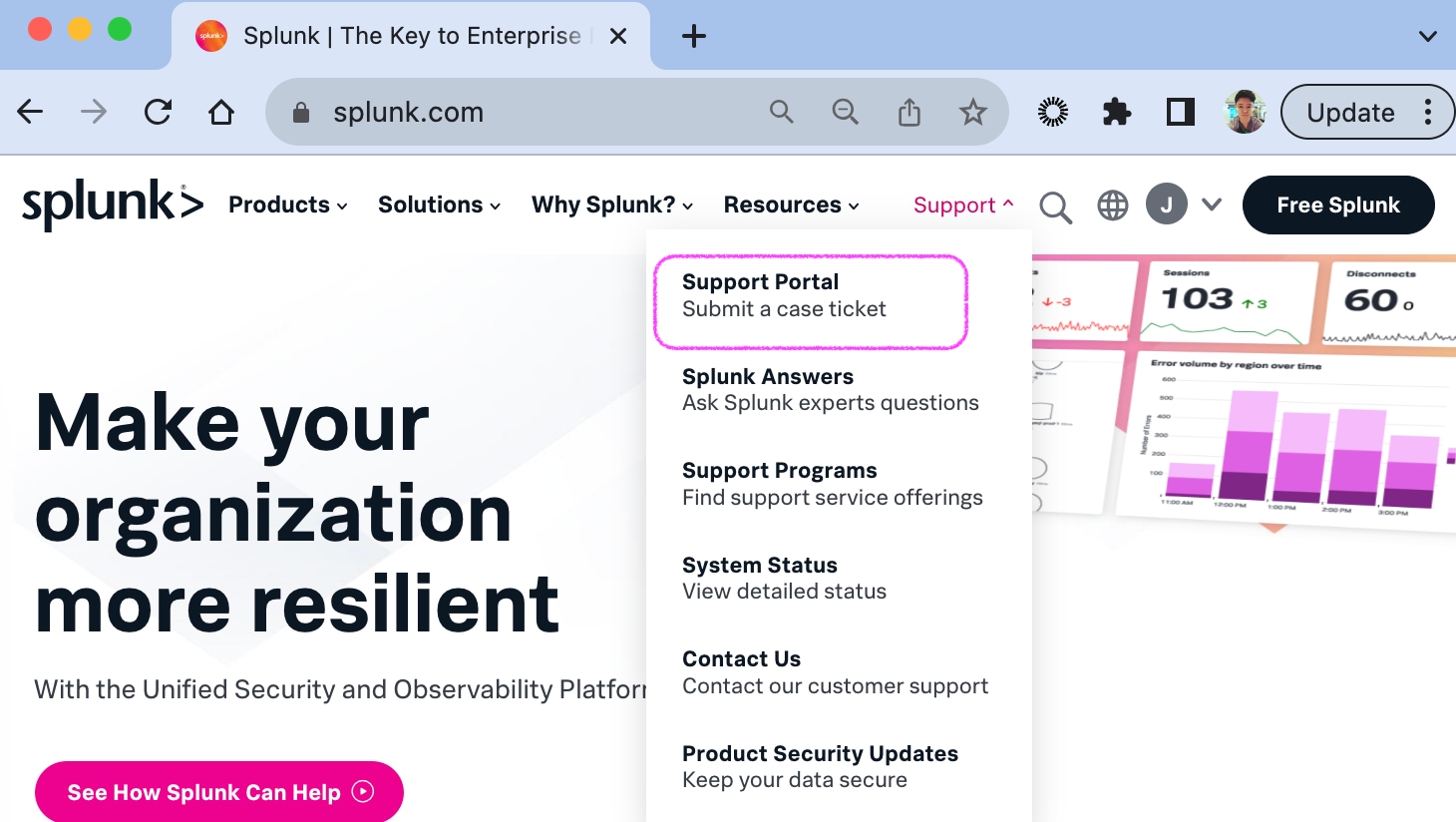
To make sure you have the access to raise a ticket for your account, check your Entitlements here: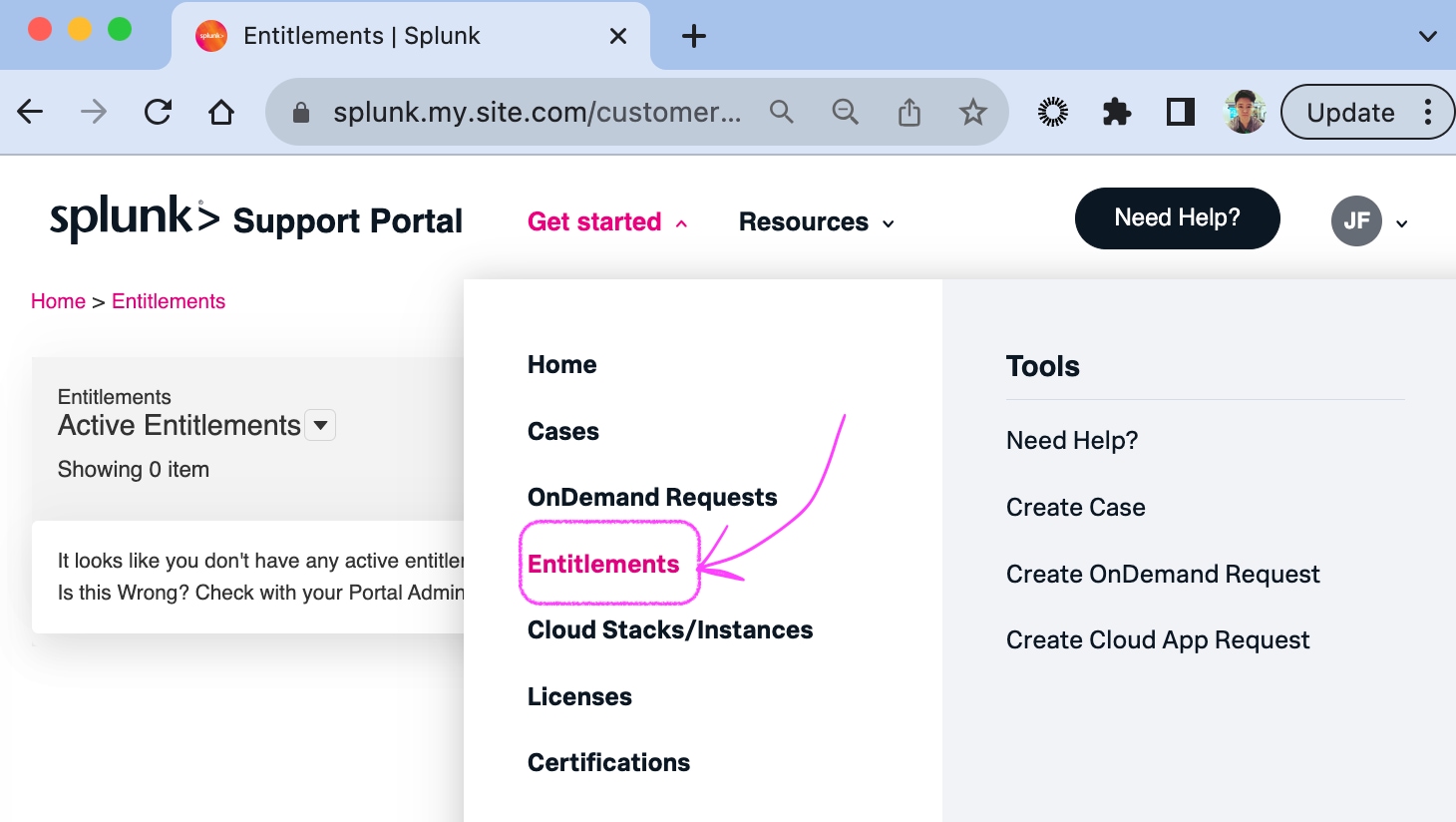
If you find you do not have an active Entitlement, please click on the "here" to raise the issue with Splunk Support.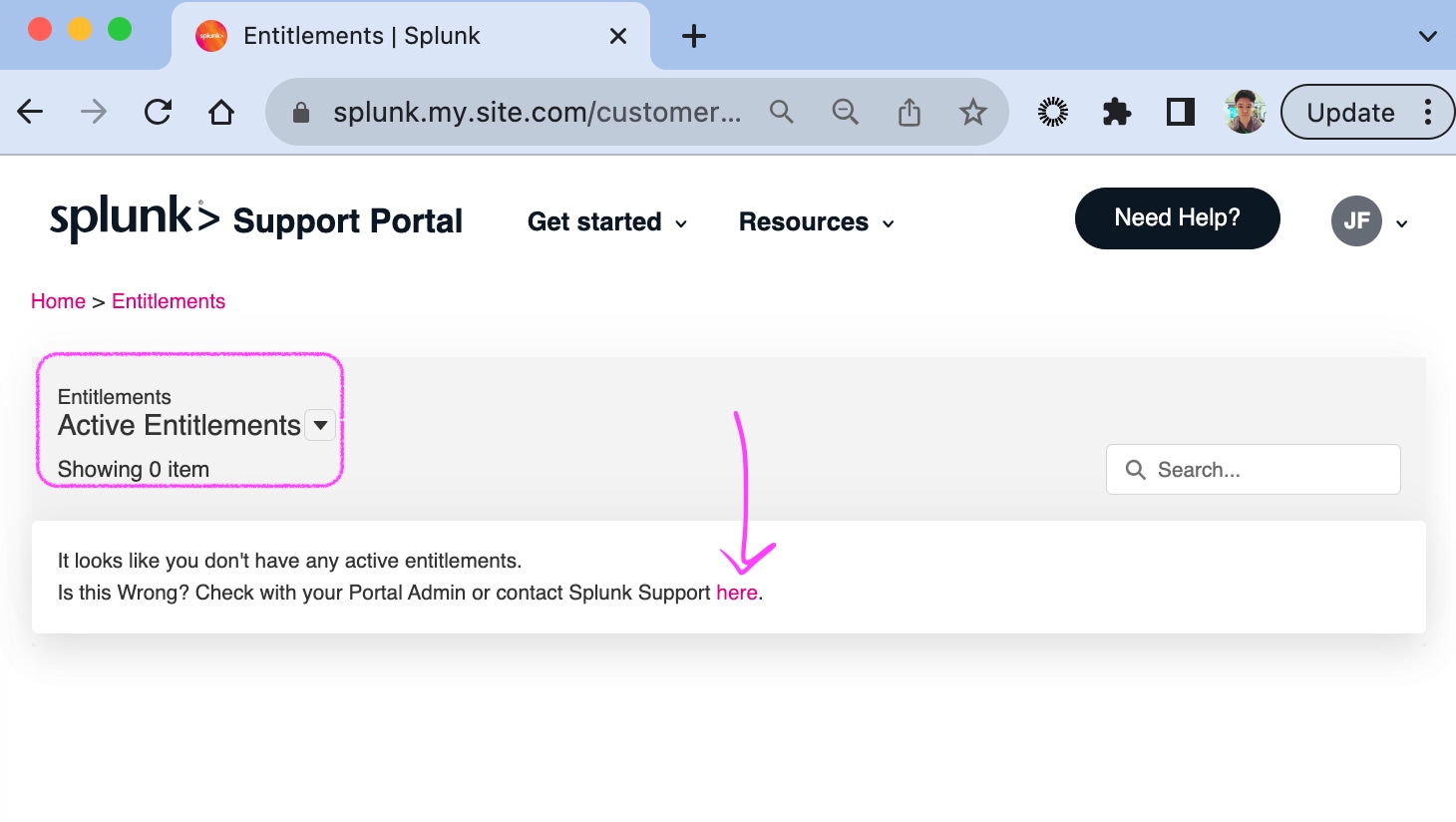
Once you have been linked to the Entitlement, click on "Need help?" on the top right, and Create a Case.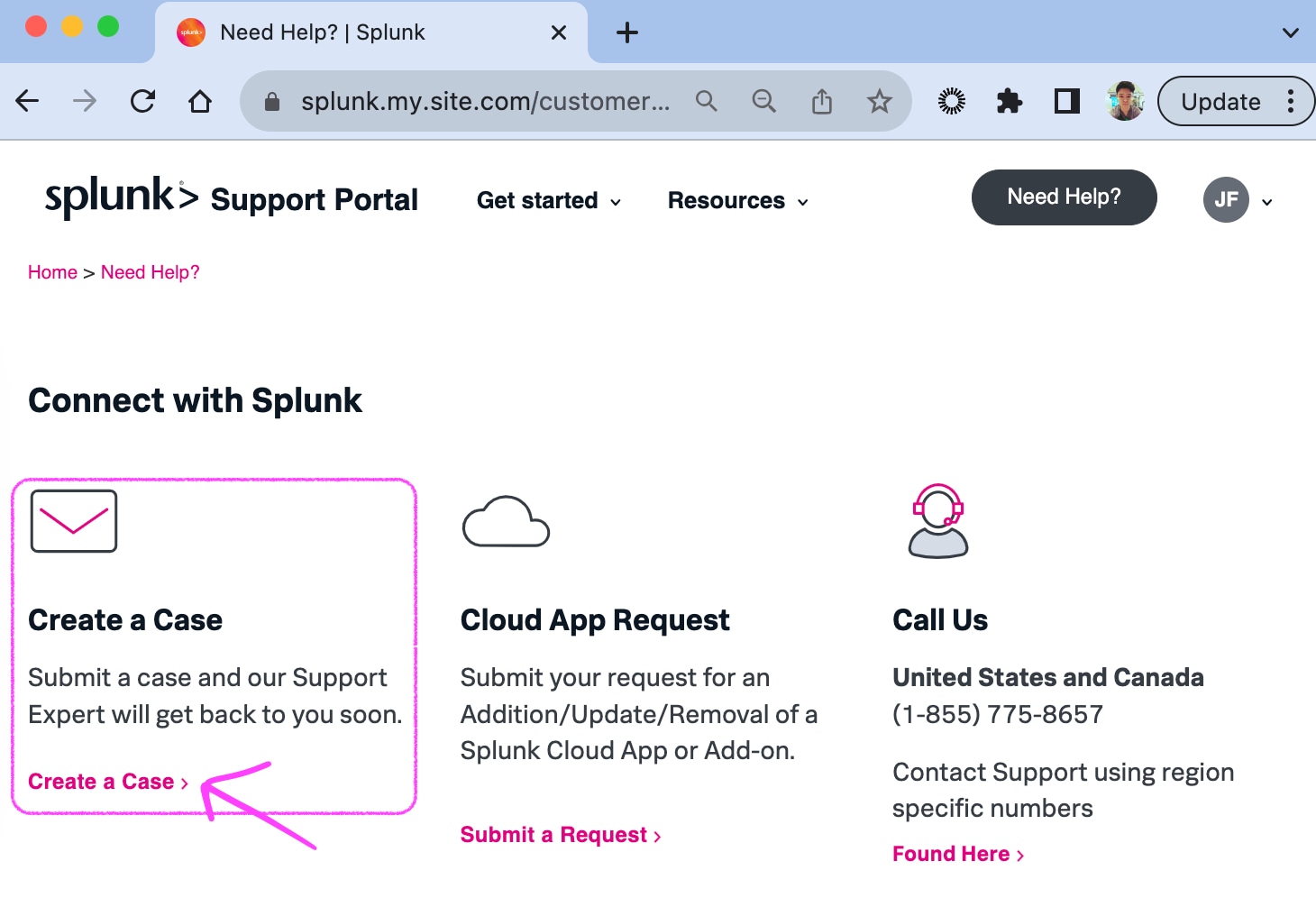
Contacting via Call Center
All our hotline numbers can be found here.
Resolution
How to Contact Splunk On-Call Knowledge Article
FAQs
Related Links
How to Contact Splunk On-Call Knowledge Article
FAQs
Revision History
| Revision | Publish Date | Comments |
|---|---|---|
1.0 |
30-Sep-2026
|
Initial Release |
 Feedback
