Splunk On-Call ThousandEyes Integration
Available Languages
Applicability
Splunk On-CallDescription
ThousandEyes is a network and infrastructure intelligence tool that integrates with Splunk On-Call for real-time alerting and incident management. It allows for on-call rotations, automatic notification of critical errors, real-time collaboration, and thorough post-incident reviews. This integration ensures full coverage across teams and services for security intervention.
Investigation
Here are the steps to configure ThousandEyes integration:
1. Click alert rules—-->Add new rule
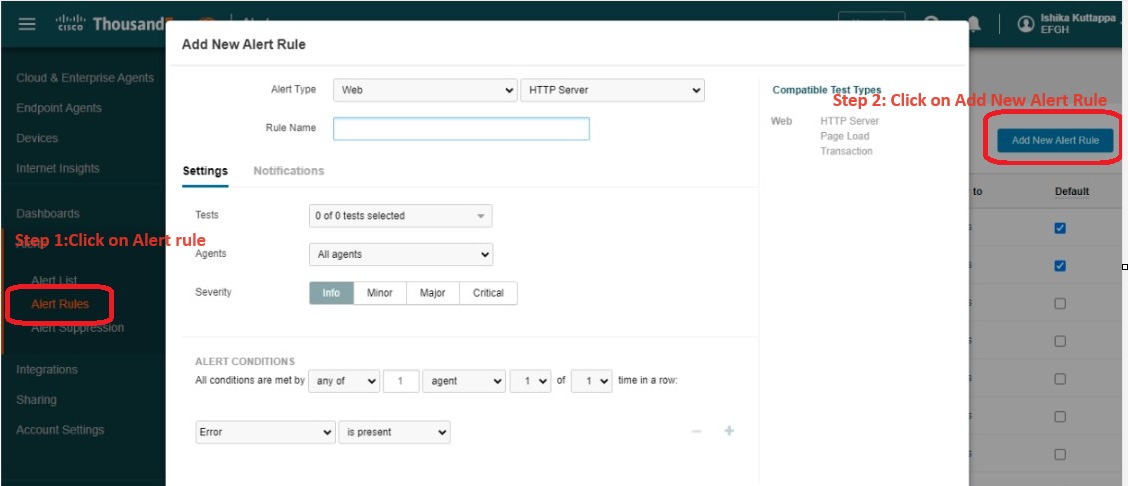
2. Select your "New rule" that was created and check box only your rule.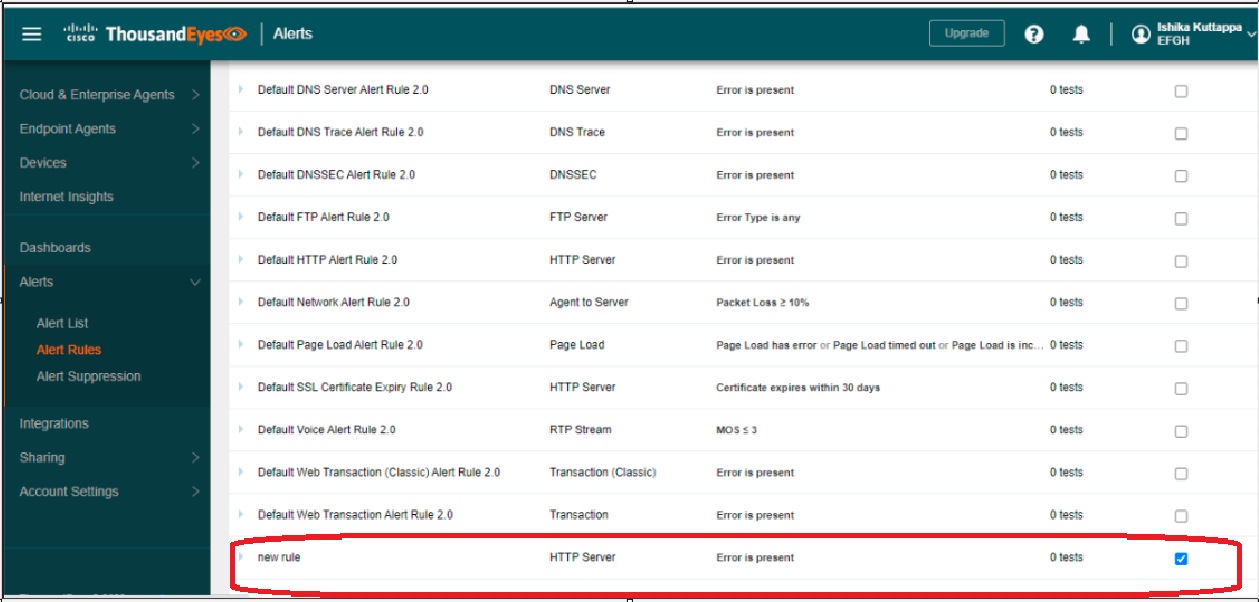
3. Select notifications—->If you want to send email to email endpoint of Splunk on-call, then copy the email end point with routing_key and add it in send email to.
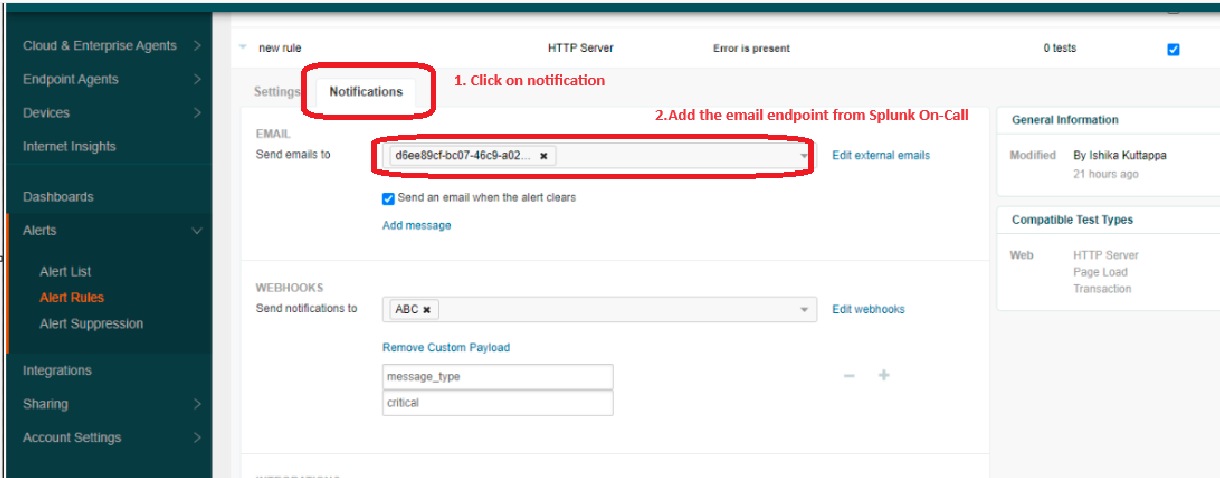
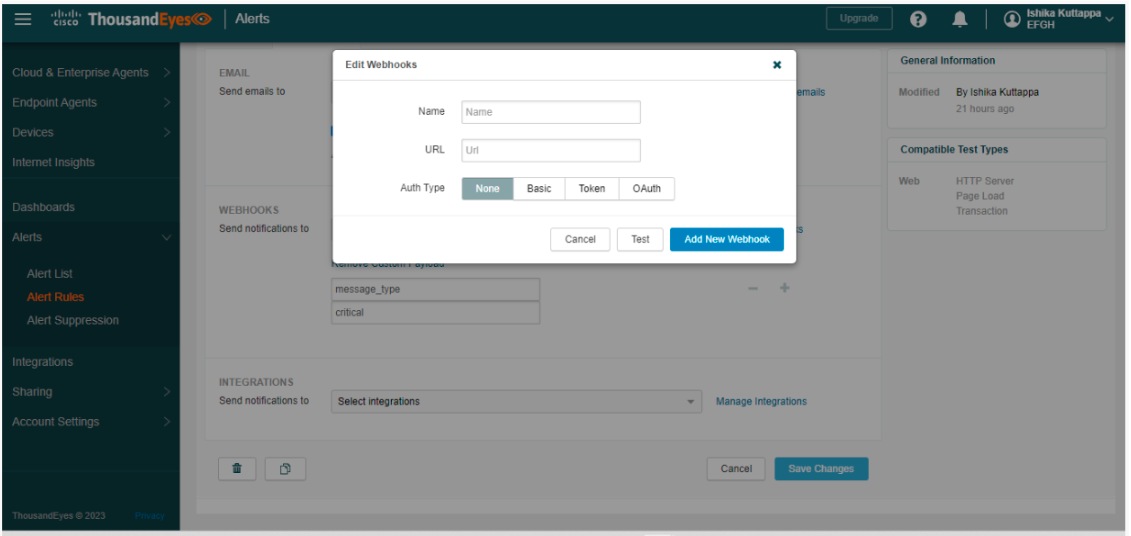
4. Click on edit webhook—> Add new webhook—> Here in the URL you have to copy from Splunk On-Call instance—> go to integration—>ThousandEyes—-> enable—>copy the service API and add the routing_key and paste it in the URL.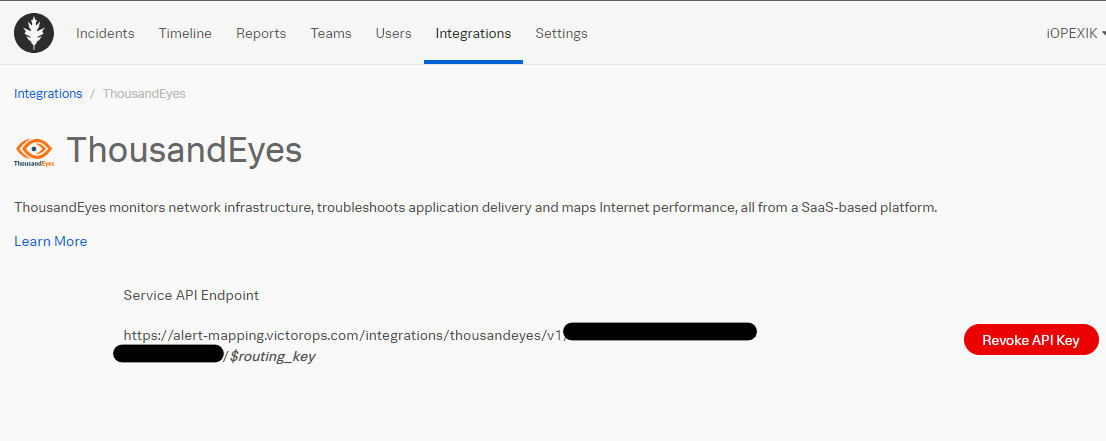
5. Go to integration and click on new integration.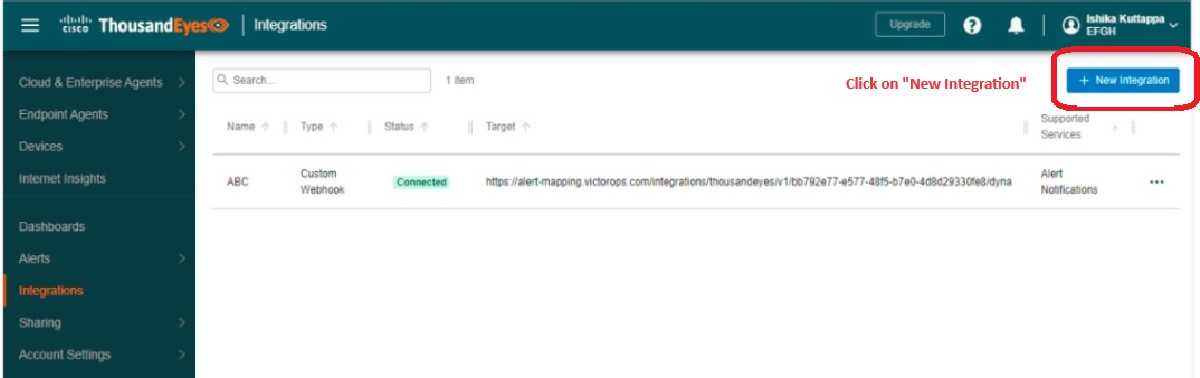
6. Select Custom webhook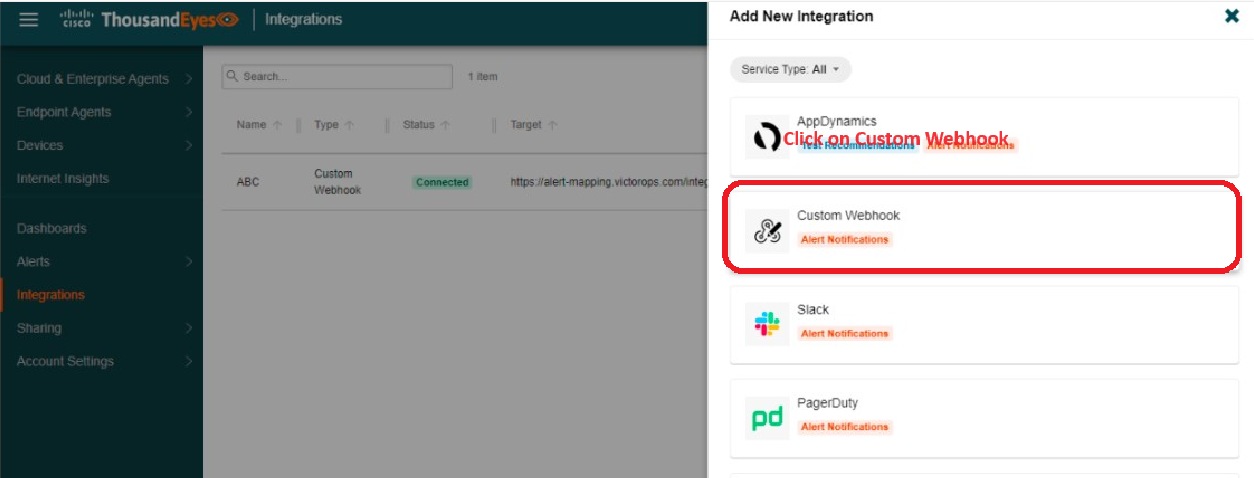
7. In the URL slot you have to copy service API from Splunk On-Call instance—> Go to integration—>ThousandEyes—-> enable—>copy the service API and add the routing_key and paste it in the URL.---->Present configuration. Select Splunk.---> Click on test. Splunk on-call will receive info alert.
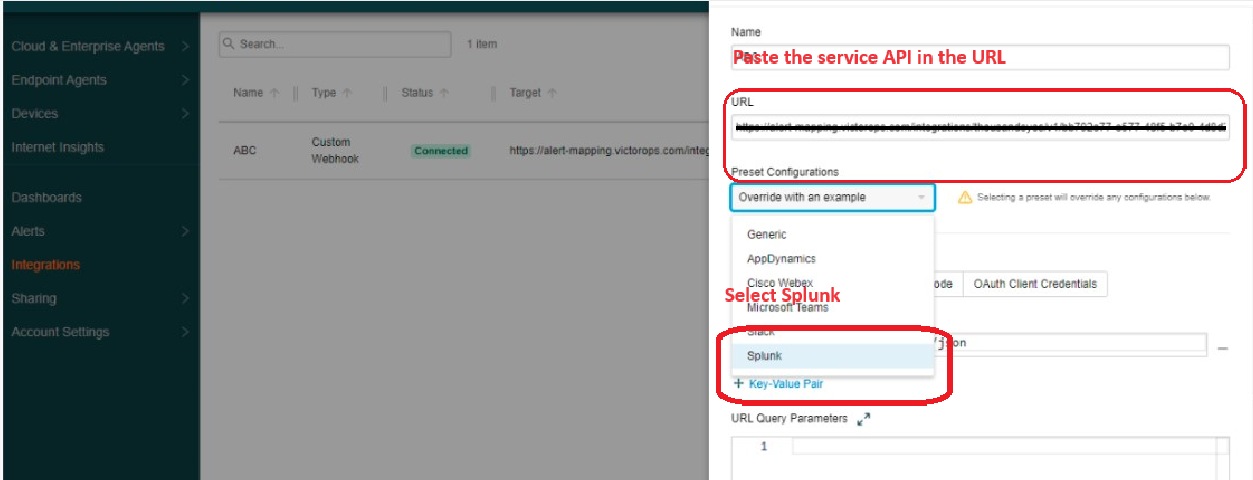
Note: The test alert goes to Splunk On-Call as "INFO".
Resolution
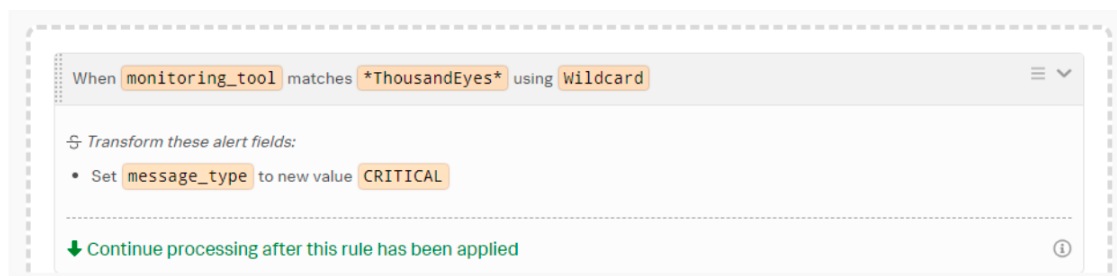
To convert the "INFO" alert to "CRITICAL" use Alert rule engine.
Revision History
| Revision | Publish Date | Comments |
|---|---|---|
1.0 |
29-Sep-2026
|
Initial Release |
 Feedback