Splunk Connect for Zoom : Unable to save input due to ERRORs of Argument "disable_redaction" is not supported by this handler.
Available Languages
Applicability
Splunk Apps & Add-ons Splunk Cloud Splunk EnterpriseDescription
The issue stems from a misconfiguration in the Python handler where the "disable_redaction" argument is not supported, resulting in the below error:
- "Argument "disable_redaction" is not supported by this handler."
This error is logged in the internal logs and indicates a problem with the configuration or version of the installed Zoom app in Splunk.
ERRORs present on UI while saving input: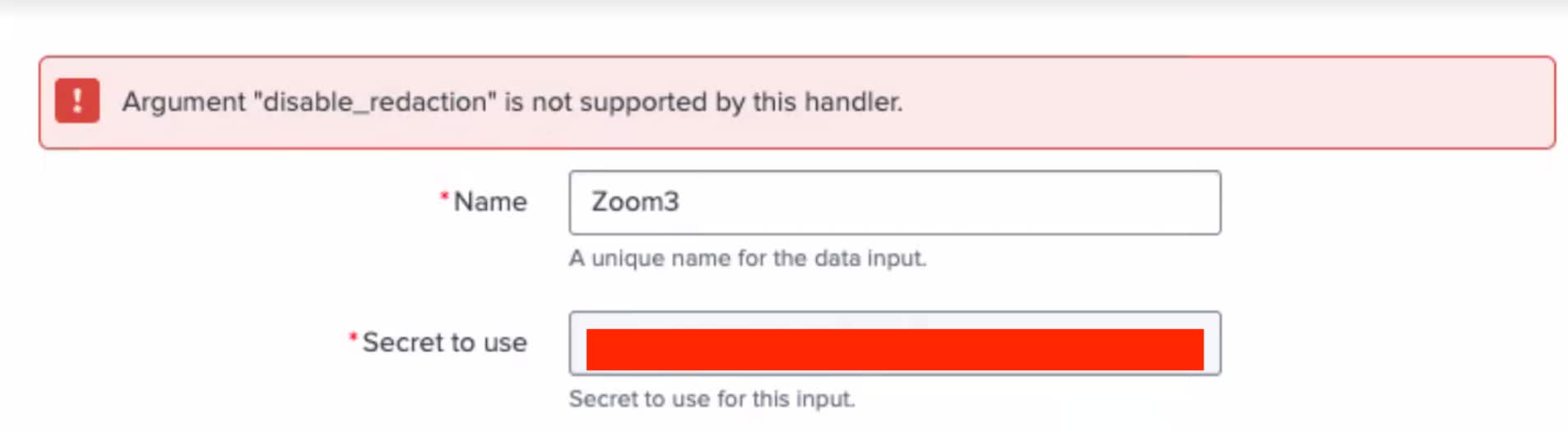
Investigation
While checking internal logs with the below SPL query:
SPL Query:
index=_internal *zoom* *ERROR*
Error Logs:
01-22-2025 19:26:21.811 +0000 ERROR AdminManagerExternal [3058397 TcpChannelThread] - Stack trace from python handler:\nTraceback (most recent call last):\n File "/opt/splunk/etc/apps/splunk_connect_for_zoom/lib/splunktaucclib/rest_handler/handler.py", line 142, in wrapper\n for name, data, acl in meth(self, *args, **kwargs):\n File "/opt/splunk/etc/apps/splunk_connect_for_zoom/lib/splunktaucclib/rest_handler/handler.py", line 114, in wrapper\n return meth(self, name, data)\n File "/opt/splunk/etc/apps/splunk_connect_for_zoom/lib/splunktaucclib/rest_handler/handler.py", line 212, in create\n body=data,\n File "/opt/splunk/etc/apps/splunk_connect_for_zoom/lib/splunklib/binding.py", line 321, in wrapper\n return request_fun(self, *args, **kwargs)\n File "/opt/splunk/etc/apps/splunk_connect_for_zoom/lib/splunklib/binding.py", line 76, in new_f\n val = f(*args, **kwargs)\n File "/opt/splunk/etc/apps/splunk_connect_for_zoom/lib/splunklib/binding.py", line 809, in post\n response = self.http.post(path, all_headers, **query)\n File "/opt/splunk/etc/apps/splunk_connect_for_zoom/lib/splunklib/binding.py", line 1308, in post\n return self.request(url, message)\n File "/opt/splunk/etc/apps/splunk_connect_for_zoom/lib/splunklib/binding.py", line 1337, in request\n raise HTTPError(response)\nsplunklib.binding.HTTPError: HTTP 400 Bad Request -- b'{"messages":[{"type":"ERROR","text":"Argument \\"disable_redaction\\" is not supported by this handler."}]}'\n\nDuring handling of the above exception, another exception occurred:\n\nTraceback (most recent call last):\n File "/opt/splunk/lib/python3.7/site-packages/splunk/admin.py", line 114, in init_persistent\n hand.execute(info)\n File "/opt/splunk/lib/python3.7/site-packages/splunk/admin.py", line 646, in execute\n if self.requestedAction == ACTION_CREATE: self.handleCreate(confInfo)\n File "/opt/splunk/etc/apps/splunk_connect_for_zoom/lib/splunktaucclib/rest_handler/admin_external.py", line 63, in wrapper\n for entity in result:\n File "/opt/splunk/etc/apps/splunk_connect_for_zoom/lib/splunktaucclib/rest_handler/handler.py", line 147, in wrapper\n raise RestError(exc.status, _parse_error_msg(exc))\nsplunktaucclib.rest_handler.error.RestError: REST Error [400]: Bad Request -- Argument "disable_redaction" is not supported by this handler.\n
01-22-2025 19:26:21.811 +0000 ERROR AdminManagerExternal [3058397 TcpChannelThread] - Unexpected error "<class 'splunktaucclib.rest_handler.error.RestError'>" from python handler: "REST Error [400]: Bad Request -- Argument "disable_redaction" is not supported by this handler.". See splunkd.log/python.log for more details.
Based on the logs present above, it seems that the issue is related to .py files within the package installed on a particular machine and that they are corrupted.
Resolution
To resolve this, follow the below steps:
1. Uninstall the Zoom add-on from the Splunk instance.
2. Restart the Splunk Services.
3. Download the latest version of the Zoom package from SplunkBase and install it (this is needed to make sure there is the correct package).
4. Restart the Splunk services again to ensure proper installation.
Related Links
Splunk Connect for Zoom input configuration
Revision History
| Revision | Publish Date | Comments |
|---|---|---|
1.0 |
29-Sep-2026
|
Initial Release |
 Feedback
Contact Cisco
- Open a Support Case

- (Requires a Cisco Service Contract)
This Document Applies to These Products
Related Articles
- Error: Argument "schedule_window" is not supported by this handler
- Splunk Connect for zoom v1.2.1 : Error in Input Script Due to Missing 'server' Attribute in WebServer Object
- Splunk Add-on for Microsoft Cloud Services v5.4.2 : Unable to Clone Cloud Storage Input Due to Missing Worker Thread
- Splunk Connect for Zoom - Extended documentation to create and validate a webhook URL and add event types in the Zoom Marketplace for integration with Splunk Connect for Zoom.