Lookup Error Encountered on MITRE Dashboard in Splunk Security Essentials.
Available Languages
Applicability
Splunk Apps & Add-ons, Splunk Enterprise, Splunk Cloud, Splunk Security EssentialsDescription
In the MITRE ATT&CK Framework dashboard within Splunk Security Essentials, data is not being generated due to a lookup-related error.
Investigation
1. Check the Error in the SSE MITRE ATT&CK Dashboard.
Error in 'lookup' command: Could not construct lookup 'mitre_enterprise_list,sub lechniqueld. As. mitre sub technique. 0ulPu.. lechniaue. AS.Technique_MergeFix, Techniqueld, AS, Techniqueld_MergeFix'. See search.log for more details.Error in 'lookup' command: Cannot find the source field 'App' in the lookup table 'mitre_environment_count.csv'.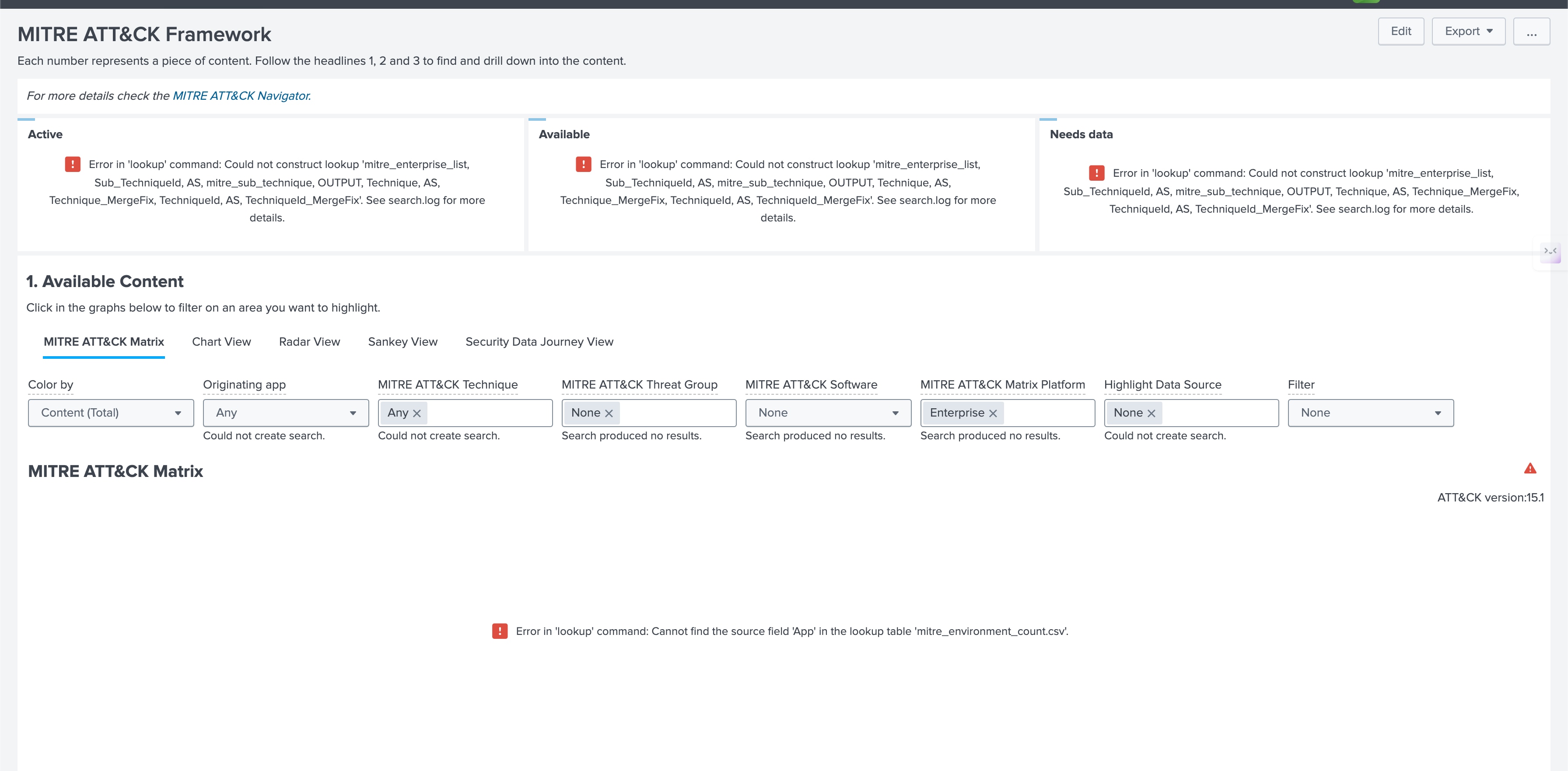
2. Check whether mitre_enterprise_list & mitre_environment_count.csv in the lookup editor app are present or not.
Apps >> Splunk App for Lookup file Editor >> Lookups >> Search the lookup
3. If the CSV lookup file is not present then need to check the version.
Apps >> Splunk Security Essential >> Help >> About
4. Download the version of the App from the Splunkbase where the required lookup file will be available.
Apps >> Splunk Security Essential >> lookups
5. Verify Installation package for the mitre_environment_count.csv.
Resolution
Download the app and ensure that the necessary lookup files are present in the lookup directory. If any lookup files are missing, import them into the app to resolve the issue and restore data generation in the MITRE ATT&CK Framework Dashboard.
Related Links
https://splunkbase.splunk.com/app/3435
Revision History
| Revision | Publish Date | Comments |
|---|---|---|
1.0 |
29-Sep-2026
|
Initial Release |
 Feedback
Contact Cisco
- Open a Support Case

- (Requires a Cisco Service Contract)