Encounter error on MITRE Dashboard in Splunk Security Essentials "ATT&CK version:undefined".
Available Languages
Applicability
Splunk Apps & Add-ons Splunk Security Essentials v3.8.0 Splunk Enterprise Splunk Cloud Splunk Enterprise SecurityDescription
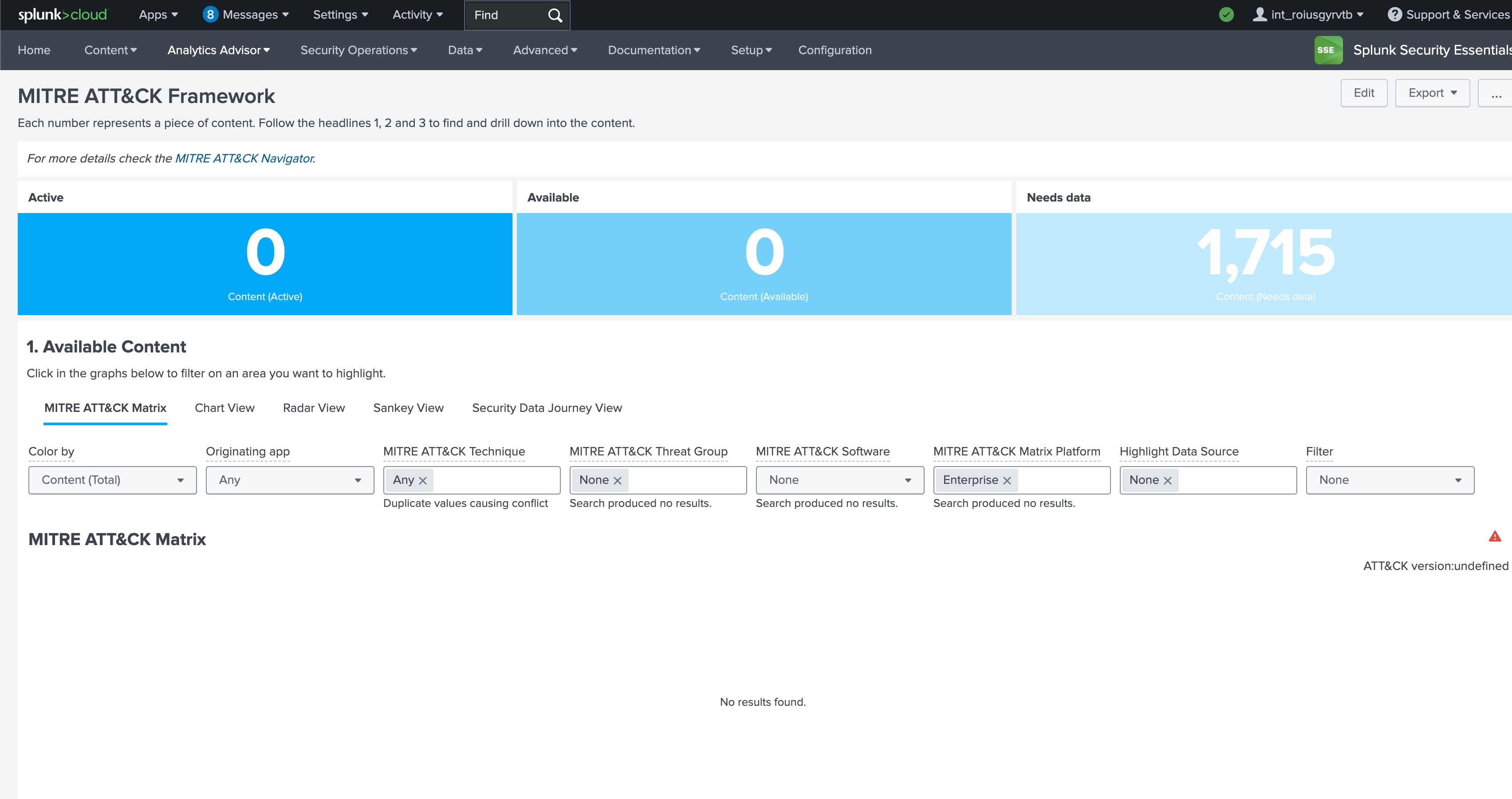
In the MITRE ATT&CK Framework dashboard within Splunk Security Essentials, MITRE ATT&CK Matrix data is not loading.
Investigation
1. Go to Apps > Splunk Security Essentials > Analytics Advisor > MITRE ATT&CK Framework
2. Click on the escalation mark to check the error in the SSE MITRE ATT&CK Dashboard and the below error can be found.
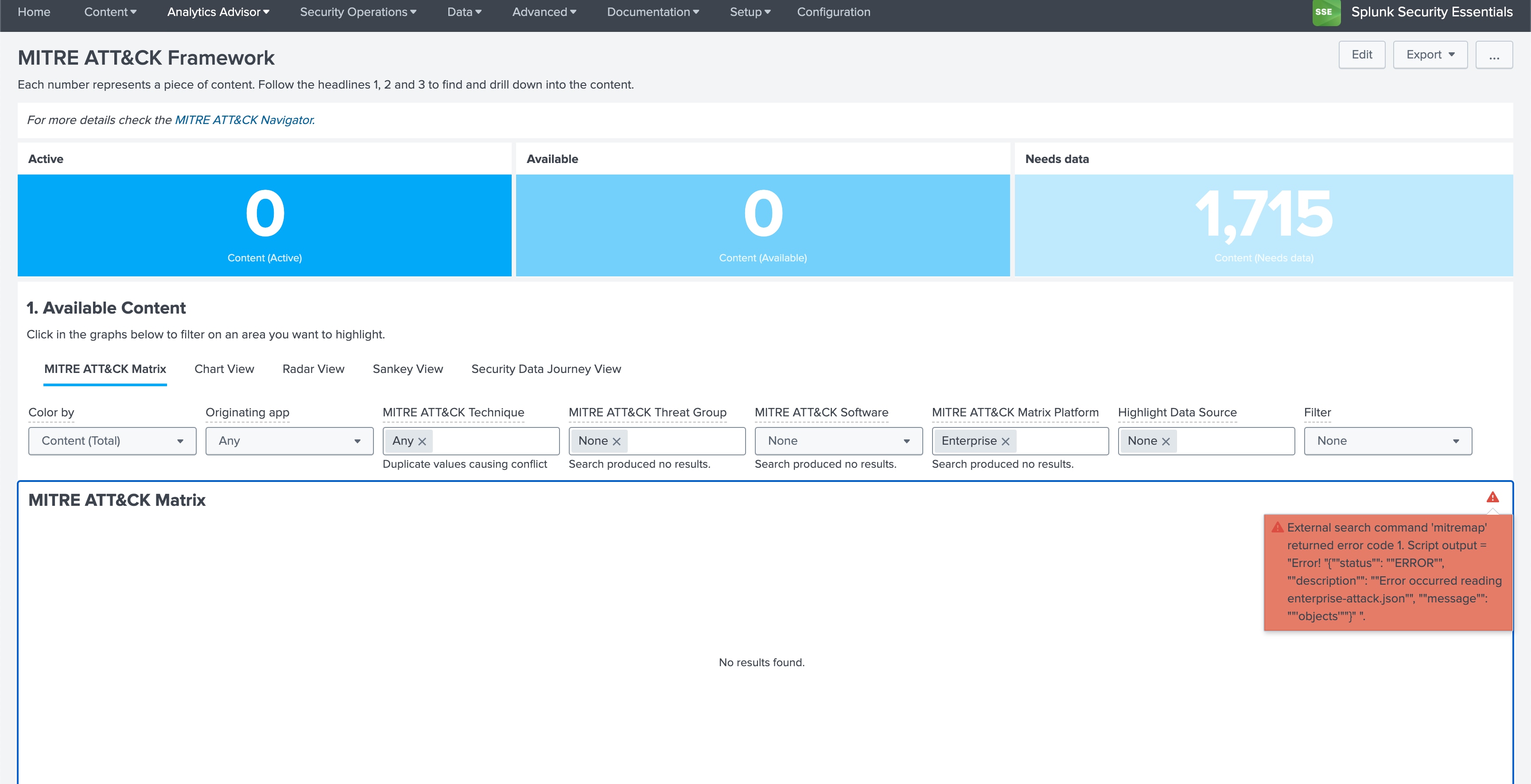
"External search command 'mitremap' returned error code 1. Script output = "Error! "{""status"": ""ERROR"", ""description"": ""Error occurred reading enterprise-attack.json"", ""message"": ""'objects'""}" "." This issue has been reported and will be addressed in the upcoming release of Splunk Security Essential.
Resolution
The app can be rolled back to the previous version or wait for the upcoming release. Fixed bugs will be documented in the release notes in the Splunk documentation.
Refer to the below link to check the latest version and release notes of SSE.
Splunk Security Essentials: Splunk Base
Revision History
| Revision | Publish Date | Comments |
|---|---|---|
1.0 |
29-Sep-2026
|
Initial Release |
 Feedback
Contact Cisco
- Open a Support Case

- (Requires a Cisco Service Contract)