Q2 Release Notes

This release note includes feature updates and issues addressed for the current quarter, November 2025 to January 2026.

What's New in this Release

These new features are introduced in Cisco Spaces:

Cisco Spaces: Home UI

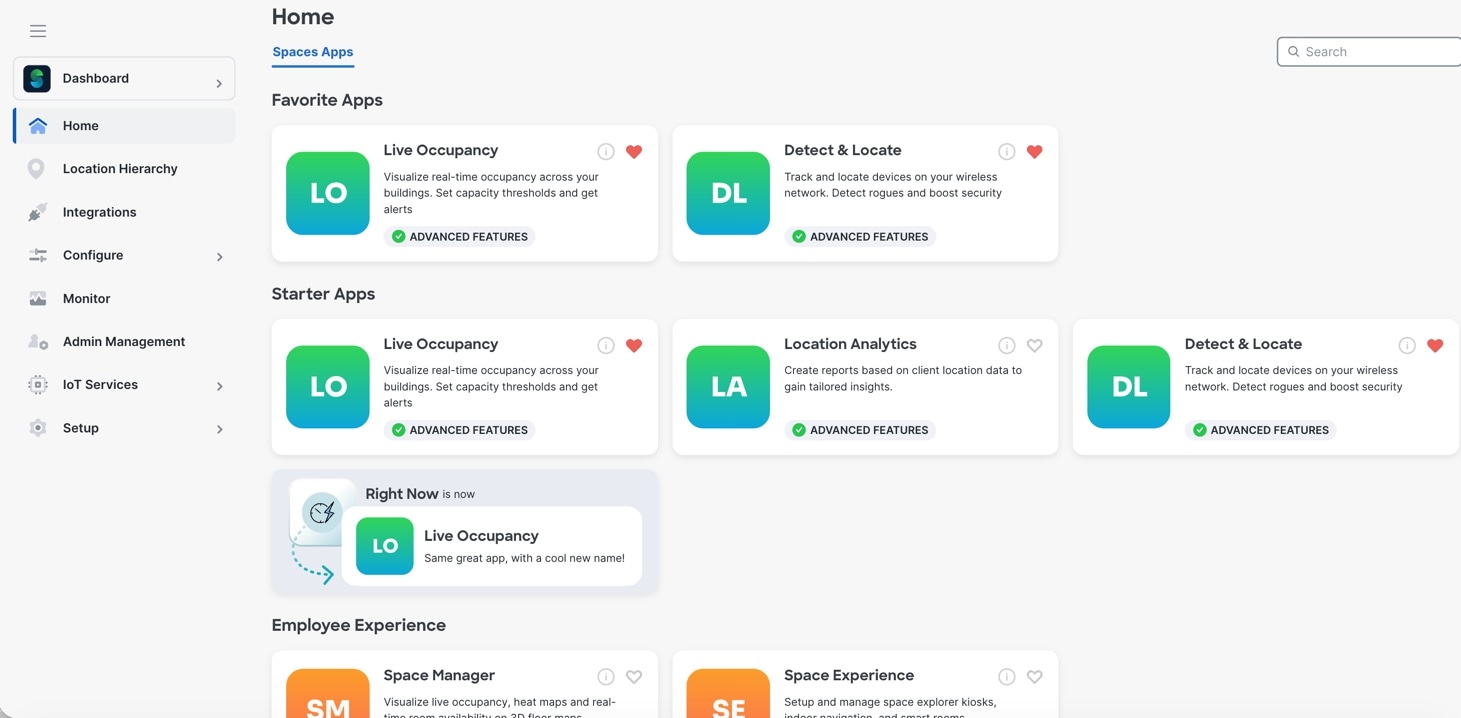
The Home page has been redesigned with an improved Cisco Spaces dashboard to enhance user experience and simplify navigation.

Key updates include:

  • A new tab structure for Cisco Spaces apps to streamline navigation and easy accessibility.

  • App overviews now highlight the value, key personas, and provide quick setup guides.

  • A feature to mark the apps as favorites. Click Add to Favorites (heart-shaped icon) displayed on the app tile to add them as favorites. A new section, Favorite Apps, is displayed with the apps marked as favorites.
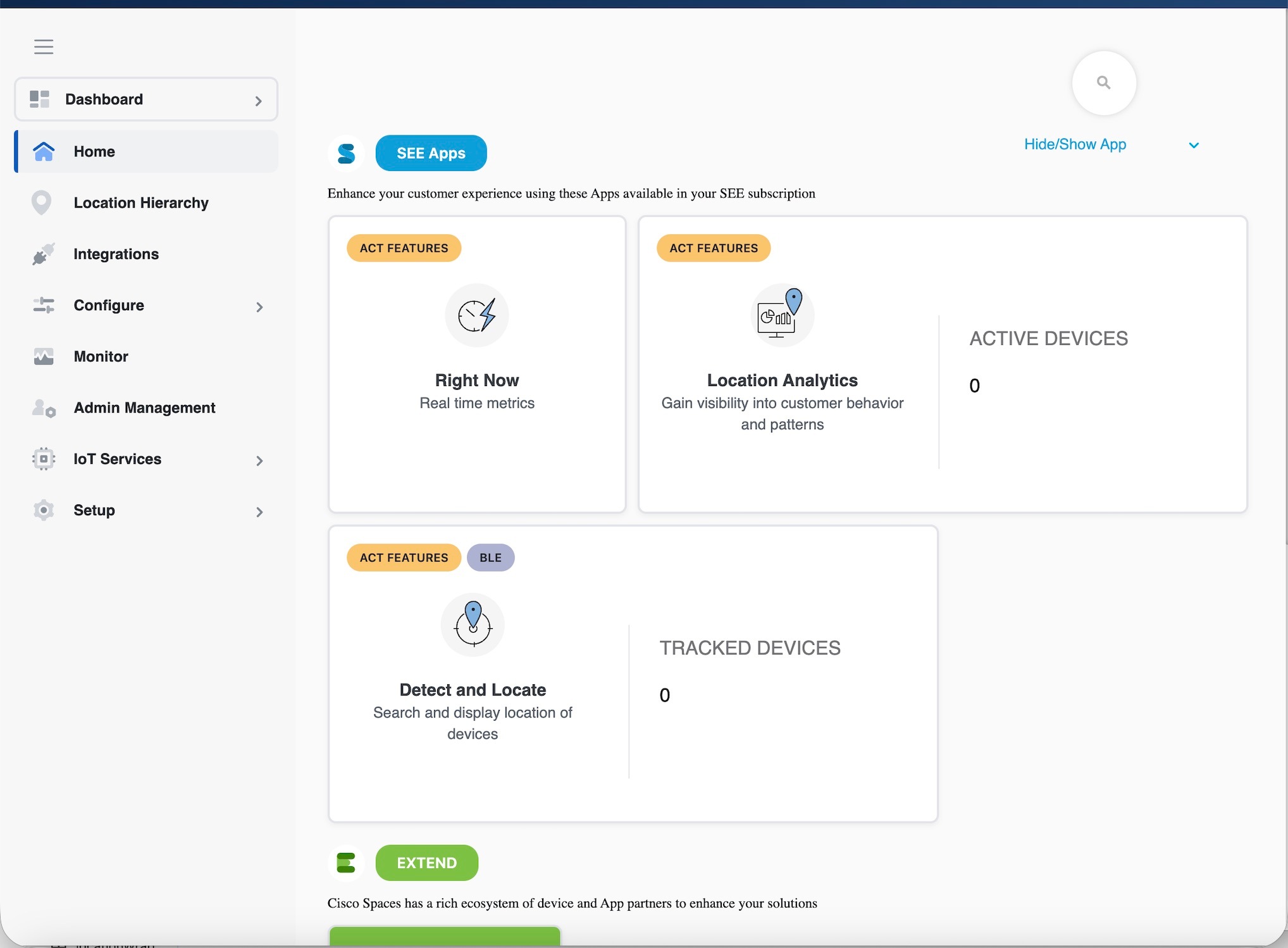
Figure 1. Home Old UI
Figure 2. Home New UI
Figure 3. Favorite Apps

Note


While the dashboard and apps feature a more organized design for better performance, the functionality and features remain the same. Your data, instance, and access will not change.


What's Changed in this Release

These enhancements are made in the Cisco Spaces:

Cisco Spaces: Home UI

The new and improved Cisco Spaces dashboard includes enhancements to the Home page. Apps have been renamed and regrouped by use case.

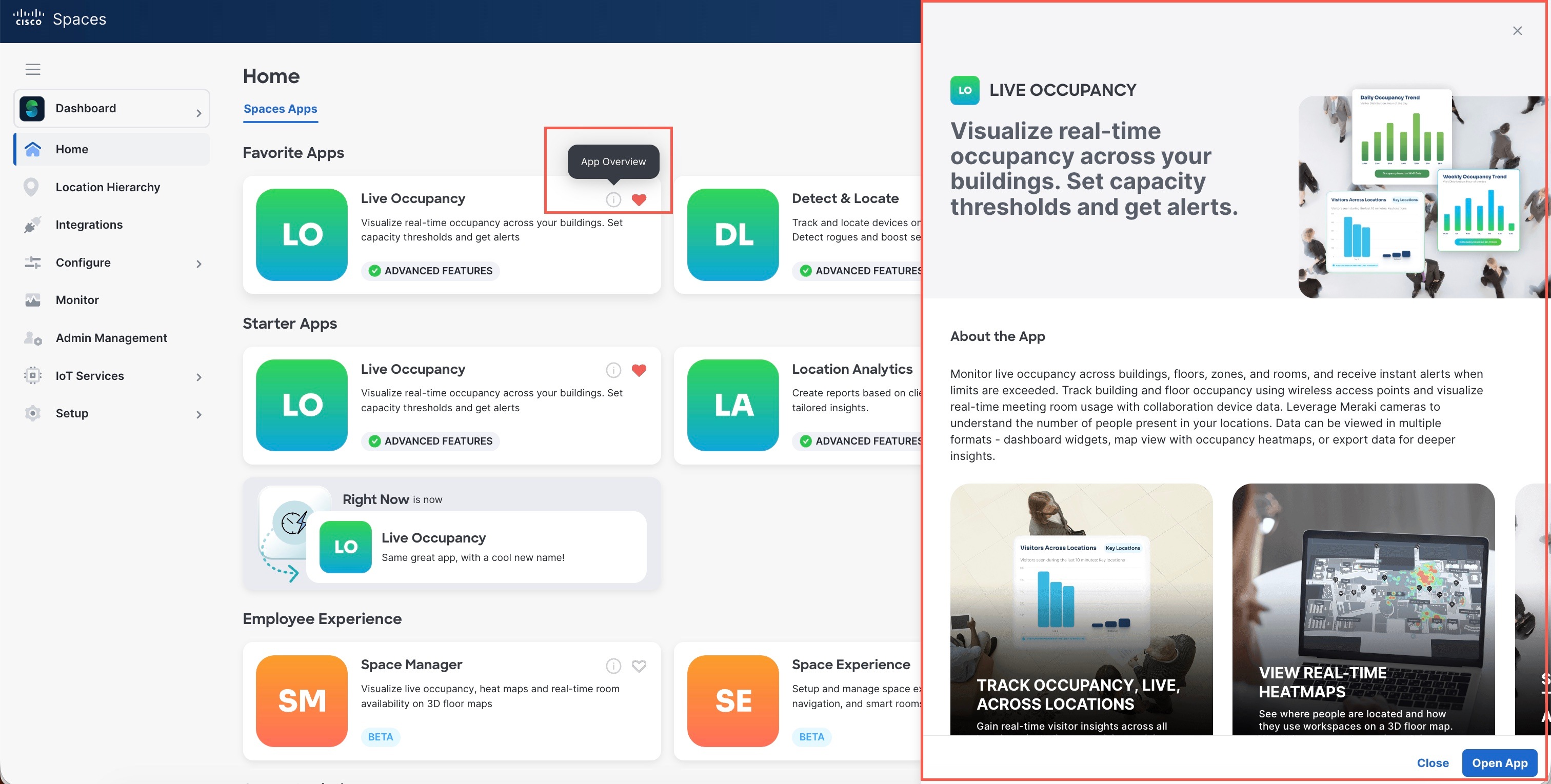
Right Now is now called Live Occupancy app.

In the Home page, click the App Overview icon to view app details in the slide-in pane.

Figure 4. App Overview

Space Manager App

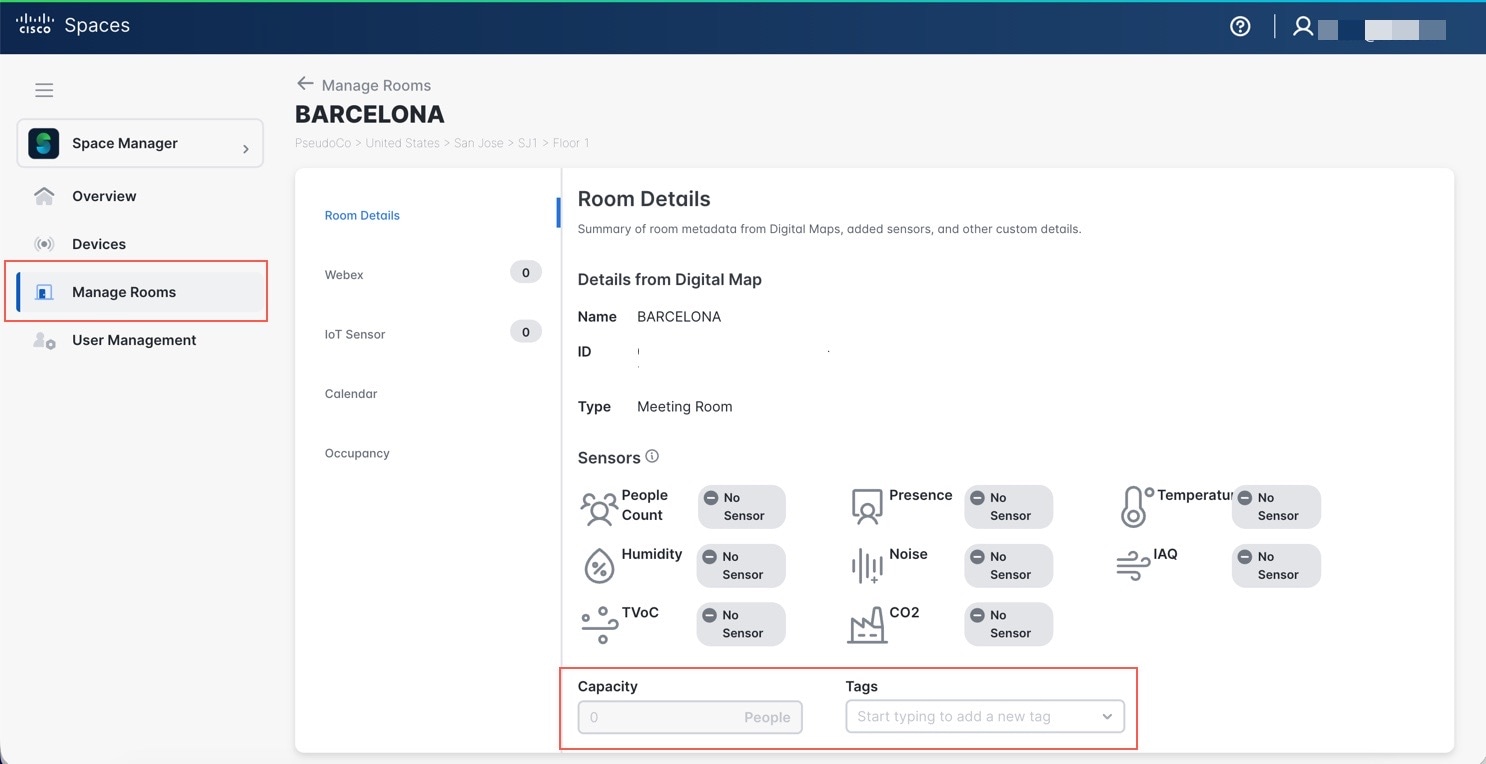
In the Space Manager app, the Space Management tab is renamed to Manage Rooms. All functionalities and features remain the same. You can use the new Export feature to download room details as a CSV file. For any room you select, you can add Capacity and Tags metadata to room details for additional information. These changes are designed to help you manage rooms more efficiently.

Figure 5. Manage Rooms

Issues

Issues describe unexpected behavior in the Cisco Spaces application.

Open Issues

This section lists the open issues in this release of Cisco Spaces.

Table 1. Cisco Spaces Open Issues
Issue Identifier Issue Description

CSCws49045

Space Manager: In Devices section the webex device icons not placed over the meeting rooms when multiple devices are present in meeting room

CSCwr86129

Connector Upgrade Banner Showing Incorrect/Confusing information.

Resolved Issues

This section lists the issues that have been resolved in this release of Cisco Spaces.

Table 2. Cisco Spaces Resolved Issues
Issue Identifier Issue Description

CSCws12587

Add Digital Map in Beta Dashboard does not allow for negative numbers.

CSCws40882

Location and Maps shows deleted location hierarchy entries.

CSCws82925

Meraki Integration syncs all non CiscoSpaces tagged networks.