- Overview of IRCM
- Supported Platforms
- IRCM Best Practices
- Restrictions for IRCM
- IRCM Support for Brownfield Deployments within Enterprise
- IRCM Support for Brownfield Guest Access using Guest Anchor
- Configure Enterprise Mobility Using the CLI
- Configure Enterprise Mobility using the GUI
- Configure Guest Anchor for Guest Access Services with Catalyst 9800 and AireOS IRCM Controllers
- Troubleshoot Common Issues for IRCM
- Additional References for IRCM Configuration
IRCM Support for Brownfield Deployments within Enterprise
The brownfield deployment use case shows how to expand an existing network within the enterprise with Cisco Catalyst 9800 controllers to provide seamless mobility for clients roaming between Access Points(AP) attached to the different controller versions.
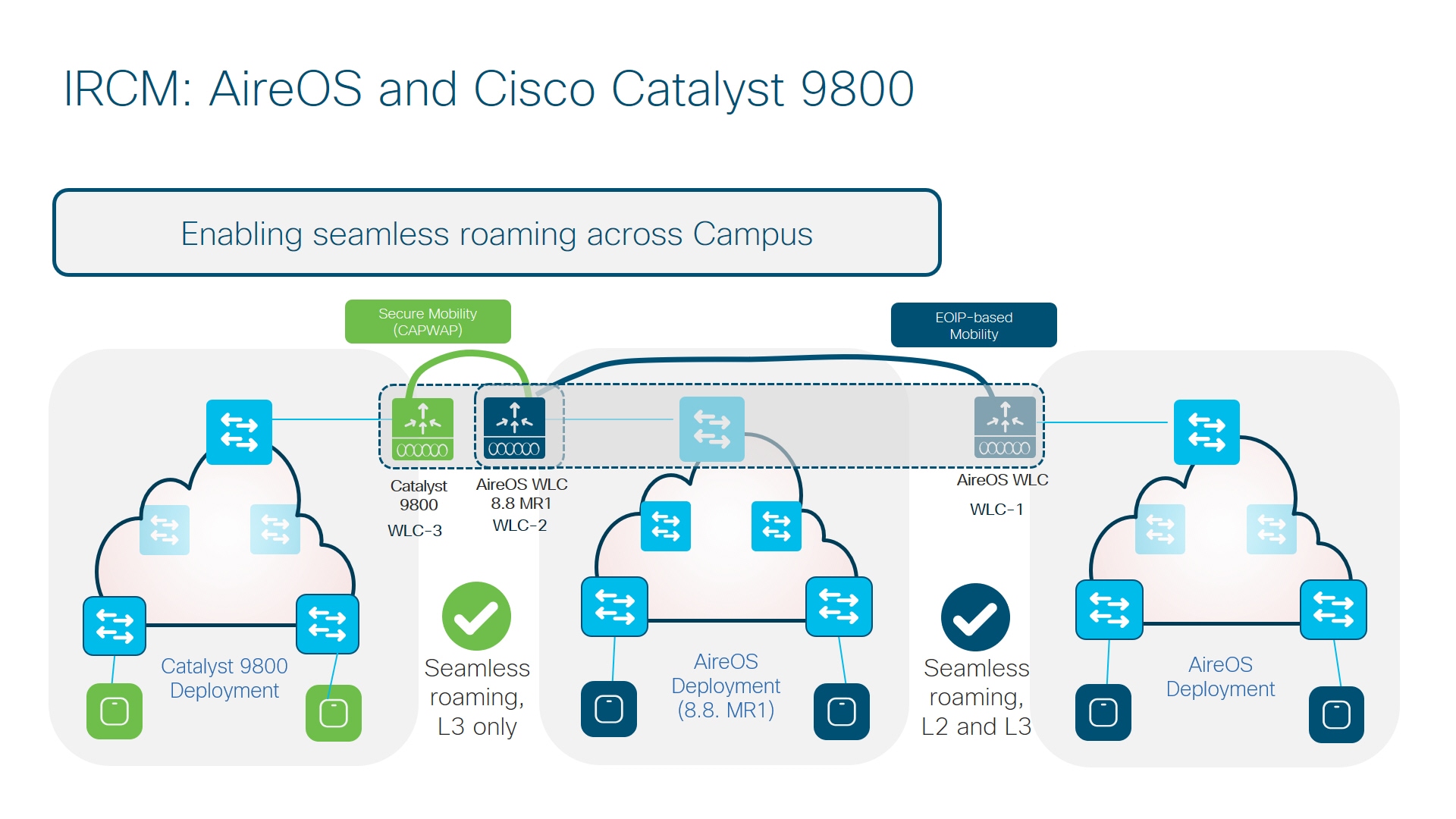
This deployment model uses three controllers running different code versions.
-
WLC-1–Any AireOS controller running software version 8.2 / 8.3 / 8.5.
-
WLC-2–AireOS 5520/8540 or 3504 controllers running software version 8.8.111 and above. WLC can also be a 5508/8510 controller running 8.5 based IRCM supported image.
-
WLC-3–Any Catalyst 9800 wireless controller.
In this setup, WLC-1 can only pair up with controllers that can do EOIP. WLC-3 can only pair up with controllers that can do Secure Mobility. WLC-2 running 8.8.111 and above can do either EOIP or Secure mobility on a per peer basis (same for 8.5 based IRCM supported image if you have an older controller like 5508 and 8510).
Seamless client roaming between WLC-1 and WLC-2 is permitted and both L2 and L3 roaming are possible. Seamless client roaming between WLC-2 and WLC-3 will be permitted but will be L3 roaming only.
 Feedback