AI Data Platform on Cisco UCS with NVIDIA AI and VAST Data Design and Deployment Guide
Available Languages
Bias-Free Language
The documentation set for this product strives to use bias-free language. For the purposes of this documentation set, bias-free is defined as language that does not imply discrimination based on age, disability, gender, racial identity, ethnic identity, sexual orientation, socioeconomic status, and intersectionality. Exceptions may be present in the documentation due to language that is hardcoded in the user interfaces of the product software, language used based on RFP documentation, or language that is used by a referenced third-party product. Learn more about how Cisco is using Inclusive Language.
- US/Canada 800-553-2447
- Worldwide Support Phone Numbers
- All Tools
 Feedback
 Feedback
In partnership with:


Executive Summary
Organizations are looking for practical ways to use enterprise data with generative AI, document retrieval, and video analytics. Moving these applications from proof of concept to production requires more than GPU capacity. Compute, networking, data services, container orchestration, model serving, and application workflows must operate together as a reliable platform.
This Cisco Validated Design presents an implementation of an AI Data Platform built with Cisco UCS compute, Cisco Nexus networking, VAST data services, NVIDIA accelerated computing, and Red Hat OpenShift. The solution brings these technologies together in a tested architecture that customers can use for deploying data-intensive AI applications.
Cisco provides the compute and network foundation for the solution. VAST provides the shared data platform for file, object, database, vector, and event-driven services. NVIDIA provides GPU acceleration, inference software, optimized models, and video-search components. Red Hat OpenShift provides a consistent environment for deploying and operating the VAST and NVIDIA services. Each layer has a defined role while remaining independently scalable and serviceable.
The design was validated with document and video AI workloads. Document RAG demonstrates how enterprise content can be ingested, indexed, retrieved, and used to generate source grounded responses. Video Search and Summarization demonstrates two complementary approaches: a VAST-native workflow and NVIDIA VSS 3.2.1 Search. Together, these workloads confirm that the infrastructure, data services, GPU services, and application interfaces can operate as one platform.
This document provides the architecture, design considerations, deployment sequence, and functional validation needed to reproduce the solution. It establishes a baseline that can be extended with additional data sources, models, applications, storage capacity, and GPU resources as customer requirements evolve
Solution Overview
This chapter contains the following:
● Audience
Enterprise AI is moving from isolated model experiments to data-intensive services that continuously ingest, govern, enrich, search, and serve information. These services require an infrastructure foundation that combines accelerated computing, high-performance data access, and predictable operations without creating a separate data silo for every workload.
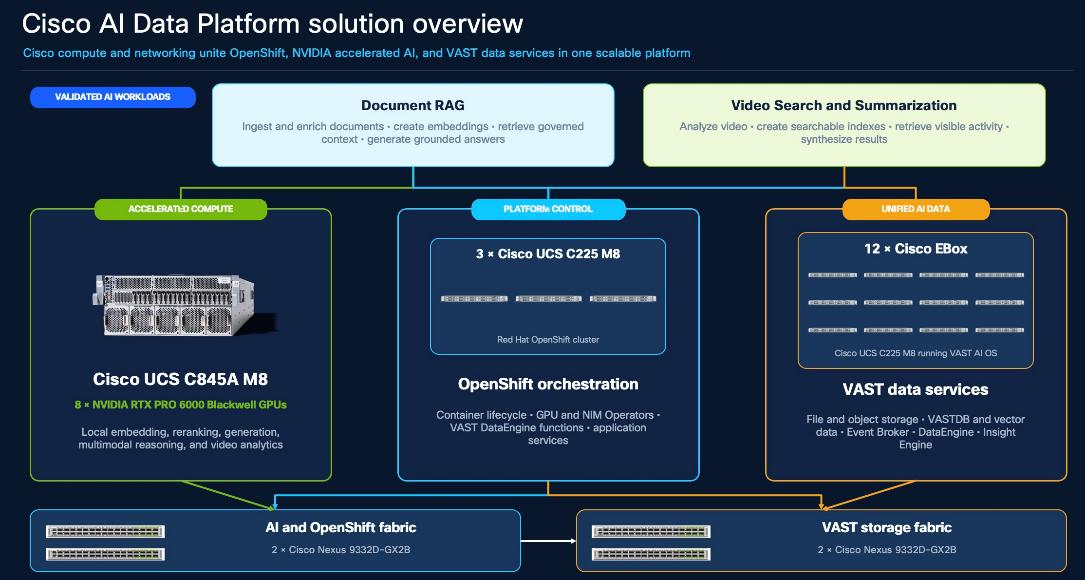
The Cisco AI Data Platform (AIDP) combines Cisco compute and networking, Cisco UCS C845A GPU server, VAST AI OS deployed on Cisco UCS C225 M8N (EBox), NVIDIA accelerated AI software, and Red Hat OpenShift. GPU services operate close to a unified data layer so the same platform can support data preparation, retrieval, inference, and multimodal analytics while maintaining clear operational boundaries.
This document is intended for enterprise and solution architects, AI and data-platform owners, compute and network administrators, OpenShift and GPU administrators, Cisco, VAST, and NVIDIA partner engineers, professional services teams, and technical decision makers evaluating or deploying an integrated AI data platform.
This Cisco Validated Design describes the architecture, deployment, operation, and functional validation of the Cisco AIDP. It explains how Cisco UCS C845A M8 accelerated compute, Cisco EBox based on Cisco UCS C225 M8, Cisco Nexus 9332D-GX2B networking, Red Hat OpenShift, NVIDIA AI software, and VAST AI OS are integrated into a repeatable platform for Document RAG and VSS.
This solution combines Cisco compute and networking, VAST data services, NVIDIA accelerated computing, and Red Hat OpenShift in a single design. The platform supports enterprise AI applications that need direct access to large volumes of document, video, object, and vector data.
The solution consists of the following major stacks:
● Cisco infrastructure: A 12-node VAST cluster based on Cisco UCS C225 M8 servers provides the data platform. A separate OpenShift environment runs on Cisco UCS C225 M8 servers and is extended with a Cisco UCS C845A GPU worker equipped with eight NVIDIA RTX PRO 6000 Blackwell GPUs. Redundant Cisco Nexus 9332D-GX2B switch pairs connect the storage, OpenShift, GPU, and external networks.
● VAST data platform: VAST provides file and object storage, VAST DataBase, DataEngine, and InsightEngine. These services maintain source data, metadata, vector embeddings, and processing results on a common platform. DataEngine supports event-driven processing, while InsightEngine provides services for ingestion, retrieval, and application workflows.
● NVIDIA accelerated computing: NVIDIA GPUs, the NVIDIA GPU Operator, NVIDIA NIM services, optimized models, and NVIDIA Blueprint components provide local inference for embedding, reranking, language generation, video understanding, and semantic search.
● Red Hat OpenShift: OpenShift provides the common application environment for VAST services, NVIDIA inference services, operators, and AI workloads. It manages workload placement, networking, persistent storage, application services, and lifecycle operations.
The design validates three workloads on this shared foundation: Document RAG, NVIDIA VSS 3.2.1 Search and VAST native Video Search and Summarization.
These workloads demonstrate document retrieval, video understanding, vector search, and grounded response generation without requiring a separate infrastructure platform for each application.
The architecture is designed to expand as requirements grow. Additional GPU nodes, storage capacity, inference services, data pipelines, and NVIDIA Blueprints can be introduced while retaining the same Cisco, VAST, and OpenShift foundation.
Solution Design
This chapter contains the following:
● Cisco AI Data Platform Design
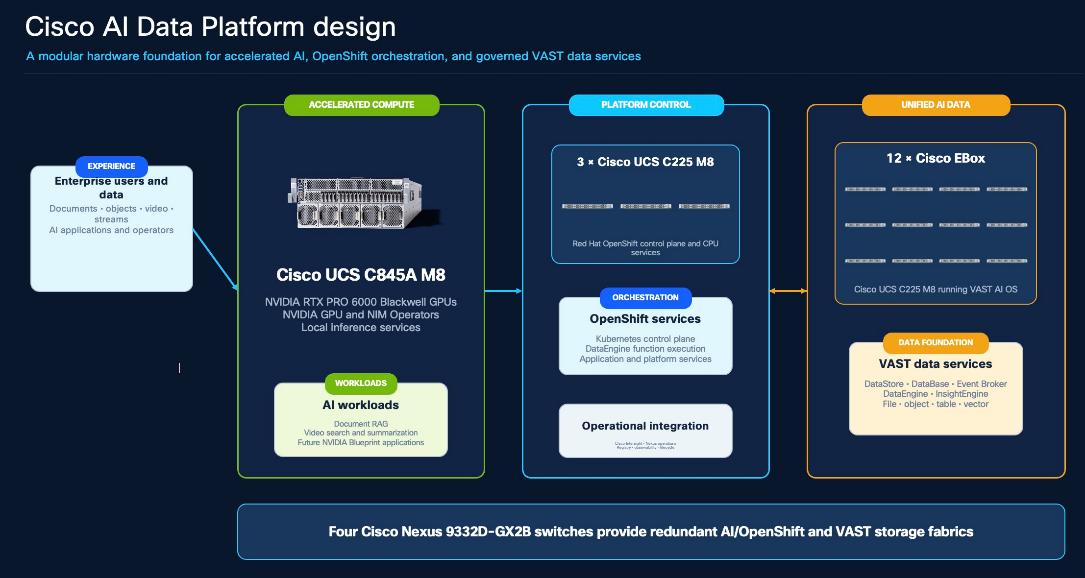
This chapter elaborates on the Cisco AI Data Platform (AIDP) design that integrates Cisco compute and networking, Red Hat OpenShift, VAST data services, and NVIDIA accelerated AI software.
The key Design Components are as follows:
● Cisco UCS C845A and Cisco C225M8 servers, provide the OpenShift and GPU compute foundation
● Cisco Nexus 9332D-GX2B switches provide resilient high-speed fabrics
● Cisco EBox cluster provides the VAST data platform
● NVIDIA GPUs and software provide local inference acceleration.
The AI Data Platform (AIDP) design is built on the following:
● 12x Cisco UCS C225 M8-based VAST EBox nodes
● 1x Cisco UCS C845A M8 GPU server
● 3x Cisco UCS C225 M8 OpenShift nodes
● 4x Cisco Nexus 9332D-GX2B switches arranged as two redundant pairs:
◦ The VAST storage pair connects the EBox nodes and carries their internal and client data paths
◦ The AI/OpenShift pair connects the GPU server, the OpenShift CPU nodes, enterprise uplinks, and application ingress.
◦ Redundant inter-pair links provide the approved paths between application compute and VAST data services
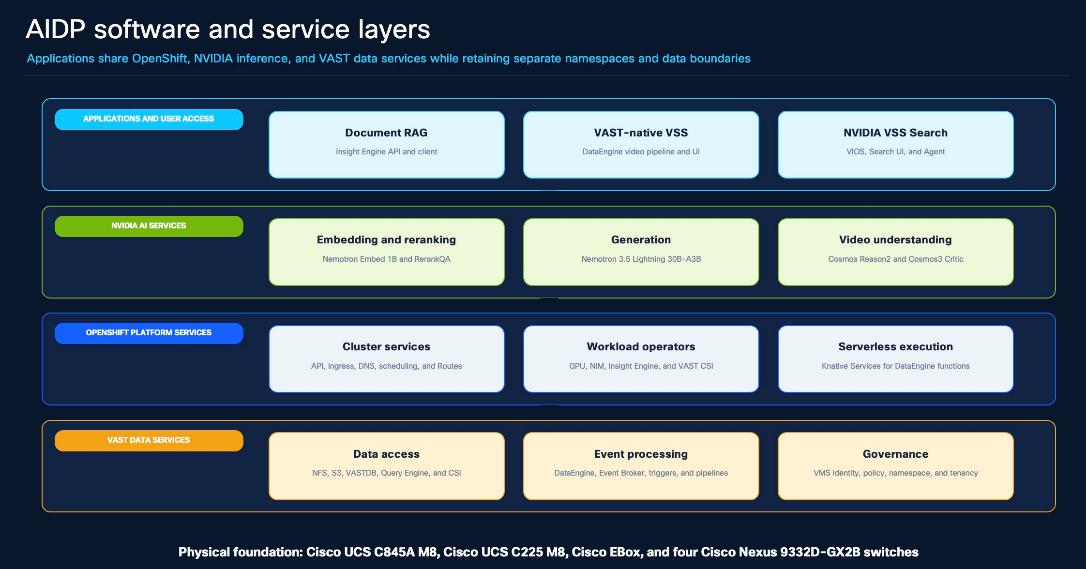
Red Hat OpenShift provides namespace isolation, scheduling, Operators, service discovery, Routes, persistent storage consumption, and application lifecycle management.
VAST DataEngine uses OpenShift as an external execution environment for event-driven functions and pipelines.
NVIDIA NIM and VSS services execute on the Cisco UCS C845A GPU worker and expose model APIs to InsightEngine, VAST-native video processing, and NVIDIA VSS Search.
Design Objectives
● Remove single-link dependencies. Production data-plane endpoints are dual-attached to an A/B Nexus pair so that one link or switch failure does not isolate a healthy service.
● Separate traffic by function. VAST internal traffic, VAST client traffic, OpenShift machine and application traffic, enterprise access, and out-of-band management use distinct logical roles.
● Process governed data in place. DataEngine reacts to storage events and invokes containerized functions without requiring every source object to be copied into a separate processing platform.
● Use one application platform. OpenShift provides a consistent control plane for CPU applications, DataEngine functions, NVIDIA NIM services, and both VSS application lanes.
● Preserve workload independence. Document RAG, VAST-native VSS, and NVIDIA VSS Search use separate namespaces and data boundaries even when they consume shared infrastructure services.
● Pin software and images. Operators, Helm charts, application images, model images, and runtime profiles use explicit versions or immutable digests; floating latest tags are excluded.
● Scale by subsystem. Storage capacity, CPU services, GPU inference capacity, and fabric bandwidth can be expanded independently when workload measurements require it.
● Keep management independent. Cisco IMC, Nexus management, and VAST management remain reachable through an OOB plane during a data-fabric or OpenShift outage.
Note: The 12x Cisco EBox topology is the deployed configuration for this document, not a universal VAST EBox cluster minimum.
Table 1. Target Architecture and Validated Reference Boundary
| Design area |
Solution target |
Validated reference interpretation |
| VAST platform |
12 Cisco EBox nodes on UCS C225 M8 |
File, object, VASTDB, Query Engine, CSI, DataEngine, and application data paths were functionally validated. Final capacity follows VAST sizing. |
| GPU compute |
1 Cisco UCS C845A M8 with 8 RTX PRO 6000 Blackwell GPUs |
Local embedding, reranking, language, video-reasoning, and VSS services were validated. |
| OpenShift compute |
3 Cisco UCS C225 M8 nodes |
The reference uses three control-plane nodes for CPU services. Dedicated workers can be added for production separation. |
| Network |
4 Cisco Nexus 9332D-GX2B switches in two redundant pairs |
Dual fabrics, inter-pair connectivity, jumbo frames, and diverse northbound paths were configured. |
| Inter-pair bandwidth |
Po100/vPC100; two 400-Gb members per switch |
Storage A Ethernet1/24–25 connects A-to-A, and Storage B Ethernet1/24–25 connects B-to-B, to the same-numbered AI/GPU ports. |
| Northbound bandwidth |
Diverse enterprise uplinks from both AI/OpenShift switches |
The reference uses one 100-Gb uplink per switch |
| Management |
Independent OOB access to servers, switches, and VAST management |
Administrative workflows use a generic OpenShift administration/client VM with routed access to approved endpoints. |
VAST DataEngine is the event-driven compute and orchestration layer that connects governed data with containerized processing. It organizes triggers, Event Broker topics, functions, function deployments, and pipelines as managed resources. In this design, DataEngine is registered with the external OpenShift cluster so that stateless functions execute as OpenShift and Knative workloads while retaining direct access to VAST data services.
The architecture avoids copying every new object into an unrelated processing platform. A VAST storage event can initiate a pipeline that reads the original object, transforms or segments it, calls one or more NVIDIA model APIs, and writes structured results, derived objects, or embeddings to VAST S3 and VAST DataBase.
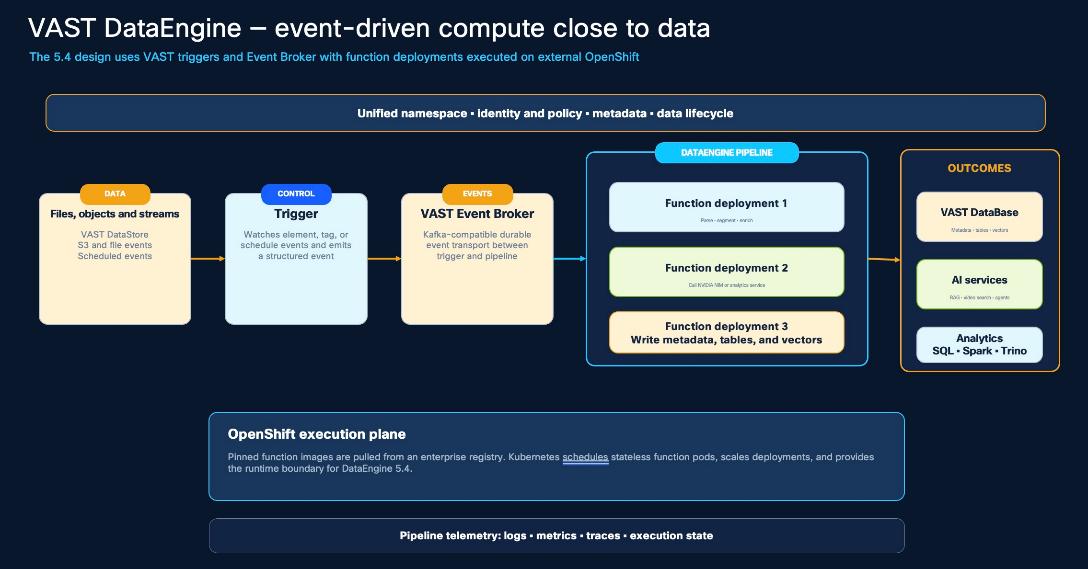
Table 2. DataEngine Resource Model
| Resource |
Purpose in the design |
| Trigger |
Evaluates a VAST object, element, tag, or schedule condition and emits a structured event. |
| Event Broker topic |
Durably decouples event arrival from function execution and distributes events to pipeline consumers. |
| Function |
References a versioned container image that performs one discrete operation. |
| Function deployment |
Instantiates a function with its own image, resources, environment, scaling, and runtime settings. |
| Pipeline |
Connects triggers and function deployments into an ordered processing graph and records execution state. |
| Compute cluster |
Defines the external OpenShift environment and the namespaces in which DataEngine workloads may execute. |
| Registry record |
Defines the authenticated container registry used to pull approved function images. |
| Telemetry |
Exposes function and pipeline logs, metrics, traces, status, retries, and diagnostic evidence. |
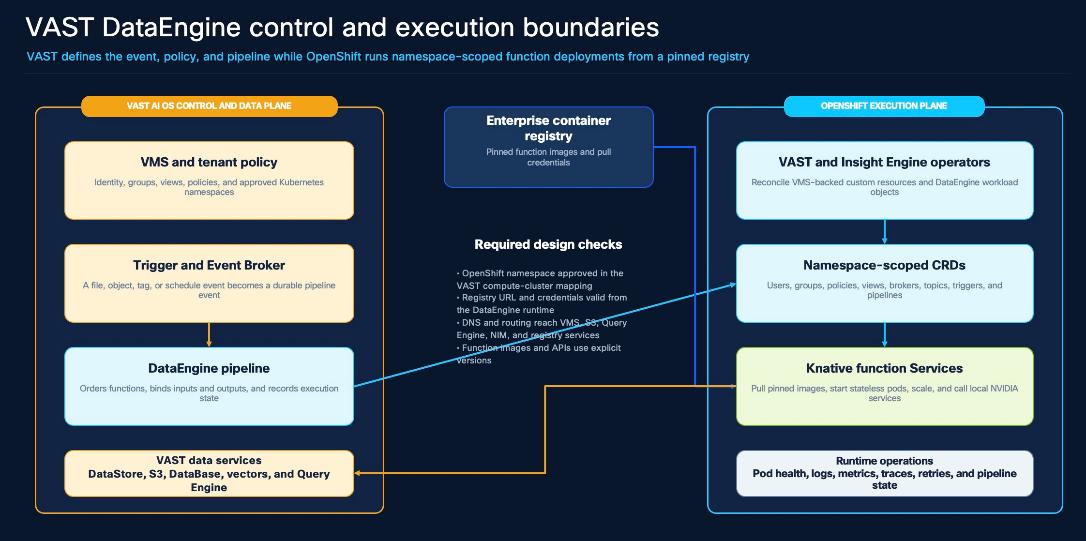
Control and Execution Flow
The following lists the control and execution flow:
1. Object or schedule event. A document, video, or other object is created or updated in an approved VAST view, or a configured schedule becomes due.
2. Trigger evaluation. DataEngine evaluates the selected view, event type, path, tag, prefix, suffix, or schedule condition.
3. Durable publication. The trigger publishes a structured event to the configured Event Broker topic.
4. Pipeline resolution. DataEngine resolves the deployed pipeline revision and the function deployment that consumes the event.
5. OpenShift execution. The integration creates or scales the corresponding Knative service in a namespace already approved in the compute-cluster mapping.
6. Pinned image pull. The workload pulls its explicit image version or digest from the registered enterprise container registry.
7. Data and model processing. The function reads the source object from VAST and can invoke a local NVIDIA NIM for embedding, reranking, reasoning, or generation.
8. Governed output. The function writes derived objects, metadata, execution status, or vectors back to VAST S3 or VAST DataBase.
9. Operational evidence. Operators verify the VAST resource state, pipeline status, OpenShift service and revision state, logs, metrics, and traces.
DataEngine Design Requirements
The following are the design requirements for DataEngine:
● Approve namespaces explicitly. Register the OpenShift cluster and add only the namespaces in which DataEngine managed functions are allowed to run.
● Reconcile registry access. Associate the enterprise registry and its pull credentials with the compute cluster and approved namespace through the VAST-supported workflow.
● Use immutable function artifacts. Retain the image version or digest, dependency lock, function configuration, and rollback revision for every deployment.
● Schedule CPU and GPU work deliberately. Place CPU-only functions on the CPU service tier and expose GPU model APIs through stable Services instead of embedding node addresses.
● Separate applications. Use distinct namespaces, broker topics, storage views, and VASTDB schemas or tables for independently managed workflows.
● Protect credentials and certificates. Use trusted certificate chains and Kubernetes Secrets; do not publish bearer tokens, passwords, keys, or TLS-verification bypasses in CVD procedures.
NVIDIA Blueprints combine reference application services, models, NVIDIA NIM microservices, deployment artifacts, and workflow guidance. It does not replace the compute, network, storage, or container platform.
● Cisco provides the infrastructure foundation
● VAST provides governed data and event services
● and NVIDIA provides GPU-accelerated model and application components
NVIDIA NIM services are managed independently from the applications that consume them. This separation allows an application to be upgraded or rolled back without rebuilding the model container, provided that the API contract, model name, precision profile, and capacity remain compatible.
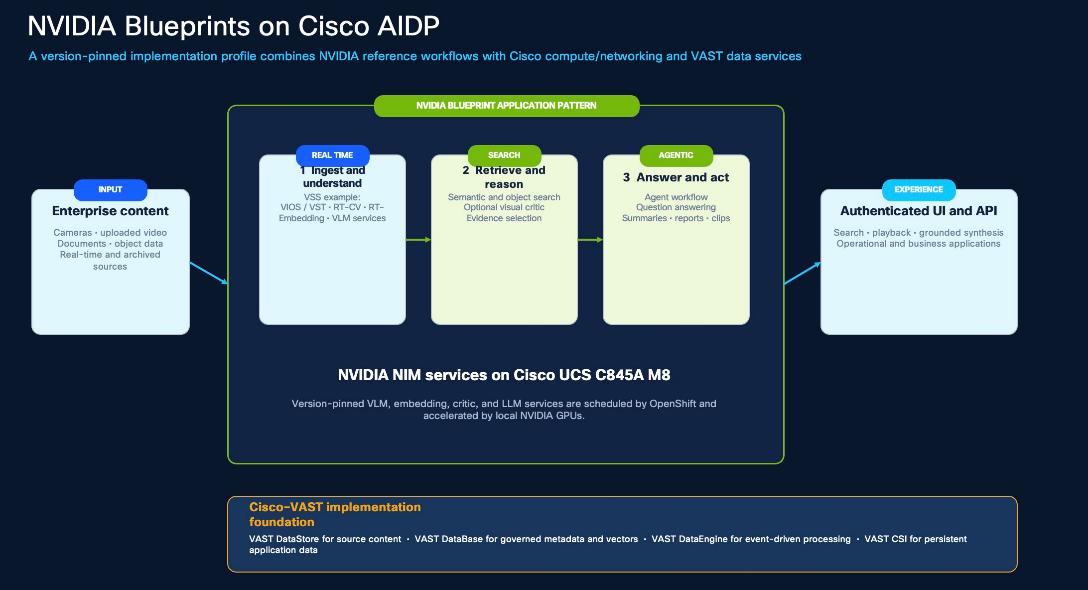
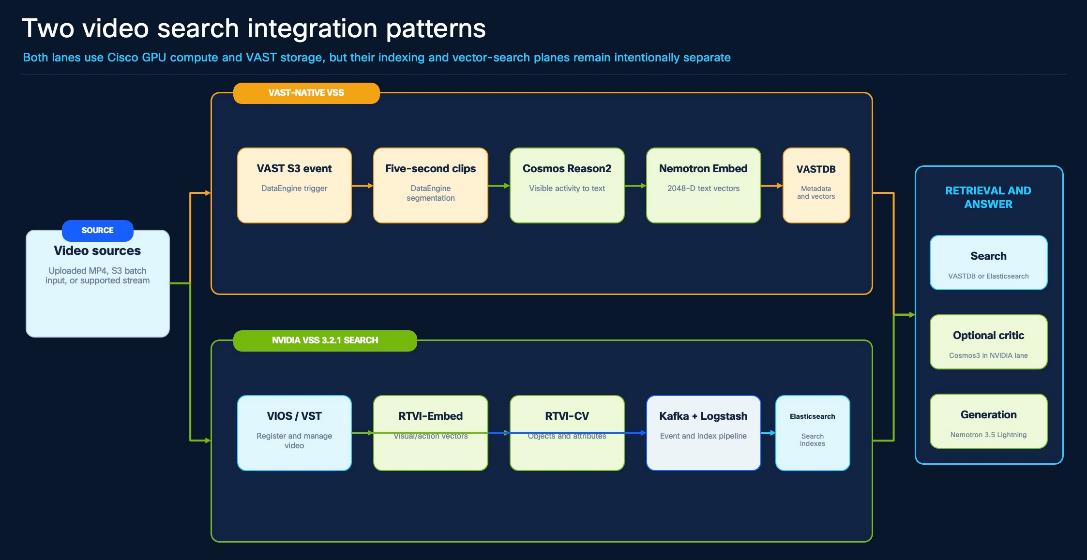
Table 3. Blueprint-Aligned Application Profiles
| Profile |
Ingestion and processing |
Retrieval and generation |
VAST data role |
| Document RAG |
Documents are stored in VAST S3, split into text chunks, and embedded through a local NVIDIA embedding NIM. |
VAST vector search returns candidate chunks, a local reranker refines them, and Nemotron 3.5 Lightning produces a grounded answer. |
S3 retains source objects; VASTDB stores metadata and 2048-dimensional vectors; DataEngine orchestrates ingestion. |
| VAST-native VSS |
MP4 objects trigger DataEngine; video is segmented and Cosmos Reason2 describes visible activity before the descriptions are embedded. |
VASTDB similarity search retrieves supporting clips and Nemotron 3.5 Lightning synthesizes a response from that evidence. |
VAST S3 stores source and segment objects; Event Broker and DataEngine drive processing; VASTDB stores metadata and vectors. |
| NVIDIA VSS Search 3.2.1 |
NVIDIA VIOS/VST registers video; RT-CV and RT-Embed create detections and visual/action embeddings. |
The VSS agent retrieves indexed results, an optional Cosmos3 critic verifies evidence, and the language model generates the response. |
This remains a separate application lane. VAST can provide source storage and selected integration points without silently replacing NVIDIA profile services. |
GPU Service Profile
The validated coexistence profile allocates one whole GPU to each service listed below and does not use MIG or time slicing. This is an as-tested allocation, not a universal sizing rule. Production sizing must consider concurrency, latency, precision, model cache size, workload overlap, and the required failure domain.
Table 4. GPU Service Profile Details
| Service role |
Model or service |
Reference GPU |
Primary consumer |
| Embedding |
nvidia/llama-nemotron-embed-1b-v2; NIM 1.13.0 |
1 |
Document RAG and VAST-native VSS |
| Language generation |
nvidia/nemotron-3.5-lightning-30b-a3b; 2.0.9 variant |
1 |
Document RAG and VSS synthesis |
| Reranking |
nvidia/llama-3.2-nv-rerankqa-1b-v2; NIM 1.8.0 |
1 |
Document RAG |
| Visual reasoning |
nvidia/cosmos-reason2-8b; NIM 1.7.0 |
1 |
VAST-native VSS |
| Real-time CV |
NVIDIA VSS RT-CV |
1 |
NVIDIA VSS Search |
| Real-time embedding |
NVIDIA VSS RT-Embed |
1 |
NVIDIA VSS Search |
| Stream processing |
NVIDIA VIOS stream processing |
1 |
NVIDIA VSS Search ingestion |
| Search critic |
nvidia/cosmos3-nano-reasoner; 1.7 |
1 |
Optional NVIDIA VSS Search evidence verification |
The component inventory distinguishes the CVD target from site-selected deployment services. Customers can add CPU workers, GPU workers, storage capacity, registry capacity, or management services without changing the logical responsibilities of the platform.
| Component |
Deployment quantity |
Role and connectivity requirement |
| Cisco EBox on UCS C225 M8 |
12 |
Provides the VAST data platform. Each node is dual-attached to the VAST storage pair according to the supported EBox port and bond design. |
| Cisco UCS C845A M8 |
1 |
Hosts the OpenShift GPU worker and eight RTX PRO 6000 Blackwell GPUs. The CVD target uses X710 bond0/br-ex on Po102/vPC102 for VLAN 1082; the validated ConnectX-7 bond1 path uses Po101/vPC101 for VLAN 3056. Cisco IMC connects to OOB. |
| Cisco UCS C225 M8 OpenShift node |
3 |
Hosts the OpenShift control plane and CPU-based platform/application services. Each node is dual-homed to the AI/OpenShift pair. |
| Cisco Nexus 9332D-GX2B |
4 |
Forms a redundant VAST storage pair and a redundant AI/OpenShift pair, with controlled high-bandwidth links between the pairs. |
| OOB management switching |
2 |
Connects Cisco IMC, Nexus mgmt0, VAST management, and enterprise administration services independently of the data fabrics. |
| OpenShift administration/client VM |
At least one logical role |
Runs supported deployment and validation tools and requires routed access to the OpenShift API, Routes, registry, and VAST management. |
Table 6. Platform and Application Components
| Layer |
Component |
Design responsibility |
| Container platform |
Red Hat OpenShift |
Provides Kubernetes orchestration, Operators, namespaces, scheduling, service networking, Routes, Secrets, and lifecycle management. |
| Persistent storage |
VAST CSI |
Dynamically provisions VAST provided persistent volumes for applications and model caches. |
| Object and file data |
VAST DataStore |
Stores source documents, video, derived segments, application data, and artifacts through S3-compatible and file protocols. |
| Structured and vector data |
VAST DataBase and Query Engine |
Stores metadata and embeddings and supports structured, similarity, and vector retrieval. |
| Event-driven compute |
VAST DataEngine and Event Broker |
Converts object or schedule events into versioned function and pipeline executions on OpenShift. |
| RAG services |
VAST InsightEngine |
Provides collection, ingestion, retrieval, reranking, and grounded response workflows for document RAG. |
| Serverless execution |
Knative Serving and Eventing |
Hosts scalable DataEngine function services and event-triggered revisions. |
| Image distribution |
Enterprise container registry |
Distributes pinned application and function images to OpenShift and the DataEngine execution environment. |
| GPU lifecycle |
NVIDIA GPU Operator |
Manages drivers, Container Toolkit, device discovery, device plugin, and GPU telemetry. |
| Model lifecycle |
NVIDIA NIM Operator |
Prepares model caches and manages NIM service instances. |
| AI inference |
NVIDIA NIM services |
Provides embedding, reranking, language generation, visual reasoning, and critic APIs. |
| Video applications |
VAST-native VSS and NVIDIA VSS Search |
Provide complementary, independently managed video ingestion, indexing, search, reasoning, and synthesis lanes. |
Validated Software Revision Profile
The following values describe the validated reference profile. A production release table must be reconciled against current Cisco, Red Hat, VAST, and NVIDIA support matrices before publication or upgrade.
Table 7. Validated Reference Profile Values
| Layer |
Validated reference |
| Cisco NX-OS |
storage pair 10.4(3); AI/OpenShift pair 10.5(4). |
| Cisco UCS C845 M8 |
2.0(2.260101) |
| OpenShift / Kubernetes |
OpenShift 4.20.18; Kubernetes 1.33.9 |
| RHCOS / CRI-O |
RHCOS 9.6.20260401-0; CRI-O 1.33.10-2 |
| NVIDIA platform |
GPU Operator 26.7.0; Toolkit 1.20.0; driver 595.91.07 |
| NIM lifecycle |
NIM Operator 3.1.1 |
| VAST CSI |
2.6.8; provisioner csi.vastdata.com |
| VAST platform |
release-5.4.3-sp4-hf18-2551649 |
| InsightEngine |
5.4.3 |
| NVIDIA VSS |
Search profile 3.2.1 |
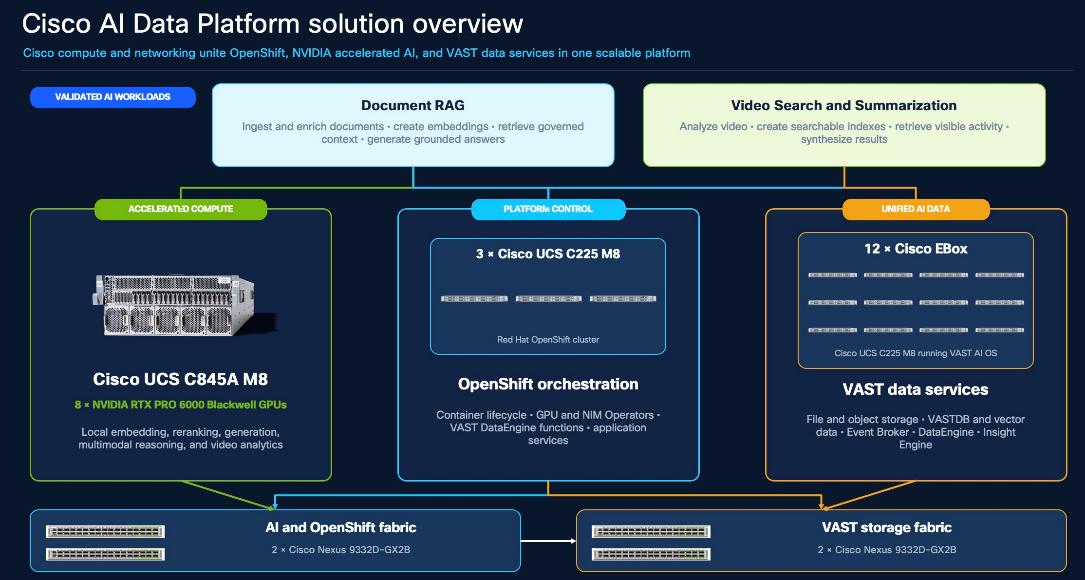
The topology uses two redundant Nexus pairs.
The VAST storage pair connects all twelve EBox nodes and keeps VAST internal traffic within the storage domain.
The AI/OpenShift pair connects the C845A GPU server, the three C225 OpenShift nodes, application ingress, and enterprise uplinks.
The inter-pair connection is Po100/vPC100. Storage A Ethernet1/24–25 connects to AI/GPU A Ethernet1/24–25, and Storage B Ethernet1/24–25 connects to AI/GPU B Ethernet1/24–25. Each side contributes two 400-Gb members. Only the service VLANs approved in the final site port map are carried across this boundary.
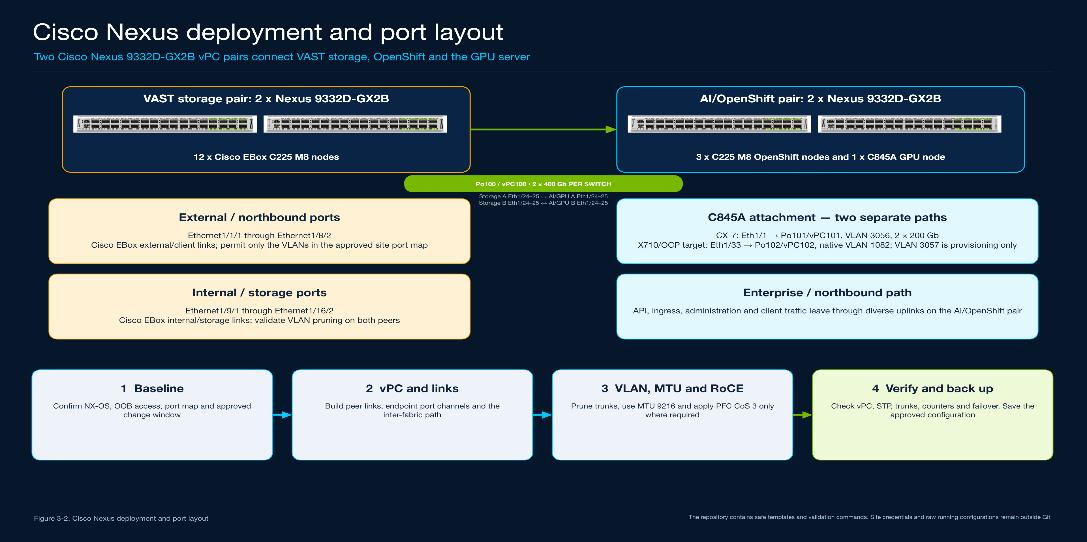
Figure 8 combines validated fabric connections with the repeatable CVD target for the C845A X710 host attachment. Before a customer deployment, reconcile device names, ports, VLANs, link speeds, and failure-state capacity with the approved site port map and supported bill of materials.
| Domain |
Primary components |
Responsibilities |
| VAST appliance |
12 Cisco EBox nodes |
Provides persistent storage, database, event-processing, management, and service interfaces. |
| GPU compute |
1 Cisco UCS C845A M8 |
Runs the OpenShift GPU worker, local NVIDIA NIM services, and GPU-accelerated VSS services. |
| OpenShift CPU |
3 Cisco UCS C225 M8 |
Runs the control plane, CPU workloads, application frontends/backends, Operators, and DataEngine functions. |
| VAST storage fabric |
2 Nexus 9332D-GX2B |
Connects EBox data and internal interfaces and retains VAST internal traffic within the storage domain. |
| AI/OpenShift fabric |
2 Nexus 9332D-GX2B |
Connects OpenShift nodes, C845A, VAST frontend access through the inter-pair path, and the enterprise network. |
| OOB management |
Site management switching and services |
Provides independent hardware, switch, and storage-management access. |
| Enterprise services |
DNS, NTP, PKI, registry, identity, monitoring |
Supplies shared services required to deploy and operate the platform. |
Table 9. Physical Connectivity Matrix
| From |
To |
Reference connectivity |
Traffic and design treatment |
| Each EBox |
VAST storage pair |
Two 200-Gb external/client plus two 200-Gb internal/backend links across the pair |
Separate the client and internal roles using the exact VAST-supported NIC, port, VLAN, and bond configuration. |
| C845A X710 host path |
AI/OpenShift pair |
Po102/vPC102 on Ethernet1/33 to X710 bond0/br-ex |
Carries the OpenShift host network on VLAN 1082. Verify the target against the site port map; use VLAN 3057 only for provisioning when required. VLANs 1080 and 1081 are not assigned to this path. |
| C845A ConnectX-7 data path |
AI/OpenShift pair |
Po101/vPC101 on Ethernet1/1; two 200-Gb links to CX-7 bond1 |
Carries VAST client and RoCE traffic on VLAN 3056 with the validated jumbo-MTU and lossless policy. |
| Each OpenShift C225 |
AI/OpenShift pair |
Dual-homed |
Carries OpenShift machine, API, ingress, registry, application, and storage-client traffic. |
| Storage pair |
AI/OpenShift pair |
Po100/vPC100: Ethernet1/24–25 A-to-A and B-to-B; two 400-Gb members per switch |
Carries only the approved service VLANs. Confirm the final allowed list from the site port map because captured evidence represents different deployment stages. |
| AI/OpenShift pair |
Enterprise network |
one 100-Gb link per switch |
Provides diverse user, API, Route, registry, DNS, NTP, PKI, monitoring, and controlled egress paths. |
| All UCS and Nexus systems |
OOB management |
Dedicated Cisco IMC or mgmt0 link |
Provides lifecycle, console, AAA, telemetry, configuration backup, and recovery access. |
| Failure condition |
Required behavior |
| One server data link fails |
The surviving link maintains connectivity through the peer switch. |
| One fabric switch fails |
Dual-homed EBox, OpenShift, and GPU endpoints remain reachable through the surviving switch in that pair. |
| One inter-pair member fails |
The remaining members preserve approved VAST frontend and application connectivity without oversubscribing the failure-state design limit. |
| One northbound link fails |
Enterprise access continues through the second AI/OpenShift switch and its diverse upstream path. |
| One OpenShift control-plane node fails |
The remaining two control-plane nodes preserve Kubernetes quorum and API availability. |
| One CPU application pod fails |
OpenShift restarts or reschedules the workload according to its controller and availability configuration. |
| One function revision fails |
DataEngine and Knative expose the failed state and allow an approved prior revision to be restored. |
| The C845A fails |
GPU services become unavailable unless a second sized GPU node and replicated services are deliberately designed. The one-node reference is not GPU-node HA. |
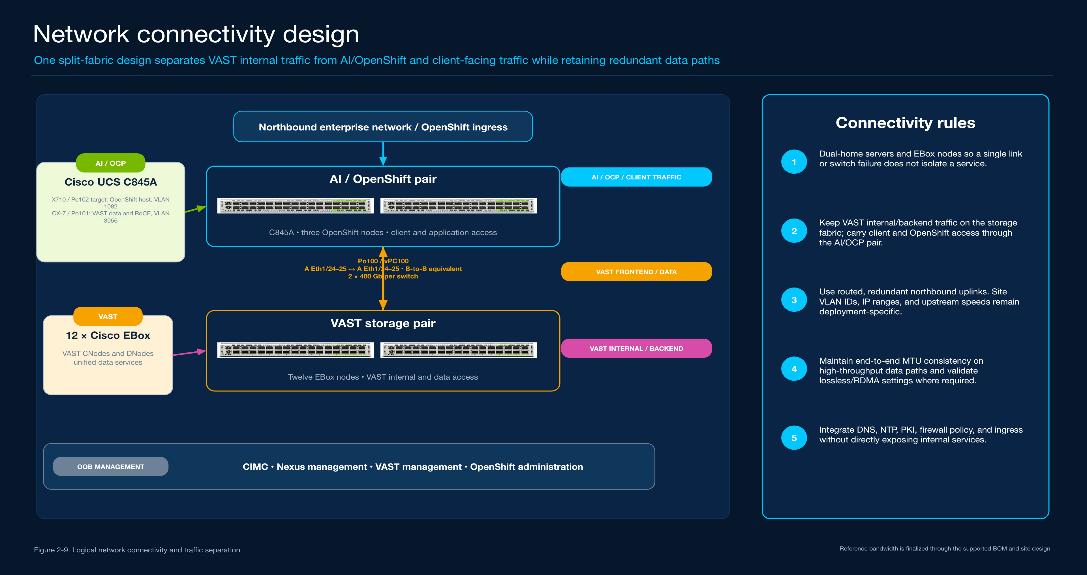
The network design separates control, client, storage, and internal traffic while preserving redundant physical paths. VLAN and subnet numbers are customer selected. The existing deployment solution fixes the logical role, traffic boundary, availability expectation, and validation method rather than prescribing one site's addressing plan.
Frontend (North-South) Fabric
The AI/OpenShift pair is the common attachment point for the OpenShift nodes, the Cisco UCS C845A GPU server, application ingress, and capacity-sized enterprise uplinks. The Cisco UCS C845A uses two separate network paths: X710 bond0/br-ex connects through Po102/vPC102 on Ethernet1/33 for the OpenShift host network on VLAN 1082, with VLAN 3057 used only when provisioning requires it; ConnectX-7 bond1 connects through Po101/vPC101 on Ethernet1/1 for VAST client and RoCE traffic on VLAN 3056. VLANs 1080 and 1081 remain VAST management and service networks and are not assigned to the C845A host links.
● Dual-home every production endpoint. Distribute host connections across both switches and validate the selected LACP, bond, and vPC behavior together.
● VLAN trunks. Carry only the logical networks required by each endpoint and keep VAST internal VLANs away from OpenShift, GPU, client, and upstream ports.
● Publish stable service names. Resolve OpenShift API, ingress, registry, VAST management, and VAST service VIPs through enterprise or delegated DNS.
● Place routing deliberately. Default gateways, inter-VLAN routing, firewall policy, and controlled egress follow the site Layer 3 design and are documented per traffic role.
● Size for simultaneous demand. Account for object access, persistent-volume traffic, container and model pulls, application APIs, user traffic, and failure-state utilization.
VAST Storage and Internal Connectivity
The VAST storage pair connects both the client-facing and internal interfaces of the EBox nodes in the reference orientation. Client-facing services include S3, file, CSI, VASTDB, Query Engine, and application VIPs. Internal interfaces carry EBox to EBox cluster communication. These roles remain logically separate even when they share the same physical switch pair.
● Protect the internal domain. VAST internal networks are confined to EBox interfaces and the storage pair and are not routed to general OpenShift workloads or enterprise clients.
● Expose only service networks. OpenShift and GPU workloads reach approved VAST client or service VIPs through the inter-pair path, not through an internal EBox subnet.
● Validate return paths. When one VAST node owns interfaces or VIPs in multiple subnets, test symmetric routing from every client network and apply only the VAST-supported correction for the installed release.
Inter-Pair and Northbound Connectivity
Po100/vPC100 provides the inter-pair path with two 400-Gb members per switch: Storage A Ethernet1/24–25 connects to AI/GPU A Ethernet1/24–25, and Storage B uses the same numbered ports to AI/GPU B. Captured validation evidence confirms the physical membership and active port channel; allowed-VLAN captures were taken at different stages, so the published configuration must use the approved site port map, prune all other VLANs, and be revalidated after the final change.
● Define the boundary. State whether each inter-pair path is Layer 2, Layer 3, or an explicitly controlled combination, and list the permitted VLANs or routes.
● Use diverse northbound paths. Terminate uplinks from both AI/OpenShift switches on independent upstream paths whenever the enterprise topology supports it.
Out-of-Band Management Network
This section describes the out-of-band management network.
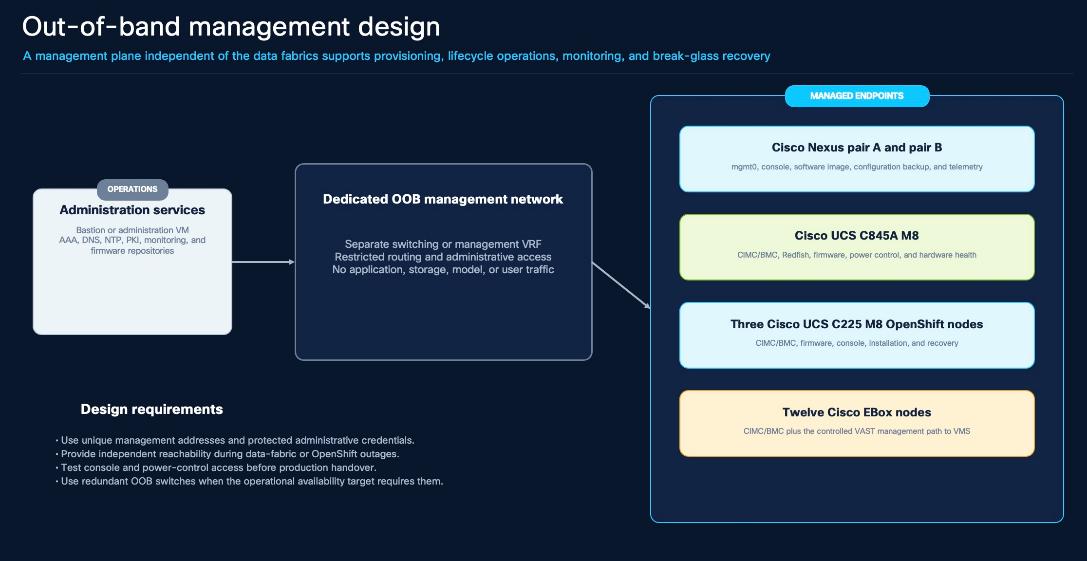
The OOB plane remains operational independently of both high-speed fabrics. It connects Cisco IMC on every UCS server, mgmt0 on each Nexus switch, and the controlled VAST management interfaces. A bastion or administration VM and enterprise AAA, DNS, NTP, PKI, logging, monitoring, firmware, and configuration-backup services are attached according to site policy.
● Restrict administrative access. Permit only approved management stations, automation systems, and protocols; do not carry application, storage, model, or user data on OOB.
● Provide independent recovery. Cisco IMC console and power control remain reachable when OpenShift or either data fabric is unavailable.
● Protect credentials. Use enterprise identity, unique management addresses, protected credentials, trusted certificates, and auditable access paths.
Logical Network Roles
Table 11 lists the logical network roles and traffic boundaries.
Table 11. Logical network roles and traffic boundaries
| Network Role |
Primary Endpoints |
Routing, MTU, and Policy |
| OOB management |
Nexus mgmt0, Cisco IMC/BMC, operations services |
Restricted management routing; normally standard MTU; no application or storage traffic. |
| OpenShift machine and API (VLAN 1082) |
Cisco UCS C225 nodes; C845A X710 bond0/br-ex; API and ingress |
Routed host path through Po102/vPC102. Provides the default route, DNS, NTP, API, ingress, and cluster-service reachability. |
| OpenShift provisioning (VLAN 3057) |
Installer, bootstrap, and machine-installation services |
Carried on the X710/Po102 path only when required by the selected installation method; retained or removed under the approved lifecycle plan. |
| VAST management (VLAN 1080) |
VMS and EBox control-plane services |
Reachable only from approved management and control-plane sources. This VAST service role is not assigned to either C845A host bond. |
| VAST in-band service (VLAN 1081) |
Approved VAST service interfaces and clients |
Carried only where required by the VAST service design and final port map; it is not assigned to either C845A host bond. |
| VAST internal/backend |
EBox to EBox internal interfaces |
Confined to the storage domain; jumbo MTU and lossless/RDMA treatment only where the supported VAST design requires it. |
| VAST client and RoCE data (VLAN 3056) |
C845A ConnectX-7 bond1; NFS, S3, VASTDB, Query Engine, CSI, service VIPs |
Uses Po101/vPC101 and the validated jumbo-MTU/lossless path. Other approved clients reach the same services through their documented attachment. |
| Application and ingress |
Routes, APIs, UIs, enterprise clients |
Routed and TLS protected; best effort unless a service-specific policy requires otherwise. |
| Registry and controlled egress |
Image pulls, model artifacts, enterprise repositories |
Restricted by proxy, firewall, certificate, and entitlement policy; production can use an approved mirror. |
MTU and QoS
The high-speed storage and RDMA-capable paths use jumbo frames. The validated reference uses MTU 9000 on hosts and MTU 9216 on the Nexus data interfaces to accommodate Ethernet overhead. Management and general-purpose networks can retain the site-standard MTU when jumbo frames are unnecessary.
● Validate the complete path. Configure sufficient MTU on host bonds, switch interfaces, port-channels, VLAN interfaces, and intermediate links, then test with non-fragmenting traffic.
● Limit lossless treatment. Apply PFC only to the approved RDMA traffic class and leave general application and management traffic outside the lossless queue.
● Reconcile QoS values. The reference uses CoS 3, DSCP 26, PFC on queue 3, and ECN; confirm these values against the current Cisco, VAST, and NVIDIA guidance before publication.
● Measure under load. Review pause behavior, ECN marking, queue occupancy, drops, interface errors, throughput, and failure-state utilization.
● RDMA scope: The current single-node NIM services do not require inter-node GPU RDMA for model-parallel communication. The fabric remains RDMA-capable for storage and future scale-out workloads
Table 12. Application Traffic Matrix
| Source |
Destination |
Purpose and Required Path |
| Administration/client VM |
OpenShift API and application Routes |
Platform administration and functional validation over routed management and frontend paths. |
| OpenShift Operators |
VAST management |
Create, reconcile, and observe VAST resources through the approved control-plane route. |
| Application pods |
VAST service VIPs |
Access S3, file, VASTDB, Query Engine, and CSI through the VAST client/data path. |
| DataEngine function pods |
VAST S3 and VASTDB |
Read source objects and write derived objects, metadata, status, and vectors. |
| Application and function pods |
Local NVIDIA NIM Services |
Invoke embedding, reranking, reasoning, and generation over OpenShift service networking. |
| OpenShift nodes and functions |
Enterprise registry |
Pull explicit application and function images through the frontend and controlled northbound path. |
| NIM cache jobs |
NVIDIA registry or approved mirror |
Pull entitled images and model artifacts through controlled egress. |
| Enterprise users |
OpenShift application Routes |
Access authenticated Document RAG and VSS UIs and APIs through northbound ingress. |
| EBox internal interfaces |
Peer EBox internal interfaces |
Carry VAST cluster communication only within the storage fabric. |
Subsystem Design Summary
This section summarizes the subsystem design, listing all products utilized.
Cisco UCS C845A GPU Compute
The Cisco UCS C845A joins OpenShift as a dedicated GPU worker for local NVIDIA model and VSS services. X710 bond0/br-ex uses Po102/vPC102 on Ethernet1/33 for VLAN 1082 and optional provisioning VLAN 3057. ConnectX-7 bond1 uses Po101/vPC101 on Ethernet1/1 for VAST client and RoCE traffic on VLAN 3056. Cisco IMC remains on the independent OOB network.
Treat one node as one failure domain. The reference demonstrates workload coexistence, not GPU-node high availability. Continued inference after a node failure requires a second sized GPU node and replicated services.
Avoid relying on GPU numbering. The Kubernetes device plugin allocates GPU resources but does not inherently guarantee a preferred physical GPU identifier
Cisco UCS C225 M8 OpenShift Nodes
Three Cisco UCS C225 M8 servers form the resilient OpenShift control plane and CPU-service tier. They host Operators, CPU-based application frontends and backends, DataEngine functions that do not request GPUs, registry and telemetry services according to the selected deployment, and VAST CSI components. A production design can add dedicated CPU workers when resource isolation or scale requires them.
State the scheduling model. Document whether control-plane nodes remain schedulable or dedicated workers are added, and size CPU, memory, ephemeral storage, and pod density accordingly.
Use policy-based placement. Use labels, affinities, taints, and tolerations rather than permanent cordoning as the steady-state workload-placement method.
Cisco Nexus Fabrics
Four Nexus switches form two A/B vPC pairs. The storage pair connects EBox nodes and retains internal traffic; Po100/vPC100 joins like-sided pairs through Ethernet1/24–25. The AI/OpenShift pair connects CPU nodes, enterprise uplinks, and the C845A through separate X710/Po102 host and ConnectX-7/Po101 data paths. The final design records vPCs, VLAN pruning, MTU/QoS, routing, telemetry, AAA, NTP, and configuration backup.
VAST Data Services
The EBox cluster provides S3-compatible object storage, file and persistent-volume access, VAST DataBase, Query Engine, vector search, Event Broker, DataEngine, and InsightEngine. Client-facing services use stable VIPs and delegated DNS names. Internal cluster traffic stays within the storage domain. VIP ownership, gateway behavior, DNS, and failover are validated together from every approved client network.
Red Hat OpenShift and External Services
OpenShift provides the common application platform with separate namespaces for platform services, model services, Document RAG, VAST-native VSS, and NVIDIA VSS Search. The deployment also depends on enterprise DNS, NTP, PKI, identity, image registry, logging, monitoring, backup, and configuration-management services. These dependencies are available before application deployment begins and do not rely on embedded credentials, certificate-verification bypasses, or unmanaged image tags.
Scaling Model
Scale VAST through the supported appliance model. Add data capacity and performance only through the VAST-supported expansion method and revalidate the fabric port and bandwidth plan.
Scale CPU independently. Add C225 workers when DataEngine functions, application services, or platform services exceed the compact three-node capacity.
Scale GPU independently. Add C845A workers when model concurrency, latency, model size, or node-level availability requires additional GPUs.
Scale fabrics from measurements. Increase inter-pair or northbound capacity when measured steady-state and failure-state utilization approach the approved threshold.
Repeat acceptance testing. After every scale or coordinated upgrade, rerun hardware, network, storage, model API, ingestion, retrieval, and end-to-end application validation.
Solution Deployment
This chapter contains the following:
● Install and Configure VAST CSI
● Deploy Cisco UCS C845A M8 as an OpenShift GPU Worker
● Create the UCS Server Profile Template
● Derive and Deploy the UCS Server Profile
● Deploy Cisco UCS C845A M8 as an OpenShift GPU Worker
This chapter describes how to deploy the shared Cisco AI Data Platform (AIDP) foundation.
Note: In-depth VAST cluster installation and complete Red Hat OpenShift cluster installation are outside the scope of this document. This chapter focuses on the Cisco infrastructure, integration points, and verification required to prepare the shared platform.
Deployment begins with the physical infrastructure and the two Cisco Nexus switch pairs. The VAST storage pair connects the 12-node Cisco EBox cluster. The AI/OpenShift pair connects the three Cisco UCS C225 M8 OpenShift nodes, the Cisco UCS C845A GPU server, the northbound network, and the VAST storage fabric. Before configuration begins, confirm the supported hardware and software versions, addressing, VLANs, routing, MTU, QoS, DNS, NTP, and support responsibilities.
Deploy and verify the VAST cluster using the procedure for the approved release and verify the existing OpenShift cluster before adding the Cisco UCS C845A as a GPU worker. Install the VAST CSI driver and NVIDIA GPU Operator, then prepare Zarf and Zot and deploy DataEngine and InsightEngine. Verify and record each step before continuing to the workload chapters.
Deployment Principles
The deployment principles are as follows:
● Use one approved compatibility baseline across Cisco hardware and NX-OS, Red Hat OpenShift, VAST software, NVIDIA GPU software, and the selected application releases.
● Treat hostnames, IP addresses, VLAN identifiers, vPC identifiers, port maps, certificates, and registry endpoints as site inputs rather than fixed CVD values.
● Store passwords, API keys, tokens, and private certificates in the approved credential system.
Figure 11 illustrate the Workflow and elaborates on the Cisco AIDP platform deployment process.
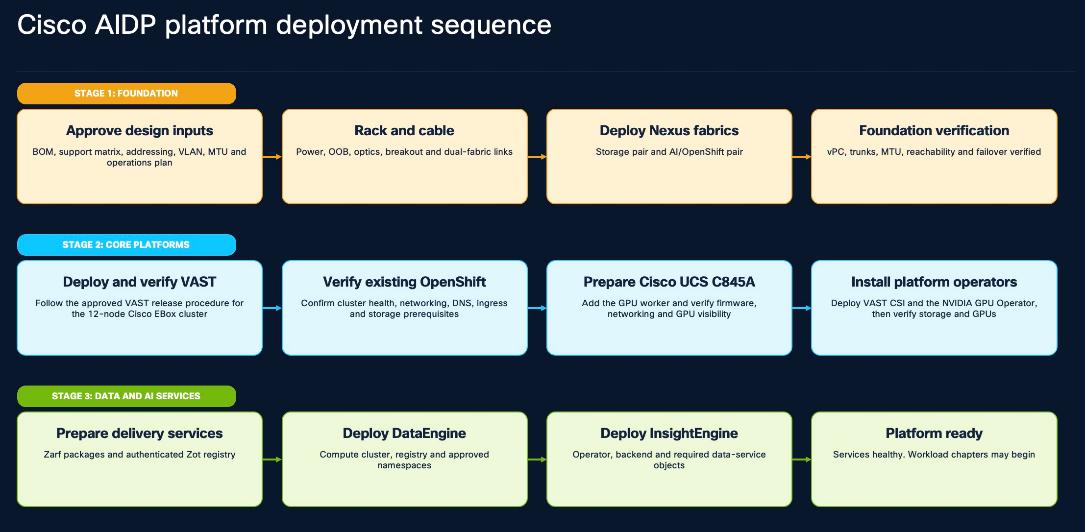
Table 13. Deployment stages and verification criteria
| Stage |
Primary activities |
Required inputs |
Exit criterion |
| 1. Foundation |
Rack, cable, and power the platform, then deploy the VAST storage and AI/OpenShift Nexus pairs. |
Supported BOM and releases, site port map, OOB plan, VLAN/VRF matrix, routing, MTU, QoS, DNS, NTP, and operations plan. |
Both switch pairs are healthy. The vPC, trunk, uplink, MTU, reachability, and approved failure tests pass. |
| 2. Core platforms |
Deploy and verify the VAST cluster using the approved VAST procedure. Verify the existing OpenShift cluster, add the Cisco UCS C845A as a GPU worker, and then install VAST CSI and the NVIDIA GPU Operator. |
Healthy Nexus foundation, release-matched VAST and OpenShift procedures, approved cluster networks, Cisco UCS C845A firmware and network plan, and operator prerequisites. |
VAST services and OpenShift are healthy. The Cisco UCS C845A is available as a GPU worker, and persistent storage and GPU resources are ready for platform services. |
| 3. Data and AIDP services |
Prepare the Zarf packages and Zot registry. Deploy DataEngine, reconcile the required namespaces and registry access, and then deploy InsightEngine. |
VAST and OpenShift verification results, approved registries and namespaces, VAST service identities, certificates, storage classes, and release packages. |
DataEngine and InsightEngine are healthy, their dependencies are reachable, and the platform is ready for AIDP workload deployment. |
The reference design uses four Cisco Nexus 9332D-GX2B switches arranged as two independent virtual PortChannel (vPC) pairs. The VAST storage pair connects the 12-node Cisco EBox cluster. On each storage switch, Ethernet1/1/1 through Ethernet1/8/2 are external or northbound ports, while Ethernet1/9/1 through Ethernet1/16/2 are internal storage ports. The AI/OpenShift pair directly connects three Cisco C225 M8 OpenShift nodes and one Cisco C845A GPU node and also provides the enterprise uplinks.
Po100/vPC100 connects the two switch pairs: Storage A Ethernet1/24–25 connects to AI/GPU A Ethernet1/24–25, and Storage B Ethernet1/24–25 connects to AI/GPU B Ethernet1/24–25. Each side contributes two 400-Gb members. Captured evidence used NX-OS 10.4(3) on the storage pair and 10.5(4) on the AI/OpenShift pair; confirm and apply one mutually supported target baseline before production deployment.
Validated Port and VLAN Layout
The following tables list the validated ports and roles.
Table 14. Storage-switch port roles
| Port range |
Role |
Validated use |
| Ethernet1/1/1–Ethernet1/8/2 |
External / northbound |
Cisco EBox external and client-facing paths. VLANs 1, 10, 69, 1080–1082, and 3056. |
| Ethernet1/9/1–Ethernet1/16/2 |
Internal / storage |
Cisco EBox internal storage paths. Connected trunks carried only VLANs 10 and 69. |
Table 15. Validated VLAN roles
| VLAN |
Name |
Purpose and scope |
| 10 |
discovery-vlan |
VAST discovery and bootstrap traffic. Present on the storage external and internal trunks. |
| 69 |
storage-vlan69 |
VAST internal storage traffic. Present on the storage external and internal trunks. |
| 1080 |
oob-mgmt |
VAST management-service VLAN. It is distinct from switch mgmt0 OOB and is not assigned to either C845A host bond. |
| 1081 |
inband-network |
VAST in-band and client-service connectivity where required by the approved VAST design; it is not assigned to either C845A host bond. |
| 1082 |
inband-network-2 |
OpenShift machine, API, and ingress network. The C845A X710 bond0/br-ex uses this VLAN through Po102/vPC102. |
| 3056 |
VAST-Client_VLAN_3056 |
VAST client and RoCE data network. The C845A ConnectX-7 bond1 uses this VLAN through Po101/vPC101. |
| 3057 |
provisioning-ocp-3057 |
OpenShift provisioning network. Carry it on the X710/Po102 path only while the selected installation method requires it. |
Table 16. Reference interconnects and C845A attachment
| Connection |
Reference mapping |
Traffic scope |
| Storage A to AI/GPU A |
Po100/vPC100; Ethernet1/24–25 to Ethernet1/24–25; two 400-Gb members |
Approved VAST management and service VLANs defined in the final site port map. |
| Storage B to AI/GPU B |
Po100/vPC100; Ethernet1/24–25 to Ethernet1/24–25; two 400-Gb members |
Approved VAST management and service VLANs defined in the final site port map. |
| C845A X710 host path |
CVD target: Po102/vPC102; AI/GPU Ethernet1/33 to X710 bond0/br-ex |
Verify after cabling. VLAN 1082; VLAN 3057 only when provisioning requires it. Does not carry VLAN 1080 or 1081. |
| C845A ConnectX-7 data path |
Po101/vPC101; AI/GPU Ethernet1/1 to ConnectX-7 bond1; two 200-Gb links |
VLAN 3056 with jumbo MTU and the approved RoCE policy. |
Required Deployment Inputs
Table 17 lists the required deployment inputs.
Table 17. Cisco Nexus implementation inputs
| Input |
What must be approved before configuration |
Recorded deliverable |
| Platform and software |
Cisco Nexus 9332D-GX2B inventory, supported NX-OS release, licenses, optics, cables, and breakout mode. |
Version baseline and hardware inventory. |
| Switch identity and OOB |
Generic fabric roles, device names, management VRF, OOB addresses, gateways, AAA, SSH, DNS, NTP, logging, and monitoring. |
OOB and operations worksheet. |
| vPC design |
Separate vPC domains for each pair, peer-keepalive path, peer-link members, role priority, and orphan-port policy. |
vPC domain and peer-link plan. |
| Layer 2 and Layer 3 |
VLAN and VRF matrix, routed boundary, gateway ownership, permitted trunks, spanning-tree policy, and northbound routing. |
VLAN/VRF and routing matrix. |
| Server and fabric links |
Endpoint port channels, LACP mode, host-bond mapping, descriptions, allowed VLANs, inter-fabric links, and uplinks. |
Physical and logical port map. |
| MTU and QoS |
End-to-end packet size, traffic classes, RoCE requirement, DSCP/CoS marking, PFC/ECN scope, and congestion-management policy. |
MTU and QoS policy with owner approval. |
| Operations and recovery |
Backup destination, rollback method, maintenance window, failover tests, configuration review, and evidence retention. |
Change record, rollback plan, and acceptance checklist. |
Procedure 1. Configure the switch pairs
Step 1. Establish out-of-band management and the system baseline.
Rack and cable both switch pairs according to the approved port map. Configure the management VRF, device identity, administrator access, SSH, AAA/RBAC, DNS, NTP, logging, and monitoring. Enable only the NX-OS features required by the design and verify that each switch can be operated independently through the OOB network.
Step 2. Form the vPC domains.
Build the peer-keepalive and peer-link for each switch pair, then configure the vPC domain parameters and role preference. Confirm the peer adjacency and consistency state before any production vPC is attached. The storage and AI/OpenShift switch pairs remain separate vPC domains.
Step 3. Create VLANs, VRFs, trunks, and routed boundaries.
Create only the approved network segments and prune every trunk to the required VLAN set. VLAN 1080 provides VAST management and VLAN 1081 provides approved VAST in-band service connectivity; neither is assigned to a C845A host bond. The C845A X710 host path uses VLAN 1082 and optional provisioning VLAN 3057, while its ConnectX-7 data path uses VLAN 3056. Place gateways in the approved routing domain and validate symmetric routing between OpenShift, VAST management, and VAST client-service endpoints.
Step 4. Attach Cisco EBox, OpenShift, GPU, inter-fabric, and northbound links.
Configure Po100/vPC100 with Ethernet1/24–25 on the A-to-A and B-to-B inter-pair links. Attach the C845A X710 bond0/br-ex through Po102/vPC102 on Ethernet1/33 for VLAN 1082 and optional provisioning VLAN 3057. Attach ConnectX-7 bond1 through Po101/vPC101 on Ethernet1/1 for VLAN 3056. Apply the approved speed, MTU, VLAN pruning, and RoCE policy to each path, and verify that a single member or peer-switch failure does not isolate a required service.
Step 5. Align MTU and RoCE policy end-to-end.
Use a switch-interface MTU of 9216 with endpoint MTU 9000 where the validated data path requires jumbo frames. Apply PFC, ECN, and lossless queueing only to the approved RoCE traffic class and only after verifying compatible marking and congestion behavior on every hop. All other traffic remains best effort unless a service requirement states otherwise.
Step 6. Verify and save the configuration.
Verify control-plane health, physical links, vPC consistency, port-channel membership, trunk pruning, routing, MTU, errors, and QoS counters. Perform the approved failure tests, save the configuration, create an external backup, and store a sanitized evidence package before platform installation begins.
Reference Configuration Repository
The repository keeps the switch content deliberately small. One values file supplies the site inputs, one template covers each switch-pair role, and a local renderer produces four configurations for review. The renderer does not connect to a switch.
configs/cvd/nexus/
├── README.md
├── .gitignore
├── values.example.yaml
├── render.py
├── requirements.txt
├── templates/
│ ├── vast-storage-9332d.nxos.j2
│ └── ai-gpu-ocp-9332d.nxos.j2
└── validation/
├── collect-nexus-evidence.sh
└── pass-criteria.md
Verify the Nexus Fabrics
Table 18 lists the verification commands and pass criteria.
Table 18. Cisco Nexus verification commands and pass criteria
| Validation |
Command |
Pass Criterion |
| Software and inventory |
show version show inventory show feature |
The approved NX-OS release and expected hardware are present. The required features are enabled. |
| vPC pair |
show vpc brief |
Peer adjacency is formed, keepalive is alive, consistency is successful, and the peer-link and production vPCs are up. |
| Port channels |
show port-channel summary |
Required port channels report SU and all expected member links report P. |
| Links and cabling |
show interface status show interface description show lldp neighbors detail |
Expected links are connected at the approved speed and map to the documented peer interfaces. |
| VLAN and trunk scope |
show vlan brief show interface trunk |
Required VLANs exist and each trunk carries only its approved VLAN set. |
| Layer 2 consistency |
show spanning-tree inconsistentports |
No inconsistent ports are reported. |
| Error counters |
show interface counters errors |
Record counters before and after the traffic test and confirm that production-link error and discard counters do not increase. Clearing counters requires separate operational approval. |
| RoCE policy |
show interface priority-flow-control show policy-map system type network-qos |
Lossless handling is limited to the approved traffic class. No watchdog event or abnormal pause or drop condition is present. |
| Operations services |
show clock show ntp peers show logging last 50 |
Time is synchronized and there are no unresolved critical platform or interface events. |
| Redundancy |
Approved maintenance-window link and peer-switch failure tests |
The surviving path carries the intended traffic, and all peers and port channels recover without manual repair. |
Validated Output
The following shortened output came from the validation environment. It records NX-OS 10.4(3) on the storage pair and 10.5(4) on the AI/OpenShift pair.
Validated Output from VAST Storage Switch A
STORAGE-A# show version
NXOS: version 10.4(3)
cisco Nexus9000 C9332D-GX2B Chassis
STORAGE-A# show vlan brief
10 discovery-vlan active
69 storage-vlan69 active
1080 oob-mgmt active
1081 inband-network active
1082 inband-network-2 active
3056 VAST-Client_VLAN_3056 active
AI-A# show vlan brief | include 3057
3057 provisioning-ocp-3057 active
STORAGE-A# show vpc brief
vPC domain id : 16
Peer status : peer adjacency formed ok
vPC keep-alive status : peer is alive
Configuration consistency status : success
Per-vlan consistency status : success
Type-2 consistency status : success
STORAGE-A# show running-config interface Ethernet1/1/1
interface Ethernet1/1/1
description <EBox external NIC>
switchport mode trunk
priority-flow-control mode on
priority-flow-control watch-dog-interval on
spanning-tree port type edge trunk
mtu 9216
service-policy type qos input ROCE_POLICY no-stats
STORAGE-A# show running-config interface Ethernet1/10/1
interface Ethernet1/10/1
switchport mode trunk
switchport trunk native vlan 10
switchport trunk allowed vlan 10,69
priority-flow-control mode on
priority-flow-control watch-dog-interval on
spanning-tree port type edge trunk
mtu 9216
service-policy type qos input ROCE_POLICY no-stats
STORAGE-A# show port-channel summary
16 Po16(SU) Eth LACP [4 active members]
100 Po100(SU) Eth LACP [2 active members]
100 Po100(SU) Eth LACP Eth1/24(P) Eth1/25(P)
STORAGE-A# show policy-map system type network-qos
policy-map type network-qos ROCE_NETWORK_POLICY
class type network-qos ROCE_NETWORK_CLASS
mtu 9216
pause pfc-cos 3
STORAGE-A# show spanning-tree inconsistentports
No inconsistent ports found
Validated Output from AI/OpenShift Switch
AD07-N9332-A# show interface status | include Eth1/1
Eth1/1 C845A-CX7-Port1 connected trunk full 200G QSFP56-200G-COPPER
AD07-N9332-A# show running-config interface Ethernet1/1
interface Ethernet1/1
description C845A-CX7-Port1
switchport mode trunk
switchport trunk native vlan 3056
switchport trunk allowed vlan 3056
priority-flow-control mode on
mtu 9216
channel-group 101 mode active
AD07-N9332-A# show running-config interface port-channel101
interface port-channel101
description C845A-CX7-LACP
switchport mode trunk
switchport trunk native vlan 3056
switchport trunk allowed vlan 3056
priority-flow-control mode on
priority-flow-control watch-dog-interval on
spanning-tree port type edge trunk
mtu 9216
service-policy type qos input ROCE_POLICY no-stats
vpc 101
AD07-N9332-A# show port-channel summary | include 101
101 Po101(SU) Eth LACP Eth1/1(P)
AD07-N9332-A# show vpc brief | include 101
101 Po101 up success success 3056
AD07-N9332-A# show interface priority-flow-control | include Ethernet1/1
Ethernet1/1 On On (8) 0 0
AD07-N9332-A# show interface Ethernet1/1 counters errors
Eth1/1: Align-Err 0, FCS-Err 0, Xmit-Err 0, Rcv-Err 0,
OutDiscards 0, InDiscards 0, Runts 0, Giants 0, Symbol-Err 0
The AI/OpenShift pair reports the same healthy vPC states in domain 20, and the captured output validates the ConnectX-7 bond1 path on Po101/vPC101, Ethernet1/1, and VLAN 3056. The separate X710 bond0/br-ex mapping on Po102/vPC102, Ethernet1/33, VLAN 1082 (plus provisioning VLAN 3057 only when required).
Verify and Complete the Nexus Deployment
● Both vPC pairs are reachable through the independent OOB management plane, have synchronized time and centralized logging, and show the documented endpoint, peer-link, inter-fabric, and northbound port channels as operational.
● VLAN, routing, MTU, and RoCE settings match the approved design. Redundant-link and peer-switch tests complete without loss of the required VAST or OpenShift service path.
● Save and back up the configurations, retain sanitized verification results, and record how any approved exception will be resolved.
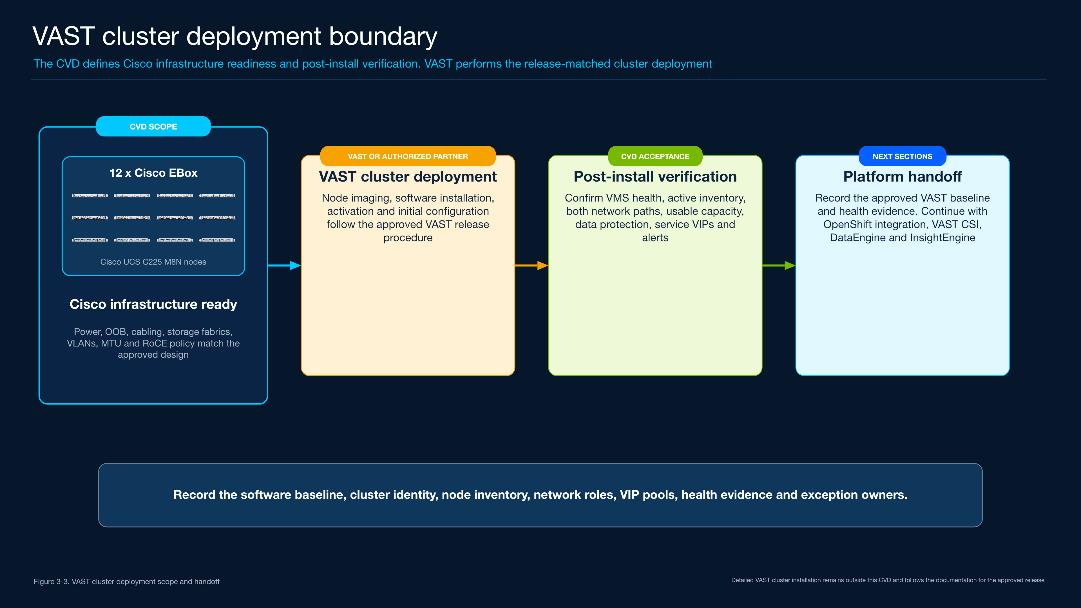
The reference design uses a VAST Data cluster deployed as a Cisco EBox solution on twelve Cisco UCS C225 M8N servers. Detailed cluster build, node imaging, VAST software installation, activation, and initial system configuration are outside the scope of this CVD. Perform those tasks using the documentation for the approved VAST release and VAST support services.
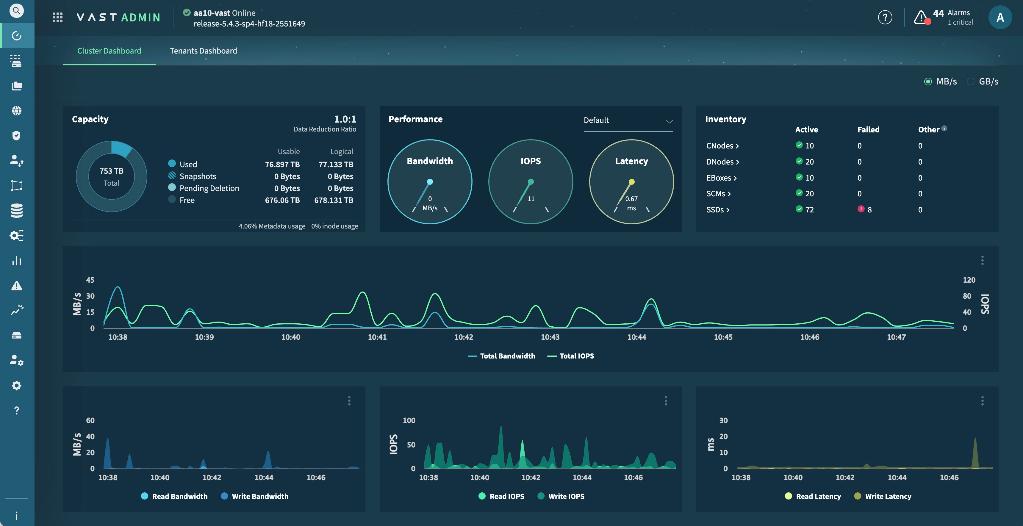
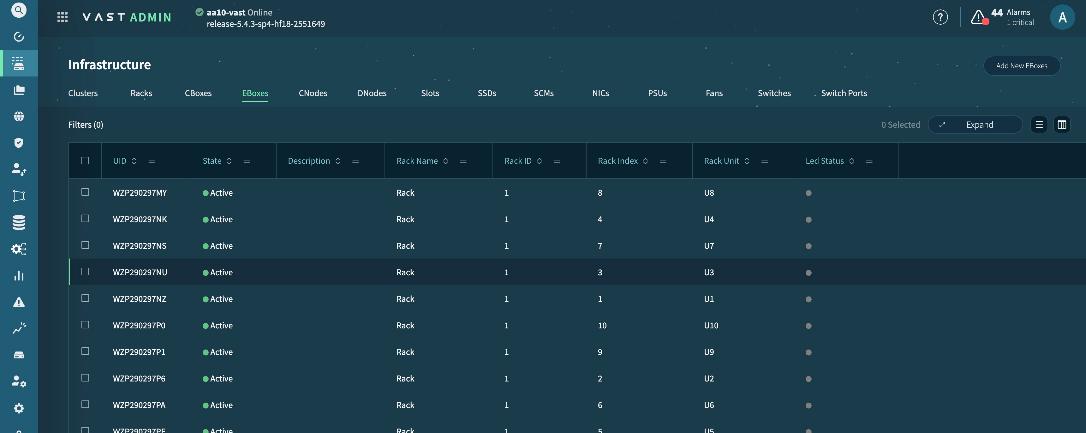
Figure 13 illustrates VAST Cluster deployed on Cisco EBox.
Cisco EBox Cluster
This section defines the handoff into and out of the VAST deployment. Begin only after power, out-of-band access, cabling, both Cisco Nexus fabrics, VLANs, routing, MTU, and the approved RoCE policy have been verified. Do not continue to VAST CSI, DataEngine, or InsightEngine until the post-install checks shown below pass.
Deployment Prerequisites
The following are the deployment prerequisites:
● Approve the Cisco EBox bill of materials, firmware baseline, VAST software release, licenses, and support coverage.
● Verify the management, external or client, and internal storage networks, including DNS, NTP, certificates, routing, MTU, and the required RoCE policy.
● Confirm the rack, power, cabling, administrator access, change window, recovery plan, and operational owners. Keep credentials outside this document.
Post-deployment Verification
Table 19. VAST cluster post-deployment checks
| Area |
Verification |
Pass criterion |
| Cluster and software |
Check the cluster identity, VAST release, licensing, support state, and VMS status. |
The intended cluster is online and healthy, and its release and support state match the approved baseline. |
| Hardware inventory |
Compare the CNode, DNode, EBox, SCM, SSD, NIC, power-supply, and fan inventory with the approved bill of materials. |
All expected components are present and active. No missing or failed device remains unexplained. |
| Network paths |
Verify both paths per node, the expected management and service networks, interface speed, MTU, QoS, and error counters. |
All required paths are up and match the Nexus design. Error and discard counters do not increase during the traffic test. |
| Capacity and protection |
Review raw and usable capacity, metadata health, data protection, rebuild, and rebalance state. |
Capacity matches the approved design, and the system has no degraded protection, rebuild, or rebalance condition at handoff. |
| Management and services |
Verify VMS reachability, DNS, NTP, certificate status, and the required VIP pools and service interfaces. |
Management and service endpoints use the approved networks and are reachable from their intended clients. |
| Alerts and handoff |
Review active alerts and collect a sanitized version record, inventory, health summary, network summary, and acceptance record. |
No critical alert remains. Every warning has an owner and resolution plan, and the platform owner accepts the cluster for integration. |
Note: Post verification, please continue with the Cisco UCS C845A and OpenShift integration sections. VAST CSI, DataEngine, and InsightEngine validation belongs in their respective sections and does not replace the cluster checks listed in Table 19.
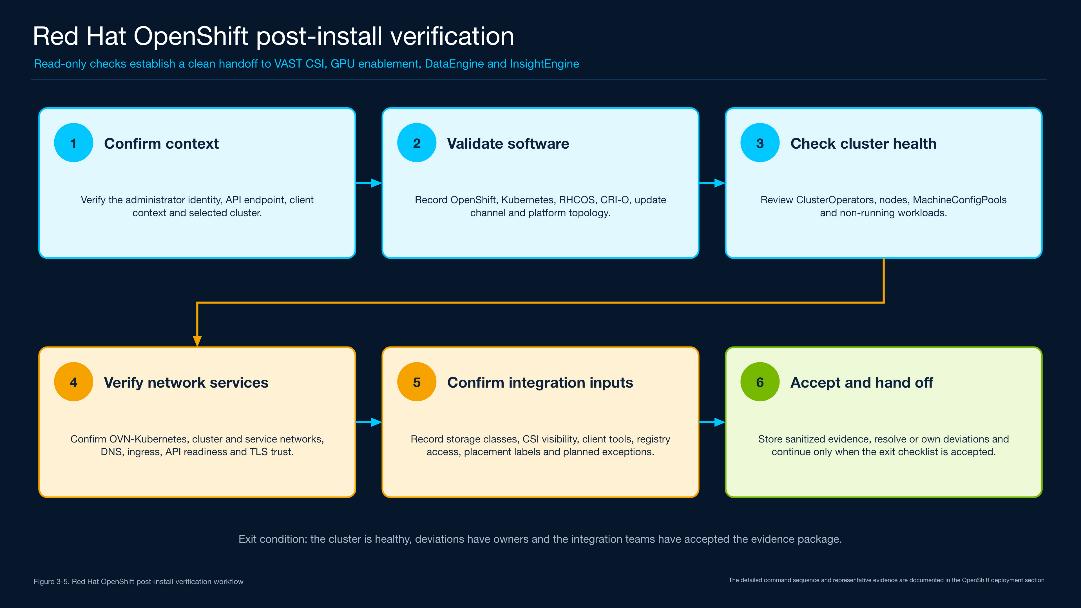
This section verifies an existing Red Hat OpenShift cluster before it is integrated with the Cisco AI Data Platform (AIDP). Complete OpenShift installation is outside the scope of this deployment. The checks confirm cluster identity, software level, node and operator health, networking, DNS, ingress, storage visibility, and the client tools required by the following deployment sections.
Run the commands from an OpenShift client VM with an authenticated cluster-administrator context. The commands in this section are read-only. Resource creation, node scheduling changes, MachineConfig changes, and storage tests require their own approved change procedure.
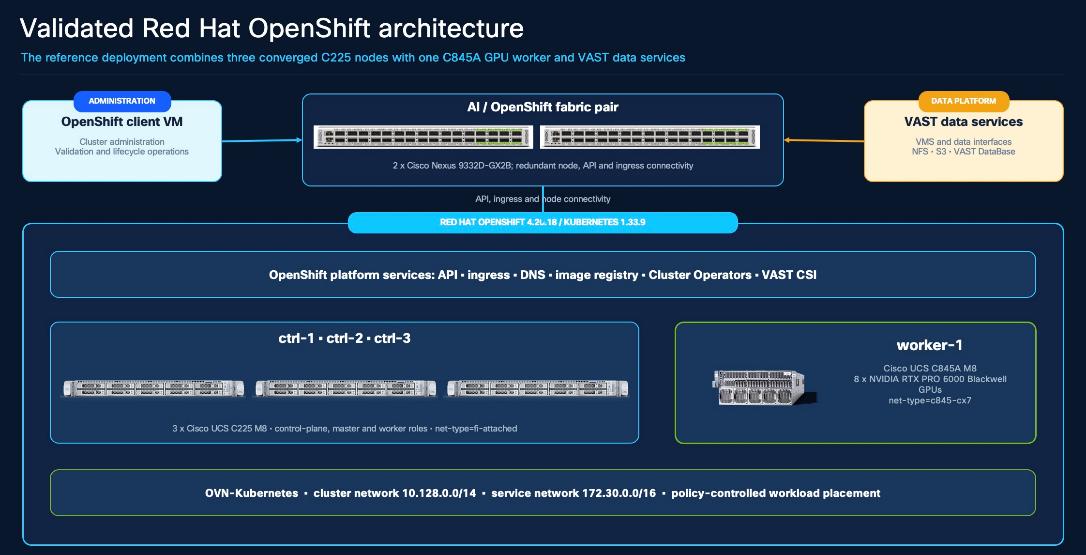
OpenShift Architecture as Deployed
The validated reference cluster uses three Cisco UCS C225 M8 nodes for the OpenShift control plane and CPU application services, together with one Cisco UCS C845A GPU worker. OVN-Kubernetes provides the cluster and service networks. The AI and OpenShift Nexus pair carry node, API, ingress, and VAST integration traffic, while VAST CSI and application interfaces connect workloads to VAST data services.
Verification Inputs and Boundaries
Table 20 lists the OpenShift verification inputs.
Table 20. OpenShift verification inputs
| Input |
Record before validation |
Why it matters |
| Release baseline |
Approved OpenShift release and update channel, Kubernetes level, RHCOS build, CRI-O level, and support status. |
Prevents the cluster from being accepted on an unapproved or partially updated software baseline. |
| Cluster topology |
Expected control-plane and worker nodes, roles, hardware ownership, intentional cordons or taints, and placement labels. |
Makes a deliberate scheduling state distinguishable from a fault and establishes where CPU and GPU workloads may run. |
| Network services |
API and ingress domains, CNI, cluster and service CIDRs, DNS, NTP, routes, MTU, proxy, certificate trust, and external reachability. |
Provides the network contract required by VAST management, storage, registry, and application services. |
| Integration handoff |
StorageClass plan, CSI provisioner name, registry and package sources, target namespaces, GPU-worker plan, and service owners. |
Separates OpenShift readiness from the later VAST CSI, NVIDIA GPU, DataEngine, and InsightEngine procedures. |
| Evidence record |
Capture date, operator, command output, approved exceptions, and remediation owners. Exclude credentials and Secret data. |
Creates an auditable baseline that can be compared after upgrades or configuration changes. |
Note: The validated values shown below are representative evidence, not universal product minimums. Confirm current Cisco, Red Hat, VAST, and NVIDIA compatibility guidance for each deployment.
Verify Cluster Identity and Software
Confirm that the client is connected to the intended cluster before collecting evidence.
Note: Do not print or copy the kubeconfig.
Commands
oc whoami
oc whoami --show-server
oc config current-context
oc version
oc get clusterversion version
oc get clusterversion version -o jsonpath='{.spec.channel}{"\n"}'
Representative Validated Output
system:admin
https://api.aa10-ocp.aa10.rtp04.local:6443
admin
Client Version: 4.20.18
Server Version: 4.20.18
Kubernetes Version: v1.33.9
NAME VERSION AVAILABLE PROGRESSING STATUS
version 4.20.18 True False Cluster version is 4.20.18
stable-4.20
Pass when the identity, API endpoint, and context identify the intended cluster; client and server versions are compatible and ClusterVersion reports Available=True and Progressing=False. Investigate a Failing condition or unexpected update before continuing.
Verify Nodes and Workload Placement
List the nodes with the labels that control workload placement. The reference cluster uses the three Cisco UCS C225 M8 control-plane nodes for CPU workloads and a Cisco UCS C845A worker for GPU workloads. Site designs may use dedicated workers instead; preserve the same validation principle.
Commands
oc get nodes -L net-type,nvidia.com/gpu.present,nvidia.com/gpu.count
oc get machineconfigpool
oc get pods -A --field-selector=status.phase!=Running,status.phase!=Succeeded
Representative Validated Output
NAME STATUS ROLES VERSION NET-TYPE GPU.PRESENT GPU.COUNT
ctrl-1 Ready control-plane,master,worker v1.33.9 fi-attached
ctrl-2 Ready control-plane,master,worker v1.33.9 fi-attached
ctrl-3 Ready control-plane,master,worker v1.33.9 fi-attached
worker-1 Ready,SchedulingDisabled worker v1.33.9 c845-cx7 true 8
NAME UPDATED UPDATING DEGRADED MACHINECOUNT READYMACHINECOUNT
master True False False 3 3
worker False True False 1 0
No resources found
Note: Observed condition: worker-1 is intentionally cordoned. At evidence capture, the worker MachineConfigPool also reported Updating=True and ReadyMachineCount=0. No scheduling or MachineConfig change was made while preparing this section. A production handoff requires the pool to converge or the exception to be documented with an owner and an approved resolution plan.
Pass when every expected node is Ready, placement labels match the design, no unexpected node is cordoned or tainted, MachineConfigPools are not degraded, and any update in progress is understood. The non-running pod query should return no unexplained workload failure.
Verify ClusterOperators and Platform Health
Review all ClusterOperators, then retain a concise subset with the evidence package.
Commands
oc get clusteroperators
oc get clusteroperator network ingress dns storage machine-config image-registry
oc get infrastructure cluster -o jsonpath='{.status.platformStatus.type}{"\n"}'
oc get infrastructure cluster -o jsonpath='{.status.controlPlaneTopology}{"\n"}'
oc get infrastructure cluster -o jsonpath='{.status.infrastructureTopology}{"\n"}'
oc get infrastructure cluster -o jsonpath='{.status.apiServerURL}{"\n"}'
oc get --raw='/readyz?verbose'
Representative Validated Output
NAME VERSION AVAILABLE PROGRESSING DEGRADED
network 4.20.18 True False False
ingress 4.20.18 True False False
dns 4.20.18 True False False
storage 4.20.18 True False False
machine-config 4.20.18 True False False
image-registry 4.20.18 True False False
NAME PLATFORM CONTROL-PLANE INFRASTRUCTURE API
cluster BareMetal HighlyAvailable HighlyAvailable https://api.aa10-ocp.aa10.rtp04.local:6443
Pass when all ClusterOperators report Available=True, Progressing=False, and Degraded=False, and the API readiness endpoint reports success. An operator can be healthy while a node pool is still updating, so review both operator and MachineConfigPool states.
Verify Network, DNS, and Ingress
Confirm the cluster network design and the services that VAST and NVIDIA components depend on. Use normal certificate validation; do not use an insecure TLS option to make a failed test appear successful.
Commands
oc get network.operator.openshift.io cluster -o custom-columns=NAME:.metadata.name,\
NETWORK-TYPE:.spec.defaultNetwork.type,\
SERVICE-NETWORK:.spec.serviceNetwork[*],\
CLUSTER-NETWORK:.spec.clusterNetwork[*].cidr
oc -n openshift-ingress-operator get ingresscontroller default -o custom-columns=NAME:.metadata.name,\
DOMAIN:.status.domain,AVAILABLE:.status.availableReplicas
oc -n openshift-dns get pods -o wide
oc -n openshift-ingress get pods -o wide
oc -n openshift-console get route console -o jsonpath='{.spec.host}{"\n"}'
getent hosts api.<cluster-domain>
getent hosts console-openshift-console.apps.<cluster-domain>
Representative Validated Output
NAME NETWORK-TYPE SERVICE-NETWORK CLUSTER-NETWORK
cluster OVNKubernetes 172.30.0.0/16 10.128.0.0/14
NAME DOMAIN AVAILABLE
default apps.aa10-ocp.aa10.rtp04.local 2
Table 21. OpenShift network service pass criteria
| Check |
Pass criterion |
Evidence to retain |
| Cluster network |
The CNI and cluster/service CIDRs match the approved design and do not overlap site or VAST networks. |
Network type and CIDR output. |
| DNS |
API and application names resolve from the OpenShift client VM and from required workload networks. |
Resolver result and DNS Operator/pod state. |
| Ingress |
The default IngressController has the expected domain and available replicas; the console route is reachable using trusted TLS. |
IngressController, router pod, route, and certificate result. |
| API readiness |
The API readiness endpoint succeeds, and the network, DNS, ingress, and image-registry operators are healthy. |
readyz output and operator status. |
| External paths |
Required VAST management, storage, registry, and update endpoints are reachable on the approved routes and ports. |
Site firewall/routing test record; credentials excluded. |
Verify Storage and Client Prerequisites
At this point, record the existing storage integration without changing it. VAST CSI installation and the functional PVC test are detailed in the Deploy VAST CSI Plugin section. If VAST CSI has not yet been installed, its absence does not fail this OpenShift baseline.
Commands
oc get storageclass
oc get csidriver
oc get csv -A | grep -Ei 'NAME|vast.*csi|csi.*vast'
command -v oc helm envsubst jq
oc version --client
helm version --short
Representative Integration State in the Validated Reference Deployment
NAME PROVISIONER RECLAIMPOLICY VOLUMEBINDINGMODE ALLOWVOLUMEEXPANSION
vastdata-filesystem csi.vastdata.com Delete Immediate true
NAME ATTACHREQUIRED PODINFOONMOUNT MODES
csi.vastdata.com true true Persistent,Ephemeral
NAME VERSION PHASE
vast-csi-operator.v2.6.8 2.6.8 Succeeded
The validated cluster already contained the VAST CSI Operator and StorageClass. This output records integration visibility only; it does not replace the CSI deployment and read-write/expansion validation in the following section. Do not display Kubernetes Secret data as evidence.
Validated Baseline
Table 22 lists the validated OpenShift reference baseline.
Table 22. Validated OpenShift reference baseline
| Item |
Validated value |
CVD interpretation |
| Platform |
OpenShift 4.20.18 on bare metal; Kubernetes 1.33.9 |
Reference validation level; confirm the supported target at deployment time. |
| Node OS/runtime |
RHCOS 9.6.20260401-0; CRI-O 1.33.10 |
Keep node OS and runtime managed by the selected OpenShift release. |
| Topology |
Three C225 M8 control-plane/worker nodes and one C845A GPU worker |
Production node roles and fault domains must follow the approved site design. |
| Network |
OVNKubernetes; cluster CIDR 10.128.0.0/14; service CIDR 172.30.0.0/16 |
CIDRs must be non-overlapping and reachable only through approved boundaries. |
| Placement |
CPU nodes: net-type=fi-attached; GPU worker: net-type=c845-cx7 |
Use explicit, documented labels for workload placement; do not assume GPU availability from node name. |
| Storage integration |
VAST CSI 2.6.8; csi.vastdata.com; vastdata-filesystem |
Validated integration state. Detailed configuration belongs to the CSI section. |
OpenShift Acceptance and Handoff
Table 23 lists the OpenShift acceptance checklist.
Table 23. OpenShift acceptance checklist
| Area |
Required evidence |
Exit criterion |
| Identity and release |
Identity, API, context, client/server version, ClusterVersion, and update channel. |
The intended cluster is Available, and no unapproved update is in progress. |
| Nodes and placement |
Node state, role, labels, taints, cordons, RHCOS, runtime, and capacity. |
Every expected node is Ready; each exception is intentional and documented. |
| Operators and pools |
All ClusterOperators, MachineConfigPools, and non-running workload report. |
Operators are available and not degraded. Pools are converged, or an approved exception has an owner. |
| Network services |
CNI/CIDRs, API readiness, DNS, ingress domain/replicas, routes, trusted TLS, and external reachability. |
Required endpoints resolve and are reachable through the approved network paths without bypassing TLS. |
| Storage handoff |
Existing StorageClasses/CSIDrivers and the approved VAST CSI implementation inputs. |
The baseline is recorded. VAST CSI deployment and functional validation can begin under its own procedure. |
| Operations record |
Sanitized command output, capture date, known deviations, remediation owner, and acceptance sign-off. |
The platform owner accepts the cluster for Cisco C845A, VAST CSI, GPU, DataEngine, and InsightEngine integration. |
After this checklist is accepted, continue with the Cisco UCS C845A integration, Deploy VAST CSI Plugin, Install GPU Operator, Deploy VAST DataEngine, and Deploy VAST InsightEngine sections. Repeat the same read-only verification after an OpenShift upgrade or a material network or MachineConfig change.
VAST CSI integrates an existing Red Hat OpenShift cluster with VAST storage. The certified Operator deploys and maintains the CSI controller and node plug-ins, while the VastStorage resource provides the VAST storage policy used to create the StorageClass. This section covers the NFS deployment path, operational verification, and a complete PVC lifecycle test.
Before using this procedure, confirm the supported VAST CSI, OpenShift, and VAST software combination for the target release.
VAST CSI Architecture and Workflow
Dynamic provisioning uses two separate network paths. The CSI controller calls the VAST Management System (VMS) API over trusted HTTPS to create or update the VAST view and quota. The CSI node plug-in then mounts the resulting NFS export through a VAST frontend VIP. Both paths are required: storage-network reachability alone does not permit the controller to provision a volume.
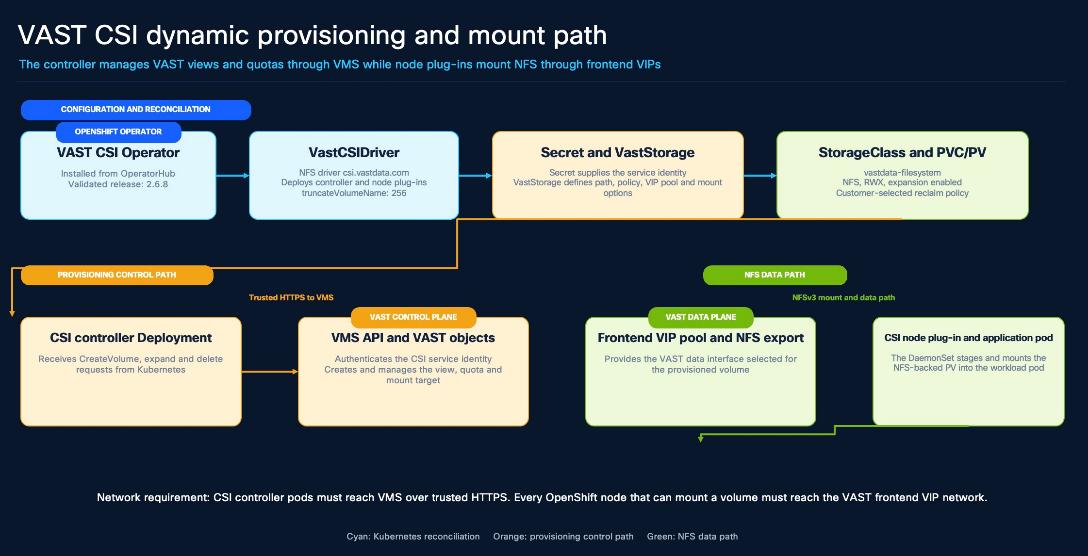
Table 24. Table 3-11. VAST CSI deployment prerequisites
| Requirement |
Implementation input |
Verification |
| Supported software |
Approved OpenShift, VAST CSI Operator, and VAST software combination. |
Record the release matrix and change approval before installation. |
| OpenShift access |
Cluster-administrator access and a dedicated vast-csi namespace. |
Confirm the identity, API endpoint, and current context without displaying kubeconfig data. |
| VMS control path |
CSI controller access to the VMS API over trusted HTTPS. |
Resolve the VMS name, validate its certificate chain, and test the approved TCP port. |
| NFS data path |
Every node eligible to mount a PVC can reach the VAST frontend VIP pool. |
Validate routing, MTU, firewall policy, and NFS reachability from the node network. |
| VAST objects |
Tenant, least-privilege CSI service identity, NFS view policy, frontend VIP pool, and an approved storage path. |
Review ownership, capacity policy, snapshot policy, and trash support with the VAST administrator. |
| Credential handling |
A Kubernetes Secret created through the approved credential workflow. |
Verify only the Secret name, type, namespace, and reference. Do not print or retain its data. |
Deployment Sequence
Complete the following actions in order. Verify each result before moving to the next action because the StorageClass depends on both the CSI driver and a valid VAST storage definition.
1. Confirm the OpenShift context and network paths.
2. Prepare the VAST service inputs.
3. Install the certified VAST CSI Operator.
4. Create VastCSIDriver.
5. Create the credential Secret.
6. Create VastStorage.
7. Verify the CSI components.
8. Validate the PVC lifecycle.
Install and Configure VAST CSI
This section details the process to install and configure VAST CSI.
Install the Operator
In the OpenShift console, open OperatorHub, select the certified VAST CSI Operator, and install the supported release into the vast-csi namespace. Use manual InstallPlan approval when the deployment change process requires a review of the exact CSV and operand versions. The validated reference used VAST CSI Operator 2.6.8; this is a reference result rather than a universal version requirement.
oc -n vast-csi get subscription,installplan,csv
oc -n vast-csi get deployment vast-csi-operator-controller-manager
Create VastCSIDriver
Table 25 lists the validated NFS driver settings.
Table 25. Validated NFS driver settings
| Setting |
Validated value |
Design guidance |
| Namespace |
vast-csi |
Keep the Operator and CSI custom resources in the approved CSI namespace. |
| Driver type |
nfs |
Use a separate supported configuration when block storage is required. |
| Provisioner |
csi.vastdata.com |
Use this value for the CSIDriver object name and the StorageClass provisioner field; the StorageClass has its own name. |
| OpenShift SCC integration |
Enabled |
Allow the Operator to apply the supported OpenShift security context configuration. |
| Trash API |
Enabled |
Align deletion behavior with the VAST tenant and selected reclaim policy. |
| truncateVolumeName |
256 |
Avoid legacy quota-name truncation that is not required by current VAST releases. |
VastCSIDriver deploys and configures the controller Deployment and node DaemonSet. It does not create the StorageClass. That relationship is provided by VastStorage.
Create the Secret and VastStorage
Create the VAST credential Secret through the approved secret-management process, then select that Secret in VastStorage. The Secret supplies the endpoint, username, password, and tenant keys required by the Operator; verify the key names without displaying their values.
Table 26. VastStorage design inputs
| Field |
Reference value |
Customer decision |
| StorageClass name |
vastdata-filesystem |
Select a stable name used by the workload manifests. |
| Credential Secret |
<vast-csi-secret> |
Secret in vast-csi containing the approved CSI service identity. |
| Secret keys |
endpoint, username, password, tenant |
Create all values through the approved credential workflow; never publish them. |
| VastStorage clusterName |
Empty |
Use the direct Secret-reference configuration validated in this design. |
| NFS subsystem |
Empty |
Not required for the validated NFS configuration. |
| Driver type |
nfs |
Match the NFS VastCSIDriver and csi.vastdata.com provisioner. |
| Storage path |
<approved-vast-path> |
Dedicated parent path for dynamically provisioned OpenShift volumes. |
| View policy |
<approved-nfs-view-policy> |
NFS policy that matches the tenant and access model. |
| Frontend VIP pool |
<approved-vip-pool> |
VIP pool reachable from every eligible OpenShift node. |
| Mount options |
vers=3, proto=tcp, nconnect=8 |
Confirm NFS version, MTU, and client support for the target environment. |
| Expansion |
Enabled |
Required for online PVC growth in the lifecycle test. |
| Reclaim policy |
Delete in the validated reference |
Select Delete or Retain according to the data-protection and recovery policy. |
| Default class |
False in the validated reference |
Set the default StorageClass only when the platform storage policy requires it. |
Verify the Installation
Commands
oc -n vast-csi get csv
oc -n vast-csi get deployments,daemonsets,pods -o wide
oc -n vast-csi get vastcsidriver,vaststorage
oc -n vast-csi get vastcsidriver csi.vastdata.com \
-o jsonpath='{.spec.driverType}{" truncateVolumeName="}{.spec.truncateVolumeName}{"\n"}'
oc get storageclass vastdata-filesystem \
-o custom-columns=NAME:.metadata.name,PROVISIONER:.provisioner,\
RECLAIM:.reclaimPolicy,BINDING:.volumeBindingMode,\
EXPAND:.allowVolumeExpansion,DEFAULT:.metadata.annotations.storageclass\.kubernetes\.io/is-default-class
oc get csidriver csi.vastdata.com
oc get csinode -o custom-columns=NODE:.metadata.name,DRIVERS:.spec.drivers[*].name
oc -n vast-csi get deployment csi-vast-controller \
-o jsonpath='{range .spec.template.spec.containers[*]}{.name}{": "}{.args}{"\n"}{end}'
oc -n vast-csi get daemonset csi-vast-node \
-o jsonpath='{range .spec.template.spec.containers[*]}{.name}{": "}{.args}{"\n"}{end}'
Validated Output
NAME VERSION PHASE
vast-csi-operator.v2.6.8 2.6.8 Succeeded
operator Deployment: 1/1 Ready
CSI controller Deployment: 1/1 Ready; pod 5/5 Ready; restarts 0
CSI node DaemonSet: 4/4 Ready; every pod 2/2 Ready; restarts 0
VastCSIDriver: csi.vastdata.com driverType=nfs truncateVolumeName=256
VastStorage: vastdata-filesystem
StorageClass: vastdata-filesystem csi.vastdata.com Delete Immediate true false
CSI plug-in arguments: serve --plugin nfs
Pass when the CSV reports Succeeded; the Operator and controller are available; the node DaemonSet is Ready on every eligible node; each CSINode registers csi.vastdata.com; the custom resources are reconciled; and the StorageClass settings match the approved design. The controller and node plug-ins must both use the NFS plug-in mode.
Validate the PVC Lifecycle
The sample validates one scheduled node.
Create the Test Claim and Pod
Save the following manifest as vast-csi-rwx-test.yaml, replace the namespace and approved image digest, review the file, and then apply it with oc apply -f vast-csi-rwx-test.yaml.
apiVersion: v1
kind: PersistentVolumeClaim
metadata:
name: vast-csi-rwx-test
namespace: <validation-namespace>
spec:
accessModes: [ReadWriteMany]
storageClassName: vastdata-filesystem
resources:
requests:
storage: 1Gi
---
apiVersion: v1
kind: Pod
metadata:
name: vast-csi-rwx-test
namespace: <validation-namespace>
spec:
containers:
- name: writer
image: <approved-utility-image>@sha256:<digest>
command: ["sh", "-c", "sleep infinity"]
volumeMounts:
- name: data
mountPath: /data
volumes:
- name: data
persistentVolumeClaim:
claimName: vast-csi-rwx-test
Run the Lifecycle Checks
CSI_TEST_NS=<validation-namespace>
oc apply -f vast-csi-rwx-test.yaml
oc -n "$CSI_TEST_NS" wait pvc/vast-csi-rwx-test --for=jsonpath='{.status.phase}'=Bound --timeout=300s
oc -n "$CSI_TEST_NS" wait pod/vast-csi-rwx-test --for=condition=Ready --timeout=300s
CSI_TEST_PV=$(oc -n "$CSI_TEST_NS" get pvc vast-csi-rwx-test -o jsonpath='{.spec.volumeName}')
oc -n "$CSI_TEST_NS" exec vast-csi-rwx-test -- sh -c \
'printf %s CVD-VAST-CSI-PASS > /data/marker.txt && sync'
oc -n "$CSI_TEST_NS" exec vast-csi-rwx-test -- cat /data/marker.txt
oc -n "$CSI_TEST_NS" patch pvc vast-csi-rwx-test --type=merge \
-p '{"spec":{"resources":{"requests":{"storage":"2Gi"}}}}'
oc -n "$CSI_TEST_NS" wait pvc/vast-csi-rwx-test \
--for=jsonpath='{.status.capacity.storage}'=2Gi --timeout=300s
oc -n "$CSI_TEST_NS" exec vast-csi-rwx-test -- df -h /data
oc -n "$CSI_TEST_NS" exec vast-csi-rwx-test -- cat /data/marker.txt
oc -n "$CSI_TEST_NS" get events --field-selector type=Warning --sort-by=.lastTimestamp
oc -n vast-csi get events --field-selector type=Warning --sort-by=.lastTimestamp
oc -n "$CSI_TEST_NS" delete pod/vast-csi-rwx-test --wait=true
oc -n "$CSI_TEST_NS" delete pvc/vast-csi-rwx-test --wait=true
# ReclaimPolicy=Delete: the PV must disappear
oc wait --for=delete "pv/$CSI_TEST_PV" --timeout=300s
# ReclaimPolicy=Retain: use this instead and confirm Released
oc get "pv/$CSI_TEST_PV" -o custom-columns=NAME:.metadata.name,PHASE:.status.phase
Before cleanup, confirm in VMS that the test claim created the expected view and quota. After cleanup, confirm that the view, quota, and backing path follow the selected reclaim and trash policy. Run only the Delete or Retain PV check that matches the StorageClass.
Table 27. VAST CSI lifecycle acceptance criteria
| Test |
Pass criterion |
VAST confirmation |
| Provision |
The 1-GiB RWX claim is Bound and the pod is Ready; no CSI Warning event is attributable to the test. |
A matching VAST view and quota are created under the approved storage path. |
| Read and write |
The pod writes and reads the unique marker through /data. |
The data is present through the provisioned VAST export. |
| Expand |
The claim reaches 2 GiB and the marker remains readable. |
The VAST quota reflects the new requested capacity. |
| Delete |
Only the named test pod and claim are removed; the PV follows the selected reclaim policy. |
The view, quota, and backing path follow the approved trash and retention behavior. |
| Health |
CSI pods remain Ready with no unexpected restart or unresolved Warning event from the test. |
VMS reports no unresolved CSI-related alert or failed operation. |
This section explains how to configure a Cisco UCS C845A M8 as a standalone, Intersight-managed GPU worker for Red Hat OpenShift. It describes Cisco IMC management, the Intersight target claim, firmware, the M.2 RAID 1 boot volume, reusable server policies, and server-profile deployment. RHCOS installation, OpenShift worker admission, host networking, and GPU software are detailed in section Deploy Cisco UCS C845A M8 as an OpenShift GPU Worker.
Before you begin
Confirm the following inputs before changing the server:
● An Intersight account, organization, resource group, and administrator role approved to claim standalone UCS servers and manage server profiles.
● A management-network address plan CIMC IP address, prefix, default gateway, DNS, and NTP; outbound Device Connector reachability or an approved proxy.
● Two supported, identical M.2 SATA drives for the RAID 1 boot volume; both drives must be approved for initialization and contain no required data.
Configuration workflow:
1. Configure BMC
2. Claim target
3. Verify inventory
4. Update firmware
5. Create M.2 Boot RAID 1
6. Build policies
7. Deploy profile
8. Validate and hand off
Procedure 1. Configure the Cisco BMC management network
Step 1. Connect a USB keyboard and a display to the server local console. The Cisco UCS C845A uses the platform-supported local video connection, such as Mini DisplayPort, described in the installation guide
Step 2. Power on the server. During POST, press F6 to enter the Setup Utility.
Step 3. Navigate to Server Mgmt > BMC Network Configuration.
Step 4. For the dedicated CIMC management port, dedicated NIC Mode, , and enter the approved IPv4 address, prefix, default gateway, and DNS settings.
Step 5. Press F10 to save the changes and reboot the server.
Step 6. From an administrator workstation with routed access to the management network, open https://<bmc-management-address> and sign in with the site-managed administrator credential.
Step 7. Open Administration > Device Connector. Verify that the connector can reach Cisco Intersight; configure the approved proxy if direct outbound connectivity is unavailable.
Procedure 2. Claim the Cisco UCS C845A in Cisco Intersight
Claim the Cisco UCS C845A as a Cisco UCS Server (Standalone) target. This is Intersight Standalone Mode (ISM).
Step 1. In Cisco IMC, open Device Connector, enable Allow Control, and record the Device ID and one-time Claim Code. Do not publish or reuse the claim code.
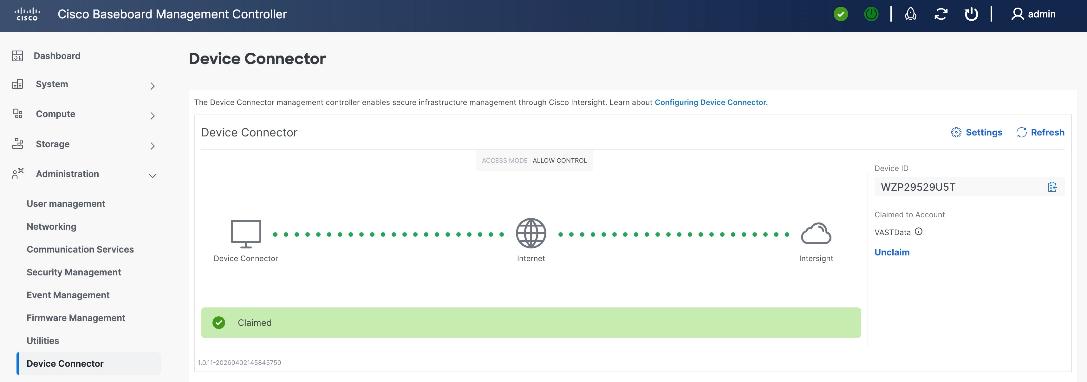
Step 2. In Cisco Intersight, select System > Targets > Claim a New Target > Cisco UCS Server (Standalone). Enter the Device ID and Claim Code, then assign only the organization and resource group defined by the deployment design.
Step 3. After the claim completes, select Operate > Servers and confirm that the model is Cisco UCS C845A M8, the target is reachable.
Step 4. Review the hardware inventory for the expected CPUs, memory, eight GPUs, Intel OCP NIC, NVIDIA ConnectX-7 adapters, and two M.2 boot drives before continuing.
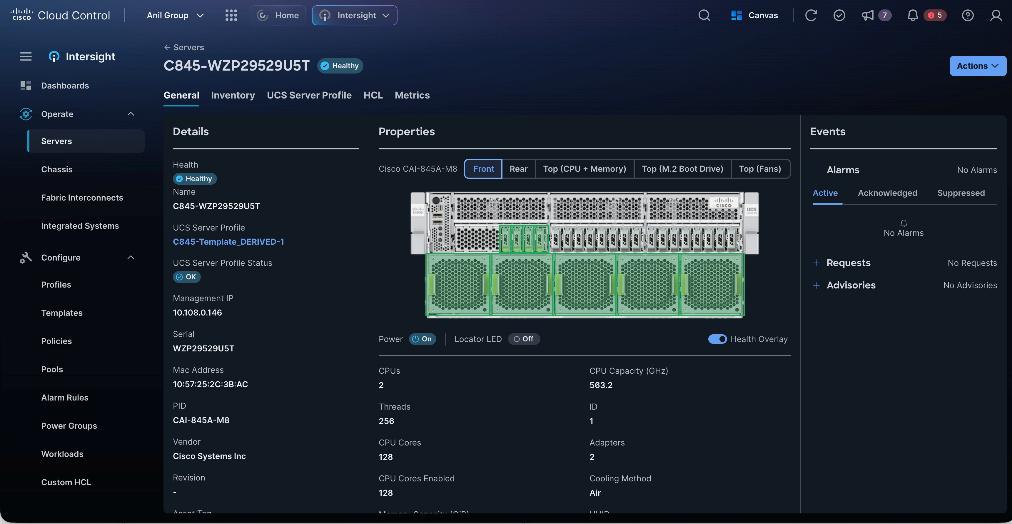
Procedure 3. Update Cisco UCS C845A firmware
Note: To ensure Cisco Intersight management in Intersight Managed Mode (IMM), make sure the server firmware version is 2.0(1.250096) or later.
Step 1. Identify the Cisco UCS C845A M8 firmware. At the time of writing this install guide the validated firmware Version was 2.0(2.260101)
Step 2. In Cisco Intersight, select Operate > Servers and select the target C845A.
Step 3. Open the Actions menu and select Upgrade Firmware.
Step 4. Select Cisco UCS C845A M8 and the release approved in the software matrix.
Step 5. Review the summary, confirm the target server and bundle, and start the upgrade.
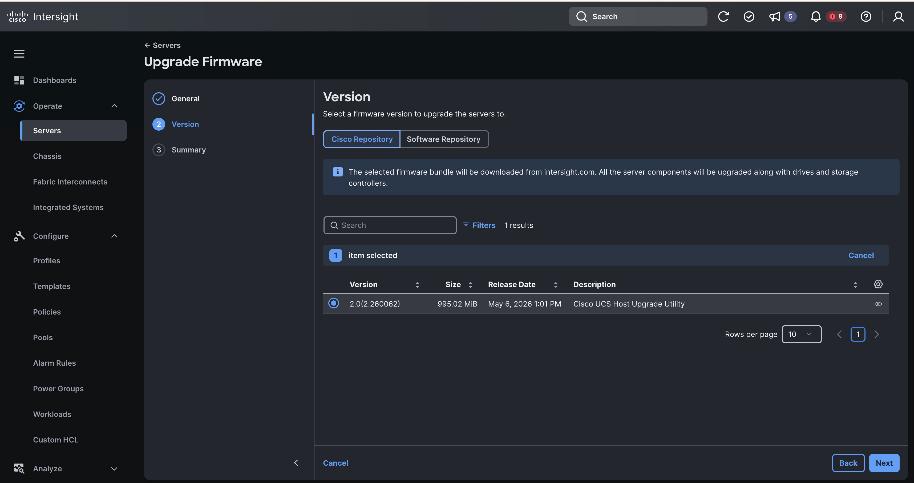
Step 6. Monitor the Intersight request until it reports Success. Dense GPU server POST and component activation can take several minutes; use request state rather than a fixed timeout.
Step 7. After the reboot, verify the installed bundle, server health, Device Connector state, inventory, and absence of unresolved firmware alarms.
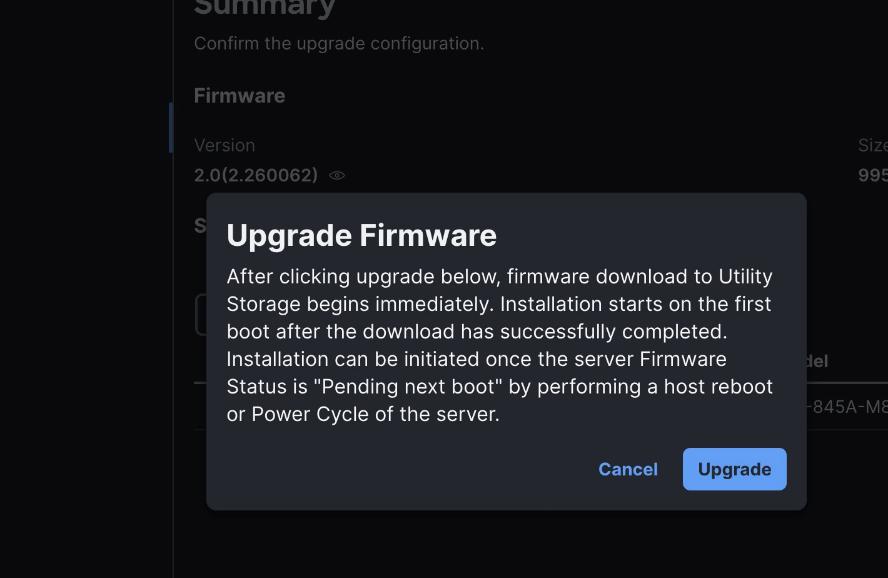
Step 8. If this guide is used to create the M.2 RAID 1 volume through Cisco BMC, use Cisco BMC 2.0.2.260062 or later, where that MSTOR-RAID workflow is available
Cisco Intersight policies provide repeatable settings for standalone Cisco UCS C845A servers.
Use the following policy grouping:
● Compute policies:
◦ BIOS — model-specific C845A policy using platform defaults unless a setting is explicitly validated.
◦ Power — Power Restore set to Always On and Processor Package Power Limit set to Maximum after facility power and cooling review.
● Management policies:
◦ IPMI over LAN — enable only for an approved integration; restrict access to the management network and use an encryption key where supported.
◦ Serial over LAN — enable only if the operations team uses serial-console access.
◦ Local User — use a unique site-managed credential and the organization password policy.
◦ Virtual KVM — enable when remote console access is required. Direct BMC or standard vKVM access requires network reachability; tunneled vKVM is a separate enabled and licensed path.
Procedure 1. Create BIOS Policy
Table 28 lists the Cisco UCS C845A policy baseline.
Table 28. Cisco UCS C845A server-policy baseline
| Policy |
Validated selection |
| BIOS |
Model specific: UCS C845A; platform defaults |
| Power |
Always On; PPL Maximum |
| Local User |
Strong-password controls; unique managed secret |
| IPMI / SOL / vKVM |
|
Step 1. In Cisco Intersight, select Configure > Policies and click Create Policy.
Step 2. Select UCS Server > BIOS and click Start.
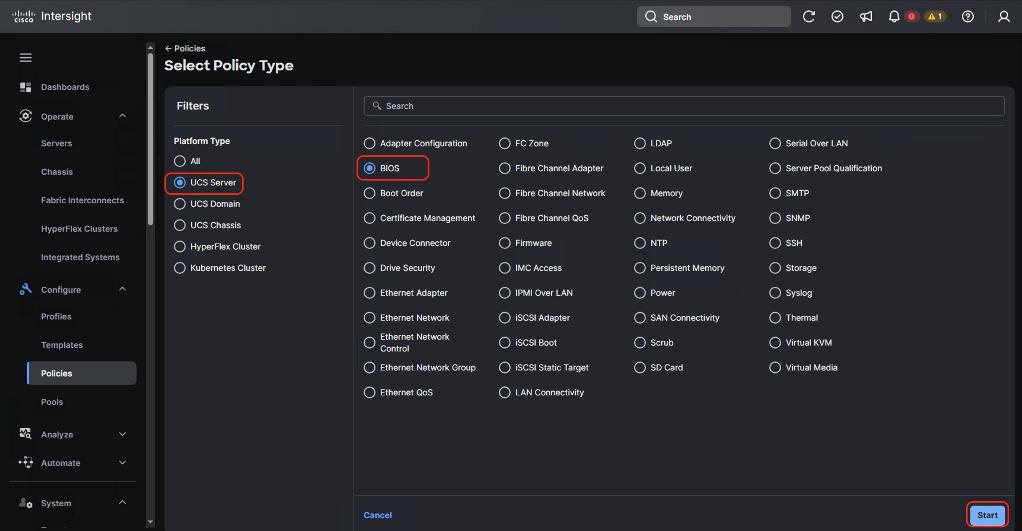
Step 3. Select the UCS Server BIOS policy type.
Step 4. Enter an approved policy name, select Model Specific, and select UCS C845A.
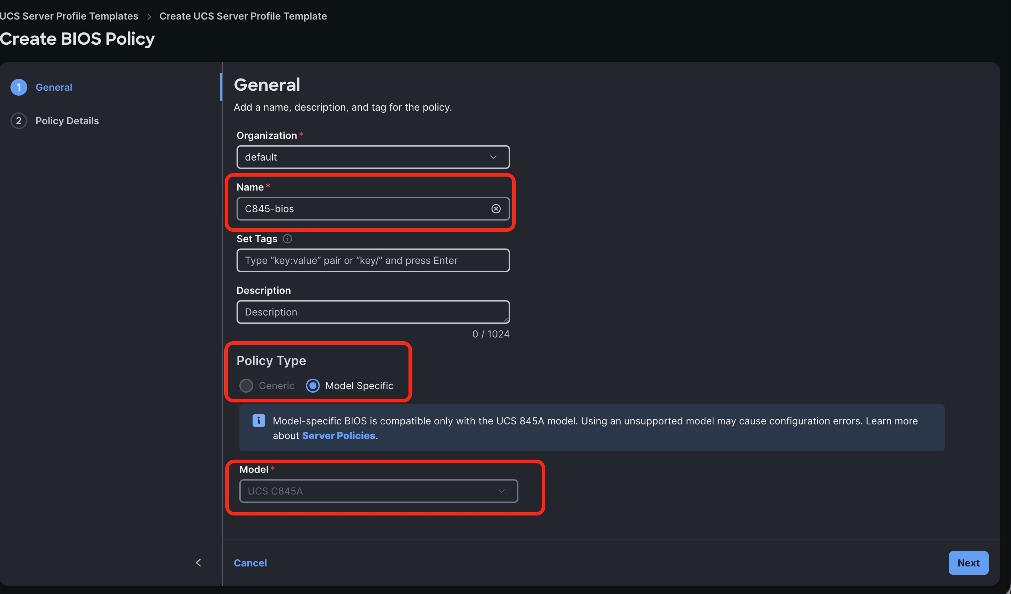
Step 5. Use a model-specific policy for Cisco UCS C845A.
Step 6. Click Next, review the platform-default tokens, change only settings explicitly required by the validated design, and click Create.
Procedure 2. Create Power Policy
Step 1. In Cisco Intersight, select Configure > Policies and click Create Policy.
Step 2. Select UCS Server > Power and click Start.
Step 3. Enter an approved policy name and click Next.
Step 4. Select UCS Server Standalone (C8XX). Set Power Restore to Always On and Processor Package Power Limit (PPL) to Maximum after confirming the facility power and cooling design.
Step 5. Review the policy and click Create.
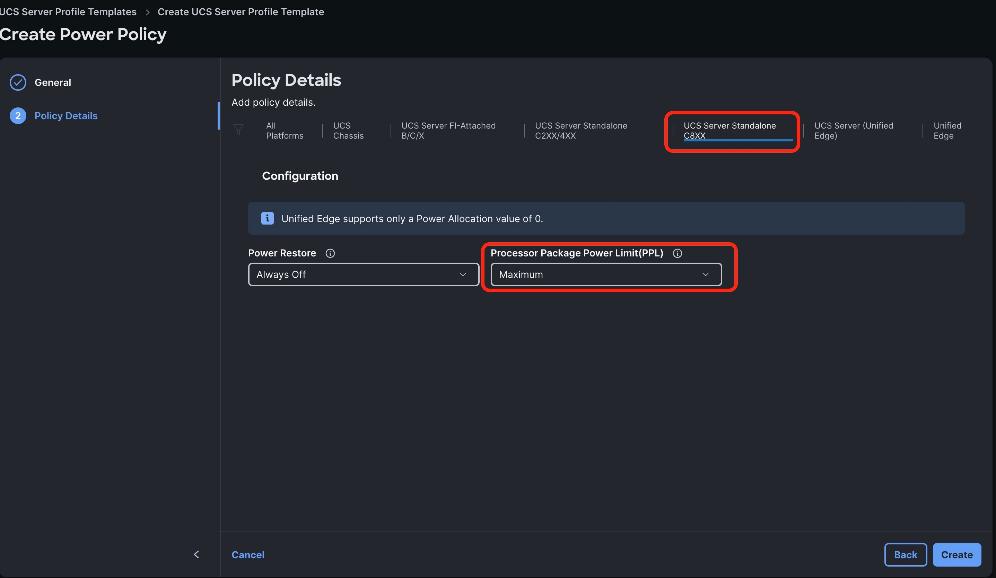
Procedure 3. Create IPMI over LAN policy (optional)
Step 1. Go to the Cisco Intersight Dashboard and click Configure > Policies. Click Create Policy.
Step 2. Select UCS Server > IPMI over LAN and click Start.
Step 3. Add a name to the Policy and click Next.
Step 4. For UCS Server Standalone (C8XX), enable IPMI over LAN.
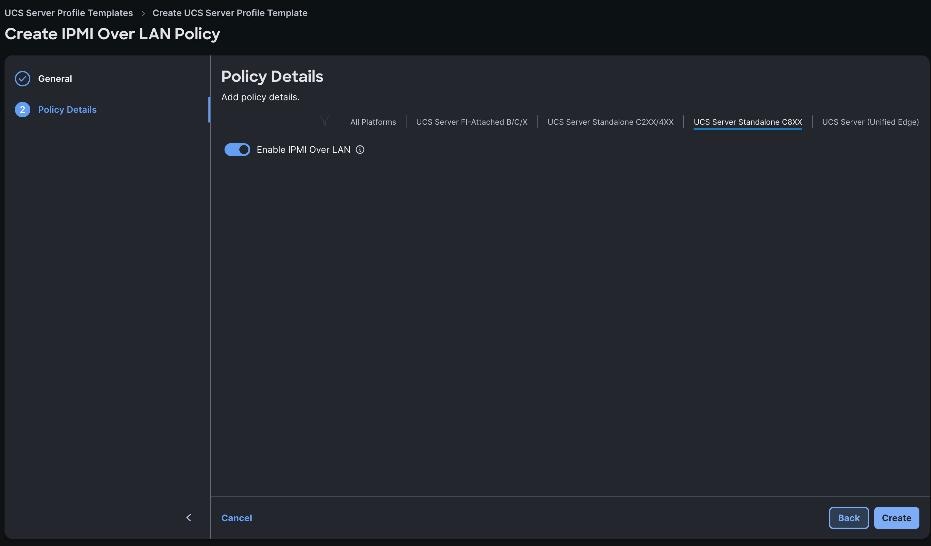
Step 5. Click Create.
Procedure 4. Create local user policy
Step 1. Go to the Cisco Intersight Dashboard and click Configure > Policies. Click Create Policy.
Step 2. Select UCS Server > Local User and click Start.
Step 3. Add a name to the Policy and click Next.
Step 4. For UCS Server (Standalone), configure the policy as follows:
◦ Keep strong-password enforcement enabled.
◦ Set password history and expiry according to the organization password policy.
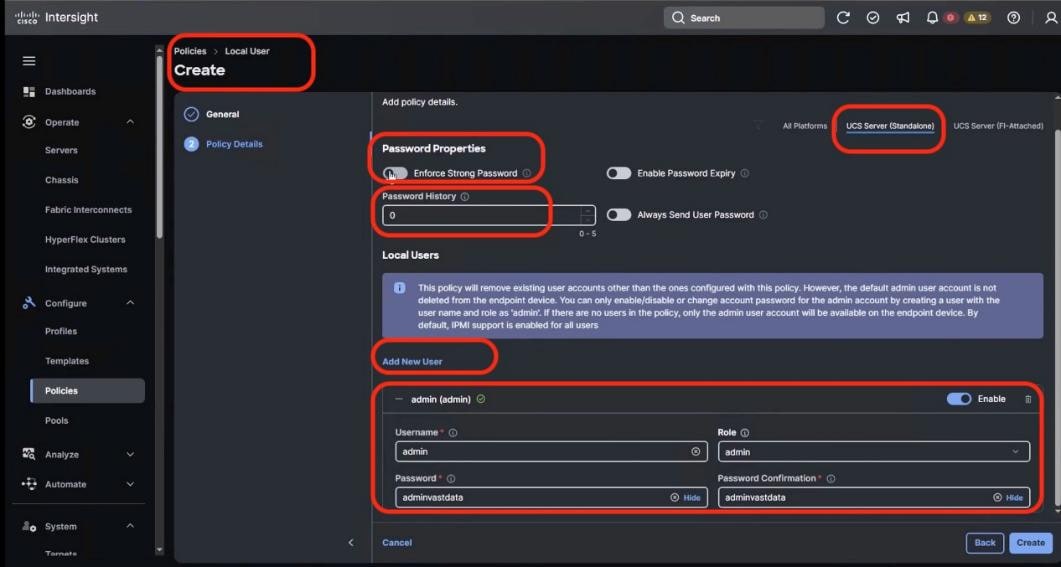
Step 5. Click Create.
Procedure 5. Create Serial over LAN policy (optional)
Step 1. Go to the Cisco Intersight Dashboard and click Configure > Policies. Click Create Policy.
Step 2. Select UCS Server > Serial Over LAN and click Start.
Step 3. Add a name to the Policy and click Next.
Step 4. For UCS Server Standalone (C8XX), enable Serial over LAN . Use a baud rate of 115200.
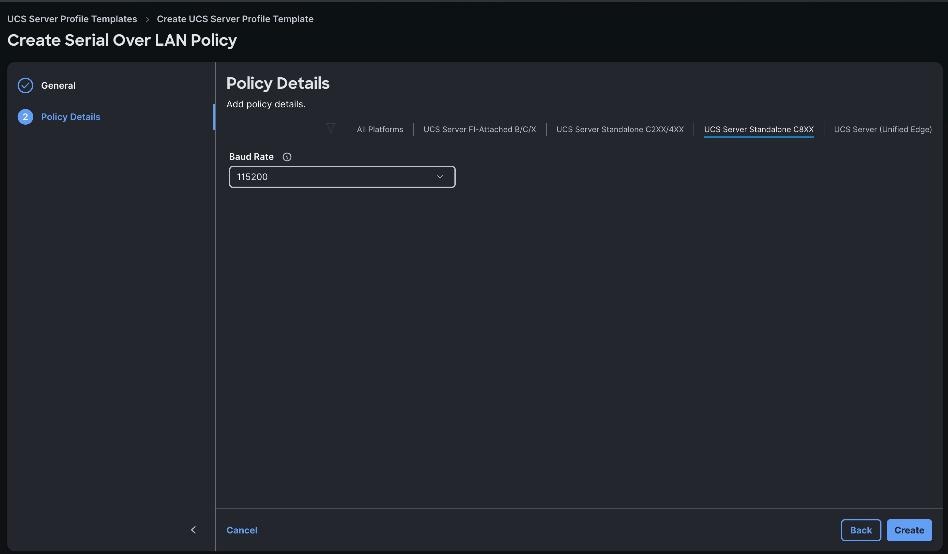
Step 5. Click Create.
Procedure 6. Create Virtual KVM policy (optional)
Step 1. Go to the Cisco Intersight Dashboard and click Configure > Policies. Click Create Policy.
Step 2. Select UCS Server > Virtual KVM and click Start.
Step 3. Add a name to the Policy and click Next.
Step 4. For UCS Server Standalone (C8XX), enable Virtual KVM when remote console access is required.
Step 5. Click Create.
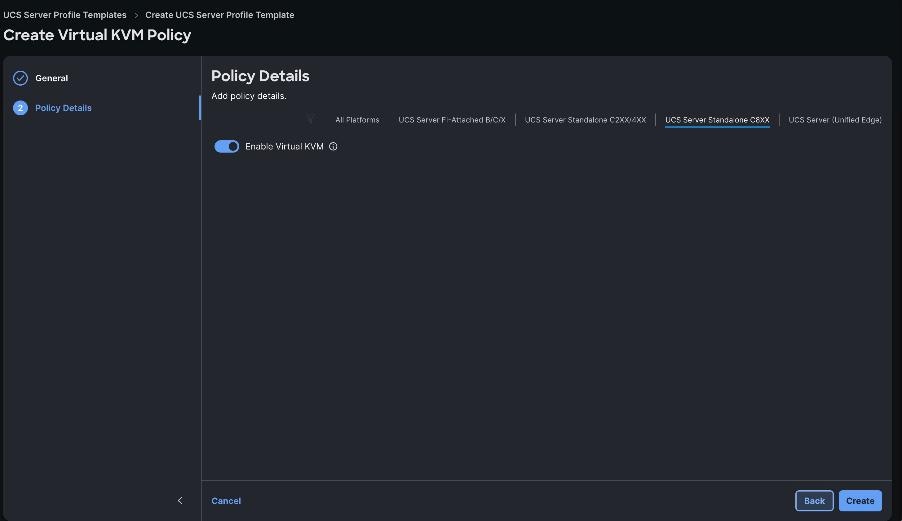
Procedure 7. Create the M.2 RAID 1 boot volume in Cisco BMC
This procedure creates the boot virtual drive on the Cisco Boot Optimized M.2 RAID controller. It does not by itself configure the UEFI boot order. Complete boot-order and OS-install-target verification separately.
Note: Creating a virtual drive initializes the selected disks and can destroy existing data. Confirm that both M.2 drives are supported, identical, healthy, and approved for use before proceeding.
Step 1. Log into Cisco IMC with the administrator credential.
Step 2. Select Storage > MSTOR-RAID. Open Actions and select Create Virtual Drive.
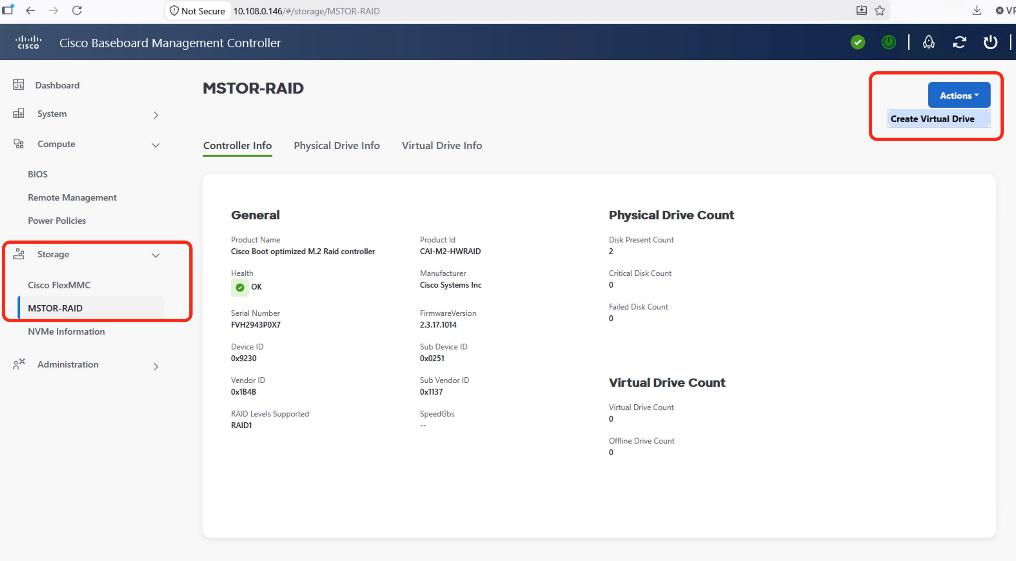
Step 3. Select MSTOR-RAID as the controller and click Next.
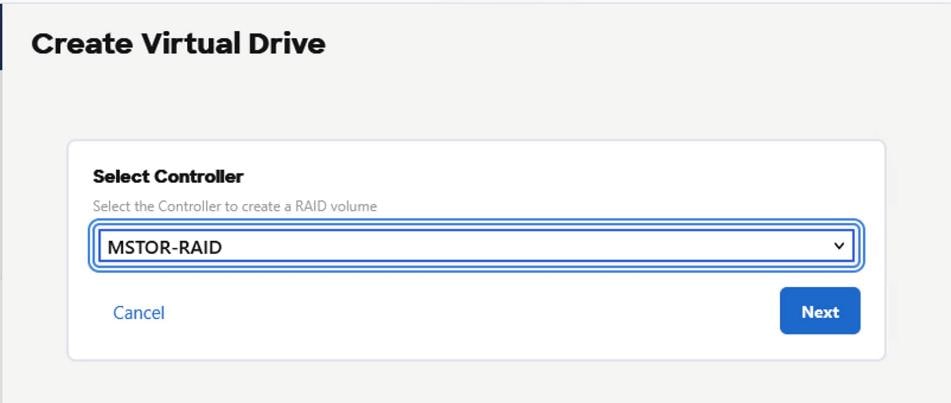
Step 4. Select From Unused Physical Drives.
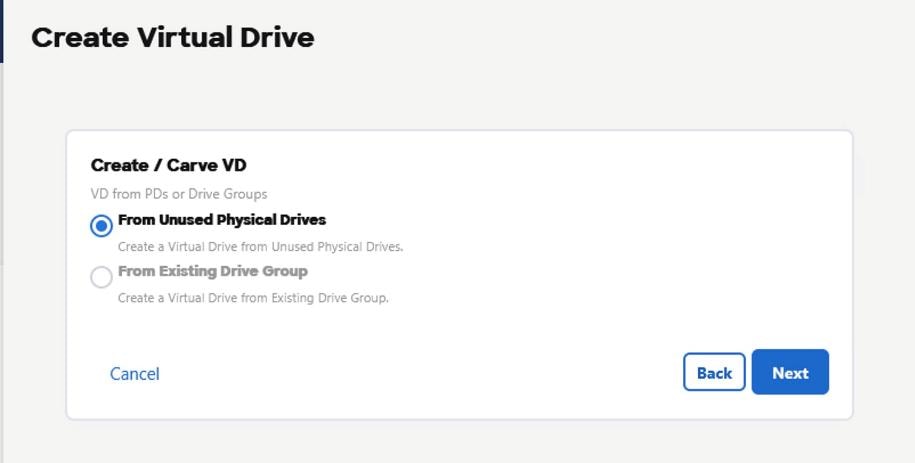
Step 5. Confirm that both expected M.2 drives are present, select RAID 1, and click Next.
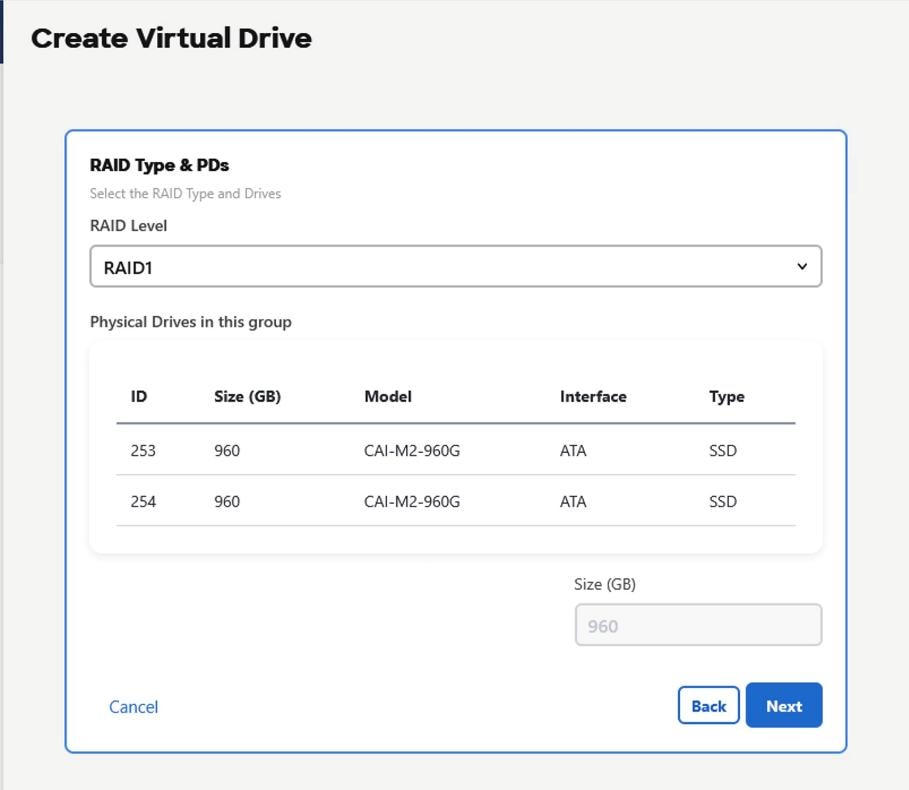
Step 6. Enter the virtual-drive name and set Stripe Size to 64 KB. Keep the remaining validated controller defaults.
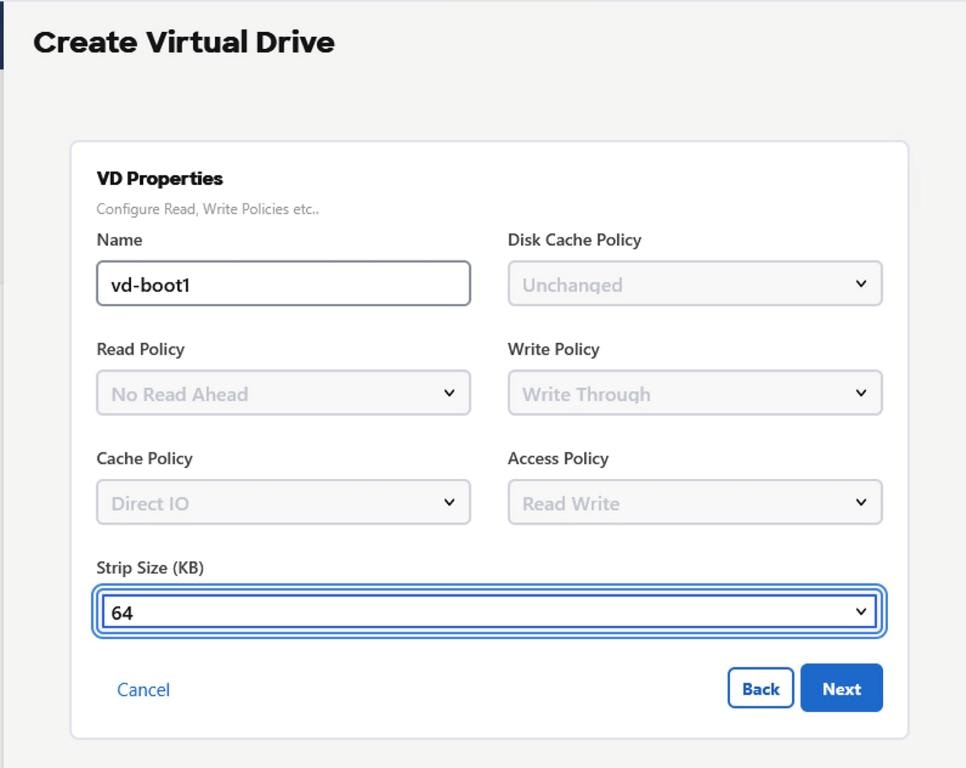
Step 7. Review the summary, confirm RAID 1 and the expected capacity, and click Finish.
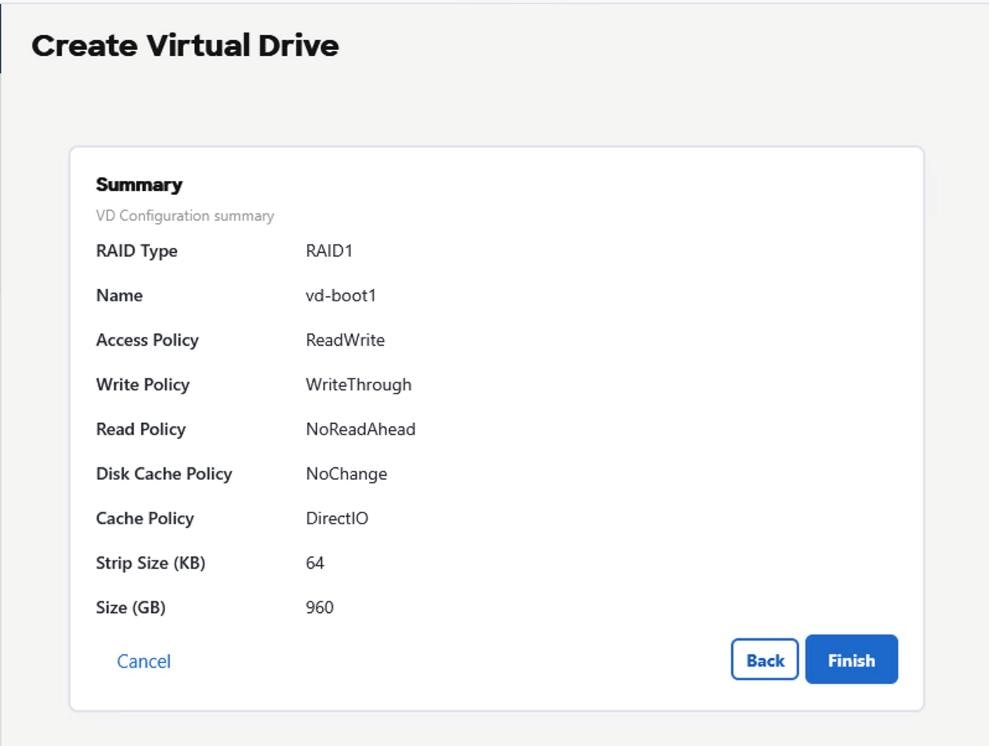
Step 8. After creation completes, verify that the virtual drive reports Optimal, both physical drives are healthy, capacity is correct.
Create the UCS Server Profile Template
A server profile template applies the validated UCS C845A policies consistently. Derive one server profile per UCS C845A and deploy it before the node joins OpenShift. For profile concepts and current UI behavior, see [CISCO-09] and [CISCO-10].
Table 29. Policies and preparation required for the server profile template
| Required compute policies |
CIMC Storage |
Management policies |
| BIOS policy |
M.2 RAID 1 created and verified in Cisco BMC |
Local User policy |
| Power policy |
|
Virtual KVM policy |
|
|
|
IPMI over LAN policy |
|
|
|
Serial over LAN policy |
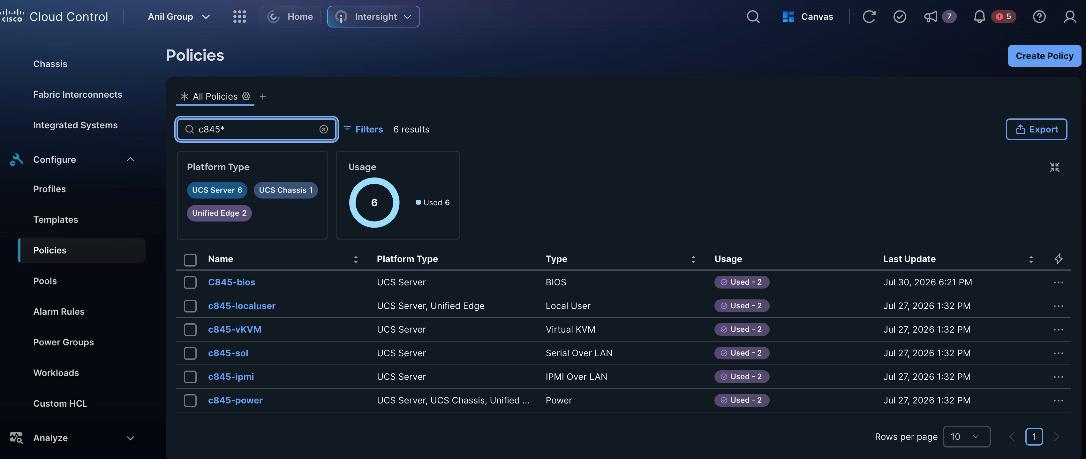
Procedure 1. Create UCS Server Profile Template
Step 1. Select Configure > Templates > UCS Server Profile Templates and click Create UCS Server Profile Template.
Step 2. Enter an approved template name, set Target Platform to UCS Server (Standalone), set Server Family to UCS C845A, and click Next.
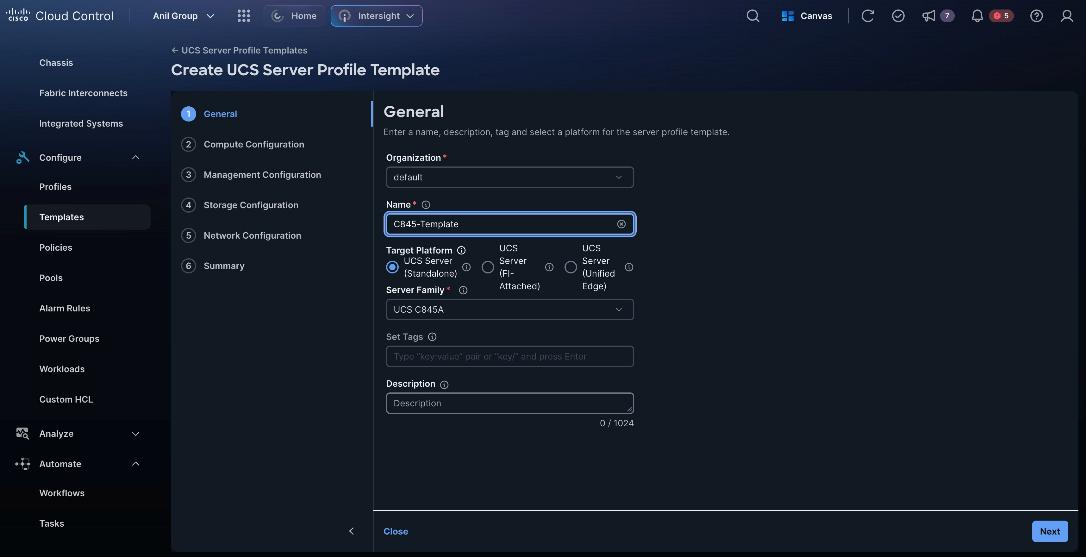
Step 3. Under Compute Configuration, select the validated policies:
- BIOS policy
- Power policy
Step 4. Click Next.
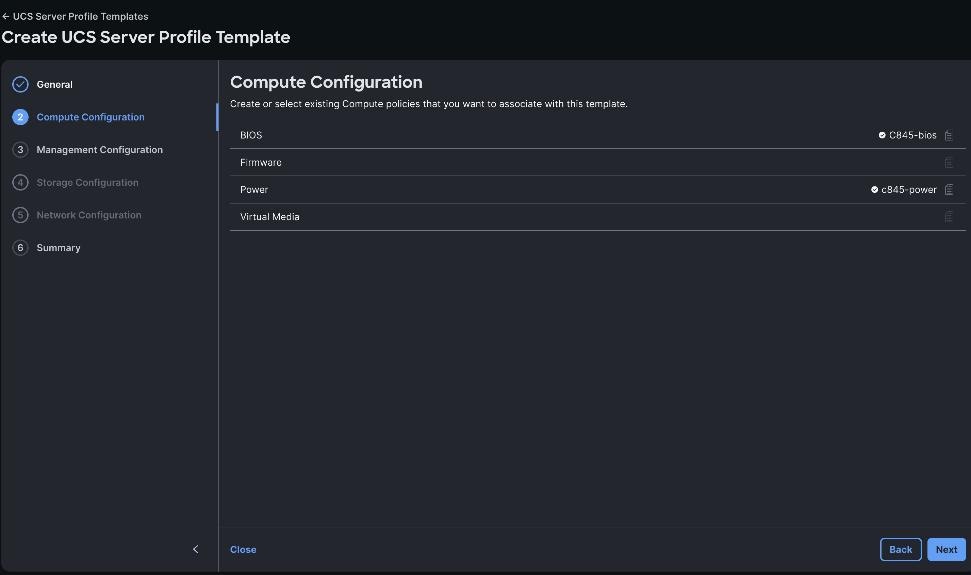
Step 5. From the Management Configuration section, select the previously created policies as detailed below:
- IPMI Over LAN Policy
- Local User Policy
- Serial Over LAN Policy
- Virtual KVM Policy
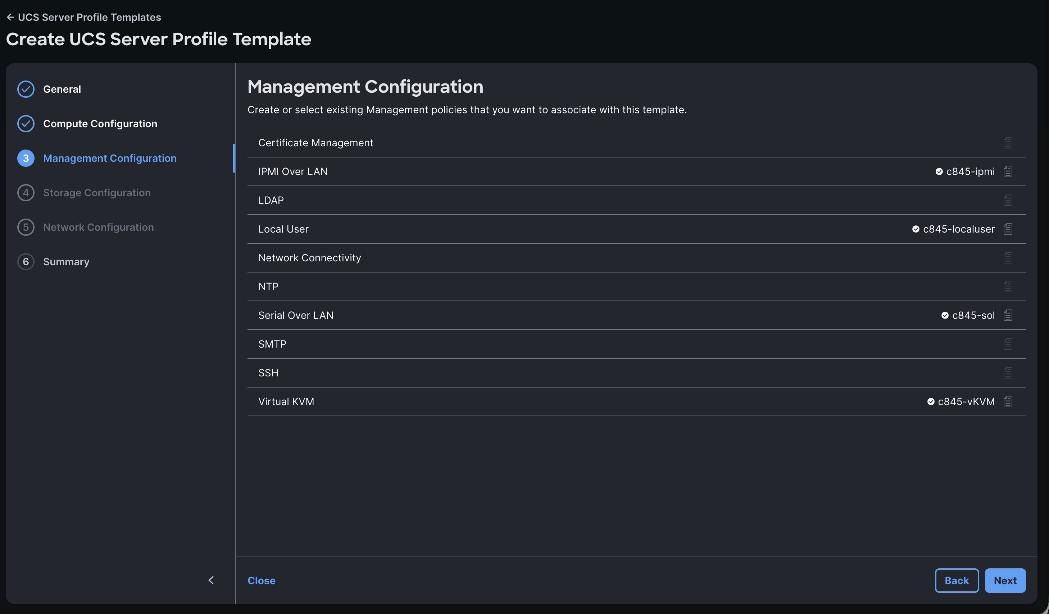
Step 6. Storage Configuration and Network Configuration are not supported for the C845A standalone C845A Intersight workflow.
Step 7. Review the summary. Resolve every error and understand each warning before saving the template.
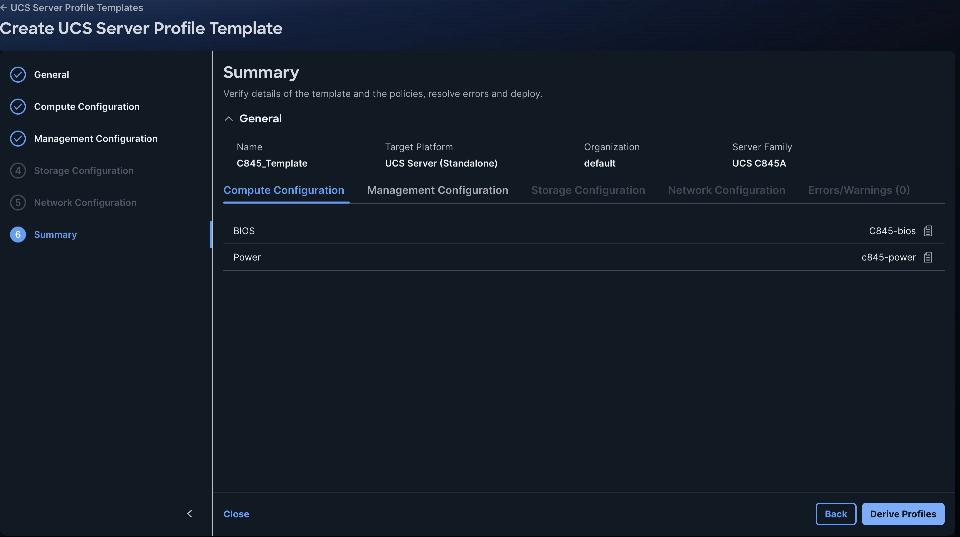
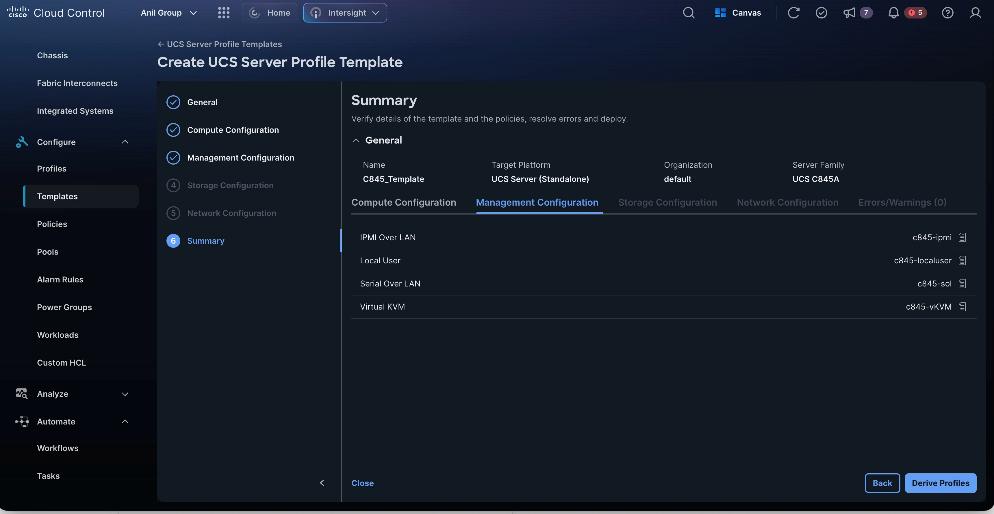
Derive and Deploy the UCS Server Profile
Derive one profile from the validated template and assign it to the intended C845A. Complete this activity before the server is admitted as an OpenShift worker whenever possible.
Procedure 1. Derive, deploy, and validate the server profile
Step 1. Confirm that the target C845A is reachable and healthy, with no unexplained Critical alarms, active conflicting requests, or existing profile that would be overwritten.
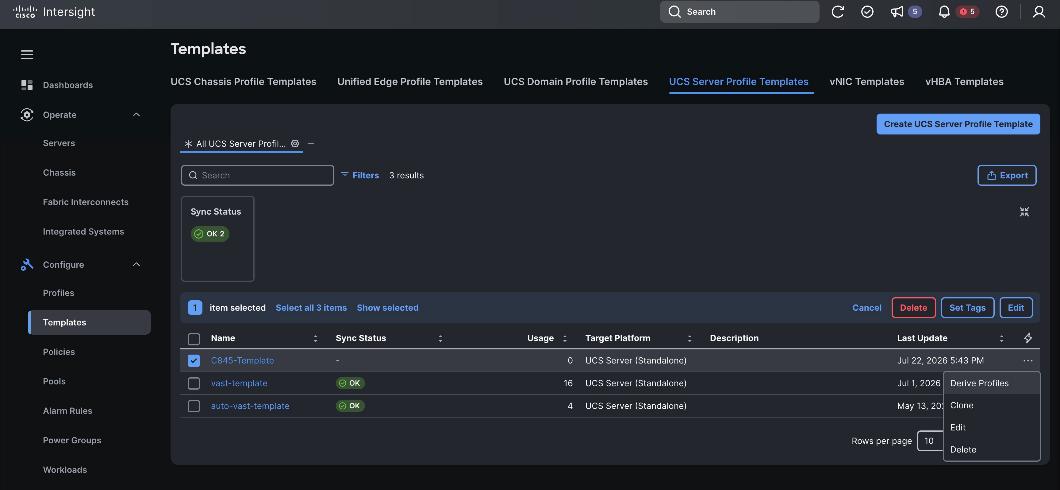
Step 2. Select Configure > Templates > UCS Server Profile Templates. Open the validated template Actions menu and select Derive Profiles.
Step 3. Select the intended C845A, enter a profile-name prefix that follows the naming standard, and click Next.
Step 4. Review the derived profile, policy assignments, organization, and target server. Resolve all errors and understand all warnings before selecting Derive..
Step 5. From the navigation pane, go to Profiles > UCS Server Profiles. Ensure Profiles are attached to UCS C845A server nodes and are in Not Deployed state. Click ellipses and select Deploy
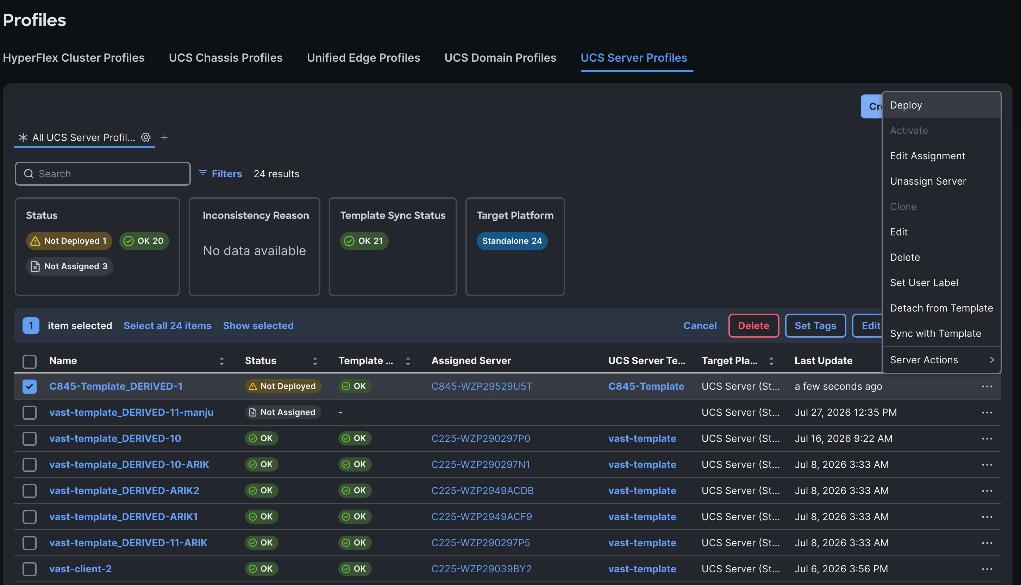
Step 6. If activation requires a reboot, proceed only during the approved maintenance window. For a server already joined to OpenShift, follow the approved cordon and drain procedure before activation.
Note: Deploy stages the policy configuration; activation applies changes that require a reboot. Monitor the Intersight request and server state rather than relying on a fixed completion time.
Step 7. Monitor the request until validation, deployment, and activation complete successfully.
Step 8. In Operate > Servers and Configure > Profiles, verify Profile Status OK, Template Sync OK, server health Healthy, no unresolved alarms, and no configuration drift.
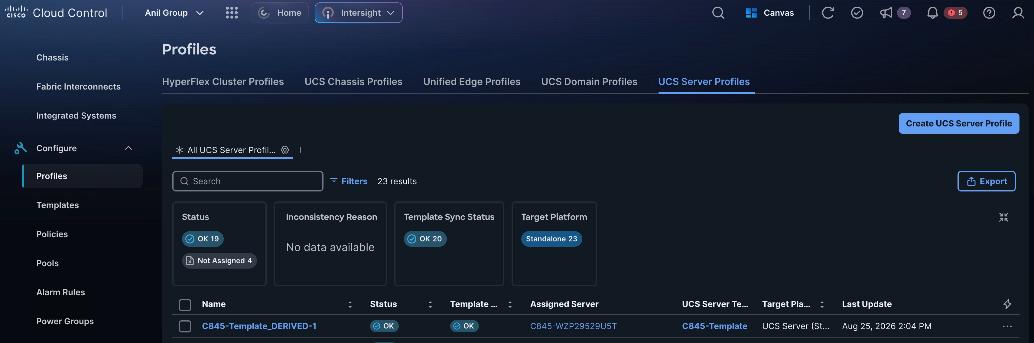
Verify the following before moving to the OpenShift configuration:
● Cisco Intersight target is reachable and healthy, and the claimed model is Cisco UCS C845A M8.
● Firmware matches the approved software matrix and all related Intersight requests report Success.
● The M.2 virtual drive is RAID 1, reports Optimal, and is available as the intended UEFI boot target.
● The derived server profile is deployed and activated, Profile Status is OK, Template Sync is OK, and no unexplained alarms or drift remain.
● The expected GPU, Intel OCP NIC, ConnectX-7, CPU, memory, and boot-drive inventory is present.
Deploy Cisco UCS C845A M8 as an OpenShift GPU Worker
The Cisco UCS C845A is deployed as a dedicated Red Hat OpenShift worker node for GPU-accelerated workloads; it does not host control-plane services. The NVIDIA GPU Operator makes the installed GPUs available to the OpenShift scheduler so that NVIDIA NIM, Document RAG, and Video Search and Summarization pods can run on the node.
The Cisco UCS C845A M8 uses two independent network paths:
● The Intel OCP ports provide the OpenShift host connection through bond0, and br-ex. Port 1 connects to Nexus A Ethernet1/33 and Port 2 connects to Nexus B Ethernet1/33. The switch links form Po102/vPC102. Native VLAN 1082 carries the OpenShift machine network; VLAN 3057 is used only when the approved provisioning workflow requires it.
● The ConnectX-7 ports form bond1 for VAST client and RoCE traffic. Port 1 connects to Nexus A Ethernet1/1 and Port 2 connects to Nexus B Ethernet1/1. The switch links form Po101/vPC101 and carry native VLAN 3056 with Priority Flow Control and the approved RoCE policy. Configure MTU 9000 on bond1; the Nexus member and port-channel interfaces use MTU 9216.
Connecting one port from each interface pair to each Nexus switch provides network-path redundancy.
Figure 18 shows the physical and logical connectivity between the Cisco UCS C845A GPU worker and the two Cisco Nexus 9332D-GX2B switches in the AI/OpenShift fabric.
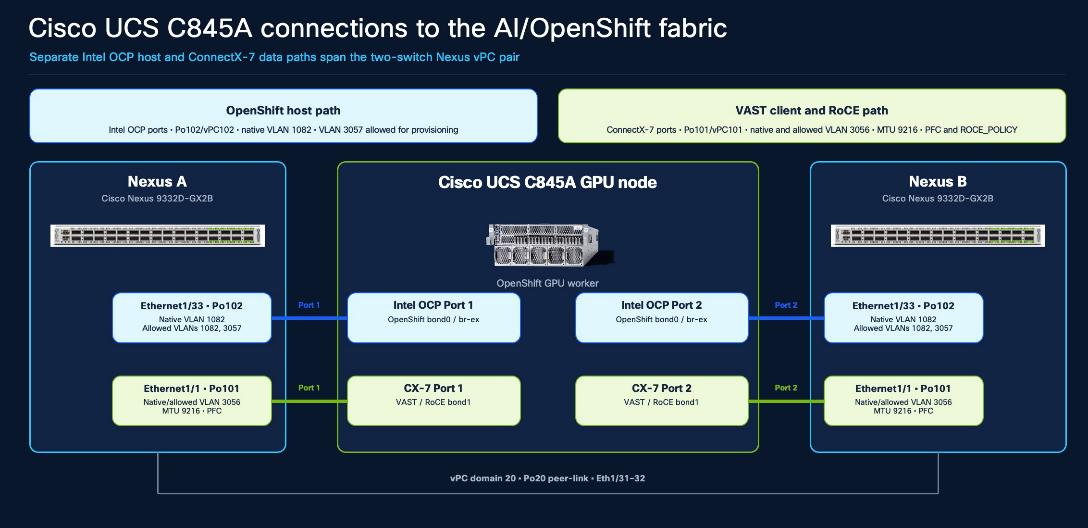
Complete the following procedures to add a Cisco UCS C845A M8 server to an existing OpenShift cluster.
Note: Before running any oc command, use an OpenShift administrative host with the intended kubeconfig and verify oc whoami, oc whoami --show-server, and oc config current-context. Confirm that cluster operators and MachineConfigPools are healthy.
Procedure 1. Identify the Intel OCP and ConnectX-7 interface MAC addresses
Step 1. In Cisco Intersight, Navigate to Servers > C845 Server > Inventory > Network Adapters. Record the permanent MAC addresses for the Intel OCP and ConnectX-7 interfaces.
Step 2. Confirm each interface-to-MAC mapping against the server inventory and the screenshots before using it in DHCP or NMState configuration.
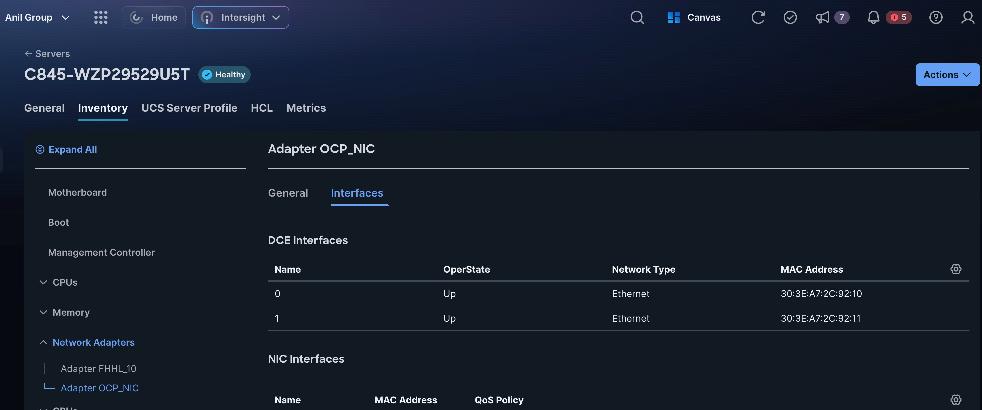
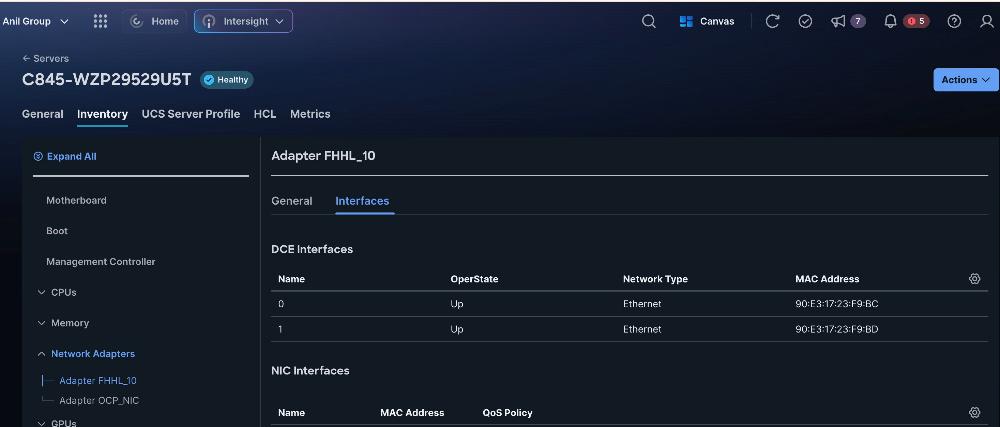
Procedure 2. Install Red Hat CoreOS on the new Cisco UCS C845A M8 worker
Step 1. For each Cisco UCS C845A M8 server, in Cisco Intersight select the server, then select Inventory > Network Adapters. Select the adapter used for the OpenShift host network, typically OCP_NIC, then select Interfaces. Record the DCE Interface 0 MAC address and use it to create the required DHCP reservation.
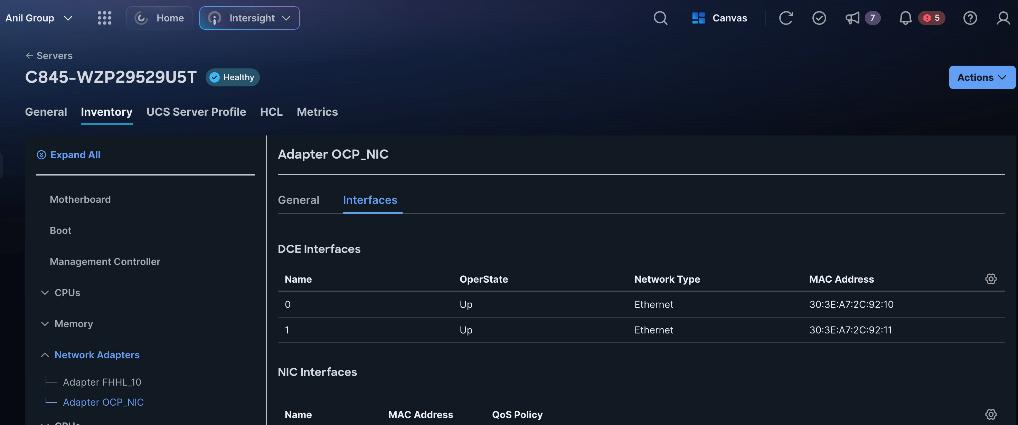
Step 2. Connect to the Red Hat Hybrid Cloud Console here: https://console.redhat.com/openshift/overview and log in with your Red Hat credentials. On the left, select Cluster List. Under Cluster List, click your cluster to open it.
Step 3. Select the Add Hosts tab. Click Add hosts.
Step 4. The two Intel OCP ports form an 802.3ad bond. DHCP runs directly on untagged bond0, which Po102/vPC102 maps to native VLAN 1082. Use VLAN 3057 only if the approved provisioning workflow requires it. Select Static IP, bridges, and bonds and click Next.
Step 5. For Configure via, select YAML view and click Start from scratch. Enter the NMState YAML that creates bond0 from the two Intel OCP interfaces. The example uses DHCP directly on bond0 for native VLAN 1082:
interfaces:
- name: bond0
description: C845A LACP Bond with OCP ports enp175s0f0 and enp175s0f1
type: bond
state: up
ipv4:
dhcp: true
enabled: true
ipv6:
enabled: false
link-aggregation:
mode: 802.3ad
options:
miimon: '100'
xmit_hash_policy: layer3+4
port:
- enp175s0f0
- enp175s0f1
mtu: 1500
Step 6. Below the YAML editor, enter the permanent MAC address and interface name for both Intel OCP ports. Use Add another MAC to interface name mapping for the second port. To add another Cisco UCS C845A M8 worker, select Add another host configuration and complete the mapping for that host. When all hosts are listed, click Next.
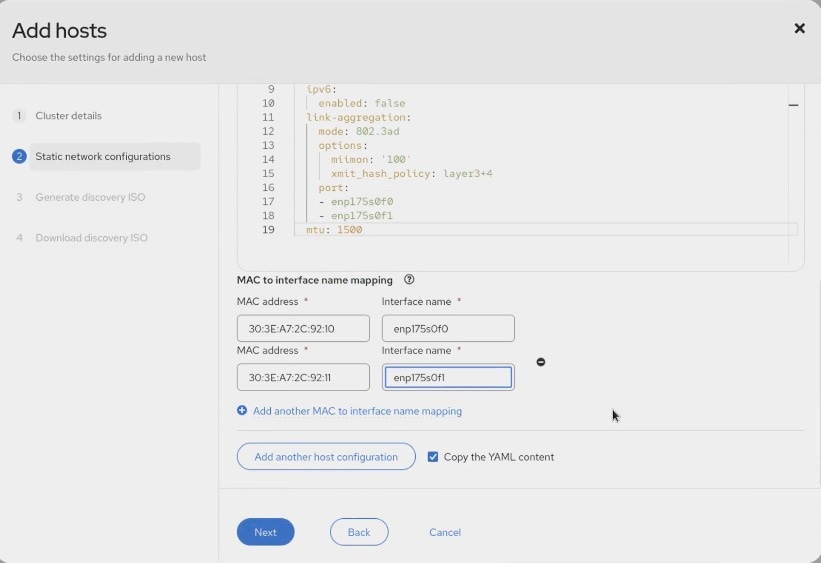
Step 7. For Provisioning type, select Minimal image file. Select the SSH public key used for the existing cluster, then click Generate Discovery ISO.
Step 8. Click Download Discovery ISO and save the file to the administrative workstation, then click Close.
Step 9. For each Cisco UCS C845A M8 server, launch vKVM from Cisco Intersight. From the Virtual Media menu, select Map image. Upload the generated Discovery ISO and wait for the mapping to complete.
Step 10. From the Boot Device menu, select CD. From the Host Power menu, select Power cycle, then click Confirm. The server restarts from the Discovery ISO.
Step 11. If the server does not boot automatically from the Discovery ISO, map the ISO manually through vKVM Virtual Media and repeat the boot-device selection, as shown below.
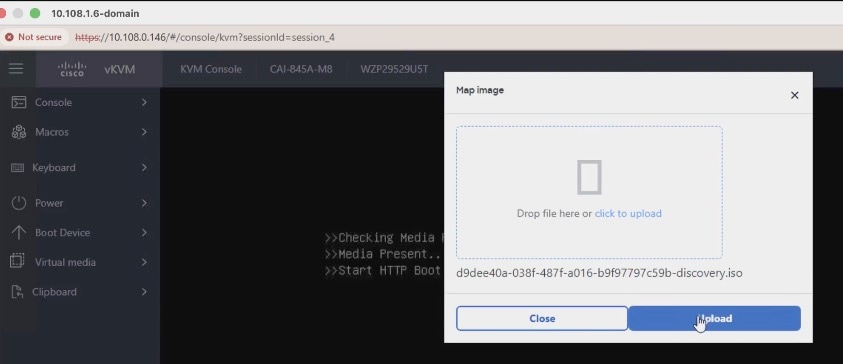
Step 12. After the server boots from the Discovery ISO, return to the Red Hat Hybrid Cloud Console. Wait for the new worker to report Ready, expand the host entry, and verify that the intended M.2 boot disk is selected.
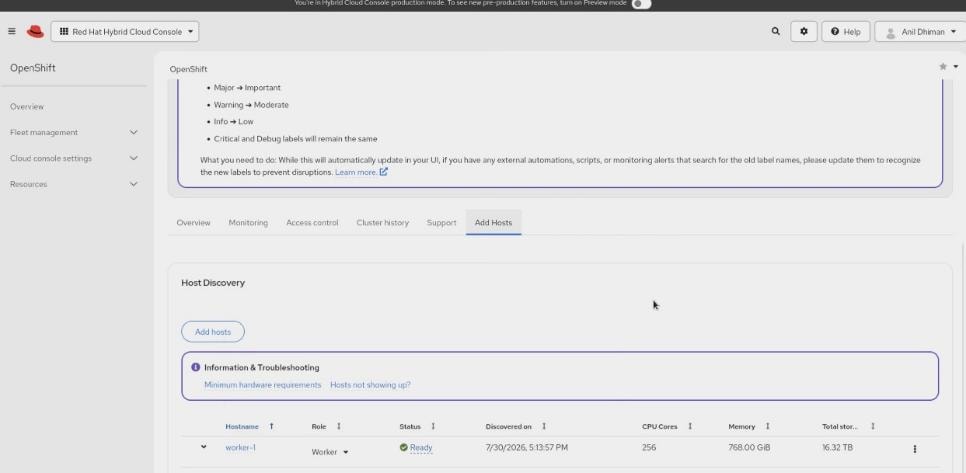
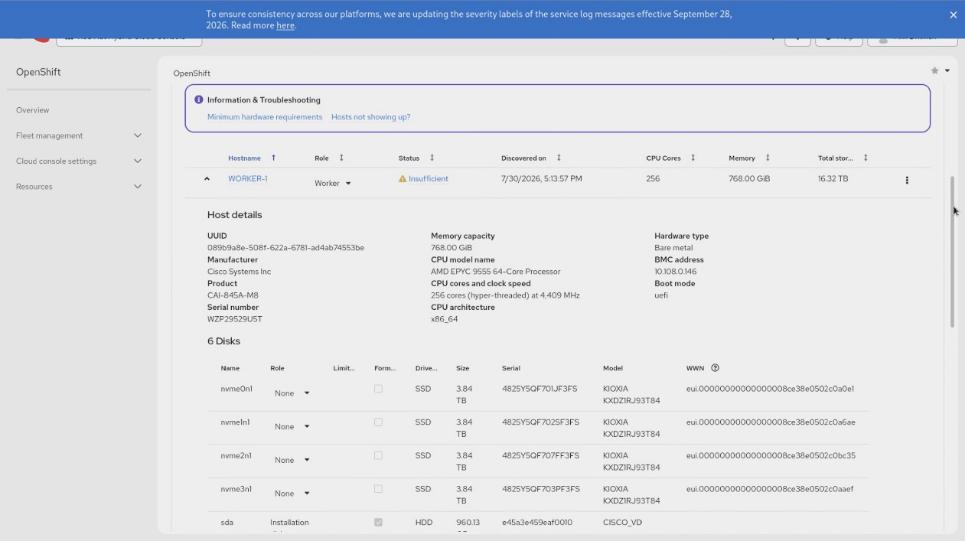
Step 13. Click Install ready hosts. The installation of CoreOS will take several minutes.
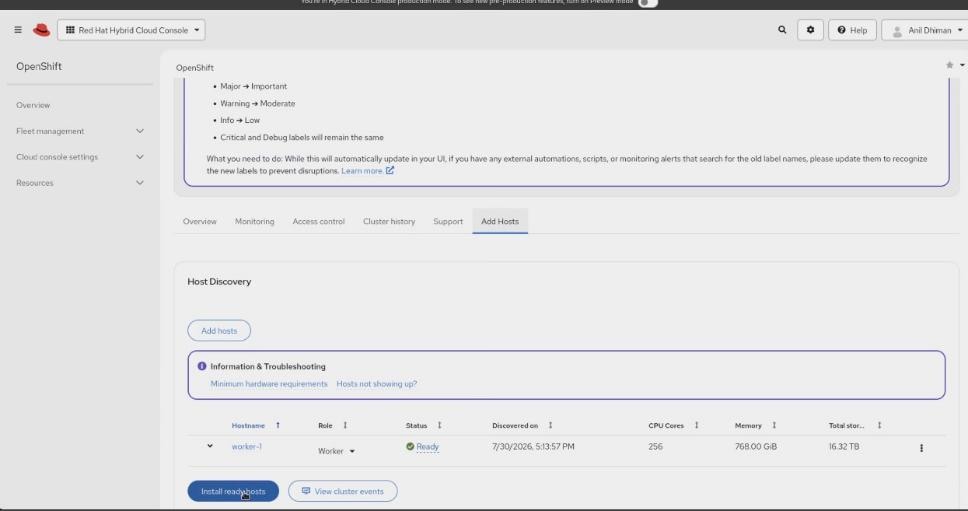
Note: After the installation reports Installed, the server restarts into Red Hat Enterprise Linux CoreOS and can restart a second time while the host completes initialization.
Step 14. After the server boots into CoreOS, open vKVM and use the Virtual Media menu to select Eject image.
Step 15. In the OpenShift console, select Compute > Nodes. After the host restarts, review the new worker's approval prompts. Approve the discovered host and pending certificate-signing requests only after confirming the node identity and MAC mappings.
Procedure 3. Create and associate the BareMetalHost (BMH)
Note: Use this manual association procedure only when the added host is not linked automatically. Before editing consumerRef or providerID, export the affected BareMetalHost, Machine, and Node YAML so the previous state can be restored.
Step 16. From an OpenShift administrative host with the intended kubeconfig, create the following manifest for the new worker. This example uses worker-1:
# worker-1.yaml
apiVersion: metal3.io/v1alpha1
kind: BareMetalHost
metadata:
name: worker-1
namespace: openshift-machine-api
spec:
online: True
bootMACAddress: 30:3E:A7:2C:92:10
customDeploy:
method: install_coreos
externallyProvisioned: true
Note: Obtain bootMACAddress from Cisco Intersight under Server > <C845A server> > Inventory > Network Adapters > OCP_NIC. Replace the example MAC address before applying the manifest.
Step 17. Validate the manifest, then apply it during the approved change window:
oc apply --dry-run=server -f worker-1.yaml
oc apply -f worker-1.yaml

Step 18. To associate the BareMetalHost with its Machine, select Compute > Machines and record the name of the newly added Machine in the Provisioning phase.

Step 19. Select Compute > Bare Metal Hosts and open the YAML for an existing, correctly associated BMH. Copy its complete consumerRef structure for use as a format reference; do not reuse the existing Machine name.
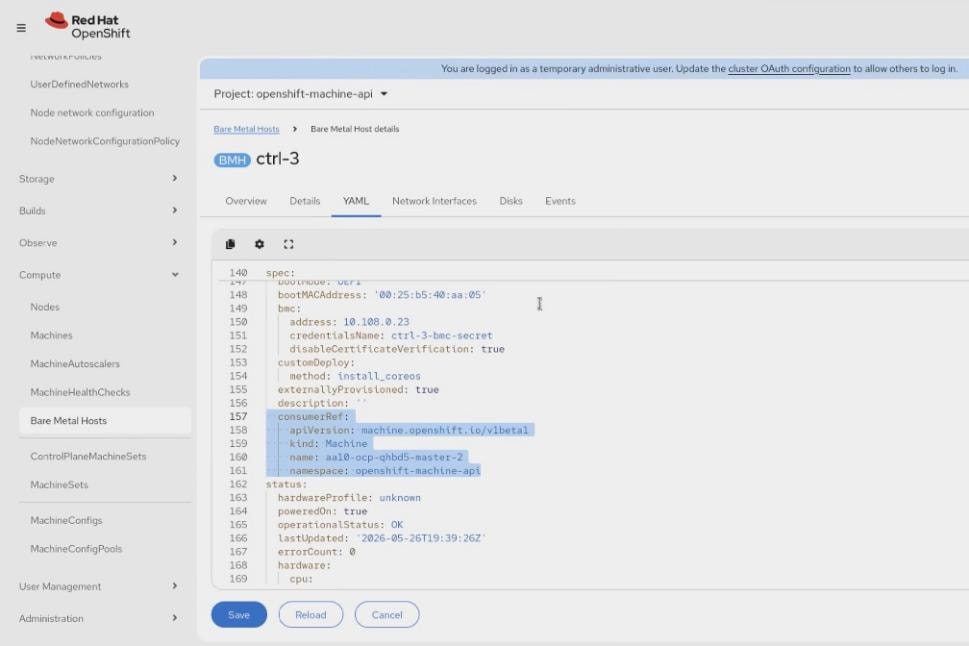
Step 20. Open the new worker BMH YAML. Under spec, add consumerRef next to externallyProvisioned and set consumerRef.name to the new Machine name recorded in the previous step. Verify indentation, then save.
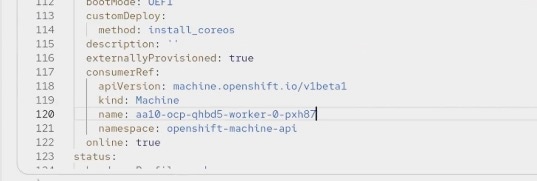
Step 21. Select Compute > Machines and confirm that the new Machine enters the Provisioned phase.

Step 22. Open the new Machine YAML and copy its complete spec.providerID value.

Step 23. Select Compute > Nodes and open the new node's YAML. Under spec, add the copied providerID with two-space indentation, verify that it references the intended Machine, then click Save.
Note: The node object can change while the cluster reconciles. If the console reports a resource-version conflict, reload the YAML and repeat the edit against the current object.

Step 24. Select Compute > Bare Metal Hosts and confirm that the new BMH is linked to the intended node.

Step 25. Select Compute > Machines and confirm that the new Machine reports Provisioned as node and links to the same node.

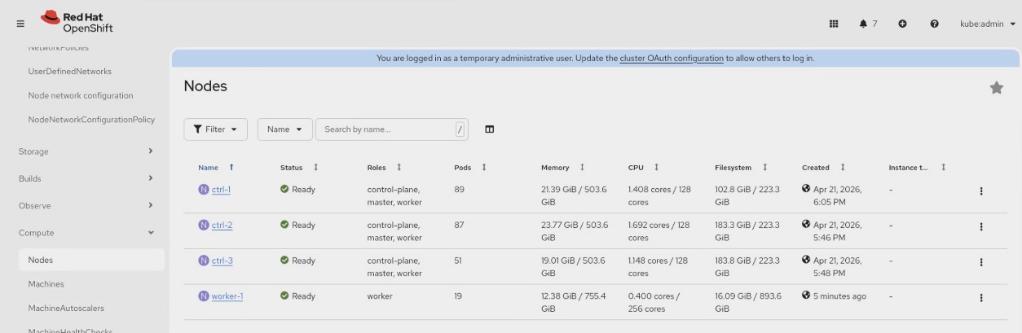
Procedure 4. Configure the ConnectX-7 VAST and RoCE data path
Step 1. From an OpenShift administrative host, connect to the new worker and identify the two ConnectX-7 interface names. Confirm each interface by permanent MAC address before creating bond1.
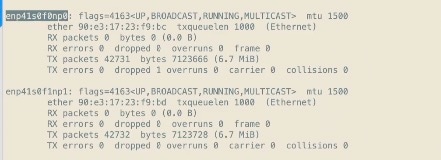
Step 2. Create bond1 on native VLAN 3056 by using a NodeNetworkConfigurationPolicy (NNCP):
# c845-bond1.yaml
apiVersion: nmstate.io/v1
kind: NodeNetworkConfigurationPolicy
metadata:
name: c845-cx7-bond1
spec:
nodeSelector:
net-type: c845-cx7
desiredState:
interfaces:
- name: bond1
description: ConnectX-7 bond for the VAST and RoCE data path
type: bond
state: up
ipv4:
dhcp: true
enabled: true
auto-dns: false
auto-routes: false
auto-gateway: false
ipv6:
enabled: false
link-aggregation:
mode: 802.3ad
options:
miimon: '100'
xmit_hash_policy: layer3+4
port:
- enp41s0f0np0
- enp41s0f1np1
mtu: 9000
Step 3. Apply the placement label used by the NNCP to the intended C845A GPU worker only:
oc label node worker-1 net-type=c845-cx7
Step 4. Validate the NNCP, then apply it during the approved change window:
oc apply --dry-run=server -f c845-bond1.yaml
oc apply -f c845-bond1.yaml
Step 5. In the OpenShift console, select Networking > NodeNetworkConfigurationPolicy. Confirm that the policy and its node enactment complete successfully before continuing.
Step 6. On the C845A worker, run ip -br a and cat /proc/net/bonding/bond1. Confirm that bond1 is up and both members are collecting and distributing.
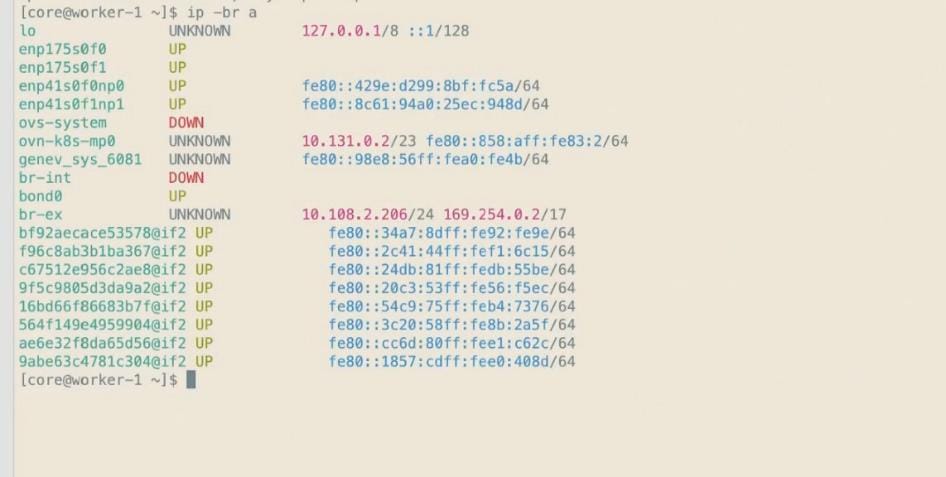
Step 7. Ensure that the DHCP scope for VLAN 3056 has an available address for the C845A VAST/RoCE data path.
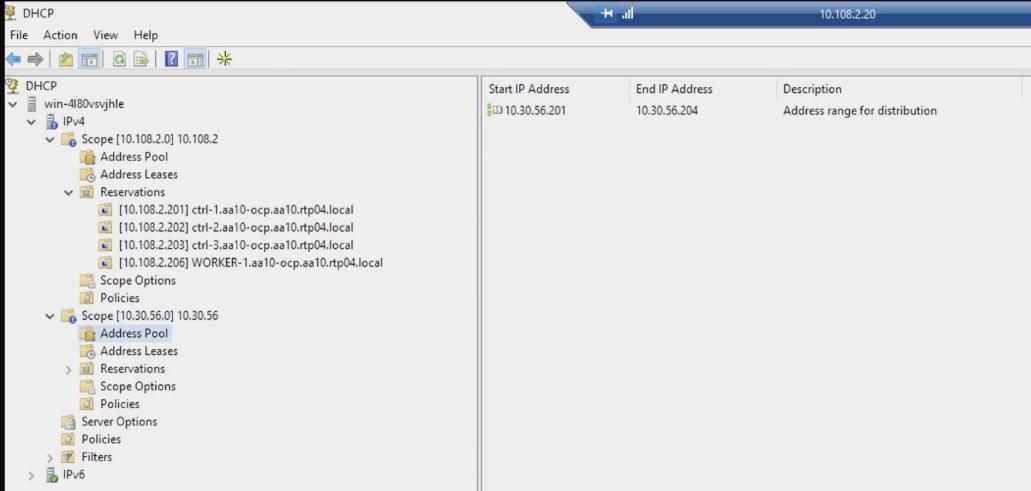
Step 8. Verify the bond1 address and routes. The OpenShift default route and DNS must remain on br-ex; bond1 must not install a competing default route.
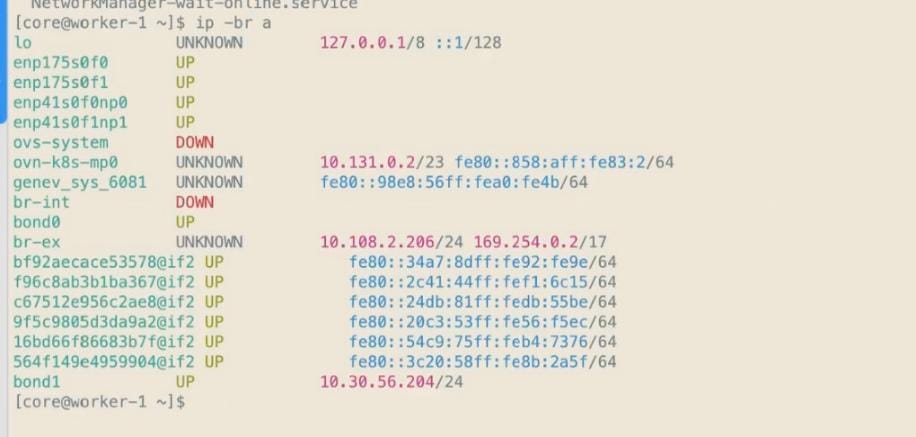
Procedure 5. Install the Node Feature Discovery Operator
Step 1. In the OpenShift console, select Ecosystem > Software Catalog. Search for and select Node Feature Discovery Operator.
Step 2. Click Install. Click Install again to deploy the operator.
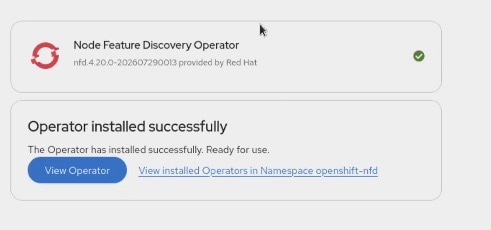
Step 3. When the operator is installed, click View Operator.
Step 4. Select the NodeFeatureDiscovery tab, then create the instance with the approved defaults.
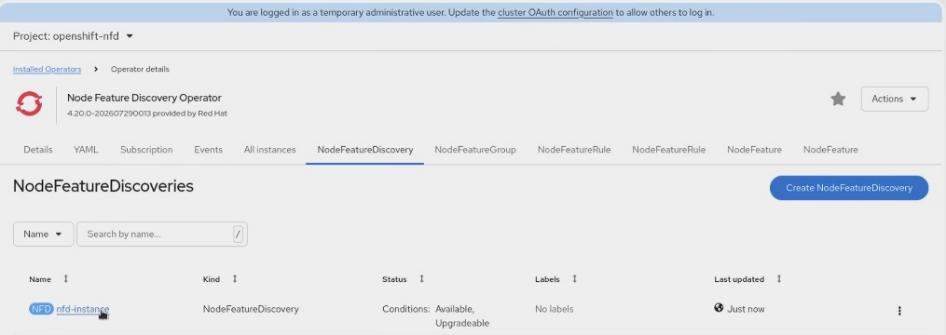
Step 5. Open the nfd-instance YAML and locate sources.pci.deviceClassWhitelist. Ensure that the validated list includes 02 and 0207 so NFD publishes the required PCI network-device labels for the ConnectX-7 adapters. Save the object and verify the resulting node labels.
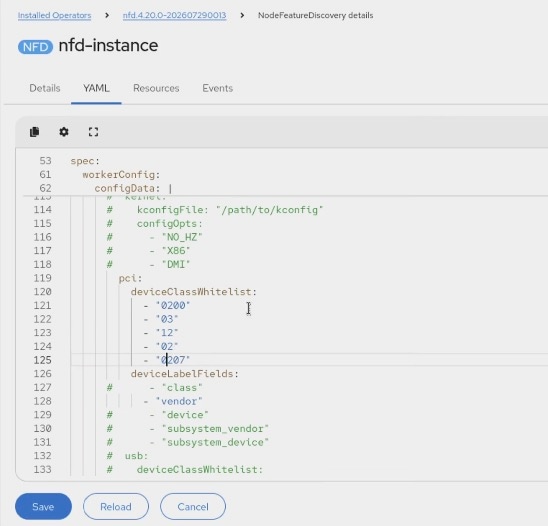
Procedure 6. Deploy the NVIDIA Network Operator
Note: Use the NVIDIA Network Operator channel and DOCA driver version validated for the target OpenShift release. Export any existing NicClusterPolicy before editing it and retain the export as the rollback source.
Step 1. In the OpenShift console, select Ecosystem > Software Catalog. Search for and select NVIDIA Network Operator.
Step 2. Click Install. Click Install again to deploy the operator.
Step 3. After installation completes, click View Operator and open the NicClusterPolicy tab.
Step 4. Select YAML view and make the following validated changes.
Step 5. Remove the NIC firmware-upgrade PVC block only when it is not used by the validated operator configuration, as shown below.
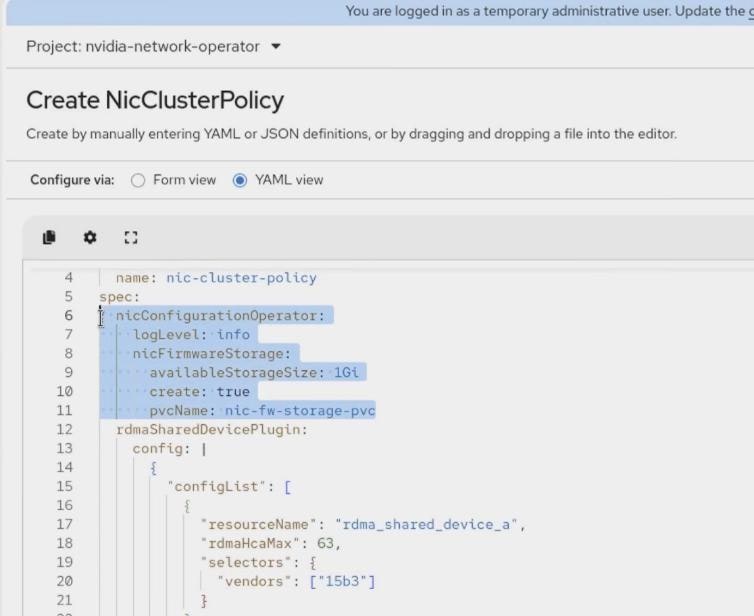
Step 6. Under resourceName: "rdma_shared_device_a", replace vendors: ["15b3"] with ifNames: ["bond1"].
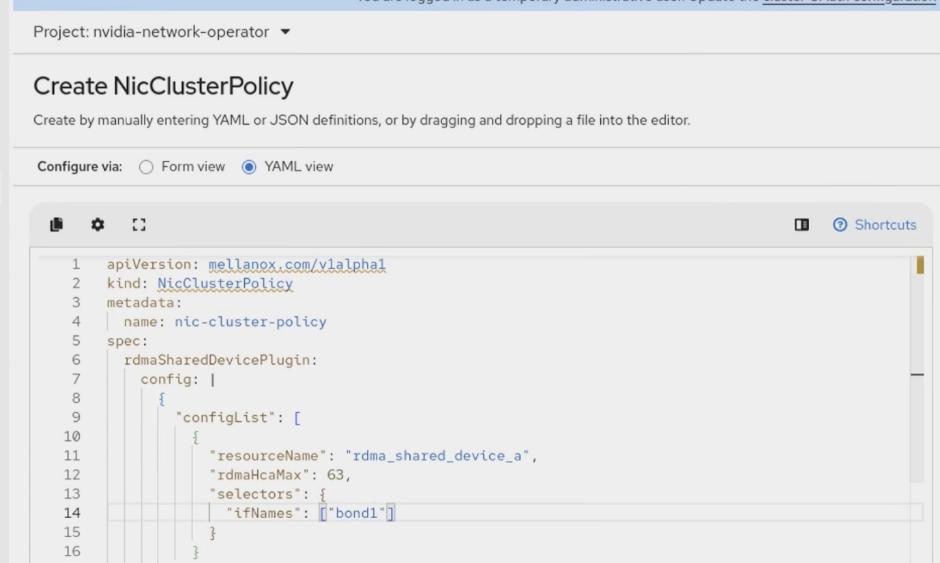
Step 7. Remove the unused ibKubernetes block, if present:
ibKubernetes:
periodicUpdateSeconds: 5
Step 8. Under spec.ofedDriver, add:
env:
- name: ENABLE_NFSRDMA
value: 'true'
- name: UNLOAD_STORAGE_MODULES
value: 'true'
- name: RESTORE_DRIVER_ON_POD_TERMINATION
value: 'true'
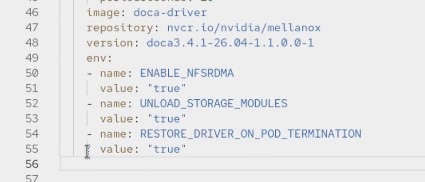
Step 9. Create or save the policy. Continue only after NicClusterPolicy reports Ready and the required Network Operator operands are healthy.
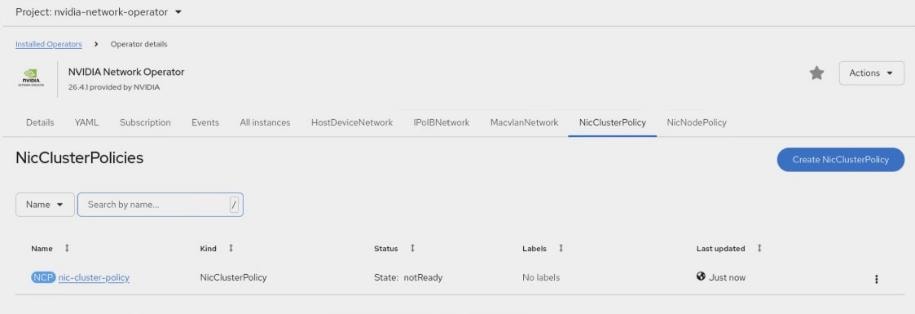
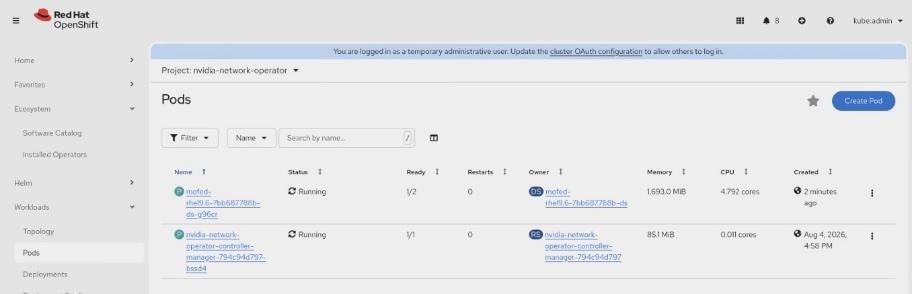
Procedure 7. Configure kernel arguments for the Cisco UCS C845A
Step 1. From an OpenShift administrative host with the intended kubeconfig, create the following MachineConfig manifest:
# 99-worker-c845a-kernel-args.yaml
apiVersion: machineconfiguration.openshift.io/v1
kind: MachineConfig
metadata:
name: 99-worker-c845a-kernel-args
labels:
machineconfiguration.openshift.io/role: worker
spec:
kernelArguments:
- module_blacklist=irdma
- amd_iommu=on
- iommu=pt
Note: The example MachineConfig targets the standard worker MachineConfigPool and therefore affects every node in that pool. Use a dedicated pool and matching role labels if the kernel arguments must apply only to C845A workers.
Step 2. Validate the MachineConfig, then apply it in the approved maintenance window. Applying or removing a MachineConfig can restart affected nodes:
oc apply --dry-run=server -f 99-worker-c845a-kernel-args.yaml
oc apply -f 99-worker-c845a-kernel-args.yaml
Step 3. Wait until the MachineConfigPool selected by this MachineConfig reports UPDATED=True, UPDATING=False, and DEGRADED=False. The example manifest targets the standard worker pool.
Step 4. Log in to each affected Cisco UCS C845A worker and verify the active kernel arguments.
ssh core@<node_name>
cat /proc/cmdline
[core@worker-1 ~]$ cat /proc/cmdline
BOOT_IMAGE=(hd0,gpt3)/boot/ostree/rhcos-b69fabc811ae38fcb9fbf9e0e3d9dc993cbcd4a858c156bd69d74670ef55d372/vmlinuz-5.14.0-570.104.1.el9_6.x86_64 ignition.platform.id=metal ostree=/ostree/boot.1/rhcos/b69fabc811ae38fcb9fbf9e0e3d9dc993cbcd4a858c156bd69d74670ef55d372/0 root=UUID=625108e1-ed36-490a-82ef-02bb0fb737dd rw rootflags=prjquota boot=UUID=e23756cb-8c2d-4e0a-973a-ba6645eca9b4 systemd.unified_cgroup_hierarchy=1 cgroup_no_v1=all psi=0 module_blacklist=irdma amd_iommu=on iommu=pt
lsmod | grep irdma
<no output expected>
Step 5. Confirm that the NicClusterPolicy created in the previous procedure remains Ready after the node restarts.
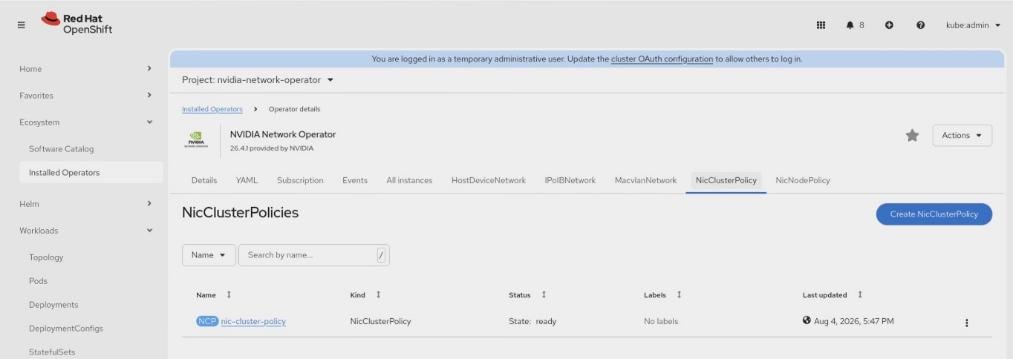
Procedure 8. Deploy the NVIDIA GPU Operator
Step 1. In the OpenShift console, select Ecosystem > Software Catalog. Search for and select NVIDIA GPU Operator.
Step 2. Click Install. Click Install again to deploy the operator.
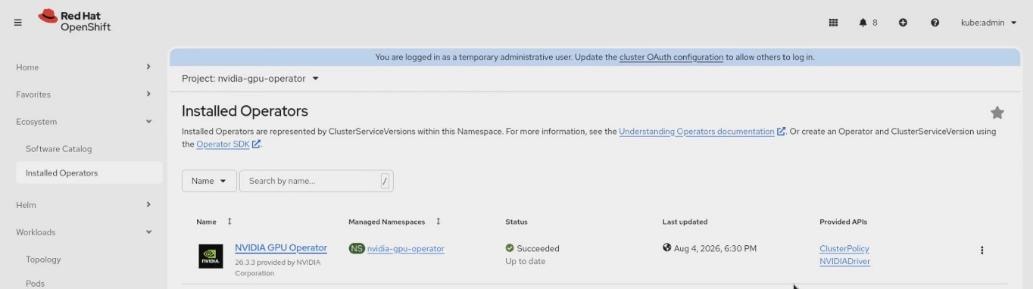
Step 3. After installation completes, click View Operator, open the ClusterPolicy tab, and select Create ClusterPolicy.
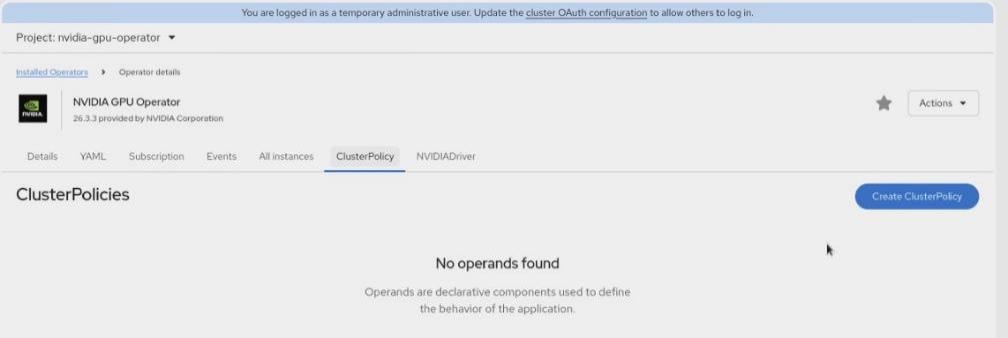
Step 4. Create the ClusterPolicy with the settings approved for the validated platform. Keep GDS disabled during base GPU validation. Do not continue while the policy reports Error or ReconcileFailed; the screenshot below illustrates a state that requires correction.
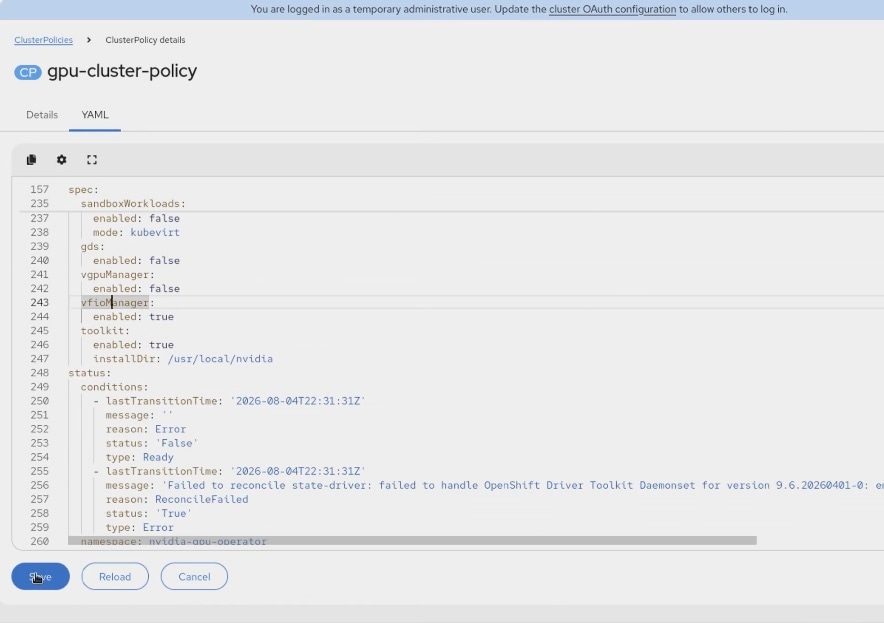
Step 5. Wait until ClusterPolicy reports Ready and every required GPU Operator operand is healthy.
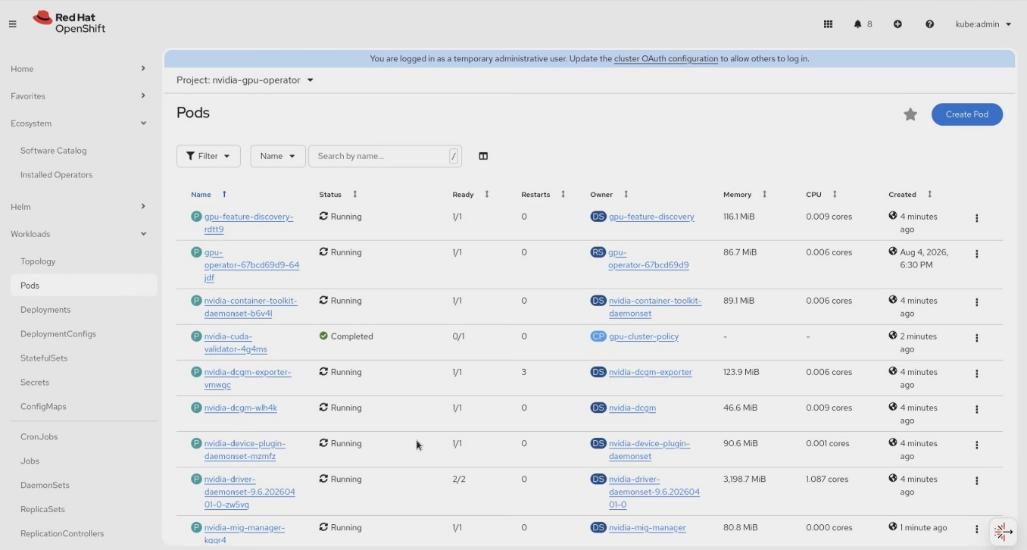
Step 6. Select Installed Operators > NVIDIA GPU Operator > ClusterPolicy and confirm that gpu-cluster-policy reports Ready.
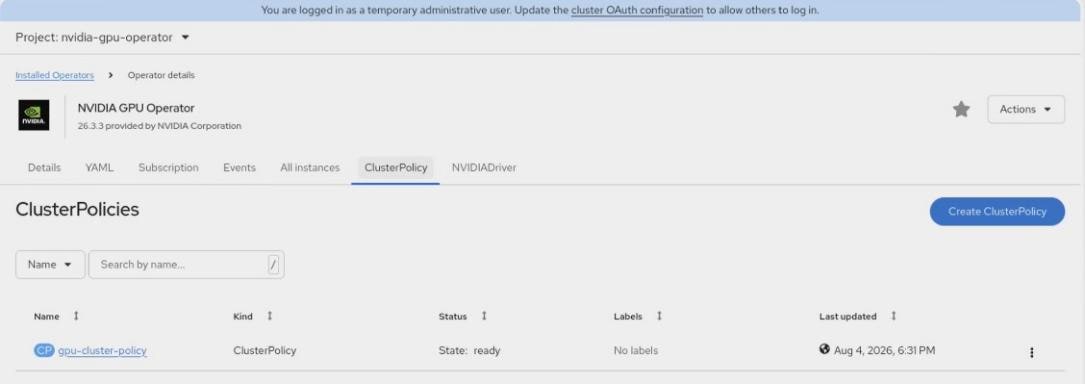
Step 7. Open a running pod whose name begins with nvidia-driver-daemonset-, select Terminal, and run nvidia-smi. Confirm that all eight NVIDIA RTX PRO 6000 Blackwell GPUs are visible and that the node advertises eight allocatable nvidia.com/gpu resources.
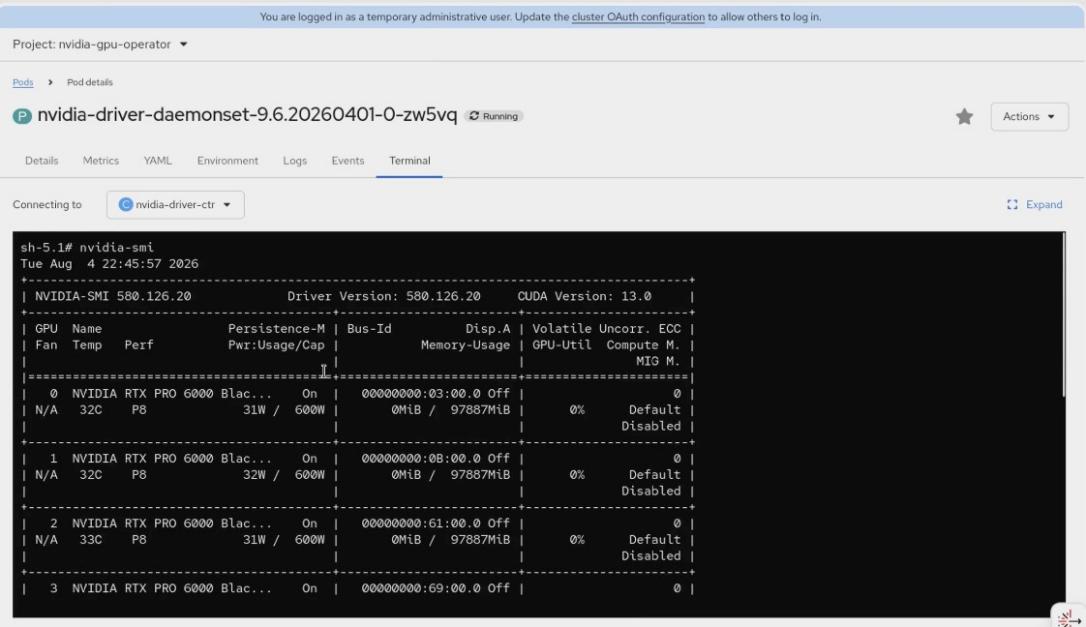
Procedure 9. Enable NVIDIA GPUDirect Storage (GDS)
Note: Enable GDS only after confirming compatibility among the NVIDIA GPU Operator, host driver, RHCOS release, CUDA runtime, and nvidia-fs version.
Step 1. Select Ecosystem > Installed Operators > NVIDIA GPU Operator, open the ClusterPolicy tab, and select Form view. Edit the GDS section with the version approved for the validated software matrix, then click Save.
gds:
enabled: true
image: nvidia-fs
repository: nvcr.io/nvidia/cloud-native
version: 2.29.4
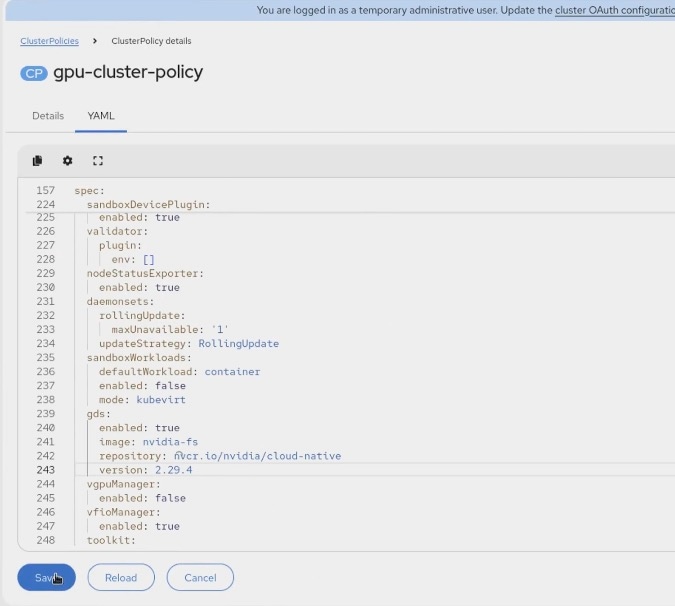
Step 2. Wait until the GDS operands report Ready, confirm that the nvidia-fs module is loaded, and run the approved GDS functional test before declaring the feature operational.
Note: Confirm that all NVIDIA GPU Operator and GDS-related pods return to Running or Completed. Observe the pods long enough to confirm that restart counts remain stable and no pod is unhealthy.
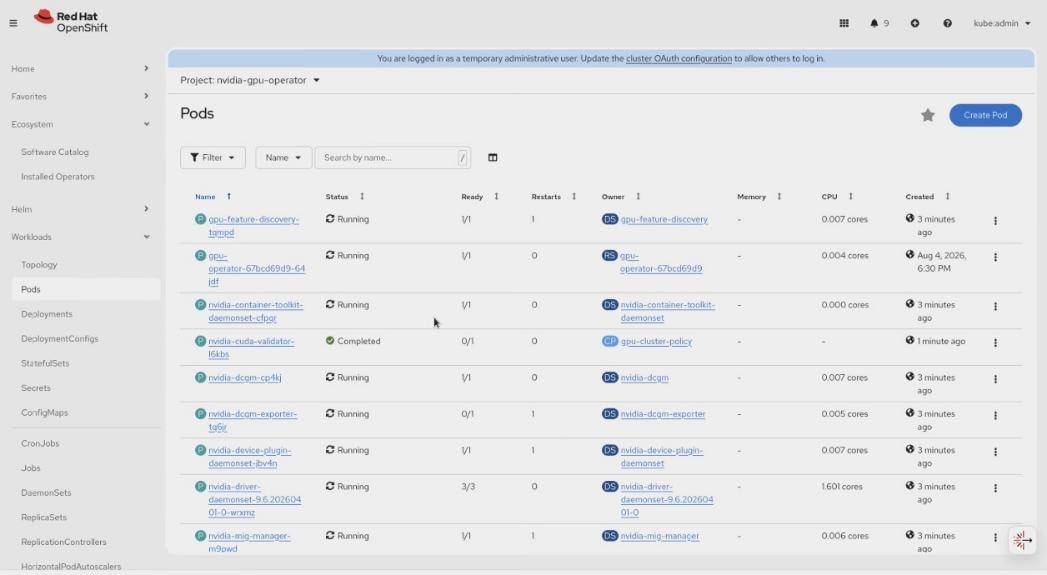
VAST DataEngine connects a VAST tenant to an OpenShift compute cluster so file, object, tag, schedule, and API events can invoke serverless functions and pipelines. The validated design uses a VAST Event Broker, Knative, a local Zot registry, the VAST-supplied Zarf runtime, and VAST CSI storage.
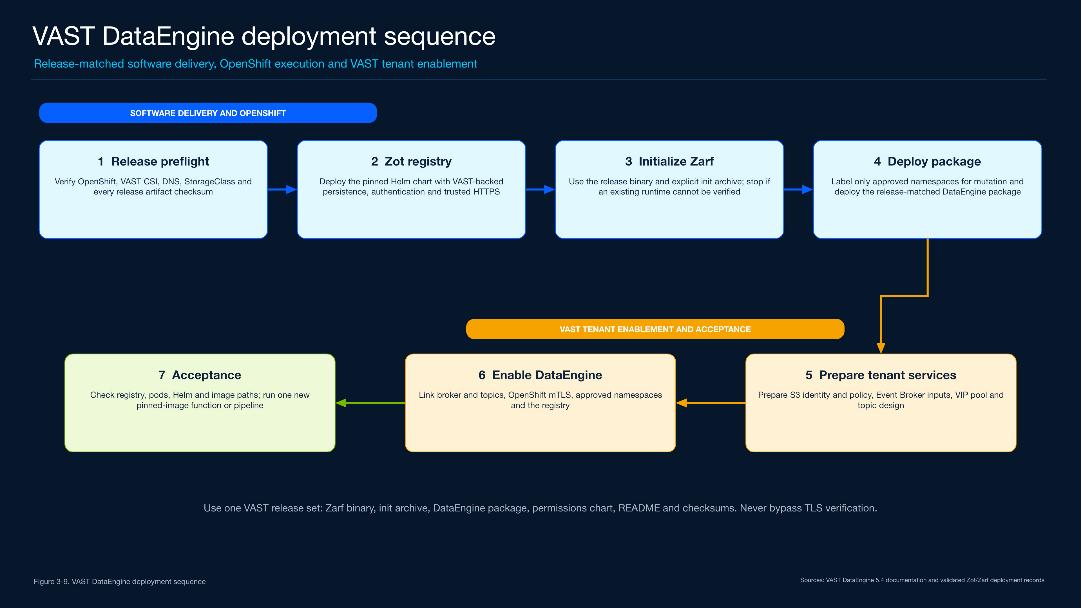
Table 30. Validated DataEngine Deployment Profile
| Item |
Validated value |
| Platform |
Red Hat OpenShift 4.20.18 with the VAST DataEngine 5.4 release family |
| Registry |
local-zot — zot.apps.aa10-ocp.aa10.rtp04.local; Zot chart 0.1.113 / app 2.1.16; one replica; 50-GiB RWO VAST CSI PVC; NodePort service behind an edge-terminated Route |
| Execution |
VAST-supplied Zarf 0.60.0; zarf.dev/vast=mutate on vast-dataengine, knative-serving, and knative-eventing |
| VAST integration |
de-tenant; de-broker1; de-topic1; de-deadlettertopic1; aa10-ocp; local-zot |
Runtime Architecture
VAST AI OS owns tenant identity, policy, the Event Broker, triggers, pipelines, and data services. OpenShift runs the VAST operator, Knative control plane, telemetry collectors, and function pods. Zot provides the pinned images that DataEngine workloads pull at deployment time.
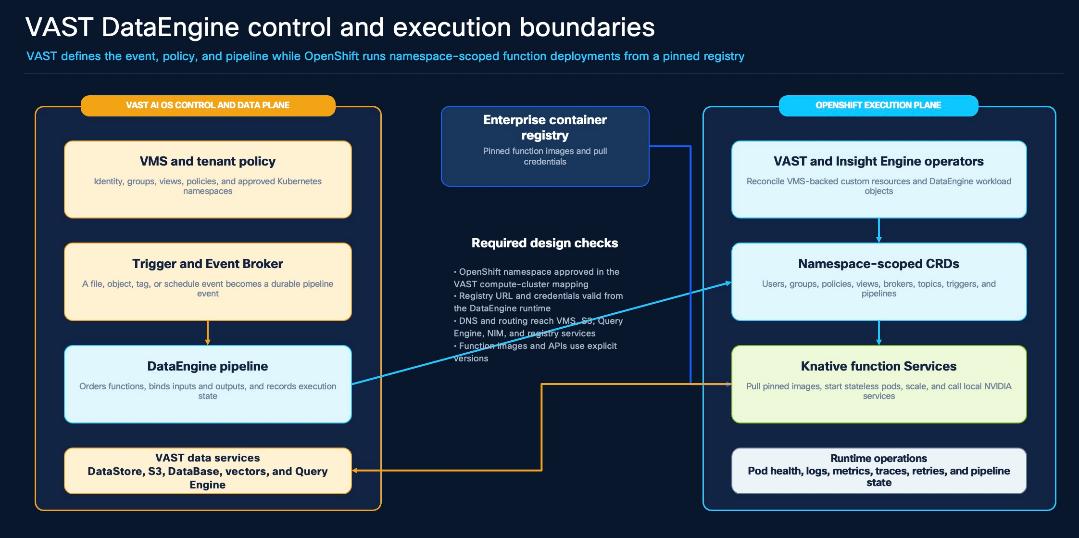
Table 31. Validated Component Roles
| Component |
Role |
| VAST AI OS |
Tenant, policies, Event Broker, topics, triggers, pipelines, S3, VAST Database, and Query Engine |
| OpenShift |
VAST operator, telemetry collectors, Knative Serving and Eventing, KEDA, functions, and pipelines |
| Zot |
Authenticated HTTPS registry for DataEngine and application images |
| Zarf |
Imports the release images and rewrites workload image references in approved namespaces |
The component model is described in Overview of VAST DataEngine
Procedure 1. Prepare OpenShift and Deploy Zot
Step 1. Verify the target cluster and release files.
Step 2. Confirm the OpenShift identity and API, the VAST CSI StorageClass, the installer-host inotify limits, and the VAST-supplied Zarf binary and packages before installing anything:
$ oc whoami && oc whoami --show-server && oc config current-context
system:admin
https://api.aa10-ocp.aa10.rtp04.local:6443
admin
$ oc get clusterversion version
version 4.20.18 True False
$ oc get storageclass vastdata-filesystem
vastdata-filesystem csi.vastdata.com
$ sysctl fs.inotify.max_user_instances fs.inotify.max_user_watches
fs.inotify.max_user_instances = 8192
fs.inotify.max_user_watches = 524288
Note: Network reachability. Before continuing, verify that OpenShift nodes and workload pods on VLAN 1082 can reach the VAST external service VIPs and the VMS API at 10.108.0.211:443. The administration host running the release-matched vastde client must also reach its configured VMS URL. In this validated dual-gateway design, the VAST management and external/client networks used different gateways, and an automatically created connected-prefix route caused asymmetric return traffic. VAST Engineering applied vtool vsettings set IP_ADDR_NO_PREFIX_ROUTE=True and then deactivated and reactivated the affected CNodes. Use this correction only when the same routing condition exists and confirm its applicability for the installed VAST release
Step 3. Deploy the local Zot registry.
The validated topology uses Zot chart 0.1.113 (app 2.1.16), one registry pod, a 50-GiB RWO PVC on vastdata-filesystem, a NodePort service, and an edge-terminated OpenShift Route. The repository helper encodes these settings; review its printed plan, then apply it. The registry password is entered through a hidden prompt.
cd configs/cvd/dataengine
cp release-inputs.example.env release-inputs.env
${EDITOR:-vi} release-inputs.env
./scripts/preflight.sh --env release-inputs.env
./scripts/deploy-zot.sh --env release-inputs.env
./scripts/deploy-zot.sh --env release-inputs.env --apply
$ helm -n zot list
zot deployed zot-0.1.113 v2.1.16
$ oc -n zot get pods,pvc,service,route -o wide
pod/zot-0 1/1 Running
persistentvolumeclaim/zot-zot-0 Bound 50Gi RWO vastdata-filesystem
service/zot NodePort 5000:<allocated-node-port>/TCP
route.route.openshift.io/<name> zot.apps.aa10-ocp.aa10.rtp04.local edge/Redirect
Note: Zot configuration follows Project Zot; OpenShift registry trust follows the Red Hat image configuration guidance.
Procedure 2. Install the DataEngine package
Step 1. Initialize the VAST-supplied Zarf runtime.
For a new installation, run the release-matched Zarf 0.60.0 binary and initialization archive supplied with VAST DataEngine 5.4. Record the package checksums with the deployment evidence.
cd <VAST-DataEngine-release-directory>
./zarf version
sha256sum zarf-init-amd64-v0.60.0.tar.zst \
zarf-package-dataengine-amd64-<release>.tar.zst
./zarf init --architecture amd64 \
zarf-init-amd64-v0.60.0.tar.zst \
--set REGISTRY_HPA_AUTO_SIZE=true \
--confirm --log-level debug
$ oc -n zarf get deployment,pods
deployment.apps/agent-hook 2/2 Available
pod/agent-hook-... 1/1 Running
Step 2. Label the execution namespaces and deploy DataEngine.
Use only the VAST 5.4 mutation label shown below. Deploy the release-matched package with the VAST-supplied Zarf binary.
for namespace in vast-dataengine knative-serving knative-eventing; do
oc create namespace "${namespace}" --dry-run=client -o yaml | oc apply -f -
oc label namespace "${namespace}" zarf.dev/vast=mutate --overwrite
done
cd <VAST-DataEngine-release-directory>
./zarf package deploy --architecture amd64 \
zarf-package-dataengine-amd64-<release>.tar.zst \
--confirm --log-level debug
Table 32. Validated OpenShift Results
| Check |
Validated result |
| Zarf |
agent-hook deployment 2/2 Available |
| Namespace mutation |
vast-dataengine, knative-serving, and knative-eventing show zarf.dev/vast=mutate |
| DataEngine releases |
vast-knative, vast-knative-operator, and vast-serverless are deployed |
| Client |
vastde v5.4.1-dev.c0b8b3d5 |
Procedure 3. Assign the VAST Event Broker and topics
Step 1. Select the event foundation.
Open DataEngine enablement for de-tenant. Select de-broker1, de-topic1, and de-deadlettertopic1, and add the approved Event Broker CA certificate.
![Figure 3-11A. Event Broker and topic assignment [SRC-VAST-02] - VAST DataEngine stage 1 showing the selected Event Broker, default topic, dead-letter topic, and CA-certificate control.](/c/dam/en/us/td/docs/unified_computing/ucs/UCS_CVDs/cisco_aidp_nvidia_vast.docx/_jcr_content/renditions/cisco_aidp_nvidia_vast_92.png)
Step 2. For more information, see the complete tenant workflow here: Enabling DataEngine on a VAST Cluster Tenant
Procedure 4. Link the OpenShift Cluster
Step 1. Register aa10-ocp by mutual TLS.
Enter aa10-ocp and https://api.aa10-ocp.aa10.rtp04.local:6443, then load the cluster CA, client certificate, and private key in their matching fields.
![Figure 3-11B. OpenShift cluster and mutual-TLS association [SRC-VAST-02] - VAST DataEngine stage 2 showing the OpenShift API endpoint and certificate inputs; the private-key field is blank in the published figure.](/c/dam/en/us/td/docs/unified_computing/ucs/UCS_CVDs/cisco_aidp_nvidia_vast.docx/_jcr_content/renditions/cisco_aidp_nvidia_vast_93.png)
Procedure 5. Select DataEngine namespaces
Step 1. Approve the execution namespaces.
Move vast-dataengine, knative-serving, and knative-eventing to Selected Properties. Add application namespaces only when DataEngine functions or pipelines will run there.
![Figure 3-11C. DataEngine namespace selection [SRC-VAST-02] - VAST DataEngine stage 3 showing the OpenShift namespaces approved for DataEngine execution.](/c/dam/en/us/td/docs/unified_computing/ucs/UCS_CVDs/cisco_aidp_nvidia_vast.docx/_jcr_content/renditions/cisco_aidp_nvidia_vast_94.png)
Procedure 6. Link the container registry
Step 1. Associate local-zot with aa10-ocp.
Select aa10-ocp, set the registry name to local-zot and the base URL to https://zot.apps.aa10-ocp.aa10.rtp04.local, select User credentials, enter admin, and enter the registry password.
![Figure 3-11D. DataEngine container-registry association [SRC-VAST-02] - VAST DataEngine stage 4 showing the local-zot name, HTTPS URL, authentication method, username, and password field with only the password value redacted.](/c/dam/en/us/td/docs/unified_computing/ucs/UCS_CVDs/cisco_aidp_nvidia_vast.docx/_jcr_content/renditions/cisco_aidp_nvidia_vast_95.png)
Note: When the Route issuer is not already trusted by OpenShift, use OpenShift image configuration resources
Procedure 7. Confirm DataEngine enablement
Step 1. Finish the wizard.
Save the configuration and confirm that the tenant dashboard reports DataEngine Enabled. Reopen the compute-cluster and registry records to confirm the selected namespaces and registry association were retained.
![Figure 3-11E. DataEngine enabled for the tenant [SRC-VAST-02] - Validated VAST tenant dashboard showing successful DataEngine enablement.](/c/dam/en/us/td/docs/unified_computing/ucs/UCS_CVDs/cisco_aidp_nvidia_vast.docx/_jcr_content/renditions/cisco_aidp_nvidia_vast_96.png)
Verify DataEngine
Verify the registry, Zarf agent, namespace labels, DataEngine releases, and Knative services. Then use the release-matched DataEngine client to confirm that functions, triggers, and pipelines are visible and Ready.
oc -n zot get pods,pvc,route,service -o wide
oc -n zarf get deployments,pods -o wide
oc get namespace vast-dataengine knative-serving knative-eventing -L zarf.dev/vast
helm -n vast-dataengine list
oc -n vast-dataengine get deployments,pods -o wide
oc -n knative-serving get deployments,pods -o wide
oc -n knative-eventing get deployments,pods -o wide
vastde version
vastde functions list
vastde triggers list
vastde pipelines list
Table 33. DataEngine Acceptance Criteria
| Area |
Pass criterion |
| Registry |
Zot Ready; PVC Bound; Route admitted; authenticated pull succeeds; OpenShift trusts the Route CA |
| Runtime |
Zarf agent, VAST operator, telemetry, Knative, and KEDA workloads Ready |
| VAST integration |
Tenant retains the expected broker, topics, cluster, namespaces, and local-zot association |
| Functional proof |
New pinned-image function or pipeline is Ready, pulls from local-zot, and returns the expected result |
Table 34. Quick Troubleshooting
| Symptom |
Check and Correct |
| Zot PVC remains Pending |
Confirm vastdata-filesystem and VAST CSI health. |
| ImagePullBackOff |
Confirm zarf.dev/vast=mutate, local-zot association, Route trust, and the pull Secret. |
| vastde or workloads cannot reach VAST |
Verify VMS and VLAN 1082 routes. For dual gateways, confirm IP_ADDR_NO_PREFIX_ROUTE=True and CNode reactivation. |
| VAST does not list namespaces |
Check the API URL, CA, client certificate, private key, and mTLS authorization. |
| Pipeline works only with a cached image |
Test an uncached pinned image; cached success does not prove registry authentication. |
VAST InsightEngine adds document ingestion, vector retrieval, and application APIs to the shared AIDP platform. The deployment uses the existing VAST DataEngine foundation, VAST S3, VAST Database, VAST Event Broker, OpenShift, Knative, and a dedicated PostgreSQL instance.
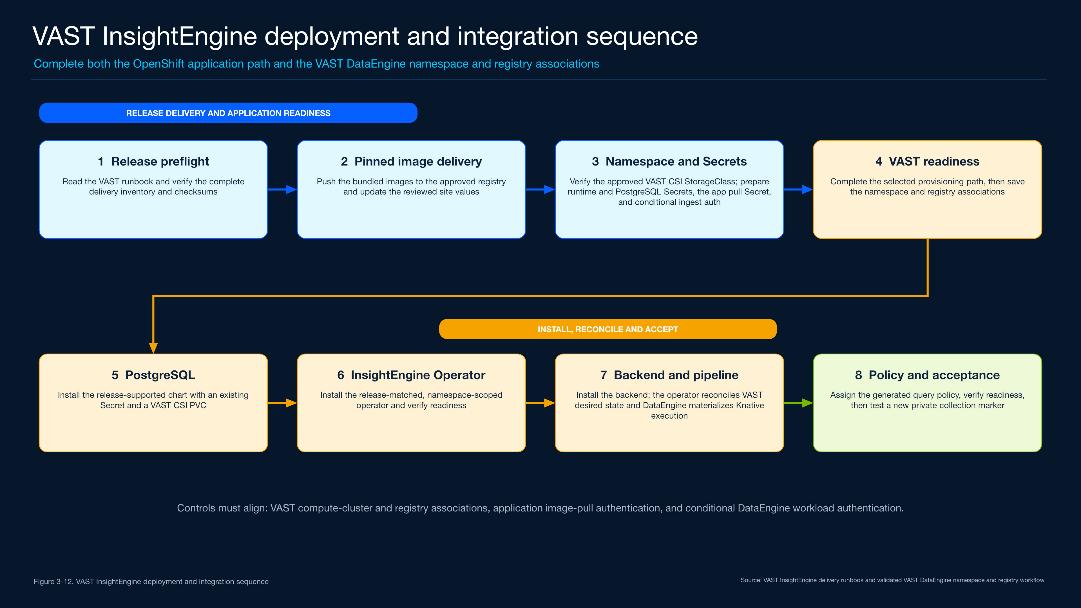
Table 35. Validated InsightEngine Deployment Profile
| Item |
Validated value |
| Software |
VAST InsightEngine 5.4.3 on Red Hat OpenShift 4.20 |
| Namespace |
vast-insight-engine |
| DataEngine registry |
local-zot — zot.apps.aa10-ocp.aa10.rtp04.local |
| VAST integration |
de-tenant; aa10-ocp; de-broker1; ie-user; de-viewpolicy1 |
Runtime Architecture
The backend and PostgreSQL run as OpenShift workloads. The InsightEngine operator creates the VAST custom resources and the DataEngine ingestion path. Knative starts the ingestion service when events arrive from the VAST Event Broker.
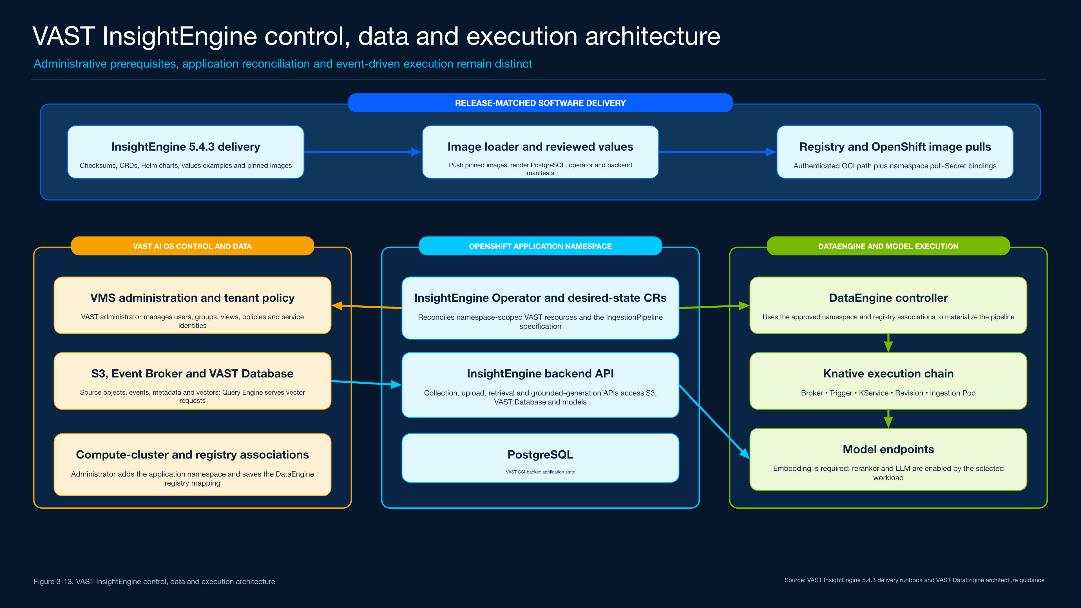
Table 36. Validated Data and Event Path
| Role |
Validated object |
| Source objects |
VAST S3 bucket cisco-bucket |
| Vectors and metadata |
VAST Database schema cisco-schema |
| Application state |
Helm release cisco; PostgreSQL 18.4.0; 20-GiB VAST CSI PVC |
| Event execution |
de-broker1 → pipeline cisco → Knative service cisco-ingest-docs |
The DataEngine execution model is described here: Overview of VAST DataEngine
Procedure 1. Confirm the VAST Event Foundation
Step 1. Confirm the Event Broker and topics.
Open the tenant DataEngine configuration and select the existing broker de-broker1. Keep the default and dead-letter topics already used by DataEngine. Add the tenant CA certificate when it is not already present.
For the complete tenant enablement sequence, see Enabling DataEngine on a VAST Cluster Tenant
Procedure 2. Link the OpenShift cluster
Step 1. Register aa10-ocp.
Use the OpenShift API URL https://api.aa10-ocp.aa10.rtp04.local:6443 and load the cluster CA, client certificate, and private key through the VAST UI. Save the cluster as aa10-ocp.
![Figure 3-15. OpenShift cluster and mutual-TLS association [SRC-VAST-02] - VAST Enable DataEngine interface showing the OpenShift cluster name, API endpoint, and certificate inputs.](/c/dam/en/us/td/docs/unified_computing/ucs/UCS_CVDs/cisco_aidp_nvidia_vast.docx/_jcr_content/renditions/cisco_aidp_nvidia_vast_100.png)
Step 2. Confirm the target before deployment:
$ oc whoami
system:admin
$ oc whoami --show-server
https://api.aa10-ocp.aa10.rtp04.local:6443
$ oc config current-context
admin
Procedure 3. Add the InsightEngine namespace and registry mapping
Step 1. Select vast-insight-engine.
Create the OpenShift namespace, edit the aa10-ocp DataEngine compute cluster, add vast-insight-engine to Selected Properties, and keep every existing namespace selection.
![Figure 3-16. DataEngine namespace selector before adding vast-insight-engine [SRC-VAST-02] - VAST Enable DataEngine namespace selector before the dedicated InsightEngine namespace is added; the existing selections remain in place.](/c/dam/en/us/td/docs/unified_computing/ucs/UCS_CVDs/cisco_aidp_nvidia_vast.docx/_jcr_content/renditions/cisco_aidp_nvidia_vast_101.png)
Step 2. Update local-zot.
Open the existing local-zot registry record, keep zot.apps.aa10-ocp.aa10.rtp04.local, associate aa10-ocp and vast-insight-engine, and select Save. Store the registry password only in the registry record and Kubernetes pull Secret; it is not printed in this guide.
When the registry CA must be added to OpenShift, see: OpenShift image configuration resources
Procedure 4. Confirm DataEngine Readiness
Step 1. Finish tenant enablement.
Save the DataEngine configuration and confirm that the tenant dashboard shows DataEngine Enabled before installing InsightEngine.
Required inputs:
● VAST InsightEngine 5.4.3 delivery archive and runbook
● A working VAST CSI StorageClass and an existing Event Broker
● Separate VAST PROTOCOLS and Query Engine VIP services
● Runtime, PostgreSQL, and image-pull Secrets in vast-insight-engine
● Reachable embedding endpoint; reranker and LLM endpoints when the workload uses them
Procedure 5. Install InsightEngine
Use the release-matched 5.4.3 charts and images. Install PostgreSQL first, the namespace-scoped operator second, and the backend last. The CVD wrapper renders the manifests for review before it writes to OpenShift.
Step 1. Prepare and verify the release.
Populate release-inputs.env with the delivery paths and site values, then run the read-only preflight and image import.
cd configs/cvd/insightengine
cp release-inputs.example.env release-inputs.env
${EDITOR:-vi} release-inputs.env
./scripts/preflight.sh --env release-inputs.env
./scripts/import-images.sh --env release-inputs.env --apply
Step 2. Create the namespace and install the three releases.
Apply the namespace step, render the deployment once for review, and apply the same rendered inputs.
./scripts/prepare-namespace.sh --env release-inputs.env --apply
./scripts/deploy.sh --env release-inputs.env
./scripts/deploy.sh --env release-inputs.env --apply
| Order |
Release and result |
| 1 |
cisco — PostgreSQL chart 18.8.6; image 18.4.0; VAST CSI PVC Bound |
| 2 |
insight-engine-operator-cisco — InsightEngine operator 5.4.3 |
| 3 |
cisco-ie — InsightEngine backend 5.4.3 and ingestion pipeline |
Procedure 6. Verify the DataEngine Execution Path
Step 1. Confirm the trigger and subscriber.
The operator creates the pipeline resources and DataEngine creates the Knative service and trigger. The trigger must reference the current broker and send events to the cisco-ingest-docs service.
![Figure 3-18. DataEngine trigger configuration pattern [SRC-VAST-03] - VAST DataEngine Create New Trigger interface showing event routing to a function or service.](/c/dam/en/us/td/docs/unified_computing/ucs/UCS_CVDs/cisco_aidp_nvidia_vast.docx/_jcr_content/renditions/cisco_aidp_nvidia_vast_103.png)
$ oc -n vast-insight-engine get ingestionpipelines,ksvc,triggers
ingestionpipeline.vast.io/cisco Ready
service.serving.knative.dev/cisco-ingest-docs-... True
trigger.eventing.knative.dev/cisco-ingestion-... True
Procedure 7. Verify the installation
Step 1. Run the verification wrapper, then compare the live releases, controllers, pods, PVCs, VAST resources, and Knative objects with the expected names below:
./scripts/verify.sh --env release-inputs.env
$ helm -n vast-insight-engine list
cisco postgresql-18.8.6 deployed
insight-engine-operator-cisco insight-engine-operator-5.4.3 deployed
cisco-ie insight-engine-backend-5.4.3 deployed
$ oc -n vast-insight-engine get pods,pvc
cisco-postgresql-0 1/1 Running data-cisco-postgresql-0 Bound
insight-engine-operator-cisco-... 1/1 Running
cisco-ie-insight-engine-backend-... 1/1 Running
cisco-ingest-docs-... 2/2 Running
Procedure 8. Functional acceptance
Step 1. Run the Document RAG acceptance procedure with a new private collection and a new marker. Pass requires completed ingestion, a retrieved source chunk, reranking when enabled, and a grounded LLM answer containing the marker:
oc -n vast-insight-engine exec -i \
deployment/cisco-ie-insight-engine-backend -c backend-webserver -- \
python3 -u - --base http://127.0.0.1:8080 --with-rerank \
< scripts/validate-insight-engine-full-flow.py
PASS: complete collection, upload, ingestion, retrieval, reranking, and RAG flow
Table 38. Quick Troubleshooting
| Symptom |
Check and correct |
| Namespace is not allowed |
Add vast-insight-engine to the aa10-ocp DataEngine namespace selection and save. |
| ImagePullBackOff |
Update local-zot, confirm the pull Secret, and test an uncached pinned image. |
| Ingestion does not start |
Check pipeline cisco, the Event Broker, Knative service, trigger, and latest Ready revision. |
| Retrieval returns no chunks |
Confirm the Query Engine VIP, user policy, private collection identity, and matching embedding dimensions. |
AI Data Platform Workloads
This chapter contains the following:
● Deploy NVIDIA VSS 3.2.1 Search
After the shared Cisco AI Data Platform foundation is deployed, customers can enable three validated AI workloads on the same Cisco UCS, NVIDIA GPU, Red Hat OpenShift, and VAST data foundation. Each workload uses the common infrastructure, networking, storage, and model services described in the preceding chapters.
The sections in this chapter provide the architecture, deployment procedure, functional validation, and rollback guidance for each workload.
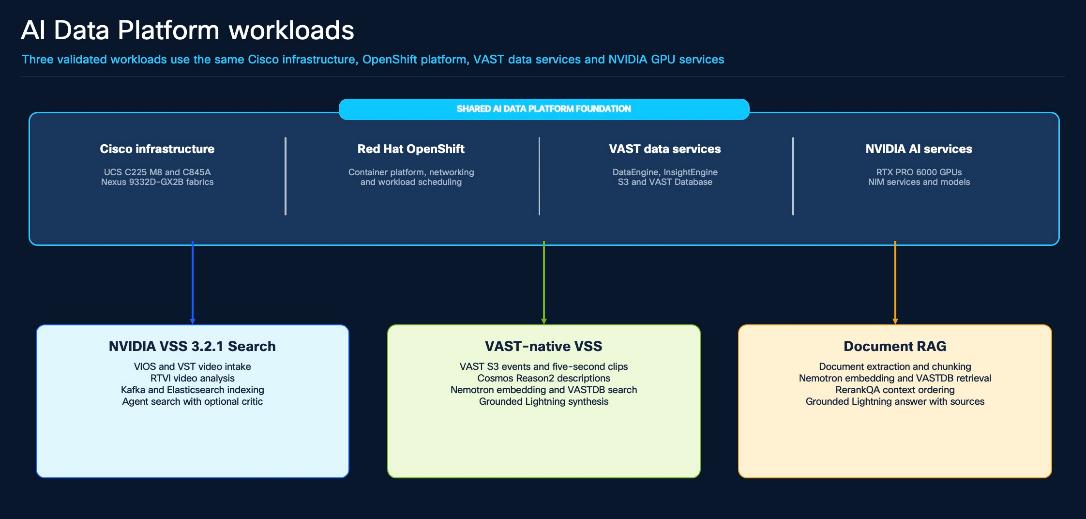
Deploy NVIDIA VSS 3.2.1 Search
NVIDIA Video Search and Summarization (VSS) 3.2.1 adds native video upload, GPU-accelerated indexing, semantic and object search, optional visual verification, playback, and grounded answer generation to the Cisco AI Data Platform. The validated deployment runs on the Cisco UCS C845A GPU worker, uses VAST CSI persistent volumes, and is exposed through OpenShift Routes.
The deployment is pinned to the NVIDIA VSS v3.2.1 repository and follows the NVIDIA Search workflow . VAST CSI provides persistent storage; Kafka, Logstash, and Elasticsearch remain the NVIDIA-native event and retrieval plane.
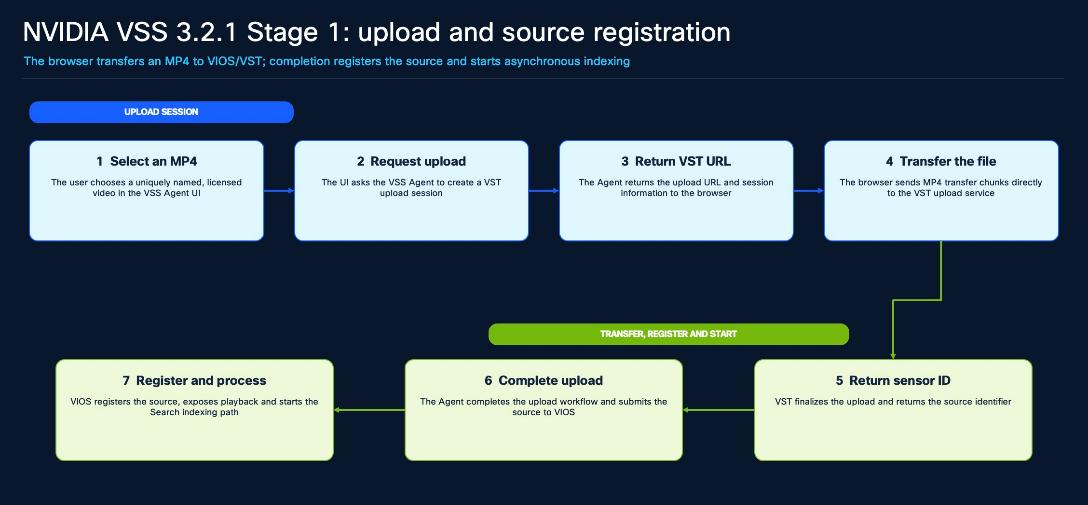
Validated Deployment Profile
Table 39 lists the validated NVIDIA VSS deployment profile.
Table 39. Validated NVIDIA VSS Deployment Profile
| Item |
Validated value |
| Platform |
OpenShift 4.20.18; Kubernetes 1.33.9; GPU Operator 26.7.0; NIM Operator 3.1.1 |
| Release |
Namespace nvidia-vss-321-search; Helm release nvidia-vss-search; revision 7; chart dev-profile-search-3.2.1 |
| Browser entry |
https://nvidia-vss-321-search.apps.aa10-ocp.aa10.rtp04.local |
| Storage |
VAST CSI 2.6.8; StorageClass vastdata-filesystem; 405 GiB base PVCs plus 200 GiB when Critic is enabled |
| GPU services |
VIOS Stream Processing, RTVI-Embed, RTVI-CV, optional Cosmos3 Critic, and shared Nemotron 3.5 Lightning |
Video Analysis and Indexing
VIOS registers the source once and feeds two parallel GPU paths. RTVI-Embed creates action vectors; RTVI-CV detects and tracks visible objects and creates attribute vectors. Kafka carries both result streams, Logstash shapes the records, and Elasticsearch stores the searchable indices.
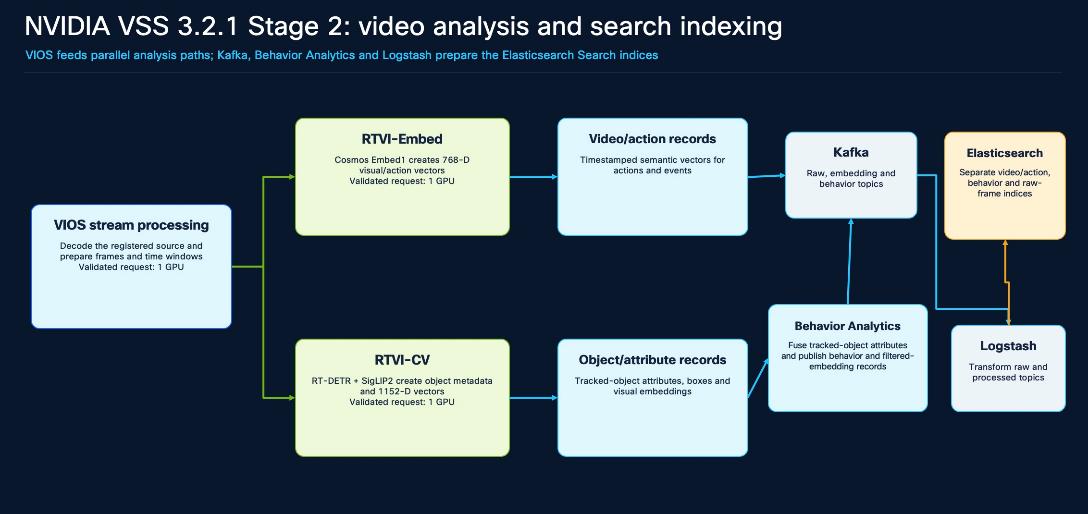
Table 40. Analysis Services and GPU Requests
| Service |
Role |
GPU |
| VIOS Stream Processing |
Decode the registered video and produce frames and time windows. |
1 |
| RTVI-Embed |
Create 768-dimensional action embeddings with Cosmos Embed. |
1 |
| RTVI-CV |
Run RT-DETR warehouse detection and SigLIP2 object embedding. |
1 |
| Cosmos3 Nano Critic |
Optionally verify whether returned clips contain the requested visual evidence. |
1 |
| Nemotron 3.5 Lightning |
Plan Agent tools and synthesize a grounded answer; shared from namespace nims. |
1 |
Search and Answer Generation
Direct Search embeds the user query and retrieves timestamped video clips. Vision Agent can combine embedding, attribute, and fusion search; when enabled, Cosmos3 reviews candidate clips before Nemotron 3.5 Lightning produces the final answer.
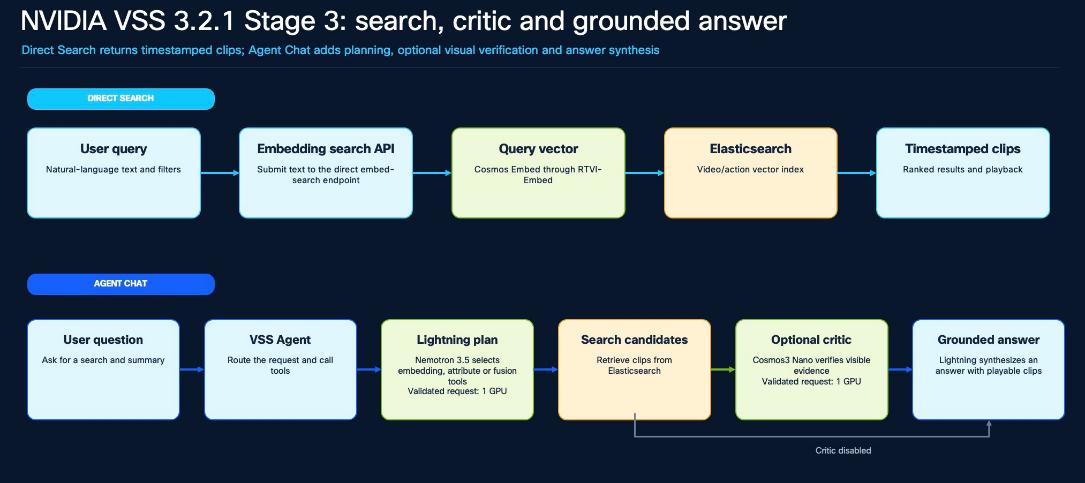
For NVIDIA component behavior and current limits, use the release-pinned VSS 3.2.1 documentation
Prepare the Deployment
Table 41 lists the required platform inputs.
Table 41. Required Platform Inputs
| Input |
Validated reference |
| OpenShift target |
API https://api.aa10-ocp.aa10.rtp04.local:6443; context admin; namespace nvidia-vss-321-search |
| Pinned source |
Tag v3.2.1; commit 7640d917047cf7b0fd3085eefb8282754b56bc94; chart dev-profile-search 3.2.1 |
| Routes |
nvidia-vss-321-search.apps.aa10-ocp.aa10.rtp04.local and nvidia-vss-321-streamer.apps.aa10-ocp.aa10.rtp04.local |
| Storage |
vastdata-filesystem with RWO and RWX provisioning verified |
| Registry objects |
ngc-docker-reg-secret and ngc-api-key-secret; password and key values are entered through the approved secret workflow |
| Shared LLM |
nvidia/nemotron-3.5-lightning-30b-a3b through the in-cluster OpenAI-compatible service |
Use the deployment files in configs/cvd/workloads/nvidia-vss-3.2.1-search/. The wrapper verifies the OpenShift target, source lock, chart, storage, Route names, and model settings before it renders or applies the release.
cd configs/cvd/workloads/nvidia-vss-3.2.1-search
cp release-inputs.example.env release-inputs.env
${EDITOR:-vi} release-inputs.env
./scripts/check-entitlements.sh --mode steady
./scripts/preflight.sh --env release-inputs.env
Procedure 1. Deploy the Search Profile
Step 1. Create the namespace and runtime objects.
Apply the reviewed namespace and service-account bindings, then create ngc-docker-reg-secret and ngc-api-key-secret. The secret object names and types are visible; password and API-key values are not printed.
Step 2. Run the initial profile.
Initial mode creates the core services and lets the one-time RT-CV downloader populate its RWO model claim while the RT-CV StatefulSet remains at zero replicas.
Step 3. Move to steady state.
After the downloader Job completes, steady mode disables the downloader and starts RT-CV against the populated claim.
Step 4. Enable Critic when required.
Critic mode adds the Cosmos3 NIM cache and service and reserves one additional GPU. The main Search workflow remains available when Critic is disabled.
./scripts/render.sh --env release-inputs.env --mode initial
./scripts/deploy.sh --env release-inputs.env --mode initial
./scripts/deploy.sh --env release-inputs.env --mode initial --apply
./scripts/verify.sh --env release-inputs.env --mode initial
./scripts/deploy.sh --env release-inputs.env --mode steady
./scripts/deploy.sh --env release-inputs.env --mode steady --apply
./scripts/verify.sh --env release-inputs.env --mode steady
# Optional Critic mode
./scripts/deploy.sh --env release-inputs.env --mode critic
./scripts/deploy.sh --env release-inputs.env --mode critic --apply
./scripts/verify.sh --env release-inputs.env --mode critic
Procedure 2. Verify the Deployed Distribution
Step 1. Run the verification wrapper after each deployment mode, then compare the live Helm release, pods, services, Routes, PVCs, and optional NIM resources with the validated summary below:
$ ./scripts/verify.sh --env release-inputs.env --mode critic
$ helm -n nvidia-vss-321-search list
nvidia-vss-search 7 deployed dev-profile-search-3.2.1
$ oc -n nvidia-vss-321-search get pods,services,routes,pvc
pods: 19/19 Ready services: 25 routes: 9/9 Admitted
base PVCs: 14 / 405 GiB Critic cache: 1 / 200 GiB
$ oc -n nvidia-vss-321-search get events --field-selector type=Warning
No resources found
Table 42. Validated Container Distribution
| Input |
Validated reference |
| VSS Agent, Behavior Analytics, RTVI-CV, RTVI-Embed, VIOS |
NVIDIA VSS 3.2.1 images |
| Agent UI, SDR middleware, Video Analytics API |
NVIDIA VSS 3.2.0 images supplied by the 3.2.1 profile |
| Search data services |
Kafka 8.2.0; Elasticsearch, Logstash, and Kibana 9.3.3; Redis 8.6.2 |
| Critic and synthesis |
Cosmos3 Reasoner NIM 1.7; Nemotron 3.5 Lightning NIM 2.0.9-variant |
Verify GPU Library Injection
oc -n nvidia-vss-321-search exec vss-rtvi-cv-0 -- bash -lc \
'grep -hE "/usr/lib64/(libcuda|libnvidia-ml)" /proc/[0-9]*/maps 2>/dev/null | sort -u'
Pass: the running RT-CV process maps the GPU Operator-injected libraries from /usr/lib64, and the pod remains Ready without new restarts
Procedure 1. Verify the Distribution from the VSS UI
Step 1. Open Video Management.
Browse to https://nvidia-vss-321-search.apps.aa10-ocp.aa10.rtp04.local and select Video Management. The page must load the VIOS stream inventory and show Upload Video. The deployed profile also displays Add RTSP, but RTSP ingestion is not part of this validated procedure.
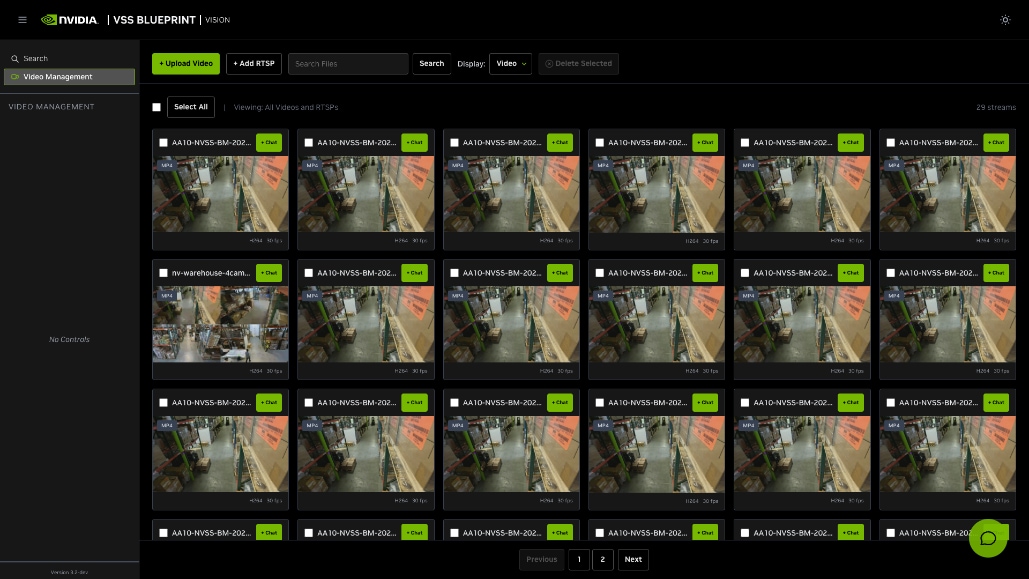
The validated screen shows 29 registered MP4 streams, including nv-warehouse-4cams-preview-90s. Add RTSP is visible because it is included in the NVIDIA profile, but no end-to-end RTSP source was validated. The packaged UI footer displays 3.2-dev; use the Helm chart and running image tags—not the footer—to verify the deployed 3.2.1 profile.
Procedure 2. Run UI Functional Acceptance
Step 1. Upload one new MP4.
Choose Upload Video and use a unique filename without spaces. Wait until the video appears in Video Management. Registration proves the VIOS/VST path; search acceptance begins only after both indexing branches finish.
Step 2. Run Direct Search.
Open Search, keep Source Type set to Video, and enter a clearly visible action such as worker handling boxes in a warehouse aisle. Confirm timestamped clips, open one result, and verify playback.
Step 3. Run Vision Agent.
Open the chat control, use video_file as the media source, and ask an evidence-bounded question. Run once with Critic disabled and once with Critic enabled when the optional Cosmos3 service is deployed.
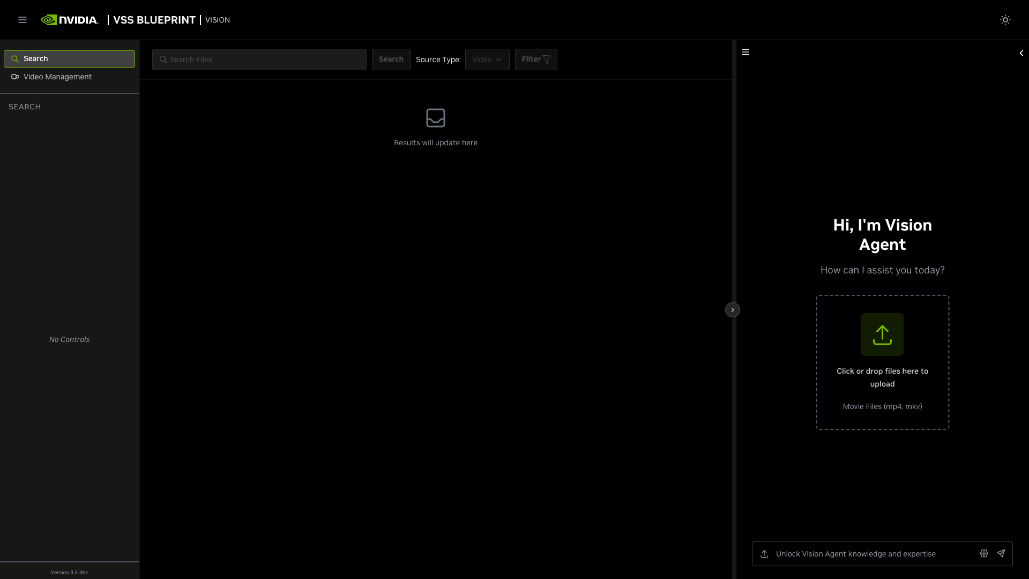
Table 43. Functional Acceptance
| Check |
Pass criterion |
| Upload and indexing |
The MP4 appears in Video Management; RTVI-Embed and RTVI-CV create the expected action and object records. |
| Search and playback |
A visible-action query returns relevant timestamped clips and ranged playback succeeds. |
| Agent and Critic |
Nemotron 3.5 Lightning returns a grounded answer; when enabled, Cosmos3 accepts or rejects candidate clips. |
Table 44. Troubleshooting and Rollback
| Symptom |
Check and Correct |
| Video appears but Search returns no results |
Registration and indexing are separate. Check RTVI-Embed, RTVI-CV, Kafka, Logstash, the selected time range, and the Elasticsearch mdx indices. |
| Search reports a missing date index |
Confirm the video indexing date and index-lifecycle retention, then re-run the query with the matching date range after both branches complete. |
| RT-CV is not Ready |
Check the model-download Job, RWO PVC state, and /usr/lib64 CUDA/NVML mappings. Retain the steady-state downloader overlay. |
| GPU pod remains Pending |
Compare requested GPUs with worker-1 allocatable capacity and active workloads; confirm the GPU node selector and taints. |
| Direct Search works but Vision Agent fails |
Verify vss-agent health, the Lightning /v1/models response, the configured model ID, and service reachability. |
| Critic returns no verified clips |
Confirm the Cosmos3 NIMCache and NIMService are Ready and ask about evidence that is visible in the returned video windows. |
Rollback
helm -n nvidia-vss-321-search history nvidia-vss-search
helm -n nvidia-vss-321-search rollback nvidia-vss-search <known-good-revision> --wait --timeout 45m
./scripts/verify.sh --env release-inputs.env --mode <steady|critic>
Rollback to a recorded steady or critic revision, retain the RT-CV model PVC and StatefulSet claims, reapply the reviewed Routes when required, and repeat the UI upload-to-answer acceptance test.
For VIOS source registration and playback details, see NVIDIA Video IO and Storage Microservices
VAST-native Video Search and Summarization (VSS) combines a browser application with an event-driven VAST DataEngine pipeline. Source and segment media remain in VAST S3; human-readable clip descriptions and 2048-dimensional vectors are stored in VAST Database (VASTDB); local NVIDIA NIM services provide clip reasoning, text embedding, and grounded answer generation.
The implementation uses VAST Event Broker, two S3 triggers, four DataEngine functions, VASTDB semantic search, and the VAST VSS UI. It is independent of the NVIDIA VSS 3.2.1 Search deployment and does not require Elasticsearch, RTVI-CV, RTVI-Embed, Behavior Analytics, or Cosmos3 Critic. The validated source revision is 8b34c2c919edcec6b7bd51cf9ff09722d3dda879.
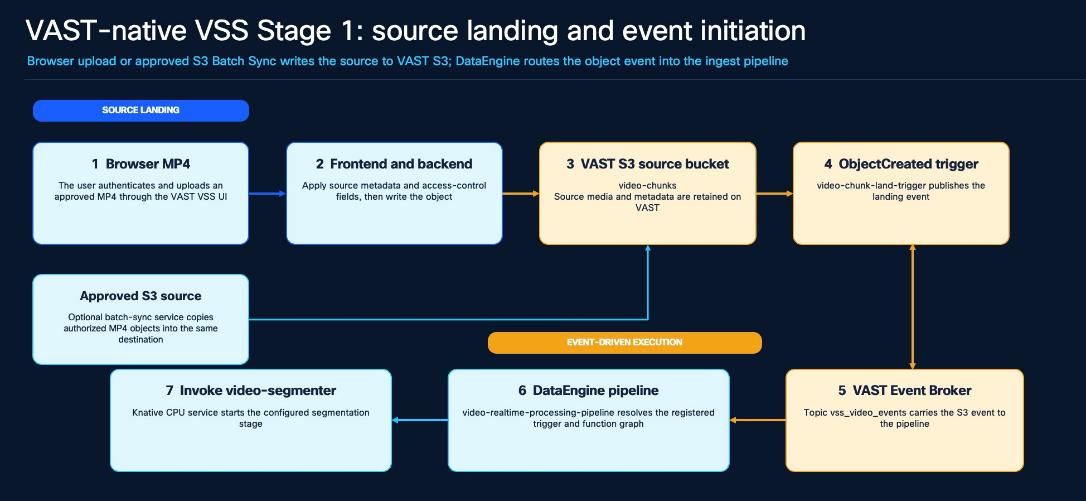
Video Analysis and Indexing
The pipeline creates five-second MP4 clips, calls Cosmos Reason2 for a visible-activity description, converts that text to a 2048-dimensional vector with Nemotron Embed, and writes the clip metadata, access fields, description, and vector to VASTDB.
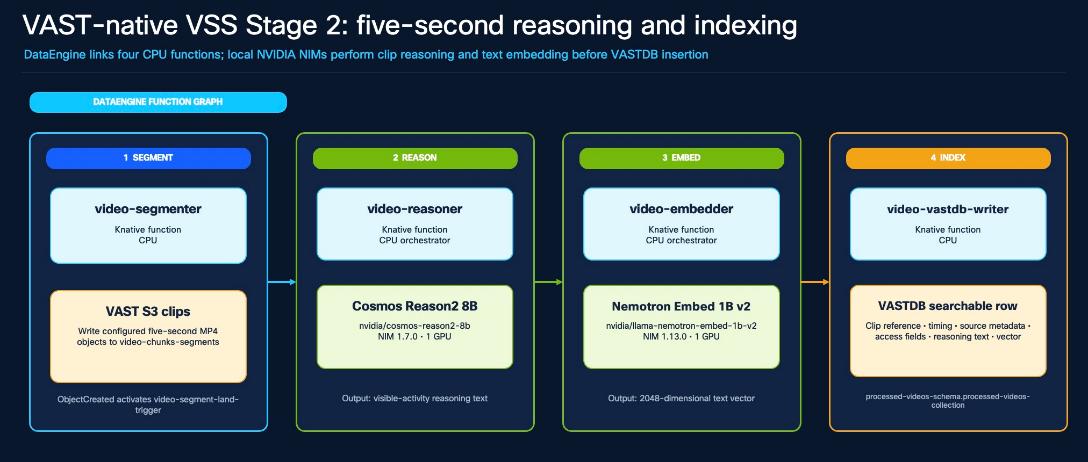
Table 45. Video Analysis and Indexing Stage and Validated Implementation
| Stage |
Validated Implementation |
| Segment |
video-segmenter writes five-second clips to video-chunks-segments. |
| Reason |
nvidia/cosmos-reason2-8b, NIM 1.7.0, generates visible-activity text. |
| Embed |
nvidia/llama-nemotron-embed-1b-v2, NIM 1.13.0, returns 2048-D vectors. |
| Store |
video-vastdb-writer creates and populates processed-videos-schema.processed-videos-collection. |
Search and Answer Generation
The application embeds the user question, searches VASTDB with access and metadata filters, returns timestamped clips for playback, and can pass the retrieved descriptions to Nemotron 3.5 Lightning for a grounded answer.
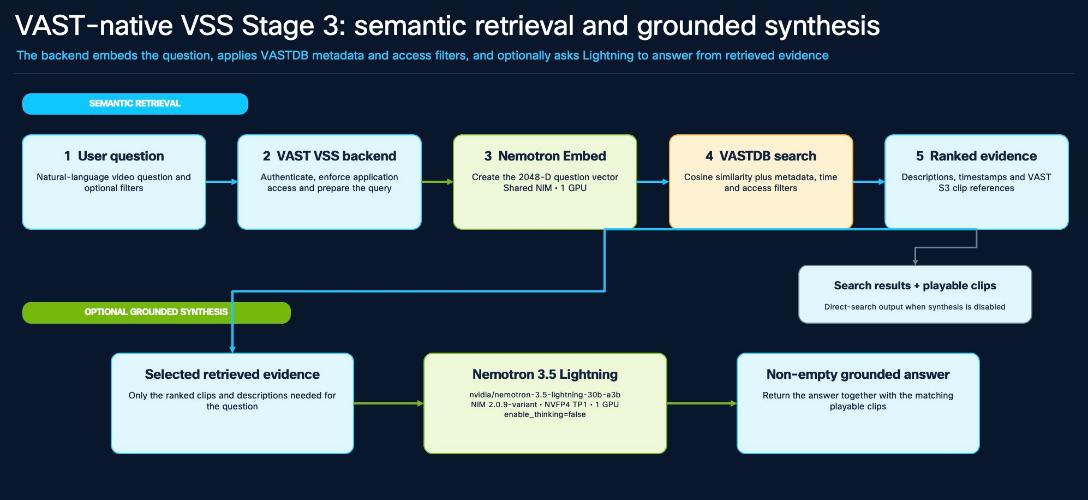
Table 46. Services, Roles, and GPU Requests
| Service |
Role |
GPU |
| VAST VSS application |
Authentication, upload, search, playback, filters, and synthesis control. |
0 |
| DataEngine and Event Broker |
ObjectCreated routing and four-function Knative graph. |
0 |
| Cosmos Reason2 8B |
Describe visible objects and activity in each clip. |
1 |
| Nemotron Embed 1B v2 |
Embed descriptions and user questions at 2048 dimensions. |
1 |
| Nemotron 3.5 Lightning |
Synthesize an answer from retrieved clip evidence. |
1 |
Validated Deployment Profile
The VAST resources, application, DataEngine graph, and NVIDIA models are separated by namespace. The application and Knative functions request CPU resources only; they reuse the three Ready NIMService pods shown below.
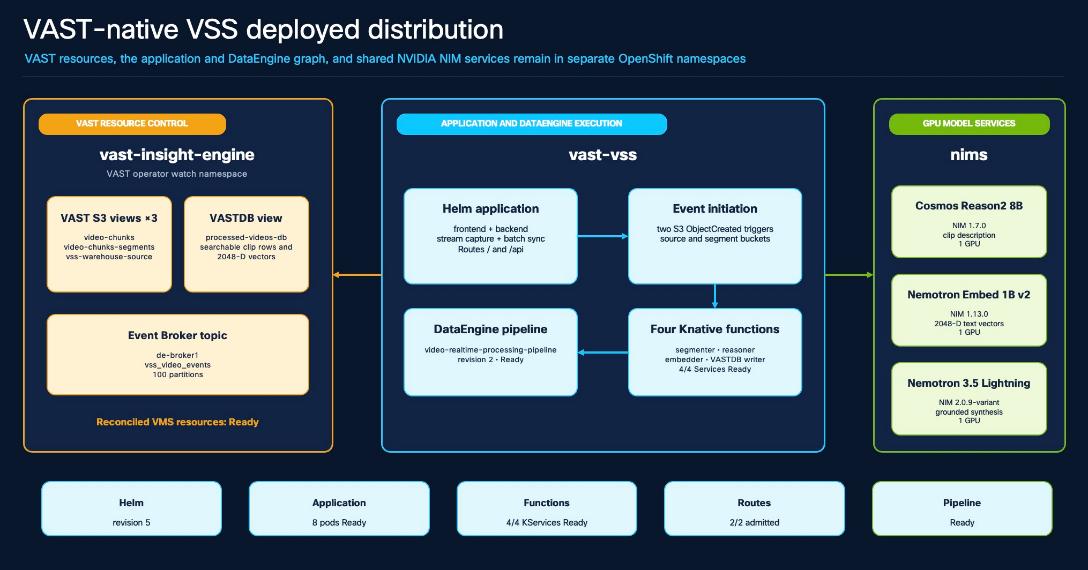
Table 47. Deployed Items and Validated Value
| Item |
Validated Value |
| OpenShift namespace |
vast-vss; two admitted Routes expose / and /api. |
| Helm release |
vast-vss, revision 5, chart vast-vss-app-0.1.0. |
| Application |
Four deployments; eight pods Ready with zero restarts at validation. |
| DataEngine |
Four Knative Services Ready, two S3 triggers, and video-realtime-processing-pipeline Ready. |
| VAST resources |
Three S3 views, one VASTDB view, broker de-broker1, and topic vss_video_events. |
| Browser entry |
https://vast-vss.apps.aa10-ocp.aa10.rtp04.local |
Procedure 1. Prepare and Deploy the Workload
Use configs/cvd/workloads/vast-native-vss/. Populate release-inputs.env with the target namespace, pinned source, immutable image references, VAST object names, and model endpoints. Passwords, API keys, pull credentials, and private certificates are entered through the approved Secret workflow and are not stored in Git.
Step 1. Run preflight.
Confirm the OpenShift context, VAST release, DataEngine cluster, Event Broker, Zot registry, storage views, and the three Ready NIM services.
Step 2. Prepare and publish.
Prepare pinned source revision 8b34c2c, build the reviewed frontend, backend, stream, batch-sync, and function images, then publish immutable tags or digests to Zot.
Step 3. Authorize the namespace.
Create vast-vss, add it to the DataEngine compute cluster, save the assignment, reopen and save the existing Zot registry assignment, and create the namespace-local pull and runtime Secrets.
Step 4. Render and apply.
Render the VAST resources, Helm values, pipeline graph, and receipt. Review the rendered output before applying the approved receipt.
cd configs/cvd/workloads/vast-native-vss
cp release-inputs.example.env release-inputs.env
${EDITOR:-vi} release-inputs.env
./scripts/preflight.sh --env release-inputs.env
./scripts/prepare-source.sh --env release-inputs.env
./scripts/build-and-publish.sh --env release-inputs.env
./scripts/build-and-publish.sh --env release-inputs.env --apply
./scripts/render.sh --env release-inputs.env
./scripts/deploy.sh --env release-inputs.env --pipeline-secret-file <private-file>
./scripts/deploy.sh --env release-inputs.env --pipeline-secret-file <private-file> \
--receipt-sha256 <approved-sha256> --apply
Note: VAST namespace association: Creating vast-vss in OpenShift is only the first step. Save the DataEngine compute-cluster assignment and then save the existing Zot registry assignment again so VAST reconciles the new namespace. Zot itself has no namespace permission model.
Register and Verify the DataEngine Graph
Register the four functions and two Element triggers with the release-matched DataEngine client, then deploy the application and pipeline. The wrapper previews the object names, broker, topic, buckets, image tag, and graph before any apply.
Table 48. DataEngine Object and Validated Definition
| Object |
Validated Definition |
| Functions |
video-segmenter, video-reasoner, video-embedder, video-vastdb-writer. |
| Source trigger |
video-chunk-land-trigger: video-chunks / ObjectCreated:* / de-broker1 / vss_video_events. |
| Segment trigger |
video-segment-land-trigger: video-chunks-segments / ObjectCreated:* / same broker and topic. |
| Pipeline |
Source trigger → segmenter; segment trigger → reasoner → embedder → VASTDB writer. |
./scripts/register-dataengine.sh --env release-inputs.env
./scripts/register-dataengine.sh --env release-inputs.env --apply
./scripts/verify.sh --env release-inputs.env
$ helm -n vast-vss list
vast-vss 5 deployed vast-vss-app-0.1.0
$ oc -n vast-vss get deploy,pods,ksvc,triggers,routes
deployments: 4/4 pods: 8/8 ksvc: 4/4 Ready routes: 2/2 Admitted
$ oc -n vast-vss get ingestionpipeline video-realtime-processing-pipeline
video-realtime-processing-pipeline Ready
Pass when current resources remain Ready and any Warning event whose timestamp advances during the run is understood and resolved. Historical Kafka dispatcher or ConsumerBinding warnings are not accepted or rejected solely from their event type; correlate them with the new upload and function logs.
Run UI Functional Acceptance
Browse to https://vast-vss.apps.aa10-ocp.aa10.rtp04.local and sign in with an authorized VAST identity. Use a licensed MP4 with a unique filename and camera ID. Upload completion proves S3 landing; search acceptance begins after the expected five-second rows have been written to VASTDB.
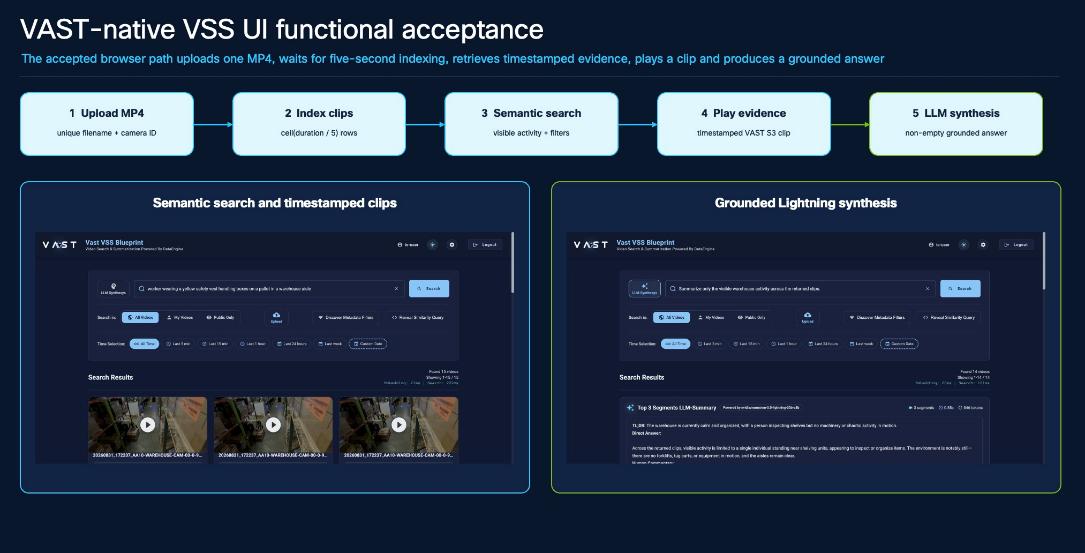
Table 49. Action and Pass Criteria
| Action |
Pass Criterion |
| 1. Upload |
The MP4 lands in video-chunks with the intended access fields and invokes the source trigger. |
| 2. Index |
Observed rows equal ceiling(duration / 5); each row has a clip reference, non-empty Cosmos text, and a 2048-D vector. |
| 3. Search |
A visible-activity query returns relevant timestamped clips and applies the selected access and metadata filters. |
| 4. Play |
A selected result plays from the retained VAST S3 segment object. |
| 5. Synthesize |
LLM Synthesis reports nvidia/nemotron-3.5-lightning-30b-a3b and returns a non-empty grounded answer. |
Table 50. Troubleshooting and Rollback
| Symptom |
Check and Correct |
| Image pull fails |
Save the DataEngine namespace assignment, save the Zot registry assignment again, and verify the namespace pull Secret and immutable image reference. |
| Pipeline cannot deploy |
List functions, triggers, compute clusters, brokers, and topics; compare their names with the rendered graph before another create request. |
| Upload succeeds but no rows appear |
Follow the source and segment ObjectCreated events through segmenter, reasoner, embedder, and writer; verify Cosmos and Embed endpoints. |
| VASTDB client cannot initialize |
Keep HOME and XDG_DATA_HOME below the backend's writable /tmp emptyDir, then restart only the backend. |
| Synthesis is blank |
Keep LLM_ENABLE_THINKING=false for the validated VAST backend and reject empty or whitespace-only answers. |
| Search misses a visible event |
Adjust top-k or metadata scope and evaluate retrieval accuracy separately from data-path acceptance. |
Rollback
./scripts/rollback.sh --env release-inputs.env --revision <known-good-revision>
./scripts/rollback.sh --env release-inputs.env --revision <known-good-revision> --apply
Application rollback retains source and segment objects, VASTDB rows, views, the Event Broker topic, DataEngine objects, NIM caches, PVCs, and registry images. Data or model rollback is a separate change.
Note: Validated boundary: Browser MP4 upload, five-second processing, Cosmos reasoning, 2048-D embedding, VASTDB search, playback, and Lightning synthesis are accepted. S3 Batch Sync is optional after the base path passes. RTSP and complete YouTube/VOD source-to-search operation remain deferred.
Note: Validated warehouse evidence: Four 90-second camera files produced 18 segments per camera and 72 indexed rows. All 72 rows contained Cosmos Reason2 descriptions and 2048-D vectors; VASTDB search passed; Lightning returned a non-empty grounded summary.
Document Retrieval-Augmented Generation (RAG) is the final validated AIDP workload in this CVD. VAST InsightEngine 5.4.3 manages collections, identity, ingestion, retrieval, and grounded conversations; VAST S3 stores source documents; DataEngine and Knative execute event-driven ingestion; VAST Database (VASTDB) stores searchable passages and vectors; three local NVIDIA NIM services provide embedding, reranking, and answer generation.
Complete the Deploy VAST InsightEngine section before this workload. The accepted path covers TXT, Markdown, and text-based PDF files. Scanned-document OCR, handwriting recognition, and complex chart extraction are outside the validated scope.
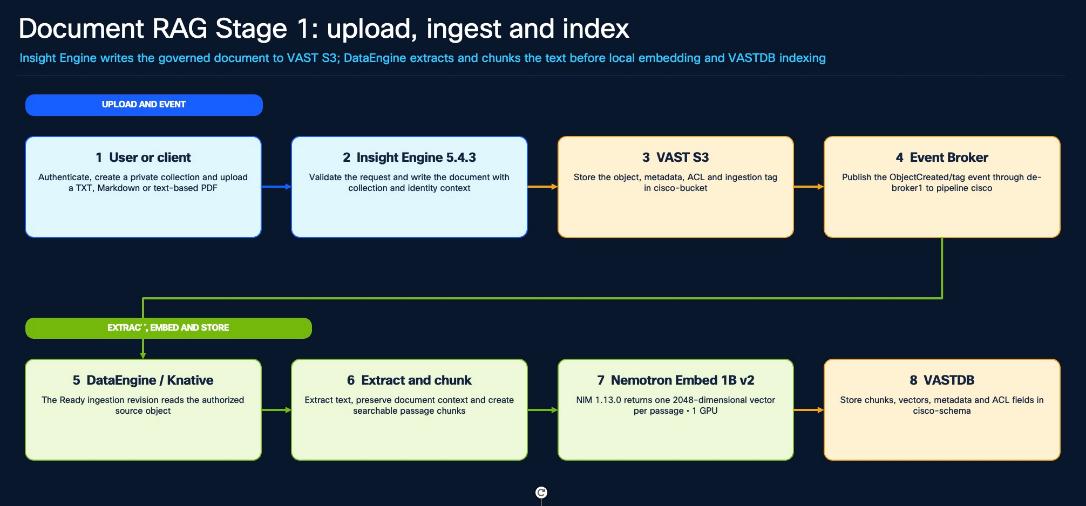
Retrieve and Rerank Governed Context
A question is embedded with the same model and vector width used during ingestion. Insight Engine searches VASTDB within the selected collection and the user's access boundary, then sends only authorized candidate passages to the local reranker.
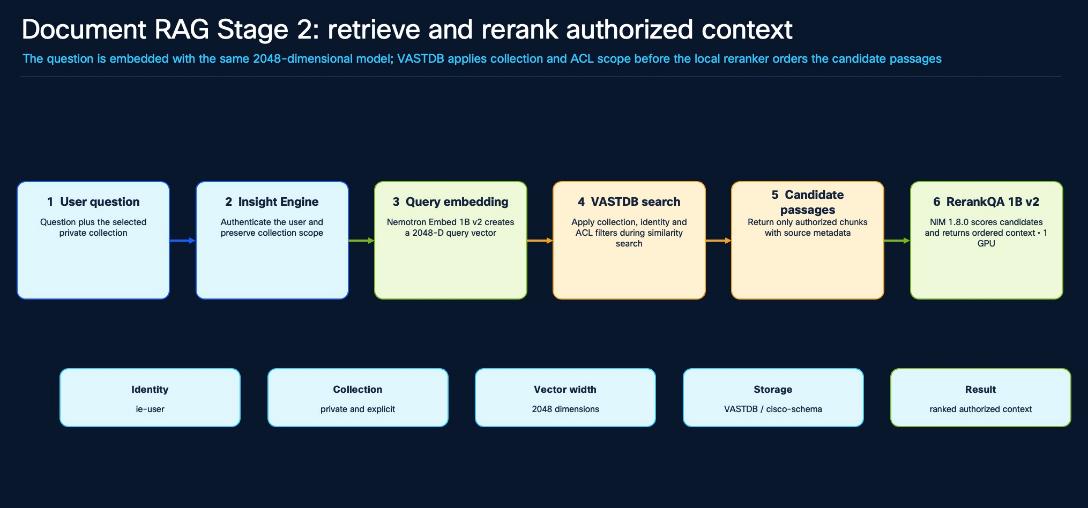
Table 51. Control and Validated Implementation
| Control |
Validated Implementation |
| Identity and collection |
ie-user; explicit private collection. |
| Embedding |
nvidia/llama-nemotron-embed-1b-v2; NIM 1.13.0; 2048 dimensions; one GPU. |
| Vector store |
VASTDB cisco-schema with collection, metadata, and ACL fields. |
| Reranking |
nvidia/llama-3.2-nv-rerankqa-1b-v2; NIM 1.8.0; one GPU. |
Generate a Grounded Answer
Insight Engine builds a grounded prompt from the ranked, authorized passages. The local Nemotron 3.5 Lightning service generates the answer, and Insight Engine returns both the answer and the source chunks used as evidence.
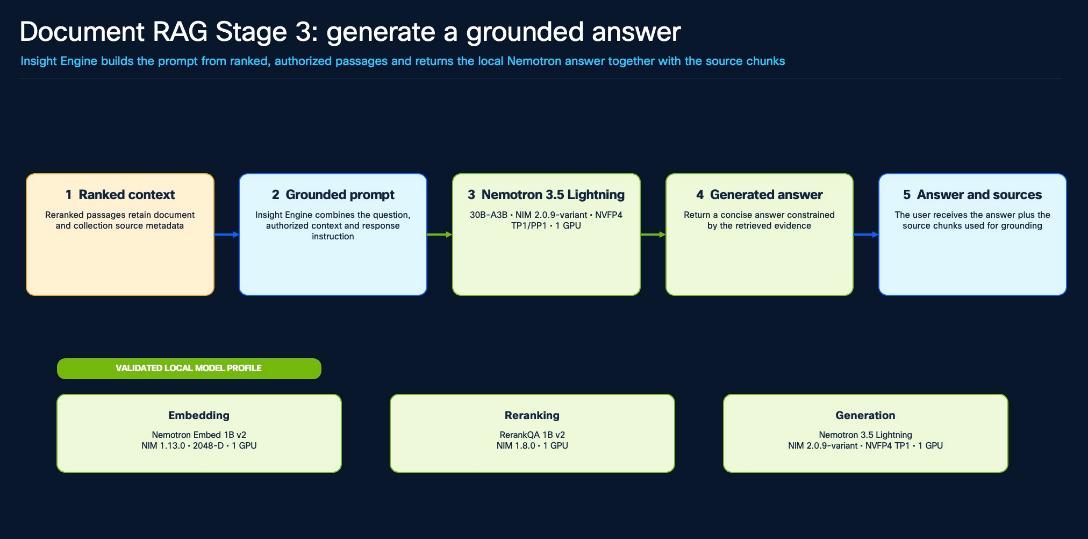
Table 52. Service, Purpose, and GPU Requests
| Service |
Purpose |
GPU |
| Nemotron Embed 1B v2 |
Passage and query vectors at 2048 dimensions. |
1 |
| RerankQA 1B v2 |
Question-aware ordering of retrieved passages. |
1 |
| Nemotron 3.5 Lightning 30B-A3B |
Grounded answer synthesis from ranked context. |
1 |
Model references: Nemotron 3.5 Lightning, Nemotron Embed 1B v2, and RerankQA 1B v2
Procedure 1. Configure and Verify the Workload
The InsightEngine platform remains managed through configs/cvd/insightengine. Use the workload companion under configs/cvd/workloads/document-rag for the read-only preflight, local-model smoke test, functional acceptance, embedding reliability, and application rollback. The companion reuses the reviewed platform inputs and does not duplicate credentials or Helm values.
Step 1. Confirm the foundation.
Verify the intended OpenShift context, InsightEngine 5.4.3 delivery, DataEngine, Knative, VAST CSI, VAST resources, and all three local NIM services.
Step 2. Review model settings.
Set the local Service endpoints, the exact model identifiers, reranking enabled, and embedding dimensions 2048 in the reviewed backend and ingestion values.
Step 3. Prepare workload inputs.
Copy the workload example input file, reference the existing private InsightEngine input file, and replace every required non-secret value.
Step 4. Verify current state.
Run the workload preflight and confirm the backend, PostgreSQL, pipeline, current Knative revision, PVCs, VAST resources, locked validators, and NIM services are Ready.
cd <CVD-repository-root>/configs/cvd/workloads/document-rag
cp release-inputs.example.env release-inputs.env
${EDITOR:-vi} release-inputs.env
./scripts/preflight.sh --env release-inputs.env
Note: Current verified control plane: Helm release cisco-ie revision 6, pipeline cisco, Knative ingestion revision 00007, PostgreSQL, PVCs, VAST resources, and the embedding, reranker, and Lightning NIMServices were Ready.
Run Functional Acceptance
Run acceptance from the Document RAG companion directory on the OpenShift administration client. The wrapper verifies the pinned validator checksums, streams the reviewed validators into the existing backend pod, uses the mounted runtime credential without printing it, creates new private synthetic collections, and retains the created documents and conversations as evidence.
cd <CVD-repository-root>/configs/cvd/workloads/document-rag
./scripts/validate.sh --env release-inputs.env --stage models
./scripts/validate.sh --env release-inputs.env --stage functional
./scripts/validate.sh --env release-inputs.env --stage embedding
# Or run the three stages in sequence:
./scripts/validate.sh --env release-inputs.env --stage all
Table 53. Functional Acceptance and Recorded Result
| Acceptance |
Recorded Result |
| CVD-RAG-01 platform preflight |
PASS — September 18, 2026; required workloads, pipeline, revision, PVCs, nodes, and NIMServices healthy. |
| CVD-RAG-02 local NIM smoke |
PASS — embedding, reranking, and Lightning model discovery plus one bounded request each. |
| CVD-RAG-03 through 09 |
PASS — run 1789443004-4972; TXT, text-based PDF, multi-document reliability, isolation, reranking, authentication, grounded answer, and sources. |
| CVD-RAG-10 embedding reliability |
PASS — 10/10 query and 10/10 passage requests; HTTP 200 and 2048 dimensions. |
Note: Pass criterion: A new private collection must complete upload, event-driven ingestion, retrieval, reranking, grounded generation, and source attribution. Pod readiness alone is not functional acceptance.
| Symptom |
Check and Correct |
| Image pull or pipeline placement fails |
Recheck the VAST compute-cluster namespace assignment, save the registry association again, and verify the correct namespace pull Secret and immutable image reference. |
| Upload remains in progress |
Follow the object tag through Event Broker, trigger, current Knative revision, document extraction, embedding, and the VASTDB write. |
| Retrieval is empty or inconsistent |
Confirm collection identity, EndUserVastDBPolicy, ACL metadata, and matching 2048-D ingest/query configuration. Re-ingest data after an embedding-model change. |
| Model request fails |
Check the stable Service endpoint, NIMService Ready state, pod restarts, and exact model identifier. Redact backend logs because release 5.4.3 can log bearer tokens at INFO. |
# Preview first; data and model caches are retained
./scripts/rollback.sh --env release-inputs.env --revision <known-good-revision>
# Apply only after the target revision is reviewed and approved
./scripts/rollback.sh --env release-inputs.env --revision <known-good-revision> --apply
Appendix
This appendix contains the following:
● Appendix B – Solution Repository
● Appendix C – Bill of Materials
This appendix lists the primary vendor references and validated implementation sources used by this CVD. Detailed product and troubleshooting links remain with the applicable deployment procedure.
Cisco
Table 55. Cisco Public References
| Reference ID |
Authoritative Reference |
| CISCO-01 |
Cisco AI POD with VAST Data for Training and Fine-Tuning Deployment Guide — Cisco Systems and VAST Data; Published March 2026. |
| CISCO-03 |
Cisco UCS C845A M8 Rack Server Data Sheet — Cisco Systems; Updated August 24, 2026. |
| CISCO-04 |
Cisco UCS C225 M8 Rack Server Data Sheet — Cisco Systems; Updated June 4, 2026. |
| CISCO-05 |
Cisco N9300-GX2 Series Fixed Switches Data Sheet — Cisco Systems; 2026 edition. |
| CISCO-07 |
Cisco UCS C845A M8 Rack Server Installation and Service Guide — Cisco Systems; Updated August 21, 2026. |
| CISCO-09 |
Cisco Intersight — Configure Servers and Server Profiles — Cisco Systems; Cisco Intersight documentation. |
VAST Data
Table 56. VAST Data Public References
| Reference ID |
Authoritative Reference |
| VAST-02 |
Overview of VAST DataEngine — VAST Data; VAST documentation. |
| VAST-03 |
Enabling DataEngine on a VAST Cluster Tenant — VAST Data; VAST documentation. |
| VAST-06 |
VAST Data CSI Driver — VAST Data; Public source repository. |
| VAST-07 |
VAST Video Search and Summarization Blueprint — VAST Data; Validated source revision 8b34c2c919edcec6b7bd51cf9ff09722d3dda879. |
NVIDIA
Table 57. NVIDIA Public References
| Reference ID |
Authoritative Reference |
| NVIDIA-03 |
NVIDIA Video Search and Summarization Documentation — NVIDIA; Release 3.2.1. |
| NVIDIA-08 |
NVIDIA GPU Operator Platform Support and Component Matrix — NVIDIA; GPU Operator 26.7.x. |
| NVIDIA-09 |
NVIDIA NIM Operator Quick Start — NVIDIA; NIM Operator 3.1.1. |
| NVIDIA-13 |
NVIDIA Nemotron 3.5 Lightning 30B-A3B NVFP4 Model Card — NVIDIA; Released August 11, 2026. |
| NVIDIA-14 |
Llama Nemotron Embed 1B v2 — NVIDIA; Validated NIM 1.13.0; public endpoint deprecated. |
| NVIDIA-15 |
Llama 3.2 NV-RerankQA 1B v2 — NVIDIA; NVIDIA NIM model page. |
| NVIDIA-16 |
NVIDIA NIM for VLMs Support Matrix — Cosmos Reason2 — NVIDIA; NIM 1.7.0. |
| NVIDIA-18 |
NVIDIA Video IO and Storage Microservices — NVIDIA; Release 3.2.1. |
Project Zot
Table 58. Project Zot Public References
| Reference ID |
Authoritative Reference |
| ZOT-01 |
Install Zot on Kubernetes with Helm — Project Zot; Project Zot 2.1 documentation. |
Red Hat OpenShift
Table 59. Red Hat OpenShift Public References
| Reference ID |
Authoritative Reference |
| RH-01 |
Red Hat OpenShift Container Platform Documentation — Red Hat; Release 4.20. |
| RH-03 |
Operators in OpenShift Container Platform — Red Hat; Release 4.20. |
| RH-04 |
Storage in OpenShift Container Platform — Red Hat; Release 4.20. |
| RH-06 |
Image configuration resources — Red Hat; OpenShift Container Platform 4.20. |
Appendix B – Solution Repository
This solution repository contains customer deployment guides, non-secret example inputs, scripts, and validation procedures for the CVD. Use repository release v1.0.0 with this CVD. Retain completed site inputs, rendered manifests, credentials, and sanitized validation results in the site’s approved location outside the repository.
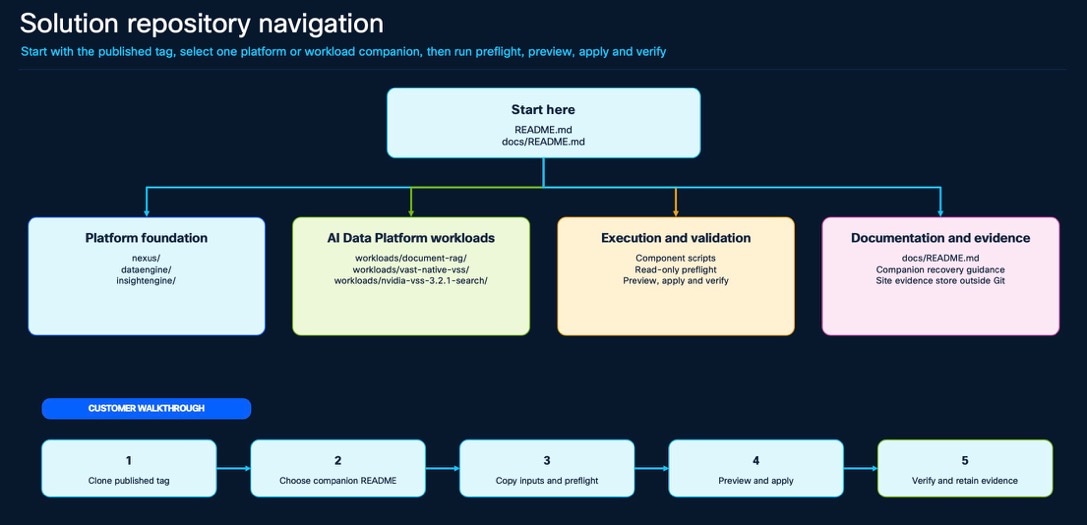
Maintain the Repository
For each CVD revision, repository maintainers should prepare changes on a short-lived branch, run repository validation, and submit the branch for review through a pull request. After review and merge to main, publish the approved commit as release tag v1.0.0. Deployment teams use that tag rather than a development branch.
Use a Published Repository Release
Clone the published repository, switch to release v1.0.0, and read the root and documentation indexes before selecting a platform or workload companion.
git clone https://github.com/ucs-compute-solutions/AI-Data-Platform-CVD.git
cd AI-Data-Platform-CVD
git switch --detach v1.0.0
less README.md
less docs/README.md
python3 scripts/validate-repository.py
Table 60. Repository Information
| Purpose |
Entry point |
Reader action |
| Platform |
nexus/README.md |
Prepare and validate the Cisco Nexus fabric. |
| Platform |
dataengine/README.md |
Deploy Zot, initialize Zarf, enable DataEngine, and verify services. |
| Platform |
insightengine/README.md |
Prepare the namespace mapping, deploy InsightEngine, and verify services. |
| Workload |
workloads/document-rag/README.md |
Deploy and validate governed Document RAG. |
| Workload |
workloads/vast-native-vss/README.md |
Deploy and validate VAST-native VSS. |
| Workload |
workloads/nvidia-vss-3.2.1-search/README.md |
Deploy and validate NVIDIA VSS 3.2.1 Search. |
| Validation |
scripts/validate-repository.py |
Validate repository structure, source locks, and script references. |
| Recovery |
Selected companion README |
Use the component-specific rollback or recovery procedure. |
| Purpose |
Entry point |
| 1 |
Read the companion README and confirm prerequisites. |
| 2 |
Where provided, copy release-inputs.example.env to the ignored release-inputs.env and replace every REQUIRED value |
| 3 |
Run the read-only preflight and confirm the exact OpenShift API and context. |
| 4 |
Render or preview the intended change, then apply only the approved scope. |
| 5 |
Run the verifier or functional acceptance suite and retain sanitized evidence. |
| 6 |
Use the companion rollback procedure to restore a selected known-good revision. |
| Credentials, tokens, kubeconfigs, Kubernetes Secret values, private keys, private certificates, completed site input files, rendered manifests, and transient build output are not part of the published repository. |
|
Appendix C – Bill of Materials
Table 61 lists the Bill of Materials for this CVD.
| Line Number |
Part Number |
Description |
Qty |
| 1.0 |
VAST-DATA-MLB |
VAST Software and Hardware MLB |
1 |
| 1.1 |
DC-MGT-SAAS |
Cisco Intersight SaaS |
1 |
| 1.1.1 |
DC-MGT-IS-SAAS-ES |
Infrastructure Services SaaS/CVA - Essentials |
12 |
| 1.1.2 |
SVS-DCM-SUPT-BAS |
Cisco Support Basic for DCM |
1 |
| 1.1.3 |
DC-MGT-UCSC-1S |
UCS Central Per Server - 1 Server License |
12 |
| 1.2 |
UCSC-C225M8N-EBOX |
UCS C225 M8 1U Rack Server for VAST EBOX |
12 |
| 1.2.0.1 |
CON-L1NCO-UCSC2M8X |
CX LEVEL 1 8X7XNCDOS UCS C225 M8 1U Rack Server for VAST wit |
12 |
| 1.2.1 |
ISM-MANAGED |
Deployment mode for C Series Servers in Standalone mode |
12 |
| 1.2.2 |
UCS-CPU-A9454P |
AMD 9454P 2.75GHz 290W 48C/256MB Cache DDR5 4800MT/s |
12 |
| 1.2.3 |
UCS-MRX32G1RE3 |
32GB DDR5-5600 RDIMM 1Rx4 (16Gb) |
144 |
| 1.2.4 |
UCSC-RIS1C-225M8 |
C225 M8 1U Riser 1C PCIe Gen5 x16 FH |
12 |
| 1.2.5 |
UCSC-RIS3C-225M8 |
C225 M81U Riser 3C PCIe Gen5 x16 FH |
12 |
| 1.2.6 |
UCSC-O-ID10GC-D |
Intel X710T2LOCPV3G1L 2x10GbE RJ45 OCP3.0 NIC |
12 |
| 1.2.7 |
UCS-NVB15T3O1L |
15.3TB 2.5in U.2 15mm SolidigmP5316 HgPerf LowEnd <0.5X NVMe |
96 |
| 1.2.8 |
UCS-NVB960M1H |
960GB 2.5in U.3 15mm Micron XTR Hg Perf Ext End 60X NVMe |
24 |
| 1.2.9 |
UCS-M2-960G-D |
960GB M.2 SATA Micron G2 SSD |
24 |
| 1.2.10 |
UCS-M2-HWRAID-D |
Cisco Boot optimized M.2 Raid controller |
12 |
| 1.2.11 |
UCSC-PSU1-1200W-D |
1200w AC Titanium Power Supply for C-series Rack Servers |
24 |
| 1.2.12 |
CAB-C13-C14-2M |
Power Cord Jumper, C13-C14 Connectors, 2 Meter Length |
24 |
| 1.2.13 |
CIMC-LATEST-D |
IMC SW (Recommended) latest release for C-Series Servers. |
12 |
| 1.2.14 |
UCSC-RAIL-D |
Ball Bearing Rail Kit for C220 & C240 M7/M8 rack servers |
12 |
| 1.2.15 |
UCS-TPM2-002D-D |
TPM 2.0 FIPS 140-2 MSW2022 compliant AMD M8 servers |
12 |
| 1.2.16 |
UCSC-HSLP-C225M8 |
UCS C225 M8 Heatsink |
12 |
| 1.2.17 |
UCSC-OCP3-KIT-D |
C2XX OCP 3.0 Interposer W/Mech Assy |
12 |
| 1.2.18 |
UCSC-P-N7D200GFO |
NVIDIA OEM MCX755106AS-HEAT 2x200GbE QSFP112 PCIe Gen5 NIC |
12 |
| 1.2.19 |
UCSC-P-N7D200GFO |
NVIDIA OEM MCX755106AS-HEAT 2x200GbE QSFP112 PCIe Gen5 NIC |
12 |
| 1.3 |
N9K-C9332D-GX2B |
Nexus 9300 Series, 32p 400G Switch |
4 |
| 1.3.0.1 |
CON-L1NCD-N9KC9D3X |
CX LEVEL 1 8X7NCD Nexus 9300 Series, 32p 400G QSFP-DD |
4 |
| 1.3.1 |
MODE-NXOS |
Mode selection between ACI and NXOS |
4 |
| 1.3.2 |
NXK-AF-PI |
Dummy PID for Airflow Selection Port-side Intake |
4 |
| 1.3.4 |
NXK-ACC-KIT-1RU |
Nexus 3K/9K Fixed Accessory Kit, 1RU front and rear removal |
4 |
| 1.3.5 |
NXA-SFAN-35CFM-PI |
Nexus Fan, 35CFM, port side intake airflow /w EEPROM |
24 |
| 1.3.6 |
NXA-PAC-1500W-PI |
Nexus 1500W PSU port-side Intake |
8 |
| 1.3.7 |
CAB-TA-NA |
North America AC Type A Power Cable |
8 |
| 1.3.8 |
NXOS-SLP-INFO-9K |
Info PID for Smart Licensing using Policy for N9K |
4 |
| 1.3.9 |
DCN-AI |
Select if this product will be used for AI ML Applications |
4 |
| 1.3.10 |
C1A1TN9300XF2-3Y |
Data Center Networking Advantage Term N9300 XF2, 3Y |
4 |
| 1.3.11 |
SVS-L1N9KA-XF2-3Y |
Cisco Support Standard for DCN Advantage Term N9300 XF2, 3Y |
4 |
| 1.3.12 |
SW-AI |
Select if this product will be used for AI ML Applications |
4 |
| 1.4 |
QDD-2Q200-CU3M= |
400G QSFP56-DD to 2x200G QSFP56 Copper Breakout Cable, 3m |
24 |
| 2.0 |
UCS-MGPUM8-MLB |
UCS C845A M8 GPU Server MLB |
1 |
| 2.1 |
DC-MGT-SAAS |
Cisco Intersight SaaS |
1 |
| 2.1.1 |
DC-MGT-IS-SAAS-ES |
Infrastructure Services SaaS/CVA - Essentials |
1 |
| 2.1.2 |
SVS-DCM-SUPT-BAS |
Cisco Support Basic for DCM |
1 |
| 2.1.3 |
DC-MGT-UCSC-1S |
UCS Central Per Server - 1 Server License |
1 |
| 2.2 |
CAI-845A-M8 |
UCS C845A M8 base server w/o CPU, mem, drives |
1 |
| 2.2.0.1 |
CON-L1NCO-CAI8A5M8 |
CON-L1NCO-PLHCR-OA,CON-L1NCO-PLHCD-OA |
1 |
| 2.2.1 |
CAI-CPU-A9555 |
AMD 9555 3.2GHz 360W 64C/256MB Cache DDR5 6000MT/s |
2 |
| 2.2.2 |
CAI-MRX64G2RE5 |
64GB DDR5-6400 RDIMM 2Rx4 (16Gb) |
12 |
| 2.2.3 |
CAI-M2-960G |
960GB M.2 SATA Micron G2 SSD |
2 |
| 2.2.4 |
CAI-M2-HWRAID |
Cisco Boot optimized M.2 Raid controller |
1 |
| 2.2.5 |
CAI-845A-PSU |
UCS C845A M8 3200W AC Power Supply Titanium |
4 |
| 2.2.6 |
CAB-C19-CBN |
Cabinet Jumper Power Cord, 250 VAC 16A, C20-C19 Connectors |
4 |
| 2.2.7 |
CAI-CBL-GPU-N |
UCS C845A NVIDIA/ AMD GPU Power Cable |
8 |
| 2.2.8 |
CAI-HS-C845A |
UCS C845A Heat Sink |
2 |
| 2.2.9 |
CAI-E1S-BLANK |
UCS C845A E1.S Blanking Panel |
16 |
| 2.2.10 |
CAI-BRK-GPU |
UCS C845A GPU Accessories |
8 |
| 2.2.11 |
CAI-845A-RAIL |
UCS C845A Ball Bearing Rail Kit |
1 |
| 2.2.12 |
UCS-DDR5-BLK |
UCS DDR5 DIMM Blanks |
20 |
| 2.2.13 |
CAI-GPU-RTXP6000 |
NVIDIA RTX Pro 6000: 600W, 96GB, 2-Slot FHFL GPU |
1 |
| 2.2.14 |
CAI-GPU-RTXP6000 |
NVIDIA RTX Pro 6000: 600W, 96GB, 2-Slot FHFL GPU |
1 |
| 2.2.15 |
CAI-GPU-RTXP6000 |
NVIDIA RTX Pro 6000: 600W, 96GB, 2-Slot FHFL GPU |
1 |
| 2.2.16 |
CAI-GPU-RTXP6000 |
NVIDIA RTX Pro 6000: 600W, 96GB, 2-Slot FHFL GPU |
1 |
| 2.2.17 |
CAI-GPU-RTXP6000 |
NVIDIA RTX Pro 6000: 600W, 96GB, 2-Slot FHFL GPU |
1 |
| 2.2.18 |
CAI-GPU-RTXP6000 |
NVIDIA RTX Pro 6000: 600W, 96GB, 2-Slot FHFL GPU |
1 |
| 2.2.19 |
CAI-GPU-RTXP6000 |
NVIDIA RTX Pro 6000: 600W, 96GB, 2-Slot FHFL GPU |
1 |
| 2.2.20 |
CAI-GPU-RTXP6000 |
NVIDIA RTX Pro 6000: 600W, 96GB, 2-Slot FHFL GPU |
1 |
| 2.2.21 |
NV-GRID-OPT-OUT |
NVIDIA GRID SW OPT-OUT |
1 |
| 2.2.22 |
CAI-P-N7D200GFO |
NVIDIA OEM MCX755106AS-HEAT 2x200GbE QSFP112 PCIe Gen5 NIC |
1 |
| 2.2.23 |
CAI-O-ID10GC |
Intel X710T2LOCPV3G1L 2x10GbE RJ45 OCP3.0 NIC |
1 |
| 2.2.24 |
CAI-NVES1T9K1V |
1.9TB E1.S 15mm Kioxia XD7P Hg Perf Med End Gen4 1X NVMe |
4 |
| 2.2.25 |
CAI-845A-CMA |
Reversible CMA for C845A M8 ball bearing rail kit |
1 |
| 3.0 |
QDD-400-AOC5M= |
400G QSFP-DD Active Optical Cable, 5M |
12 |
| 4.0 |
QSFP-200-CU3M= |
200G QSFP56 to QSFP56 Passive Copper Cable, 3m |
4 |
| 5.0 |
QDD-2Q200-CU3M= |
400G QSFP56-DD to 2x200G QSFP56 Copper Breakout Cable, 3m |
30 |
| 6.0 |
UCS-M8-MLB |
UCS M8 RACK MLB |
1 |
| 6.1 |
DC-MGT-SAAS |
Cisco Intersight SaaS |
1 |
| 6.1.1 |
SAAS-AI |
Artificial Intelligence Use Case |
1 |
| 6.1.2 |
DC-MGT-IS-SAAS-ES |
Infrastructure Services SaaS/CVA - Essentials |
3 |
| 6.1.3 |
SVS-DCM-SUPT-BAS |
Cisco Support Basic for DCM |
1 |
| 6.1.4 |
DC-MGT-UCSC-1S |
UCS Central Per Server - 1 Server License |
3 |
| 6.2 |
UCSC-C225-M8N |
UCS C225 M8 Rack w/o CPU, mem, drives, 1U w NVMe backplane |
3 |
| 6.2.0.1 |
CON-L1NCO-UCSC5M8N |
CX LEVEL 1 8X7XNCDOS UCS C225 M8 Rack w o CPU, mem, drives, |
3 |
| 6.2.1 |
ISM-MANAGED |
Deployment mode for C Series Servers in Standalone mode |
3 |
| 6.2.2 |
UCS-CPU-A9555P |
AMD 9555P 3.2GHz 360W 64C/256MB Cache DDR5 6000MT/s |
3 |
| 6.2.3 |
UCSC-O-ID10GC-D |
Intel X710T2LOCPV3G1L 2x10GbE RJ45 OCP3.0 NIC |
3 |
| 6.2.4 |
UCS-M2-960G-D |
960GB M.2 SATA Micron G2 SSD |
6 |
| 6.2.5 |
UCS-M2-HWRAID-D |
Cisco Boot optimized M.2 Raid controller |
3 |
| 6.2.6 |
UCS-TPM2-002D-D |
TPM 2.0 FIPS 140-2 MSW2022 compliant AMD M8 servers |
3 |
| 6.2.7 |
UCSC-RAIL-D |
Ball Bearing Rail Kit for C220 & C240 M7/M8 rack servers |
3 |
| 6.2.8 |
CIMC-LATEST-D |
IMC SW (Recommended) latest release for C-Series Servers. |
3 |
| 6.2.9 |
UCSC-HSLP-C225M8 |
UCS C225 M8 Heatsink |
3 |
| 6.2.10 |
UCSC-BBLKD-M8 |
UCS C-Series M6 & M8 SFF drive blanking panel |
30 |
| 6.2.11 |
UCSC-OCP3-KIT-D |
C2XX OCP 3.0 Interposer W/Mech Assy |
3 |
| 6.2.12 |
UCS-MRX32G1RE5 |
32GB DDR5-6400 RDIMM 1Rx4 (16Gb) |
36 |
| 6.2.13 |
UCSC-RIS1C-225M8 |
C225 M8 1U Riser 1C PCIe Gen5 x16 FH |
3 |
| 6.2.14 |
UCSC-RIS3C-225M8 |
C225 M81U Riser 3C PCIe Gen5 x16 FH |
3 |
| 6.2.15 |
UCSC-PSU1-1200W-D |
1200w AC Titanium Power Supply for C-series Rack Servers |
6 |
| 6.2.16 |
CAB-C13-C14-2M |
Power Cord Jumper, C13-C14 Connectors, 2 Meter Length |
6 |
About the author
Anil Dhiman, Technical Leader, Cisco Systems, Inc.
Anil has more than 24 years of experience in data center architecture, Cisco UCS solutions, and performance engineering for large-scale enterprise applications. For over 15 years, he has authored Cisco Validated Designs covering a range of enterprise data center technologies. His current work focuses on hyperconverged infrastructure, data protection, software-defined storage, AI Data Platforms, and generative AI solutions using Cisco compute, networking, and infrastructure-management technologies.
Acknowledgements
For their support and contribution to the design, validation, and creation of this Cisco Validated Design, the author would like to thank:
● John George, Technical Marketing Engineer, Cisco Systems, Inc.
● Archana Sharma, Principal Technical Marketing Engineer, Cisco Systems, Inc.
● Chris O’Brien, Senior Director, Technical Marketing, Cisco Systems, Inc.
● Jawwad Memon, Director, Product Management, Cisco Systems, Inc.
● Umar Ali, Sr Product Manager, Cisco Systems, Inc.
● Daniel Glogowski, Senior Product Manager, NVIDIA
● Joslyn Shakur, Global GTM Leader, Strategic Partnerships at NVIDIA
● Andy Pernsteiner, Field CTO, VAST Data
● Rob Girard, Principal Technical Marketing Engineer, VAST Data
● Jeremy Palumbo, Field CTO, VAST Data
● Yoni Shelach, Software Engineer, VAST Data
● Simon Golan, Data Solutions Team Lead, VAST Data
● Sarathy Krishna, Customer Success, VAST Data
● Bryan Schramm, Global Field CTO, VAST Data
CVD Program
ALL DESIGNS, SPECIFICATIONS, STATEMENTS, INFORMATION, AND RECOMMENDATIONS (COLLECTIVELY, "DESIGNS") IN THIS MANUAL ARE PRESENTED "AS IS," WITH ALL FAULTS. CISCO AND ITS SUPPLIERS DISCLAIM ALL WARRANTIES, INCLUDING, WITHOUT LIMITATION, THE WARRANTY OF MERCHANTABILITY, FITNESS FOR A PARTICULAR PURPOSE AND NONINFRINGEMENT OR ARISING FROM A COURSE OF DEALING, USAGE, OR TRADE PRACTICE. IN NO EVENT SHALL CISCO OR ITS SUPPLIERS BE LIABLE FOR ANY INDIRECT, SPECIAL, CONSEQUENTIAL, OR INCIDENTAL DAMAGES, INCLUDING, WITHOUT LIMITATION, LOST PROFITS OR LOSS OR DAMAGE TO DATA ARISING OUT OF THE USE OR INABILITY TO USE THE DESIGNS, EVEN IF CISCO OR ITS SUPPLIERS HAVE BEEN ADVISED OF THE POSSIBILITY OF SUCH DAMAGES.
THE DESIGNS ARE SUBJECT TO CHANGE WITHOUT NOTICE. USERS ARE SOLELY RESPONSIBLE FOR THEIR APPLICATION OF THE DESIGNS. THE DESIGNS DO NOT CONSTITUTE THE TECHNICAL OR OTHER PROFESSIONAL ADVICE OF CISCO, ITS SUPPLIERS OR PARTNERS. USERS SHOULD CONSULT THEIR OWN TECHNICAL ADVISORS BEFORE IMPLEMENTING THE DESIGNS. RESULTS MAY VARY DEPENDING ON FACTORS NOT TESTED BY CISCO.
CCDE, CCENT, Cisco Eos, Cisco Lumin, Cisco Nexus, Cisco StadiumVision, Cisco TelePresence, Cisco WebEx, the Cisco logo, DCE, and Welcome to the Human Network are trademarks; Changing the Way We Work, Live, Play, and Learn and Cisco Store are service marks; and Access Registrar, Aironet, AsyncOS, Bringing the Meeting To You, Catalyst, CCDA, CCDP, CCIE, CCIP, CCNA, CCNP, CCSP, CCVP, Cisco, the Cisco Certified Internetwork Expert logo, Cisco IOS, Cisco Press, Cisco Systems, Cisco Systems Capital, the Cisco Systems logo, Cisco Unified Computing System (Cisco UCS), Cisco UCS B-Series Blade Servers, Cisco UCS C-Series Rack Servers, Cisco UCS S-Series Storage Servers, Cisco UCS X-Series, Cisco UCS Manager, Cisco UCS Management Software, Cisco Unified Fabric, Cisco Application Centric Infrastructure, Cisco Nexus 9000 Series, Cisco Nexus 7000 Series. Cisco Prime Data Center Network Manager, Cisco NX-OS Software, Cisco MDS Series, Cisco Unity, Collaboration Without Limitation, EtherFast, EtherSwitch, Event Center, Fast Step, Follow Me Browsing, FormShare, GigaDrive, HomeLink, Internet Quotient, IOS, iPhone, iQuick Study, LightStream, Linksys, MediaTone, MeetingPlace, MeetingPlace Chime Sound, MGX, Networkers, Networking Academy, Network Registrar, PCNow, PIX, PowerPanels, ProConnect, ScriptShare, SenderBase, SMARTnet, Spectrum Expert, StackWise, The Fastest Way to Increase Your Internet Quotient, TransPath, WebEx, and the WebEx logo are registered trade-marks of Cisco Systems, Inc. and/or its affiliates in the United States and certain other countries. (LDW_P4)
All other trademarks mentioned in this document or website are the property of their respective owners. The use of the word partner does not imply a partnership relationship between Cisco and any other company. (0809R)