Cisco Secure Network SD-Access Deployment Guide
Available Languages
Bias-Free Language
The documentation set for this product strives to use bias-free language. For the purposes of this documentation set, bias-free is defined as language that does not imply discrimination based on age, disability, gender, racial identity, ethnic identity, sexual orientation, socioeconomic status, and intersectionality. Exceptions may be present in the documentation due to language that is hardcoded in the user interfaces of the product software, language used based on RFP documentation, or language that is used by a referenced third-party product. Learn more about how Cisco is using Inclusive Language.
- US/Canada 800-553-2447
- Worldwide Support Phone Numbers
- All Tools
 Feedback
 Feedback
Cisco Secure Networking Software Defined Access Deployment Guide
Secure Network Reference Architecture (SNRA)
A validated medium-scale Cisco on-premises implementation aligned to the Cisco Secure Networking Reference Architecture
Cisco Software-Defined Access (SD-Access) provides a validated deployment model for organizations modernizing campus operations through centralized on-premises orchestration, identity-based segmentation, and policy-driven security. Built on the Cisco Secure Network Reference Architecture (SNRA), this deployment guide uses Cisco Catalyst Center as the automation, orchestration, and assurance platform and the Cisco SD-Access fabric as the validated foundation for scalable campus networking. The architecture also aligns with Cisco’s Future-Proofed Workplaces and Cisco Secure Networking strategy by enabling secure, adaptable, and operationally efficient workplace environments that support evolving business and workforce requirements.
Enterprise campus networks have evolved from traditional three-tier architectures to fabric-based designs that better support mobility, cloud applications, IoT, real-time collaboration, and modern security requirements. Conventional Layer 2-centric models introduced operational complexity, scalability limitations, and slower convergence, while modern campus fabrics address these challenges through routed underlays, overlay segmentation, centralized orchestration, and policy-driven operations that improve resiliency, scalability, and user experience across wired and wireless environments. For organizations with data-residency, regulatory, or operational requirements that keep network management within the enterprise perimeter, an on-premises controller model delivers these outcomes while retaining administrative control of the management plane.
This validated deployment combines a Layer 3 routed underlay, VXLAN-based overlays, LISP control-plane operations, and virtual network segmentation into a cohesive architecture designed to simplify deployment while preserving enterprise-grade resiliency, scalability, and security. Cisco SD-Access separates the fabric into three cooperating planes: a LISP control plane that maintains endpoint identifier-to-routing locator mappings, a VXLAN data plane that transports traffic while preserving virtual network and scalable group context, and a Cisco TrustSec policy plane that enforces group-based access independently of IP addressing. Fabric edge nodes provide endpoint connectivity and distributed anycast gateway services, intermediate nodes provide transport, border nodes integrate the fabric with external networks, and fabric-enabled wireless extends the same overlay and policy model to wireless clients. Cisco Catalyst Center orchestrates these services from an on-premises appliance, using LAN Automation to discover and configure the routed underlay, guided workflows to provision virtual networks, anycast gateways, and border handoffs, and integrated assurance and telemetry to support lifecycle operations. The architecture incorporates redundant co-located border and control plane nodes, a resilient fabric edge layer, an OSPF routed underlay, BGP VRF-Lite handoffs to upstream devices, and Cisco Identity Services Engine (ISE) integration through pxGrid to support predictable and scalable growth across campus environments.
From architecture to deployment
This guide translates the Cisco Secure Network Reference Architecture into a validated, on-premises campus implementation. The Architecture guide defines how to make the network an active part of enterprise defense through three main pillars:
● Trust the Infrastructure
● Protect Every Flow
● Assure Every Experience
It also defines how security is built into the infrastructure, enforced wherever traffic moves, and continuously verified through four integrated security functions:
● Identify and Authorize
● Segment and Protect
● Detect
● Respond
This deployment guide translates the architectural pillars and security functions into logical implementation layers, organized as a sequence of tactical deployment steps:
● Establish Secure Infrastructure
● Provision the fabric overlay
● Deploy fabric enabled wireless
● Enable segmentation and policies
The Detect and Respond functions are grouped into one deployment layer for implementation and validation sequencing but remain separate functions in the architecture mapping. Unified Management and Agentic Operations provides the cross-cutting operating model, Common Policy Context carries shared identity, posture, group, workload, application, risk, telemetry, and policy facts, and Extended Integrations extend policy, telemetry, shared context, threat intelligence, and governed automation beyond the core deployment.
This deployment guide provides architectural guidance, deployment sequencing, operational workflows, and validation procedures for a medium-scale on-premises campus deployment. The workflow establishes Cisco Catalyst Center design and shared-services integration, deploys a resilient routed underlay, provisions the SD-Access fabric overlay, enables fabric-integrated wireless, and implements identity, authorization, segmentation, and protection policies through Cisco ISE and Cisco TrustSec. Threat detection and response capabilities are incorporated through security-service integrations, including Cisco Secure Network Analytics, while customer experience is assured through centralized management, telemetry, policy verification, and end-to-end service testing. Additional guidance is included for LAN Automation, OSPF underlay deployment, extended-node onboarding, multicast in the overlay, address-pool and DHCP design, virtual networks, scalable group policy, BGP VRF-Lite border handoffs, fabric-enabled wireless, security-service integration, and lifecycle operations.
This guide is intended for audiences familiar with, or evaluating, the Cisco components described herein.
The deployment uses Cisco Catalyst 9500 Series switches as co-located border and control-plane nodes and upstream fusion nodes, Catalyst 9500X switches as intermediate nodes, and Catalyst 9300, Catalyst 9300X, Catalyst 9350, and Catalyst 9400 switches as fabric edge nodes. A Catalyst 9200CX compact switch provides extended-node connectivity. Cisco Catalyst 9800 Series wireless controllers and CW9176I Wi-Fi 7 access points provide fabric-enabled wireless connectivity. Cisco Catalyst Center supplies on-premises automation, orchestration, assurance, inventory, and lifecycle management. LAN Automation provisions a resilient Layer 3 OSPF underlay, while LISP, VXLAN, virtual networks, VRFs, anycast gateways, VLANs, routed subnets, and BGP VRF-Lite handoffs provide scalable fabric connectivity, segmentation, and external network integration.
Cisco Identity Services Engine (ISE) supplies identity, authentication, endpoint profiling, authorization, and scalable group-tag assignments through 802.1X and MAB. Cisco TrustSec, group-based access-control policy, virtual-network segmentation, and border or firewall enforcement use that context to apply identity-based least-privilege access across wired, wireless, and extended-node environments.
Cisco Secure Network Analytics, Flexible NetFlow and telemetry, Cisco XDR, threat intelligence, and ISE Adaptive Network Control support flow visibility, behavioral detection, correlation, and governed quarantine. Cisco Catalyst Center Assurance, Catalyst Center APIs, pxGrid, Security Cloud Control, and ThousandEyes provide centralized visibility, shared policy context, telemetry, assurance, lifecycle management, and integration with security and operational platforms across the on-premises deployment.
This guide provides validated deployment guidance for implementing an on-premises Secure Network Reference Architecture (SNRA) campus deployment using Cisco Catalyst Center and Cisco SD-Access technologies. The document combines architectural guidance, operational workflows, and implementation sequencing into a single deployment-focused reference that enables organizations to deploy scalable, policy-driven campus networking using controller-based operations.
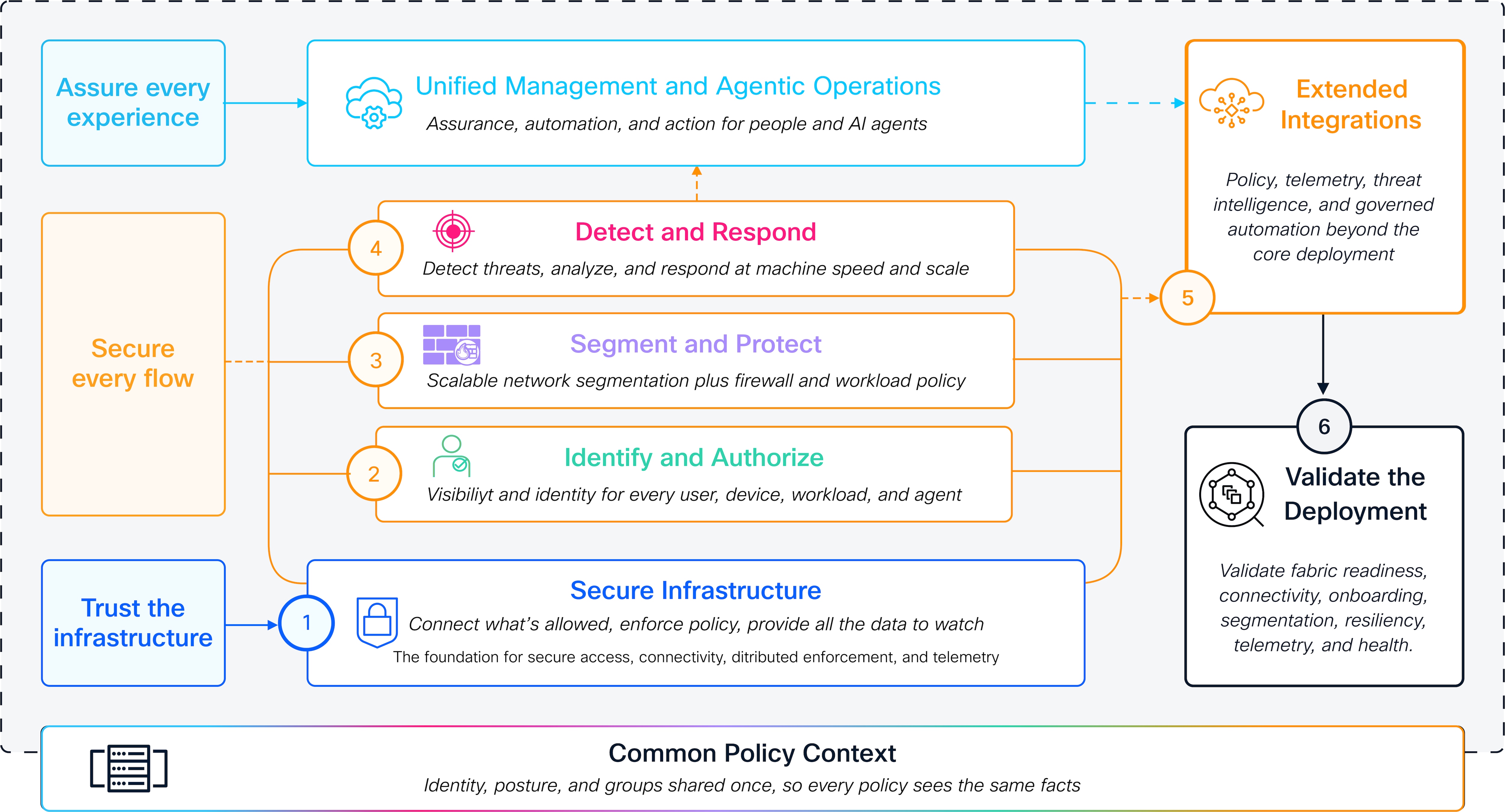
Architecture-to-deployment alignment
The Cisco Secure Networking Reference Architecture (SNRA) and this Deployment guide serve different purposes.
● The Architecture guide defines the design intent and customer outcomes by explaining what the deployment must accomplish and why.
● This Deployment guide translates that intent into a validated medium-scale on-premises campus implementation based on Cisco SD-Access. It explains how Cisco Catalyst Center establishes the management and automation foundation, how LAN Automation provisions the routed OSPF underlay, how the LISP control plane and VXLAN data plane establish the fabric overlay, how virtual networks and Cisco TrustSec apply macro- and micro-segmentation policy, how Cisco ISE enables identity and authorization, and how detection, response, supporting integrations, and end-to-end validation are implemented.
This guide organizes implementation into deployment layers that are grouped for deployment sequencing and validation but remain separate functions in the Architecture guide for logical understanding. The layers are Secure Infrastructure, Identify and Authorize, Segment and Protect, Detect and Respond, and Extended Integrations, followed by a dedicated validation phase that confirms the resulting deployment is ready for operation.
Unified Management and Agentic Operations spans the deployment layers through on-premises Cisco Catalyst Center management, LAN Automation, guided workflows, governed APIs, centralized policy orchestration, assurance, telemetry, and lifecycle operations. Common Policy Context carries shared identity, posture, role, scalable group, workload, application, risk, telemetry, and policy facts across wired, wireless, fabric, and security enforcement points. Extended Integrations connect the deployment to Cisco ISE and pxGrid, Cisco Secure Network Analytics, Cisco XDR, Security Cloud Control, ThousandEyes, external networks, observability systems, and operational workflows while preserving administrative control within the enterprise perimeter.
This deployment assumes:
● Cisco Catalyst Center as the on-premises management, automation, and assurance platform
● Cisco SD-Access for campus fabric orchestration
● Layer 3 routed underlay connectivity using OSPF, provisioned through LAN Automation
● VXLAN overlay services with a LISP control plane
● VRF-based macro-segmentation
● Cisco TrustSec and group-based policy integration with Cisco Identity Services Engine
● Wired, fabric-enabled wireless, and extended node access infrastructure
● Medium-scale campus operational requirements with centralized lifecycle management
The architecture can scale upward through modular expansion and additional fabric sites while maintaining operational consistency and policy alignment.
The deployment model emphasizes operational simplicity through centralized orchestration while preserving advanced enterprise networking capabilities including Layer 3 routed underlays, VXLAN overlays with LISP control-plane operations, VRF-based macro-segmentation, scalable group-based micro-segmentation, and unified lifecycle management.
See Cisco SNRA Architecture Guide (LINK TBD) or visit the References section to explore additional resources.
Note: The Secure Network Reference Architecture does not replace existing Cisco Validated Designs. Instead, it modernizes and unifies validated Cisco networking and security architectures into a cohesive framework that provides consistent design guidance, operational alignment, and scalable deployment models across enterprise environments.
The scope of this guide covers the step-by-step deployment of Cisco Secure Campus networks, specifically for on-premises operations managed through Cisco Catalyst Center.
The initial version of this guide covers medium-scale Secure Network deployments, as this size is representative of most common designs.
The scope of this document includes the following:
● Cisco Catalyst Center deployment readiness, licensing, and centralized administration
● Network design hierarchy, network settings, and IP address pool planning
● Routed underlay deployment using LAN Automation, including seed device preparation
● Wired, fabric-enabled wireless, and extended node access infrastructure deployment
● Fabric overlay enablement for a single campus fabric site
● Virtual network macro-segmentation and scalable group micro-segmentation
● Border handoff and external network integration using BGP VRF-Lite
● Security services integration across users, devices, and traffic flows
● Repeatable deployment workflows for consistent rollout and operations
● Operational validation, health checks, and service readiness verification
● Day-2 lifecycle operations, assurance, monitoring, and change management guidance
● Scaling, expansion, and future growth considerations
The scope does not include the following:
● Deep customization for specific deployments
● Large-scale automation frameworks beyond Cisco Catalyst Center templates and APIs
● SD-Access transit and multi-site fabric interconnection
● Integrations between on-premises and cloud-managed operational types
The reference build was validated on Cisco Catalyst Center 3.2.1, in which OSPF in the LAN Automation workflow is a Beta feature. OSPF in LAN Automation is a supported feature from Catalyst Center 3.2.3, the recommended release for deployments that use an OSPF underlay.
Cisco SD-Access deployment overview
The reference deployment uses a single SD-Access fabric site. Cisco Catalyst Center automates a routed OSPF underlay and provisions the LISP VXLAN fabric, while Cisco ISE supplies endpoint identity and group-based policy. Fabric edge nodes provide endpoint access and distributed policy enforcement; border nodes connect virtual networks to upstream services. The following sections describe the validated design and deployment sequence.
Secure Networking deployment model
Cisco SD-Access is deployed as a technical implementation of the Cisco Secure Networking Reference Architecture. The Architecture guide describes the outcomes and capabilities that the deployment must deliver; this guide describes where those capabilities are implemented, how they are sequenced through Cisco Catalyst Center, and how they are validated within an on-premises operating model.
The validated deployment uses six sequential steps. Together they implement the architectural layers, supported by extended integrations and a dedicated validation phase:
Secure Infrastructure: The trusted, resilient foundation consisting of the physical campus topology, Cisco Catalyst switching and wireless infrastructure, Catalyst Center, LAN Automation, the routed Layer 3 OSPF underlay, device reachability, MTU consistency, redundancy, and foundational telemetry.
Identify and Authorize: Identity- and context-aware access control using Cisco ISE, RADIUS, 802.1X, MAB, endpoint profiling, authorization profiles, pxGrid, and scalable group-tag assignment for wired, wireless, and extended-node endpoints.
Segment and Protect: Least-privilege reachability control using SD-Access virtual networks, VXLAN overlays, the LISP control plane, anycast gateways, VRF-Lite border handoffs, Cisco TrustSec, scalable group tags, group-based access-control policy, and security-policy enforcement at fabric and network boundaries.
Detect and Respond: Detection, correlation, assurance, and governed containment using Catalyst Center telemetry and assurance, Flexible NetFlow, Cisco Secure Network Analytics, Cisco XDR, threat intelligence, ISE Adaptive Network Control, and policy-driven response actions.
The deployment steps below implement these capabilities through Cisco Catalyst Center, Cisco ISE, and the in-scope telemetry integrations. The guide identifies any capability that is not enabled or validated in the reference build. See the diagram in Secure Network deployment mapping.
To learn more, review Secure Networking Overview.
The reference deployment uses one medium-scale fabric site. The table below defines the device roles used in the procedures that follow. The following roles are used throughout the guide:
| Role |
Function in the fabric |
| Control plane node |
Operates as a LISP map server and map resolver. It maintains mappings between endpoint identifiers (EIDs), which identify endpoints, and routing locators (RLOCs), which identify the routable fabric nodes that provide reachability to those endpoints. |
| Border node |
Connects the fabric to external networks and provides per-virtual-network Layer 3 handoff. |
| Fabric edge node |
Connects wired endpoints and fabric access points, provides the distributed anycast gateway, performs VXLAN encapsulation and decapsulation, and applies endpoint authorization. |
| Intermediate node |
Provides routed underlay transport between fabric nodes and carries no fabric overlay state. |
| Fabric wireless controller |
Integrates wireless endpoints into the fabric control plane on behalf of fabric access points. |
| Fabric access point |
Provides wireless access, maintains CAPWAP control connectivity to the wireless controller, and forwards endpoint traffic into the fabric through the adjacent edge node. |
| Extended node |
Extends fabric-managed access ports through a downstream switch onboarded through INFRA_VN. |
Border nodes can be deployed in Layer 3 handoff mode; external, internal, anywhere, or Layer 2 handoff mode. An external border node exports all fabric subnets to upstream networks as eBGP summary routes and registers as the default exit tunnel router (default ETR) in the LISP map system for virtual networks in scope. It acts as the gateway of last resort but does not import external prefixes into the fabric control plane. In Cisco Catalyst Center, this is the most common configuration and is represented by selecting Default to all virtual networks and Do not import external routes. This mode suits upstream networks that provide only a default route and is used by validated deployment.
An internal border node exports fabric subnets and imports and registers eBGP-learned prefixes from outside the site into the fabric control plane. It does not act as the default exit and is used to reach data centers, shared services, or other internal networks.
An anywhere border node combines external and internal border behaviors and is used where a single exit point carries both a default route and specific upstream routes. Use anywhere borders consistently for this combined role.
A Layer 2 handoff border node provides Layer 2 connectivity for Layer 2 overlays and supports VLAN translation between fabric segments and non-fabric VLAN identifiers. Where practical, deploy Layer 2 handoff functions on a separate device from the Layer 3 border node to maintain clear role separation.
SD-Access supports several role colocations, including border node with control plane node; border node, control plane node, and fabric edge node; border node, control plane node, and embedded wireless controller; and border node, control plane node, fabric edge node, and embedded wireless controller, commonly referred to as Fabric in a Box. This deployment uses two co-located border and control plane nodes, which delivers control plane redundancy and external connectivity from the same pair of devices while keeping the fabric edge layer dedicated to endpoint connectivity.
Multiple fabric sites are interconnected by transit. An IP-based transit performs a per-virtual network handoff at the border that Cisco Catalyst Center automates and requires suitable hardware and software to propagate scalable group tags outside the fabric. An SD-Access transit uses a VXLAN data plane between fabric sites and preserves both Layer 3 virtual networks and scalable group tags end to end. Multi-site interconnection is outside the scope of this guide.
Control plane, data plane, and policy plane
SD-Access uses three cooperating logical planes. These planes describe functions within the fabric and do not require a separate physical device for each plane.
Control plane: The LISP control plane maintains the mapping between endpoint identifiers and routing locators. Fabric edge nodes register authenticated endpoint IP addresses and MAC identifiers with the control plane. For an endpoint located within the fabric, the control plane returns the routing locator of the destination edge node. For an external destination, the control plane directs traffic toward the applicable border node and default ETR.
Data plane and Policy plane: The VXLAN carries endpoint traffic across the routed underlay. Virtual networks provide macro-segmentation, while Cisco ISE assigns scalable group tags that fabric edge nodes use to enforce group-based policy at access.
This approach allows Cisco customers to:
● Simplify campus fabric deployment through Cisco Catalyst Center workflows
● Reduce operational risk by eliminating manual underlay and overlay CLI configuration
● Maintain Cisco-recommended Layer 3 routed access design best practices
● Scale segmentation using virtual networks and scalable groups without redesigning the physical network
● Integrate wired access, fabric wireless, DHCP, and Cisco TrustSec policy consistently across the fabric
The validated design demonstrates how Cisco SD-Access enables network architects and operators to deploy and operate a modern campus fabric that combines the architectural rigor of traditional Cisco campus designs with the simplicity and automation of controller-based operations, all while remaining aligned with Cisco enterprise networking standards and lifecycle practices.
Medium-scale single fabric site campus
The reference deployment represents a medium-scale campus implemented as a single fabric site with a redundant border/control-plane pair, redundant intermediate nodes, fabric edge nodes, fabric-enabled wireless, and upstream fusion connectivity. The detailed topology and inventory appear in the Reference deployment information section.
The platforms and quantities used in the reference deployment are listed in the Bill of materials.
● Centralized on-premises operations: Cisco Catalyst Center provides centralized configuration, orchestration, monitoring, inventory, licensing, and lifecycle management across the campus fabric through a unified operational interface that remains inside the enterprise perimeter.
● Automation-driven deployment consistency: LAN Automation, standardized templates, and guided fabric workflows enable repeatable deployments, zero-touch device onboarding, and consistent operational and security outcomes across the site.
● Unified wired and wireless policy: Wired and fabric-enabled wireless endpoints share the same overlay, virtual networks, and scalable group policy, delivering coordinated enforcement and consistent user access regardless of how an endpoint connects.
● Granular operational governance: Role-based administrative access supports secure delegated management and separation of duties while maintaining centralized operational control.
● API-enabled extensibility: Open Cisco Catalyst Center APIs enable integration with automation tools, IT service platforms, monitoring systems, and custom operational workflows.
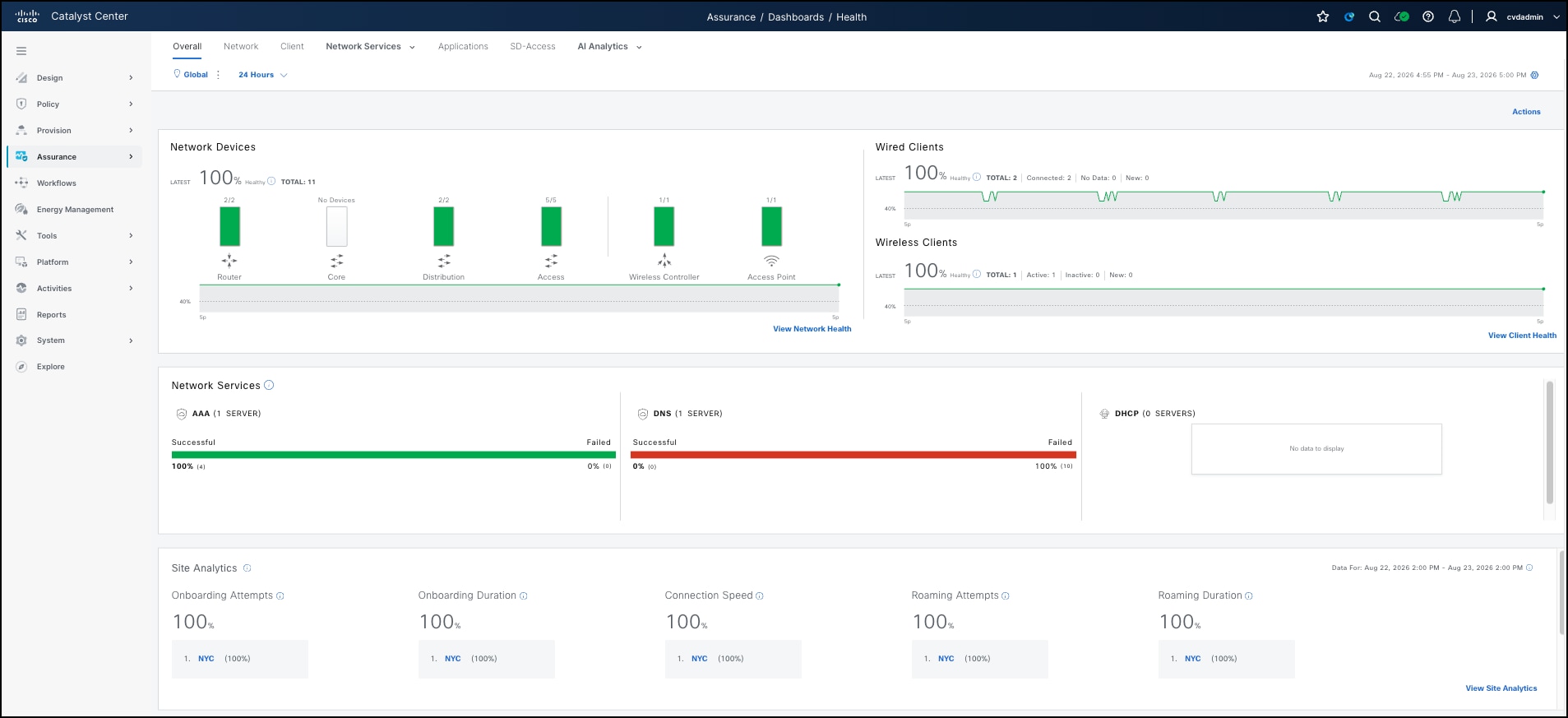
● Operational visibility and scalable growth: Cisco Catalyst Center Assurance provides real-time telemetry, dashboards, alerts, and reporting into network health, client experience, and policy outcomes, while additional edge nodes, virtual networks, and fabric sites can be added incrementally.
This validated deployment delivers the following outcomes, aligned with SNRA design objectives:
● Secure-by-design infrastructure: Security is embedded across all layers of the architecture, with segmentation and policy enforcement integrated into the fabric design.
● Scalable segmentation: Virtual network macro-segmentation and scalable group micro-segmentation support isolation of users, devices, and applications without redesigning the physical network.
● Identity-driven access control: Access decisions are enforced based on identity and context through Cisco Identity Services Engine, enabling consistent policy application across wired and wireless environments.
● Operational simplicity with visibility: Centralized management and assurance telemetry provide clear visibility into network state and simplify ongoing operations and troubleshooting.
Secure network deployment mapping
The Cisco Secure Networking topology follows a hierarchical design adapted to deployment scale. For medium-scale environments, the validated design implements a balanced architecture with fewer network layers based on role and scale. This approach aligns with SNRA decision trees that prioritize simplified operational models and reduced failure domains while maintaining high availability through redundant border and control plane nodes.
This guide validates the Cisco Secure Campus deployment. Other SNRA domains are outside this guide’s deployment scope.
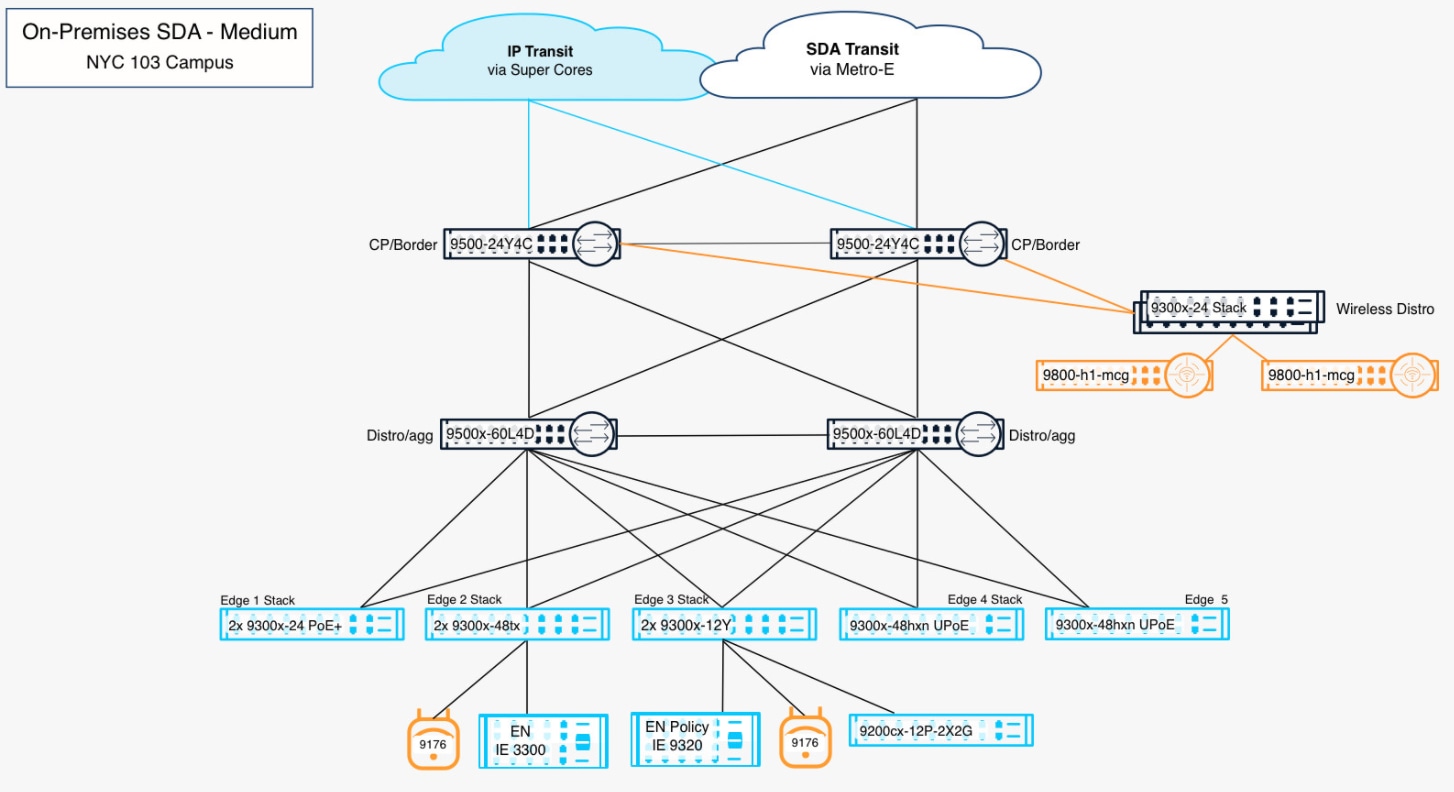
The validated Cisco Secure Campus design implements a single fabric site with the border and control plane functions collapsed onto a redundant pair of nodes, and endpoint connectivity delivered through fabric edge nodes. Fabric edge nodes function as VXLAN tunnel endpoints (VTEPs), delivering endpoint access, anycast gateway services, segmentation policy enforcement, and overlay connectivity. The routed Layer 3 underlay uses point-to-point links to eliminate Layer 2 dependencies while enabling equal-cost multipath (ECMP) forwarding and fast, predictable convergence.
External connectivity to the upstream network, Internet edge, and data center is provided through fabric border nodes. These borders establish eBGP adjacencies to the fusion nodes while preserving virtual network macro-segmentation beyond the campus fabric through VRF-aware handoffs. This ensures secure integration with WAN, Internet, and data center environments while allowing centralized and/or distributed egress models based on operational and policy requirements.
The deployment uses Cisco Catalyst Center as the centralized on-premises management and orchestration platform. Fabric provisioning, policy deployment, monitoring, and lifecycle operations are managed through Cisco Catalyst Center, aligning with the SNRA operational model for centralized management and automation. Devices are discovered and managed across the underlay network, supporting LAN Automation, continuous inventory synchronization, telemetry collection, and assurance without dependence on external management connectivity.
The architecture aligns SNRA design decisions to a repeatable deployment model optimized for medium-scale campus environments. The co-located border and control plane topology simplifies operations and scalability, the routed fabric provides resilient transport and segmentation, and the controller-managed operational model delivers centralized visibility, automation, and policy consistency across the environment.
Within the Cisco SD-Access deployment model, the SNRA outcomes and capabilities are implemented as a coordinated system. Each capability and functional service is realized through specific components, policies, telemetry, and their operating procedures, with several capabilities contributing to the same deployment step. The architecture ties physical infrastructure, segmentation, policy, and management together through the centralized management plane, ensuring that design intent is consistently enforced across the network.
This mapping illustrates how each deployed component implements and supports its respective SNRA function within the validated architecture.
| SNRA Function |
Representative implementation components |
Role |
| Secure Infrastructure |
Cisco Catalyst 9300, 9300X, 9350, 9400, 9500, and 9500X Series switches; Catalyst 9200CX extended nodes; Catalyst 9800 wireless controllers; Wi-Fi 7 access points; OSPF routed underlay; redundant links; MTU consistency; foundational telemetry |
Provides trusted physical connectivity, resilient routed transport, secure endpoint attachment, and wireless access |
| Identify and Authorize |
Cisco ISE; RADIUS; 802.1X; MAB; endpoint profiling; authorization profiles; scalable group-tag assignment |
Authenticates, classifies, and authorizes users and devices and establishes identity and policy context |
| Segment and Protect |
SD-Access virtual networks; VXLAN data plane; LISP control plane; anycast gateways; BGP VRF-Lite border handoffs; Cisco TrustSec; scalable group tags; group-based access-control policy; Cisco Secure Firewall |
Provides macro- and micro-segmentation, preserves isolation across the fabric boundary, and enforces least-privilege access |
| Detect and Respond |
Cisco Secure Network Analytics; Flexible NetFlow and network telemetry; Secure Firewall telemetry; Cisco XDR; threat intelligence; Cisco ISE Adaptive Network Control and quarantine workflows |
Detects anomalous activity, correlates security events, and enables governed containment and response |
| Unified Management and Agentic Operations, Common Policy Context, and Extended Integrations |
Cisco Catalyst Center; Catalyst Center Assurance; LAN Automation; software image management; Catalyst Center APIs; Cisco pxGrid; Security Cloud Control; Cisco ThousandEyes; shared identity, posture, group, risk, and telemetry context |
Coordinates centralized management, automation, assurance, lifecycle operations, policy context exchange, observability, and integration with external platforms and workflows |
Secure Infrastructure is the foundation of Trust the Infrastructure in this validated campus. The routed OSPF underlay, resilient transport, fabric edge, border, and multiform node infrastructure provide the connectivity, distributed enforcement points, and telemetry paths required by the capabilities above. The Cisco Catalyst 9300, 9350, and 9500 Series switches, Catalyst 9800 Series wireless controllers, and Wi-Fi 7 access points collectively provide connectivity, transport, and edge services. Fabric edge switches establish a Layer 3 routed campus underlay using routed links, supporting resilient forwarding and eliminating reliance on Layer 2 constructs. Fabric-enabled access points extend this foundation to wireless endpoints, maintaining consistent integration with the wired network.
Border nodes operate at the boundary of the fabric, providing connectivity to the upstream fusion nodes and anchoring external communication paths. In this role, they serve as the transition point between internal fabric operations and upstream networks. Catalyst 9200CX extended nodes carry fabric-managed access ports into areas where a full fabric edge switch is not warranted.
This layer defines how traffic moves through the environment. Its purpose is to ensure that transport is stable, predictable, and secure so that segmentation and policy enforcement can be applied consistently across all endpoints and locations.
Identify and Authorize continuously discovers and classifies wired, wireless, and extended-node endpoints, then applies the minimum access required. Cisco ISE authenticates endpoints through 802.1X and MAB, performs endpoint profiling, evaluates available identity and posture attributes, and returns authorization profiles that determine the endpoint’s access treatment. ISE also assigns scalable group tags that provide identity and role context to the fabric.
Fabric edge nodes, fabric-enabled access points, and supported extended nodes apply the authorization results at the point of access. Through pxGrid and related integrations, identity and authorization context can be shared with other policy and security platforms. The result is consistent identity-based access control regardless of where an endpoint connects.
Segment and Protect translates identity and business intent into least-privilege reachability through macro- and micro-segmentation across the campus fabric. SD-Access virtual networks and VRFs, anycast gateways, and the VXLAN overlay isolate routing domains and carry traffic across the routed underlay. The LISP control plane maintains endpoint reachability, while border nodes preserve virtual-network separation through per-virtual-network BGP VRF-Lite handoffs to upstream networks.
Cisco TrustSec scalable group tags and group-based access-control policy refine virtual network boundaries with identity-based controls. Fabric edge nodes and wireless access points enforce policy at access, while border nodes and Cisco Secure Firewall enforce policy at network boundaries. This combination limits unnecessary communication while preserving segmentation from the endpoint through the fabric and upstream handoff.
Cisco XDR and threat-intelligence integrations provide a broader correlation and investigation context. Where an endpoint has an active Cisco ISE session, Adaptive Network Control can use pxGrid to apply a quarantine authorization at the fabric edge; in this build, the response also depends on a confirmed non-zero flow rate. Secure Firewall telemetry and enforcement can provide additional detection and response points. These integrations support a controlled workflow in which activity is identified, investigated, and contained through a reversible, policy-driven action.
Unified Management and Agentic Operations, Common Policy Context, and Extended Integrations
Unified Management and Agentic Operations
Unified Management and Agentic Operations provide the operating model for Assure Every Experience. In this deployment, Cisco Catalyst Center centralizes design intent, inventory, topology, provisioning, policy workflows, telemetry, assurance, and lifecycle operations. Guided workflows and APIs improve consistency and reduce manual change risk. Agentic or automated actions must remain bounded by guardrails, auditability, approvals, rollback, and human control. Assurance verifies connectivity, performance, policy outcomes, security efficacy, and the resulting user or application experience.
Common Policy Context is the shared foundation that allows policy and operational functions to use the same facts. In this deployment, Cisco ISE identity, posture, session, and scalable group information is combined with Catalyst Center inventory, design, telemetry, and assurance context. The context is consumed by authorization, segmentation, detection, response, and operations; it is not a standalone enforcement layer. Where a context source or integration is not enabled or validated in this build, the guide must identify that boundary explicitly.
Extended Integrations carry policy, telemetry, shared context, threat intelligence, and governed automation beyond the core SD-Access deployment. This guide covers the supported integration paths that are in scope for the validated scenario, including Catalyst Center APIs, Cisco ISE pxGrid, Cisco Telemetry Broker, Cisco Secure Network Analytics, and Cisco XDR where configured. An integration is not an outcome by itself: document the data path, the control path, the validation evidence, and any remaining dependency for each consumer or enforcement partner.
Successful deployment begins with comprehensive planning and validation of business, operational, and infrastructure requirements before onboarding devices or enabling production services. Early planning reduces deployment delays, minimizes redesign during implementation, and ensures alignment with the SD-Access fabric architecture.
Planning activities should define user scale, endpoint density, wireless coverage requirements, application prioritization needs, guest and IoT access requirements, upstream connectivity models, and segmentation policies across business units or device groups. Security and compliance planning should identify authentication sources, administrative access controls, encryption requirements, logging and retention policies, and policy enforcement boundaries for both wired and wireless access.
Infrastructure readiness should validate management network reachability for Cisco Catalyst Center, upstream transport availability, structured cabling, PoE capacity, rack space, UPS protection, DNS and NTP reachability, and IP addressing allocations for both underlay and overlay services. External services such as DHCP must support VRF-aware operation, maintain IP reachability to the anycast gateway addresses used as the relay source, and correctly handle the DHCP relay information option that Cisco SD-Access uses to return offers to the fabric edge node where the endpoint is connected.
Integration planning should also validate upstream handoff requirements, external routing dependencies, and segmentation preservation beyond the fabric boundary through VRF-aware border connectivity to the fusion nodes. Migration planning should determine whether deployment occurs as a greenfield implementation, phased migration, or coexistence with an existing network, including review of current VLANs, SSIDs, DHCP scopes, uplink circuits, and firewall policies prior to cutover.
Fabric scale and sizing for a medium site
The reference site is a single fabric site sized for the endpoint, virtual-network, IP-pool, and policy scale recorded in the deployment tables. Confirm current platform and release limits before expanding the design; multi-site transit is outside this guide’s scope.
Redundancy and high availability
The reference topology uses redundant border/control-plane nodes, dual-homed edge and intermediate connections, and redundant fusion and wireless-controller paths. Verify each failure case using the resiliency procedures in Step 6.
Catalyst Center availability is separate from forwarding availability. A provisioned fabric continues forwarding traffic and enforcing existing policy while Catalyst Center is unavailable, but provisioning, policy changes, assurance, and lifecycle operations are interrupted.
Software versions and licensing
The validated network baseline uses IOS XE 17.18.2 on the fabric nodes, fusion nodes, and wireless controllers, with corresponding access-point images. For new deployments using the Catalyst Center 3.x release line, Cisco Catalyst Center 3.2.3 is the recommended target. The exact Catalyst Center release and build used for this validation must be confirmed and recorded separately from the recommendation; the guide should not infer it from the 3.x version alone.
The reference build records Cisco ISE 3.5.0.527 and Cisco Secure Network Analytics 7.6.0. Before deployment or upgrade, verify compatibility among Catalyst Center, IOS XE, ISE, Secure Network Analytics, and the SD-Access feature set. The validated version table in Reference deployment information is the source of truth.
Confirm licensing for SD-Access and assurance on switching and wireless platforms; authentication, TrustSec, and pxGrid functions in ISE; and Manager/Flow Collector capabilities in Secure Network Analytics. Validate entitlements, support, terms, and part numbers against current Cisco compatibility and ordering documentation.
Deployment planning prerequisites and considerations
The following information should be gathered in advance of any configuration work.
Cisco Catalyst Center readiness
Cisco Catalyst Center is the first component that must be operational, because the design hierarchy, network settings, and IP address pools it holds are prerequisites for every later step. Confirm the following before beginning the deployment:
● Platform and version - The appliance or virtual appliance is installed, scaled for the number of devices and endpoints in the design, and running a release compatible with the Cisco IOS XE version on the fabric platforms and with the Cisco ISE release in use.
● Management addressing and name resolution - The enterprise and management interface addressing is assigned, and the fully qualified domain name of Cisco Catalyst Center resolves in DNS. Devices and administrators reach the controller by name rather than by address wherever possible.
● Time synchronization - Cisco Catalyst Center, Cisco ISE, and all network devices use the same NTP sources. Clock skew breaks certificate validation and pxGrid integration, and it distorts assurance and telemetry correlation.
● Device reachability and ports - IP reachability exists between the controller and the management addresses of all devices, and any firewall in the path permits the protocols used for discovery, provisioning, telemetry, and assurance.
● Discovery credentials - CLI, SNMP, and NETCONF credentials are defined and consistent across the devices that will be discovered or onboarded through LAN Automation.
● Software image repository - The intended golden image is imported so that image compliance can be evaluated and remediated as devices are onboarded.
● Backup and restore - A backup target is configured, and an initial backup taken before any fabric provisioning begins.
Shared services and external connectivity
Shared services are consumed by the fabric but do not reside inside it, so their placement and reachability must be planned before any virtual network is provisioned. In the validated deployment, these services are reached through the border nodes and the upstream fusion nodes.
● DHCP - The DHCP service must support VRF-aware operation and be reachable from every virtual network that requires it. Scopes must align to the anycast gateway subnets defined for each fabric IP pool, and the server must correctly interpret the DHCP relay information option that Cisco SD-Access uses to return an offer to the fabric edge node where the endpoint is connected. The validated deployment uses a shared DHCP service at 10.100.0.5.
● DNS and NTP - Both services must be reachable from the infrastructure virtual network and from each user virtual network that requires them. NTP in particular must be reachable before certificates are issued or validated.
● AAA and identity - RADIUS and TACACS+ endpoints must be reachable from every fabric node that performs authentication, and from Cisco Catalyst Center for device administration where that is used.
● Syslog, SNMP, and telemetry destinations - Collector addresses must be defined in network settings so that they are applied consistently as devices are provisioned, rather than configured per device afterwards.
● Upstream connectivity and route leaking - The fusion nodes terminate the per-virtual network handoff and are responsible for any route leaking required to reach shared services from multiple virtual networks. Determine in advance which virtual networks require access to which shared services, because that decision drives the route leaking and firewall policy configured on and beyond the fusion nodes.
Note: Shared services reachability is the most common cause of failed endpoint onboarding in a new fabric. Validate DHCP, DNS, and RADIUS reachability from within each virtual network before onboarding production endpoints.
Underlay network IP and VLAN plan
Allocate sufficient IP address space accounting for the following:
● Underlay point-to-point links - Each fabric edge node connects to each intermediate node; each intermediate node connects to each border node, and the border nodes connect to the upstream fusion nodes. Links between fabric devices are routed Layer 3 links, and /31 subnets are recommended. In the validated deployment, the fabric-internal links use /31 addressing, while the border to fusion links is carried on VLAN-based routed interconnects using SVIs with /30 addressing.
● LAN Automation IP address pool - LAN Automation draws from the pool selected during the workflow for the Loopback0 address on each fabric device and for the point-to-point link addressing it generates. Reserve additional host addresses for infrastructure SVIs and for future fabric edge nodes. The validated deployment reserves 10.103.2.0/23 and 10.103.5.0/24 for this purpose.
Note: Changing the underlay address pool after the fabric is built requires rebuilding the underlay, so scale it for future growth at the outset.
● Loopback addressing - Every fabric node requires a Loopback0 address that serves as its routing locator. These addresses are advertised into the underlay IGP and are the source and destination of VXLAN encapsulation, so they must be reachable throughout the underlay and able to be advertised as aggregate routes at the handoff.
● Underlay OSPF information - Plan the OSPF process and area design before running LAN Automation and be prepared to match interface MTU and media type on the fusion nodes. The validated deployment uses OSPF process 1 with a single area, Area 1, spanning the fabric underlay and the border to fusion links, with Loopback0 passive and interface costs set so that higher-speed links are preferred.
Note: It is ideal if all the underlay networks can be summarized into a single prefix for summarization at the handoff devices out to the rest of the intranet. The validated deployment allocates the entire underlay from 10.103.0.0/18.
● Overlay networking IP and VLAN information - Each fabric IP pool becomes an anycast gateway subnet presented identically on every fabric edge node, with a VLAN identifier allocated automatically or specified during the workflow. Plan one subnet per user group or device class rather than one per closet, since the same subnet is available at every edge node.
● Infrastructure virtual network addressing - Access points and extended nodes are onboarded through INFRA_VN and require their own pools, separate from user traffic. The validated deployment uses 10.103.64.0/24 for access points and 10.103.65.0/24 for extended nodes.
● Multicast addressing - If multicast is enabled in the overlay, a pool is required for the rendezvous point loopback addressing used within each virtual network. The validated deployment allocates 10.103.67.0/24 for Campus multicast.
● Border handoff VLANs - The Layer 3 handoff creates a VLAN and SVI for each virtual network on each border node, with corresponding eBGP peering to the fusion nodes. Plan a VLAN identifier and a transit subnet per virtual network per fusion node. In the validated deployment, Campus uses VLANs 6-9, Guest uses, VLANs 10-13, and INFRA_VN (global routing table) uses VLANS 14-17. Transit peer addresses is drawn from 10.103.127.0/24. VLANs 20-23 are reserved for the OSPF underlay interconnects and are not used for the BGP handoff.
● BGP information - A BGP autonomous system number is required for the fabric and is specified during the border handoff workflow; a private AS may be used. The workflow also collects the remote AS number of the handoff devices, and any authentication strings required, so that border eBGP configuration can be automated. The validated deployment uses AS 65105 for the fabric and peers with the fusion nodes in AS 65100.
Identity, certificate, and PKI prerequisites
Identity and certificate prerequisites are gathered before Step 1, because the Cisco Catalyst Center to Cisco ISE integration established there depends on them, and the fabric cannot be provisioned with an authentication template until that integration is healthy. The validated deployment uses a Cisco ISE node at 10.100.0.10, with every fabric node registered as a network access device.
● Cisco ISE deployment - The ISE deployment is installed and operational, with the personas required for the design assigned, and scaled for the endpoint count and authentication rate of the site.
● pxGrid and ERS - The pxGrid service and the External RESTful Services API are enabled on ISE, and an administrative account with the appropriate role exists for Cisco Catalyst Center to use.
● Certificate trust - Cisco Catalyst Center and Cisco ISE must trust each other. Determine in advance whether the deployment uses an enterprise certificate authority or self-signed certificates, since that decides whether certificate signing requests must be raised and countersigned before integration can proceed. Certificates must carry the correct subject and subject alternative names, and the issuing chain must be installed on both platforms.
● RADIUS and shared secrets - Shared secrets are agreed for the network access devices that will be defined in ISE, and a device group structure is planned so that fabric nodes can be matched consistently in policy.
● Endpoint authentication method - Decide which combination of 802.1X, MAC authentication bypass, and Access Control List the deployment will use, and whether certificate-based methods such as EAP-TLS are required. Certificate-based authentication introduces a dependency on endpoint enrollment and on the supporting public key infrastructure that must be planned well ahead of cutover.
● Clock synchronization - Cisco Catalyst Center, Cisco ISE, and the fabric nodes must share a common time source. Certificate validation and pxGrid session establishment both fail when clocks drift.
Design decisions and deployment considerations
Architectural decisions within SNRA should balance security, operational efficiency, scalability, resiliency, and user experience. The following considerations reflect common enterprise design priorities and demonstrate how infrastructure, segmentation, policy, and operations decisions influence architectural outcomes.
● Control plane placement
◦ Centralized control models are commonly selected to simplify policy consistency, operational visibility, and lifecycle management across distributed environments. In Cisco SD-Access the control plane node function may be co-located with the border nodes, as in this design, or deployed on dedicated devices where endpoint scale or failure domain separation requires it.
◦ The decision affects operational workflows, resiliency planning, and scalability. Co-locating the border and control plane functions reduces the device count and simplifies operations, while dedicated control plane nodes isolate the map system from the load and maintenance cycles of external connectivity.
● Identity source selection
◦ A centralized identity source such as Cisco ISE is typically preferred to provide consistent authentication, device profiling, and policy enforcement across wired, wireless, and remote access domains. Distributed ISE personas may also be deployed to support high availability designs and continuity during connectivity disruptions.
◦ This decision impacts Zero Trust enforcement, operational consistency, and lifecycle management, and it determines the behavior of the fabric when the identity service is unreachable.
● Segmentation strategy
◦ Macro-segmentation using virtual networks separates trust zones, organizational groups, and business services into discrete routing domains with no communication between them by default. Micro-segmentation extends policy enforcement through identity-aware controls between users, devices, and workloads using scalable group tags, Cisco TrustSec, and group-based access control policy.
◦ Most enterprise environments use both approaches, combining broad traffic separation with granular least-privilege enforcement. Virtual networks are comparatively expensive to change once deployed, while scalable group policy can be adjusted continuously, so the virtual network structure deserves the greater share of design effort.
◦ Segmentation strategy should align to business requirements, security objectives, threat containment, operational scale, and hybrid mesh firewall policy distribution principles.
● Enforcement point placement
◦ Policy enforcement can be applied at the fabric edge, at the border, at upstream security boundaries, or at a combination of these. Enforcement closer to the user or workload improves threat containment and reduces lateral movement risk. Centralized enforcement may simplify operational administration and inspection consistency.
◦ In Cisco SD-Access, scalable group policy is enforced natively on the fabric edge nodes, so east-west enforcement within a virtual network is achieved without hair-pinning traffic to a firewall. Traffic between virtual networks, or between the fabric and external networks, is enforced beyond the border where inspection is required.
◦ Enforcement placement should be driven by business outcomes, application communication patterns, operational ownership, scalability requirements, and security objectives.
Reference deployment information
The following section documents the reference deployment details for the validated SD-Access fabric site in the Cisco Validated Network in New York (NYC103). All values in this section were taken from the running deployment.
The reference site is built as a three-tier topology. A redundant pair of Catalyst 9500-24Y4C switches provides the co-located border and control plane functions, a redundant pair of Catalyst 9500X-60L4D switches provides intermediate transport, and the fabric edge layer consists of Catalyst 9300, Catalyst 9300X, and Catalyst 9350 stacks together with a Catalyst C9404R chassis. The C9500X-60L4D platform provides 60 x 50G SFP56 and 4 x 400G QSFP-DD interfaces. Upstream, a pair of Catalyst 9500-16X fusion nodes, NYC-Core1 and NYC-Core2, terminate the per-virtual-network Layer 3 handoff and provides IP transit.
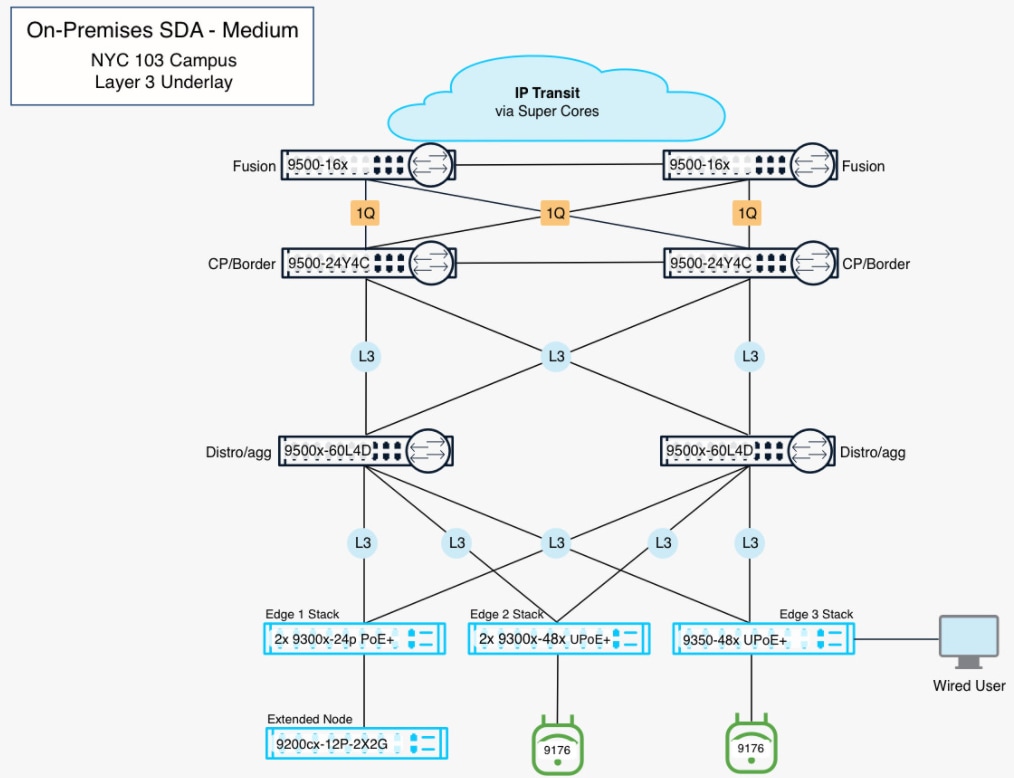
Every fabric-internal link is a routed Layer 3 interface. Border-to-fusion and wireless distribution connections use 802.1Q trunks with switched virtual interfaces carrying only the required handoff and wireless management VLANs. Redundant paths connect the edge and are terminated as routed interconnects using switched virtual interfaces. Each border node connects to both intermediate nodes and to both fusion nodes, and the two border nodes are directly connected, so no single link failure isolates a fabric node or removes a virtual network from the upstream path.
| Local device |
Local interface |
Remote device |
Remote interface |
Link type |
| NYC103-CP-BR-01 |
Twe1/0/23 |
NYC-Core1 (fusion) |
Ten1/0/15 |
802.1Q trunk |
| NYC103-CP-BR-01 |
Twe1/0/24 |
NYC-Core2 (fusion) |
Ten1/0/15 |
802.1Q trunk |
| NYC103-CP-BR-02 |
Twe1/0/23 |
NYC-Core1 (fusion) |
Ten1/0/16 |
802.1Q trunk |
| NYC103-CP-BR-02 |
Twe1/0/24 |
NYC-Core2 (fusion) |
Ten1/0/16 |
802.1Q trunk |
| NYC103-CP-BR-01 |
Hun1/0/26 |
NYC103-DIST-01 |
FourHundredGig 1/0/31 |
Routed, 10.103.5.64/31 |
| NYC103-CP-BR-01 |
Hun1/0/25 |
NYC103-DIST-02 |
FourHundredGig 1/0/31 |
Routed, 10.103.5.68/31 |
| NYC103-CP-BR-02 |
Hun1/0/26 |
NYC103-DIST-01 |
FourHundredGig 1/0/32 |
Routed, 10.103.5.84/31 |
| NYC103-CP-BR-02 |
Hun1/0/25 |
NYC103-DIST-02 |
FourHundredGig 1/0/32 |
Routed, 10.103.5.86/31 |
| NYC103-CP-BR-01 |
Twe1/0/12 |
NYC103-CP-BR-02 |
Twe1/0/12 |
Routed, 10.103.5.70/31 |
| NYC103-CP-BR-01 |
Twe1/0/1 |
Catalyst 9300-45 (wireless distribution) |
Gig2/0/1 |
802.1Q trunk |
| NYC103-CP-BR-02 |
Twe1/0/1 |
Catalyst 9300-45 (wireless distribution) |
Gig1/0/1 |
802.1Q trunk |
Each fabric edge node is dual homed to both intermediate nodes using routed /31 links drawn from the LAN Automation pool. NYC103-Edge1, for example, uses 10.103.5.82/31 and 10.103.5.77 (10.103.5.75/31) on TwentyFiveGigE1/1/1 (connected to Fif1/0/1 on NYC103-DIST-01 distribution switch) and TwentyFiveGigE2/1/1 (connected to Fif1/0/1 on NYC103-DIST-02 distribution switch).
Device inventory and fabric roles
The reference fabric site is built on the following devices, all running Cisco IOS XE 17.18.2 and managed by Cisco Catalyst Center at 10.100.0.60.
| Hostname |
Platform |
Management IP |
Fabric role |
| NYC103-CP-BR-01 |
Catalyst C9500-24Y4C |
10.103.0.1 |
Border node and control plane node |
| NYC103-CP-BR-02 |
Catalyst C9500-24Y4C |
10.103.0.2 |
Border node and control plane node |
| NYC103-DIST-01 |
Catalyst C9500X-60L4D |
10.103.5.66 |
Intermediate node |
| NYC103-DIST-02 |
Catalyst C9500X-60L4D |
10.103.5.67 |
Intermediate node |
| NYC103-Edge1 |
Catalyst C9300-24P (stack) |
10.103.5.75 |
Fabric edge node |
| NYC103-Edge2 |
Catalyst C9300X-48HXN (stack) |
10.103.5.80 |
Fabric edge node |
| NYC103-Edge3 |
Catalyst C9350-48HX (stack) |
10.103.5.74 |
Fabric edge node |
| NYC103-Edge4 |
Catalyst C9404R |
10.103.5.81 |
Fabric edge node |
| SN-FJC274012YA |
Catalyst C9200CX-12P-2X2G |
10.103.65.2 |
Extended node |
| WLC1 |
Catalyst CW9800M |
10.103.6.5 |
Fabric-enabled wireless LAN controller |
The following hardware makes up the reference fabric site. Quantities reflect the physical units discovered in Cisco Catalyst Center, so stacked edge nodes are listed by member count rather than by logical switch.
| Qty |
Product ID |
Description |
Role in the reference deployment |
Software |
| 2 |
C9500-16X |
Cisco Catalyst 9500 Series switch, 16 x 10G SFP+ |
Fusion nodes (NYC-CORE1, NYC-CORE2) providing IP transit and per-VRF handoff peering with the border nodes |
IOS XE 17.18.2 |
| 2 |
C9500-24Y4C |
Cisco Catalyst 9500 Series switch, 24 x 25G SFP28, 4 x 100G QSFP28 |
Co-located border and control plane nodes |
IOS XE 17.18.2 |
| 2 |
C9500X-60L4D |
Cisco Catalyst 9500X-60L4D Series switch, 60 x 50G SFP28, 4 x 400G QSFP-DD |
Intermediate (distribution) nodes |
IOS XE 17.18.2 |
| 2 |
C9300-24P |
Cisco Catalyst 9300 Series switch, 24 x 1G PoE+ |
Fabric edge node - two-member stack |
IOS XE 17.18.2 |
| 2 |
C9300X-48HXN |
Cisco Catalyst 9300X Series switch, 48 x mGig UPOE+ |
Fabric edge node - two-member stack |
IOS XE 17.18.2 |
| 2 |
C9350-48HX |
Cisco Catalyst 9350 Series smart switch, 48 x mGig |
Fabric edge node - two-member stack |
IOS XE 17.18.2 |
| 1 |
C9404R C9400-LC-48P X 2 C9400X-SUP-2 C9400-PWR-3200AC X 2 |
Cisco Catalyst 9400 Series four-slot modular chassis |
Fabric edge node |
IOS XE 17.18.2 |
| 1 |
C9200CX-12P-2X2G |
Cisco Catalyst 9200CX compact switch, 12 x 1G PoE+ |
Extended node |
IOS XE 17.18.2 |
| 2 |
CW9800M |
Cisco Catalyst 9800 Series wireless controller, midsize |
Fabric-enabled wireless LAN controller |
IOS XE 17.18.2 |
| 1 |
CW9176I |
Cisco Wi-Fi 7 access point, internal antenna |
Fabric access point |
Managed by WLC |
| 1 |
DN3-HW-APL |
Cisco Catalyst Center appliance or virtual appliance |
Automation, orchestration, and assurance (10.100.0.60) |
3.2.1-75595 |
| 1 |
ISE-VM-K9
|
Cisco Identity Services Engine node |
Identity, RADIUS, pxGrid, and TrustSec policy |
3.5.0.527 |
| 1 |
L-ST-SMC-VE-K9 |
Cisco Secure Network Analytics Manager and Flow Collector |
Flow collection, detection, and response |
7.6.0 |
The following address pools are reserved against the Global/NYC/NYC103 site in Cisco Catalyst Center. Shared DHCP services are provided by 10.100.0.5.
| Pool / reservation |
CIDR |
Gateway |
Purpose |
| Overlay Aggregate Pool |
10.103.64.0/18 |
|
Global pool created to reserve user subnets |
| Lan_Automation_NYC103 |
10.103.2.0/23 |
- |
LAN Automation address pool |
| LAN_Automation_NYC103-2 |
- |
LAN Automation pool in use; loopback and point-to-point underlay addressing |
|
| InfraVN_NYC103 |
10.103.64.0/24 |
10.103.64.1 |
INFRA_VN - access point onboarding |
| InfraVN_NYC103_XN |
10.103.65.0/24 |
10.103.65.1 |
INFRA_VN - extended node onboarding |
| Multicast_Campus_NYC103 |
10.103.67.0/24 |
10.103.67.1 |
Campus VN multicast |
| CampusVN_NYC103-1 |
10.103.74.0/24 |
10.103.74.1 |
Campus VN wired and wireless clients |
| CampusVN_NYC103-2 |
10.103.75.0/24 |
10.103.75.1 |
Campus VN second subnet |
| GuestVN_NYC103 |
10.103.192.0/24 |
10.103.192.1 |
Guest VN wired |
| Guest_Wireless_NYC103 |
10.103.193.0/24 |
10.103.193.1 |
Guest VN wireless |
Underlay and LAN Automation pools
All underlay addressing is allocated from a single 10.103.0.0/18 aggregate so that it can be summarized towards the fusion nodes. Two pools are reserved for LAN Automation: 10.103.5.0/24, which is in use and supplies the Loopback0 address of every fabric node along with the /31 point-to-point link addressing, and 10.103.2.0/23, which is reserved for future expansion.
| Range |
Purpose |
Notes |
Hostname/Loopback0 |
| 10.103.0.0/18 |
Underlay aggregate for the site |
Summarized towards the fusion nodes |
|
| 10.103.0.0/24 |
Border node Loopback0 addressing |
|
NYC103-CP-BR-01 — 10.103.0.1 |
| 10.103.1.0/24 |
Border to fusion underlay interconnects |
/30 subnets carried on VLAN SVIs 20, 21, 22, and 23 |
|
| 10.103.2.0/23 |
LAN Automation pool (reserved) |
Reserved for future LAN Automation runs; currently unused |
|
| 10.103.5.0/24 |
LAN Automation pool (in use) |
Fabric node Loopback0 addressing and /31 point-to-point links |
NYC103-DIST-01 — 10.103.5.66 |
| 10.103.6.0/24 |
Wireless management segment |
VLAN 255; border SVIs 10.103.6.2 and 10.103.6.3, WLC at 10.103.6.5 |
|
| 10.103.127.0/24 |
Border handoff transit addressing |
/30 subnets per virtual network per fusion node |
|
Fabric node Loopback0 addresses are the routing locators used as the source and destination of VXLAN encapsulation. The border nodes use 10.103.0.1 and 10.103.0.2, the intermediate nodes use 10.103.5.66 and 10.103.5.67, and the fabric edge nodes use 10.103.5.74, 10.103.5.75, 10.103.5.80, and 10.103.5.81.
INFRA_VN and extended node pools
INFRA_VN carries fabric access points and extended nodes, and unlike the user virtual networks it resides in the global routing table rather than in a VRF. It is instantiated as LISP instance identifier 4097 on the border nodes.
| Pool |
CIDR |
Anycast gateway |
Purpose |
| InfraVN_NYC103 |
10.103.64.0/24 |
10.103.64.1 (Loopback299) |
Fabric access point onboarding |
| InfraVN_NYC103_XN |
10.103.65.0/24 |
10.103.65.1 (Loopback298) |
Extended node onboarding |
Both pools are advertised to the fusion nodes as summary-only aggregates from the border nodes, so the upstream network receives 10.103.64.0/24 and 10.103.65.0/24 rather than host routes.
The Campus virtual network carries corporate wired and wireless endpoints. It is instantiated as VRF Campus with route distinguisher 1:4099 and LISP instance identifier 4099. DHCP services are provided by 10.100.0.5, reached through the border handoff.
| Pool |
CIDR |
VLAN |
Anycast gateway |
Purpose |
| CampusVN_NYC103-1 |
10.103.74.0/24 |
274 |
10.103.74.1 |
Campus wired and wireless clients |
| CampusVN_NYC103-2 |
10.103.75.0/24 |
- |
10.103.75.1 |
Second Campus subnet, reserved |
The anycast gateway for 10.103.74.0/24 is presented identically on every fabric edge node as VLAN 274, and on the border nodes as Loopback274, so an endpoint receives the same default gateway wherever it attaches in the fabric.
The Guest virtual network provides isolated connectivity for untrusted endpoints. It is instantiated as VRF Guest with route distinguisher 1:4100 and LISP instance identifier 4100 and has no route leaking to the Campus virtual network.
| Pool |
CIDR |
VLAN |
Anycast gateway |
Purpose |
| GuestVN_NYC103 |
10.103.192.0/24 |
300 |
10.103.192.1 |
Guest wired clients |
| Guest_Wireless_NYC103 |
10.103.193.0/24 |
- |
10.103.193.1 |
Guest wireless clients |
Multicast in the Campus virtual network uses a dedicated pool for the rendezvous point loopback addressing. The anycast rendezvous point address 10.103.67.1 is configured as Loopback4099 on both border nodes, with Loopback4599 providing the unique per-node address used for peering: 10.103.67.3 on NYC103-CP-BR-01 and 10.103.67.2 on NYC103-CP-BR-02.
| Pool |
CIDR |
Address |
Purpose |
| Multicast_Campus_NYC103 |
10.103.67.0/24 |
10.103.67.1 |
Anycast rendezvous point, Loopback4099 on both border nodes |
|
|
|
10.103.67.2 / 10.103.67.3 |
Per-node Loopback4599 addresses used for rendezvous point peering |
|
|
|
10.103.67.4 |
Per-edge multicast loopback, for example NYC103-Edge1 |
The underlay runs OSPF process 1 in a single area, Area 1, across the fabric nodes. Loopback0 is passive on every node, and interface costs are set so that higher-speed links are preferred over the VLAN-based interconnects. The interior gateway protocol is contained within the fabric: it is not extended to the upstream fusion nodes, and the fabric underlay is advertised northbound as a summary route over the BGP handoff instead. Keeping the IGP inside the fabric limits the fault domain shared with the upstream network and limits what the fusion nodes learn to a single prefix. The global Ethernet MTU is 9100 bytes on the fabric nodes, and the same value should be carried on the border to fusion links so that the handoff is not the smallest MTU in the path.
The fabric-internal underlay links and their OSPF costs are as follows:
| Link |
Local interface |
Subnet |
OSPF cost |
| NYC103-CP-BR-01 to NYC103-DIST-01 |
Hun1/0/26 |
10.103.5.64/31 |
10 |
| NYC103-CP-BR-01 to NYC103-DIST-02 |
Hun1/0/25 |
10.103.5.68/31 |
10 |
| NYC103-CP-BR-02 to NYC103-DIST-01 |
Hun1/0/26 |
10.103.5.84/31 |
10 |
| NYC103-CP-BR-02 to NYC103-DIST-02 |
Hun1/0/25 |
10.103.5.86/31 |
10 |
| NYC103-CP-BR-01 to NYC103-CP-BR-02 |
Twe1/0/12 |
10.103.5.70/31 |
100 |
| Border to fusion VLAN SVIs |
VLAN 20, 21, 22, 23 |
10.103.1.0/24 |
1000 |
| Wireless management segment |
VLAN 255 |
10.103.6.0/24 |
1000 |
| OSPF area number |
Name |
Type |
Scope |
| 1 |
NYC103 underlay |
Normal |
Fabric nodes and the wireless management segment |
Border handoff routing (BGP - VRF-Lite)
External connectivity uses a Layer 3 handoff from the border nodes to the fusion nodes, with a separate eBGP session per virtual network carried on its own VLAN and switched virtual interface. Segmentation is therefore preserved beyond the fabric boundary, because each virtual network reaches the upstream network through its own routing context rather than through a shared interface.
| Routing domain |
BGP autonomous system number |
| NYC103 fabric border nodes |
65105 |
| Upstream fusion nodes (NYC-Core1 and NYC-Core2) |
65100 |
Each border node maintains six eBGP sessions, two per virtual network, one to each fusion node. Transit addressing for every session is drawn from 10.103.127.0/24 using /30 subnets, and the fabric routes are redistributed into BGP from LISP.
The Campus virtual network is handed off in VRF Campus on VLANs 6-7 from NYC103-CP-BR-01, and VLANs 8-9 from NYC103-CP-BR-02.
| Description |
Border interface |
VLAN SVI |
Subnet |
Border IP |
Fusion IP |
MTU |
| NYC103-CP-BR-01 to NYC-Core1 |
Twe1/0/23 |
VLAN 6 |
10.103.127.0/30 |
10.103.127.1 |
10.103.127.2 |
9100 |
| NYC103-CP-BR-01 to NYC-Core2 |
Twe1/0/24 |
VLAN 7 |
10.103.127.4/30 |
10.103.127.5 |
10.103.127.6 |
9100 |
| NYC103-CP-BR-02 to NYC-Core1 |
Twe1/0/23 |
VLAN 8 |
10.103.127.8/30 |
10.103.127.9 |
10.103.127.10 |
9100 |
| NYC103-CP-BR-02 to NYC-Core2 |
Twe1/0/24 |
VLAN 9 |
10.103.127.12/30 |
10.103.127.13 |
10.103.127.14 |
9100 |
The Guest virtual network is handed off in VRF Guest on VLANs 10-11 from NYC103-CP-BR-01, and VLANs 12-13 from NYC103-CP-BR-02.
| Description |
Border interface |
VLAN SVI |
Subnet |
Border IP |
Fusion IP |
MTU |
| NYC103-CP-BR-01 to NYC-Core1 |
Twe1/0/23 |
VLAN 10 |
10.103.127.16/30 |
10.103.127.17 |
10.103.127.18 |
9100 |
| NYC103-CP-BR-01 to NYC-Core2 |
Twe1/0/24 |
VLAN 11 |
10.103.127.20/30 |
10.103.127.21 |
10.103.127.22 |
9100 |
| NYC103-CP-BR-02 to NYC-Core1 |
Twe1/0/23 |
VLAN 12 |
10.103.127.24/30 |
10.103.127.25 |
10.103.127.26 |
9100 |
| NYC103-CP-BR-02 to NYC-Core2 |
Twe1/0/24 |
VLAN 13 |
10.103.127.28/30 |
10.103.127.29 |
10.103.127.30 |
9100 |
INFRA_VN and shared services handoff
INFRA_VN resides in the global routing table, so its handoff sessions are established in the global BGP instance rather than in a VRF. It is handed off on VLANs 14-15 from NYC103-CP-BR-01, and VLANs 16-17 from NYC103-CP-BR-02.
| Description |
Border interface |
VLAN SVI |
Subnet |
Border IP |
Fusion IP |
MTU |
| NYC103-CP-BR-01 to NYC-Core1 |
Twe1/0/23 |
VLAN 14 |
10.103.127.32/30 |
10.103.127.33 |
10.103.127.34 |
9100 |
| NYC103-CP-BR-01 to NYC-Core2 |
Twe1/0/24 |
VLAN 15 |
10.103.127.36/30 |
10.103.127.37 |
10.103.127.38 |
9100 |
| NYC103-CP-BR-02 to NYC-Core1 |
Twe1/0/23 |
VLAN 16 |
10.103.127.40/30 |
10.103.127.41 |
10.103.127.42 |
9100 |
| NYC103-CP-BR-02 to NYC-Core2 |
Twe1/0/24 |
VLAN 17 |
10.103.127.44/30 |
10.103.127.45 |
10.103.127.46 |
9100 |
The border nodes advertise the access point and extended node pools upstream as summary-only aggregates, 10.103.64.0/24 and 10.103.65.0/24, so that the fusion nodes receive a single prefix for each rather than individual host routes. Shared services including DHCP at 10.100.0.5, DNS, NTP, and RADIUS are reached through this handoff and through the per-virtual-network sessions, with route leaking performed on the fusion nodes.
Spanning tree and the Layer 2 boundary
The fabric itself carries no spanning tree. Every link between fabric nodes is a routed Layer 3 interface, so the Layer 2 boundary sits at the fabric edge ports facing endpoints and at the border trunks facing the fusion nodes and the wireless distribution switch.
The border nodes run Rapid PVST+ with Bridge Assurance enabled, and spanning tree is active only on the handoff and wireless management VLANs carried across those trunks. Neither border node is the root bridge for any VLAN; the root sits upstream on the fusion nodes, which is the expected outcome when the fabric is fully routed, and the remaining Layer 2 domains exist only to carry the routed interconnects.
Note: Where any Layer 2 VLAN is extended outside the fabric, the fusion nodes should be the spanning tree root for that VLAN wherever possible. Anchoring the root upstream keeps the Layer 2 topology deterministic, prevents a border node from becoming root through a topology change, and keeps the fabric border nodes out of the spanning tree decision path.
| Fabric device |
Spanning tree mode |
VLANs active in spanning tree |
Root bridge |
| NYC103-CP-BR-01 |
Rapid PVST+ |
1, 6, 7, 10, 11, 14, 15, 20, 23, 255 |
None; root is upstream |
| NYC103-CP-BR-02 |
Rapid PVST+ |
1, 8, 9, 12, 13, 16, 17, 21, 22, 255 |
None; root is upstream |
Note: The VLAN list active in spanning tree on each border node should match the allowed VLAN list configured on its trunks to the fusion nodes and the wireless distribution switch. Any VLAN present on the trunk but not required by the handoff extends the Layer 2 domain without purpose.
Version alignment and licensing
The validated deployment runs a single Cisco IOS XE release across the fabric, the fusion nodes, and the wireless controllers, which keeps feature behavior consistent between fabric roles and matches the golden image compliance model enforced through Cisco Catalyst Center.
| Component |
Version |
Notes |
| Fabric border, intermediate, and edge nodes |
Cisco IOS XE 17.18.2 |
Consistent across all fabric roles |
| Fusion nodes (NYC-Core1, NYC-Core2) |
Cisco IOS XE 17.18.2 |
Matches the fabric release |
| Catalyst 9200CX extended node |
Cisco IOS XE 17.18.2 |
Onboarded through INFRA_VN |
| Catalyst 9800 wireless controllers |
Cisco IOS XE 17.18.2 |
Deployed as a high availability pair |
| Wi-Fi 7 access points |
Cisco IOS XE 17.18.2.64 |
Access point image managed by the wireless controller |
| Cisco Catalyst Center |
3.2.1-75595 |
Automation, orchestration, and assurance |
| Cisco Identity Services Engine |
3.5.0.527 |
Identity, RADIUS, pxGrid, and TrustSec policy |
| Cisco Secure Network Analytics |
7.6.0 |
Flow collection, detection, and response |
The global Ethernet MTU is 9100 bytes on the fabric nodes to accommodate VXLAN encapsulation overhead without fragmenting endpoint traffic, and the same value must be configured on the fusion node interfaces facing the border nodes.
Licensing requirements for the platforms listed above are summarized in the Bill of materials earlier in this section, and the planning considerations that drive license tier selection are described in Solution considerations.
The deployment proceeds through Catalyst Center design, routed underlay, fabric overlay, wireless and endpoint policy, and end-to-end validation. Complete each step’s prerequisites before proceeding; Step 6 confirms the built system against the stated outcomes.
The specific steps used in the validated network through the Dashboard UI are as follows:
Step 1. Prepare Cisco Catalyst Center and build the design
This step establishes the Unified Management and Agentic Operations foundation and the common design and policy context for the deployment. It covers Catalyst Center setup, application packages, site hierarchy, AAA, DHCP, DNS, NTP, syslog, SNMP, and time-zone settings; IP address aggregates and site pools; device credentials; telemetry; and software-image compliance. It concludes by integrating Cisco ISE through pxGrid and ERS, establishing certificate trust, and confirming the network access device definitions required for identity-based access. Network devices are not discovered until Step 2.
Step 2. Deploy the routed underlay
This step establishes the Secure Infrastructure foundation. The seed devices are discovered, added to inventory, and provisioned against the site before LAN Automation uses the selected seeds, discovery interfaces, address pool, OSPF settings, and hostname prefix to onboard downstream switches through Plug and Play. The resulting underlay assigns or confirms Loopback0 addressing, /31 point-to-point links, OSPF, consistent MTU, and redundant routed connectivity, providing the reachability required by the fabric control plane and overlay.
Step 3. Provision the fabric overlay
This step builds the SD-Access overlay and its Segment and Protect services. Cisco Catalyst Center defines the fabric site, virtual networks, anycast gateways, INFRA_VN and extended-node services, and the IP-based transit to the upstream network; assigns the border, control plane, and edge roles; and deploys the LISP and VXLAN control and data planes. It also establishes the per-virtual-network eBGP handoff, applies the authentication template to edge and extended-node access ports, configures overlay and wireless multicast, and validates fabric forwarding.
Step 4. Deploy fabric-enabled wireless
This step extends Secure Infrastructure and Segment and Protect to wireless endpoints. SSIDs and wireless profiles are created with their radio, security, and AAA settings, marked as fabric-enabled, and assigned to the fabric site and floors. The Catalyst 9800 controllers are discovered, formed into a high-availability stateful switchover pair, added to the fabric, and provisioned; access points then onboard through INFRA_VN. In the validated deployment, enterprise and guest SSIDs use the Campus and Guest virtual networks. An IoT SSID is not deployed but would use the same fabric and policy model if required.
Step 5. Enable segmentation and policy
This step delivers Zero Trust Access and Hybrid Mesh Firewall capabilities and completes identity-based segmentation. Cisco ISE authorization profiles place endpoints into the correct virtual networks and assign scalable group tags, which are verified through the endpoint’s VRF, VLAN, address, and group-tag state. The step confirms macro-segmentation between virtual networks, establishes group-based access control ownership, deploys and verifies micro-segmentation policy in hardware, and confirms that policy removal is effective for wired and wireless endpoints.
Step 6. Validate the deployment
This step validates all SNRA layers, with emphasis on Unified Management and Agentic Operations and Extended Integrations. Validation covers underlay and LISP health, endpoint registration, wired and wireless onboarding, virtual-network and group-based enforcement, link and node resiliency, assurance telemetry, client health, and administrative workflows. It also validates the supporting detection-and-response path: fabric flow exports are forwarded through the Telemetry Broker to Cisco Secure Network Analytics, Cisco ISE supplies identity and group context through pxGrid, host groups support behavioral analysis, and Adaptive Network Control can quarantine a host through ISE at the fabric edge. Detection and response are not considered validated until Secure Network Analytics reports a non-zero flow rate.
Step 1: Prepare Cisco Catalyst Center and build the design
This step establishes Cisco Catalyst Center and the design intent that every later step consumes. It begins with the first browser session against a newly imaged appliance and ends with a controller that holds the site hierarchy, global network settings, device credentials, address pools, telemetry settings, and a working integration with Cisco Identity Services Engine. No device is discovered and no fabric is provisioned in this step; the work here is what those later operations draw on.
Secure Network Architecture alignment
Within the SNRA framework, this step primarily supports Unified Management and Agentic Operations by establishing the controller, the design hierarchy, and the centralized settings from which every device is subsequently provisioned. It also prepares Zero Trust Access by integrating Cisco Identity Services Engine before any authentication template is applied to the fabric.
| SNRA Function or Capability |
On-premises Deployment Components |
| Secure Infrastructure |
Defines the site hierarchy, address aggregates, device credentials, shared services, and telemetry settings that the routed underlay and fabric devices consume. This step establishes prerequisites; it does not yet create the underlay. |
| Identify and Authorize |
Integrates Cisco ISE over pxGrid, establishes certificate trust, and prepares RADIUS and network-access-device definitions before endpoint authentication is enabled. Endpoint authorization occurs in later steps. |
| Segment and Protect |
Reserves the address space and site structure from which virtual networks, anycast gateways, and policy constructs are later instantiated. No macro- or micro-segmentation policy is enforced in this step. |
| Detect and Respond |
Enables foundational telemetry, syslog, SNMP, and administrative signals that support later assurance and analytics. This step does not yet establish flow-based detection or containment. |
| Unified Management and Agentic Operations, Common Policy Context, and Extended Integrations |
Establishes Catalyst Center as the management and orchestration plane and prepares shared identity, policy, address, and telemetry context for later provisioning and integration. |
Completing this step first means that every subsequent provisioning operation pushes a consistent set of shared services, credentials, and telemetry settings, rather than each device being configured individually.
This step is performed entirely from the management platforms. The network devices are not touched until Step 2. The components involved are:
● Cisco Catalyst Center - The on-premises appliance providing automation, orchestration, and assurance. This build runs release 3.2.1-75595 at 10.100.0.60.
● Cisco Identity Services Engine - The identity service integrated over pxGrid and used for RADIUS authentication and group-based policy. This build runs release 3.5.0.527 on a single node at 10.100.0.10 acting as both Policy Administration Node and Policy Service Node.
● Shared network services - The DHCP, DNS, and NTP services the fabric depends on, reached through the border handoff. This build uses 10.100.0.5 for DHCP and NTP, with DNS at 10.100.0.5 and 10.200.0.5.
Complete the procedures in this step in sequence; the resulting site hierarchy, network settings, credentials, pools, and ISE integration are consumed by later steps.
At a high level, this step includes the following procedures:
1. Sign in to the newly imaged appliance and create the permanent administrator account.
2. Complete first-time setup and install the optional application packages.
3. Build the site hierarchy of area, building, and floors.
4. Define global network settings for DHCP, DNS, NTP, and time zone.
5. Create the device credentials used for discovery and management.
6. Create the global address aggregates and reserve the site IP pools.
7. Enable wired and wireless telemetry for the fabric site.
8. Verify the installed application packages and software image compliance.
9. Integrate Cisco Identity Services Engine and establish certificate trust.
10. Confirm the integration and the network access device definitions.
Cisco Catalyst Center first-time setup
This procedure covers the first browser session against a newly imaged appliance: signing in with the temporary administrator account, replacing it with the permanent administrator account, working through the first-time setup screens, and installing the application packages the rest of the build depends on. It picks up immediately after the appliance configuration wizard has completed, and the cluster is reachable on its management address.
1. Navigate to the Cisco Catalyst Center management address, https://10.100.0.60 in this build to create the permanent administrator account.
The browser reports the connection as not secure because the appliance is still presenting its self-signed certificate.
2. Enter admin as the username, with the password set for the Maglev CLI user during the appliance configuration wizard, then click Next.
The appliance configuration wizard does not create a separate UI administrator, so this shared credential is the only way into the interface.
Note: A rejected sign-in does not produce a descriptive message. The page displays a generic red error banner, so confirm the current CLI password before assuming the account is locked.
3. Catalyst Center redirects to the Create New User form, which cannot be skipped. From release 3.2 the temporary account can no longer be used as the working administrator; the account created here becomes the only administrator on the cluster, and the temporary account is deleted on submission. See Cisco Catalyst Center Install Guide.
4. Enter the new username; this build uses cvdadmin, together with the optional name and email fields, then enter and confirm the new password and click Submit.
The username is validated as it is typed and accepts letters, digits, and the at sign, period, underscore, and hyphen characters only.
5. Sign in again with the new administrator account.
Note: The first-time setup page is slow to render on a newly imaged cluster. A blank page for a minute or two is expected on first launch and does not indicate a failure; do not reload the page.
Complete first-time setup:
1. On the Cisco.com authentication card, click Skip. The account is not required to bring the cluster up or to install the packages that ship with the release, and skipping keeps the initial build independent of any one engineer’s login.
2. Read the Terms and Conditions, select the acceptance checkbox, and click Next.
3. Catalyst Center launches the Quick Start workflow automatically. Click Exit to leave it.
The Quick Start bundles device discovery, site creation, and telemetry into a single guided pass; each of those is covered as its own procedure in this guide using the design addressing and site hierarchy, so running the Quick Start first would duplicate that work and create objects that then have to be reconciled.
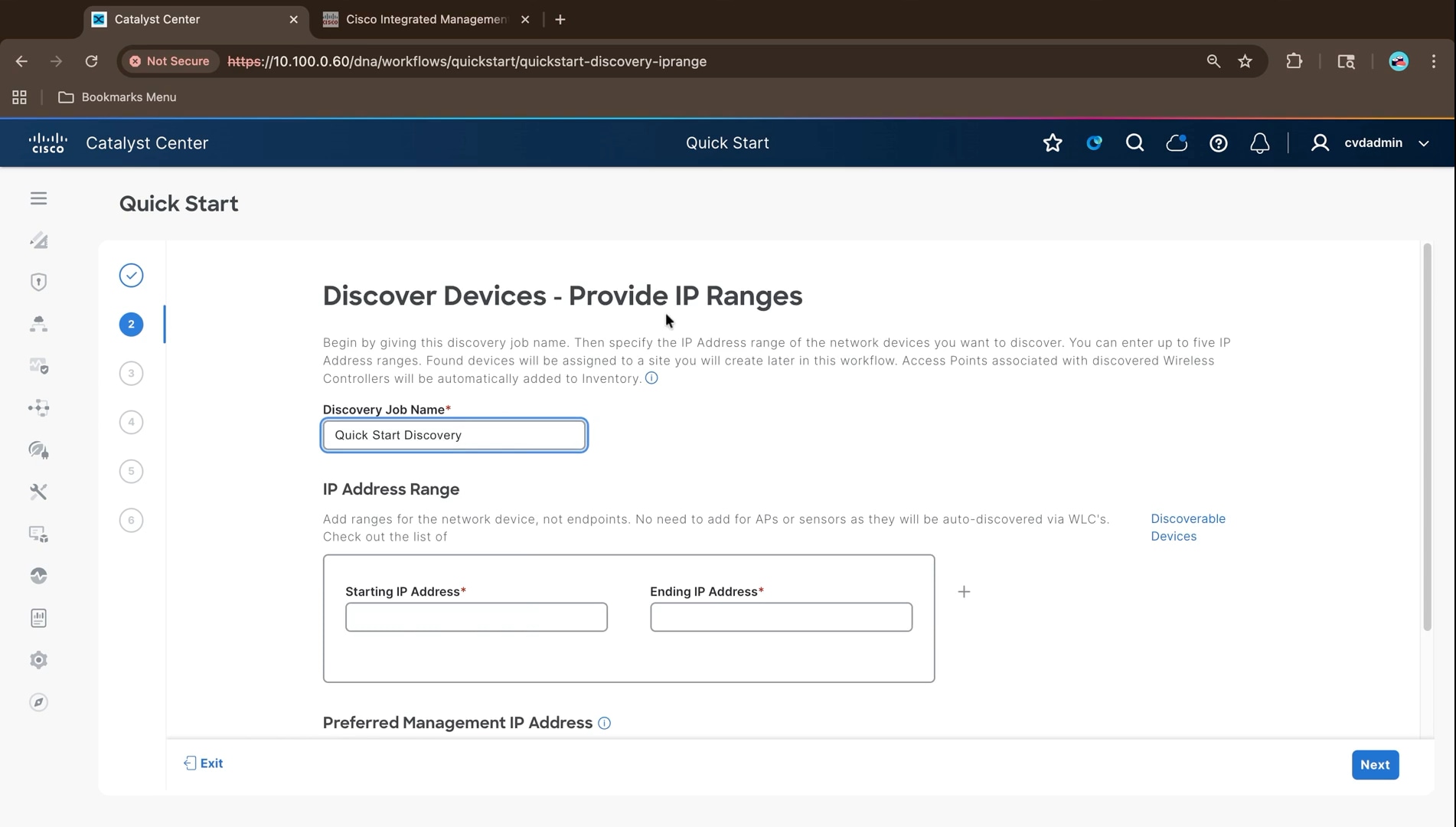
Install the application packages:
A USB image installs only the base release. The application packages that provide SD-Access, policy, and assurance functionality are not present until they are downloaded and installed. Installing them now means the long download and install runs while the rest of the physical build continues, rather than blocking the first provisioning task later.
1. Navigate to System > Software Management and confirm the installed release. This build reports release 3.2.1-75595 with an up to date status.
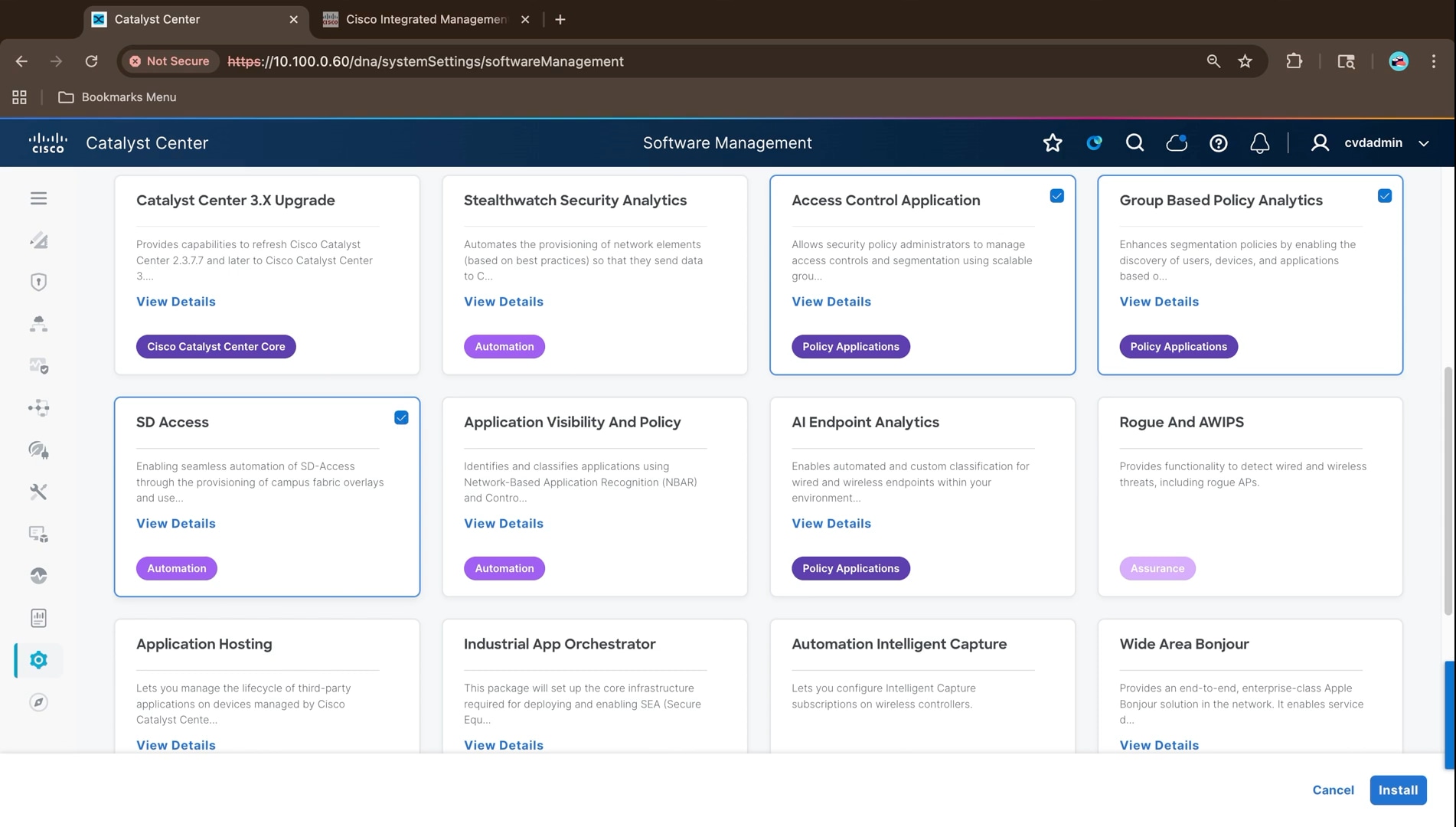
2. Review the tiles under Available Applications. Each carries a category label of Automation, Assurance, Policy Applications, or Cisco Catalyst Center Core, with a link describing the package.
Note: For a fabric build, the essential packages are the Access Control Application, and the package labeled SD Access. Stealthwatch Security Analytics is not required for the fabric itself, and the Catalyst Center 3.X Upgrade package applies only when moving an existing cluster forward, not to a fresh 3.2 install. Package dependencies are resolved and installed automatically.
3. Select required packages, scroll to the bottom of the list to confirm, then click Install.
Installing the full set in one pass avoids a second maintenance window later on a cluster that by then carries live configuration. The page reloads and displays a banner confirming that installation of the optional packages is in progress. There is no confirmation dialog; the install starts as soon as Install is clicked.
Note: The installation is long-running and continues in the background. Progress can be followed from View Installed Applications and View Release Activities on the same page.
Network hierarchy and site design
The site hierarchy is the anchor for everything that follows. Network settings, IP pools, policy, and device assignments are all applied to a node in the hierarchy and inherited downwards, so it has to exist before any of them can be configured. In this design the area is the geography, the building is the fabric site, and each floor carries one access-layer switch stack and its access points.
| Hierarchy level |
Value used in this build |
| Area |
NYC |
| Building (fabric site) |
NYC103 - Pennsylvania Plaza, New York, New York |
| Floors |
Floor 1 through Floor 4, one per access-layer switch stack |
1. From the main menu, navigate to Design > Network Hierarchy.
2. Hover over Global and open the ellipsis menu. On a new cluster the tree contains only Global
3. Select Add Area, enter the area name NYC, and click Add.
Parent is fixed at Global because this is the first site. Areas carry no configuration of their own; they exist so that settings applied once are inherited by every building and floor beneath them.
4. Open the ellipsis menu on the new NYC area and select Add Building. Enter the building name NYC103; the parent is pre-filled as NYC | Global.
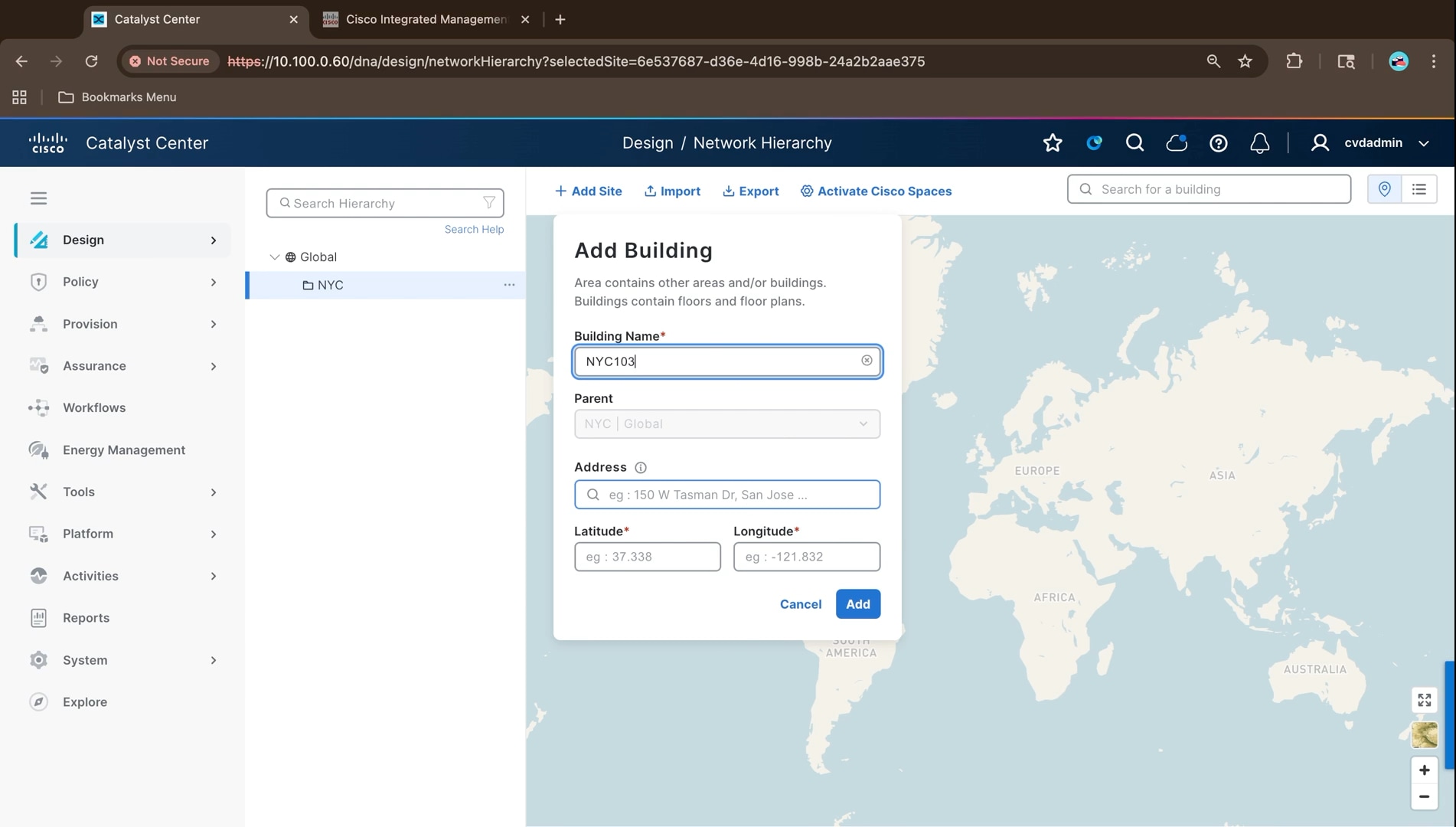
5. Start typing the street address into the Address field and select the matching entry from the lookup list. Latitude and longitude populate automatically. These fields are mandatory, and the coordinates place the site on the network hierarchy map. Click Add.
6. Open the ellipsis menu on the NYC103 building and select Add Floor.
7. Enter the floor name Floor 1 and set the floor properties: global unit system Feet, RF model Cubes And Walled Offices, floor number 1, floor type Medium Floor (15.00 dB), and thickness 2 feet.
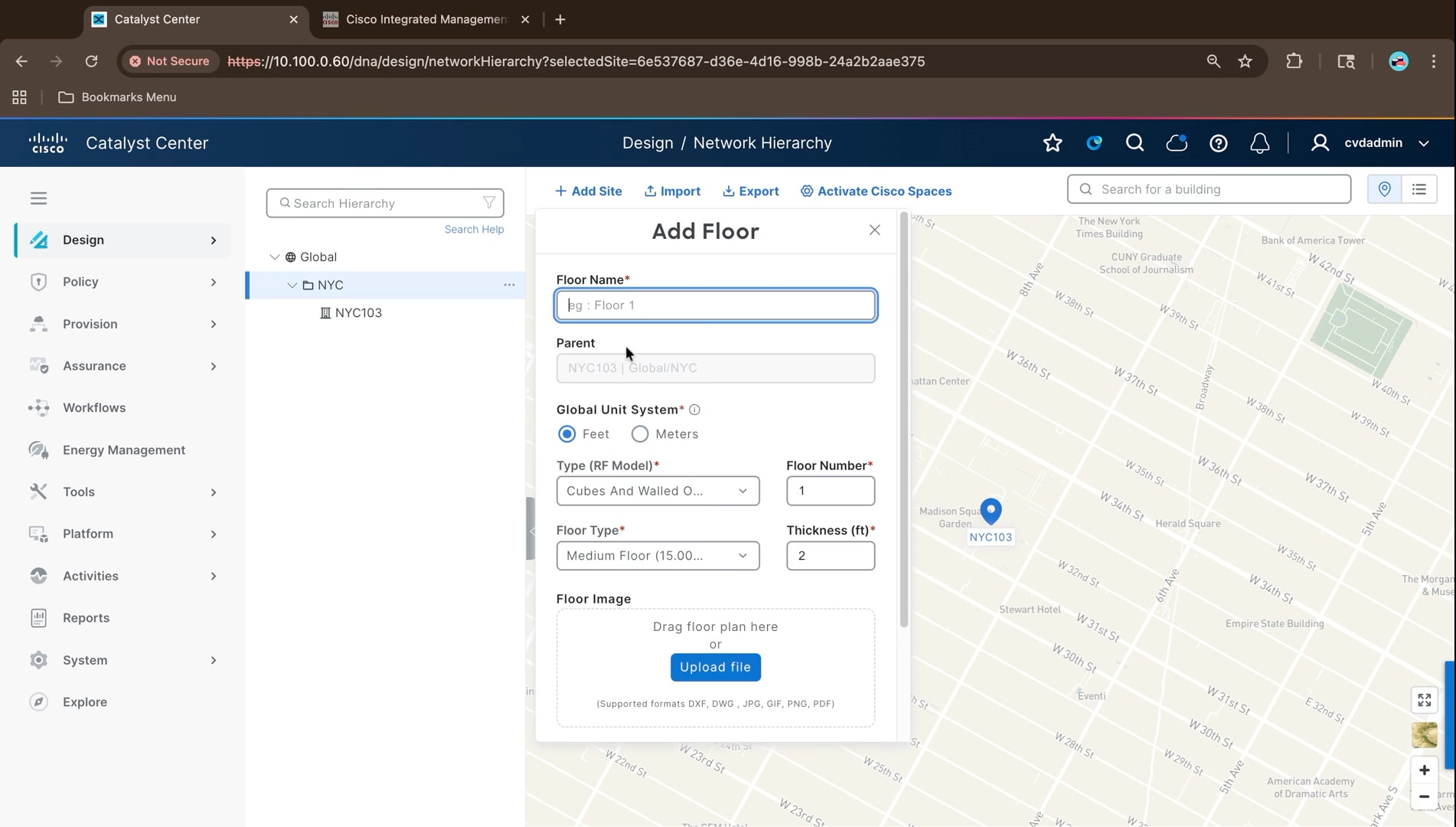
8. Leave the floor image empty, set the floor dimensions to width 100, length 100, and height 10 feet, and click Add.
Note: A floor plan image is optional. It is only needed for accurate access point placement and RF heat maps; without it the floor is created with the dimensions entered here, which is sufficient for the wired fabric build.
9. Repeat the previous three steps to create Floor 2, Floor 3, and Floor 4. This design uses one floor per access-layer switch stack so that each stack, and the clients and access points behind it, is represented separately in the hierarchy.
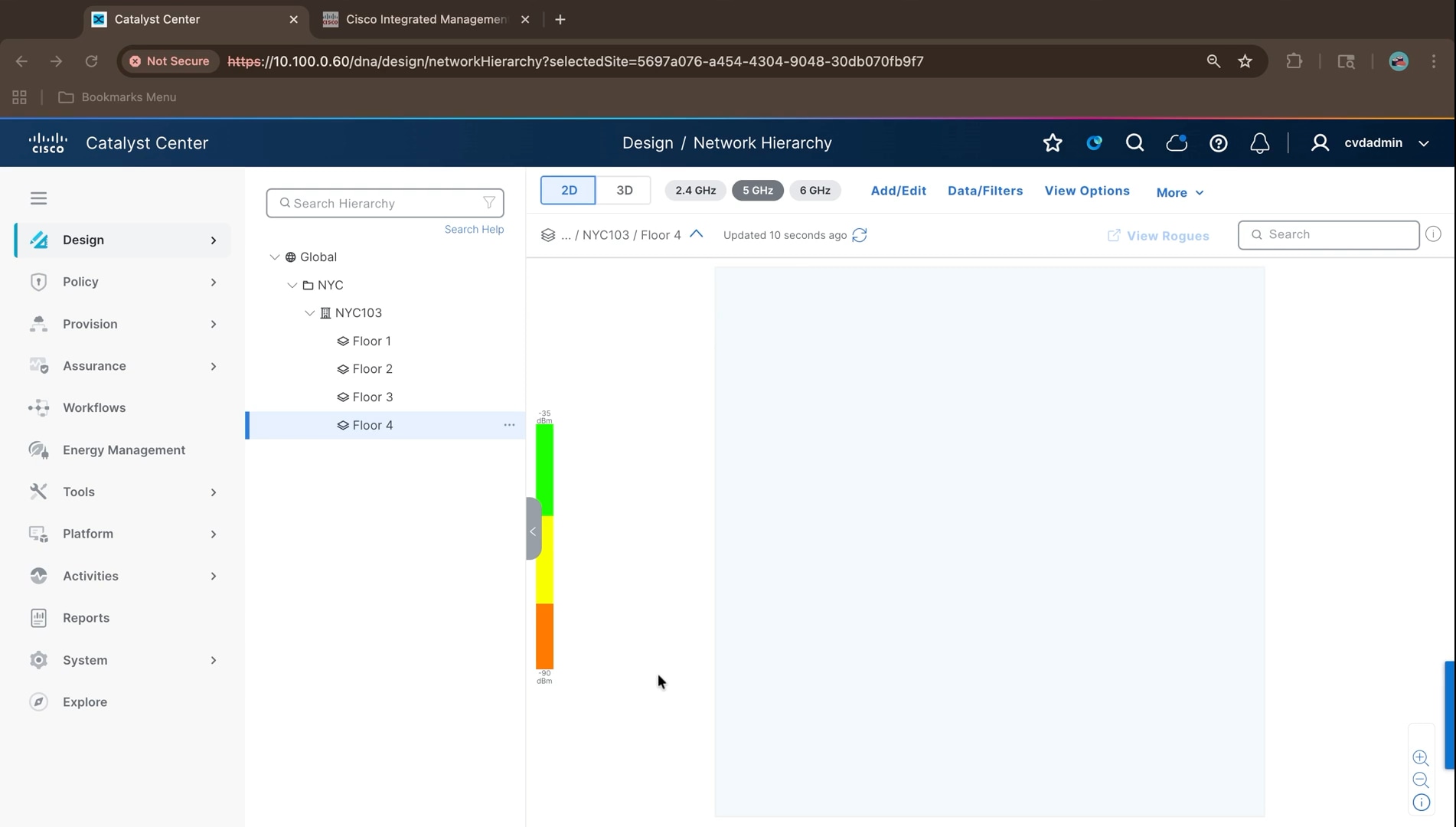
Note: Floors are a modelling choice rather than a requirement. A flat network can be run with a single floor under the building and every device assigned to it. Separate floors become useful where different parts of the building use different edge platforms or serve different classes of user. Where a specific subnet needs to be confined to part of a building, the mechanism is a fabric zone rather than an additional floor.
Network settings applied at Global are inherited by every area, building, and floor beneath. Defining the AAA, DHCP, DNS, NTP, syslog, SNMP, and time zone values once at the top means every fabric site picks them up automatically, and only sites that genuinely differ need an override.
1. Navigate to Design > Network Settings and select the Servers tab, with Global selected in the hierarchy pane.
2. Leave Add AAA servers unchecked for now. First integrate Cisco ISE under System > Settings > External Services > Authentication and Policy Servers.
3. After the integration reports Active, return to Global Network Settings and add ISE under both Network and Client/Endpoint, as described in the Cisco ISE integration section. Complete that configuration before provisioning devices or configuring wireless SSIDs.
4. Expand DHCP, select Add DHCP servers, and enter 10.100.0.5. Additional servers can be added so that individual buildings can be pointed at different servers through inheritance overrides; this build uses a single server for all sites.
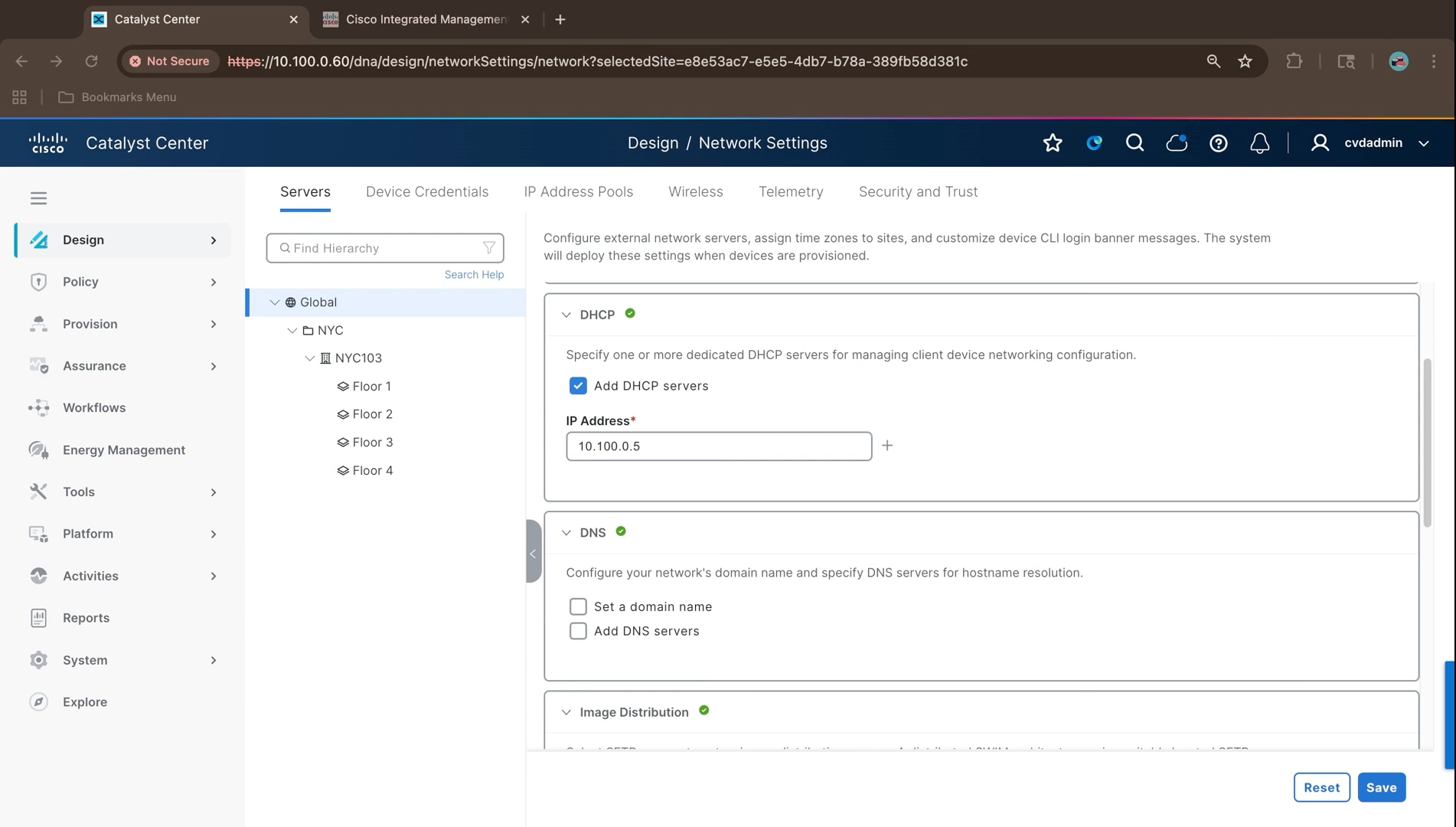
5. Expand DNS, select Set a domain name and enter ciscovalidated.com, then select Add DNS servers and enter the primary server 10.100.0.5 and the secondary server 10.200.0.5.
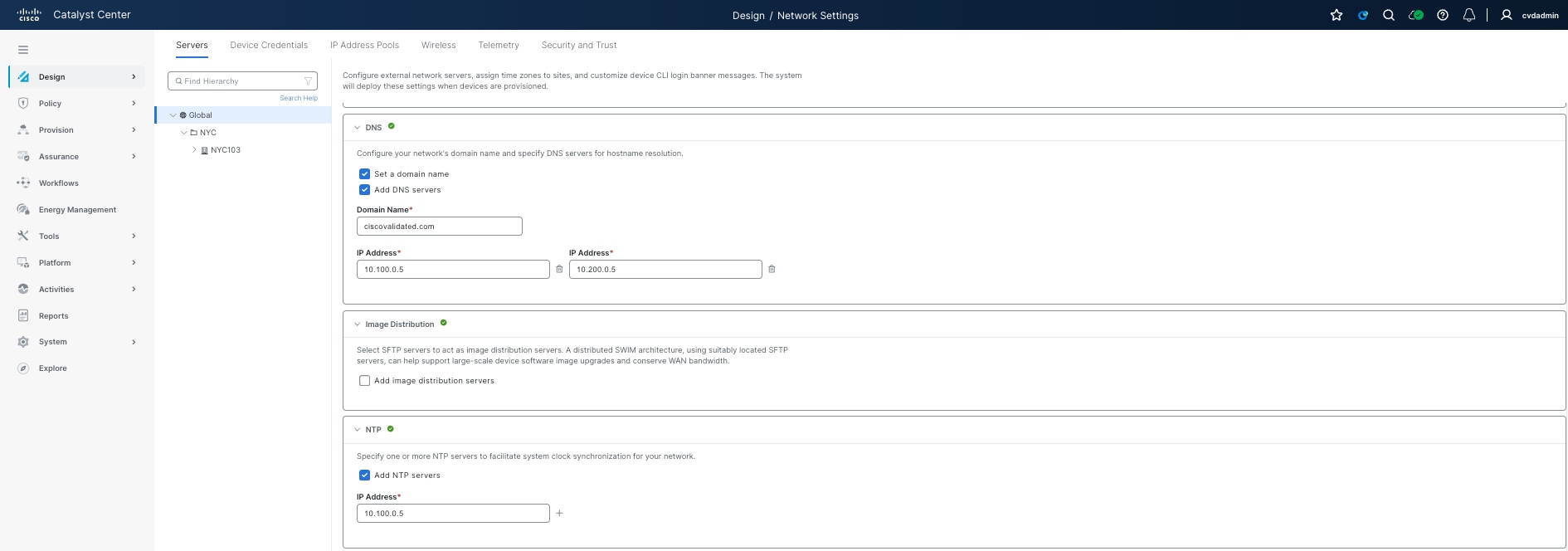
6. Leave Image Distribution unchecked. Distributed SFTP image servers are only needed to spread software image downloads across remote sites; in this build images are marked as golden and distributed from Cisco Catalyst Center itself.
7. Expand NTP, select Add NTP servers, and enter 10.100.0.5.
8. Under Time Zone, change the value from the GMT default to US/Eastern, leave Message of the Day set to use the device’s existing message, and click Save.
The site time zone is used when scheduling device provisioning and software updates, so it must match the physical location of the site.
9. Select a child site, for example the NYC area, to confirm the settings have been inherited. An Inherited Settings dialog explains the inheritance icon shown against each setting.
Note: Changing an inherited value affects that site and everything below it but never the parent and once changed it cannot be reverted to inherited.
IP address pool design and site reservation
Address space is defined once at the Global level as a small number of large aggregate pools, and individual sites then reserve subnets out of them. Keeping the aggregates separate, for underlay, enterprise overlay, and guest overlay, keeps the address plan legible and lets each fabric site carve what it needs without overlapping another site. The aggregates and site reservations used in this build are listed in Reference deployment information.
Create the global aggregate pools:
1. Navigate to Design > Network Settings > IP Address Pools and select Global. On a cluster with no pools the page offers three ways to create them: Add IP Pool, import from a CSV file, and import from an IPAM server. This build enters them manually from the address plan.
2. Click Add IP Pool and create the underlay aggregate with type Generic, address space IPv4, subnet 10.103.0.0, and prefix length /18.
3. Click Save.
Note: The subnet and the prefix length are separate fields. Typing the full CIDR into the IP Subnet field raises an invalid IP address error; enter the network address only and pick the mask from the Prefix length list.
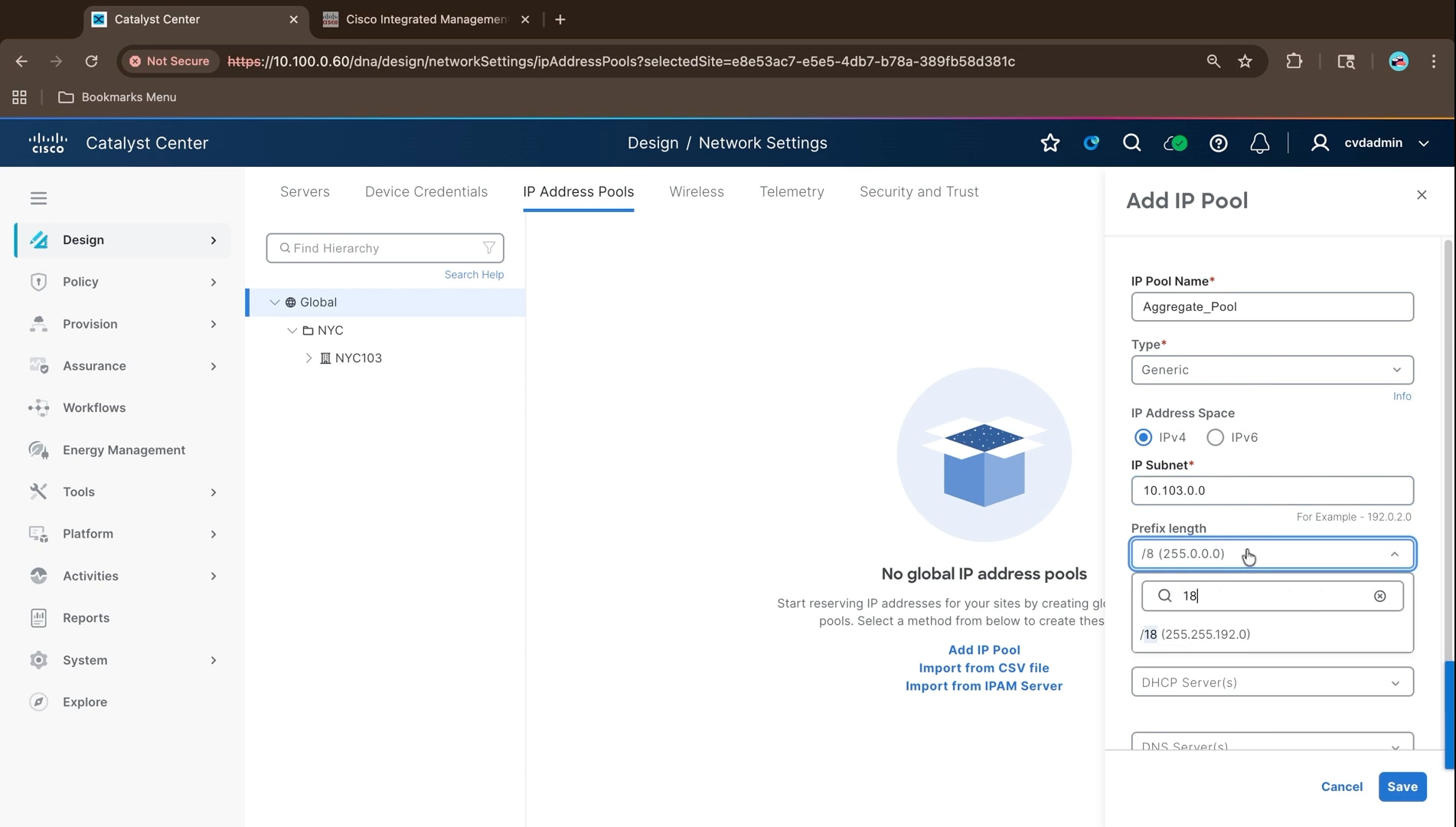
4. Select the pool and use More Actions > Edit to rename it Underlay_Aggregate_Pool. Only the name is editable once the pool exists; the subnet and prefix are fixed. Naming the aggregates for their role makes the reserved pools self-documenting later, when each site reservation has to be traced back to the right aggregate.
5. Create the enterprise overlay aggregate the same way: Overlay_Aggregate_Pool, subnet 10.103.64.0, prefix /18.
6. Create the guest overlay aggregate: Overlay_Aggregate_Pool_Guest, subnet 10.103.192.0, prefix /19. Guest traffic is kept in its own aggregate, so the guest virtual network draws from address space that is obviously distinct from the enterprise overlay, which makes guest traffic easy to identify in policy and in troubleshooting.
7. Confirm all three aggregate pools are listed at the Global level.
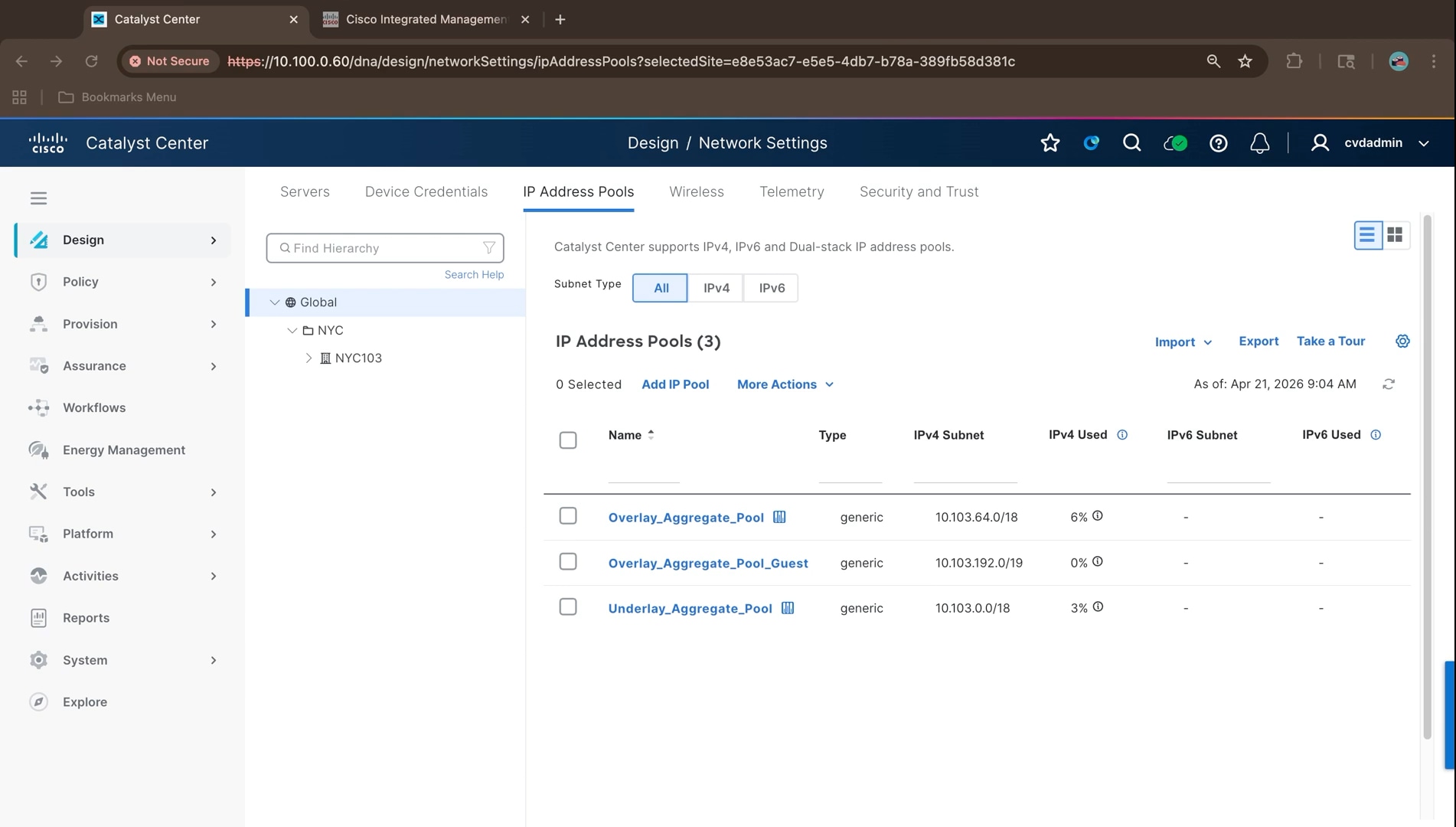
Reserve the site IP pools:
Reserving at the building level carves a subnet out of a global aggregate and binds it to the fabric site that will use it. NYC103 is the fabric site in this design, so every pool the site needs, for LAN Automation, infrastructure, campus, multicast, and guest, is reserved against that building.
1. Select NYC103 in the hierarchy pane and click Reserve IP Pool.
2. Create the LAN Automation pool first, with type set to LAN. LAN Automation requires a pool of type LAN; a generic pool is not offered when the workflow asks for its address space.
Note: Pool names cannot contain spaces. The field accepts letters, numbers, and the hyphen, period, underscore, and forward slash characters only.
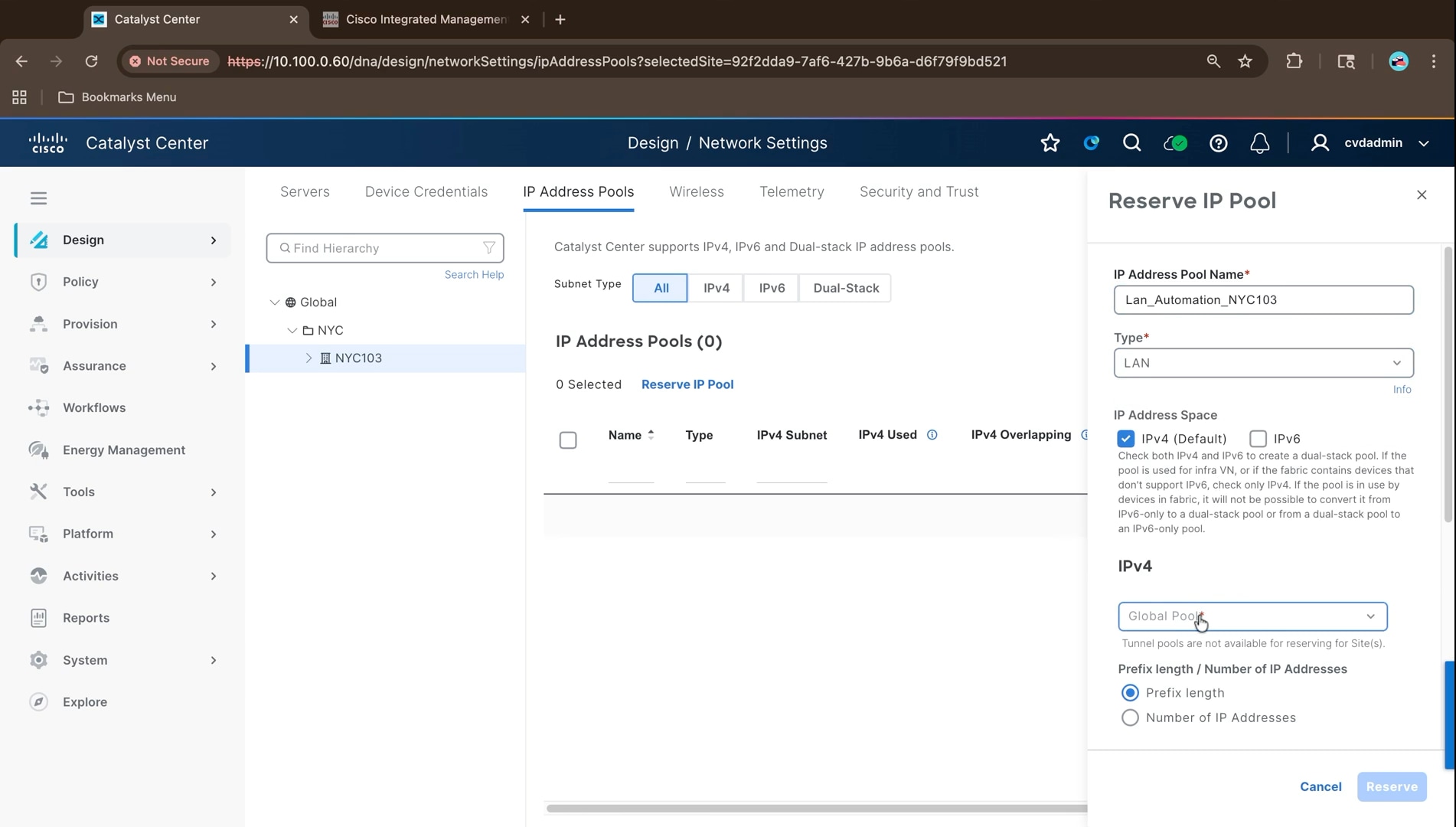
3. Select the global pool to carve from, set the prefix length and IPv4 subnet, leave the gateway empty, leave Overlapping off, and leave the DHCP and DNS lists empty.
4. Click Reserve. LAN Automation addresses the devices it discovers itself, so it needs no gateway and no DHCP server.
5. Click Reserve IP Pool again and create the infrastructure pool with type Generic, carved from the enterprise overlay aggregate.
6. Set the prefix length, subnet, and gateway, then select the DHCP and DNS servers defined in the global network settings.
INFRA_VN carries the access points and extended nodes; because those devices are addressed by DHCP, this pool needs a gateway and a DHCP server, unlike the LAN Automation pool.
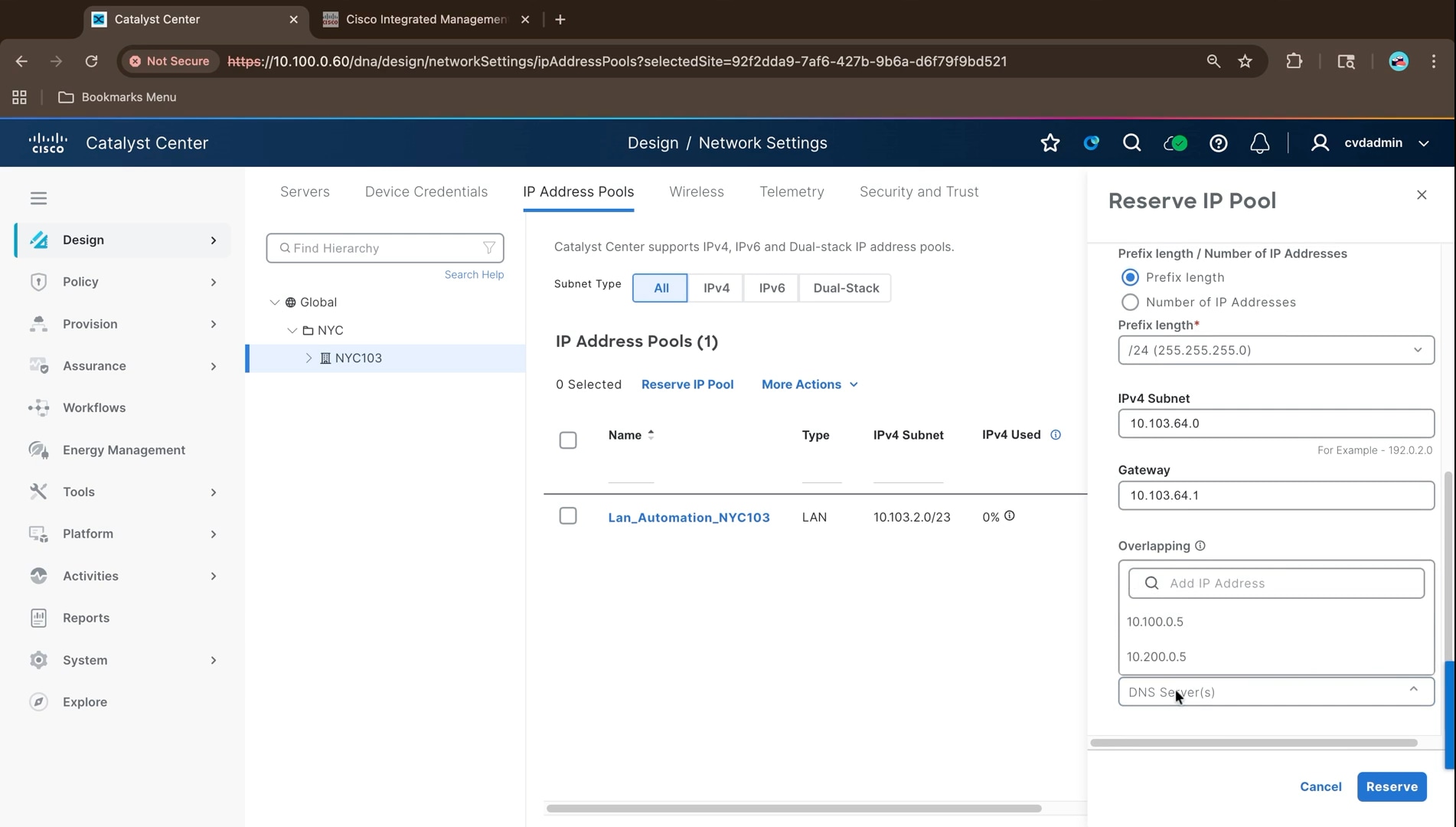
7. Repeat the reservation for the remaining site pools, each as a /24 from the appropriate aggregate, with the gateway at the first address and the same DHCP and DNS servers.
8. Confirm the site pool list for NYC103 contains every reservation.
Note: The pool names and subnets visible in the preceding figures were captured during an earlier iteration of the address plan and differ from the pools finally deployed. The authoritative values are those recorded in Reference deployment information, which were read from the running cluster.
Note: Border handoff subnets are configured manually rather than reserved here. Automation is possible, but manual handoff addressing is what most deployments use, and it is what this guide documents.
Device credentials and telemetry settings
Cisco Catalyst Center cannot discover, monitor, or manage a device without credentials. The CLI credential is the one this build depends on: it is what is configured on the devices and what discovery and LAN Automation use. SNMPv2c read and write are added alongside it so the platform can poll the devices for telemetry.
1. Navigate to Design > Network Settings > Device Credentials and select Global in the hierarchy pane. On a cluster with no credentials the page shows no credentials available; click Create Credentials.
2. The Manage Credentials panel opens. Set Focus to Current site (Global) to apply credentials to devices in this site, or to System to view and edit all available credentials across every applicable site.
3. Use the Add menu to create a CLI credential. Creating it at Global means every site inherits it, which is what the fabric devices need: the same CLI login is used across the seed devices and everything LAN Automation discovers behind them.
4. Under CLI, select Assign a CLI credential and choose the credential, netadmin in this build, from the Credential list.
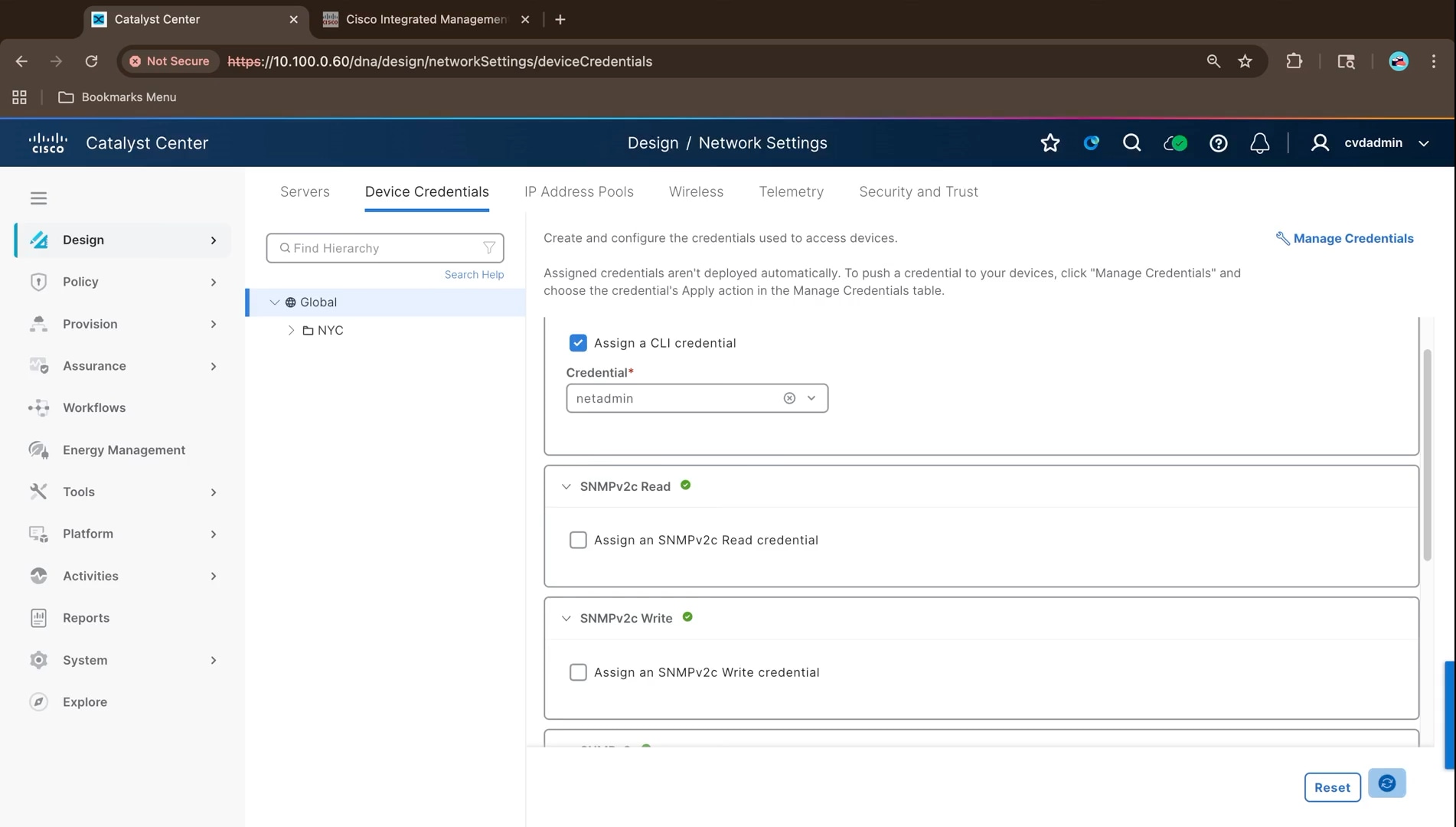
5. Under SNMPv2c Read, open the credential list and choose Add New Credential.
6. Enter a name and description, publiccvd in this build, and the read community string.
7. Select Assign credential to site Global and click Save.
8. Repeat for SNMPv2c Write with the name privatecvd and the write community string.
Note: Cisco Catalyst Center also supports SNMPv3 and HTTPS credentials. Which are needed depends on the deployment; some environments standardize on SNMPv3, others use HTTP-based access. For this fabric build the CLI credential is the essential one, with SNMPv2c read and write alongside it.
9. Select the NYC area and then the NYC103 building and confirm the CLI and SNMP credentials have been inherited, then click Save at each level. Confirming them on NYC103 matters because that building is the fabric site, and it is the level the discovery and provisioning workflows act on.
Note: Assigning a credential does not deploy it. Credentials are pushed to devices from the Manage Credentials table using the credential’s Apply action.
Enable telemetry for the fabric site:
1. Navigate to Design > Network Settings > Telemetry and select NYC103. Under Wired Endpoint Data Collection, select the option to enable wired endpoint data collection at this site; it is disabled by default.
2. Confirm that wireless telemetry is selected under Wireless Controller, Access Point and Wireless Clients Health, then click Save.
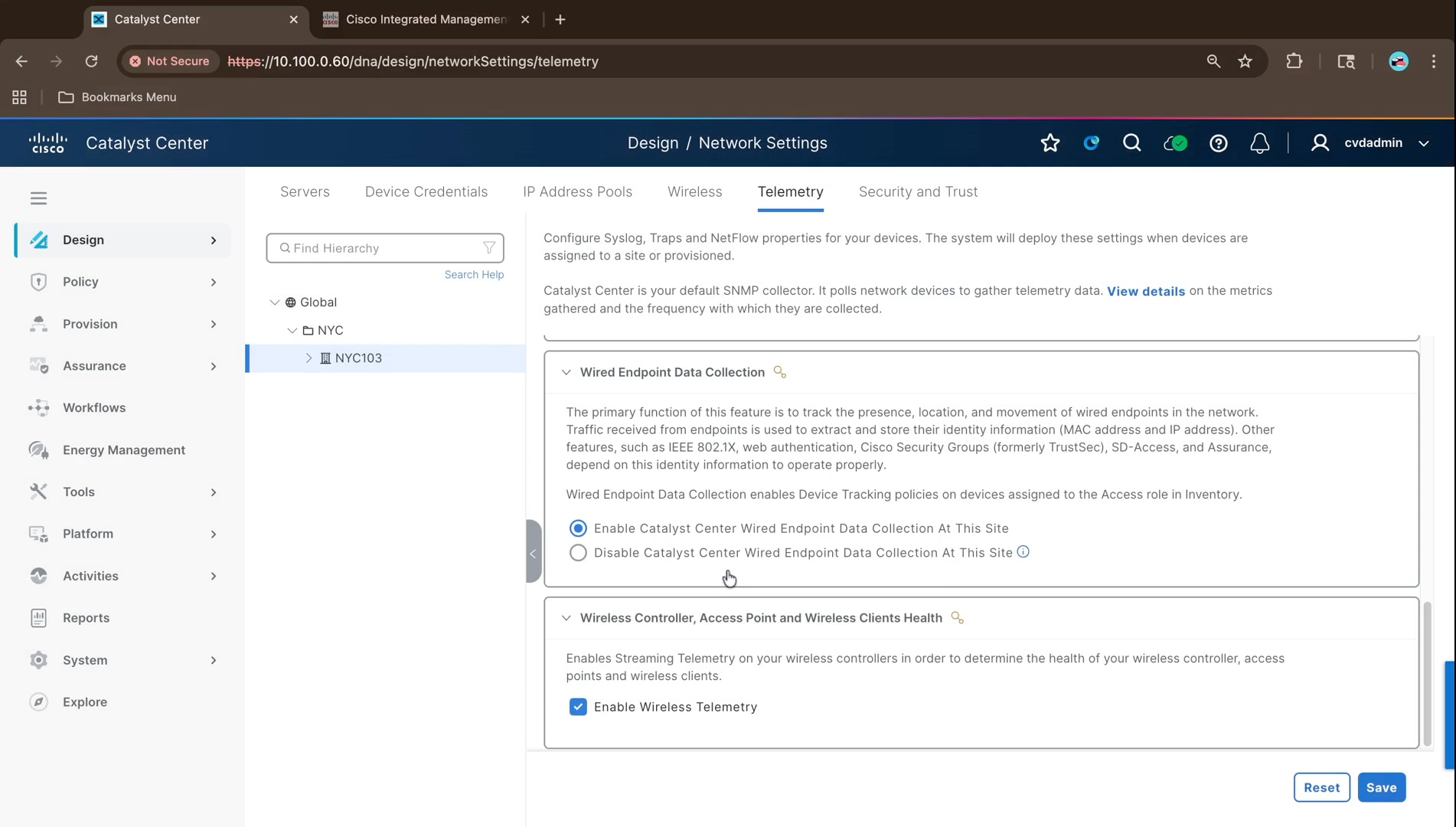
Wired endpoint data collection applies device tracking policies to devices assigned the Access role, which is how Cisco Catalyst Center learns the MAC and IP identity of wired endpoints. IEEE 802.1X, web authentication, Cisco Security Groups, SD-Access, and Assurance all depend on that identity information, so a fabric site requires it.
Note: Application Visibility is not enabled in this build. It is not required for the fabric itself and is left off to keep the deployment focused on SD-Access functionality.
Software image management and golden image compliance
Before moving on to discovery and provisioning it is worth confirming the platform is carrying the packages the rest of the build needs. A missing optional package surfaces much later as a missing menu or workflow, which is considerably harder to diagnose than checking the list here.
1. Navigate to System > Software Management and confirm the installed release. This build reports release 3.2.1-75595 with an up to date status and confirms that all optional applications available on the release are installed.
2. Click View Installed Applications and review the list. Applications are grouped by function, with each showing its deployed version.
The packages that matter for this build are SD Access under Automation, and Access Control Application and AI Endpoint Analytics under Policy Applications.
Note: Packages with an Uninstall control are the optional applications. Those without one are core components of the release; they cannot be removed, and the optional applications cannot be installed without them.
Device software image compliance is managed separately, under Design > Image Repository, where a release is marked as golden for a device family and site so that Cisco Catalyst Center can report and remediate devices running a different image. The golden image for this build is Cisco IOS XE 17.18.2, matching the release recorded in Reference deployment information.
1. Navigate to Design > Image Repository. The images already running on discovered devices are listed against their device families.
2. Click Import and import cat9k_iosxe.17.18.02.SPA.bin from Cisco.com, a local file, or a URL. When the import completes, confirm that the image shows as verified. Catalyst Center checks each imported image against Cisco's published known-good values.
3. Import cat9k_lite_iosxe.17.18.02.SPA.bin in the same way. The Catalyst 9200CX extended node runs the Lite image family (CAT9K_LITE), which needs its own golden image.
4. For each device family in the build, click the star against 17.18.02 to mark it golden, with Global and all device roles as the scope.
5. Navigate to Provision > Inventory and review the software image status of each device. Devices running the golden release are compliant. A device running any other release is flagged as outdated, and Catalyst Center offers an image update that distributes and then activates the golden image.
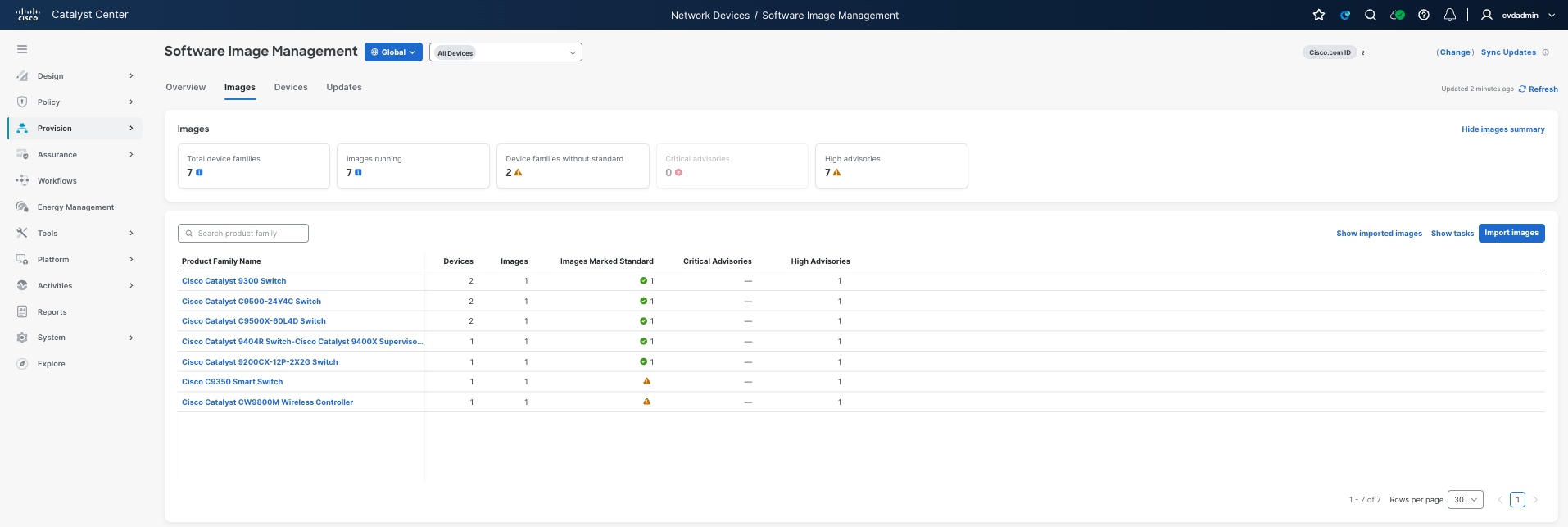
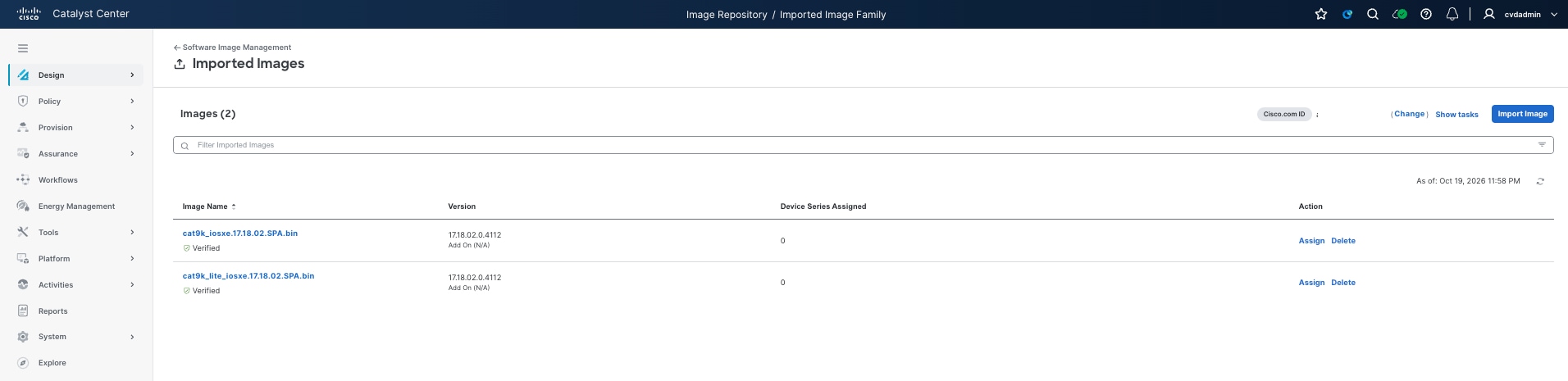 Cisco Identity Services Engine (ISE) integration
This procedure integrates Cisco Catalyst Center with Cisco Identity Services Engine so the fabric can use ISE for endpoint authentication and group-based policy. It continues from the design settings, with the site hierarchy, network settings, credentials, and IP pools already in place.
A generic SD-Access fabric does not require ISE. The integration is needed when the deployment calls for ISE-specific functionality: onboarding clients or network devices with IEEE 802.1X, and group-based micro-segmentation. This build uses both, so ISE is integrated here rather than later.
| Item |
Value used in this build |
| ISE node address |
10.100.0.10, a single node acting as both Policy Administration Node and Policy Service Node |
| ISE fully qualified domain name |
nyc-ise-01.ciscovalidated.com |
| ISE release |
3.5.0.527 |
| Administrative username |
<Dedicated ISE Admin/ERS Account>admin |
| Protocol |
RADIUS, authentication port 1812, accounting port 1813 |
| pxGrid |
Catalyst Center Connect to pxGrid toggle is set to Enabled by default |
Several settings must already be in place on the ISE node before the integration will succeed. These are gathered as part of the planning covered in Deployment planning prerequisites and considerations, and confirmed here before the integration is attempted:
● ISE deployment operational - The node is installed, its personas assigned, and it is reachable from Cisco Catalyst Center.
● pxGrid and ERS enabled - The pxGrid service and the External RESTful Services API are both enabled, and an administrative account with the appropriate role exists for Cisco Catalyst Center to use.
● Automatic pxGrid approval - The option that lets ISE automatically approve the Cisco Catalyst Center pxGrid client is enabled. Without it, the pxGrid subscription created during the integration has to be approved by hand in the ISE administration console.
● Certificate trust decided - Whether the deployment uses an enterprise certificate authority or self-signed certificates is settled in advance, since it determines whether signing requests must be raised before integration can proceed.
● Shared secret agreed - The RADIUS shared secret is agreed, because it must match the value the network devices will be configured with.
● Clocks synchronized - Cisco Catalyst Center, Cisco ISE, and the network devices use the same NTP source. Certificate validation and pxGrid session establishment both fail when clocks drift.
The pxGrid service and the External RESTful Services API are enabled from the ISE administration console, under the deployment node configuration and the API settings respectively. pxGrid is the channel Cisco Catalyst Center and Cisco ISE use to exchange identity and policy information, and the trust across it is certificate based. ERS provides the REST interface Cisco Catalyst Center uses to read and write ISE configuration objects such as network access devices and scalable groups.
Both services are disabled by default on a new ISE deployment, and both must be enabled before the integration in the next procedure is attempted. Enabling automatic approval of pxGrid clients at the same time avoids a manual approval step during the integration.
1. In Cisco ISE, navigate to Administration > System > Deployment and select the nyc-ise-01 node.
2. Under General Settings, check pxGrid and click Save. The pxGrid service can take several minutes to start.
3. Navigate to Administration > System > Settings > API Settings, and open API Service Settings.
4. Enable ERS (Read/Write) and click Save.
5. Leave Use CSRF Check for Enhanced Security cleared. Catalyst Center does not support ERS access when that check is enabled.
6. Navigate to Administration > pxGrid Services > Settings.
7. Check Automatically approve new certificate-based accounts and click Save.
8. Leave Allow password based account creation cleared, because pxGrid clients that use password-based accounts are never approved automatically.
9. Confirm that Catalyst Center can reach the ISE node on TCP 443, 5222, 8910, and 9060.
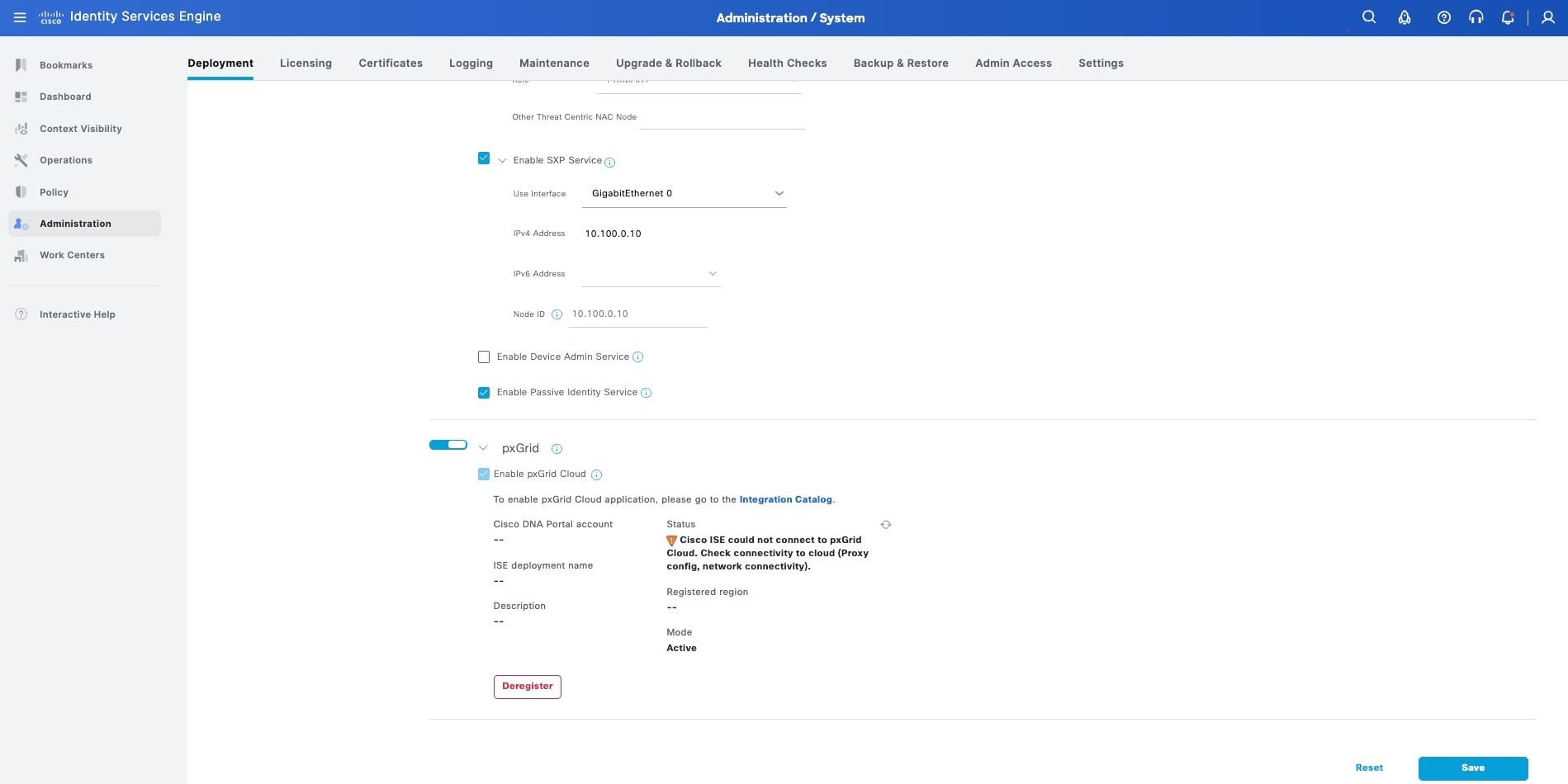
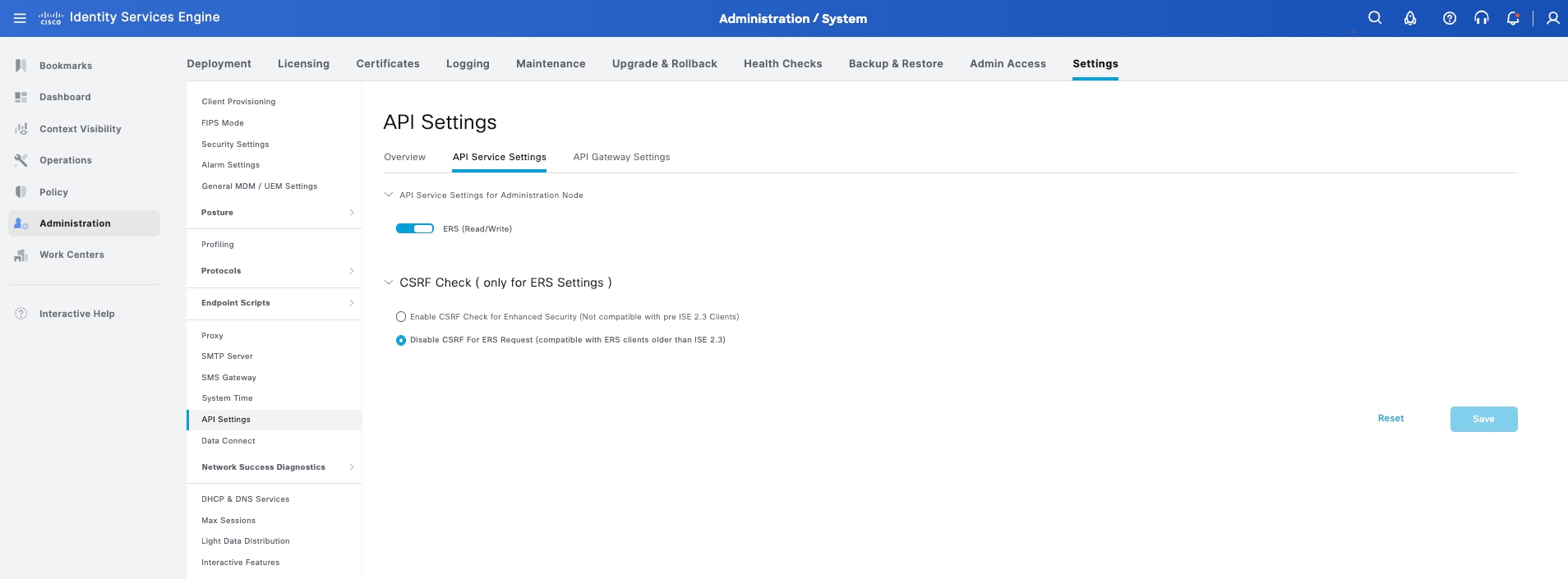
Establish Catalyst Center and ISE trust
1. From the main menu, choose System > Settings.
2. In the settings navigation pane, expand External Services and select Authentication and Policy Servers.
This page lists the servers that authenticate Cisco Catalyst Center users; ISE servers listed here also supply policy and user information.
3. Click Add and choose ISE.
4. Enter the server IP address, the RADIUS shared secret, the ISE administrative username and password, and the fully qualified domain name of the ISE node.
5. Leave the virtual IP address field empty. An ISE deployment can be distributed across a Policy Administration Node and several Policy Service Nodes, with individual fabric sites inheriting the nodes closest to them; the topology in this build is a single node acting as both, so one address covers both roles.
6. Switch on Advanced Settings and review the values.
7. Connect to pxGrid is selected by default and stays enabled
8. Enable Multiple Catalyst Center operation is cleared
9. The protocol is RADIUS
10. The ports, retries, and timeout are left at their defaults
11. Click Save.
12. Saving starts the integration. At the Initiating connection stage Cisco Catalyst Center reports that this is the first time it has seen the certificate from Cisco ISE and that it is not yet trusted.
13. Inspect the certificate if required, then click Accept. Trust between the two systems is established with certificates rather than credentials alone and accepting here stores the ISE certificate so that the pxGrid connection is validated against it from then on.
14. The integration runs through four stages: initiating connection, establishing trust, discovering nodes, and connecting to pxGrid.
Note: Node discovery locates the ISE primary and secondary administration nodes and the pxGrid nodes. How long it takes depends on the scale of the ISE deployment; a large deployment with many Policy Service Nodes takes noticeably longer than the single node used here.
15. Wait for the confirmation that integration of the ISE server was successful, then click Close.
Define network access devices and RADIUS
With the integration established, Cisco Catalyst Center becomes the source of the network access device definitions in ISE. As each fabric device is provisioned in the later steps, its RADIUS configuration is pushed to the device, and a matching network access device entry is created in ISE using the shared secret supplied during the integration. Defining them by hand is not required.
Confirm the integration from both views before continuing:
1. Return to System > Settings > External Services > Authentication and Policy Servers and confirm the server is listed with protocol RADIUS, type ISE, and an ACTIVE status.
2. Choose System > System 360 and scroll to Externally Connected Systems. The Identity Services Engine card reports the primary node and the pxGrid node, each with its IP address and an available status. The settings page shows whether Cisco Catalyst Center considers the server usable; System 360 shows whether the underlying connections, including pxGrid, are actually up.
Note: The Policy row on the same card reports group-based policy as not started. That is expected at this point; group-based policy is configured in Step 5.
In the validated deployment, all eight fabric nodes appear in ISE as network access devices once provisioning is complete: the two co-located border and control plane nodes, the two intermediate nodes, and the four fabric edge nodes. Confirming that list in the ISE administration console after Step 2 is a useful check that the RADIUS configuration reached every device.
Add Cisco ISE as the AAA server
With the integration active, Cisco ISE can be selected as the AAA server in the network settings. Devices pick up the AAA configuration when they are provisioned, which is why the Step 2 provisioning summary lists an AAA client and ISE server, and why the SSID workflow in Step 4 checks for ISE here.
1. Navigate to Design > Network Settings > Servers.
2. With Global selected in the hierarchy pane, expand AAA and select Add AAA servers.
3. Under Client/Endpoint, set the server type to ISE and the protocol to RADIUS. Select 10.100.0.10 as the Cisco ISE PAN and as the primary PSN.
4. Leave Network cleared. In this build, device administration uses the local CLI credentials defined in Device credentials and telemetry settings.
5. Select Network only where device administration is centralized on Cisco ISE.
6. Click Save, then select the NYC103 site and confirm the AAA setting is shown as inherited from Global.
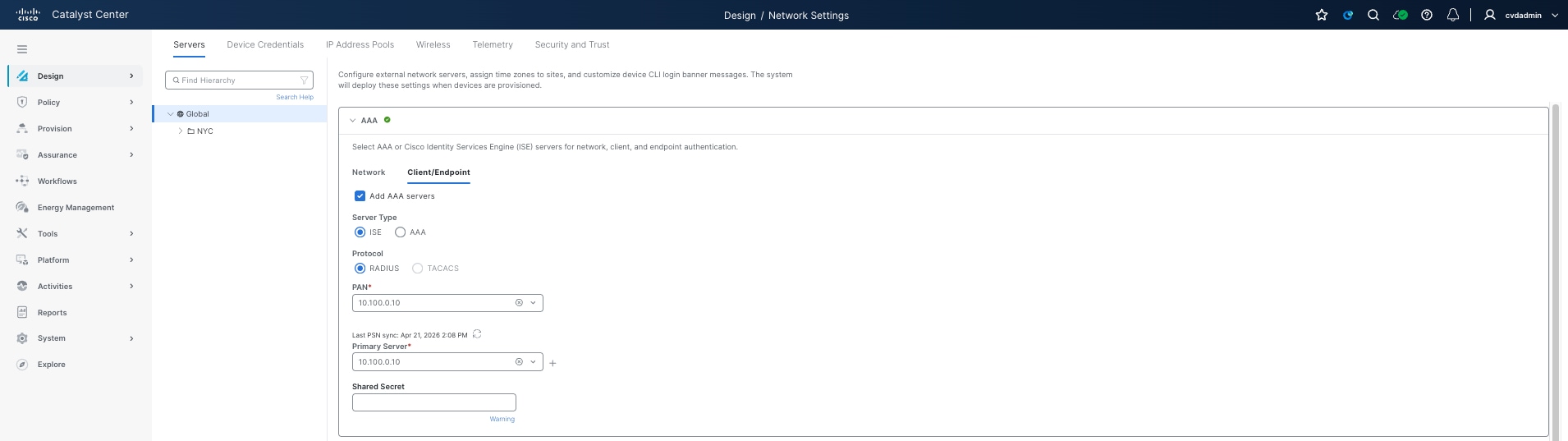
Step 2: Deploy the routed underlay
This step converts the campus infrastructure into a Layer 3 routed underlay. It begins with the two seed devices being discovered and provisioned against the site, then uses LAN Automation to bring up every device below them and ends with a routed underlay running OSPF that the fabric overlay is provisioned on top of in Step 3. It is important to have the underlay complete with stable routing before attempting the fabric workflow.
Within the SNRA framework, this step primarily supports Secure Infrastructure by establishing the routed Layer 3 underlay, resilient transport between fabric nodes, the OSPF routing foundation, consistent MTU, and the redundant uplink connectivity required for scalable fabric operations.
| SNRA Function or Capability |
On-premises Deployment Components |
| Secure Infrastructure |
Builds the routed Layer 3 underlay with LAN Automation, OSPF, loopback and point-to-point addressing, consistent MTU, and redundant transport between fabric nodes. |
| Identify and Authorize |
Brings devices under management with consistent credentials and RADIUS-related configuration, making device identity and later endpoint authorization repeatable. Endpoint identity decisions are not validated until later steps. |
| Segment and Protect |
Provides the routed transport over which VXLAN, virtual networks, VRFs, and anycast gateways are instantiated in Step 3. The underlay itself is not the segmentation policy. |
| Detect and Respond |
Produces underlay evidence through OSPF adjacencies, reachability, MTU, device state, and controller telemetry. These signals support detection of infrastructure faults; threat analytics and containment are out of scope for this step. |
| Unified Management and Agentic Operations, Common Policy Context, and Extended Integrations |
Uses Catalyst Center and LAN Automation to apply design intent consistently, populate inventory, and distribute telemetry settings. The resulting device and topology context is consumed by assurance and later integrations. |
Because the underlay is built by the controller, the addressing, routing configuration, and device naming are consistent by construction, and the same session can be repeated to add devices later.
The routed underlay is built on Cisco Catalyst switching platforms. The primary hardware involved in this step is:
● Cisco Catalyst 9500 Series Switches - Deployed as the co-located border and control plane nodes and used as the LAN Automation seed devices. They provide the Layer 3 routed underlay, OSPF participation, and upstream handoff connectivity.
● Cisco Catalyst 9500X Series Switches - Deployed as the intermediate nodes providing routed transport between the border nodes and the fabric edge layer.
● Cisco Catalyst 9300, 9300X, and 9350 Series Switches - Deployed as the fabric edge nodes, providing routed underlay connectivity and, in Step 3, the anycast gateway and endpoint connectivity for the overlay.
● Cisco Catalyst 9200CX Series Switch - Deployed as an extended node behind a fabric edge node. It is onboarded through INFRA_VN later in the build rather than by LAN Automation.
This step brings the physical infrastructure under management and converts it into a routed underlay. The seed devices are discovered and provisioned first, because LAN Automation works outwards from them, and the session is then run to discover, address, and configure everything below.
At a high level, this step includes the following procedures:
1. Discover the two seed devices using an explicit address range.
2. Confirm the seed devices are under management in Inventory.
3. Provision the seed devices against the fabric site so the design settings are applied.
4. Open the LAN Automation workflow and confirm its prerequisites.
5. Select the primary and secondary seed devices and the interfaces to discover through.
6. Set the session attributes, including the address pool, routing protocol, and hostname prefix.
7. Review and start the session and wait for the seed configuration phase to complete.
8. Review the devices brought up by Plug and Play and give them their final hostnames.
9. Stop the session so the temporary configuration is replaced with the routed underlay.
10. Verify the session result, the Plug and Play state, and the device inventory.
At the start of this step the two seed devices are cabled, configured with a management address and CLI credentials, and reachable from Cisco Catalyst Center. A point-to-point Layer 3 routed link is already configured between them, which is a prerequisite where a secondary seed is used. Everything below the seeds is at factory defaults and has no configuration at all.
The devices below the seeds are reached over the seed interfaces selected for the session. In this build those are the link to the peer seed and the two links to the intermediate nodes; the uplinks to the upstream fusion nodes are deliberately excluded, because those devices are already managed and are not part of the fabric underlay.
Note: The seed devices must not be at factory defaults. LAN Automation configures the devices it discovers, but the seeds themselves have to be reachable and under management before the session can start, which is what the discovery and provisioning procedures below achieve.
Two decisions shape the underlay before the session is started: whether the underlay is built by LAN Automation or by hand, and which interior gateway protocol it runs. The remaining considerations, addressing and MTU, follow from those two.
LAN Automation versus manual underlay
LAN Automation replaces the manual build of the underlay. Cisco Catalyst Center pushes a temporary Layer 2 configuration to the seed devices so that factory-default switches connected to them can obtain an address and be discovered over Plug and Play. When the session is stopped, that temporary configuration is removed and replaced with the Layer 3 routed access configuration the fabric runs on.
The advantage is consistency. Every device receives its Loopback0 address, point-to-point link addressing, routing configuration, and hostname from the same source, and the session log records the results. A manual underlay is also valid, but it places responsibility for consistent addressing and configuration on the engineer.
A manual underlay remains appropriate where the devices are already in production and cannot be reset to factory defaults, where the addressing must follow an existing scheme that LAN Automation cannot reproduce, or where the topology falls outside what a session can discover. This build uses LAN Automation throughout.
Underlay routing protocol selection: IS-IS and OSPF
LAN Automation supports both IS-IS and OSPF as the underlay interior gateway protocol. IS-IS is the default, and the LAN Automation overview page describes the workflow in terms of IS-IS. OSPF is selected explicitly on the session attributes page.
IS-IS is well suited to an underlay: it is independent of the address family it carries, it converges quickly, and it requires no area design for a single fabric site. OSPF is chosen in this build for consistency with the other fabrics in the same estate and with the existing upstream network, which already runs OSPF.
In Catalyst Center 3.2.1, the release used for this validation, the OSPF option in the LAN Automation workflow carries a Beta label. Catalyst Center 3.2.3 introduces OSPF in the LAN Automation workflow as a generally available feature. Use Catalyst Center 3.2.3 or later where OSPF is the chosen underlay protocol for a production deployment. IS-IS remains the default.
OSPF areas, loopback, and point-to-point addressing
The session is configured with OSPF process ID 1 and area ID 1, and those values are applied consistently to every device the session brings up. The result is a single-area design, with the same area extended across the border to fusion links, as documented in Reference deployment information.
Addressing comes from the LAN Automation pool reserved against the site in Step 1. Each discovered device receives a Loopback0 address from that pool, which becomes its routing locator, and each link between devices receives a /31 subnet. The seed devices keep the Loopback0 addresses they already have. Where multicast is enabled for the session, an additional loopback is reserved on the primary seed.
A temporary subnet is also borrowed from the pool for the VLAN 1 bootstrap interface that Plug and Play uses and released back when the session is stopped. The pool therefore needs headroom beyond the final device and link count.
MTU and multicast underlay considerations
The global Ethernet MTU on the fabric nodes is 9100 bytes. VXLAN adds encapsulation overhead to every overlay packet, so the underlay must carry a larger frame than the endpoints generate if fragmentation is to be avoided. The same value must be configured on the upstream fusion node interfaces facing the border nodes, because a mismatch prevents the OSPF adjacency from forming.
Multicast is enabled for the LAN Automation session in this build. Enabling it during the session means the underlay multicast configuration is applied as the devices are brought up, rather than being added afterwards, and it reserves the additional loopback the rendezvous point configuration uses. Underlay multicast is required where Layer 2 flooding is enabled in the overlay and is used by the overlay multicast configuration described in Step 3.
LAN Automation works outwards from the seed devices, so the seeds themselves must be discovered and under management before a session can start. This procedure discovers the two devices that become the fabric border and control plane nodes, then provisions them against the site so they receive the design settings defined in Step 1.
| Item |
Value used in this build |
| Discovery type |
Range, 10.103.0.1 to 10.103.0.2 |
| Seed devices |
NYC103-CP-BR-01 and NYC103-CP-BR-02, Catalyst C9500-24Y4C |
| CLI credential |
netadmin |
| SNMPv2c read / write |
publiccvd / privatecvd |
| NETCONF |
Port 830 |
| Site assigned at provisioning |
Global/NYC/NYC103 |
1. From the main menu choose Workflows and start the Onboard Devices workflow.
2. Enter a descriptive task name in place of the dated default, leave Type set to Range, and enter the starting and ending addresses of the seed devices. Click Next.
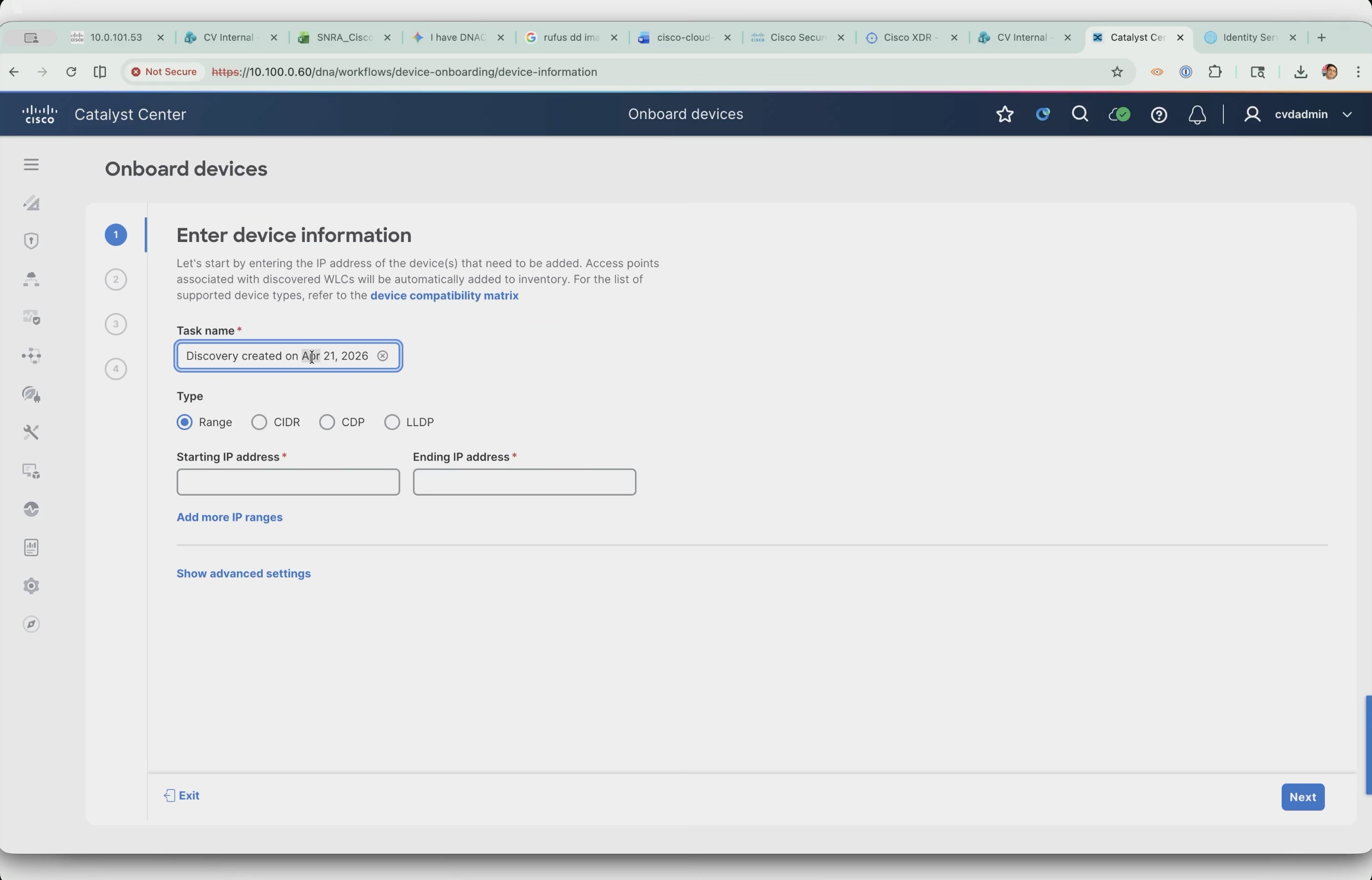
3. The seed addresses come from the underlay aggregate and are already known from the address plan, so an explicit two-address range is the tightest possible scope. The other discovery types walk outwards from a starting point, which is the job LAN Automation performs later.
4. On the credentials step, select the CLI credential and both SNMPv2c read and write credentials created in Step 1.
5. Under NETCONF, leave port 830 selected and click Next. NETCONF is not required for the discovery itself; it is enabled now because later fabric functionality depends on it, which avoids having to rediscover the devices to pick it up.
6. On the schedule step, leave the task set to run now and leave Discover new devices only enabled. Do not assign a site here; if the site selection raises the Visibility and Control of Configurations dialog, select Skip Site Assignment.
7. Click Next.
Note: The dialog warns that when site assignment and device discovery run in parallel the configuration preview cannot be generated. The site is assigned during provisioning instead, where the preview is available and the design settings are pushed at the same time.
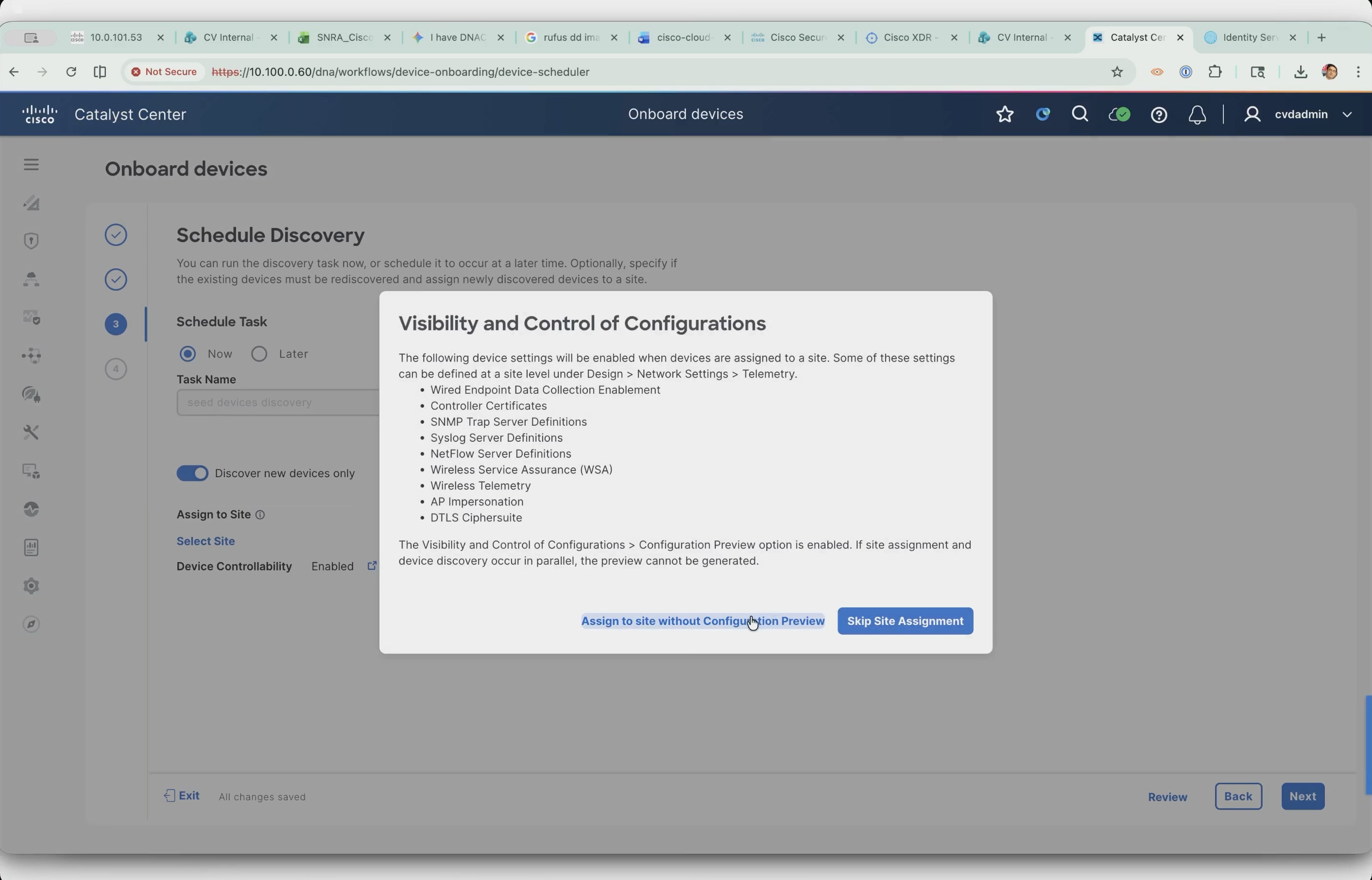
8. Review the summary and click Start Discovery.
9. When the task completes, open it and confirm the result. The discovery reports two devices discovered and reachable, with a green result for ICMP, SNMP, CLI, and NETCONF on each.
Note: HTTPS is shown greyed out for both devices. That is expected: the protocol order for this discovery is SSH, and HTTP-based access is not used in this build.
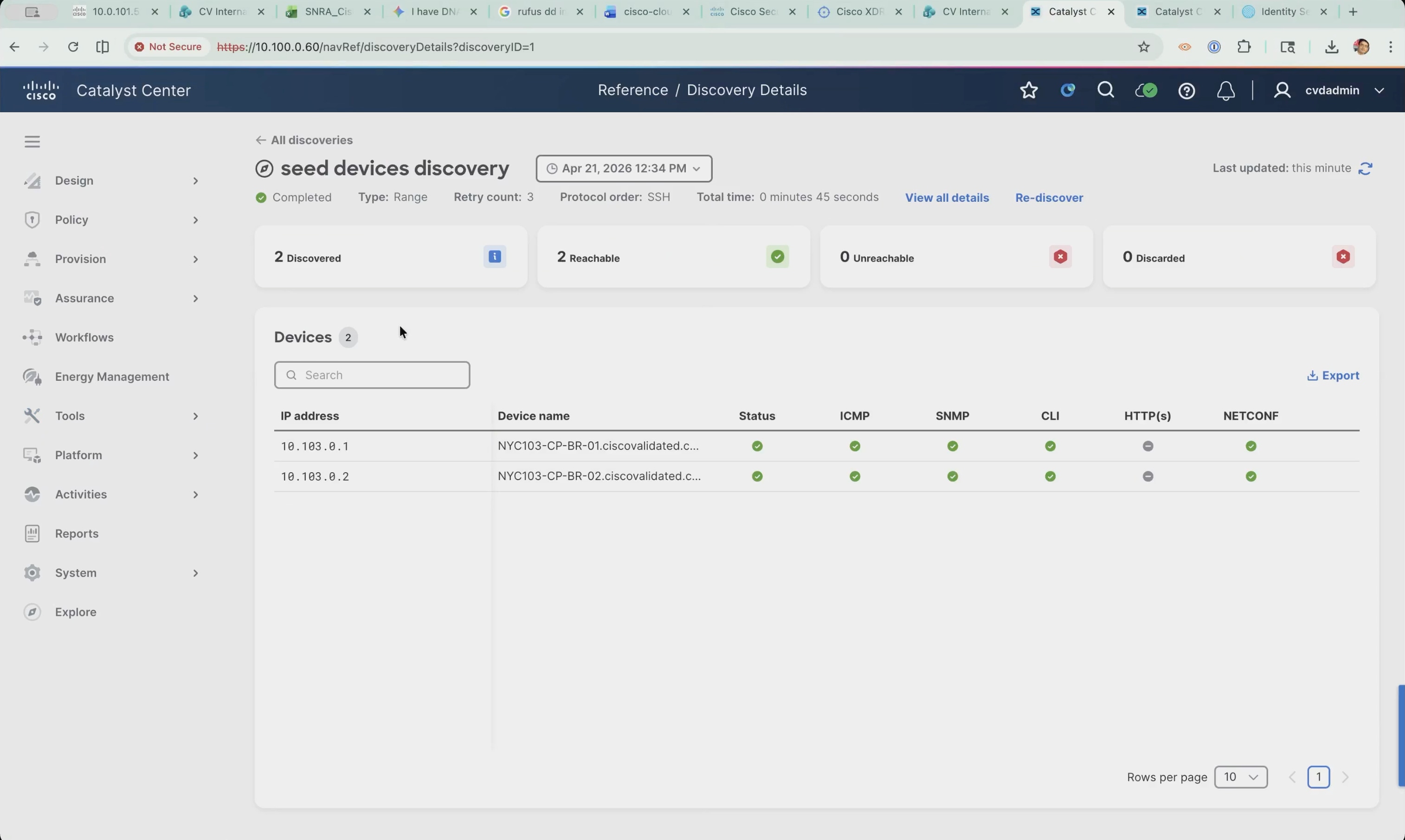
Confirm the devices in Inventory:
1. Navigate to Provision > Inventory and confirm both devices are listed with the correct management addresses, a device family of Switches and Hubs, and a reachable status.
2. Discovery reporting success and the device actually being under management are two different things; Inventory is where Cisco Catalyst Center records what it manages.
Note: The Site column shows an Assign link for both devices because site assignment was skipped during discovery.
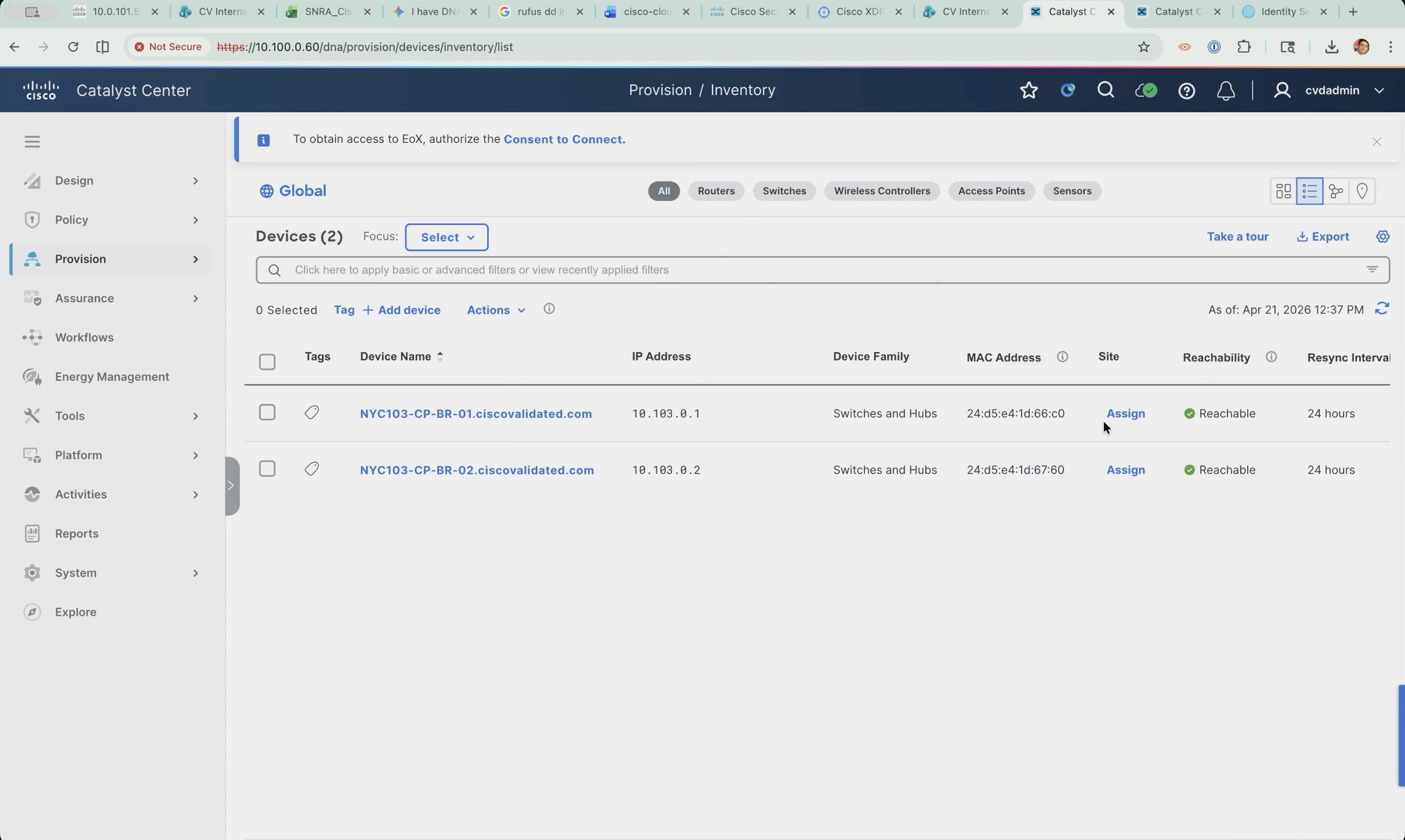
A device can be attached to the hierarchy either by assigning it to a site or by provisioning it. Provisioning does both at once: it assigns the site and pushes everything defined in the design settings, so the two operations complete in a single pass.
1. In Inventory, select both seed devices and choose Actions > Provision > Provision Device.
2. On the Assign Site step, assign each device to Global/NYC/NYC103 and click Next. The seeds are the border and control plane nodes for the whole fabric site, so they belong at the building level; the access switches are assigned to their respective floors later in the build.
3. Advanced Configuration is where CLI template values would be supplied. None are needed for the seed devices, so continue to the summary.
4. On the Summary step, review the device details and the network settings that will be pushed to each device: NTP server, AAA client and ISE server, DNS domain and servers, syslog server, Cisco TrustSec credentials, and streaming telemetry. Click Next.
Note: The page carries a warning not to use admin as the username for the device CLI credentials when ISE is the AAA server, because doing so can lock administrators out of the devices. This build uses netadmin, so it is unaffected.
Note: Several figures in this step were captured before the DNS domain name was corrected and show ciscovalidaed.com. The value in the running deployment is ciscovalidated.com, as recorded in Step 1.
5. Cisco Catalyst Center generates the configuration preview, working through validation, device configuration models, CLI templates, and device controllability and telemetry settings. The preview is mandatory, so whoever runs a provisioning operation sees exactly which configuration is going to each device before it is pushed.
Note: Generation can take a while. The page can be left with Exit and Preview Later without interrupting the operation; the deferred review is picked up again from the Tasks menu.
6. Select each device and review the side-by-side comparison. The left pane is the configuration to be deployed, and the right pane is the running configuration.
7. Click Deploy, leave the schedule set to now, and submit.
Note: Model-based configuration is shown as well, but the side-by-side comparison applies only to the CLI configuration.
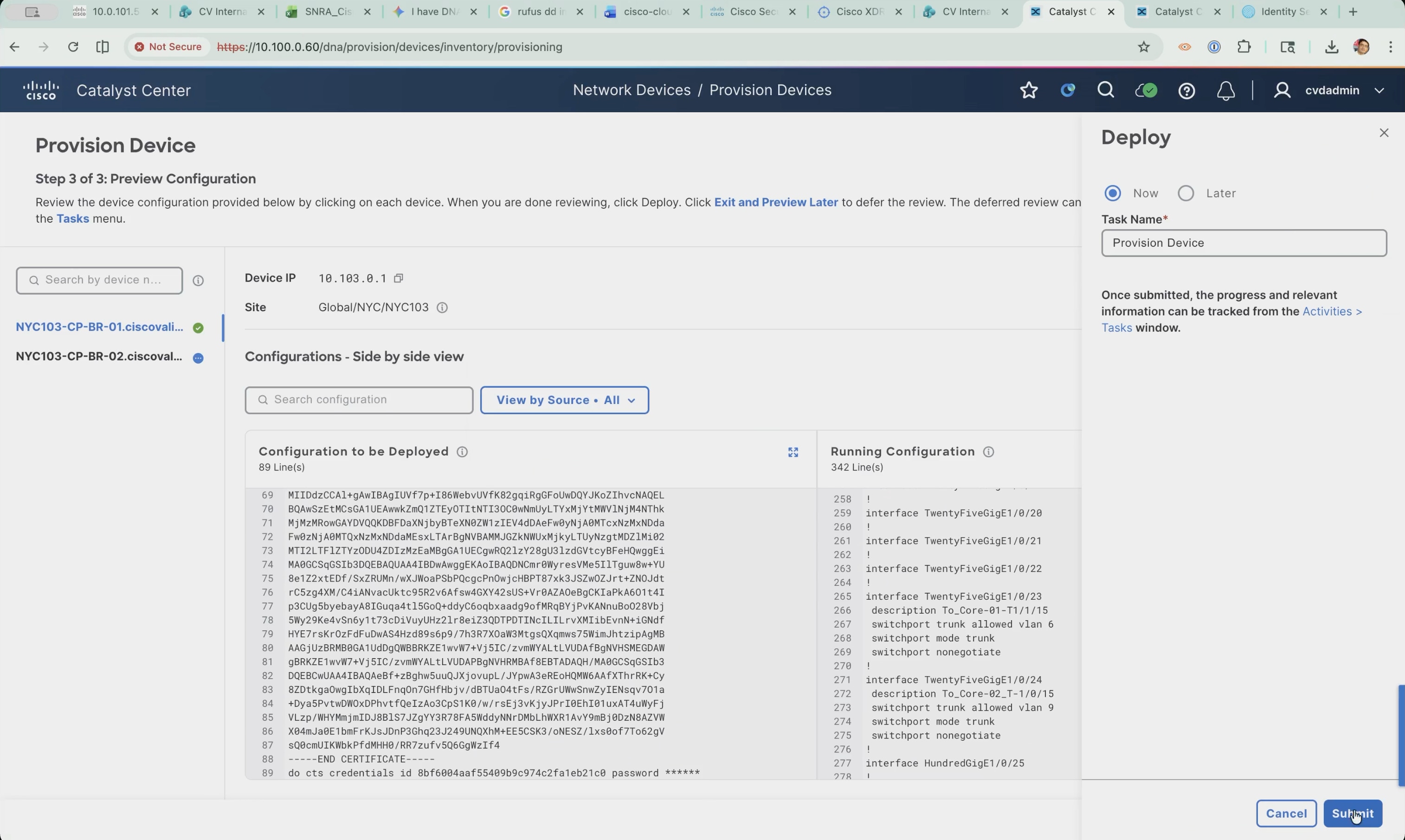
8. Follow the task from Activities > Tasks and confirm it completes with a success status. Both seed devices are now assigned to NYC103 and carry the global network settings.
LAN Automation discovery and execution
With the seed devices under management, the LAN Automation session brings up everything below them. Cisco Catalyst Center pushes a temporary Layer 2 configuration to the seeds so that factory-default switches connected to them obtain an address and are discovered over Plug and Play.
| Session attribute |
Value used in this build |
| Primary seed device |
NYC103-CP-BR-01 |
| Secondary seed device |
NYC103-CP-BR-02 |
| Discovery depth |
2, the default |
| Seed interfaces selected |
Three: the link to the peer seed and the two links to the intermediate nodes |
| Discovered device site |
Global/NYC/NYC103 |
| Routing protocol |
OSPF, process ID 1, area ID 1 |
| Multicast |
Enabled |
| Hostname prefix |
NYC103- |
| Device matching |
None |
Note: The figures in this subsection and the next are drawn from two separate LAN Automation sessions, so the address pool named when the session is started differs from the pool the completed session used. The procedure is identical in both cases. The pool that produced the running underlay is the one recorded in Reference deployment information, and the device addressing shown in the later figures is the addressing in the live fabric.
Open the workflow and select the seed devices:
1. Navigate to Provision > Network Devices > LAN Automation. The overview lists the prerequisites as a sequence: create the network hierarchy, define the network settings, define the device credentials, define a global IP address pool, reserve a site pool, discover the seed devices, and start LAN Automation. Every one of those was completed in Step 1 and earlier in this step, so the page doubles as a checkpoint.
Note: The overview text describes LAN Automation as using IS-IS to deploy a Layer 3 routed access design. IS-IS remains the default; OSPF is selected on the session attributes page.
2. Click Start LAN Automation.
3. On the Seed Devices step, use the Primary device tab, select the site, and choose the primary seed.
4. Leave discovery depth at 2, which reaches both tiers below the seeds: the intermediate switches one hop away and the access stacks a further hop down.
5. Click Select Interfaces and select the seed interfaces that factory-default switches are connected to or reached through.
6. The list shows the neighbor interface, hostname, and platform learned from the seed, which is how the correct ports are identified.
7. The uplinks to the upstream fusion nodes are deliberately left unselected, because those devices are already managed and are not part of this session.
8. Click Save.
Note: If neighbor details are missing from the list, resync the primary seed device from Inventory before continuing.
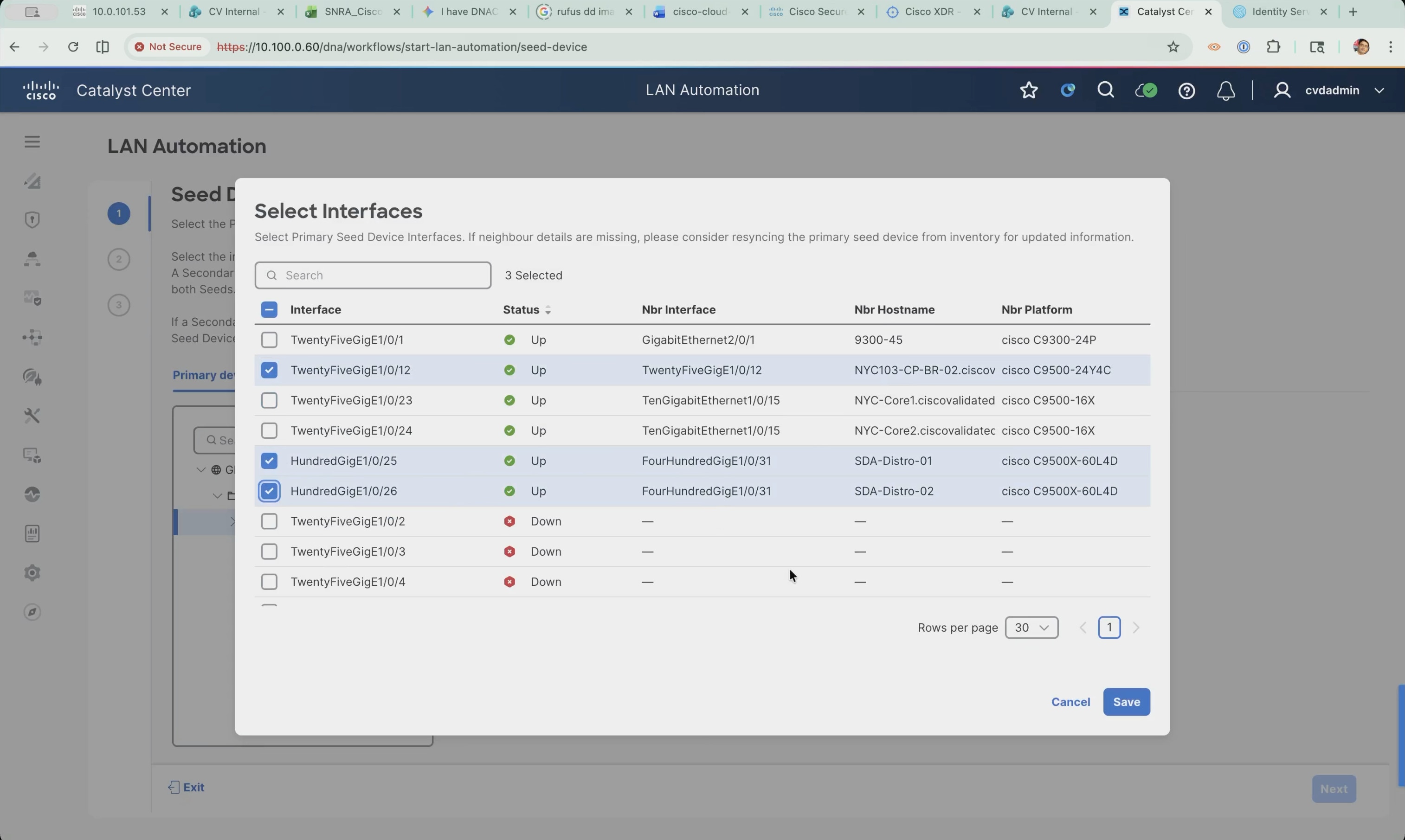
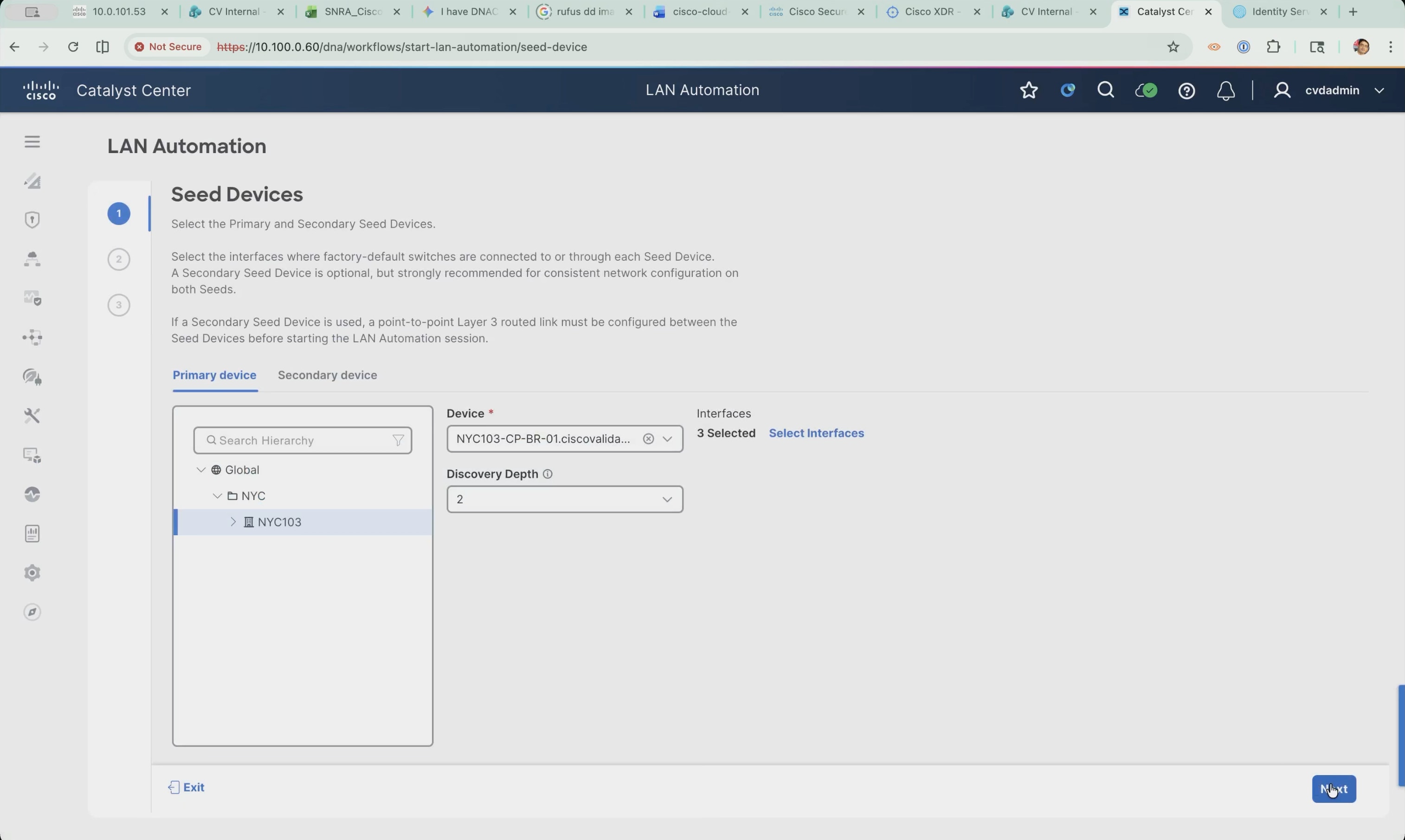
9. Switch to the Secondary device tab, select the site, and choose the second seed.
10. Click Next. A secondary seed is optional but strongly recommended, because it gives consistent network configuration across both seeds. Where one is used, a point-to-point Layer 3 routed link must already exist between the two seeds.
11. Select the site the discovered devices will be assigned to and set the principal IP address pool to the LAN Automation pool reserved against that site in Step 1. Only pools reserved with the LAN type appear in this list.
12. Leave the link overlapping IP pool and session timeout empty. An overlapping pool allows the same underlay address space to be reused across several sites; this deployment has a single fabric site, so it is not needed.
13. Select Enable Multicast and leave Advertise LAN Automation Routes into BGP cleared.
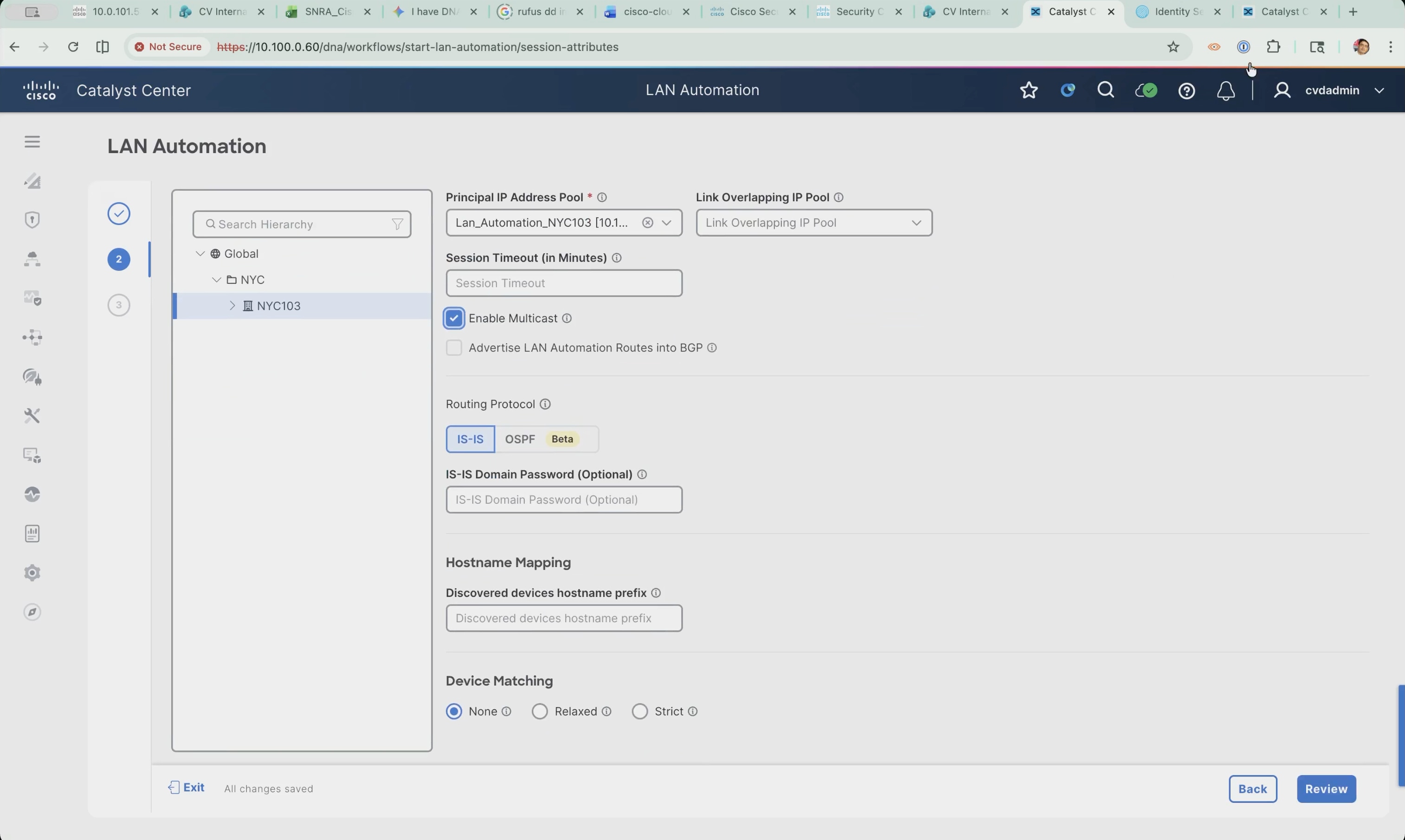
14. Under Routing Protocol, select OSPF in place of the IS-IS default and enter process ID 1 and area ID 1.
15. Leave the authentication key empty.
16. Under Hostname Mapping, set the discovered devices hostname prefix so that each device name identifies the site it belongs to.
17. Leave Device Matching set to None and click Review.
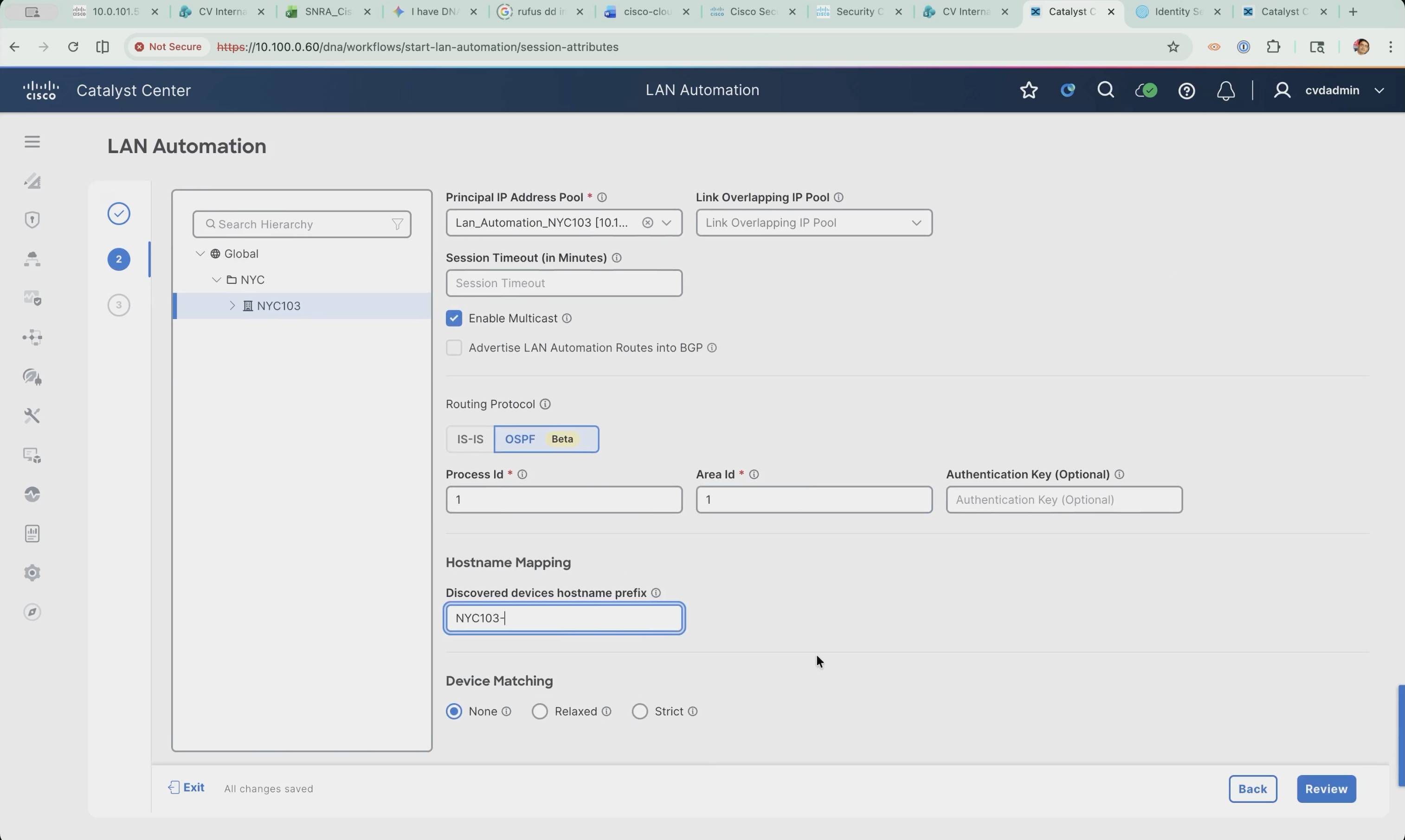
Review and start the session:
1. Confirm the seed devices, discovery depth, interface count, and session attributes on the Review step, then click Start.
The session page opens with general information and a Devices table offering All, Seed Devices, Discovered, Provisioned, and Error views. The status starts at Initialized, with only the two seed devices listed.
2. Click View Session Logs to follow the session. The log records the address reservations and the configuration phases as they run: the VLAN 1 subnet reserved from the LAN Automation pool, the existing Loopback0 addresses reused on both seeds, the additional loopback reserved on the primary seed, and the start and completion of the seed device configuration phase.
Note: The additional loopback is reserved on the primary seed because multicast was enabled for the session. The log also reports how many devices the session could discover in total, which reflects the scale of the address pool rather than the number of devices present.
3. Wait for the status to change to Seed Provisioned. The seeds now carry the temporary configuration that lets factory-default switches below them be discovered. The session stays open while the downstream devices are discovered and provisioned.
Device onboarding and inventory validation
With the seeds provisioned, Plug and Play claims each factory-default switch below them, gives it an address, and adds it to inventory. Stopping the session then replaces the temporary configuration with the routed underlay. This is the operation that actually builds the underlay: it converts every link between the devices to a point-to-point routed interface and brings up the routing protocol configured for the session.
| Temporary name |
Final name |
Loopback0 |
Platform |
Role |
| Switch-10-103-5-66 |
NYC103-DIST-01 |
10.103.5.66 |
C9500X-60L4D |
Intermediate |
| Switch-10-103-5-67 |
NYC103-DIST-02 |
10.103.5.67 |
C9500X-60L4D |
Intermediate |
| Switch-10-103-5-75 |
NYC103-Edge1 |
10.103.5.75 |
C9300-24P |
Fabric edge |
| Switch-10-103-5-80 |
NYC103-Edge2 |
10.103.5.80 |
C9300X-48HXN |
Fabric edge |
| Switch-10-103-5-74 |
NYC103-Edge3 |
10.103.5.74 |
C9350-48HX |
Fabric edge |
4. Open the running session. The status reads In Progress, and the Devices table shows the two seed devices plus the devices LAN Automation has brought up, each with a completed progress bar.
5. Click View Session Logs to see how each device was brought up. For every device the log records the same sequence: the device is claimed by serial number, a configuration file is generated with a temporary hostname, a Loopback0 address is reserved from the LAN Automation pool, a /31 subnet is reserved for its point-to-point link, and the device is removed from the Plug and Play queue and added to Inventory.
Note: The temporary hostnames follow the pattern Switch- followed by the loopback address with dots replaced by hyphens, which is why the devices appear as Switch-10-103-5-66 and so on.
6. Click Stop LAN Automation. The Edit Devices panel opens, listing the discovered devices with their hostname, IP address pool, and Loopback0 address.
Note: The panel allows only the Loopback0 address and the hostname to be customized. A custom address must come from a LAN pool reserved within the device site. The domain name cannot be edited here.
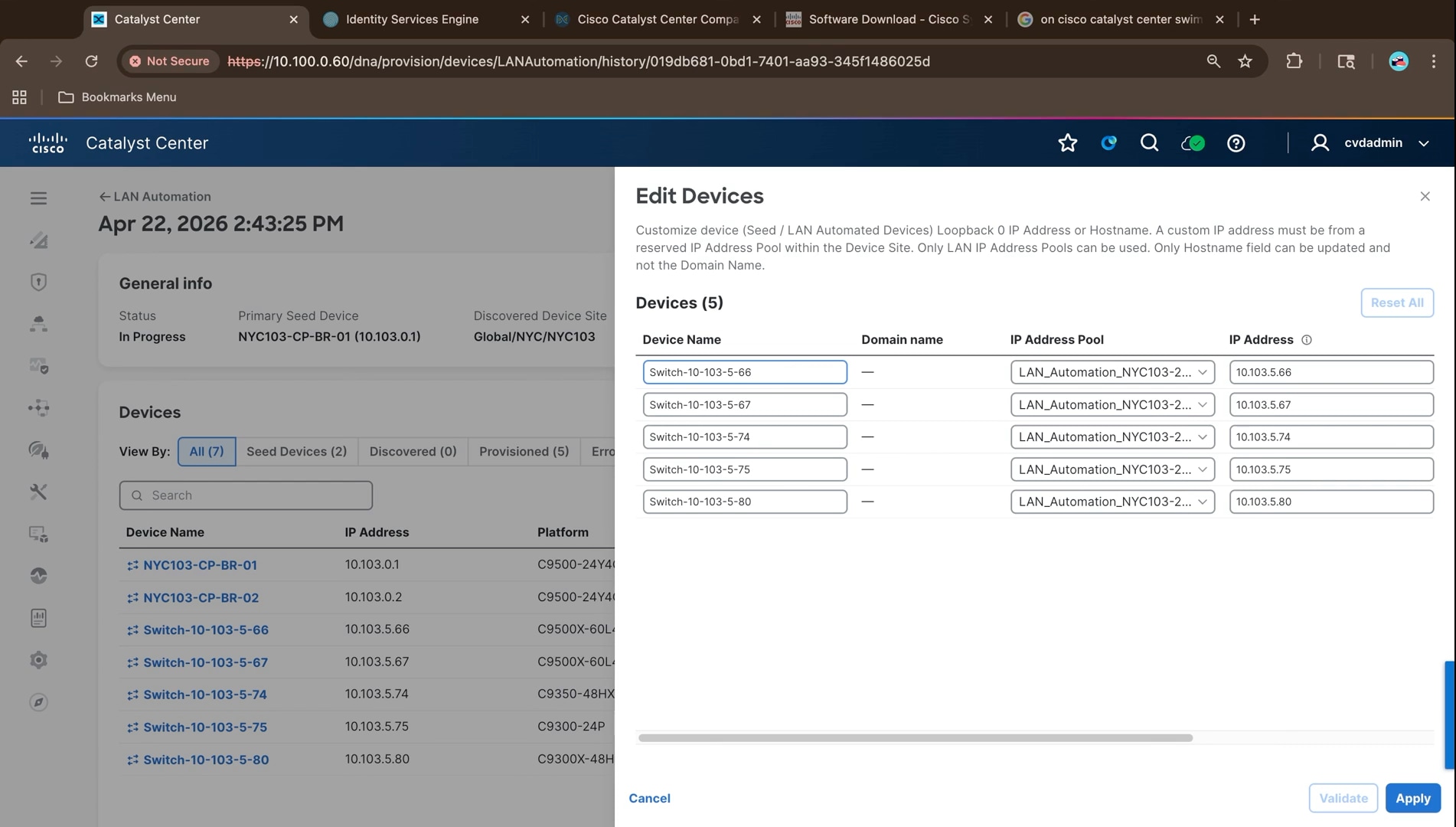
7. Replace each temporary hostname with its final name. LAN Automation names each device after its loopback address, which says nothing about what the device is or where it sits, so renaming here applies the final names as part of the stop operation rather than as a separate change afterwards.
Note: Scroll the panel right to see the platform and serial number for each row. That is how the roles are identified: the two C9500X-60L4D are the intermediate pair, and the C9300-24P, C9300X-48HXN, and C9350-48HX are the fabric edge switches.
8. Click Validate. Cisco Catalyst Center checks the edited parameters and confirms they are valid and available for allocation.
9. Click Apply to stop the session.
10. Follow the session log while the stop runs. It records the remaining /31 subnets being reserved, the Layer 3 conversion of the session links, the device cleanup, the release of the bootstrap SVI subnet, a final resync of every device, and then the hostname updates.
11. This is where the temporary configuration is undone and the real underlay is built.
Note: The log reports the number of links it is converting and releases the SVI subnet it borrowed once cleanup completes. The final resync takes the longest of the phases.
12. Optionally check Provision > Network Devices > Plug and Play. Every device appears with a state of Provisioned, with none left unclaimed or in error.
13. This is the other view of the same onboarding and confirms that every device LAN Automation claimed completed rather than stalling part way.
14. Wait for the session status to change to Completed and for the log to report that the device update completed successfully for all requested devices.
15. Return to the LAN Automation page and check the session history. The session reports the number of devices discovered and provisioned.
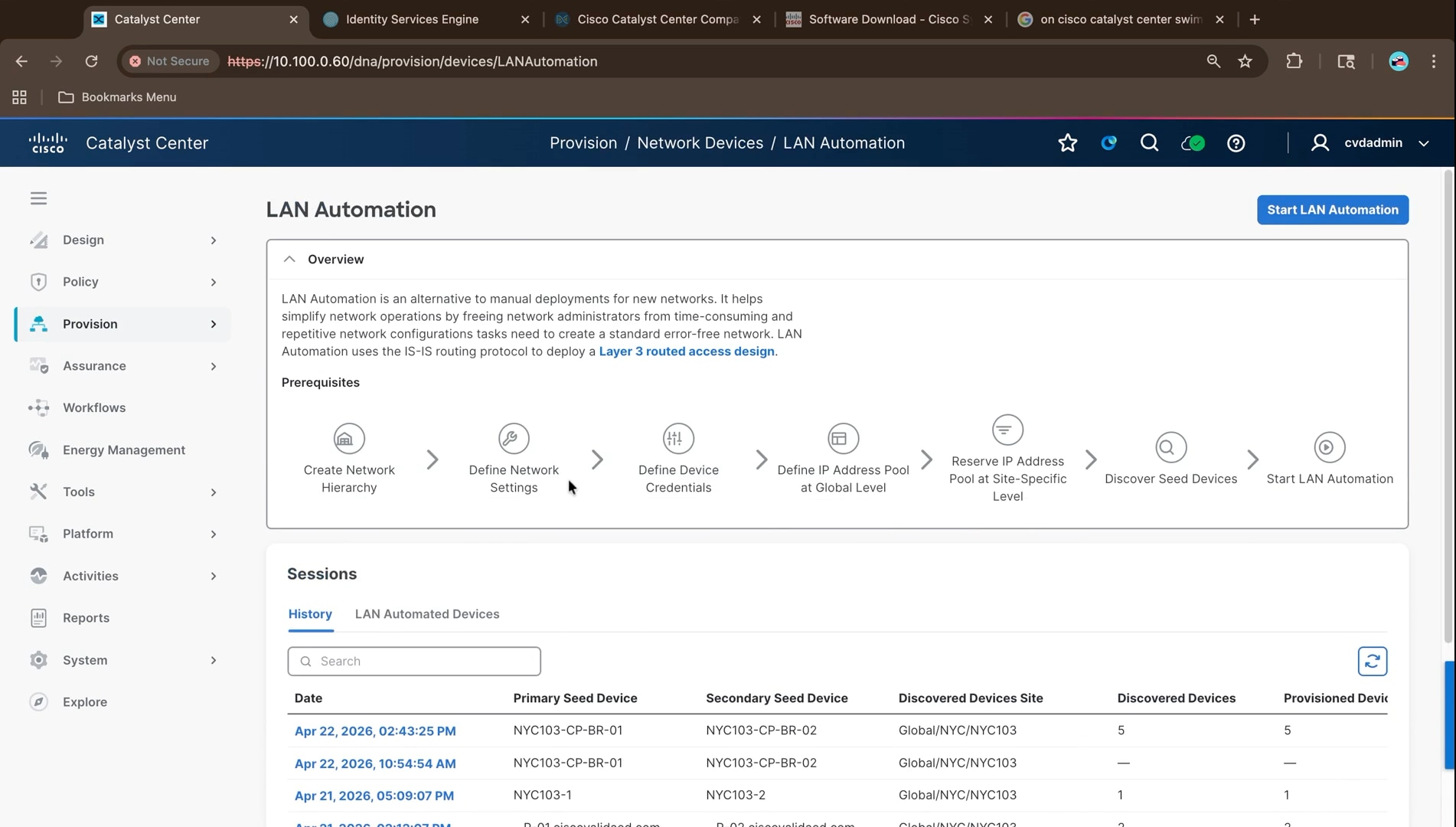
16. Navigate to Provision > Inventory and confirm every device, the seeds and the LAN automated devices, is listed as reachable and assigned to the fabric site. Devices brought up by LAN Automation inherit the site of the seed devices, so they arrive in Inventory already assigned rather than needing to be placed by hand.
Note: Several rows list two platform IDs and two serial numbers. Those devices are switch stacks; the stack members are shown together, and the stack counts as a single managed device.
At the end of this step the underlay is complete, and every fabric node is reachable over routed links. The values below were read from the running deployment and match the addressing recorded in Reference deployment information.
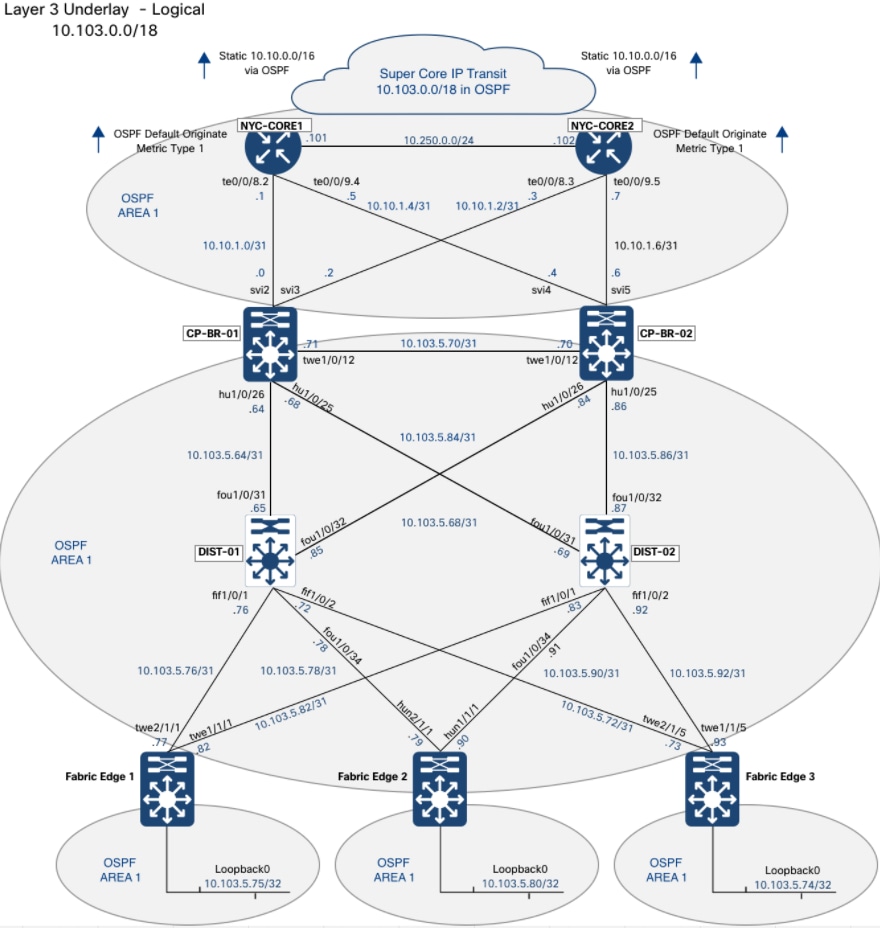
| Verification |
Expected result in this build |
| OSPF process and area |
Process 1, single area 1 across every fabric node |
| Border node loopbacks |
10.103.0.1 and 10.103.0.2 |
| Intermediate node loopbacks |
10.103.5.66 and 10.103.5.67 |
| Fabric edge loopbacks |
10.103.5.74, 10.103.5.75, 10.103.5.80, and 10.103.5.81 |
| Fabric-internal links |
Point-to-point /31 subnets from the LAN Automation pool |
| Border to fusion links |
/30 subnets on VLAN SVIs, carried on 802.1Q trunks |
| Global Ethernet MTU |
9100 bytes |
| OSPF adjacencies |
Full on every fabric-internal link and towards both fusion nodes |
Each fabric edge node is dual-homed to both intermediate nodes, each intermediate node is dual-homed to both border nodes, and the border nodes are directly connected, so no single link failure isolates a fabric node. Equal-cost multipath forwarding across those redundant links provides both load distribution and rapid reconvergence.
Confirm the adjacencies and addressing on the devices before continuing. The underlay must be complete and stable before the fabric overlay is provisioned in Step 3, because the overlay depends on loopback reachability between every fabric node.
Note: The fourth fabric edge node, NYC103-Edge4, was added to the fabric outside the LAN Automation session documented here and does not appear in the session figures. It is present in the device inventory and carries the same underlay configuration.
Step 3: Provision the fabric overlay
This step turns the provisioned, routed network into a working SD-Access fabric. The fabric site is created, its virtual networks and anycast gateways are defined, a transit is created to connect the site to the upstream network, fabric roles are assigned to the devices, and the fabric configuration is deployed. The step closes with overlay multicast and the validation that the overlay is forwarding as designed.
Within the SNRA framework, this step delivers Segment and Protect by instantiating the virtual networks, anycast gateways, and VXLAN overlay that carry segmented traffic, and it extends Secure Infrastructure by adding the LISP control plane on top of the routed underlay built in Step 2.
| SNRA Function or Capability |
On-premises Deployment Components |
| Secure Infrastructure |
Adds the LISP control plane and VXLAN data plane over the routed underlay and assigns border, control plane, intermediate, edge, and extended-node roles. Control-plane reachability and fabric role state are validated here. |
| Identify and Authorize |
Deploys the authentication template and prepares 802.1X on fabric edge ports so endpoint placement can be decided by Cisco ISE when clients connect. The detailed client authorization validation is completed in Steps 4–6. |
| Segment and Protect |
Creates the virtual networks, anycast gateways, overlay multicast where required, and per-virtual-network Layer 3 handoff. This is the principal macro-segmentation step; group-based micro-segmentation is added in Step 5. |
| Detect and Respond |
Validates fabric control-plane, forwarding, role, and endpoint-registration state and establishes the telemetry paths used by later assurance and analytics. Do not describe the fabric workflow alone as threat detection or response. |
| Unified Management and Agentic Operations, Common Policy Context, and Extended Integrations |
Uses guided Catalyst Center workflows, configuration preview, shared network context, APIs, and border handoff to coordinate the fabric build and its connections to shared services and external networks. |
The fabric roles are layered onto the devices brought under management in Step 2. No new hardware is introduced:
● Border and control plane nodes - The two Catalyst 9500-24Y4C switches take both roles. As border nodes they connect the fabric to the upstream network through the Layer 3 handoff; as control plane nodes they hold the LISP host tracking database.
● Fabric edge nodes - The Catalyst 9300, 9300X, and 9350 stacks provide the anycast gateway, authenticate endpoints, and perform VXLAN encapsulation and decapsulation.
● Intermediate nodes - The two Catalyst 9500X switches take no fabric role. They forward the underlay between the borders and the edges and receive no fabric configuration.
● Upstream fusion nodes - The Catalyst 9500-16X pair terminates the per-virtual-network handoff. Configuration of the fusion side is outside Cisco Catalyst Center and is performed separately.
This step assumes the underlay is complete and stable, every device is in inventory with a successful provisioning status, and the address pools reserved in Step 1 are in place. Fabric roles cannot be assigned to a device that has not been provisioned.
At a high level, this step includes the following procedures:
1. Review the fabric site, its virtual networks, and its anycast gateways.
2. Create the IP transit that connects the fabric site to the upstream network.
3. Confirm the device roles and provisioning status in Inventory.
4. Assign the border, control plane, and edge roles to the fabric devices.
5. Preview and deploy the fabric configuration.
6. Apply the authentication template that onboards clients at the fabric edge.
7. Configure overlay multicast for the virtual networks that require it.
8. Enable wireless multicast and push it to the wireless controller.
9. Validate the overlay end to end with a live multicast stream.
Three decisions shape the overlay before any role is assigned. Each is straightforward to set and expensive to change once the fabric is deployed.
● Border type - An external border exports the fabric subnets and acts as the gateway of last resort without importing external prefixes, which suits an upstream network that provides a default route. An internal border imports and registers external prefixes for reaching data center and shared services networks. An anywhere border combines both. This design uses external borders with the default route to all virtual networks.
● Role colocation - The border and control plane functions are co-located on the same pair of devices here, which delivers control plane redundancy and external connectivity from two devices rather than four. Dedicated control plane nodes are appropriate where endpoint scale or failure domain separation requires the map system to be isolated from the load of external connectivity.
● Transit type - An IP-based transit is a plain IP handoff from the borders to the northbound network. The SD-Access transit types extend the fabric control and data plane between sites, which requires the intervening network to meet the underlay requirements, MTU in particular. This design uses an IP-based transit; SD-Access transit is outside the scope of this guide.
A further consideration is the authentication template. It is applied to every edge node and extended node access port in the fabric site, so the decision between closed authentication, low impact, and open authentication is a site-wide one, taken before endpoints are onboarded rather than after.
Reference fabric site (NYC103)
The values below describe the fabric site as deployed. They are the reference the procedures in this step are performed against, and they match the addressing recorded in Reference deployment information.
| Device |
Address |
Fabric role |
| NYC103-CP-BR-01 |
10.103.0.1 |
Border node and control plane node |
| NYC103-CP-BR-02 |
10.103.0.2 |
Border node and control plane node |
| NYC103-DIST-01 |
10.103.5.66 |
None, intermediate node |
| NYC103-DIST-02 |
10.103.5.67 |
None, intermediate node |
| NYC103-Edge1 |
10.103.5.75 |
Fabric edge node |
| NYC103-Edge2 |
10.103.5.80 |
Fabric edge node |
| NYC103-Edge3 |
10.103.5.74 |
Fabric edge node |
| NYC103-Edge4 |
10.103.5.81 |
Fabric edge node |
Note: The figures in this step were captured from a session covering the first three fabric edge nodes. NYC103-Edge4 was added to the fabric separately and carries the same edge node configuration.
The NYC103 fabric site is configured with an IPv4 underlay transport, LISP publish and subscribe enabled for the control plane, and the Closed Authentication template applied as the default host onboarding profile.
1. Navigate to Provision > SD-Access > Fabric Sites and confirm the site is listed as a fabric site. Cisco Catalyst Center manages both fabric and non-fabric sites, and many deployments run fabric at only some of their locations; enabling fabric on NYC103 turns the SD-Access functionality on for that site alone.
Note: The fabric device count reads zero until a device has been given a fabric role. The site can exist with no fabric devices in it.
2. Open the Authentication Templates tab. Three templates are available: Closed Authentication, Low Impact, and Open Authentication. This build uses closed authentication, applied at the end of the fabric setup workflow.
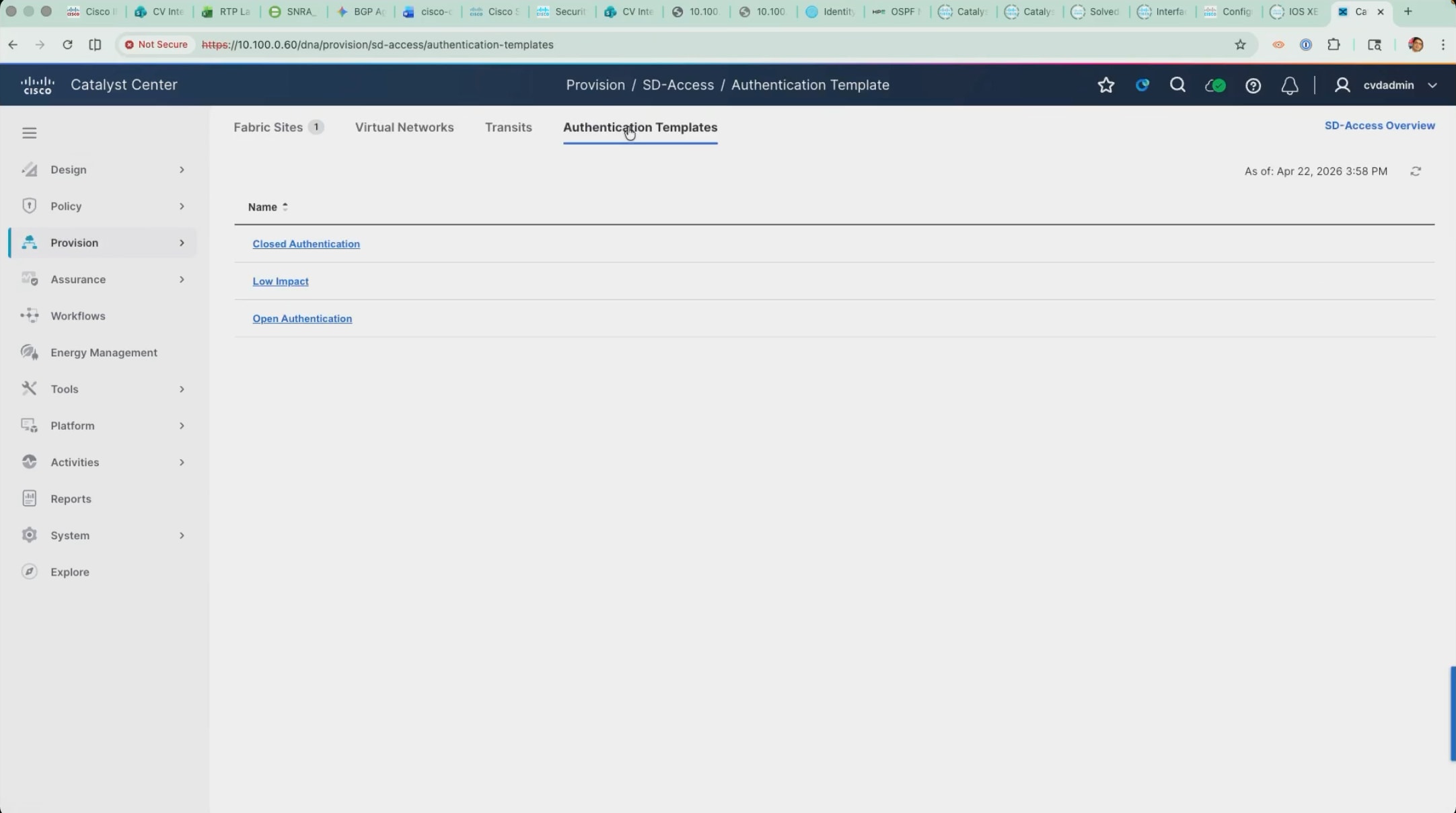
Device roles: co-located border and control plane nodes
The two Catalyst 9500-24Y4C switches take the border node and control plane node roles together. The border connects the fabric to the outside world, and the control plane node holds the fabric mapping database. All three roles can be combined on a single device for a small deployment; this design keeps the fabric edge separate from the border and control plane.
1. Click the device in the fabric topology and open the Fabric tab and enable Border Node and Control Plane Node.
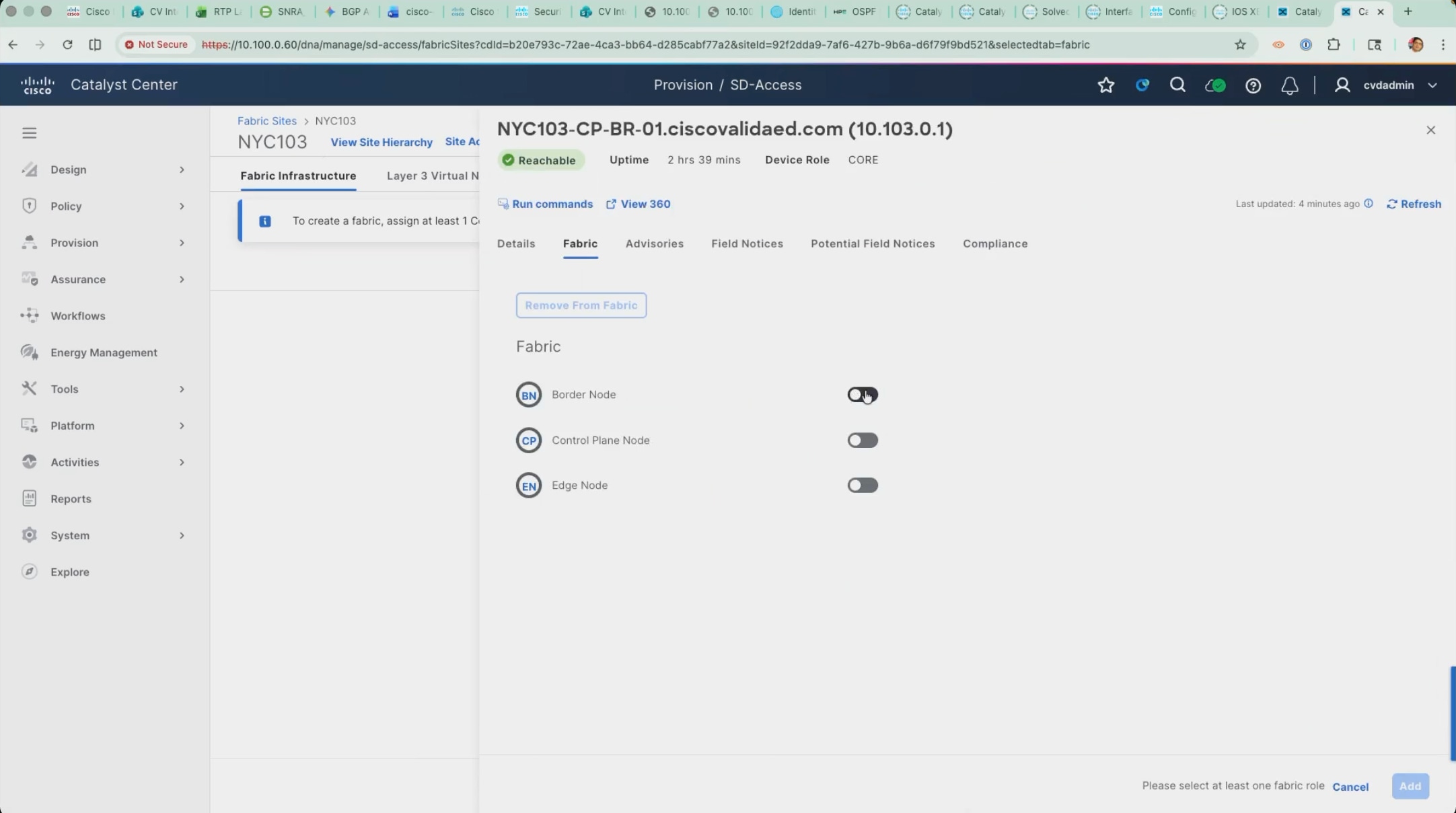
2. With Border Node enabled, open the Layer 3 Handoff tab, select Enable Layer 3 Handoff, and enter the local autonomous system number.
3. Leave Default to all virtual networks and Do not import external routes selected.
Those two settings make this an external border, the most commonly used type. It imports nothing from outside, east-west traffic is handled within the fabric itself, and anything with an unknown destination is sent to the border and out.
Note: A border can hand off at Layer 2 as well as Layer 3. This build uses a Layer 3 handoff only. Transits are attached to the border from the Add Transits control on the same panel.
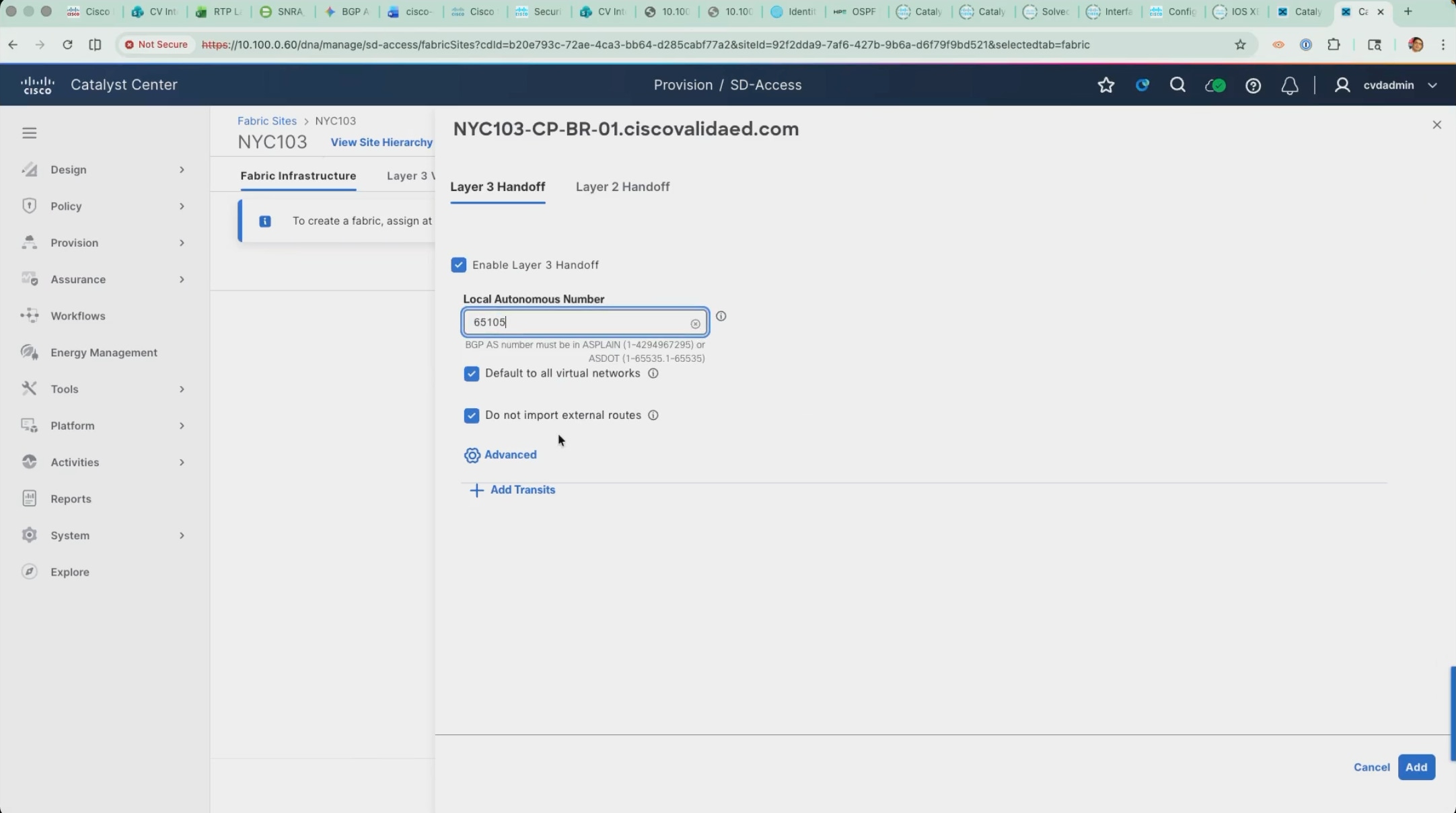
4. Confirm the control plane node settings behind the Details link beside the Control Plane Node toggle, then click Add. Repeat for the second border and control plane node.
Note: Cisco Catalyst Center supports more than one control plane variant. This deployment uses the publish and subscribe option, which is reflected in the fabric site settings read from the running cluster.
Device roles: fabric edge nodes
The fabric edge nodes are the access layer that clients attach to. They present the anycast gateway, authenticate endpoints through Cisco ISE, register endpoint identifiers with the control plane, and perform VXLAN encapsulation and decapsulation.
1. Select each access stack in turn, open the Fabric tab, enable Edge Node, and click Add.
Note: The Capability section on an edge node offers the embedded wireless controller, which can be enabled on an edge, border, or control plane node for deployments that do not need a dedicated controller. It is not used here, because this design uses a dedicated Catalyst 9800 pair. Multicast Rendezvous Point shows as disabled at this stage; it is set when overlay multicast is configured later in this step.
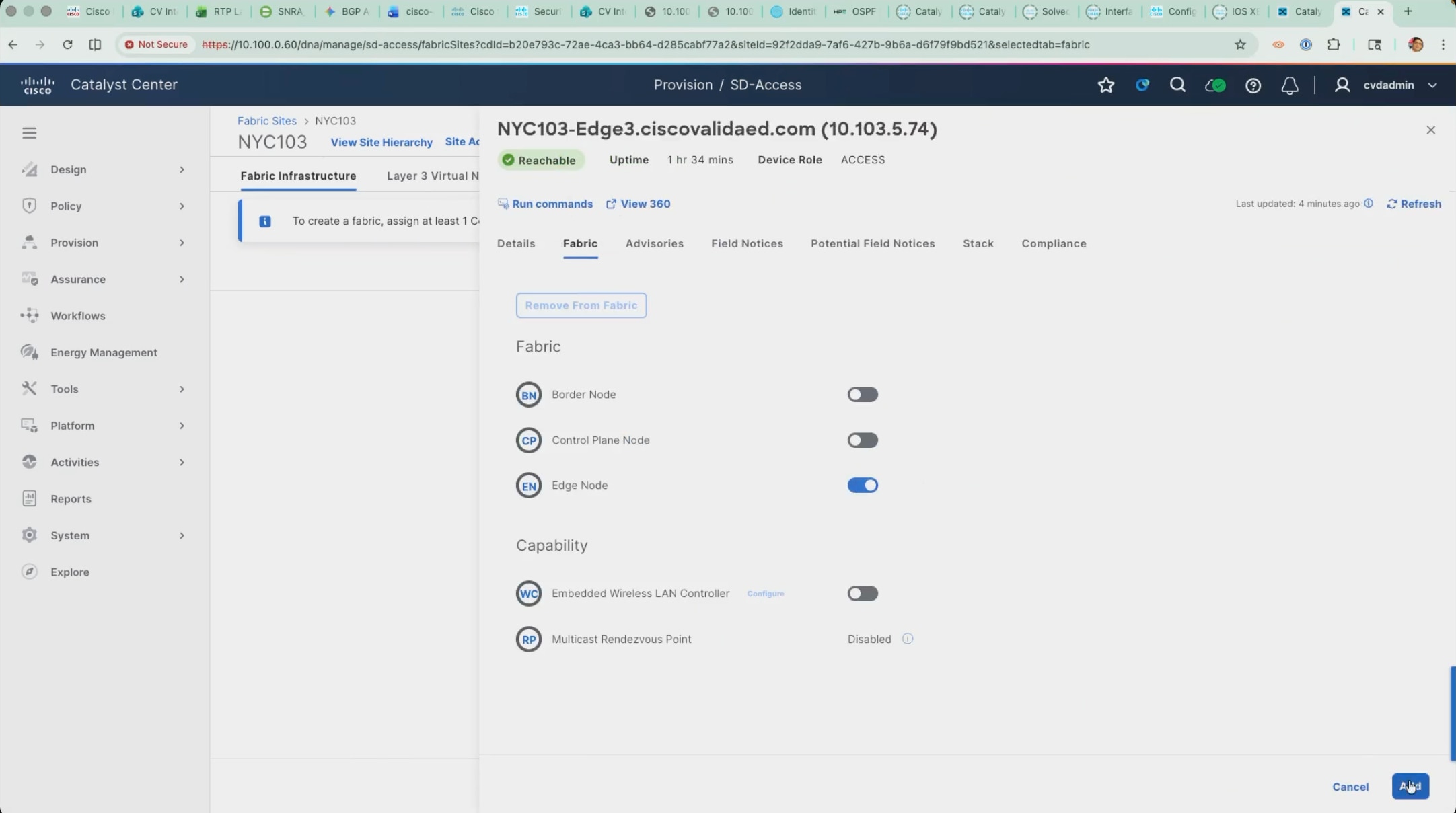
The two intermediate nodes are left without a fabric role. They forward the underlay between the borders and the edges, take no fabric configuration, and are the reason the configuration preview in the fabric setup workflow covers fewer devices than are present in the site.
Extended nodes and policy extended nodes
An extended node is a Layer 2 switch cabled to a fabric edge node that Cisco Catalyst Center discovers, addresses, and configures on its own. It carries the fabric out to a Layer 2 environment such as a small wiring closet, a manufacturing cell, or a remote cabinet, without the switch being configured by hand. Cabling it to a prepared port is the whole of the installation work.
| Variant |
What it does |
Requirements |
| Standard extended node |
Extends Layer 2 fabric connectivity. Client policy is enforced on the upstream fabric edge. |
Cisco DNA Essentials supports the standard extended-node role. The onboarding result also depends on the license level of the upstream fabric edge. |
| Policy extended node (PEN) |
Extends the fabric and enforces group-based policy locally for attached clients. |
A supported platform and software release, plus Cisco DNA Advantage on both the extended node and its upstream fabric edge. Network Advantage may also be required by the platform’s licensing model. |
| Supplicant-based extended node |
Uses 802.1X supplicant authentication for secure onboarding. Catalyst Center provisions the supplicant, and the node joins after authentication and authorization. Cisco describes SBENs as policy extended nodes. |
A supported platform and release; 802.1X onboarding with a Closed Authentication template on the upstream fabric-edge port. PEN licensing requirements apply when local policy enforcement is required. |
Note: Extended-node capabilities depend on the switch platform, software release, and applicable license. Standard and policy extended nodes use the extended-node onboarding workflow; supplicant-based extended nodes (SBENs) use 802.1X onboarding. Before deployment, verify platform, release, and license support in the SD-Access compatibility matrix, the source of truth for supported combinations.
| Item |
Value used in this build |
| Extended node |
SN-FJC274012YA, Catalyst C9200CX-12P-2X2G, 10.103.65.2 |
| Attached to |
NYC103-Edge1, Port-channel1 |
| Extended node pool |
10.103.65.0/24, anycast gateway 10.103.65.1 in INFRA_VN |
| Fabric role |
Extended Node with the Policy Extended Node attribute enabled |
Add an extended node pool to INFRA_VN:
1. Reserve an IP pool for extended nodes at the fabric site, as described in Step 1.
2. Add an anycast gateway in INFRA_VN using that pool with the pool type set to Extended Node. Marking the pool as an extended node pool is what allows Cisco Catalyst Center to recognize it and use it to onboard the switches automatically.
3. Extended nodes are addressed out of INFRA_VN, the same virtual network that carries fabric access points, because they are infrastructure rather than user devices. INFRA_VN therefore carries two anycast gateways in this design: one for access points and one for extended nodes.
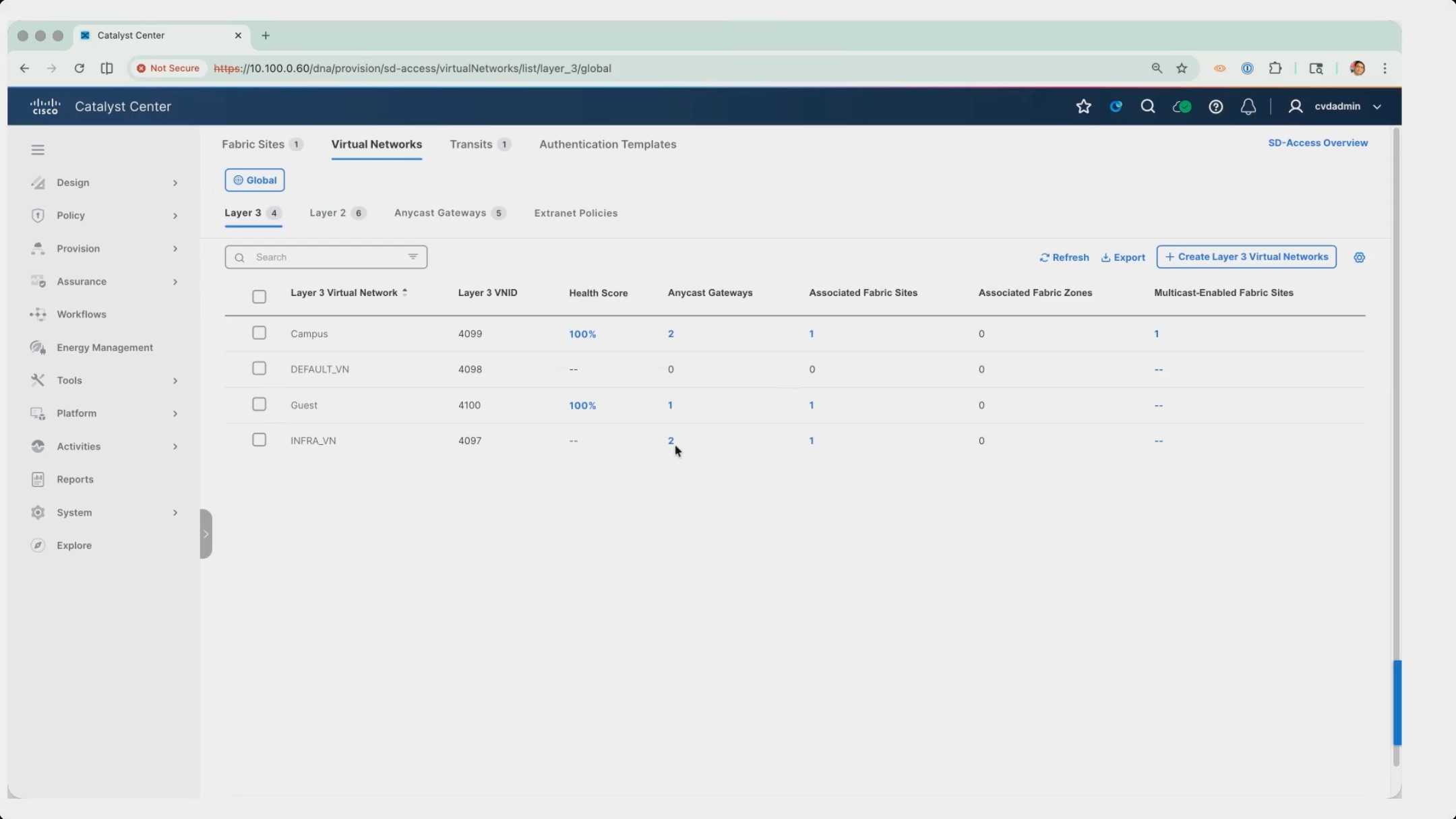
4. Navigate to Fabric Sites > NYC103 > Port Assignment. On the fabric edge node the switch will be cabled to, create a port channel across the interfaces the switch will connect to and give it a description that identifies the far end.
5. Set the Connected Device Type on the port channel to Extended Node and deploy the port assignment. The connected device type is the trigger: it tells Cisco Catalyst Center that whatever appears on this port channel is to be onboarded as an extended node. Because the switch in this build is not a supplicant-based extended node there is no 802.1X on the link, so the prepared port channel is what identifies the device instead.
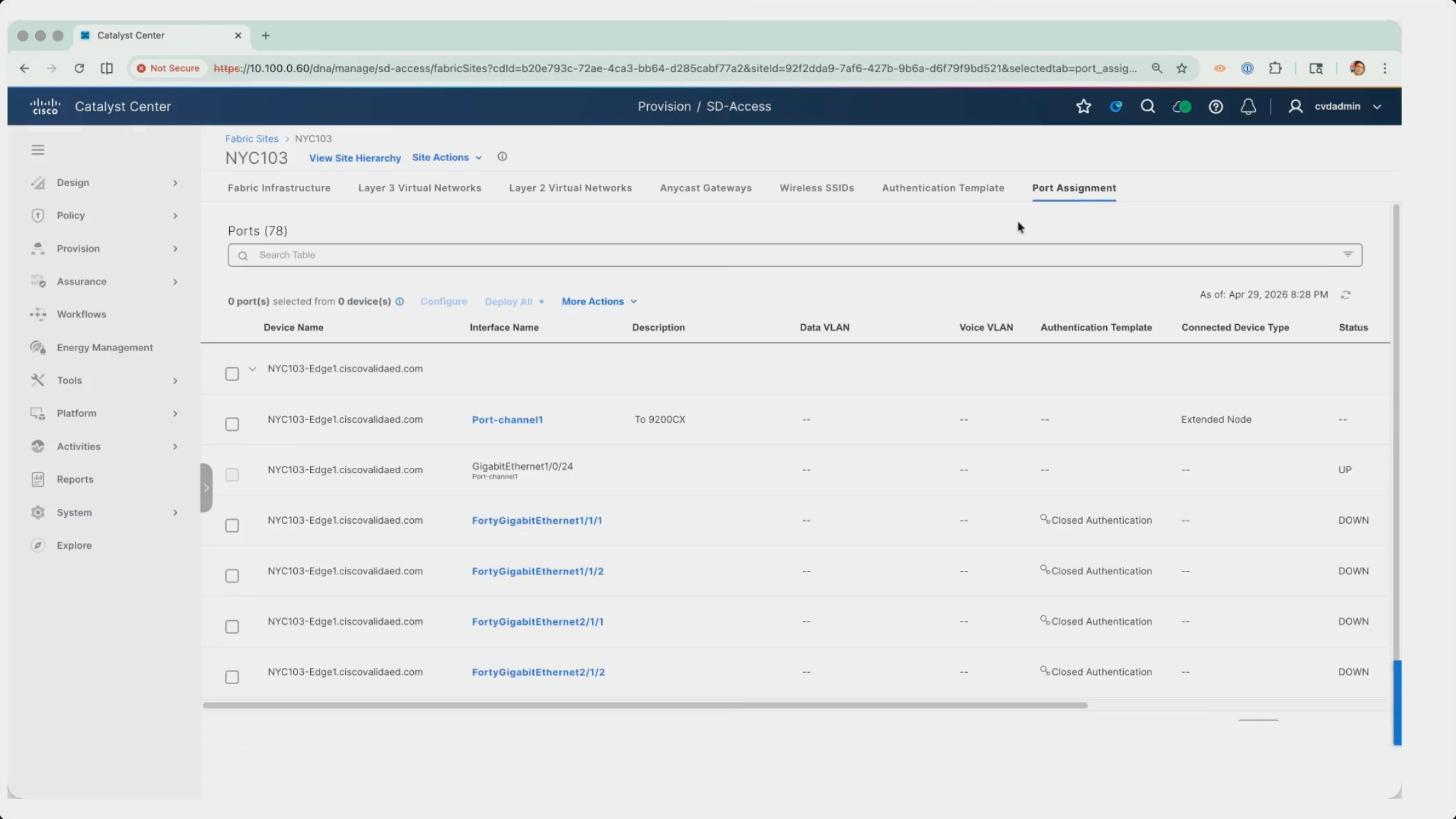
6. Connect the switch, straight out of the box, to the prepared port channel and power it on. No configuration is applied to it by hand.
7. The switch requests an address by DHCP, Cisco Catalyst Center recognizes it as a device that can be onboarded as an extended node and claims it through Plug and Play against its serial number.
8. Confirm the result in Provision > Network Devices > Plug and Play, where the switch appears with its serial number, product identifier, and an address from the extended node pool, in the Provisioned state.
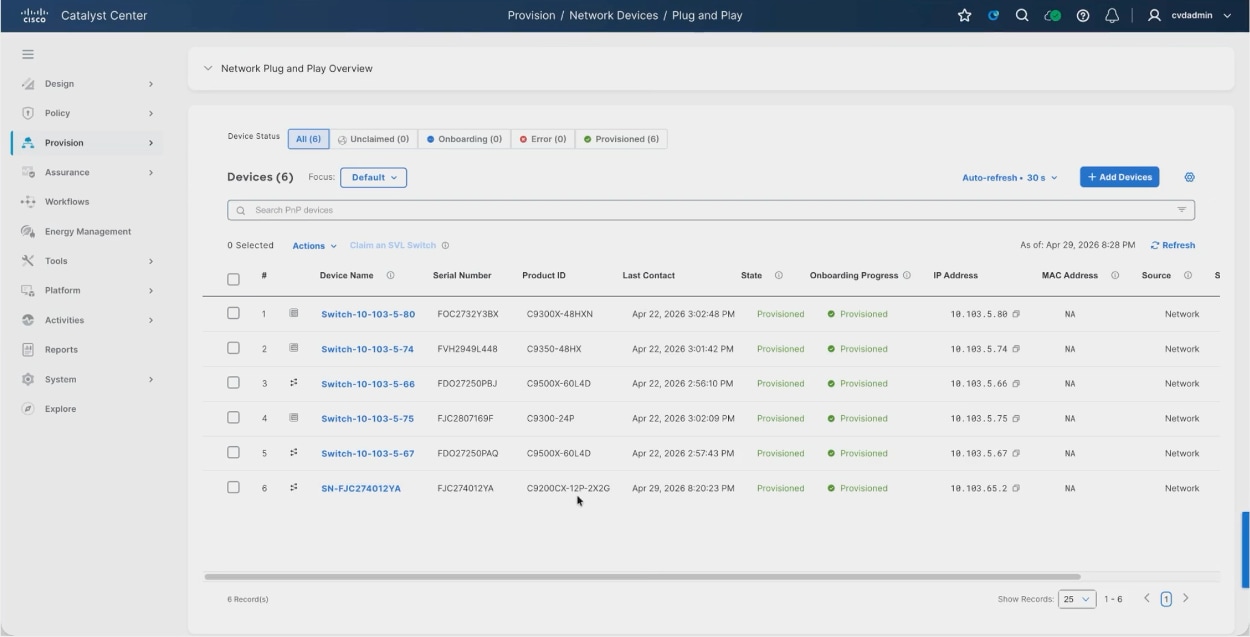
9. Navigate to Fabric Sites > NYC103 > Fabric Infrastructure. The extended node appears in the topology below the fabric edge node it is attached to, badged to distinguish it from the fabric edge nodes.
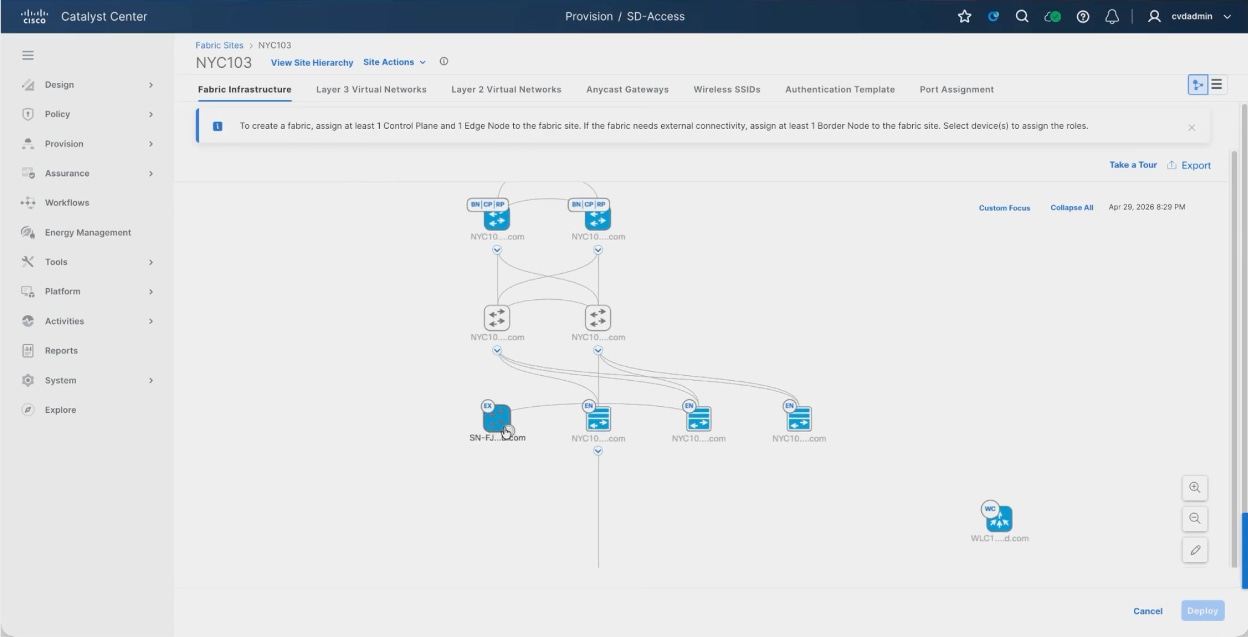
10. Select the extended node and open the Fabric tab.
11. Under Fabric, Extended Node is enabled, and under Extended Node Attributes, Policy Extended Node is enabled.
12. These two toggles are the difference between the variants: with an Essentials license the Policy Extended Node toggle is unavailable and only Extended Node can be selected; with an Advantage license the toggle becomes available, and the node can enforce policy locally.
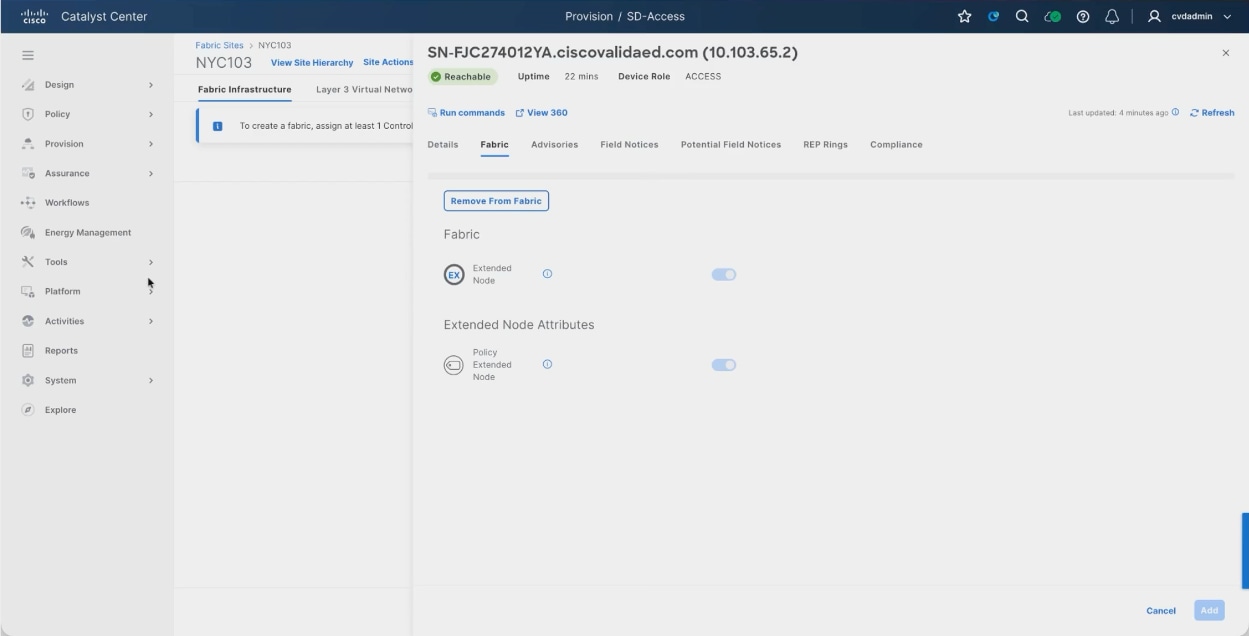
This is also the migration path. A deployment can start on Essentials licenses, onboard its Layer 2 switches as extended nodes, then add licenses over time and promote each switch to a policy extended node from this same panel, one at a time, without tearing down the fabric or re-onboarding anything.
The practical difference in operation is where enforcement happens. A client attached to a plain extended node is part of the fabric, but policy enforcement for it happens upstream on the fabric edge. A client attached to a policy extended node has that enforcement applied on the node itself, exactly as it would be on a fabric edge.
Virtual networks (INFRA_VN, Campus, Guest)
A virtual network is a VRF on every fabric device, and the associated Layer 3 virtual network identifier is what maps that VRF internally. Because Campus and Guest are separate virtual networks they are separate VRFs everywhere in the fabric, which is the basis of macro segmentation: traffic does not cross between them unless something is explicitly configured to leak it.
| Virtual network |
Layer 3 VNID |
Purpose |
| INFRA_VN |
4097 |
Built in. Mapped to the underlay and carries fabric access points and extended nodes in the global routing table. |
| DEFAULT_VN |
- |
Built in. The default overlay for users; not used in this design. |
| Campus |
4099 |
Corporate wired and wireless endpoints. |
| Guest |
4100 |
Untrusted endpoints, isolated from Campus. |
1. Navigate to Provision > SD-Access > Virtual Networks > Layer 3.
2. Confirm the virtual networks for the site. DEFAULT_VN and INFRA_VN are present by default and are not created by hand.
Fabric subnets and anycast gateways
An anycast gateway is the VLAN and gateway address that lives inside a virtual network. Every fabric edge node presents the same gateway address, so a client keeps the same default gateway wherever in the fabric it connects. The gateways are deployed as part of the fabric deployment rather than configured device by device.
| Virtual network |
Anycast gateway |
VLAN |
Purpose |
| INFRA_VN |
10.103.64.1/24 |
299 |
Fabric access points |
| INFRA_VN |
10.103.65.1/24 |
- |
Extended nodes |
| Campus |
274 |
Corporate wired and wireless endpoints |
|
| Guest |
10.103.192.1/24 |
300 |
Guest endpoints |
INFRA_VN carries two anycast gateways because it addresses two classes of infrastructure device: fabric access points and extended nodes. Both are in the global routing table rather than a user VRF.
Open the Anycast Gateways tab and confirm the gateways defined for the fabric site. The VLAN name and identifier can be supplied, or Cisco Catalyst Center can allocate them.
Note: Some earlier figures in this step show the Campus anycast gateway as 10.103.65.1/24. That address space was reassigned to INFRA_VN for extended nodes, and the Campus anycast gateway moved to 10.103.74.1/24. The values in the table above are the deployed configuration, and match Reference deployment information.
Border Layer 3 handoff connections
A fabric site reaches the world outside it through a transit attached to the border nodes. The virtual networks exist only inside the fabric until the borders hand them off. The Layer 3 handoff creates a VLAN, a switched virtual interface, and a BGP peering per virtual network towards the upstream device, which carries each VRF out of the fabric while keeping them separate from one another.
1. Navigate to Provision > SD-Access > Transits.
2. Click Create Transits.
3. Enter a transit name and set the transit type to IP-Based.
Note: The other two options are SD-Access with LISP publish and subscribe, and SD-Access with LISP and BGP. Both extend the overlay across the transit rather than handing off to plain IP, and both require the intervening network to meet the underlay requirements.
4. Enter the remote BGP autonomous system number, which is the autonomous system of the network the borders peer with. In this build that is 65100, the upstream fusion nodes.
5. Switch on Advanced attributes and set the site access scope. The scope can be left at Global or narrowed to a specific area or site.
6. Work through the remaining steps and save the transit.
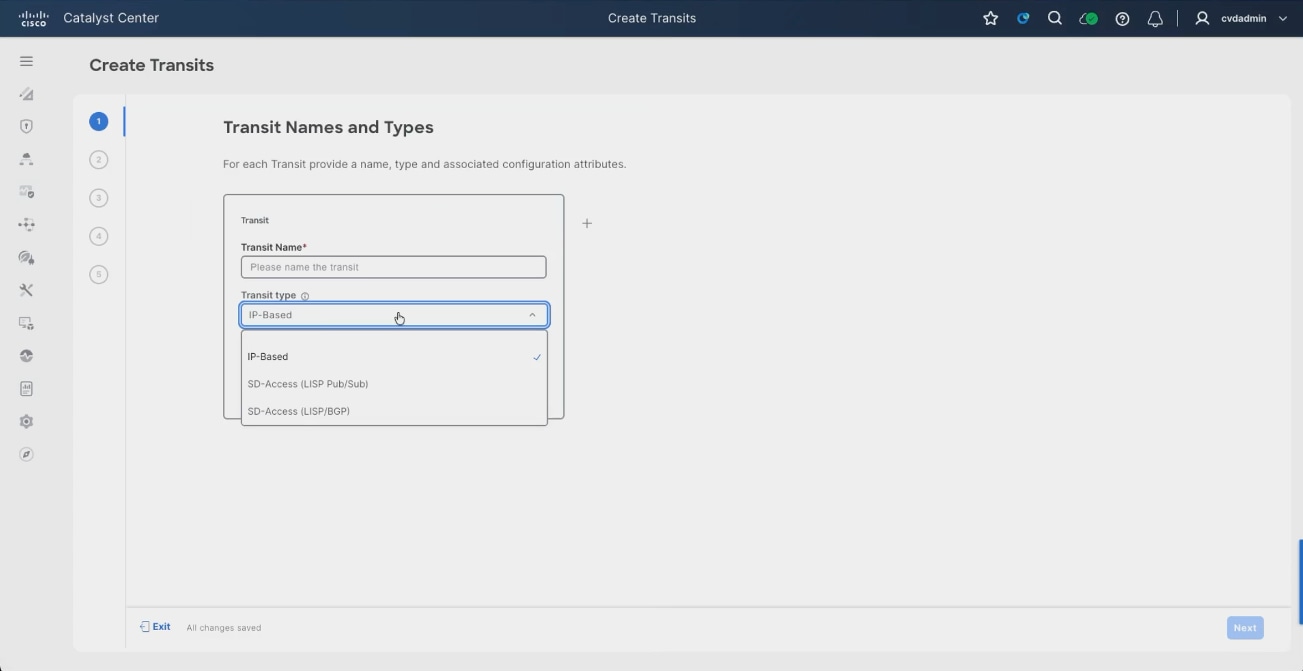
7. In Fabric Infrastructure, select a border node.
8. Navigate to Fabric > Border Node configuration > Layer 3 Handoff tab.
9. Confirm Enable Layer 3 Handoff is selected, and the local autonomous system number is correct, with Default to all virtual networks and Do not import external routes selected.
10. Click Add Transits and select the transit created above.
11. Under External Interface, click Add and select the interface facing the upstream device.
12. Enter the remote autonomous system number and an interface description.
Naming the interface after the far end of the link makes the handoff traceable from the device configuration later, when the only thing to hand is a running configuration. In this build the border nodes face the fusion nodes on TwentyFiveGigE1/0/23 and TwentyFiveGigE1/0/24.
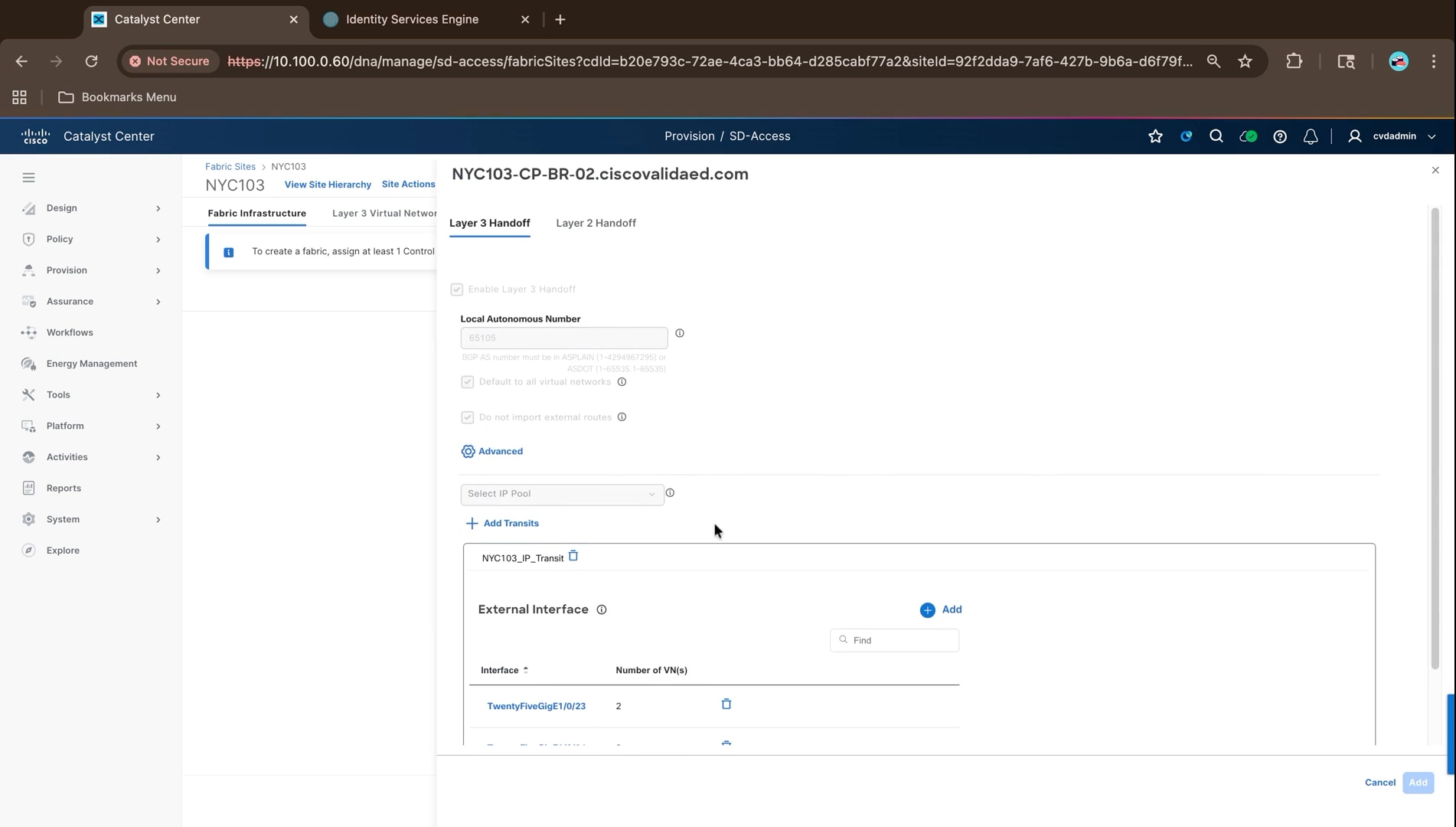
13. For each virtual network that needs external connectivity, switch on Enable Layer 3 Handoff and supply the VLAN and the local and peer addresses.
Each virtual network gets its own VLAN and /30 peering so that the virtual networks stay separated across the handoff.
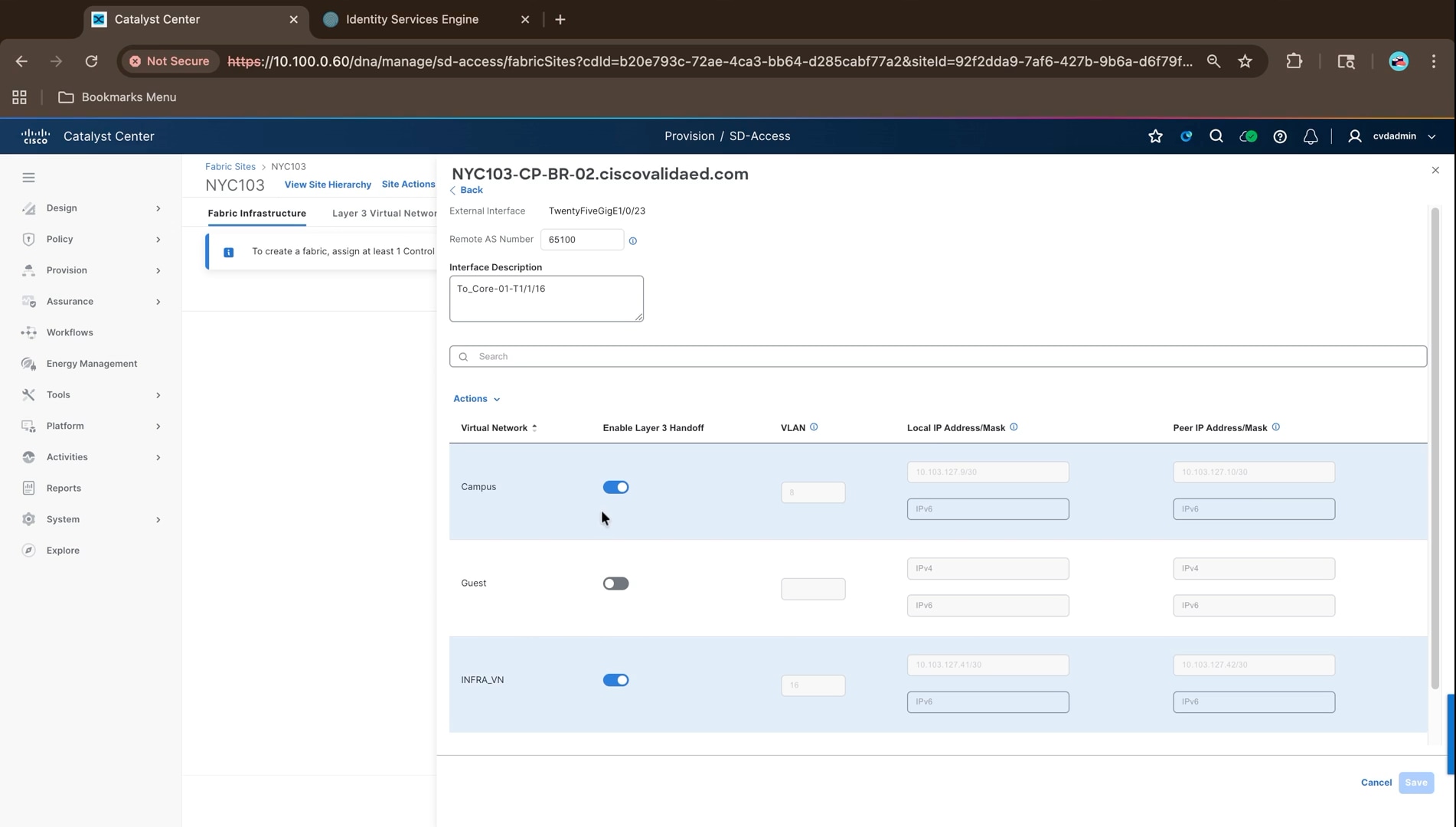
In the deployed configuration every virtual network is handed off from both border nodes to both fusion nodes, giving twelve eBGP sessions in total. Campus uses VLANs 6-7 from the first border node and VLANs 8-9 from the second, Guest uses VLANs 10-13, and INFRA_VN uses VLANs 14-17, with transit addressing drawn from 10.103.127.0/24. The complete peer list is recorded in Border handoff routing under Reference deployment information.
Campus carries the users in the overlay and INFRA_VN carries the access points and extended nodes in the underlay, so both need to reach outside the fabric: the infrastructure devices to reach DHCP and the wireless controller, the users to reach everything else. Guest is handed off in the same way so that guest traffic reaches its upstream break-out without passing through the Campus virtual network.
Note: The figures above were captured while the handoff was being built, and show Guest not yet enabled. In the deployed configuration all three virtual networks are handed off. The configuration deployed for the Guest VRF is shown below.
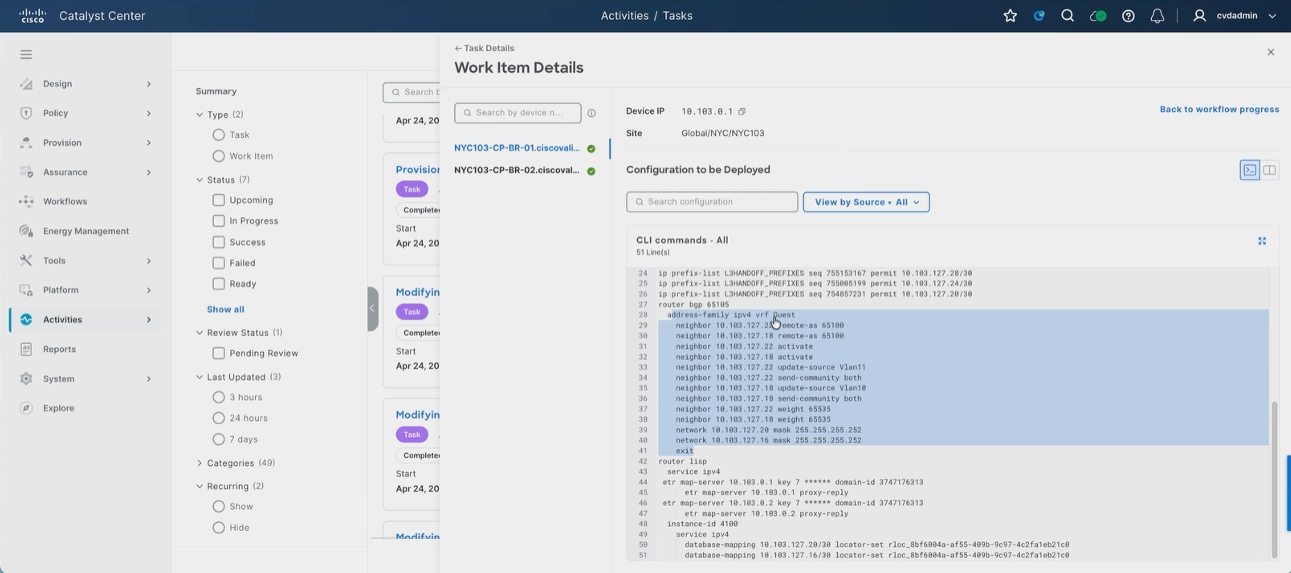
14. Click Save.
15. Repeat on the second border node and deploy.
Note: Once the handoff is deployed, the upstream fusion nodes have to be configured with the matching BGP peering before traffic will pass. That side is outside Cisco Catalyst Center and is configured separately.
Each border node maintains a separate eBGP session per virtual network to each fusion node, carried on its own VLAN and switched virtual interface. The fabric routes are redistributed into BGP from LISP, and the border nodes advertise the infrastructure pools upstream as summary-only aggregates.
| Routing domain |
BGP autonomous system number |
| NYC103 fabric border nodes |
65105 |
| Upstream fusion nodes |
65100 |
The complete peer list, with the VLAN, transit subnet, and peer address for every session across both border nodes and both fusion nodes, is recorded in Border handoff routing under Reference deployment information. Confirm those sessions are established before treating the fabric as complete; a virtual network whose handoff session is down is isolated from everything outside the fabric even though the fabric itself is healthy.
With the fabric site, virtual networks, anycast gateways, and transit in place, the fabric is deployed by assigning roles to the devices and pushing the configuration. Assigning roles is what turns a provisioned network into a fabric.
Confirm device roles and provisioning status:
1. Navigate to Provision > Inventory and check the Device Role column.
2. The border and control plane devices should read CORE, the intermediate switches DISTRIBUTION, and the edge stacks ACCESS.
3. Correct any device role that is wrong using the pencil icon beside the role.
4. The device role determines how the fabric topology view arranges the devices; with the intermediate switches still marked as CORE the topology does not render in tiers, which makes the fabric view considerably harder to read.
5. Confirm the provisioning status is Success for every device. Fabric roles cannot be assigned to a device that has not been provisioned; everything configured in the design settings has to reach the device first.
Note: Only one provisioning operation can run against a device at a time. That is deliberate and prevents two operations from conflicting on the same device.
6. Navigate to Fabric Sites > NYC103 > Fabric Infrastructure. The topology shows the devices arranged in tiers, with the border and control plane devices at the top, the intermediate switches beneath them, and the edge stacks at the bottom.
Note: The banner states the requirement: at least one control plane node and one edge node must be assigned to create a fabric, plus at least one border node if the fabric needs external connectivity.
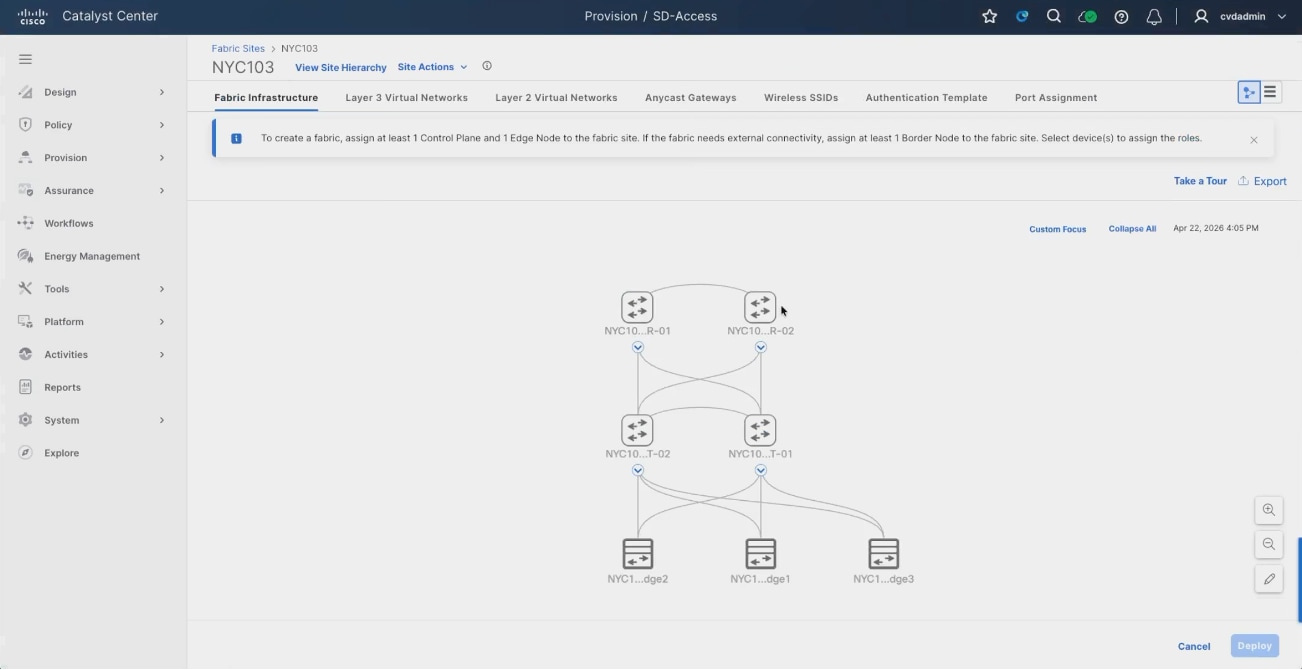
7. With every role assigned, click Deploy.
Cisco Catalyst Center prepares the devices and configuration models for each device, validating the input, generating the device configuration models, processing the model configuration objects, generating the CLI templates, and processing the device controllability and telemetry settings.
As with device provisioning, the preview is mandatory. Beyond showing the operator what will be sent, Cisco Catalyst Center validates the configuration against each device, including whether a feature is supported on the release the device is running.
8. Review the side-by-side comparison for each device. The configuration to be deployed contains the VRF definitions for each virtual network with their route distinguishers, role-based enforcement, and the anycast gateway loopbacks.
Note: A banner may warn that the running configuration shown is out of date and not synchronized with the device. Click Sync to retrieve the current configuration before comparing.
9. Click Deploy and follow the task from Activities > Tasks until it completes with every fabric device successful. The task covers only the devices carrying a fabric role; the intermediate nodes are not included.
The authentication template is what pushes the IEEE 802.1X configuration to the fabric edge nodes. Without it the fabric is built but no client can be onboarded through Cisco ISE.
10. Navigate to Fabric Sites > NYC103 > Authentication Template.
11. Enable Closed Authentication and leave Voice VLAN and BPDU Guard selected.
Note: The settings are applied to every edge node and extended node access port in the fabric site unless a port has been overridden individually through a static port assignment. Interfaces that already carry a static trunk, static access, or routed configuration are not configured automatically; those interfaces have to be defaulted, and the devices resynced before the operation is repeated.
12. Choose Preview and Deploy, accept the task name, and start the operation.
13. Follow it from Activities > Tasks until the 802.1X configuration has been pushed to every edge node.
Multicast in the fabric overlay
Multicast in an SD-Access fabric is not simply enabled on the devices. The overlay needs a rendezvous point, a signaling address pool, and a replication mode defined per virtual network, and wireless clients only receive multicast if it is also enabled on the SSIDs and pushed to the wireless controller. Both halves have to be in place before any stream will cross the fabric.
| Setting |
Value used in this build |
| Virtual network |
Campus, LISP instance 4099, VLAN 274 |
| Replication mode |
Native Multicast |
| Multicast mode |
Source Specific Multicast and Any Source Multicast |
| Multicast_Campus___NYC103, 10.103.67.0/24 |
|
| Source Specific Multicast range |
232.0.0.0/8 |
| Rendezvous points |
NYC103-CP-BR-01 and NYC103-CP-BR-02, location Fabric |
| Rendezvous point address in VRF Campus |
10.103.67.1 |
1. Navigate to Provision > SD-Access > Fabric Sites.
2. Choose Configure Multicast Configuration from the Site Actions menu.
Note: Where multicast has already been configured, the same menu offers Edit and Remove instead. The menu wording is a quick way to tell whether multicast is already running at the site.
3. Set the replication mode to Native Multicast.
Native multicast replicates in the underlay, so the underlay carries the multicast tree, and the fabric edge nodes do not have to replicate a copy per receiver. It requires multicast to be running in the underlay, which the LAN Automation session in Step 2 enabled.
4. Under Virtual Networks, select the virtual networks that need multicast.
Multicast is configured per virtual network, because each is a separate VRF with its own multicast routing table. Only Campus is enabled in this design.
5. Under Multicast Mode, select both Source Specific Multicast and Any Source Multicast. SSM requires the receiver to know the source address, which suits well-known streaming applications; ASM uses a rendezvous point so receivers can join without knowing the source. Enabling both covers either style of application.
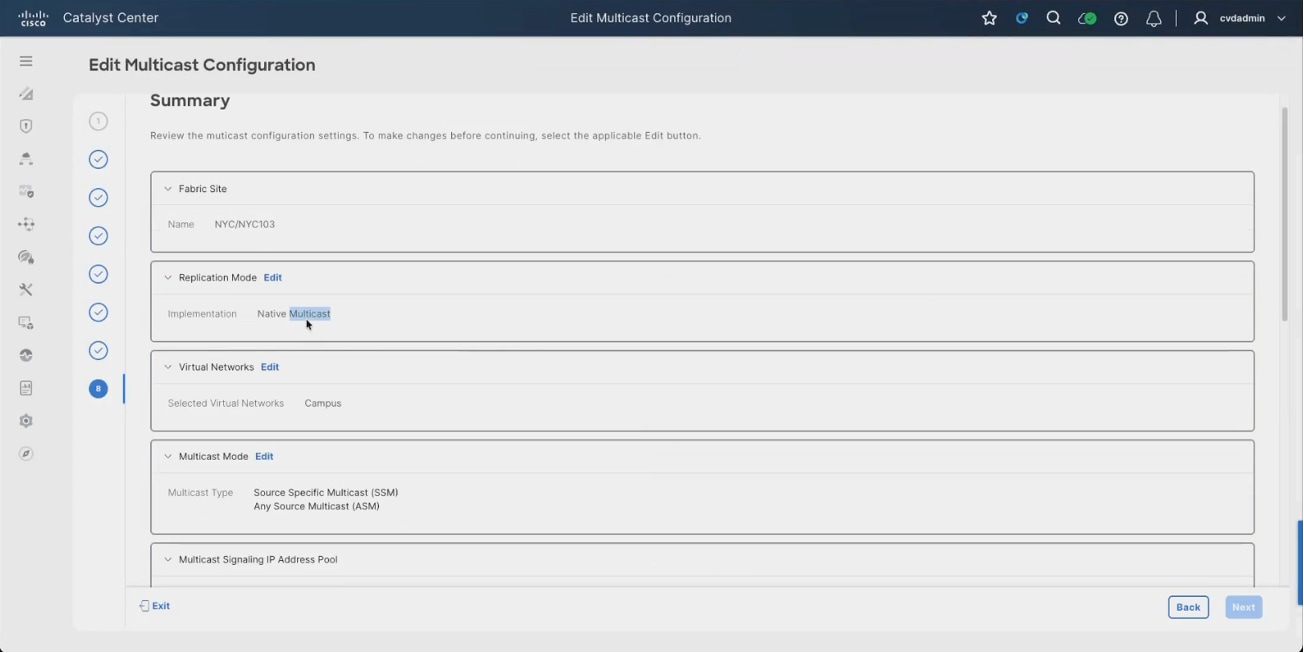
6. Select the multicast signaling IP address pool for each virtual network. This pool supplies the addresses the fabric uses for multicast signaling, including the rendezvous point address inside the VRF, which is why it had to be reserved in Step 1.
7. Accept or adjust the Source Specific Multicast range for each virtual network
8. Under Multicast Group to Rendezvous Point Mapping set the rendezvous point device location to Fabric and select both border nodes. Using both borders means the fabric keeps a working rendezvous point if one is lost. An external rendezvous point can be used instead where multicast is already anchored outside the fabric.
Note: The wizard lists each rendezvous point by its Loopback0 address. The rendezvous point address that appears inside the VRF is a separate address taken from the multicast signaling pool, 10.103.67.1 in this build.
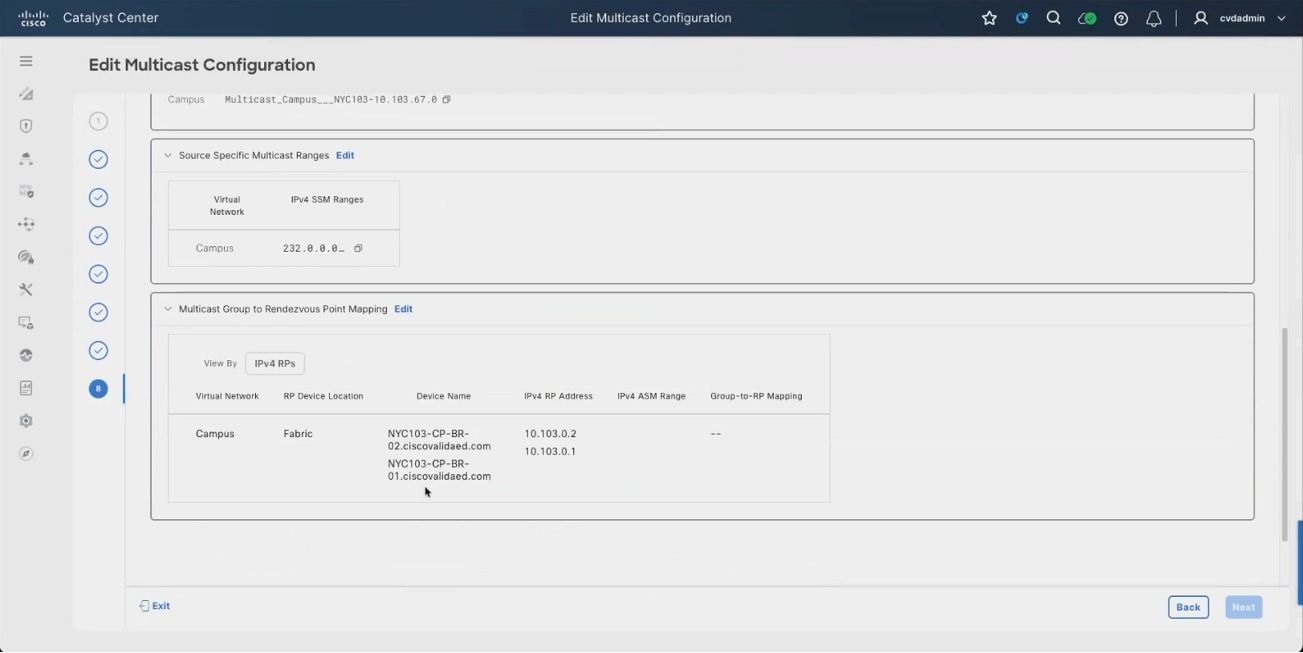
9. Review the summary and deploy the configuration.
10. Navigate to Fabric Sites > NYC103 > Wireless SSIDs.
11. Select Enable Wireless Multicast.
12. Click Deploy. The setting applies to the SSIDs listed on the page and is pushed to the wireless controller.
Without this, multicast will not reach wireless clients no matter how the overlay is configured, because the wireless controller has to be told to forward multicast for the SSID. It is the single most common reason a fabric multicast test works for wired receivers and fails for wireless ones.
Note: For AireOS and Catalyst 9800 controllers, a change to the SSID configuration under Network Settings requires the device to be re-provisioned.
13. Enable Wireless Multicast selected for the fabric site SSIDs.
14. Connect to a border node and run show ip mroute vrf Campus.
15. Confirm the entries show the rendezvous point address allocated inside the VRF from the multicast signaling pool. If the address is missing or wrong, nothing downstream will work and there is no point testing with a live stream.
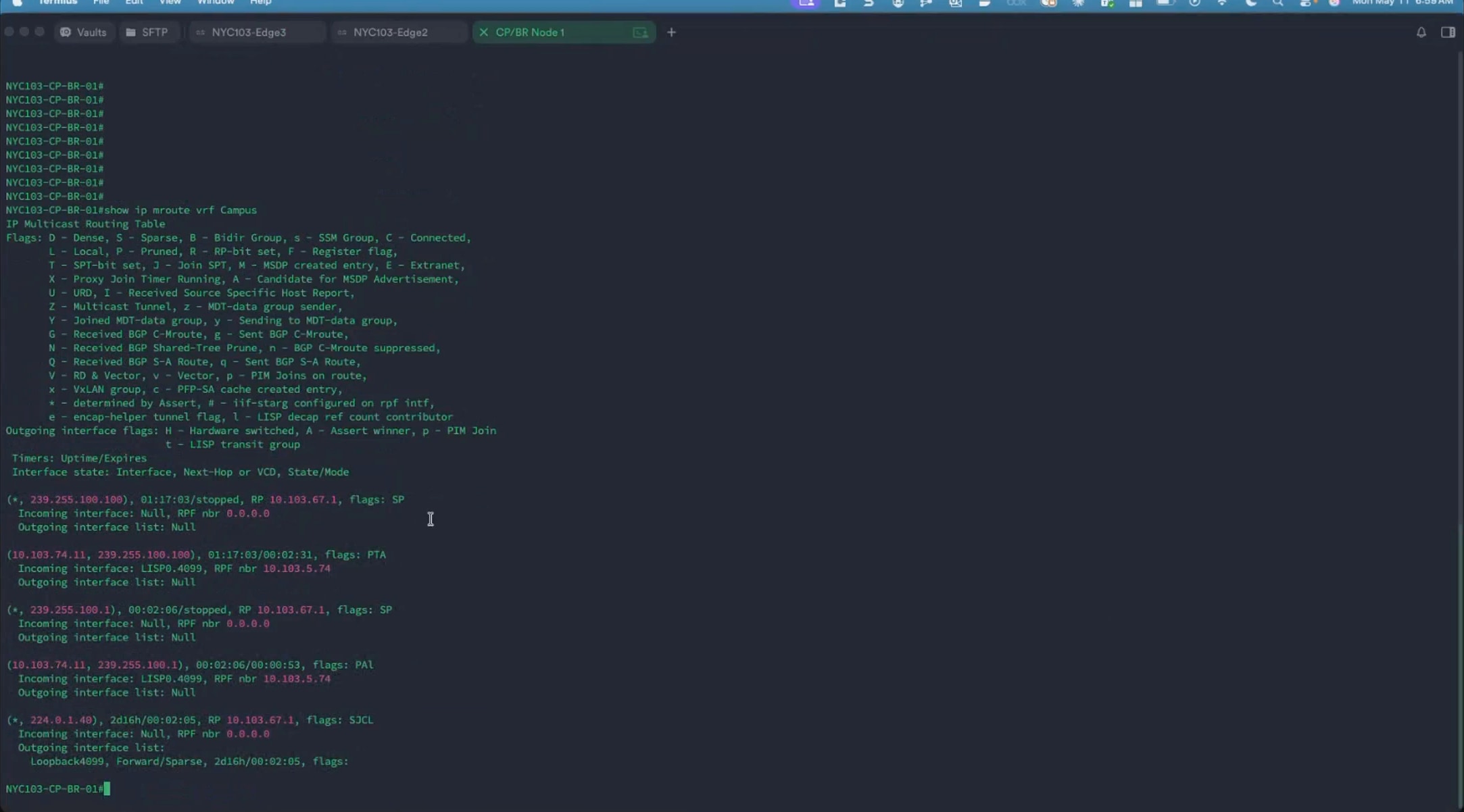
The fabric is validated end to end with a live multicast stream between two clients in the same virtual network and the same fabric site, differing only in how they attach: one wired, one wireless. That isolates the fabric overlay handling, including the wireless path through the controller, rather than testing routing in general.
| Role |
Address |
Attachment |
| Multicast source |
10.103.74.11 |
Wired, on a fabric edge node access port |
| Multicast receiver |
10.103.74.8 |
Wireless, through the fabric SSID |
| Test groups |
239.255.100.100 port 5002, then 239.255.100.105 port 5005 |
|
16. On the wired client, start a multicast stream to the first group.
17. On the wireless client, open the corresponding network stream. The stream plays, trailing the source slightly.
Note: A few seconds of lag between source and receiver is expected and is increased further where both clients are viewed through a virtual machine console.
18. On the edge node, the source is attached to confirm the source is locally connected with show mac address-table. The source MAC appears on the access port in the Campus VLAN.
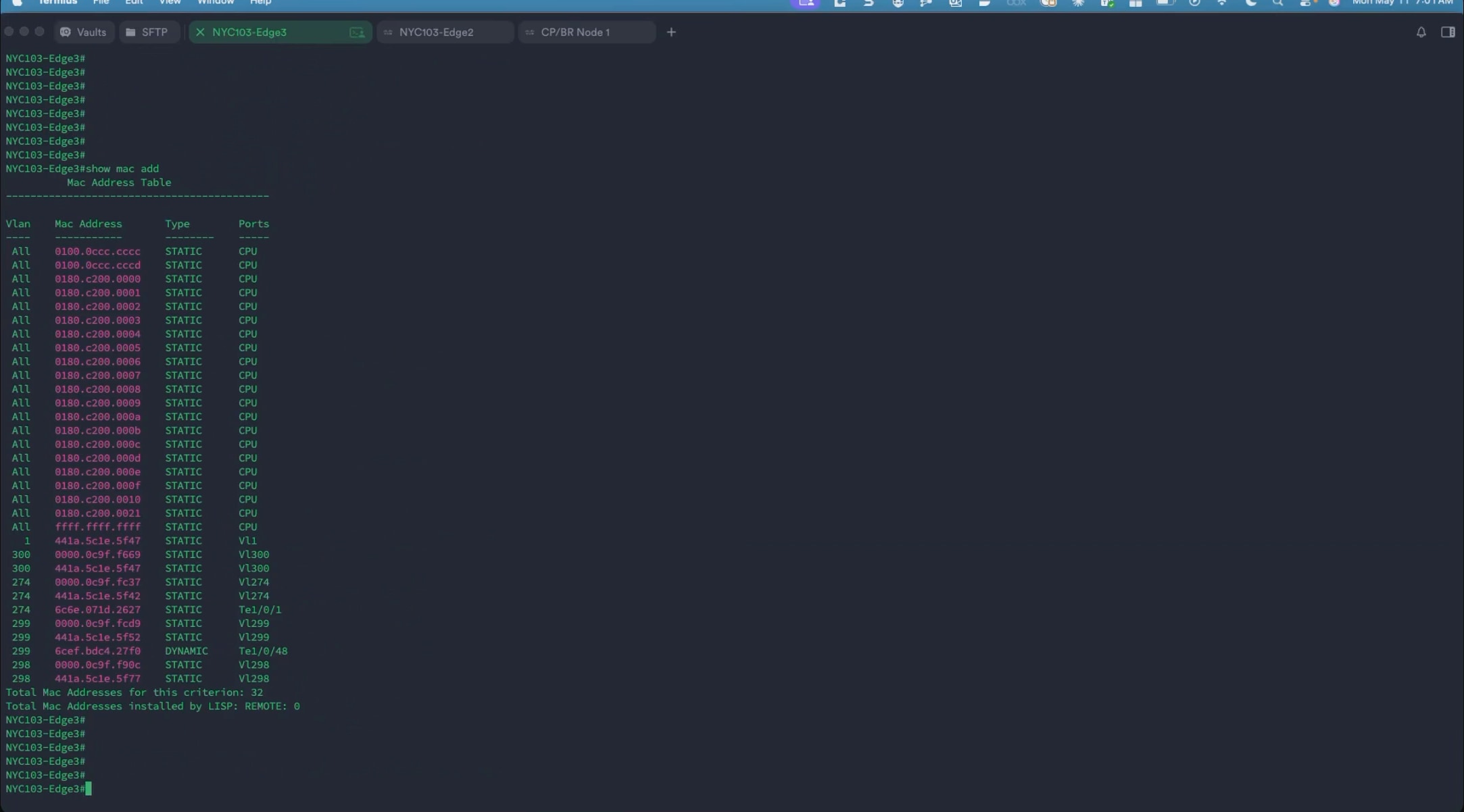
19. On the same edge node, run show ip mroute vrf Campus. The source-group entry shows the source address, an incoming interface of the client VLAN, and an outgoing interface of the LISP interface for the Campus instance with the node Loopback0 address as the underlay source.
This is the fabric doing its job: the stream arrives from the client VLAN and is handed to the LISP interface for the Campus instance, encapsulated with the edge node Loopback0 address and an underlay group.
The LISP instance number matches the Campus Layer 3 VNID, which is how the traffic stays inside the right virtual network.
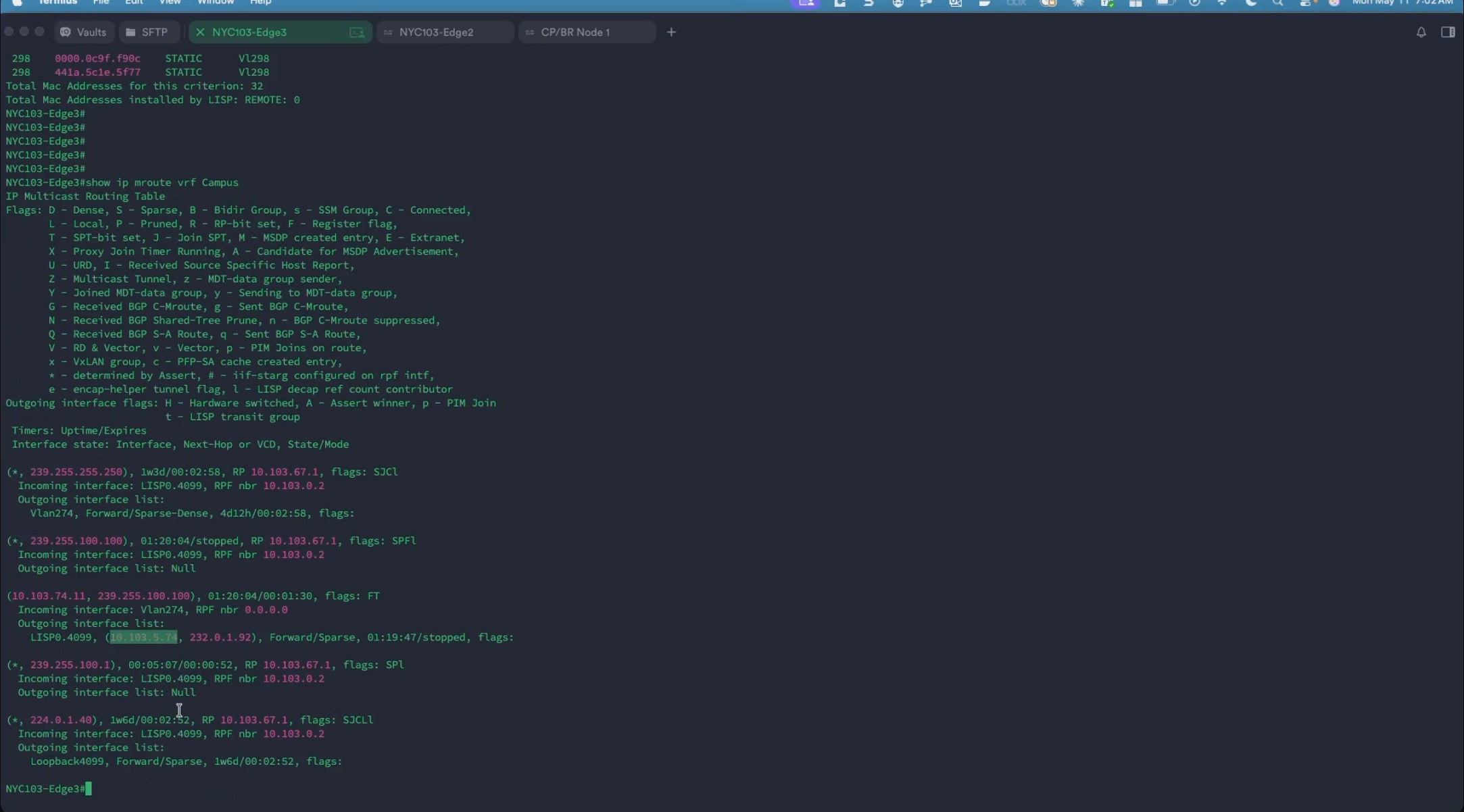
20. On the wireless client, confirm the address is drawn from the Campus pool with the anycast gateway as its default gateway.
On the edge node the wireless client is associated through, run show ip arp vrf Campus to confirm the client is present, then show ip mroute vrf Campus. The source-group entry shows an incoming interface of the LISP interface with the source edge node Loopback0 as the reverse path forwarding neighbor, and an outgoing interface of the client VLAN.
Taken with the previous check this closes the path: the source edge encapsulates into the overlay, and the receiving edge decapsulates and forwards onto the client VLAN.
The reverse path forwarding neighbor on the receiving side is the loopback of the sending edge node, which confirms the traffic is following the overlay rather than leaking through another path.
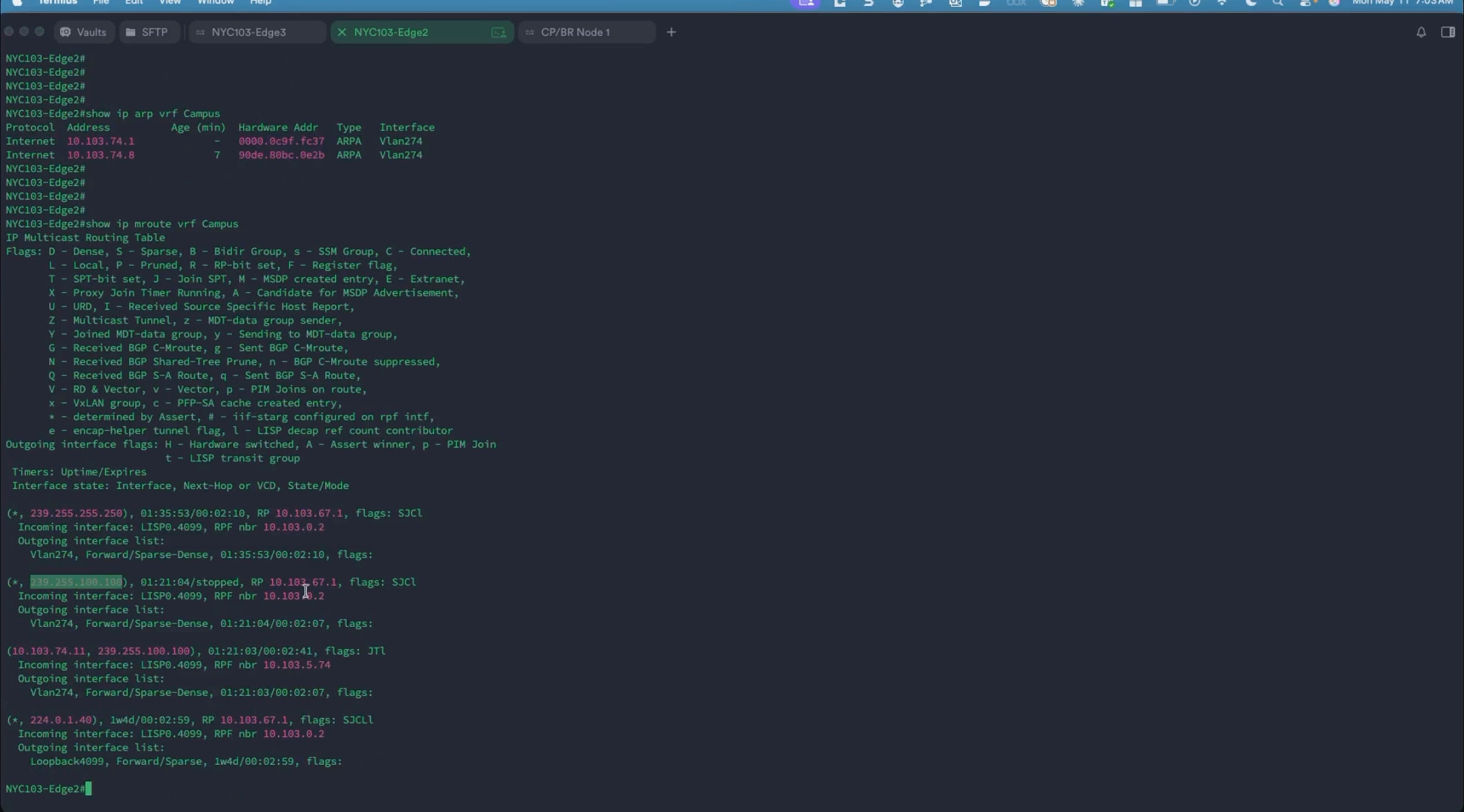
Repeat the test on a second group:
Repeating the test on a different group proves the result was not a stale forwarding entry left over from earlier testing, and it exposes the one client-side setting that routinely breaks multicast in a fabric.
1. Stop the stream on the source and confirm playback stops on the receiver. Start a new stream to a different group and port.
2. Before starting the stream, raise the time to live in the generated stream output string. Streaming applications commonly generate the string with a very low time to live, and an SD-Access fabric is a Layer 3 network where the traffic crosses several routed hops between the source the edge and the receiving edge. A low value is exhausted before the stream arrives, so raising it is required for the stream to cross the fabric at all.
3. On the receiver, open the new group. Playback starts within a few seconds.
4. Run show ip mroute vrf Campus on the receiving edge node and then on the source edge node. A new source-group entry appears for the new group with a short uptime, and on the source side the previous group is visible ageing out alongside it.
Note: Entries for the earlier group remain in the table for a few minutes after the stream stops, showing as registering or with a stopped timer until they expire.
With both groups traced from the wired source, through the overlay, to the wireless receiver, the fabric overlay is confirmed to be forwarding correctly within the Campus virtual network.
At the end of this step the fabric site is complete: both border and control plane nodes and every fabric edge node carry their fabric roles, the extended node is onboarded through INFRA_VN, the Campus and Guest virtual networks are deployed with their anycast gateways, the IP transit hands each virtual network off to the upstream network, closed authentication is applied to the fabric edge ports, and overlay multicast is running in the Campus virtual network.
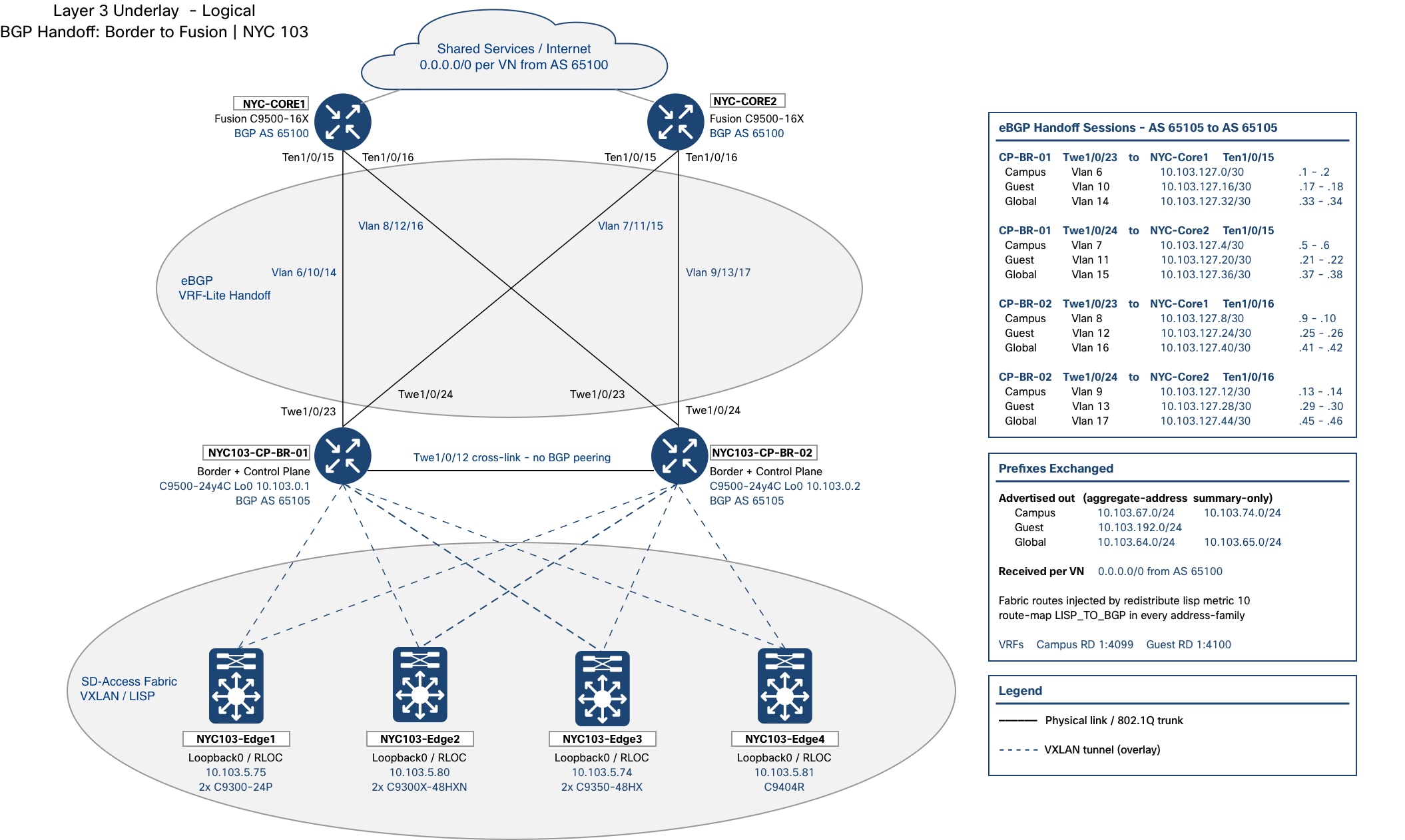
| Verification |
Expected result in this build |
| Fabric devices |
Two border and control plane nodes and four fabric edge nodes carry fabric roles; the two intermediate nodes carry none. |
| Extended node |
One policy extended node onboarded through INFRA_VN below a fabric edge node. |
| Layer 3 virtual networks |
Campus (4099) and Guest (4100), alongside the built-in INFRA_VN (4097) and DEFAULT_VN. |
| Anycast gateways |
10.103.74.1/24 in Campus, 10.103.192.1/24 in Guest, and both 10.103.64.1/24 and 10.103.65.1/24 in INFRA_VN. |
| Transit |
IP-based transit to the upstream network with remote autonomous system 65100. |
| Border handoff |
A separate eBGP session per virtual network from each border node to each fusion node. |
| Authentication template |
Closed Authentication applied to every fabric edge access port. |
| Overlay multicast |
Native replication in the Campus virtual network with both border nodes as rendezvous points. |
Wireless is added to the fabric site in Step 4, and the segmentation policy that governs what the virtual networks and scalable groups may reach is configured in Step 5.
Step 4: Deploy fabric-enabled wireless
This step brings wireless into the fabric so that wireless endpoints use the same overlay, virtual networks, and policy model as wired endpoints. The SSIDs and their fabric-enabled wireless profiles are created in the design, the wireless controller is discovered and added to the fabric, and the access points are onboarded through INFRA_VN. The result is a wireless network whose clients are registered in the fabric control plane rather than one running alongside the fabric.
Within the SNRA framework, this step extends Secure Infrastructure to the wireless edge and completes Segment and Protect by placing wireless clients into the same virtual networks as wired clients, so segmentation is a property of identity rather than of how an endpoint attaches.
| SNRA Function or Capability |
On-premises Deployment Components |
| Secure Infrastructure |
Onboards the Catalyst 9800 wireless controller and access points through INFRA_VN, confirms controller high availability, and extends the routed and VXLAN transport to the wireless edge. |
| Identify and Authorize |
Uses 802.1X and AAA override so Cisco ISE returns the virtual network and scalable group tag for each wireless client. Identity-based placement is applied consistently with wired access. |
| Segment and Protect |
Maps fabric-enabled SSIDs into the Campus and Guest virtual networks so wireless traffic uses the same overlay and macro-segmentation boundaries as wired traffic. |
| Detect and Respond |
Provides controller, access-point, client, and path telemetry for assurance and later analytics. Wireless onboarding and client placement are validated here; security detection and containment remain part of Step 6 and the SNA integration. |
| Unified Management and Agentic Operations, Common Policy Context, and Extended Integrations |
Uses Catalyst Center to coordinate wireless profiles, controller lifecycle, access-point onboarding, and shared virtual-network and group context across wired and wireless domains. |
Because the wireless controller participates in the LISP control plane, a wireless client is registered against the fabric edge node its access point is attached to, and the data path stays distributed rather than being tunneled back to the controller.
The wireless components added in this step are:
● Cisco Catalyst 9800 Series wireless controllers - Two CW9800M units deployed as a high availability stateful switchover pair, reachable at 10.103.6.5 on the wireless management segment. Cisco Catalyst Center manages the pair as a single device.
● Cisco Wi-Fi 7 access points - CW9176I access points attached to fabric edge nodes and addressed from the INFRA_VN access point pool. Each carries three radio slots for 2.4 GHz, 5 GHz, and 6 GHz operation.
● INFRA_VN - The infrastructure virtual network that carries the access points in the global routing table, with its anycast gateway at 10.103.64.1/24.
● Cisco Identity Services Engine - Authenticates wireless clients over 802.1X and returns the virtual network and scalable group tag through AAA override.
The design-side work has to be complete before the wireless controller is provisioned, because provisioning is what pushes the SSIDs and profiles to the controller. The fabric itself must already be deployed, since the wireless controller is added to an existing fabric site.
At a high level, this step includes the following procedures:
1. Confirm INFRA_VN and its anycast gateway for access point onboarding.
2. Create the enterprise SSID with its radio policy, security, and AAA settings.
3. Create the wireless network profile and mark it as a fabric profile.
4. Create the remaining SSIDs and their fabric profiles.
5. Assign the wireless network profiles to the fabric site and its floors.
6. Discover the wireless controllers and form the high availability pair.
7. Add the wireless controller to the fabric and deploy.
8. Confirm the access points join and take an address from INFRA_VN.
9. Validate the wireless path and the SSIDs on the controller.
Wireless LAN controller onboarding and fabric integration
Adding the controller to the fabric is what makes this fabric-enabled wireless rather than a wireless network running alongside the fabric. Cisco Catalyst Center pushes the fabric configuration to the controller and attaches the fabric SSIDs to it, so wireless clients are registered in the fabric control plane in the same way as wired clients.
| Item |
Value in this build |
| Wireless controller |
WLC1, 10.103.6.5, two CW9800M units in a high availability pair |
| Wireless management VLAN |
255, 10.103.6.0/24 |
| Fabric role |
Wireless Controller (WC) |
1. Discover the wireless controllers using the Onboard Devices workflow described in Step 2.
2. Configure the two controllers as a high availability stateful switchover pair from the provisioning workflow.
Once the pair forms, the two controllers establish their relationship, the secondary unit disappears from Inventory, and a single wireless controller remains as the active unit.
High availability stateful switchover gives failover between the two controllers, and Cisco Catalyst Center manages the pair as one device from then on. The platform and serial number columns in Inventory still list both physical units, which is how the pair can be recognized.
Note: The high availability pairing is described in the source recording but not demonstrated on screen. Capture that workflow separately before this section is treated as final.
3. Confirm the controller appears in Provision > Inventory as a wireless controller, reachable and assigned to the fabric site.
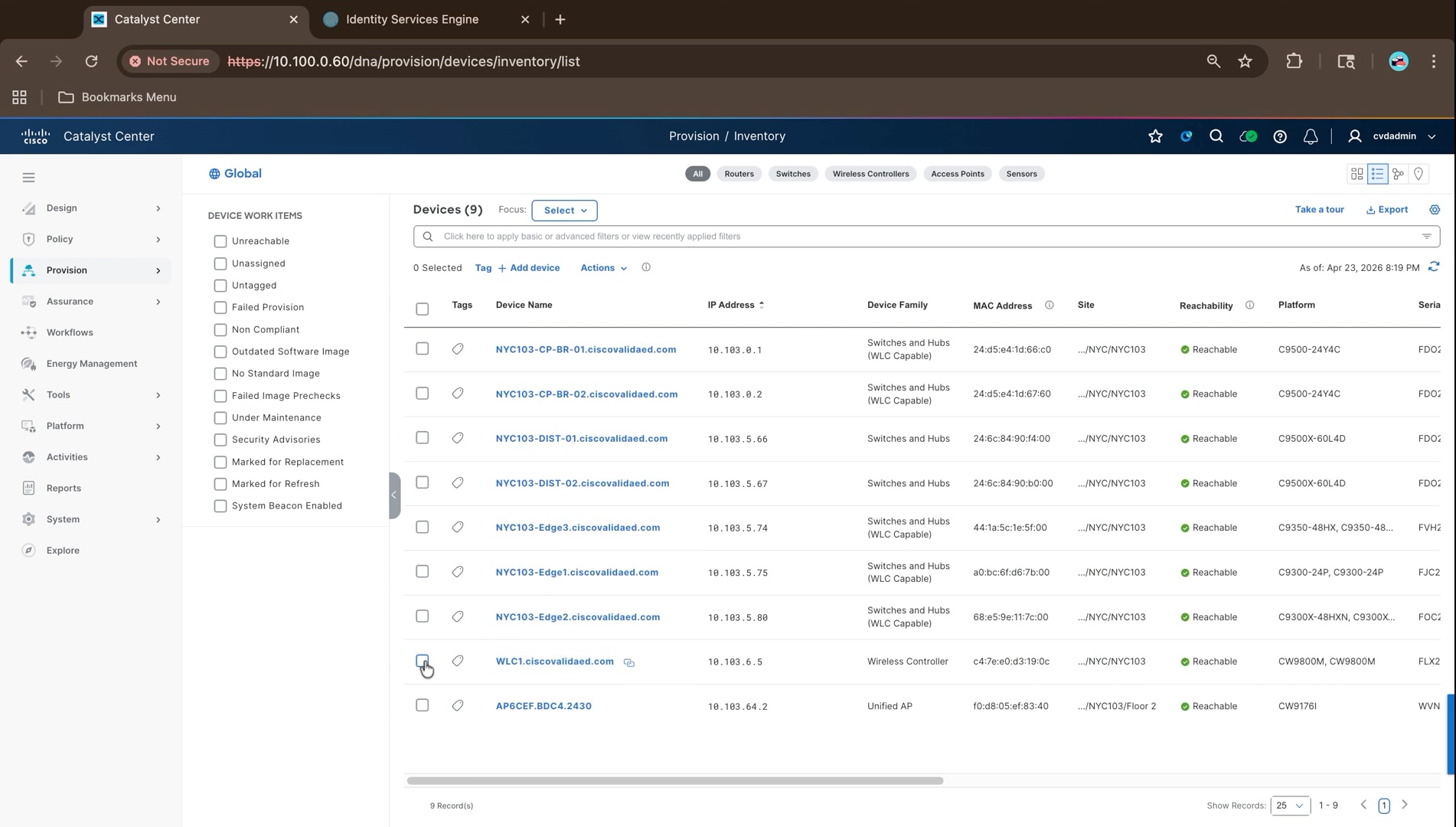
4. Navigate to Fabric Sites > NYC103 > Fabric Infrastructure, select the wireless controller, open the Fabric tab, enable the wireless controller role, and click Add.
5. Click Deploy and wait for the fabric configuration to be pushed.
6. Confirm the fabric roles from the grid view of the Fabric Infrastructure tab:
● Border and control plane on both border nodes
● Edge node on each fabric edge
● Wireless controller on the controller
● No fabric role on the intermediate switches
Access point onboarding through INFRA_VN
For fabric wireless the access points have to sit in the underlay, and in SD-Access the underlay is represented by INFRA_VN. The access points are addressed from the INFRA_VN pool reserved in Step 1, reach the DHCP server and the wireless controller through that path, and are therefore dependent on the INFRA_VN handoff configured in Step 3.
1. Navigate to Provision > SD-Access > Virtual Networks > Layer 3 and confirm INFRA_VN is present with its Layer 3 virtual network identifier. INFRA_VN is built in and is not created by hand.
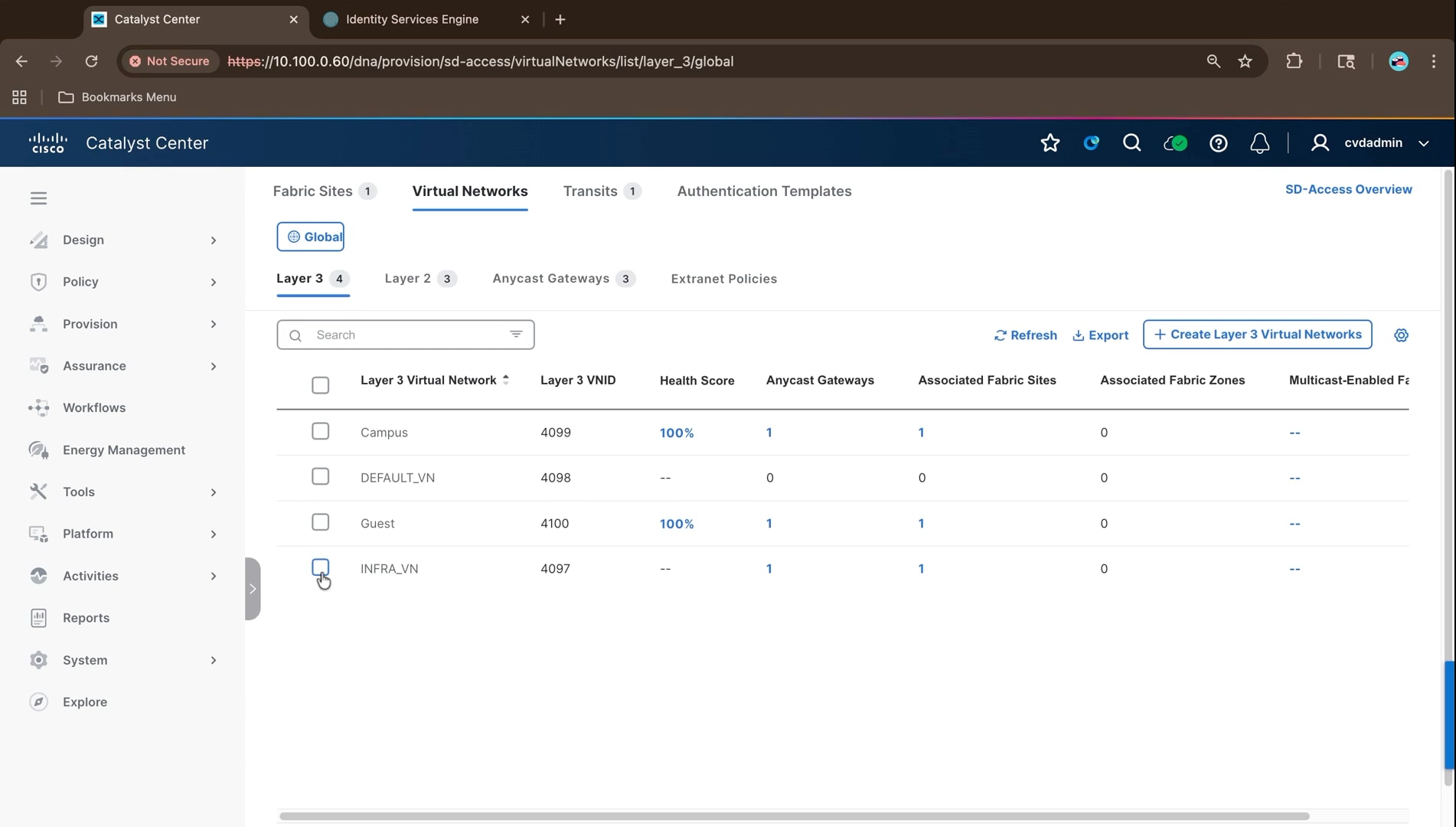
2. Click the anycast gateway count against INFRA_VN and confirm the access point gateway, 10.103.64.1/24 in this build, associated with its Layer 2 virtual network and assigned to the fabric site.
The gateway address comes from the infrastructure pool reserved during Step 1, and it is what the access points are addressed from once they attach to a fabric edge node.
Note: Other placements are possible for particular use cases, but putting the access points in INFRA_VN is the recommended approach for fabric-enabled wireless. INFRA_VN also carries the extended node pool, as described in Step 3.
3. Connect the access point to a fabric edge node access port. It obtains an address by DHCP from the INFRA_VN pool, joins the wireless controller, and begins broadcasting the SSIDs carried by the network profiles assigned to its floor.
In the validated deployment the access point registers at 10.103.64.14 and is assigned to Floor 2 of the NYC103 building. Access points are assigned to floors rather than to the building, which is why the wireless network profiles have to be assigned to the floors as well as to the site.
Enterprise, guest, and IoT SSID design
An SSID is how a wireless client attaches to the network, and a wireless network profile is what carries the SSID to a set of sites and marks it as a fabric SSID. It is the profile, not the SSID, that carries the fabric setting and the site assignments and marking it as a fabric profile is what makes this fabric-enabled wireless rather than a conventional WLAN running over the same hardware.
| SSID |
Security |
Policy profile |
Purpose |
| SDA-Secure-Campus |
WPA2 and WPA3 Enterprise, 802.1X, AES, protected management frames; WPA3 on 6 GHz |
SDA-Secure-Campus_profile |
Campus — corporate wireless clients |
| SDA-Secure_Campus-Open |
Open |
SDA-Secure_Campus-Open_profile |
Guest — open guest/onboarding clients using Guest_Wireless_NYC103 (10.103.193.0/24) |
Note: The figures in this subsection were captured while the SSIDs were named CV-Campus-Secure and CV-Guest, and both were created as enterprise SSIDs. The deployed configuration read from the wireless controller is the table above: the SSIDs were renamed, and the second SSID is open rather than enterprise. Follow the table for the current state and the figures for the workflow.
1. Navigate to Design > Network Settings > Wireless and select Global to begin creating the enterprise SSID. All wireless design settings are configured from this page.
2. Open SSIDs, click Add, and choose an Enterprise SSID.
3. Enter the wireless network name. The WLAN profile name and policy profile name are generated from it; leave the option to copy the WLAN profile name to the policy profile name selected so the two stay aligned.
4. Under Radio Policy, select 2.4 GHz, 5 GHz, and 6 GHz, confirm the SSID is administratively up and set to broadcast, then click Next.
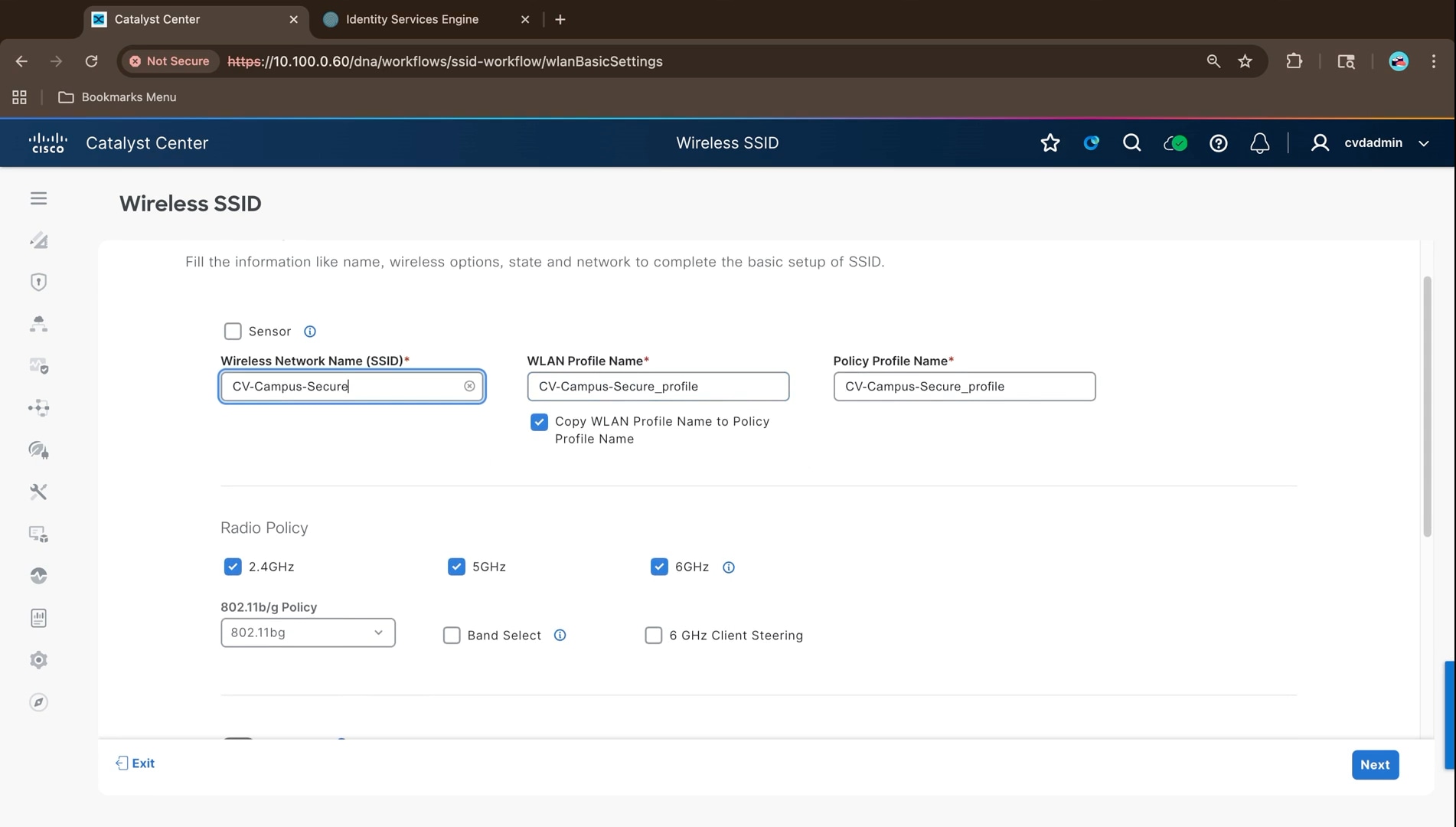
5. On Security Settings, leave Layer 2 security set to Enterprise and select WPA3. Add WPA2 where older clients need it; the deployed configuration runs both on 2.4 and 5 GHz with WPA3 only on 6 GHz.
Note: To run 6 GHz alongside 2.4 and 5 GHz on Cisco IOS XE 17.7 to 17.11, WPA3 must be enabled and WPA2 disabled. From release 17.12 onwards all radio policies can be enabled on the same SSID with WPA3, which is what this build uses.
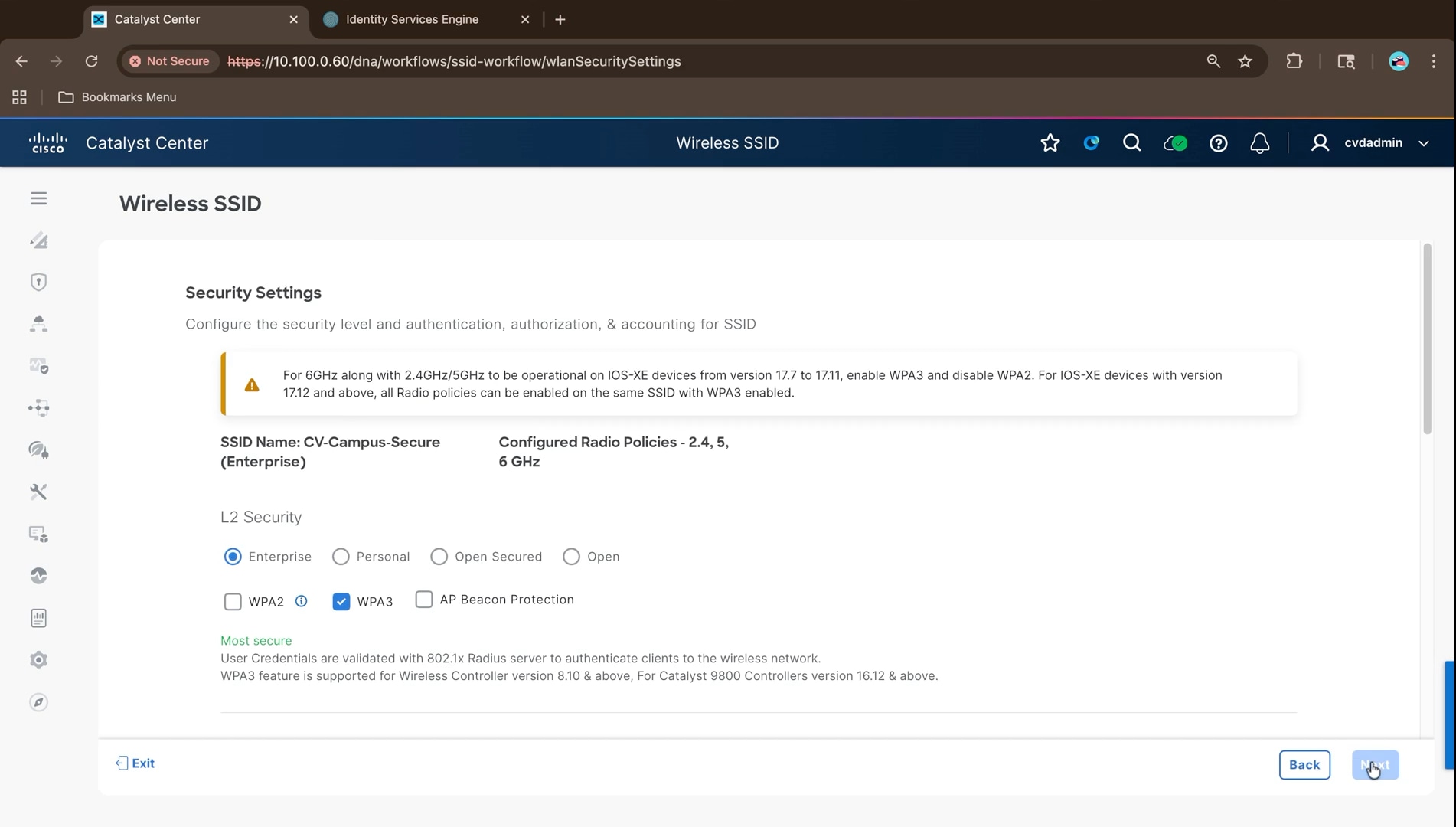
6. Under Encryption, leave AES selected, and under authentication key management select 802.1X.
7. Click Configure AAA, select the Cisco ISE server as the authentication and authorization server.
8. Optionally, copy the same servers for accounting, and click Configure. An enterprise SSID authenticates its clients against a RADIUS server; when a wireless user associates, the request goes to an ISE Policy Service Node.
Note: The dialog carries two warnings: configure one or more AAA or Policy Service Node servers so the correct configuration is pushed for the SSID and add the ISE server on the Network Settings page to get end-to-end AAA configuration, including automatic creation of the network device entry in ISE.
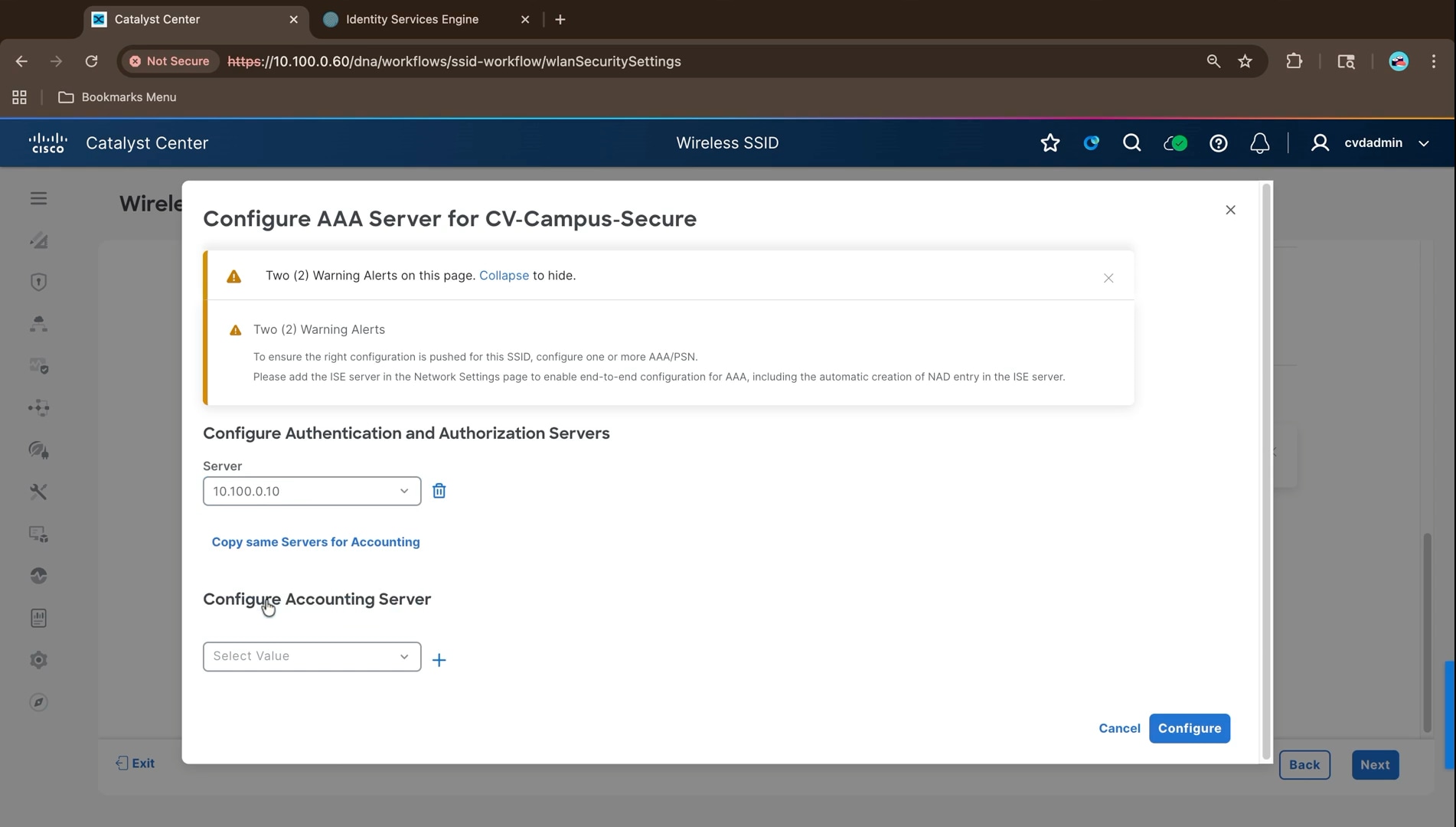
9. Review the advanced settings and click Next.
The defaults are appropriate for this build, with protected management frames optional, 802.11k neighbor list and coverage hole detection enabled, and a session timeout of 28800 seconds.
10. On Associate SSID to Profile, click Add Profile and enter a profile name. The WLAN and policy profile names carry over from the SSID.
11. Set Fabric to Yes. This single setting is what tells Cisco Catalyst Center to push the fabric-enabled wireless configuration when the profile is provisioned to the wireless controller. With it set to No, the SSID would be configured as an ordinary WLAN, and wireless clients would not be registered in the fabric control plane.
12. Click Associate Profile, then Next, then Save.
13. Repeat the SSID and profile creation for the remaining SSIDs, each with its own profile and Fabric set to Yes.
14. Return to Design > Network Settings > Wireless and confirm the dashboard reports both SSIDs along with the access point profiles and RF profiles created alongside them.
Note: Design changes are not reflected on the devices until they are provisioned. Once the wireless controller has been discovered, the profiles are pushed to it by provisioning the device.
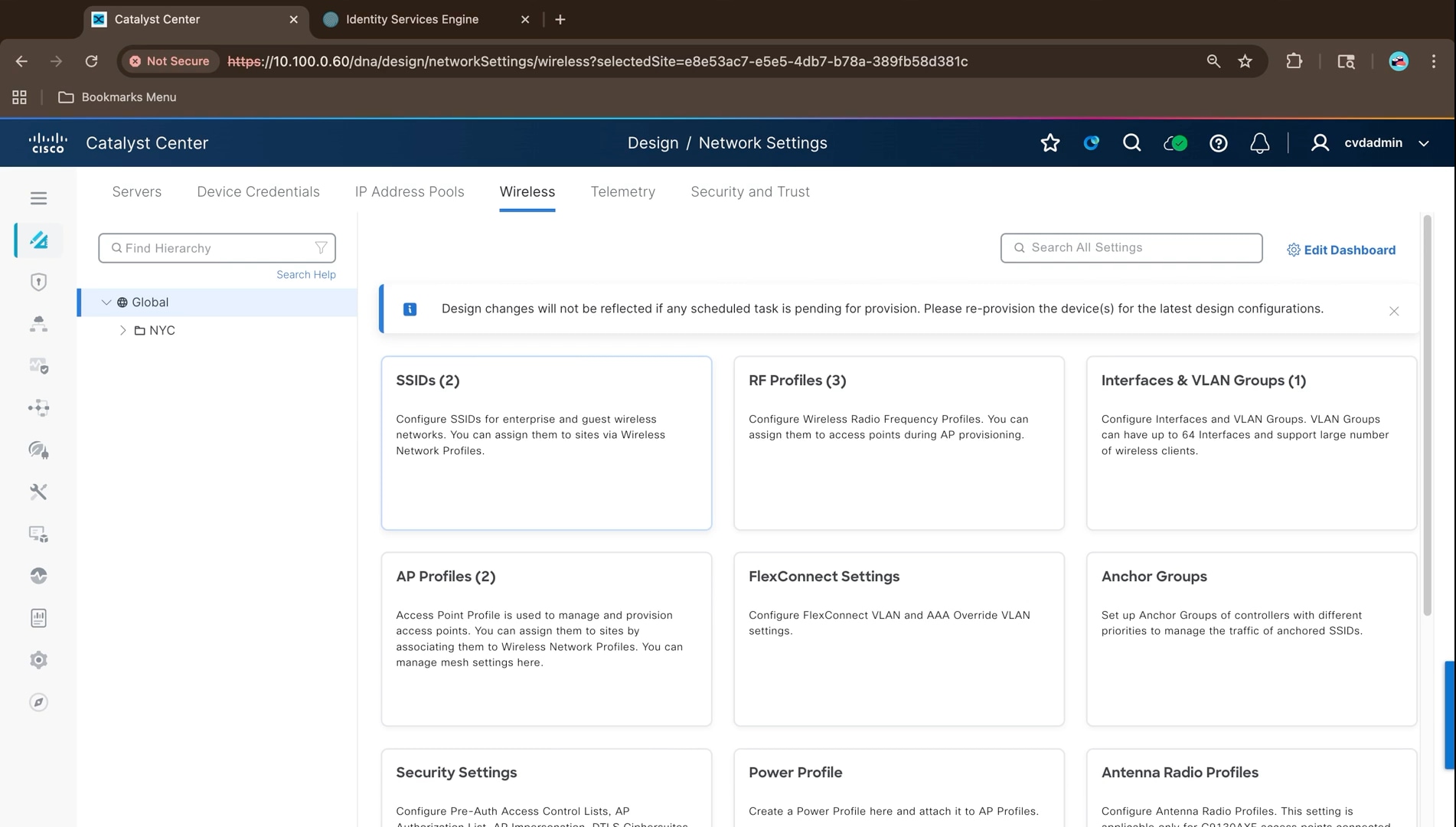
15. Navigate to Design > Network Profiles to assign the profiles to the fabric site and its floors.
The profiles created by the SSID workflow are listed with the number of sites each is assigned to. Creating an SSID does not broadcast it anywhere; until a profile carries a site, no access point will advertise the SSID.
16. Click the site count or Assign Site against a profile and select the fabric site and every floor beneath it, then click Save.
Access points are assigned to floors rather than to the building, so the floors have to be included for the profile to reach the access points that will broadcast the SSID.
No separate wireless pool is created for guest traffic in this design. The guest SSID maps into the existing Guest virtual network, so wired and wireless guests share the same address space and the same policy.
Note: An IoT SSID is not deployed in this build. Where one is required, it is created the same way and mapped into its own virtual network or scalable group, so that IoT endpoints are segmented from corporate and guest traffic by the same mechanism.
The access points in this deployment are Cisco Wi-Fi 7 models carrying three radio slots, so the 6 GHz band is available alongside 2.4 GHz and 5 GHz. Three considerations follow from that.
The first is security. The 6 GHz band mandates WPA3, and protected management frames are required rather than optional. On Cisco IOS XE releases 17.7 to 17.11 this forced a choice: to run 6 GHz alongside the lower bands on the same SSID, WPA3 had to be enabled and WPA2 disabled, which excluded older clients. From release 17.12 onwards all three radio policies can be enabled on the same SSID with WPA3, and this build runs WPA2 and WPA3 on 2.4 and 5 GHz with WPA3 only on 6 GHz.
The second is client support. Clients that do not support WPA3 cannot use the 6 GHz band at all, so a mixed estate is served by the lower bands while newer clients take advantage of the additional spectrum. Running a single SSID across all three bands keeps the client experience simple, at the cost of the security profile being set by the least capable band.
The third is the underlay. Wi-Fi 7 access points can generate substantially more traffic per radio than earlier generations, which lands on the fabric edge access port the access point is attached to and is carried across the routed underlay. The multigigabit access ports used on the fabric edge platforms in this design accommodate that, and the 9100-byte underlay MTU ensures the additional VXLAN encapsulation does not force fragmentation.
Wireless is validated from three directions:
● The design has reached the controller
● The access points have joined and been addressed correctly
● A client associating to a fabric SSID is placed into the right virtual network by policy.
Confirm the design reached the controller
1. On the wireless controller, run show WLAN summary and confirm each fabric SSID is present and up with the expected security.
In the validated deployment this reports two WLANs: SDA-Secure-Campus with WPA2 and WPA3, 802.1X, AES, and protected management frames on 2.4 and 5 GHz with WPA3 on 6 GHz, and SDA-Secure_Campus-Open with open security.
2. Run show wireless profile policy summary and confirm a policy profile exists for each SSID.
3. Run show wireless profile policy detailed for the enterprise profile and confirm the Fabric Profile name is populated. A policy profile with no fabric profile is an ordinary WLAN, and its clients will not be registered in the fabric control plane.
| Verification |
Expected result in this build |
| WLANs present |
SDA-Secure-Campus and SDA-Secure_Campus-Open, both up |
| Fabric profile |
Populated on both policy profiles |
| AAA override |
Enabled on the enterprise policy profile, so Cisco ISE assigns the virtual network and scalable group tag |
| Accounting |
A Cisco Catalyst Center generated accounting list bound to the enterprise profile |
| Wireless management VLAN |
255, matching the wireless management segment |
| Application visibility |
Assurance flow monitors bound to the enterprise profile |
AAA override is the setting that makes identity-based placement work. With it enabled, the virtual network and scalable group tag returned by Cisco ISE in the authorization result are applied to the client, which is how a wireless corporate user lands in the Campus virtual network with the correct scalable group tag rather than in a statically mapped VLAN.
1. Run show ap summary on the controller and confirm each access point is registered, with an address from the INFRA_VN access point pool and the expected model. In the validated deployment a single CW9176I access point is registered at 10.103.64.14 with three radio slots.
2. In Provision > Inventory, confirm the access point is reachable at its INFRA_VN address and assigned to its floor, and that the wireless controller is reachable. An access point that has joined and taken an address from INFRA_VN, together with a reachable controller, is the practical confirmation that the wireless path through the fabric is working end to end.
1. Associate a corporate client to the enterprise SSID.
2. Confirm on the fabric edge node the access point is attached to that the session reports the expected virtual network, VLAN, and scalable group tag.
The command and the expected output are the same as for a wired client, which is the point of fabric-enabled wireless: the wireless client is registered against the fabric edge node in the same way.
Note: A wireless client that authenticates but lands in the wrong virtual network is almost always an AAA override or authorization profile problem rather than a fabric problem. Confirm the authorization profile in Cisco ISE returns the correct virtual network before investigating the fabric configuration.
Wireless multicast is a separate setting and is enabled per fabric site, as described under Multicast in the fabric overlay in Step 3. Without it, multicast reaches wired receivers but not wireless ones, regardless of how the overlay is configured.
Step 5: Enable segmentation and policy
This step applies the segmentation policy that governs what the fabric permits. The virtual networks and anycast gateways created in Step 3 already separate whole forwarding domains from one another; this step verifies that separation and then adds group-based policy inside a virtual network, so that hosts are separated by identity rather than by address or location.
Within the SNRA framework, this step delivers Zero Trust Access by making every access decision a function of authenticated identity and completes link Segment and Protect by adding group-based enforcement inside the virtual networks established earlier.
| SNRA Function or Capability |
On-premises Deployment Components |
| Secure Infrastructure |
Uses the fabric edge nodes as distributed enforcement points and relies on the resilient underlay and overlay to carry authorized traffic. Access ports do not contain identity-specific static policy. |
| Identify and Authorize |
Cisco ISE authenticates endpoints and returns the authorization result that assigns the virtual network, VLAN, and scalable group tag. The same model applies to wired and fabric-enabled wireless clients. |
| Segment and Protect |
Combines macro-segmentation between virtual networks and micro-segmentation between scalable groups inside a virtual network through TrustSec and group-based access control policy. Secure Firewall integration should be described as in scope only where the deployment includes evidence. |
| Detect and Respond |
Provides policy-enforcement evidence and the response target for later analytics but does not by itself detect abnormal behavior. Detection, correlation, and governed containment are validated through the Step 6 assurance and Secure Network Analytics workflows. |
| Unified Management and Agentic Operations, Common Policy Context, and Extended Integrations |
Uses Catalyst Center, Cisco ISE, pxGrid, shared group context, and APIs to author, distribute, and verify policy. State explicitly which platform owns group-based policy administration in this build. |
The components involved in this step are:
● Cisco Identity Services Engine - Authenticates endpoints, returns the authorization result that places each endpoint into a virtual network with a scalable group tag, and holds the group-based policy matrix in this deployment.
● Fabric edge nodes - Authenticate endpoints over 802.1X, apply the dynamic VLAN and scalable group tag, and enforce group-based access control policy in the data plane.
● Border nodes - Carry each virtual network out of the fabric through its own handoff, so macro-segmentation is preserved beyond the fabric boundary.
● Cisco Catalyst Center - Deploys the authentication template that puts 802.1X on the fabric edge ports and hosts the group-based access control interface when it is the administration owner.
This step assumes the fabric is deployed, the authentication template has been applied to the fabric edge ports, and Cisco ISE is integrated. The authorization profiles and policy that place endpoints into virtual networks are authored in Cisco ISE.
At a high level, this step includes the following procedures:
1. Confirm the authorization profiles and policy that map endpoints to virtual networks.
2. Confirm endpoint sessions on the fabric edge nodes carry the expected VRF, VLAN, and group tag.
3. Verify macro-segmentation between virtual networks with a connectivity test.
4. Review the scalable groups available to the fabric.
5. Confirm which platform owns group-based access control administration.
6. Author a group-based access control policy and deploy it to the fabric.
7. Verify enforcement in the data plane, then remove the policy and verify the change lands.
Topology and policy objectives
Segmentation in this design operates at two levels, and the distinction matters because they are enforced by different mechanisms.
Macro-segmentation separates whole virtual networks. Each virtual network is a VRF on every fabric device, so traffic does not cross between them unless something is explicitly configured to leak it. The separation exists by construction rather than by access list, and nothing additional is configured to achieve it.
Micro-segmentation separates hosts inside a single virtual network using scalable group tags and group-based access control policy. It is applied entirely by group tag rather than by address or VLAN, which is what makes it survive a host moving anywhere in the fabric.
| Objective |
Mechanism |
Enforcement point |
| Keep Campus and Guest entirely separate |
Separate virtual networks, therefore separate VRFs on every fabric device |
Inherent in the VRF boundary; no policy required |
| Control traffic between groups inside a virtual network |
Scalable group tags assigned at authentication, with a group-based access control policy |
Egress fabric edge node, in hardware |
| Preserve segmentation beyond the fabric |
A separate Layer 3 handoff and BGP session per virtual network |
Border nodes and upstream fusion nodes |
The tests in this step use hosts in the NYC103 fabric that authenticate over 802.1X and are placed into a virtual network with a scalable group tag by Cisco ISE. No host carries any static configuration on the port it connects to.
Macro-segmentation with virtual networks
Which virtual network a host lands in is decided at authentication. The authorization profile carries the VLAN that maps the endpoint into its virtual network, and Cisco ISE returns it in the authorization result. This subsection confirms that the policy is in place and that it is being applied on the fabric edge nodes.
| Component |
Guest |
Campus |
| Anycast gateway |
10.103.192.1/24 |
10.103.74.1/24 |
| VLAN |
300 |
274 |
| Scalable group tag |
6 (Guests) |
4 (Employees) |
| Authorization profile |
NYC103_SDA_Guest_VN |
NYC103_SDA_Campus_VN |
1. In Cisco ISE, navigate to Policy > Policy Elements > Results > Authorization > Authorization Profiles and filter on the site name. A profile exists for each virtual network, and expanding one shows the VLAN it assigns.
2. Navigate to Policy > Policy Sets, open the policy set for the fabric site, and expand the authorization policy. Each rule matches an identity group and a connection method and returns the corresponding authorization profile and security group.
Note: Identity group matching is used here for demonstration. A production guest endpoint would normally be onboarded through MAC authentication bypass or a guest portal rather than by 802.1X against an identity group.
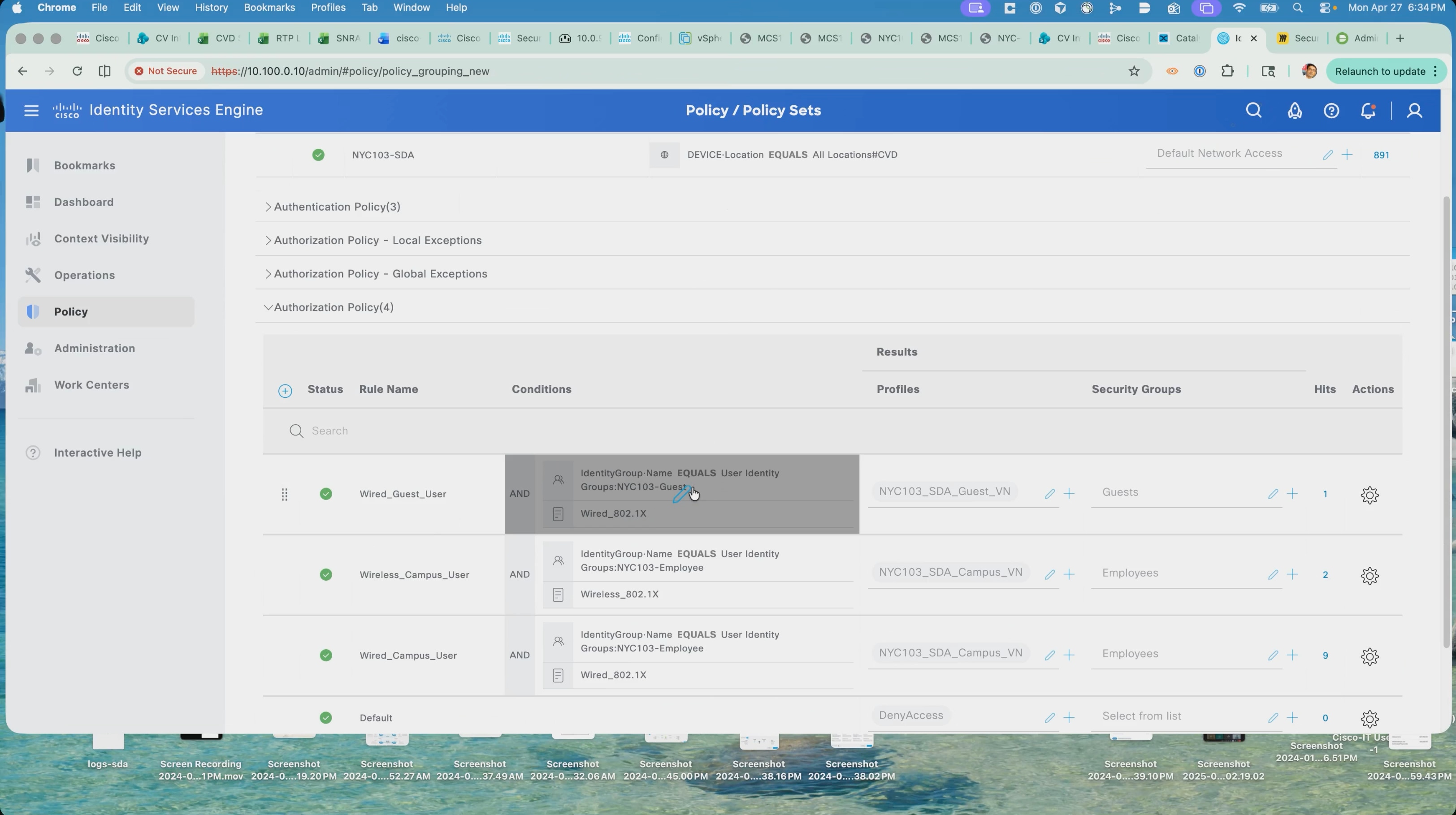
Confirm the host sessions on the fabric edge nodes:
3. On the fabric edge node carrying a guest host, run show authentication sessions interface with the details keyword. The session reports the username, the address from the Guest pool, the VRF, the VLAN, and the scalable group tag, with a status of authorized.
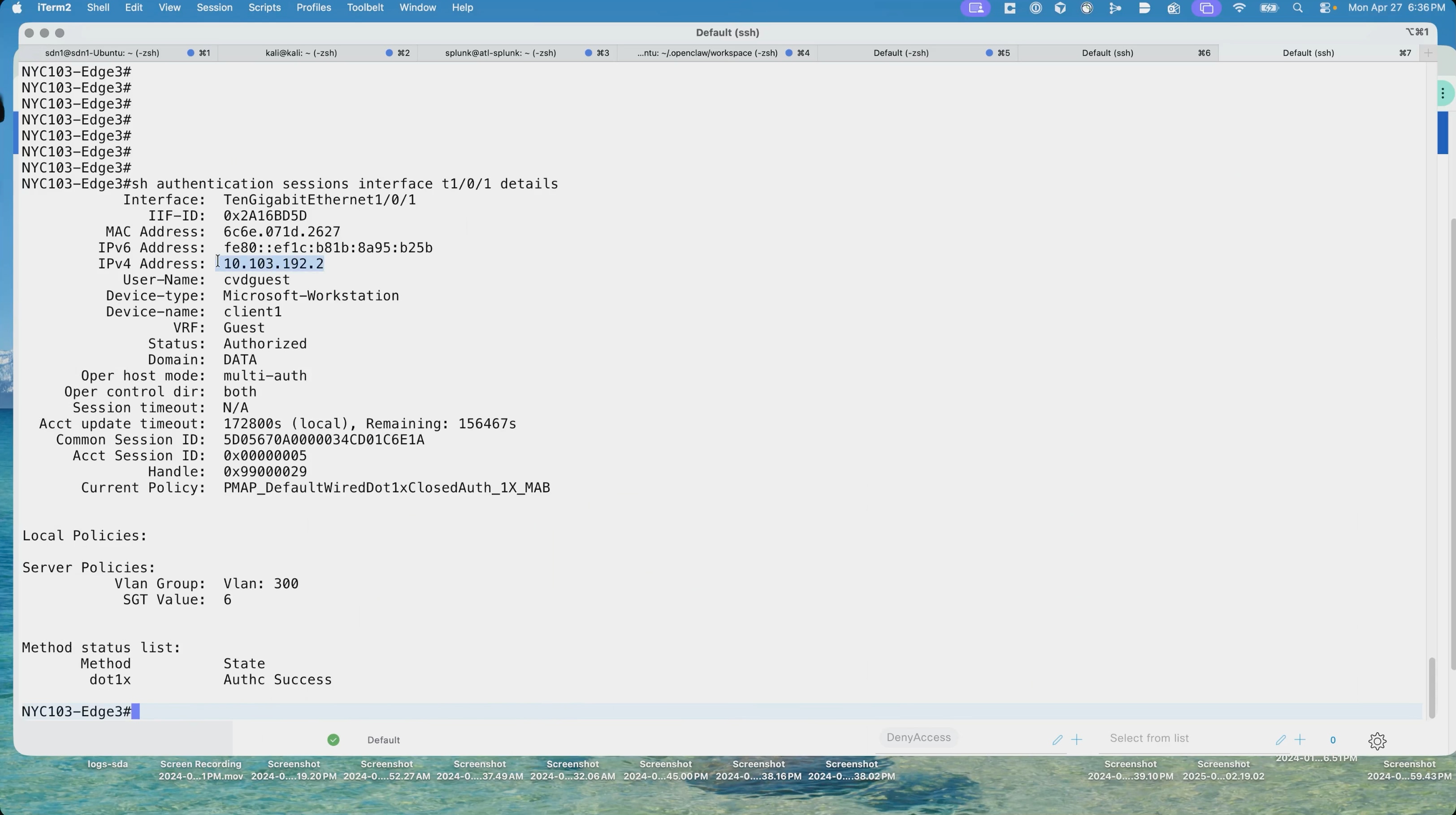
4. Run the same command on the fabric edge node carrying a campus host. That session reports the Campus VRF, VLAN 274, and the Employees group tag. This is the confirmation that the Cisco ISE policy landed: each host is in the VRF its authorization profile assigns, with the VLAN and scalable group tag that belong to it.
Note: Both sessions show the policy applied by the closed authentication template deployed with the fabric in Step 3.
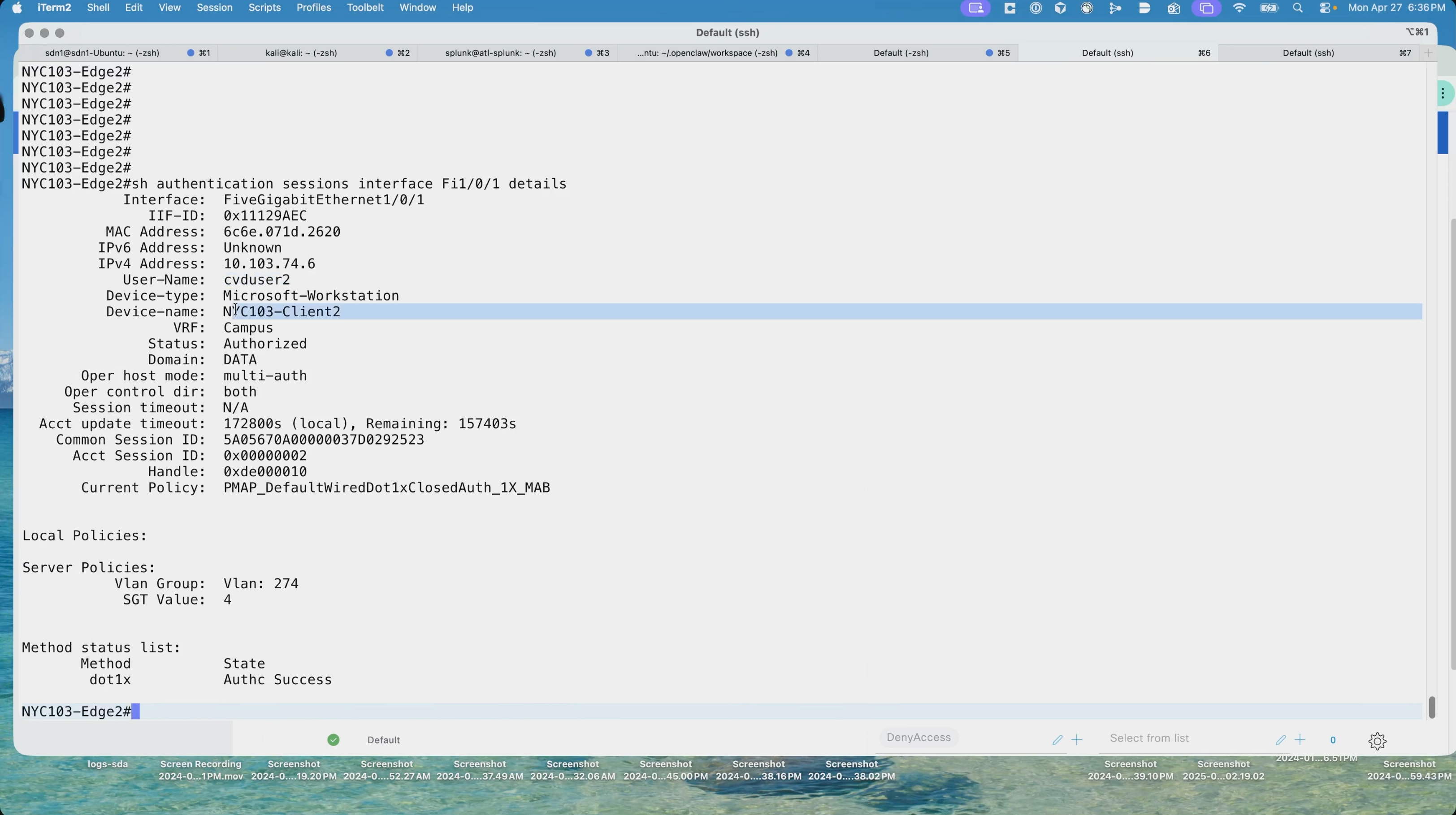
Micro-segmentation with scalable groups
Micro-segmentation works inside a single virtual network. Hosts in the same VRF, and in this deployment even hosts in the same scalable group, are separated by a group-based access control policy enforced at the egress fabric edge node. Because the policy is written in terms of group tags rather than addresses or VLANs, it follows a host wherever it connects in the fabric.
A scalable group tag is assigned to an endpoint by Cisco ISE as part of the authorization result, at the same moment the endpoint is placed into its virtual network. The fabric edge nodes download the group table and the policy matrix from Cisco ISE and insert the tag into the VXLAN header so that policy context travels with every packet.
1. On a fabric edge node, run show cts environment-data and confirm the state is complete and the Cisco ISE server is alive. The Security Group Name Table lists every scalable group the device knows about, with its tag value.
| Tag |
Group |
Use in this deployment |
| 2 |
TrustSec_Devices |
The network devices themselves |
| 4 |
Employees |
Corporate endpoints in the Campus virtual network |
| 5 |
IoT |
Reserved for IoT endpoints |
| 6 |
Guests |
Endpoints in the Guest virtual network |
| 15 |
BYOD |
Reserved for personally owned devices |
| 255 |
Quarantined_Systems |
Endpoints quarantined by adaptive network control |
Note: The group table downloaded by the fabric nodes is the full set defined in the Cisco ISE deployment, which in this environment is shared with other topologies. Only a subset is used by this fabric. The groups above are the ones this guide references; the remainder are present in the table but are not applied to endpoints at this site.
On the fabric edge node an endpoint is attached to the run show authentication sessions interface with the details keyword.
2. Confirm the username and device name, the address from the Campus pool and the Campus VRF, a status of authorized in the data domain, the policy applied by the authentication template, and the server policies showing the VLAN and the scalable group tag value.
3. Run show running-config interface for the same port. The port carries only the 802.1X configuration:
● A device tracking policy
● The dot1x timers
● The closed authentication source template
There is no VLAN, no access list, and no static assignment of any kind.
This is the zero trust property of the architecture, and it is worth demonstrating explicitly. The port holds no identity-specific configuration whatsoever; everything the client receives is decided by Cisco ISE at authentication time and applied dynamically. Any port in the fabric behaves the same way until a client proves who it is.
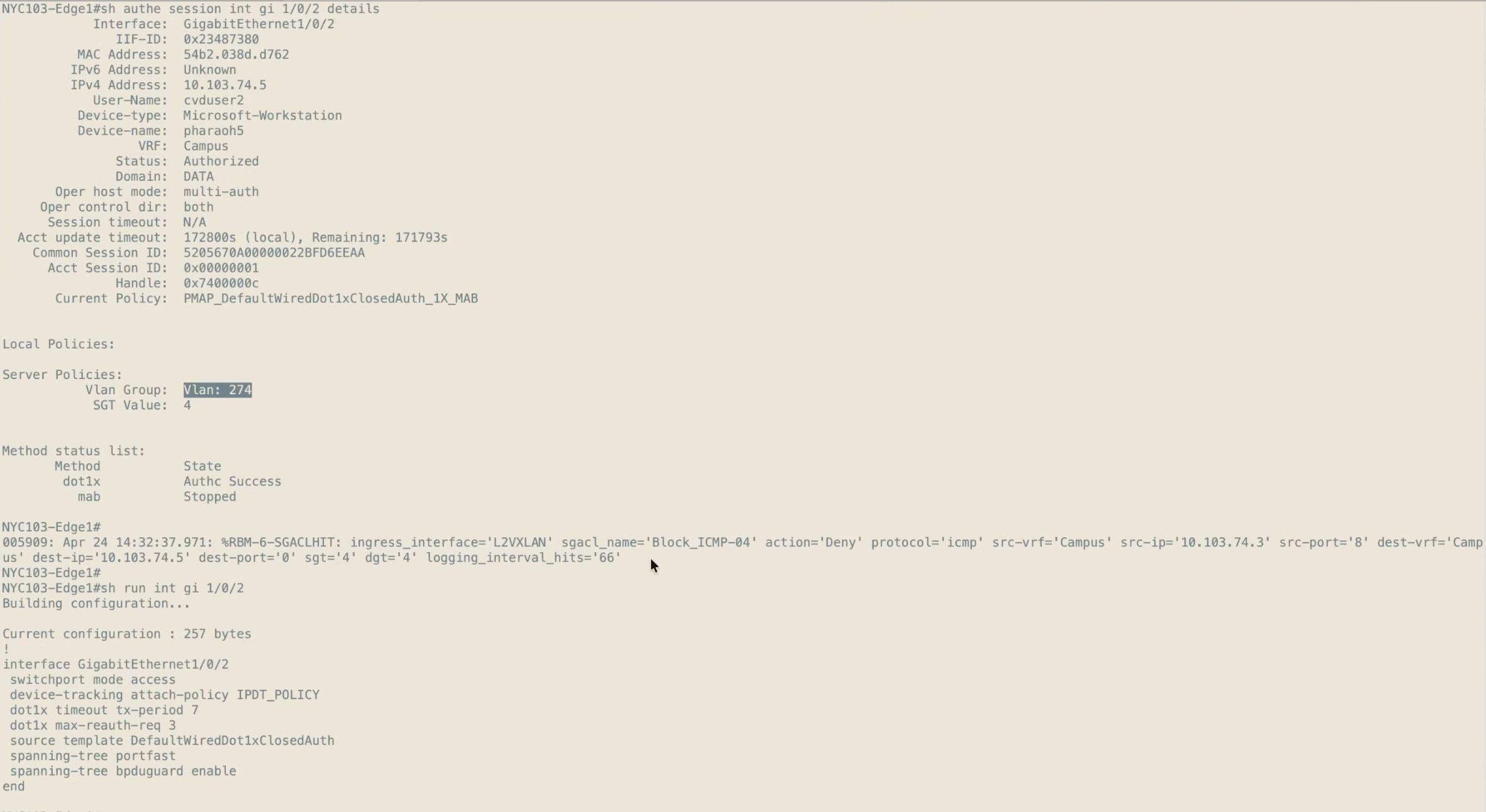
Group-based access control policy
Group-based access control can be administered from either Cisco Catalyst Center or Cisco ISE, and the choice determines where an operator makes changes. Knowing which side owns the policy is essential before anyone tries to edit it, because the other side becomes read-only or inactive.
4. In Cisco Catalyst Center, navigate to Policy > Group-Based Access Control > Configurations > Policy Settings and check the administration mode. Two options are offered:
● Manage in Cisco Catalyst Center - which makes the policy interface in Cisco ISE read-only.
● Manage in Cisco ISE - which makes the group-based access control interface in Cisco Catalyst Center inactive.
This deployment administers policy from Cisco ISE. Administering from Cisco Catalyst Center suits a deployment where every site, fabric and non-fabric alike, is orchestrated from Cisco Catalyst Center.
Administering from Cisco ISE suits an environment where the security team applies group-based policy to networks that Cisco Catalyst Center does not manage, because Cisco ISE can push the same policy to SD-Access and non-SD-Access networks alike and so becomes the single source of truth.
Note: Group-based access control is provided by the Access Control Application package installed in Step 1. The settings page records the last migration and offers a migration log, because switching modes migrates the policy data; it is not a setting to change casually. The read-only mode can be overridden in Cisco ISE for emergencies such as Cisco Catalyst Center being unreachable, but that puts the two sides out of sync and may require a full resynchronization afterwards.
5. In Cisco ISE, navigate to Work Centers > TrustSec > TrustSec Policy > Egress Policy > Matrix. The production matrix shows the populated cells and the default policy. In this deployment the default policy is permit IP, so any cell left empty permits traffic between those two groups.
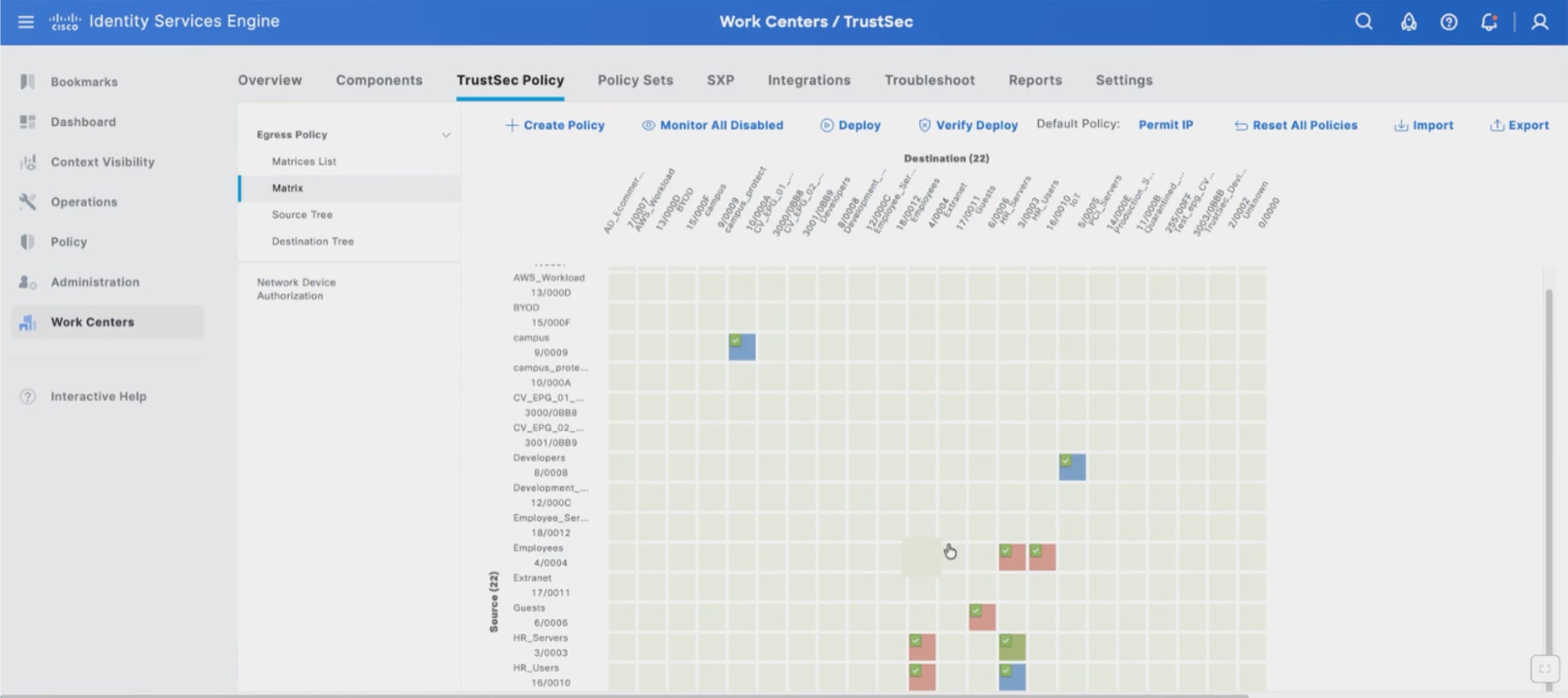
A permissive default matters when interpreting a test result. A failed connection between two hosts could be a group-based policy or it could be the virtual network boundary, and the only way to tell them apart is to know what the matrix contains for that pair of groups.
Policy deployment and contract enforcement
A policy authored in Cisco ISE does not take effect until it is deployed to the devices that enforce it, which in a fabric are the egress fabric edge nodes. This subsection follows a policy through its full life cycle: present and enforcing, then removed, with the change verified on the device at each stage.
| Item |
Value used in this test |
| Source host |
10.103.74.3, wired, 802.1X authenticated, group tag 4 (Employees) |
| Destination host |
10.103.74.5, group tag 4 (Employees), on a fabric edge access port |
| Policy under test |
An SGACL denying ICMP, applied from Employees to Employees |
| Matrix default policy |
Permit IP |
Both hosts carry the same group tag and sit in the same virtual network. This is enforcement between two members of one scalable group, which is precisely what separates micro-segmentation from the macro-segmentation demonstrated earlier in this step.
Confirm the policy is present and enforcing
1. On the fabric edge node, run show cts role-based permissions. The output lists the matrix entries the device has downloaded, including the entry from the source group to the destination group with the SGACL name.
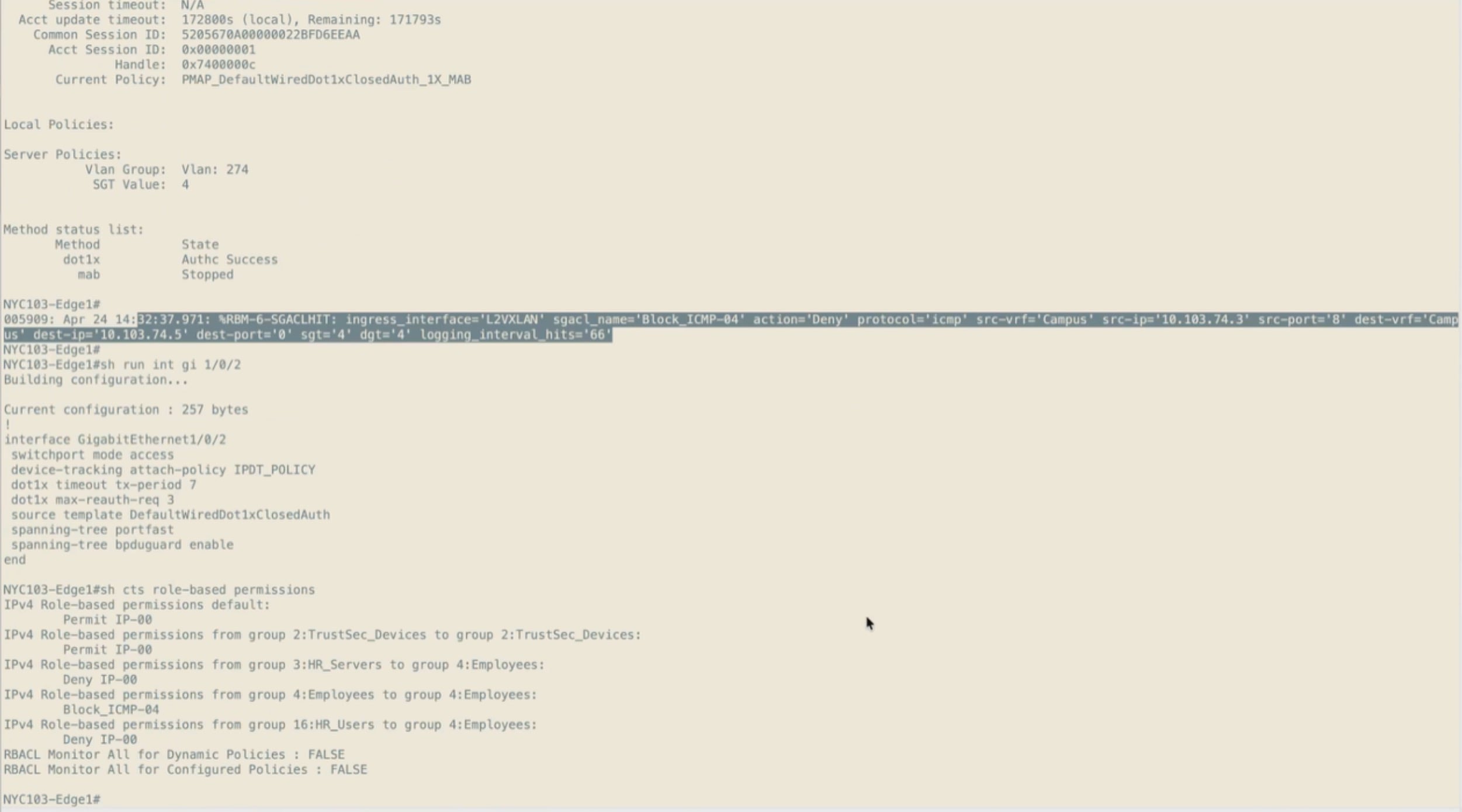
2. Run show cts role-based counters and confirm the hardware denied counter increments for that source and destination group pair while traffic is offered. The counters are the difference between a policy that exists and a policy that is working: a hardware denied count that climbs proves the SGACL is being enforced in the data plane rather than merely downloaded.
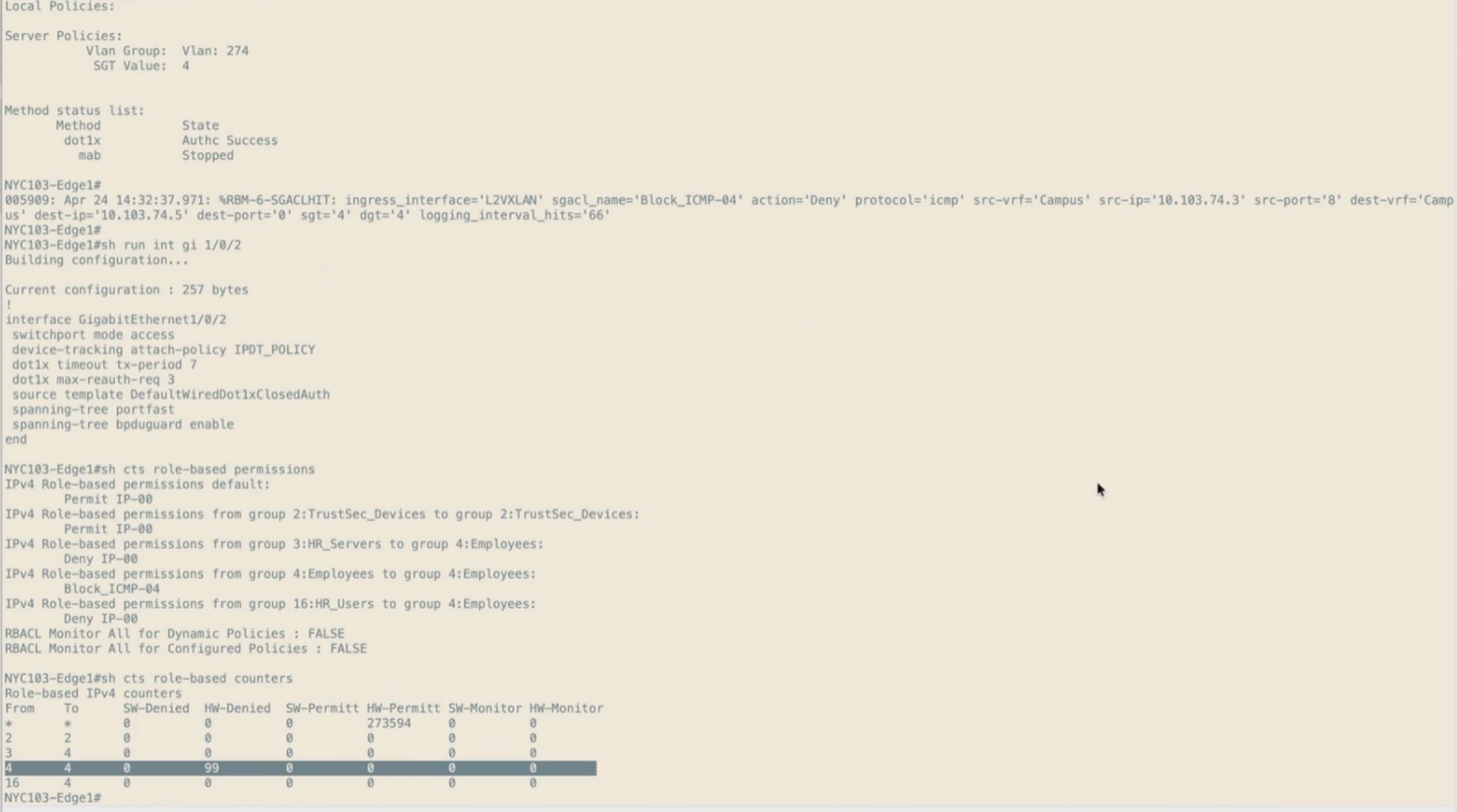
3. Check the device log for SGACL hit messages. Each records the SGACL name, the action, the protocol, the source and destination VRF and address, and the source and destination group tags, naming exactly which flow is being dropped.
4. From the source host, attempt to reach the destination host. Every request times out.
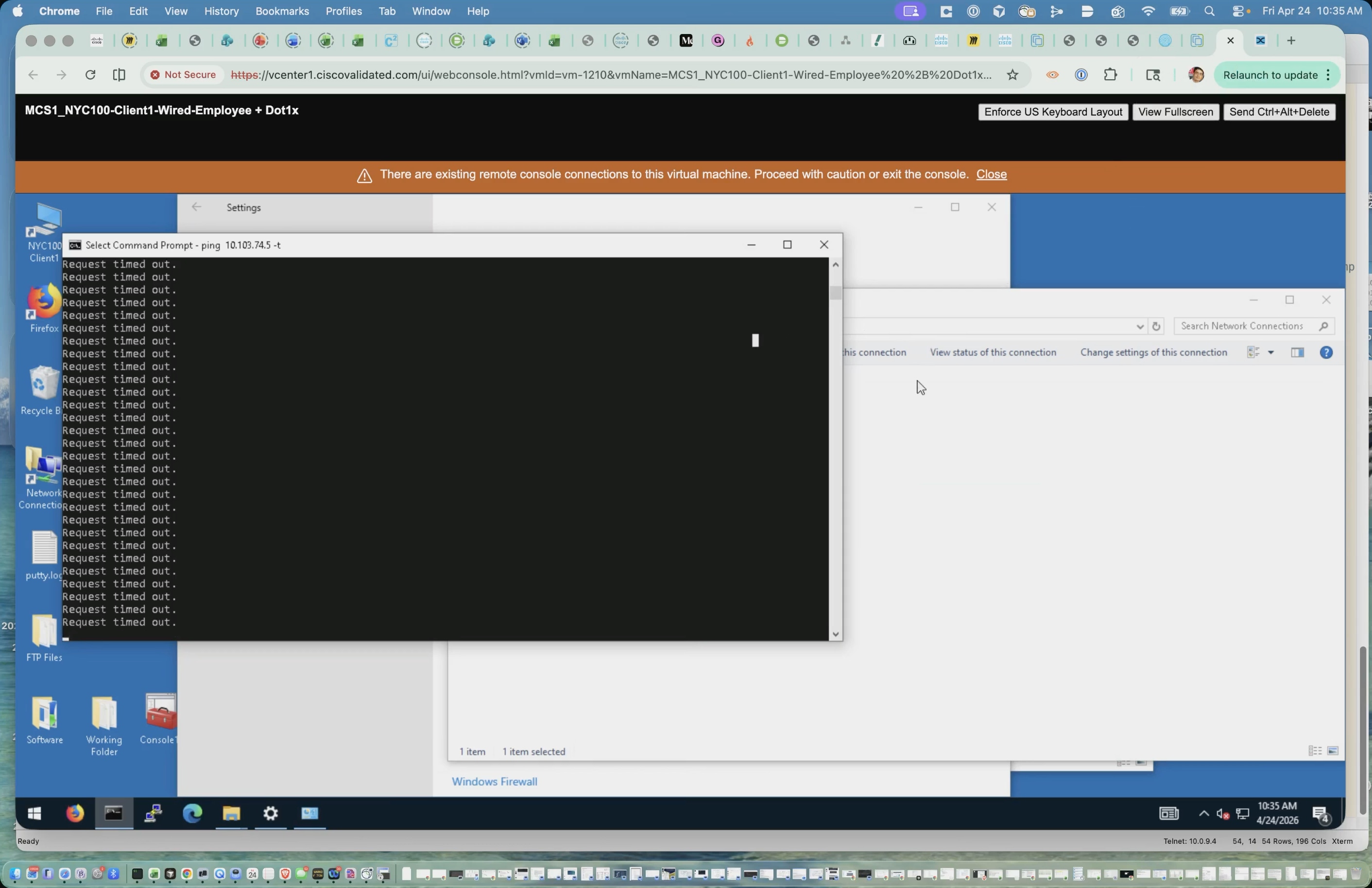
5. In Cisco ISE, open the egress policy matrix and select the cell where the source and destination security groups meet.
6. Open Edit Permissions.
7. Remove the SGACL from the assigned security group ACLs, leave the final catch all rule unset, and save. Cisco ISE confirms the cell has been cleared, and the populated cell count drops.
8. Click Deploy to push the updated matrix to the network devices. Editing the matrix changes the policy in Cisco ISE only; Deploy is what sends it to the devices that enforce it.
On the fabric edge node, the log records that the configuration was changed programmatically by the CTS process as the change arrives.
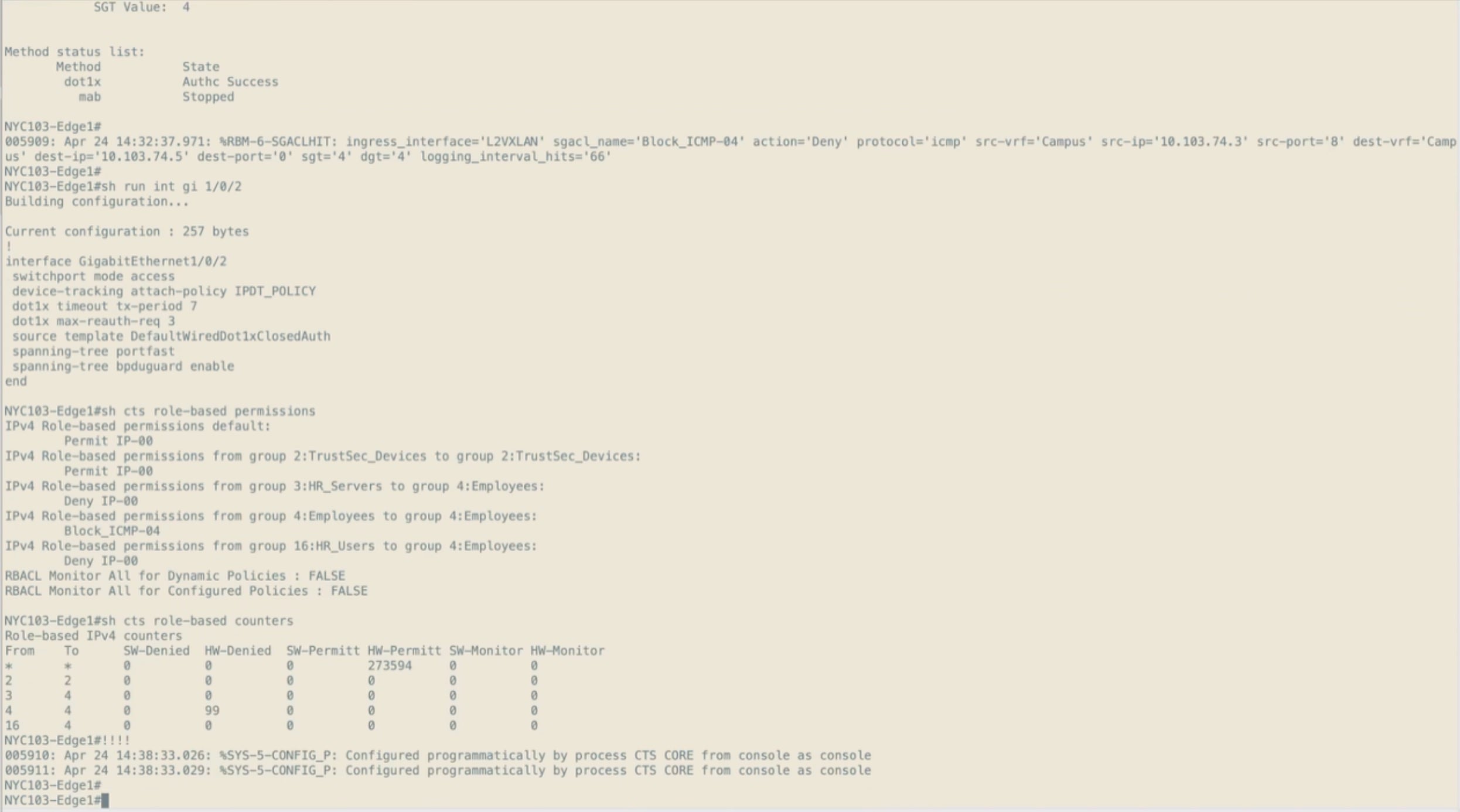
9. Run show cts role-based permissions again. The entry for the group pair is gone, and the remaining entries are unchanged.
This is the round trip that matters. The policy was authored in Cisco ISE, deployed to the egress fabric edge node, and removed from it, with nothing configured on the switch by hand at any point in either direction.
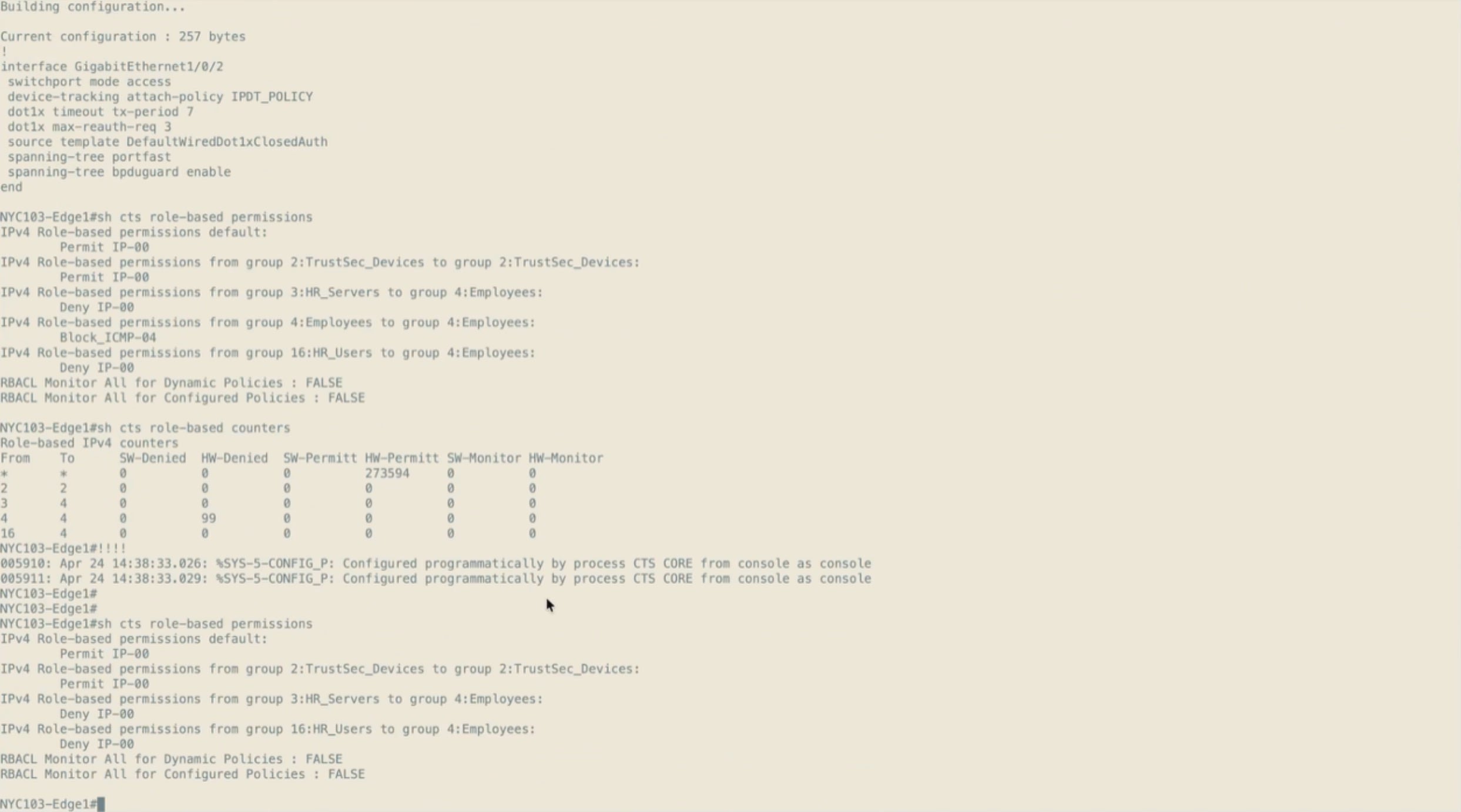
10. From the source host, attempt to reach the destination host again. Replies are returned immediately.
Note: The statistics from a continuous ping record the interruption: packets sent throughout, with the losses accumulated over the period the SGACL was in place.
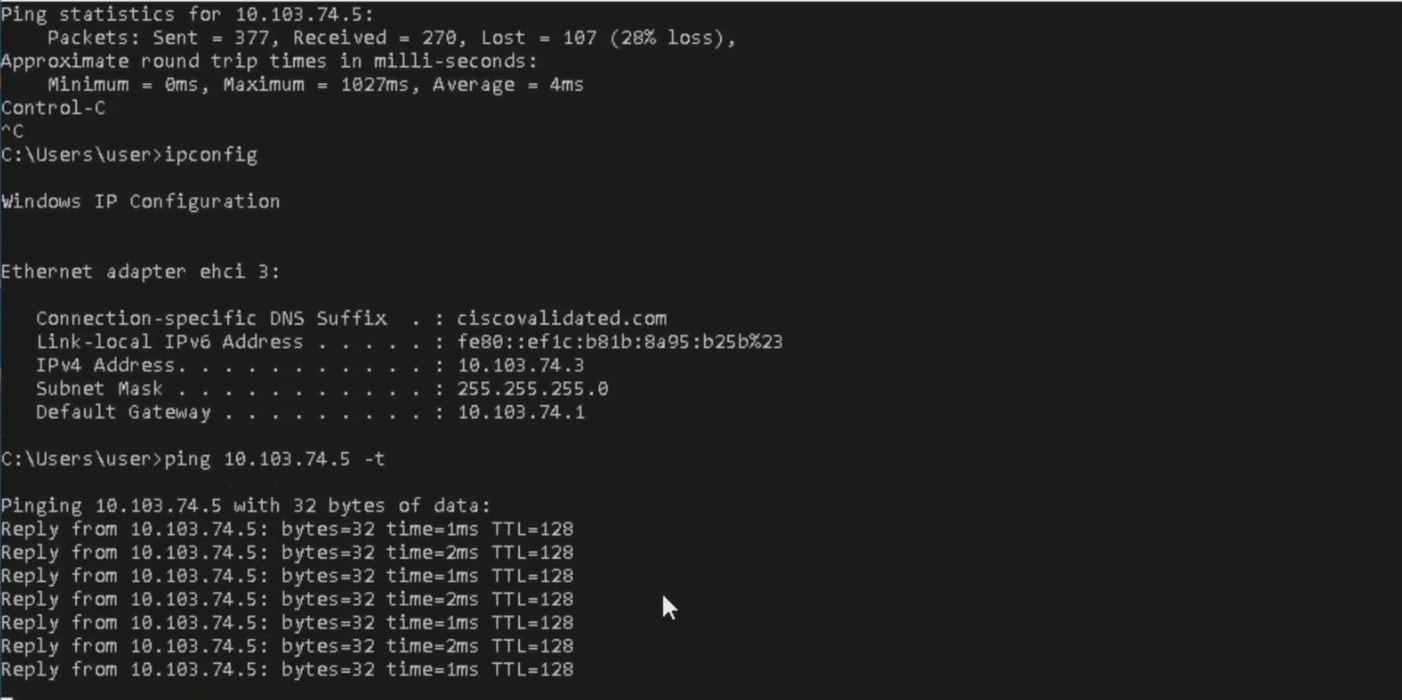
In the deployed fabric the test policy has been removed, so show cts role-based permissions on a fabric edge node reports only the default permit and the entry between the network devices themselves. That is the expected steady state for this build and confirms the removal in the final procedure reached the devices.
Campus and Guest are separate virtual networks, therefore separate VRFs on every fabric device. Nothing additional is configured to keep them apart: with no route leaking configured and no policy on the fusion nodes joining the two, traffic between them has nowhere to go. This subsection verifies that.
Before testing, confirm that no group-based policy exists between the two groups involved. Without that check the test proves nothing, because a failed connection could just as easily be a group-based policy as the virtual network boundary. With the matrix empty for that pair and a permissive default, anything blocking the traffic has to be the macro-segmentation boundary.
1. On the guest host, confirm the addressing. The host is addressed from the Guest pool with the Guest anycast gateway as its default gateway.
2. From the guest host, attempt to reach the campus host. Every request times out.
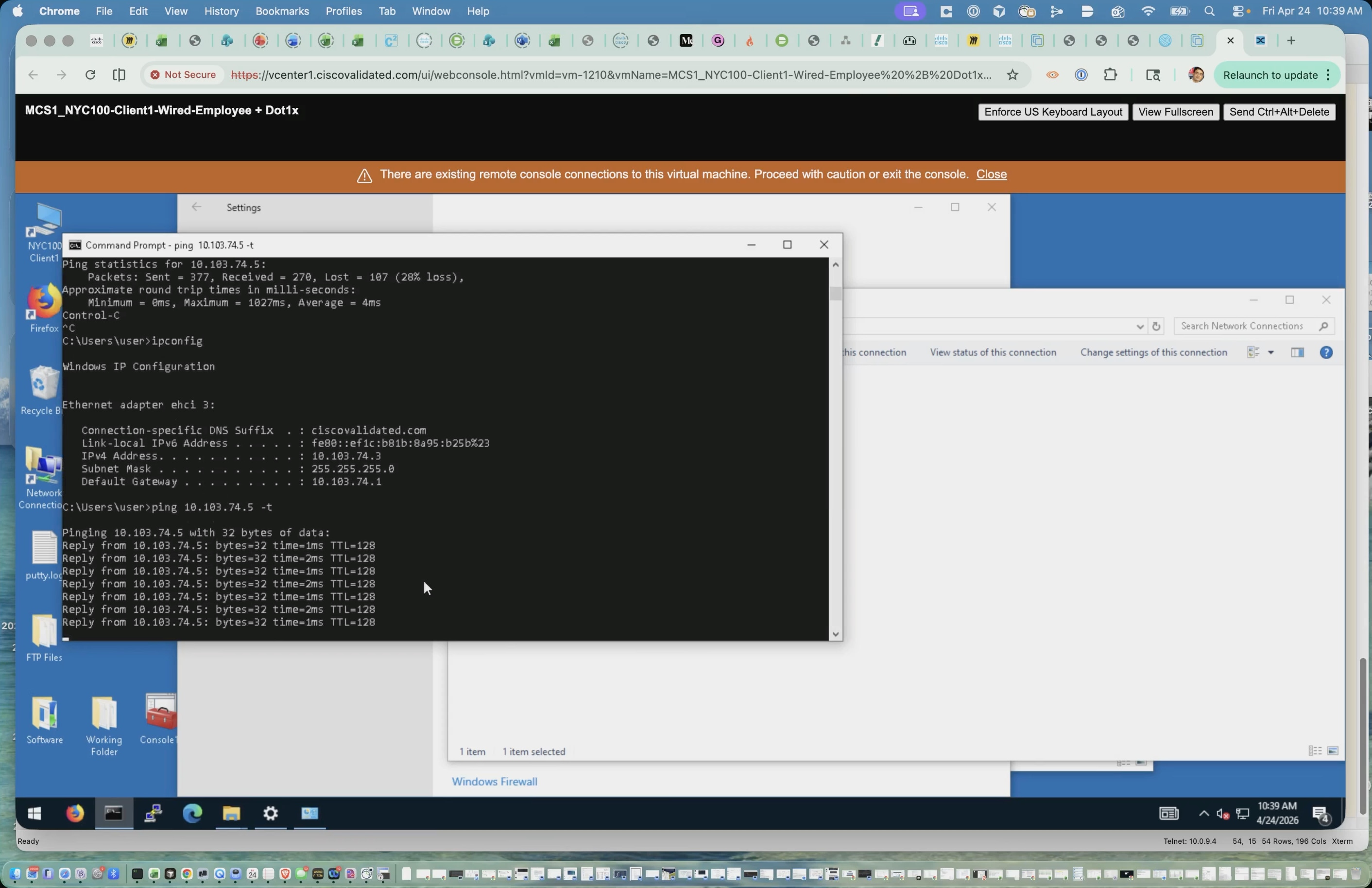
3. Confirm the addressing on the campus host the same way, then attempt to reach the guest host. Every request times out in this direction as well.
Neither direction gets through. The two hosts sit in different VRFs, and with no route leaking and no fusion policy joining the two virtual networks, the traffic has nowhere to go. That is macro-segmentation working as designed, enforced by the VRF boundary itself with no access list involved.
Note: Guest clients require DHCP and DNS services from 10.100.0.5 through route leaking at the fusion router. Verify that the fusion route-leaking configuration and firewall policies do not create an indirect path between Campus and Guest through the shared-services table, which could unintentionally bypass macro-segmentation.
Taken together, the two demonstrations in this step cover both halves of SD-Access segmentation: the virtual network boundary keeps Campus and Guest apart, while group-based policy separates hosts inside a single virtual network. Both are applied to the client by identity rather than by where it happens to be connected.
Step 6: Validate the deployment
This step confirms that the deployment behaves as designed before it is handed to operations. Each subsection validates one part of the closed loop of what was built, working upwards from the underlay to the overlay, then to client onboarding and policy, and finally to the assurance data that operations will use day to day. The command output shown throughout was taken from the running deployment.
| SNRA Function or Capability |
On-premises Deployment Components |
| Secure Infrastructure |
Validates OSPF adjacencies, loopback and point-to-point addressing, MTU consistency, LISP sessions, fabric roles, redundancy, and the telemetry needed for operations. |
| Identify and Authorize |
Validates client authentication, authorization, virtual-network placement, VLAN, scalable group tag, wireless registration, and extended-node behavior using session and assurance evidence. |
| Segment and Protect |
Validates virtual-network isolation, group-based policy download and hardware enforcement, multicast behavior, and convergence during link, node, border, and controller failures. |
| Detect and Respond |
Validates assurance telemetry, flow export, Secure Network Analytics collection, ISE and pxGrid identity context, host-group alignment, and Adaptive Network Control. The current recorded build reports zero flow collection at the end, so complete detection and response validation remains open until a non-zero flow rate and quarantine result are confirmed. |
| Unified Management and Agentic Operations, Common Policy Context, and Extended Integrations |
Correlates Catalyst Center assurance, shared identity and group context, Telemetry Broker outputs, SNA, and connected security platforms, then records the operational handoff. Cisco XDR is conditional because its integration was not captured in this build. |
Validation follows the order in which the deployment was built, because a fault at a lower layer makes everything above it meaningless. There is no value in investigating a client onboarding failure while an OSPF adjacency is down.
At a high level, this step includes the following procedures:
1. Confirm the underlay is complete, with full adjacencies and consistent MTU.
2. Confirm the LISP control plane sessions and endpoint registrations.
3. Confirm endpoints onboard and are placed into the correct virtual network.
4. Confirm segmentation and group-based policy are enforced.
5. Test resiliency by failing links and nodes and confirming convergence.
6. Confirm assurance telemetry is arriving and review the fabric health dashboards.
Post-deployment validation outcomes
A deployment that passes this step demonstrates the following outcomes, which correspond to the validated outcomes described earlier in this guide:
● Resilient routed transport - Every fabric node reaches every other node over the routed underlay, with redundant paths and no dependency on spanning tree in the fabric path.
● A working fabric control plane - Every fabric node maintains a session with the control plane nodes, and endpoints are registered against the edge node they are connected to.
● Identity-based onboarding - An endpoint connecting to any fabric edge port is authenticated, placed into the correct virtual network with the correct scalable group tag, and addressed from the matching pool.
● Enforced segmentation - Virtual networks are isolated from one another, and group-based policy is enforced in hardware inside a virtual network.
● Predictable failure behavior - The loss of a single link, node, or upstream peering does not isolate a fabric node or remove a virtual network from the upstream path.
● Operational visibility - Assurance reports health for the fabric site, its virtual networks, its devices, and its clients, with telemetry arriving from every fabric node.
The underlay is validated first. Confirm that every fabric node has formed its expected OSPF adjacencies, that the loopback addressing matches the address plan, and that the MTU is consistent across the fabric and towards the fusion nodes.
1. On each border node, confirm the OSPF adjacencies. Each border should see both intermediate nodes, the peer border, and both fusion nodes, all in the FULL state.
NYC103-CP-BR-01# show ip ospf neighbor
Neighbor ID Pri State Dead Time Address Interface
10.100.255.12 0 FULL/ - 00:00:37 10.103.1.13 Vlan23
10.100.255.11 0 FULL/ - 00:00:39 10.103.1.1 Vlan20
10.103.5.66 0 FULL/ - 00:00:37 10.103.5.65 HundredGigE1/0/26
10.103.5.67 0 FULL/ - 00:00:37 10.103.5.69 HundredGigE1/0/25
10.103.0.2 0 FULL/ - 00:00:35 10.103.5.70 TwentyFiveGigE1/0/12
The two neighbors reached over VLAN SVIs are the fusion nodes, and the three reached over physical interfaces are the two intermediate nodes and the peer border. A missing fusion adjacency isolates the fabric from the upstream network; a missing intermediate adjacency removes one of the two paths into the fabric.
2. Confirm the OSPF area and interface costs. The deployment uses a single area across the fabric and the border to fusion links, with Loopback0 passive and higher-speed links preferred.
NYC103-CP-BR-01# show ip ospf interface brief
Interface PID Area IP Address/Mask Cost State Nbrs F/C
Lo0 1 1 10.103.0.1/32 1 LOOP 0/0
Vl23 1 1 10.103.1.14/30 1000 P2P 1/1
Vl20 1 1 10.103.1.2/30 1000 P2P 1/1
Hu1/0/26 1 1 10.103.5.64/31 10 P2P 1/1
Hu1/0/25 1 1 10.103.5.68/31 10 P2P 1/1
Twe1/0/12 1 1 10.103.5.71/31 100 P2P 1/1
3. On a fabric edge node, confirm the same: a Loopback0 address from the LAN Automation pool and a routed /31 to each intermediate node.
NYC103-Edge1# show ip ospf interface brief
Interface PID Area IP Address/Mask Cost State Nbrs F/C
Lo0 1 1 10.103.5.75/32 1 LOOP 0/0
Twe1/1/1 1 1 10.103.5.82/31 1 P2P 1/1
Twe2/1/1 1 1 10.103.5.77/31 1 P2P 1/1
4. Confirm the MTU on the fabric nodes and on the fusion node interfaces facing them. A mismatch prevents the OSPF adjacency from forming, and an MTU that is too small forces fragmentation of encapsulated overlay traffic.
NYC103-CP-BR-01# show system mtu
Global Ethernet MTU is 9100 bytes.
Note: If an adjacency is missing, check the MTU and the interface state before anything else. Those two account for most underlay adjacency failures, and both are visible from the commands above.
Fabric control plane and data plane validation
With the underlay confirmed, validate the fabric control plane. Every fabric node registers with the control plane nodes over LISP, and endpoints are registered against the edge node they are connected to.
1. On a control plane node, confirm the LISP sessions. Every fabric node that participates in the overlay should appear with a state of Up, including both border nodes, every fabric edge node, and the wireless controller.
NYC103-CP-BR-01# show lisp session
Sessions for VRF default, total: 20, established: 7
Peer State Up/Down In/Out Users
10.103.0.1:4342 Up 15w3d 1119/61 8
10.103.0.2:4342 Up 15w3d 914/23 8
10.103.5.74:43070 Up 15w3d 1184995/599945 16
10.103.5.75:44938 Up 15w3d 67/152 13
10.103.5.80:33501 Up 15w3d 19320/11171 16
10.103.5.81:46669 Up 15w3d 70/138 13
10.103.6.5:57805 Up 15w1d 79/78 3
The four addresses in the 10.103.5.0/24 range are the fabric edge nodes, and 10.103.6.5 is the wireless controller, which registers wireless endpoints on behalf of the fabric access points. A fabric edge node missing from this list cannot register its endpoints, so clients connected to it will onboard but not be reachable.
2. Confirm endpoint registrations per virtual network. The instance identifier matches the Layer 3 virtual network identifier, so instance 4099 is the Campus virtual network and 4100 is Guest.
NYC103-CP-BR-01# show lisp instance-id 4099 ipv4 server summary
----------- IPv4 -----------
Site name Configured Registered Incons
site_uci 3 13 0
NYC103-CP-BR-01# show lisp instance-id 4100 ipv4 server summary
----------- IPv4 -----------
Site name Configured Registered Incons
site_uci 2 5 0
Configured prefixes are the fabric subnets defined for the virtual network; registered prefixes are the individual endpoints and anycast gateway entries currently registered against them. An inconsistent registration count above zero indicates the same endpoint registered from more than one location, which is worth investigating.
Note: The data plane is validated implicitly by the client and multicast tests. A client in one virtual network reaching a service in the same virtual network across the fabric confirms VXLAN encapsulation and decapsulation are working; the multicast validation in Step 3 traces that path explicitly through the LISP interfaces on the source and receiving edge nodes.
Client onboarding is validated at the fabric edge node the endpoint connects to. The session output is the single most useful check in the fabric, because it shows the authentication result, the virtual network, the VLAN, and the scalable group tag together.
1. On a fabric edge node, list the sessions on its access ports. Authenticated endpoints appear with a method of dot1x and a domain of DATA.
NYC103-Edge2# show authentication sessions
Interface MAC Address Method Domain Status Fg Session ID
--------------------------------------------------------------------------------
Fi1/0/1 6c6e.071d.261e dot1x DATA Auth 4F05670A0000000FDF1B850E
Te1/0/48 6cef.bdc4.2430 N/A UNKNOWN Unauth 4F05670A0000000DDAABDCCB
Session count = 2
Only the first entry is an authenticated client. The entry on TenGigabitEthernet1/0/48 is the fabric access point, and it shows a method of N/A rather than dot1x because no authentication is configured on that port at all.
2. Compare the two interfaces to understand the difference.
NYC103-Edge2# show running-config interface FiveGigabitEthernet1/0/1
interface FiveGigabitEthernet1/0/1
switchport mode access
device-tracking attach-policy IPDT_POLICY
dot1x timeout tx-period 7
dot1x max-reauth-req 3
source template DefaultWiredDot1xClosedAuth
spanning-tree portfast
spanning-tree bpduguard enable
NYC103-Edge2# show running-config interface TenGigabitEthernet1/0/48
interface TenGigabitEthernet1/0/48
switchport access vlan 299
switchport mode access
device-tracking attach-policy IPDT_POLICY
access-session inherit disable interface-template-sticky
access-session inherit disable autoconf
no macro auto processing
spanning-tree portfast
spanning-tree bpduguard enable
The client port carries the closed authentication template and the dot1x timers, and no VLAN: everything the client receives is decided by Cisco ISE at authentication. The access point port is the opposite. It is statically assigned to VLAN 299, the access point VLAN in INFRA_VN, the authentication template is not applied, and the access-session inheritance that would otherwise pull the template in is explicitly disabled. Cisco Catalyst Center configures the port this way when its port assignment carries a connected device type of access point.
The access point still appears in the session table because device tracking creates an entry for it, but there is no authentication method to report. An unauthenticated access point on a statically assigned port is therefore the expected result, not a fault. The same is true of the uplink interfaces towards the intermediate nodes, which carry no access session configuration either.
3. Examine an individual client session in detail and confirm the virtual network, VLAN, and scalable group tag returned by Cisco ISE, together with the policy applied by the authentication template.
NYC103-Edge2# show authentication sessions interface FiveGigabitEthernet1/0/1 details
User-Name: cvduser2
IPv4 Address: 10.103.74.6
VRF: Campus
Status: Authorized
Domain: DATA
Current Policy: PMAP_DefaultWiredDot1xClosedAuth_1X_MAB
Server Policies:
Vlan: 274
SGT Value: 4
4. Confirm three things in that output.
a. The VRF and VLAN place the endpoint in the correct virtual network
b. The address comes from the pool bound to that virtual network
c. The scalable group tag matches the group the authorization policy assigns.
An endpoint that authenticates but lands in the wrong virtual network is an authorization profile problem in Cisco ISE, not a fabric problem.
5. For a wireless client, run the same command on the fabric edge node the access point is attached to. A fabric wireless client is registered against that edge node in the same way as a wired client, which is the practical demonstration that fabric-enabled wireless is working rather than a conventional WLAN.
6. For an extended node, confirm the node itself is reachable at its address from the INFRA_VN extended node pool and appears in the fabric topology below its fabric edge node. Endpoints connected to a policy extended node are authenticated and tagged on the extended node itself.
Note: An endpoint that fails to onboard is usually failing at one of three points: reaching Cisco ISE, receiving an address from DHCP, or the authorization result. The session output distinguishes them. A session that never reaches Authorized is an authentication or reachability problem; a session that is Authorized with no address is a DHCP problem.
Segmentation and policy enforcement validation
Segmentation is validated in two parts, matching the two mechanisms described in Step 5: the virtual network boundary between virtual networks, and group-based policy inside one.
1. Confirm the fabric nodes have downloaded the scalable group table and that the connection to Cisco ISE is healthy. A device whose environment data is incomplete cannot enforce group-based policy.
NYC103-Edge1# show cts environment-data
CTS Environment Data
====================
Current state = COMPLETE
Last status = Successful
Server List Info:
*Server: 10.100.0.10, port 1812
Status = ALIVE
Security Group Name Table:
2-05:TrustSec_Devices
4-82:Employees
5-32:IoT
6-16:Guests
255-00:Quarantined_Systems
2. Confirm the policy the device is enforcing. In the deployed fabric no group-based policy is applied between user groups, so the output shows only the default permit and the entry between the network devices themselves.
NYC103-Edge1# show cts role-based permissions
IPv4 Role-based permissions default:
Permit IP-00
IPv4 Role-based permissions from group 2:TrustSec_Devices to group 2:TrustSec_Devices:
Permit IP-00
When a policy is applied, the matrix entry appears here with the name of the security group ACL, and show cts role-based counters records hardware denials against the group pair while traffic is offered. That pair of commands is the difference between a policy that has been downloaded and one that is being enforced in the data plane. The full sequence is demonstrated in Step 5.
3. Verify macro-segmentation by attempting to reach an endpoint in another virtual network from an endpoint in the first. With no route leaking configured and no policy joining the virtual networks on the fusion nodes, the traffic has nowhere to go and the attempt fails in both directions.
Note: Before concluding that a failed connectivity test proves macro-segmentation, confirm the group-based policy matrix is empty for the two groups involved. Otherwise, the result could be micro-segmentation rather than the virtual network boundary.
Resiliency and failover testing
Resiliency testing confirms that the redundancy built into the design behaves as expected under failure. Each test should be performed with a continuous flow running through the path being tested, so the interruption is measurable rather than inferred.
1. Fail one fabric edge to intermediate node link. Traffic should continue over the second link with a brief interruption. Confirm the OSPF adjacency drops and the remaining path takes over, then restore the link and confirm the adjacency returns.
2. Fail one intermediate node entirely. Every fabric edge node is dual-homed, so all edges should remain reachable through the surviving intermediate node.
3. Fail one border and control plane node. The surviving node continues to serve both the LISP map system and external connectivity. Confirm the fabric edge nodes maintain a LISP session with the surviving control plane node, and that the virtual networks remain reachable upstream.
4. Fail one border to fusion link, then one fusion node. Each border node peers with both fusion nodes for every virtual network, so a single failure should not remove a virtual network from the upstream path. Confirm the remaining eBGP sessions carry the traffic.
5. Fail the active wireless controller in the high availability pair. Wireless clients should be preserved by stateful switchover, and the fabric should continue to register wireless endpoints through the surviving unit.
Record the interruption for each test. The routed underlay with equal-cost multipath forwarding is what makes the link and node failures recover quickly; the control plane and border redundancy is what makes the node failures survivable at all.
Note: Cisco Catalyst Center availability should be tested separately and has a different expectation. Loss of the controller affects provisioning, policy changes, and assurance, but not the forwarding plane; a fabric that has already been provisioned continues to forward traffic and enforce policy while the controller is unavailable.
Assurance and telemetry validation
Assurance is where the work done in the preceding steps is verified in operation rather than at deployment time. Its fabric-specific health indicators map directly onto what was configured: the Cisco ISE integration, the BGP handoff, the fabric roles, and group-based policy each have a health indicator, so a fault here points straight at the step that needs revisiting.
Note: Assurance depends on two things configured earlier: the telemetry settings applied to the fabric site in Step 1, and the fabric devices having been discovered with NETCONF enabled in Step 2. If a dashboard is empty, those are the first two things to check.
1. Navigate to Assurance > Dashboards > Health and select the Overall tab. Set the scope and the time window, then review the summary panels for network devices broken down by role, and for wired and wireless clients.
The health percentages indicate whether anything needs attention; they are not the diagnosis. A site can read fully healthy and still carry open issues, because health scores and issues are separate measures.
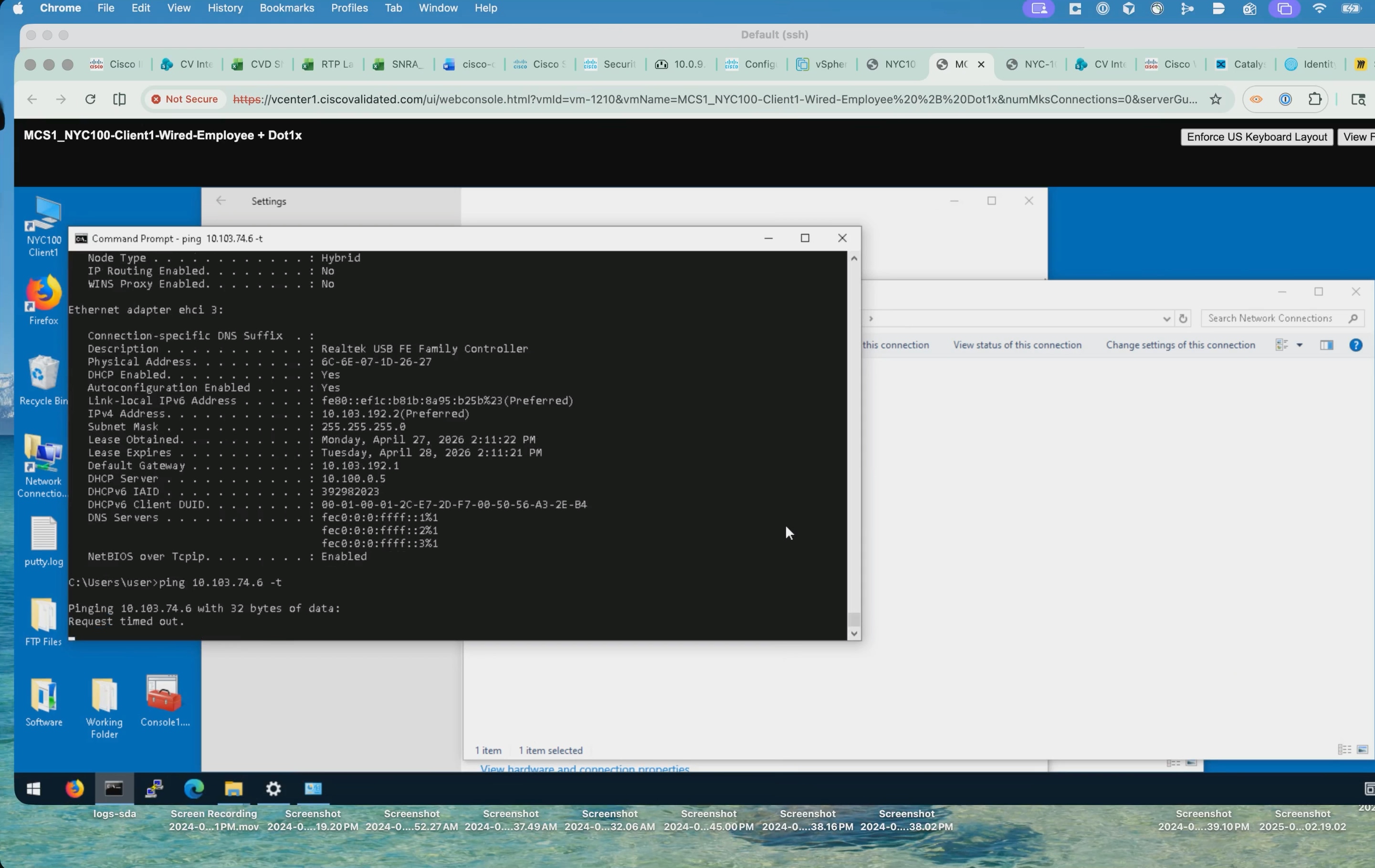
2. Scroll to the top issue types. Each row gives the priority, the issue type, the device role and category, how many issues, sites, and devices are affected, and when it last occurred. The table aggregates by issue type rather than by instance, so a fault affecting several devices appears once with its counts.
3. Open an issue instance and review its suggested actions. Cisco Catalyst Center lists the checks it would run against the device, each expandable to show the command issued and the output returned with a pass or fail verdict.
These are the same show commands an engineer would run by hand, executed against the device and evaluated automatically, with the results attached to the issue. Whoever picks the issue up starts from evidence rather than from a blank terminal.
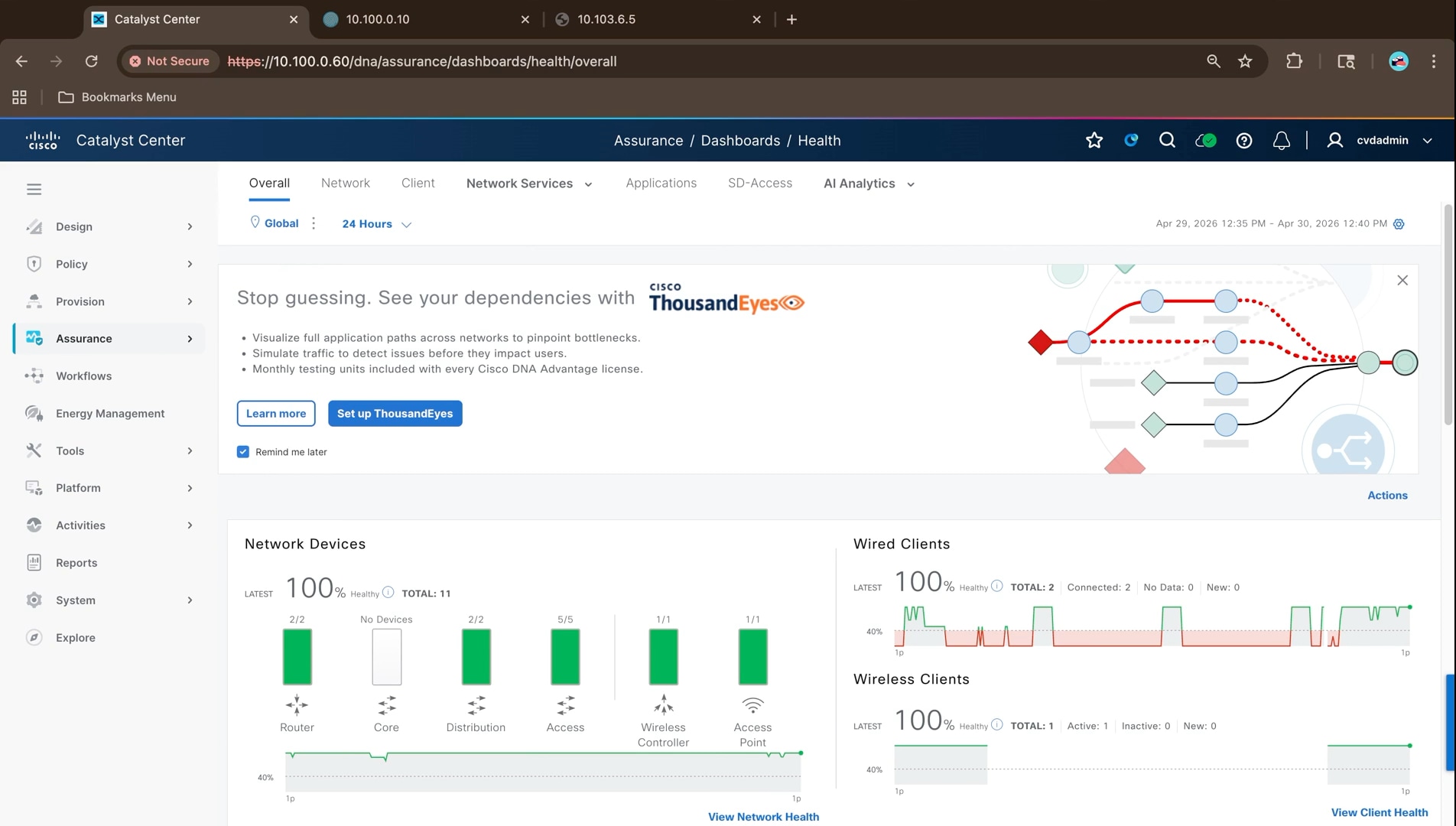
Review network and device health
1. Select the Network tab to see device health broken down by role, then scroll to the device table, which lists each device with its manageability, model, software version, address, health score, issue count, and location.
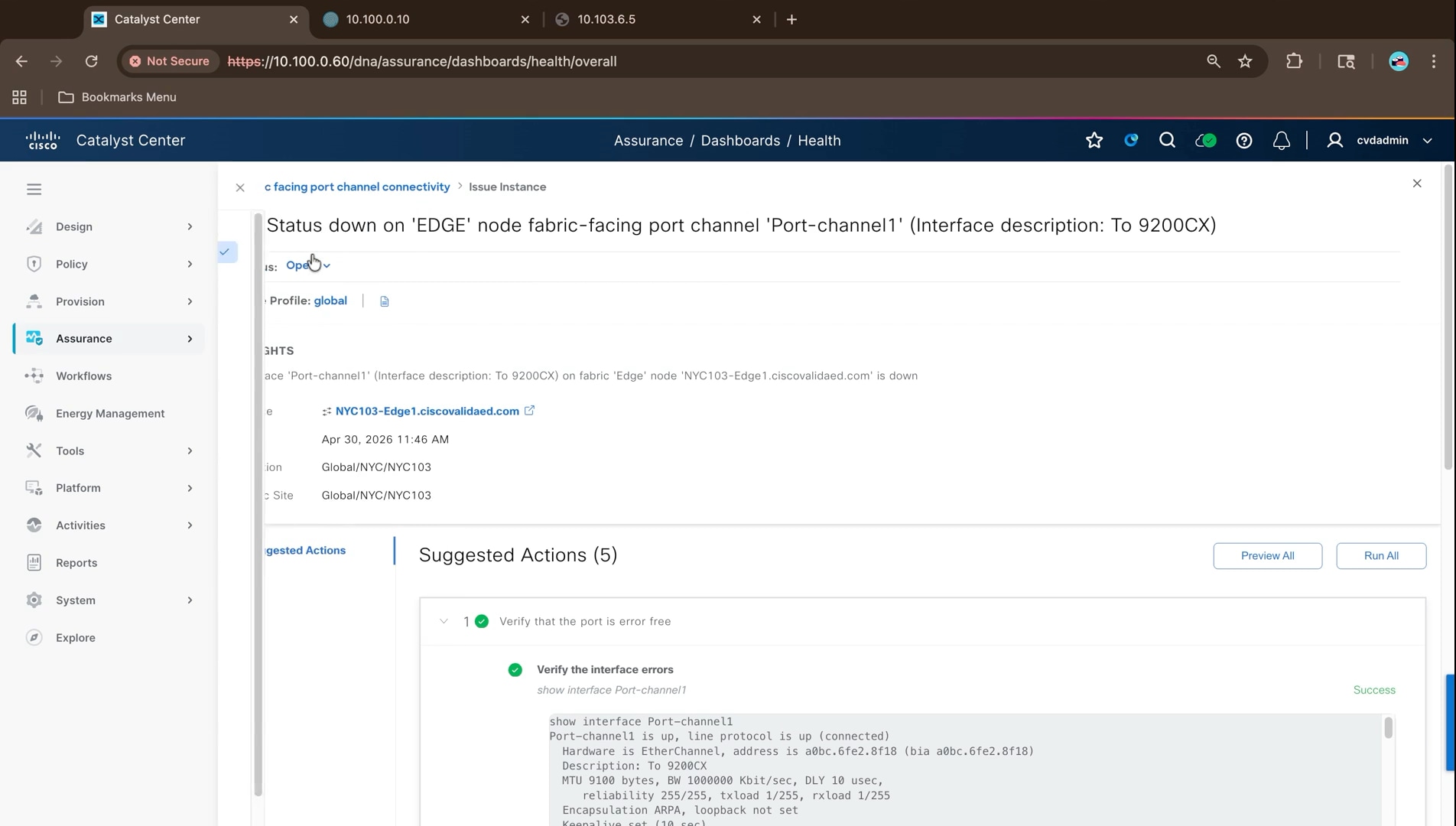
2. Click a device to open Device 360. The view brings together the health and telemetry timeline, the device health score with system resources, data plane indicators for link errors and availability, and fabric indicators for fabric site connectivity, fabric infrastructure, and the fabric control plane.
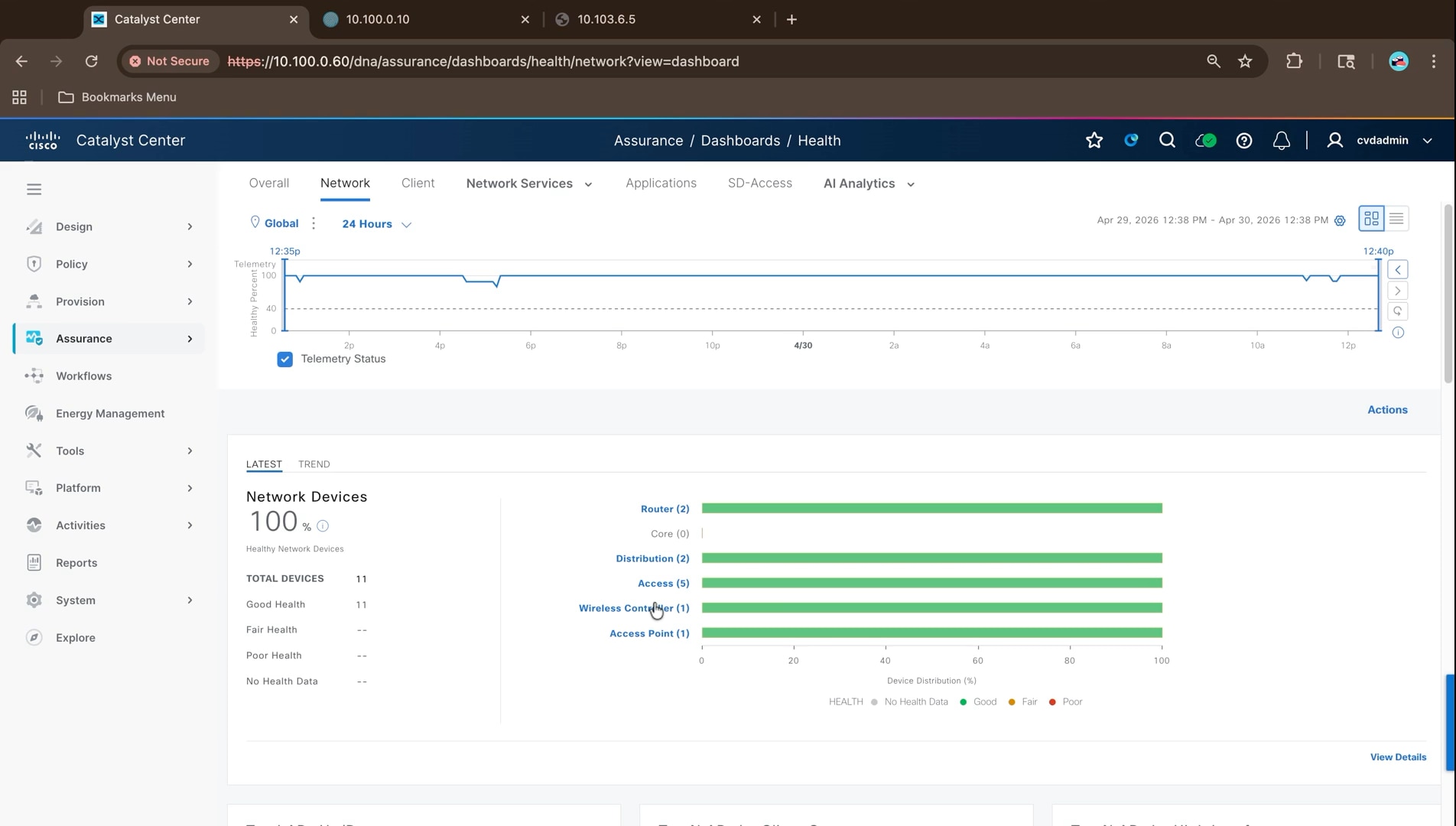
3. Scroll to the detail information tabs. For a stacked fabric edge node, the StackWise tab lists each member with its serial number, product identifier, role, state, priority, and neighbor ports, which is the quickest way to confirm a stack is intact.
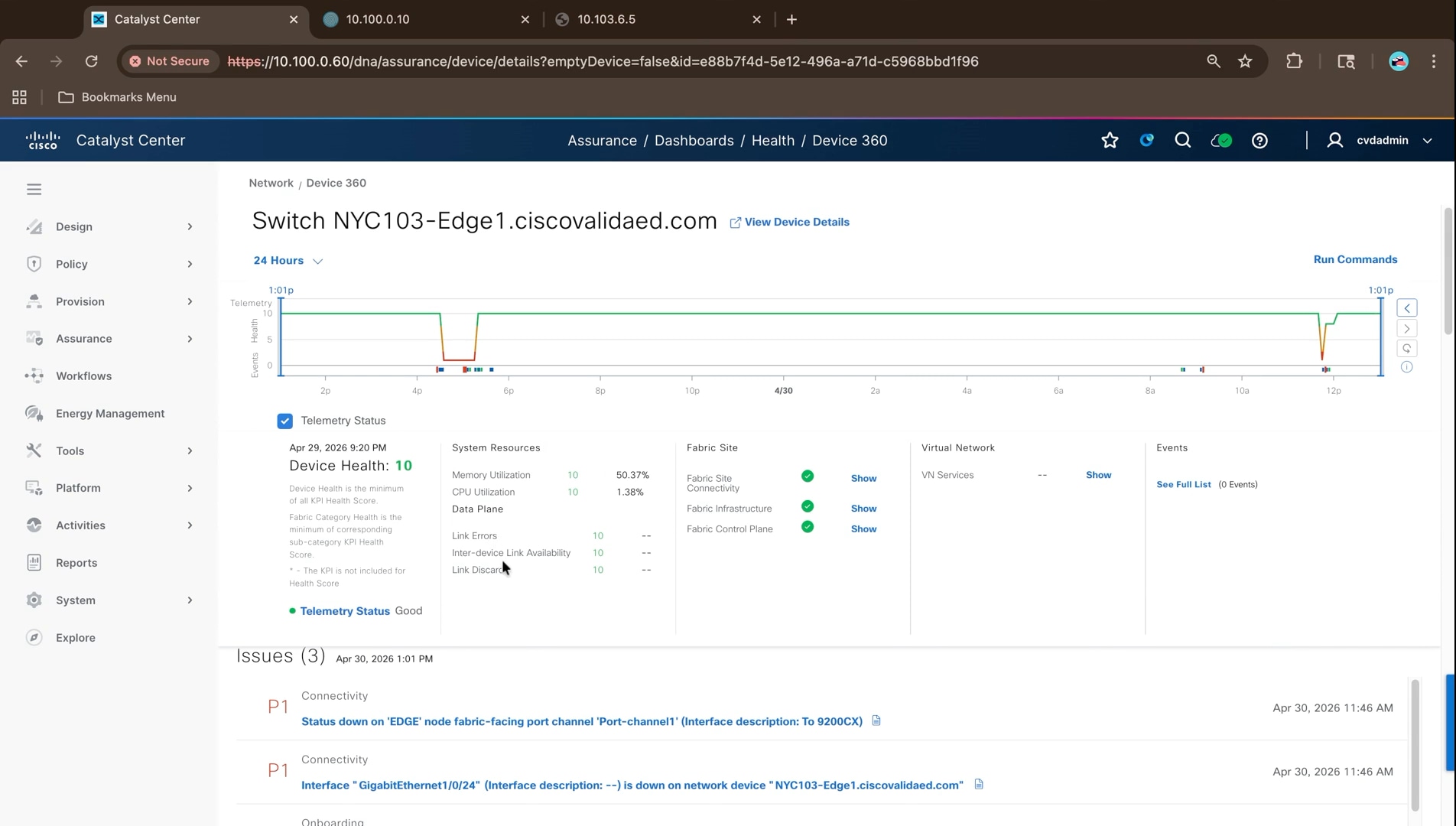
1. Select the Client tab and filter by connection type, health, or by the data filters along the top, which isolate clients by the stage of onboarding that is failing: onboarding time, association, DHCP, authentication, or signal quality.
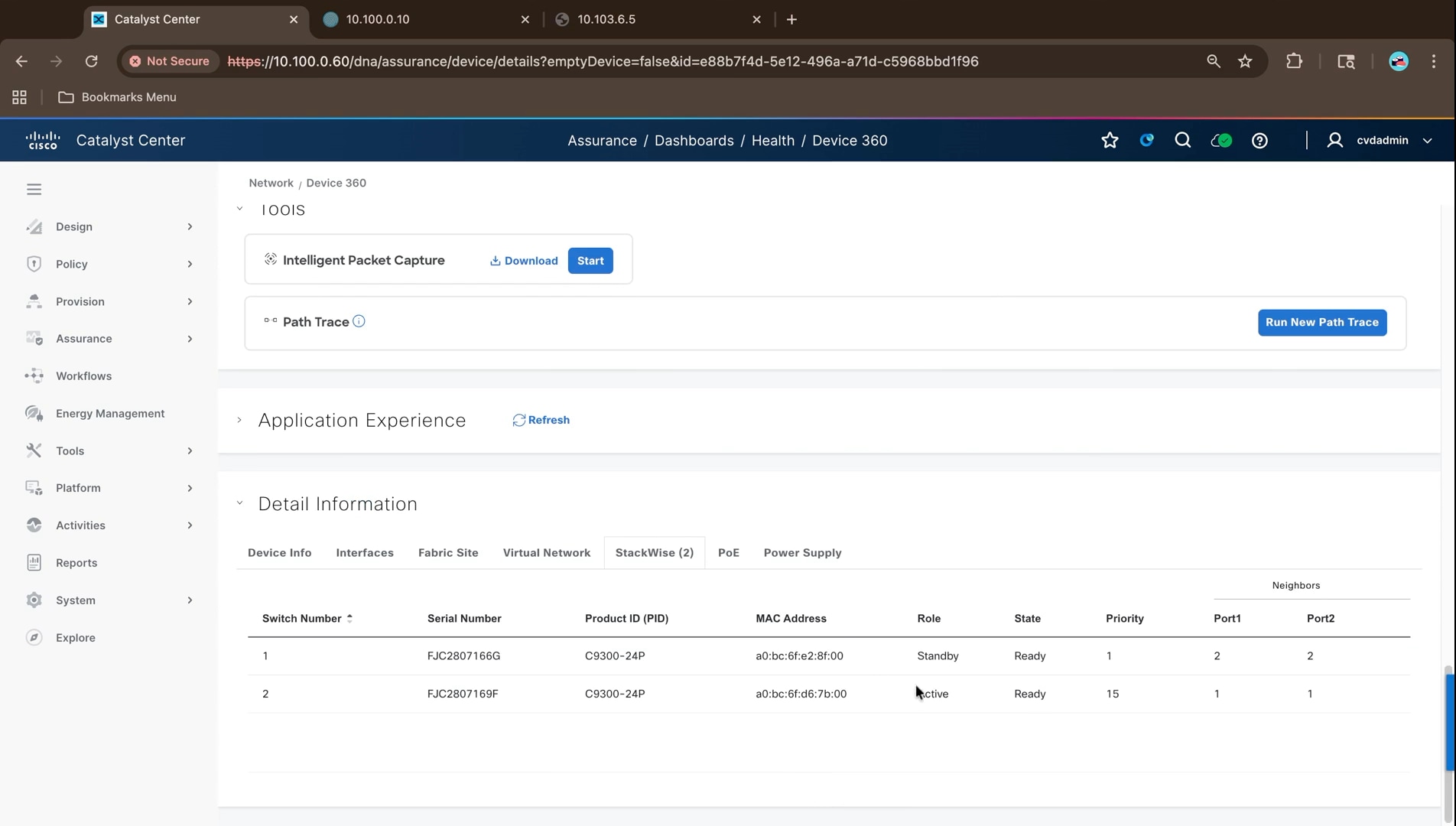
2. Open Client 360 for a client. The header carries the health and trust scores, the MAC and IP addresses, the Layer 3 and Layer 2 virtual network with the VNID and VLAN, and the fabric edge node and port the client is attached to.
That is the same information the fabric edge node reports in a session detail, correlated with the client health, which makes it the fastest way to place a client in the fabric without connecting to a device.
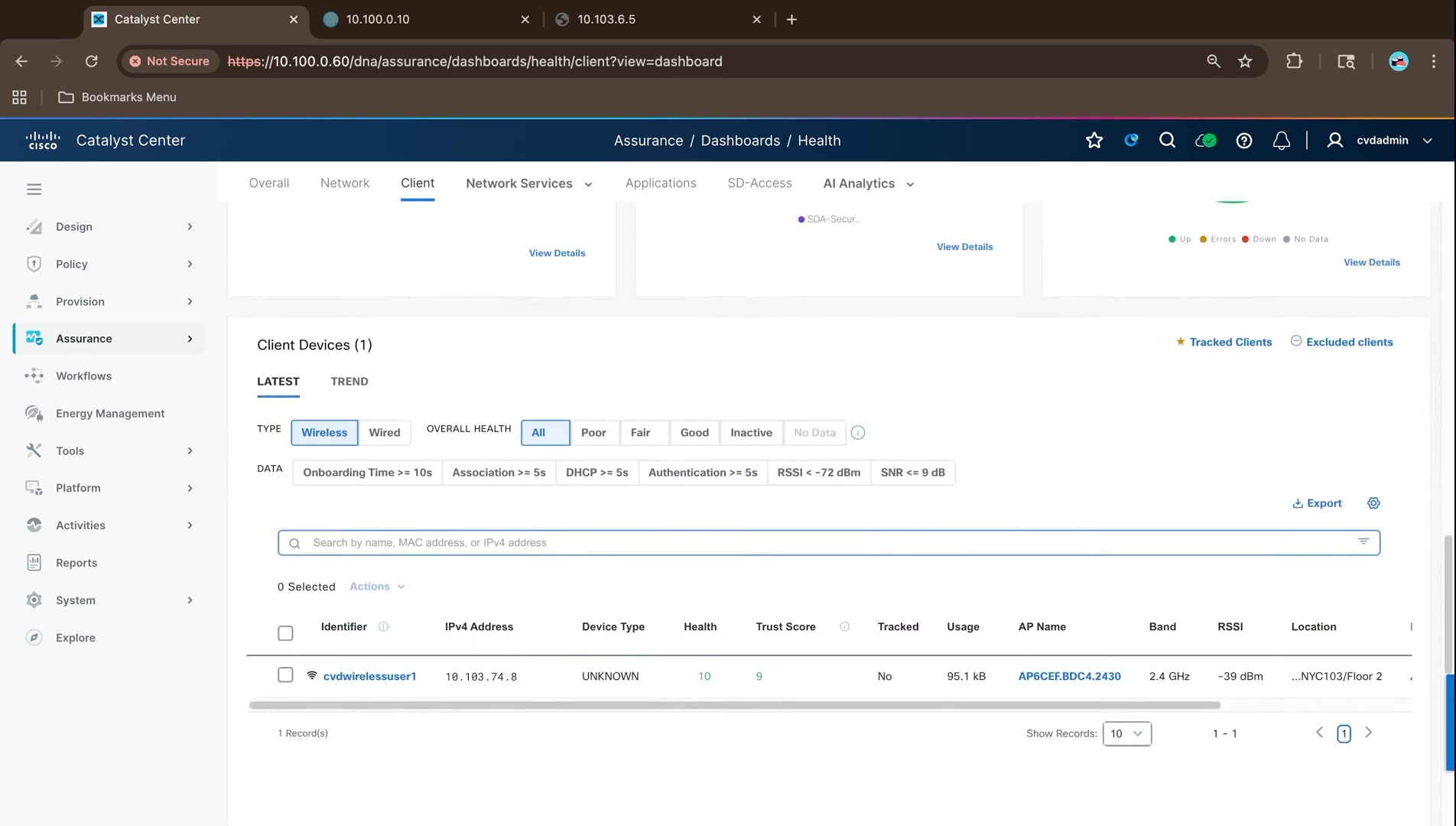
3. Review the event viewer. Events distinguish their origin: entries from Cisco ISE come from the authentication server, while entries from the device report link and session events. That distinction separates an authentication problem from a link problem.
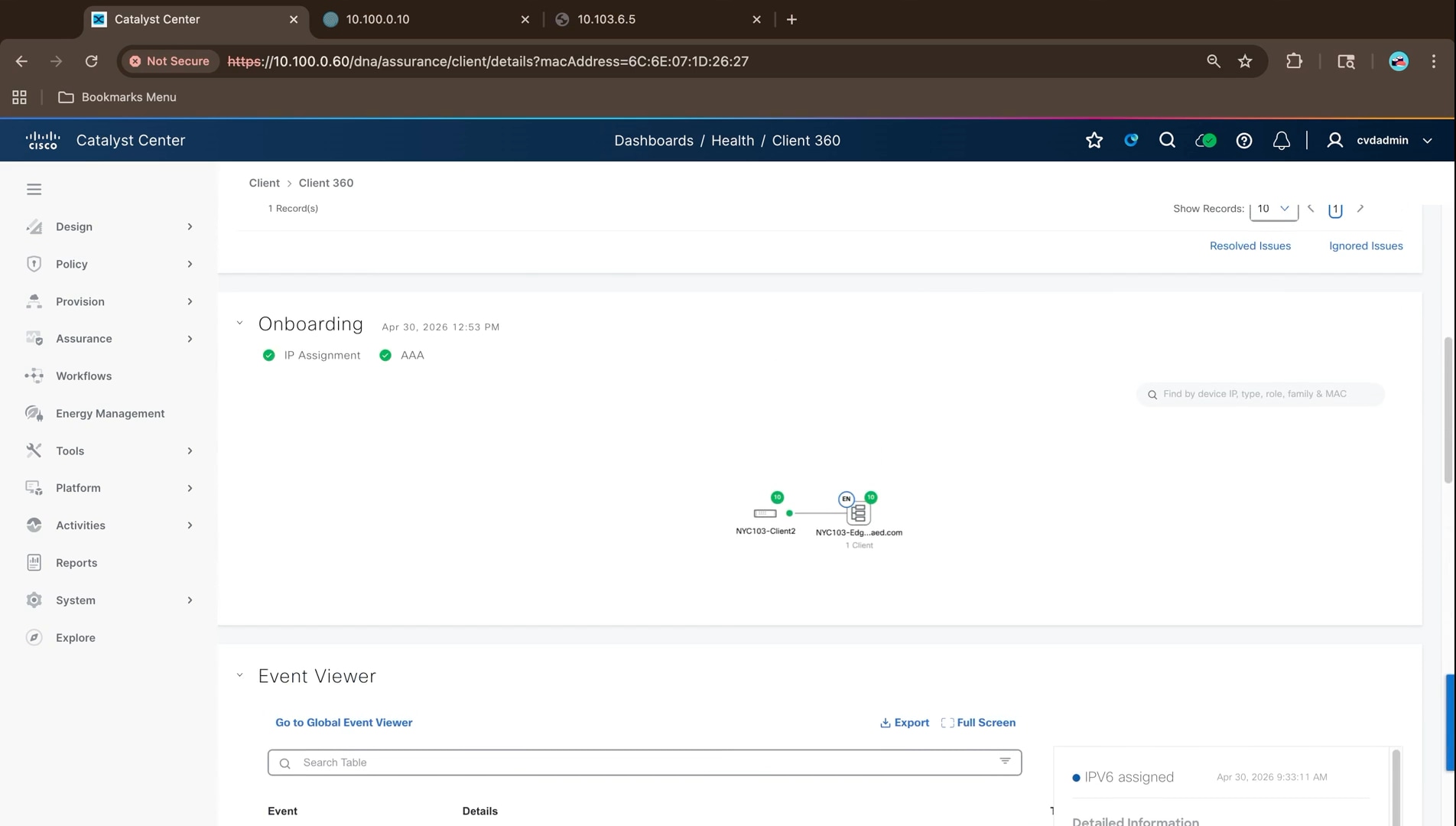
1. Select the SD-Access tab. The summary reports the number of fabric sites, Layer 3 virtual networks, fabric devices and transits, the telemetry status, and open fabric issues by priority.
2. Use the tabs beneath the issue list to see health per fabric site, per Layer 3 virtual network, and per transit. Each virtual network shows its VNID, the fabric sites it is associated with, the client count, and health for the fabric control plane, virtual network services, and virtual network exit.
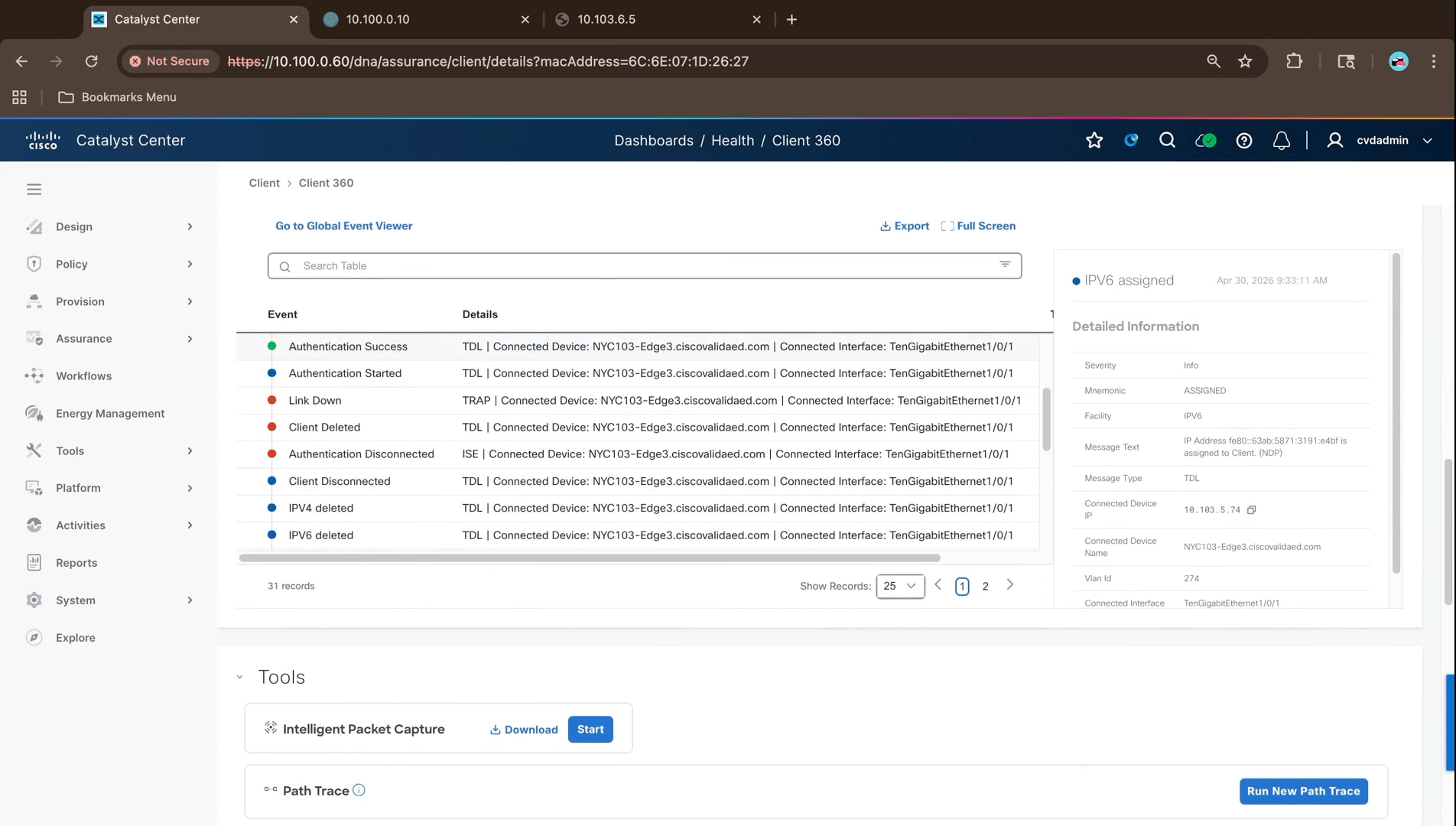
3. Open the fabric site to see Fabric Site 360. The health score is the percentage of healthy fabric nodes at the site, and the sub-category health is the minimum of the underlying indicator scores.
The three indicator groups map one for one onto what was built earlier in this guide. Fabric site connectivity covers control plane reachability, extended node connectivity, and the BGP sessions from the border nodes. Fabric control plane covers LISP session status. Fabric infrastructure covers AAA server status, the publish and subscribe session for INFRA_VN, and the CTS environment data download.
A red indicator names the step to revisit: AAA server status points at the Cisco ISE integration in Step 1, the BGP sessions at the Layer 3 handoff in Step 3, and the CTS environment data at group-based policy in Step 5.
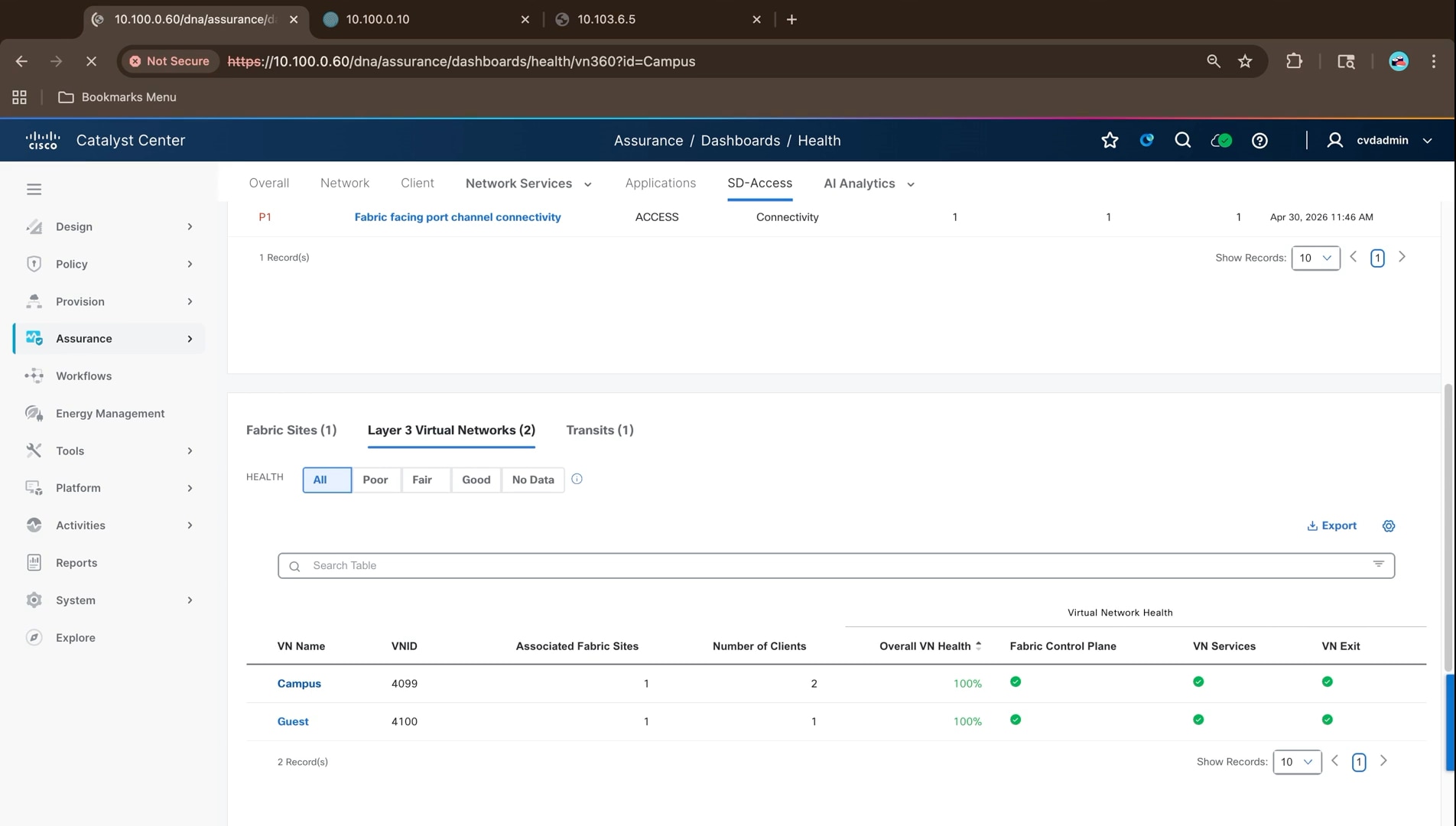
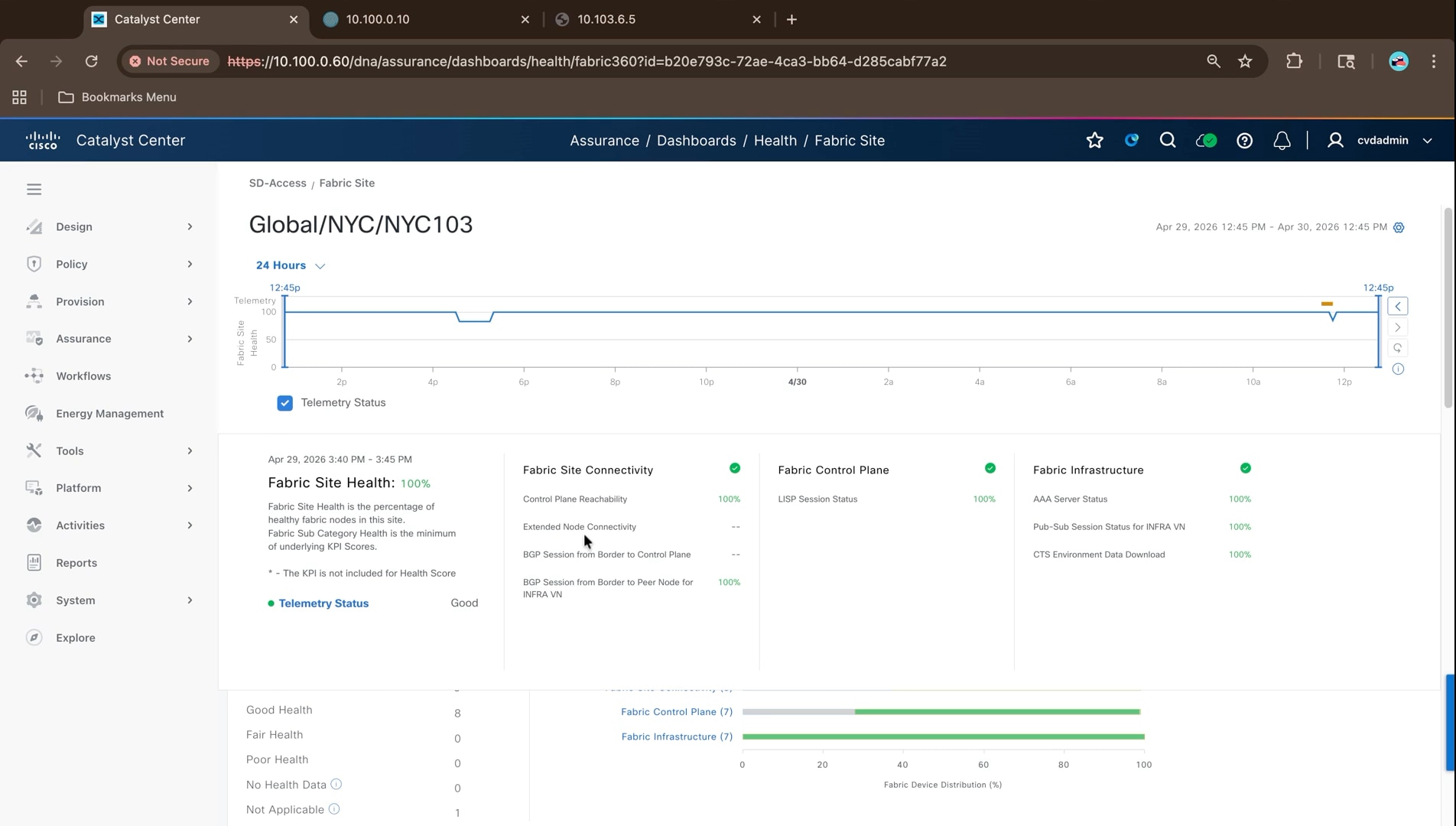
4. Open a virtual network to see it per device, with each fabric node and its health for virtual network services, fabric control plane, and virtual network exit.
Note: Fabric edge nodes show no value for fabric control plane and virtual network exit, because those functions belong to the control plane and border nodes. Only the nodes that perform a function are scored for it.
Trace a path through the fabric
From Device 360 or Client 360, open Tools and run a new path trace, supplying the source and destination addresses and optionally a port and protocol. The diagram shows the path hop by hop, with the overlay drawn above the underlay that carries it.
In a fabric, the physical path and the logical path are not the same thing. The trace shows both at once, which is what makes it useful for a problem that would otherwise require reading LISP and VXLAN state on several devices by hand. Intelligent packet capture sits alongside path trace in the same panel.
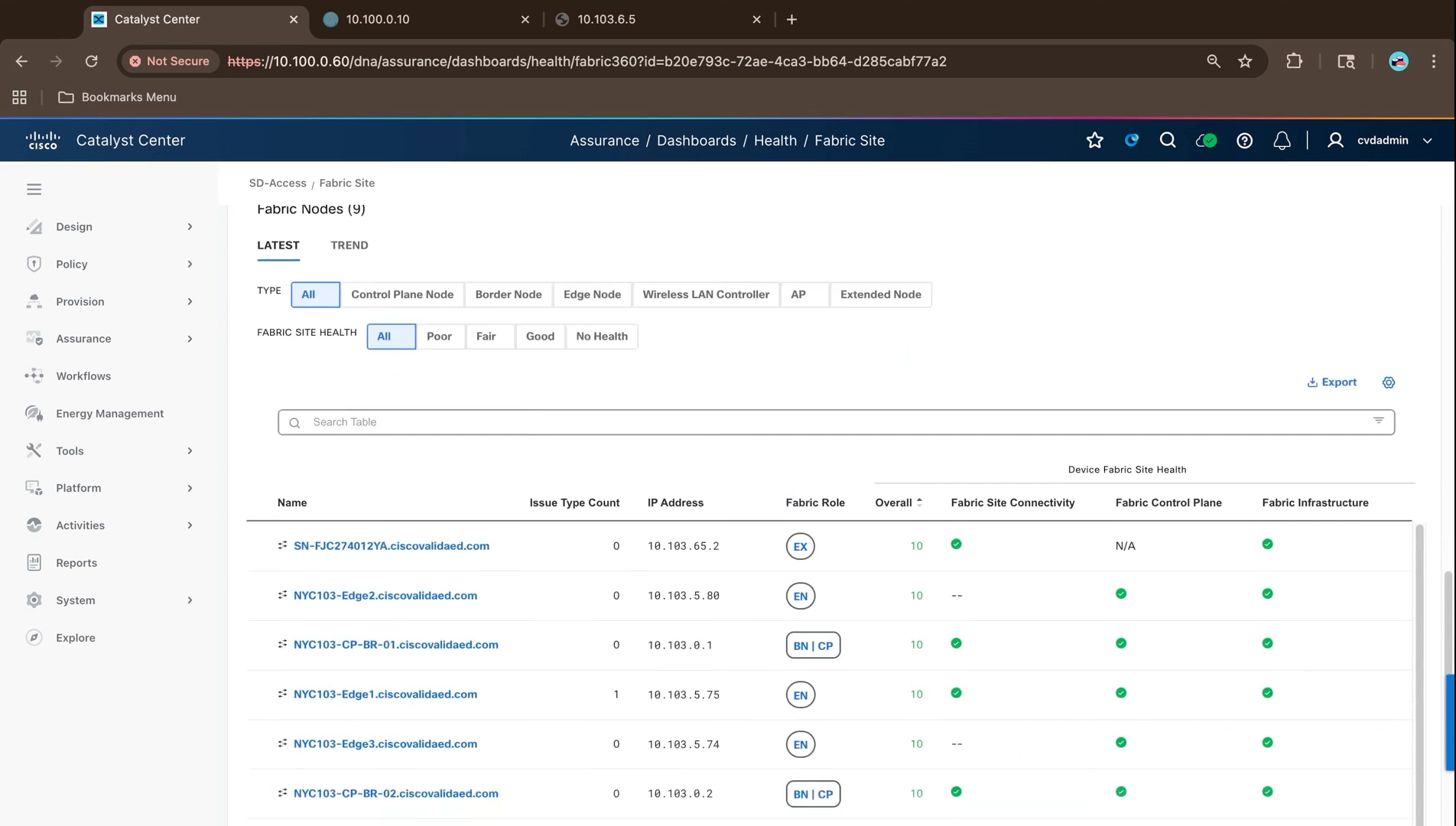
With the underlay, control plane, client onboarding, segmentation, resiliency, and assurance all confirmed, the deployment is ready to be handed to operations.
Step 6 validates the deployment as a connected system. It begins with Secure Infrastructure and the routed underlay, confirms the fabric control plane and endpoint onboarding, verifies macro- and micro-segmentation, confirms assurance and telemetry, and then evaluates Detect and Respond integrations where their validation gates are satisfied. A deployment is ready for operations only when the control path, data path, policy path, telemetry path, and user/application experience have been checked together.
Cisco Secure Network Analytics integration
This section integrates Cisco Secure Network Analytics with the fabric so that the traffic the fabric carries can be observed and acted on. It covers the flow export design, the telemetry configuration pushed from Cisco Catalyst Center, the certificate work required to integrate with Cisco ISE over pxGrid, and the host group model that aligns analysis with the segmentation built in the earlier steps. It follows the deployment steps and assumes the fabric is built, validated, and carrying traffic.
Cisco Secure Network Analytics consumes flow records exported by the network devices and uses them to build a behavioral model of every host on the network. In an SD-Access fabric it adds the layer the fabric itself does not provide: the fabric enforces policy, while Secure Network Analytics observes what actually happened and detects behavior that policy did not anticipate.
The integration has two halves. Flow records reach Secure Network Analytics from the fabric devices, and identity context reaches it from Cisco ISE over pxGrid. The first tells it what traffic occurred; the second tells it who each host is, which scalable group it carries, and provides the channel to quarantine a host through Adaptive Network Control.
| SNRA Layer |
Secure Network Analytics contribution |
| Secure Infrastructure |
Routed underlay, OSPF reachability, redundant transport, MTU consistency, fabric roles, device reachability, and foundational telemetry. |
| Identify and Authorize |
Cisco ISE, 802.1X/MAB, endpoint profiling, authorization profiles, and identity/context-based placement into virtual networks and scalable groups. |
| Segment and Protect |
Virtual networks and VRFs, VXLAN, anycast gateways, scalable group tags, TrustSec and group-based policy, and policy enforcement close to the endpoint. |
| Detect and Respond |
Telemetry, analytics, threat intelligence, incident correlation, and governed reversible response. In this guide, Secure Network Analytics and Adaptive Network Control provide the principal evidence; Cisco XDR remains conditional until validated. |
| Unified Management and Agentic Operations, Common Policy Context, and Extended Integrations |
The cross-cutting operating model: Catalyst Center management and assurance, ISE/pxGrid identity context, APIs, telemetry distribution, shared policy facts, and connections to external security and operations platforms. |
The following must be in place before the integration is attempted. Most of it was completed in earlier steps of this guide.
● A deployed fabric exporting flows - The fabric devices must be under Cisco Catalyst Center management with telemetry settings applied, as configured in Step 1 and pushed during provisioning in Step 2.
● Cisco ISE integrated and healthy - The Cisco Catalyst Center to Cisco ISE integration from Step 1 must be established, with pxGrid and the ERS API enabled on the ISE node.
● A Secure Network Analytics deployment - The Manager, flow collector, and any data nodes installed and reachable, with Central Management operational.
● A flow destination - Either a flow collector address the devices export to directly, or a Cisco Telemetry Broker that receives one export per device and replicates it to each consumer. This deployment uses a Telemetry Broker.
● Certificate material - Access to the certificate authority that will issue the Manager its pxGrid client certificate. This build uses the Cisco ISE internal certificate authority, which is the simplest of the available approaches.
● Name resolution - The Manager must be able to resolve the fully qualified domain name of the ISE node, because the certificate ISE presents carries that name and is validated against it.
● Licensing - Devices require the license tier that includes application telemetry. Secure Network Analytics is licensed separately by flow rate.
Architecture and component placement
The Secure Network Analytics deployment sits alongside the fabric rather than inside it, reached through the border handoff in the same way as the other shared services. The components used in this build are:
| Component |
Address |
Role |
| Manager |
10.100.0.110 |
Management interface, analysis, and Central Management for the deployment. Hosts the Cisco ISE integration. |
| Flow collector |
10.100.0.111 |
Receives and deduplicates flow records and forwards them to the Manager for analysis. |
| Data nodes |
10.100.0.112 to 10.100.0.114 |
Store the flow data for the deployment. |
| Cisco Telemetry Broker manager |
10.100.0.100 |
Manages the broker cluster. |
| Broker nodes |
10.100.0.103 and one further node |
Receive one export per device and replicate it to each configured output. |
| Cisco ISE |
10.100.0.10 |
Supplies session, endpoint, and scalable group information over pxGrid, and issues the client certificate. |
Manager, flow collector, flow sensor, and UDP director
A Secure Network Analytics deployment is assembled from a small number of appliance roles. Which of them a deployment needs depends on where the flow data comes from and how much of it there is.
● Manager - The single management and analysis point. It hosts the web interface, holds the host group definitions and policy, runs the detection engines, and carries the integrations with Cisco ISE and Cisco XDR. Central Management, which administers every appliance in the deployment, runs on the Manager.
● Flow collector - Receives flow records from the exporting devices, deduplicates records describing the same conversation seen by several devices, and forwards the result for analysis. Deduplication matters in a fabric, where a single flow crosses several exporting nodes.
● Data node - Stores flow data. Deployments that retain significant history use a data node cluster, which is what this build does with three nodes.
● Flow sensor - Generates flow records from a span or tap where the network devices cannot export them and produces the deep packet inspection data used for application and encrypted traffic identification. Not deployed in this build, because the fabric switches export flow records natively.
● UDP director - Receives a single export and replicates it to several destinations. The Cisco Telemetry Broker performs the same function in this build and is the current direction for that capability.
This deployment uses a manager, a flow collector, and three data nodes, with a Cisco Telemetry Broker cluster in front of them handling the replication a UDP Director would otherwise perform.
Sizing and licensing for the reference fabric
Secure Network Analytics is scaled by sustained flow rate, measured in flows per second, and by how long the flow data must be retained. Both follow from the network rather than from the fabric design: the number of hosts, how conversational they are, and the retention the security team requires.
Two aspects of an SD-Access fabric influence the flow rate specifically. Every access interface on a fabric edge node exports by default once application telemetry is enabled, so the exporting surface is the whole access layer rather than a handful of aggregation points. And because a single conversation crosses several fabric nodes, the same flow is reported more than once, which is why flow collector deduplication is relevant to the sizing rather than only to the accuracy of the data.
Licensing follows the same measure. Secure Network Analytics is licensed by flow rate, and the network devices require the license tier that includes application telemetry, which Cisco Catalyst Center states explicitly when the feature is enabled.
Note: Confirm the current sizing guidance and license requirements against the Cisco Secure Network Analytics documentation for the release in use before finalizing the design. Flow rates observed in a lab are not a reliable basis for sizing a production deployment.
Flow export design for Cisco SD-Access
The network devices themselves must generate flow records analyzed by Secure Network Analytics . Rather than configuring NetFlow on each switch by hand, Cisco Catalyst Center holds the destination as a site-level telemetry setting and pushes matching configuration to every device it manages.
Sending the records to a Cisco Telemetry Broker rather than directly to a flow collector means a single export from each device can be duplicated to several consumers without touching the devices again. In this build the same export feeds the Secure Network Analytics flow collector, Cisco Catalyst Center, and two further consumers.
| Setting |
Value in this build |
| NetFlow destination |
Cisco Telemetry Broker at 10.100.1.105, UDP port 7055 |
| Broker input |
A UDP input receiving the exports from the Catalyst Center managed devices |
| Broker outputs |
Four, including the Secure Network Analytics flow collector and Cisco Catalyst Center |
| Devices in scope |
The 11 managed devices at the NYC103 site |
Flexible NetFlow on fabric edge nodes
Application telemetry on a fabric edge node applies Flexible NetFlow to its access interfaces. By default, every access interface on a switch is provisioned to export, which means the exporting surface is the entire access layer rather than a few aggregation points.
1. Navigate to Provision > Inventory, select the devices that should export flow records and choose Actions > Telemetry > Enable Application Telemetry.
2. Read the confirmation before continuing. It states that existing configuration will be overwritten where applicable, that by default all access interfaces on a switch are provisioned to send NetFlow, that this can be overridden by tagging interfaces, and that the devices require the license tier that includes the feature.
Note: The interface tagging rule is worth deciding before the first push. Left alone, every access interface exports. As soon as any interface is tagged with the lan keyword in its description, the device switches to monitoring only the tagged interfaces, so a tag added later silently narrows what is being collected.
3. Choose when to apply the change and name the task. Where Visibility and Control of Configurations is enforced, the configuration has to be previewed before it can be deployed.
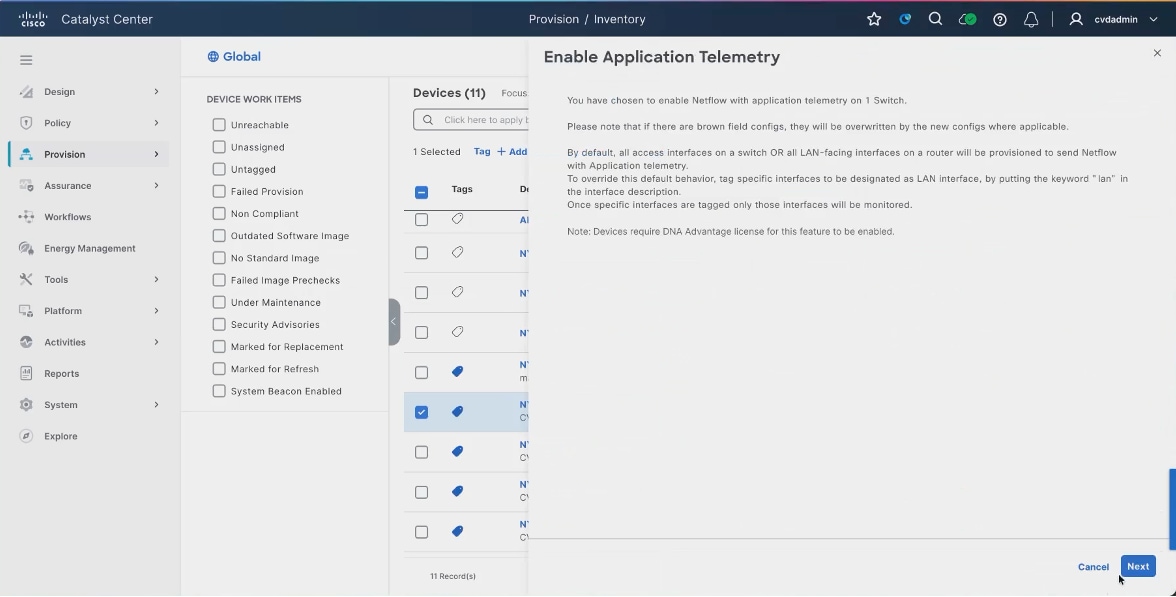
The result on a fabric edge access port is a set of flow monitors applied inbound and outbound for IPv4 and IPv6, alongside the 802.1X configuration the authentication template applies. Both coexist on the same interface, as the port configuration shown in Step 6 illustrates.
Flow export from border and control plane nodes
The border and control plane nodes export flow records through the same mechanism. They are selected in the same inventory action and receive the same telemetry settings, so no separate configuration is required.
What differs is the traffic they see. A fabric edge node observes traffic as it enters and leaves the access layer, before VXLAN encapsulation and after decapsulation, so the records carry the real endpoint addresses. A border node observes traffic crossing the fabric boundary, which makes it the useful vantage point for north-south flows towards shared services, the data center, and the internet.
Because a single conversation between two endpoints in the fabric may be reported by both the source and the destination fabric edge node, the flow collector deduplicates records describing the same conversation. That is why the collector, rather than the exporting devices, is where the flow rate is measured.
Note: Flow export from the intermediate nodes adds little, because they forward encapsulated overlay traffic between routing locators rather than endpoint addresses. The endpoint detail that makes the records useful is present at the fabric edge and at the border.
Wireless flow visibility in a fabric follows from where the traffic is switched. Because fabric-enabled wireless keeps the data path distributed, a wireless client attaches to a fabric edge node through its access point, and its traffic is visible to that edge node in the same way as a wired client.
Application visibility is additionally enabled on the wireless policy profile itself. In this deployment the enterprise SSID policy profile carries assurance flow monitors bound inbound and outbound for both IPv4 and IPv6, which is what supplies the wireless client application data seen in Cisco Catalyst Center Assurance.
Note: The open SSID in this deployment does not carry those flow monitors. Where wireless application visibility is required for every SSID, confirm it is enabled on each policy profile rather than assuming it follows the fabric setting.
Applying telemetry through Catalyst Center
Cisco Catalyst Center holds the NetFlow destination as a site-level telemetry setting, which is what allows the export configuration to be defined once and applied to every managed device.
1. Navigate to Design > Network Settings > Telemetry, select Global in the hierarchy, and expand Application Visibility.
2. Select the option to enable application telemetry by default on supported wired access devices. With this set, supported devices have NetFlow and application recognition enabled automatically as they are assigned to the site, so new devices inherit the behavior rather than being configured one at a time.
3. Under the destination collector setting, choose the Cisco Telemetry Broker or UDP director option rather than using Cisco Catalyst Center as the collector, and enter the broker address and port.
4. Click Save.
Note: Cisco Catalyst Center must be configured separately as a NetFlow destination in the broker. It only receives flow records if the broker forwards them to it, which is one of the four outputs in this build. Choosing the broker as the destination does not implicitly keep Cisco Catalyst Center fed.
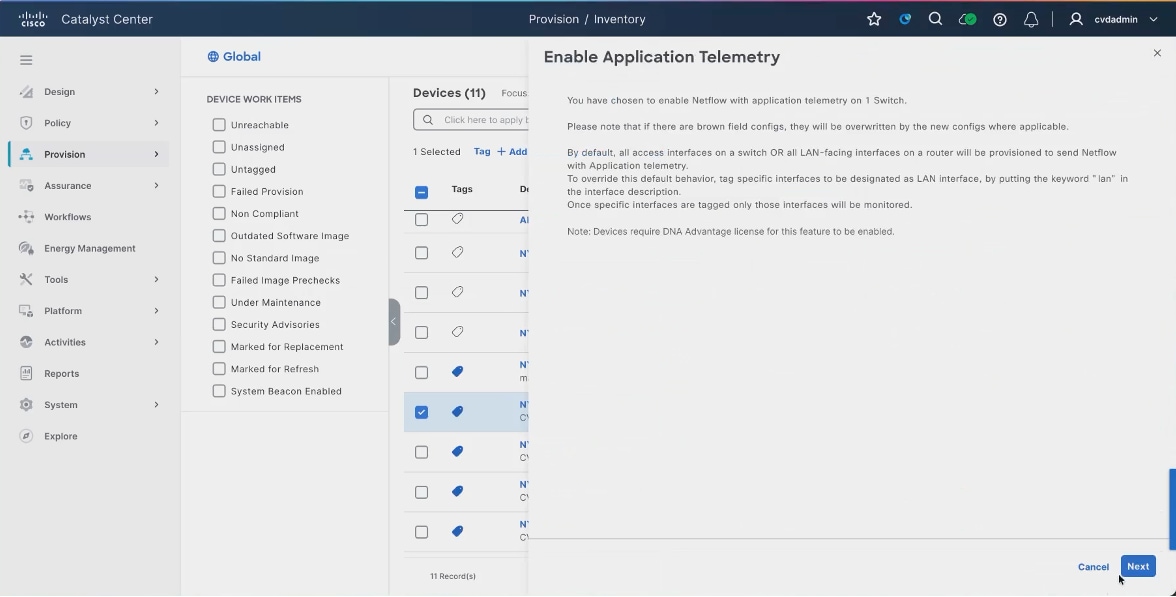
5. Navigate to Provision > Inventory and select the devices the settings should be applied to or select the site to work across every managed device.
6. Choose Actions > Telemetry > Update Telemetry Settings. The panel lists what will be deployed to each device, including the syslog server, Cisco TrustSec credentials, streaming telemetry, and the SNMP trap receiver.
7. Optionally select Force Configuration Push, then Deploy.
Telemetry settings are normally applied when a device is assigned to a site or provisioned. Update Telemetry Settings re-applies them to devices already in place, which is what is needed after changing the NetFlow destination. Force Configuration Push sends the configuration even where the device is already considered compliant.
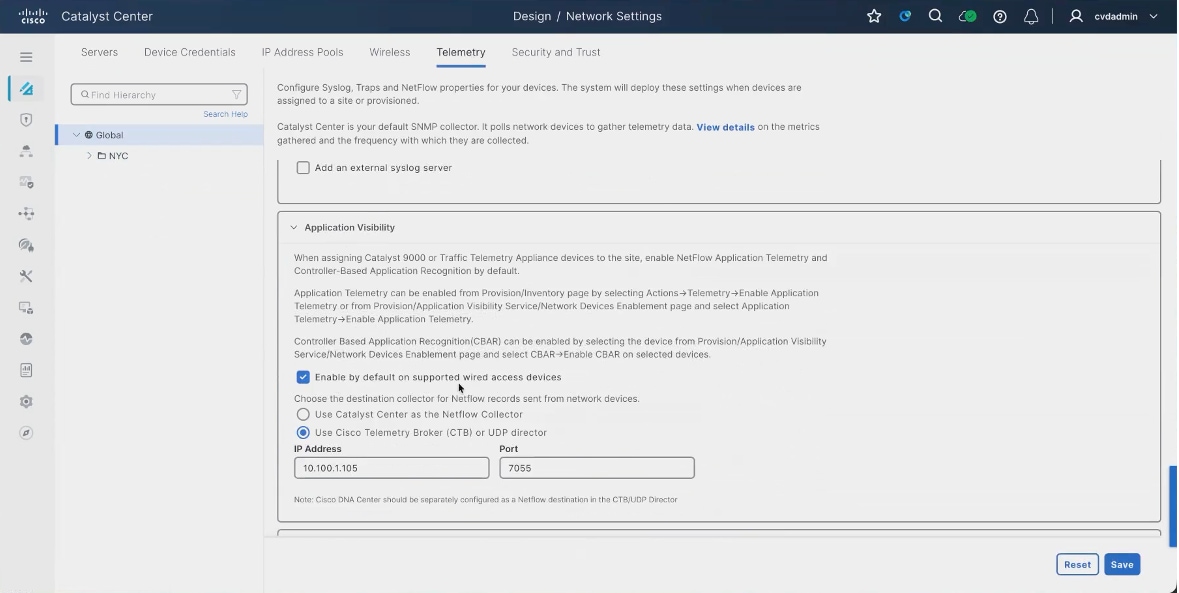
Deploy the Secure Network Analytics components
The Secure Network Analytics appliances are installed and brought under Central Management before any of the integration work in this section. Each appliance is deployed, given its network configuration, and added to the deployment from the Manager, after which Central Management administers all of them from one place.
The Cisco Telemetry Broker is deployed separately, with a manager and one or more broker nodes forming a cluster. The broker sits between the network devices and the consumers, so it has to be reachable from the fabric devices on the port the export is directed to, and it has to reach each of its outputs.
Note: Appliance installation and Central Management onboarding were not captured during this build. Add those procedures and their screenshots before this section is treated as final. The procedures that follow assume the deployment is installed and Central Management is operational.
Configure flow collection and exporters
With the telemetry settings pushed, the next check is that the records are arriving where they should. The Telemetry Broker is the useful place to look, because if its input is receiving then the devices are exporting and the Cisco Catalyst Center side is correct.
1. Preview and deploy the application telemetry task. The task validates the input, generates the device configuration models, processes the model configuration objects, generates the CLI templates, and assembles the configuration from all sources.
2. Review the generated configuration for each device, then deploy and follow the task from Activities > Tasks.
3. Open the Cisco Telemetry Broker manager and go to the explorer view. Select a broker node and confirm it is active, with its admin interface and the count of inputs and outputs.
4. Select the cluster and open the UDP input that receives the exports.
5. Confirm it is active, that the port matches the destination configured in the telemetry settings, and that a received rate is reported.
6. Check the connected outputs, each of which shows the volume and rate it is forwarding.
The outputs are what make the broker worth using. The same received flow is fanned out to the flow collector, back to Cisco Catalyst Center, and to any other consumer, each of which can be added or changed without touching a network device.
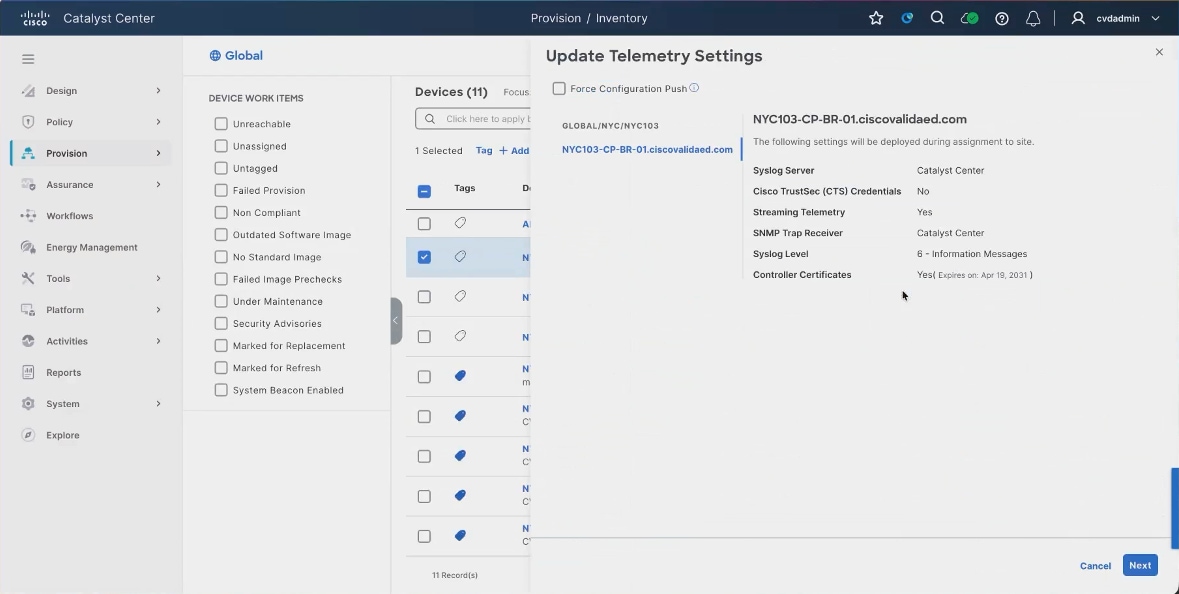
7. In Secure Network Analytics, open the Security Insight dashboard and check the flow collection trend for the flow collector.
Note: At the end of the recorded session the flow collection trend was still reporting zero flows per second, even though the Telemetry Broker showed records arriving on its input and being forwarded on all outputs. Allow time after enabling application telemetry for flows to appear, and if they do not, confirm the broker output pointing at the flow collector is enabled and that its destination address and port match the collector. This step should be recaptured once collection is confirmed.
Secure Network Analytics and Catalyst Center integration
Cisco Catalyst Center and Secure Network Analytics consume the same flow export rather than exchanging data with one another. The Telemetry Broker receives one export per device and replicates it to both, which is why the broker is configured as the destination rather than either consumer directly.
The practical consequence is worth stating plainly: pointing the devices at the broker does not implicitly keep Cisco Catalyst Center fed. Cisco Catalyst Center must be configured as an output on the broker, and if that output is removed or misconfigured, application visibility in Assurance stops even though the devices are still exporting correctly.
The identity context that ties the two together comes from Cisco ISE rather than from Cisco Catalyst Center. Both platforms integrate with ISE independently: Cisco Catalyst Center for policy and endpoint information, and Secure Network Analytics for session data and Adaptive Network Control.
Secure Network Analytics and ISE integration
Secure Network Analytics and Cisco ISE exchange session and identity information over pxGrid, and the trust across pxGrid is mutual and certificate-based. The Manager needs a client certificate that ISE will accept, and it needs to trust the certificates ISE presents, both the certificate authority root and the pxGrid certificate itself. Getting either half wrong leaves the connection in a failed state, which is why most of this work is certificate work.
| Item |
Value in this build |
| Manager |
<manager-hostname>.ciscovalidated.com at <private IP> |
| Cisco ISE node |
10.100.0.10, deployment NYC-ISE-01, FQDN NYC-ISE-01.ciscovalidated.com |
| Client certificate |
RSA 4096, issued from the pxGrid certificate template, PKCS12 format |
| Trust store additions |
The ISE root certificate authority and the ISE pxGrid certificate |
| Integration options |
Adaptive Network Control, static SGT classification, and sessions |
Before starting, confirm the following. Each of them is a common cause of a failed pxGrid connection later.
● pxGrid enabled on Cisco ISE - The pxGrid service is running, and the node is reachable from the Manager.
● Certificate template key length - The RSA key length used for the certificate signing request must match the pxGrid certificate template in Cisco ISE. A mismatch produces a certificate that ISE issues, but the connection then rejects.
● Name resolution for the ISE node - The Manager must resolve the fully qualified domain name of the ISE node, either through DNS or through a local resolution entry, because the certificate ISE presents is validated against that name.
● Certificate password policy - Cisco ISE enforces password complexity on the certificate bundle and rejects a password it considers too simple. The same password is needed again when the certificate is installed on the Manager.
Note: This build issues the client certificate from the Cisco ISE internal certificate authority, which is the simplest of the available approaches. A deployment using an external certificate authority follows the same sequence with the signing step performed elsewhere.
Certificate signing request and certificate exchange
The Manager generates a certificate signing request, Cisco ISE signs it, and the resulting client identity is installed back on the Manager. The Manager must then trust the authority that signed the certificates ISE presents.
1. Navigate to Central Management > Inventory and locate the Manager appliance.
2. Choose Edit Appliance Configuration.
3. Navigate to Appliance > Additional SSL/TLS Client Identities and click Add New.
4. Choose to generate a certificate signing request and set the RSA key length to match the pxGrid certificate template in Cisco ISE.
Note: The key length has to match the template. Leaving the default did not work in this build; the certificate ISE issued against a mismatched key length was rejected. The template can be inspected in Cisco ISE from the pxGrid client management certificates page. In this build the default template was changed rather than a new one created, because the template could not be selected at certificate generation time.
The common name is pre-filled with the fully qualified domain name of the Manager.
5. Complete the organization and any other fields the certificate policy requires, then generate the request and download the resulting file.
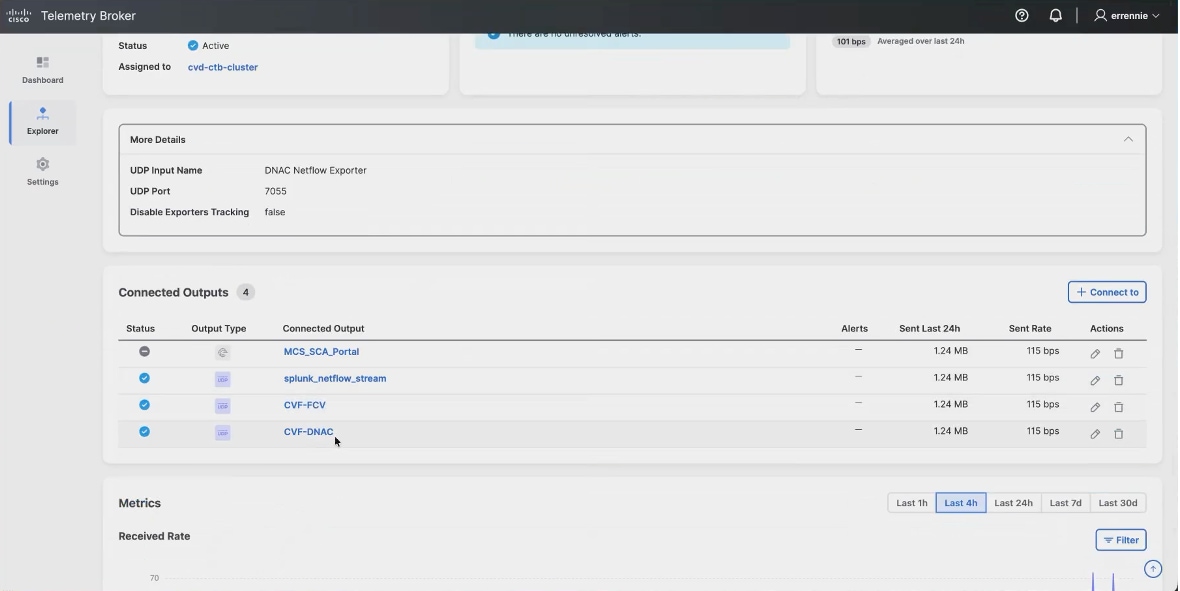
6. In Cisco ISE, navigate to the pxGrid client management certificates page and choose to generate a single certificate with a certificate signing request.
7. Paste the entire contents of the downloaded request, including the begin and end lines.
8. Leave the certificate template set to the pxGrid template.
9. Set the download format to PKCS12.
PKCS12 bundles the signed certificate and its chain into a single password-protected file, which is the form Central Management expects.
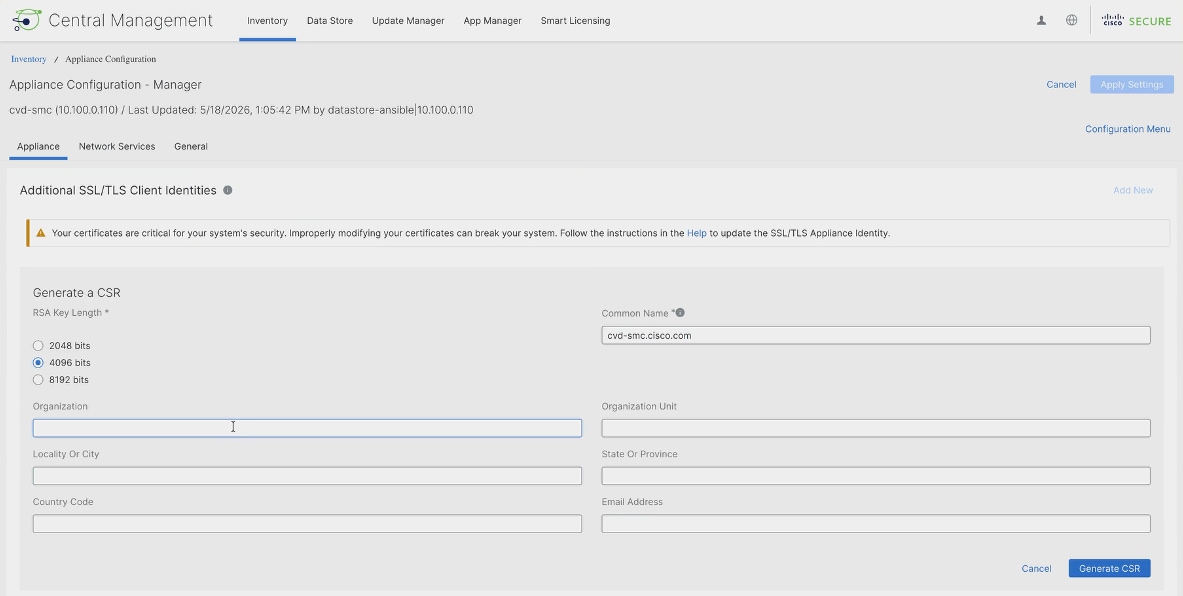
10. Set and confirm a certificate password and create the certificate. Extract the downloaded archive to obtain the certificate file.
11. Install the client identity and trust the certificate authority:
a. Return to the appliance configuration on the Manager
b. Enter a friendly name for the client identity
c. Select the certificate file
d. Enter the bundle password
e. Add the client identity
12. Apply the settings.
Note: Applying settings restarts services on the appliance and takes a few minutes. Wait for the change to complete before continuing.
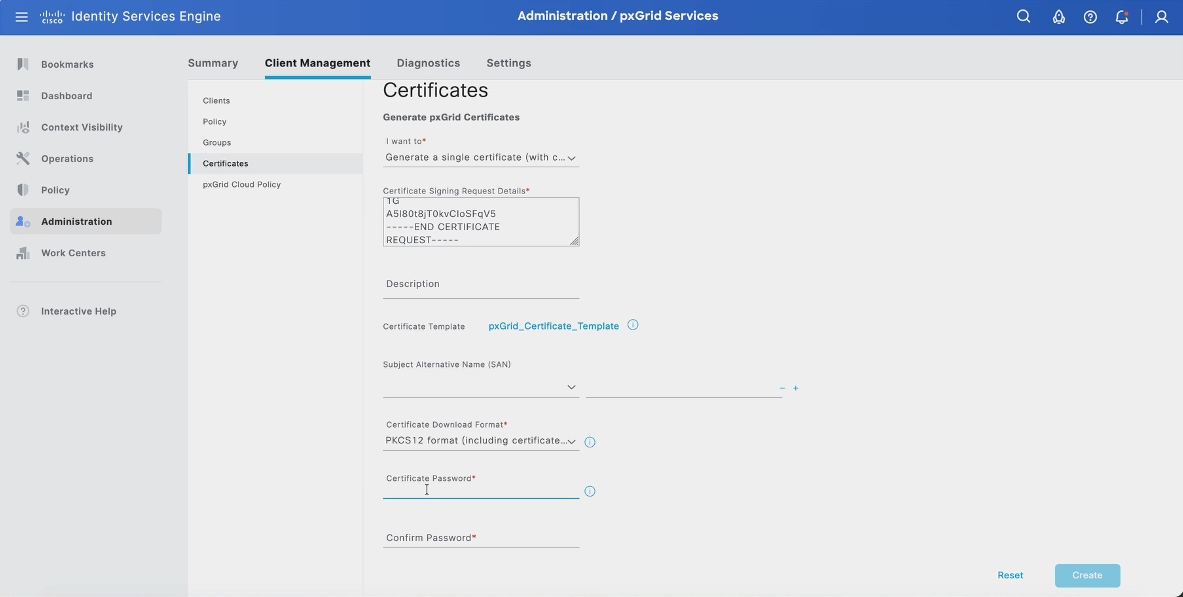
13. In Cisco ISE, export the certificate services root certificate authority certificate for the deployment.
14. On the Manager, open the General tab of the appliance configuration, scroll to the trust store, add the exported certificate with a friendly name, and apply the settings. Without the root certificate in the trust store the pxGrid connection is refused no matter how the client certificate was issued.
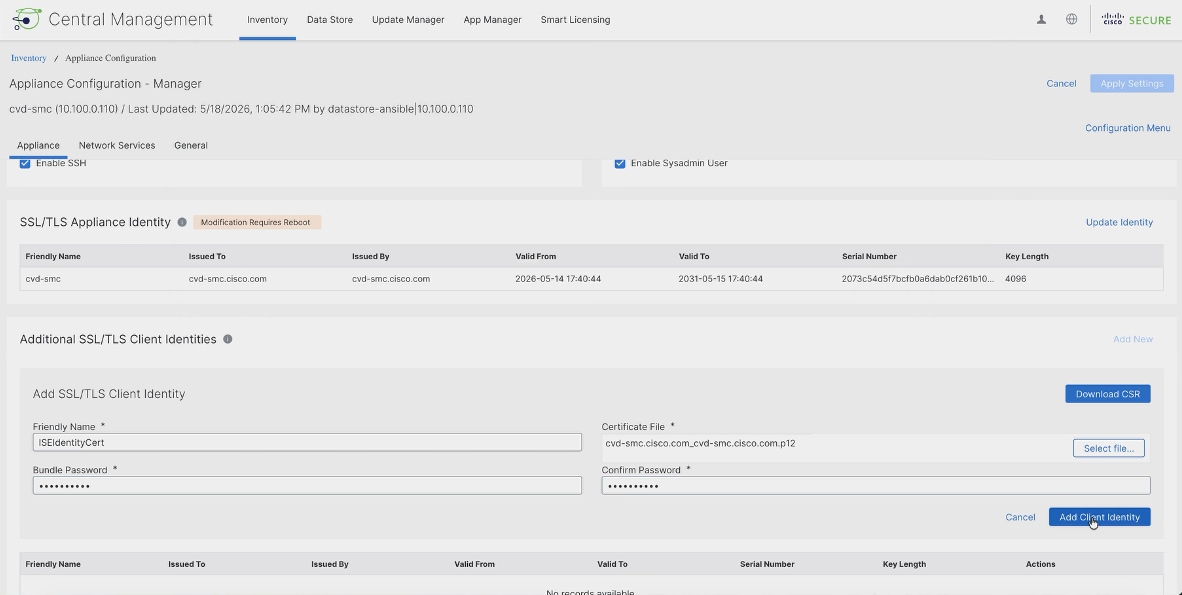
Client registration and approval of pxGrid
With the certificates in place, the Manager is configured with the connection details and registers as a pxGrid client. Two further steps are commonly required before the connection establishes: resolving the ISE name and trusting the pxGrid certificate itself.
1. In the Manager, navigate to Configure > Cisco ISE and add a new configuration.
2. Complete the connection details: enter a cluster name matching the Cisco ISE deployment name, the client identity added earlier, the pxGrid node FQDN that matches the server certificate, and the client name this Manager will registers under.
3. Select Strict server identity verification.
The next steps configure name resolution and certificate trust so the Manager can verify the ISE server during the pxGrid mTLS connection.
4. Under integration options, leave Cisco ISE selected with Adaptive Network Control, static SGT classification, and sessions enabled, then save.
Adaptive Network Control is what allows an operator to quarantine a host directly from the Secure Network Analytics dashboard. Static SGT classification and sessions are what bring the group and session data across.
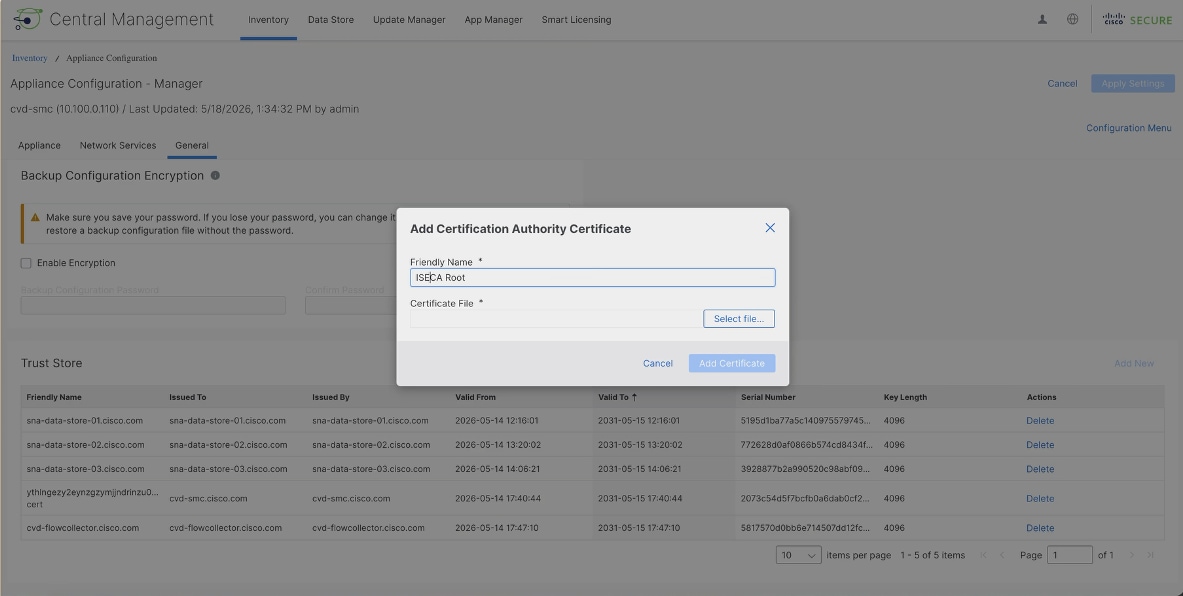
5. Open the Network Services tab of the appliance configuration and add a local resolution entry for the fully qualified domain name of the ISE node and its address.
The certificate ISE presents carries that name, and the Manager has to resolve it to validate the certificate. A DNS server that resolves the name serves the same purpose.
6. Check the connection status. If it has failed, the reason is reported against the status indicator.
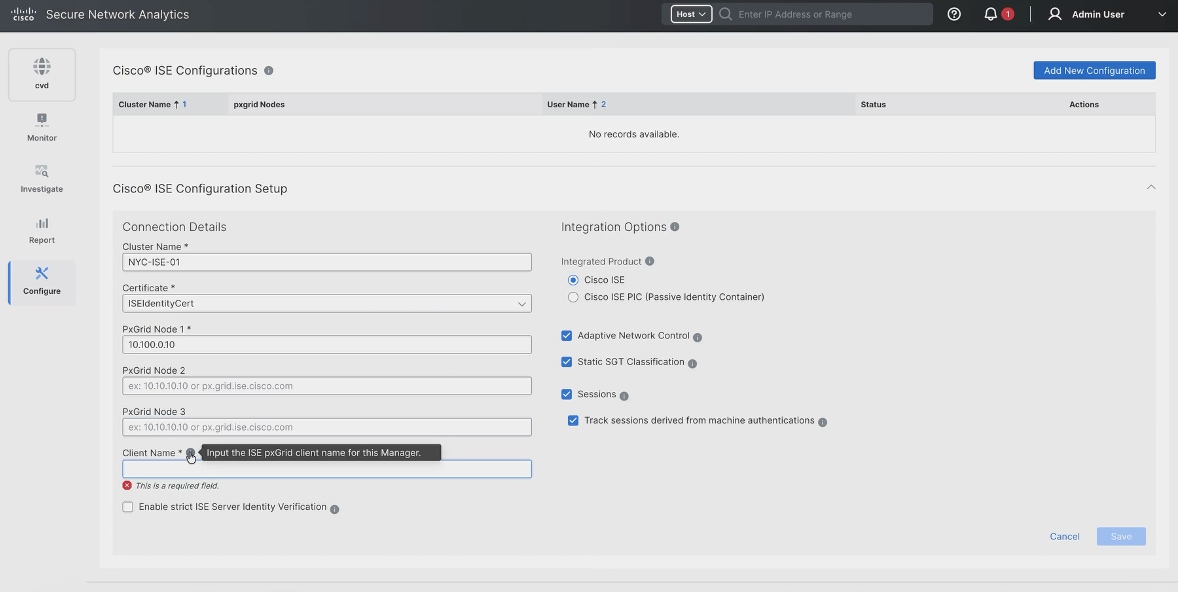
7. Where the reported reason is an untrusted certificate, export the Cisco ISE system certificate whose usage includes pxGrid, and add it to the Manager trust store the same way as the root certificate.
Note: Recent Cisco ISE releases present the pxGrid certificate rather than relying on the certificate authority chain alone. Plan for it.
8. Return to the configuration and refresh the connection. The status indicator confirms the pxGrid connection once it is established.
Note: The refresh control does not always force a new attempt. Editing the configuration and saving it again reliably restarts the connection.
Adaptive Network Control and quarantine policy
Adaptive Network Control is the response half of the integration. Where a host is alarming and has a current Cisco ISE session, an operator can quarantine it directly from the host address in the Secure Network Analytics dashboard and release it the same way. The action is carried over pxGrid to Cisco ISE, which applies the quarantine to the live session.
In an SD-Access fabric the quarantine takes effect at the fabric edge node the endpoint is connected to, because that is where the authorization result is applied. A quarantined endpoint receives the authorization profile associated with the quarantine state, which in this environment maps to a dedicated scalable group.
Two things have to be true for this to work. The pxGrid connection must be established, and flow data must be arriving, because the operator reaches the action through a host that is alarming in the dashboard. An integration that is connected but receiving no flows will show the ISE session information but give no reason to act on it.
Note: The quarantine authorization policy itself is authored in Cisco ISE, not in Secure Network Analytics. Confirm that a quarantine authorization rule exists and returns the intended result before relying on the action.
Host group design aligned to virtual networks and scalable groups
Host groups are the basis of policy in Secure Network Analytics. Policies are written against host groups rather than individual addresses, so the groups determine what the system can reason about. Host group automation asks Cisco ISE what it knows about the endpoints on the network and builds the groups from the answer, which means policy in Secure Network Analytics is written against the same groups the fabric already uses.
1. Go to Configure > Host Group Management, open the automation view, and create a new host group automation.
2. Give it a name and description, set the parent host group to Inside Hosts, name the group it will create, and select the Cisco ISE cluster configured earlier.
3. Test the connection and confirm it succeeds. Host group automation uses the Cisco ISE API rather than pxGrid, so a successful test confirms that both channels are working with the certificates that have been installed.
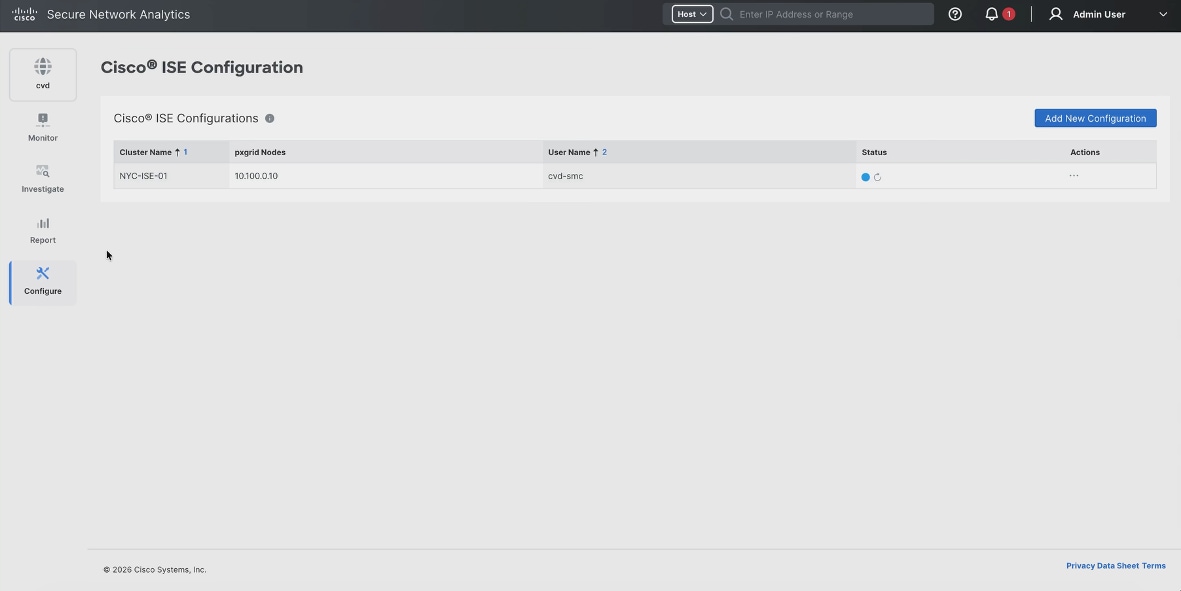
4. Review the advanced options, which govern baselining for hosts in the group and how security events, flood alarms, and address scanning are treated for its members, then create the service.
5. Enable the service and run it. The first run can take several minutes, and the service then runs every 24 hours, checking Cisco ISE for the scalable group tags and endpoint information it holds and updating the host groups accordingly.
6. When the run completes, expand Inside Hosts. The group created by the automation contains three sub-trees: by endpoint operating system, by endpoint profile, and by scalable group tag. Selecting a group shows the addresses Cisco ISE has classified into it.
The scalable group sub-tree is the one that aligns directly with the fabric. Because the endpoints in the Campus virtual network carry the Employees group tag and those in Guest carry the Guests tag, the host groups mirror the segmentation model without being maintained separately. A policy written against the Guests host group applies to exactly the endpoints the fabric places in the Guest virtual network.
Note: An empty endpoint operating system group is normal. It holds endpoints whose operating system Cisco ISE could not determine and is not an error. Groups created by the automation are recreated on the next run if they are deleted by hand.
Encrypted Traffic Analytics identifies malicious activity in encrypted traffic without decrypting it, by examining characteristics of the flow such as the sequence of packet lengths and times and the data exchanged during the TLS handshake. The network device exports those additional elements alongside the standard flow record, and Secure Network Analytics uses them to classify the traffic.
The capability depends on the exporting platform and the software release supporting the additional record elements, and on the flow monitor being configured to collect them. It is therefore a property of the flow export configuration rather than something enabled in Secure Network Analytics.
Note: Encrypted Traffic Analytics is not enabled in this build. The wireless policy profiles read from the controller report it as disabled, and it was not configured on the wired flow monitors. Where it is required, confirm platform and release support for every exporting device before relying on it, and record the configuration and its verification before this subsection is treated as final.
Detection, alarms, and response workflows
Secure Network Analytics builds a behavioral baseline for each host and raises alarms when behavior departs from it or matches a known pattern. In a fabric deployment three things make those alarms more actionable than flow analysis alone.
The first is identity. Because Cisco ISE supplies the session, an alarming host is identified by user and endpoint rather than by address, which matters in a fabric where an endpoint keeps its address as it moves between fabric edge nodes.
The second is group context. Because host groups are built from the scalable group tags the fabric already assigns, an alarm can be assessed against what that group is expected to do. Traffic between two groups that policy permits but that has never previously occurred is visible as a change in behavior, which is exactly the case segmentation policy alone cannot detect.
The third is response. Adaptive Network Control allows the operator to quarantine the host from the same dashboard, with the change applied at the fabric edge node through Cisco ISE.
A practical workflow follows from that: an alarm is raised against a host group, the host is identified from its Cisco ISE session, its recent conversations are examined against what the group normally does, and if the activity warrants it the endpoint is quarantined pending investigation.
Validation and use case testing
Validate the integration in the order the data flows, because each stage depends on the one before it.
1. Confirm the devices are exporting. The Telemetry Broker input should show an active state and a received rate on the port configured in the telemetry settings.
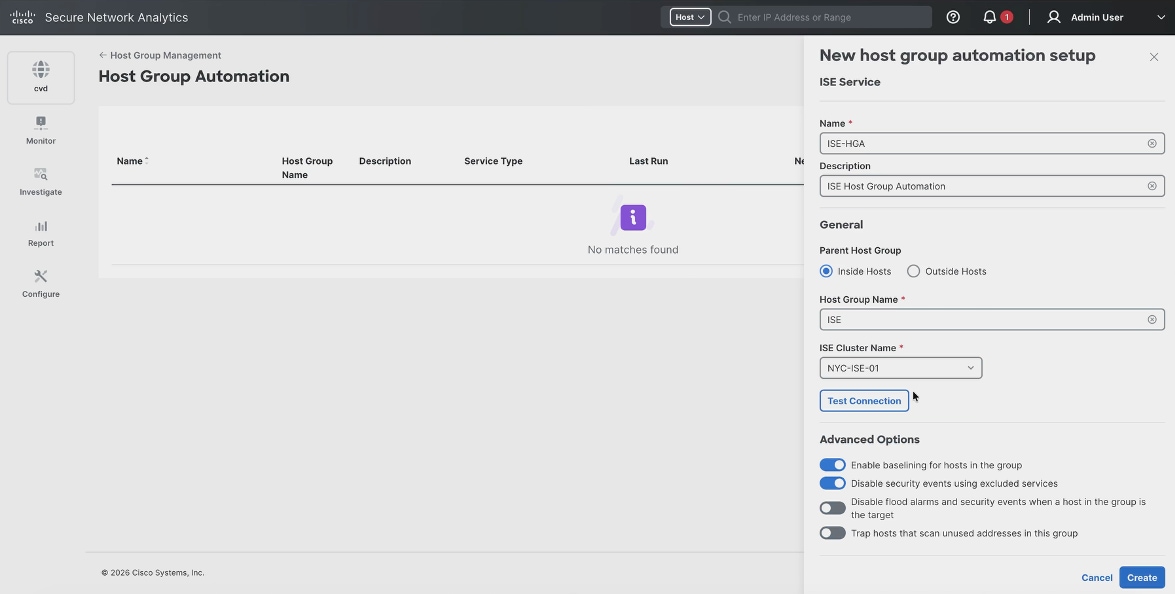
2. Confirm the broker is forwarding. Each connected output should report the volume and rate it is sending, including the output pointing at the Secure Network Analytics flow collector and the output pointing back at Cisco Catalyst Center.
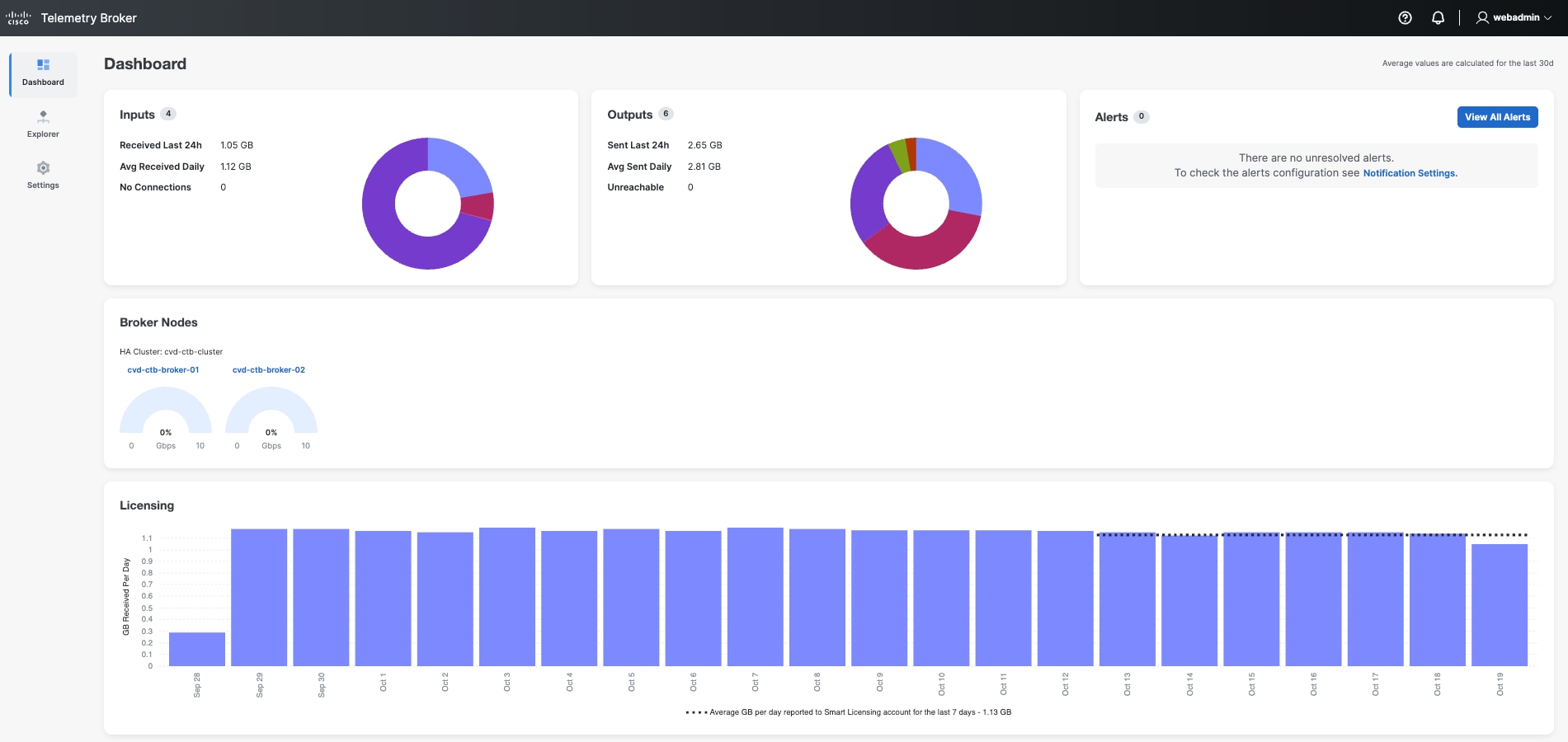
3. Confirm Secure Network Analytics is collecting. The flow collection trend on the security insight dashboard should report a non-zero flow rate for the flow collector.
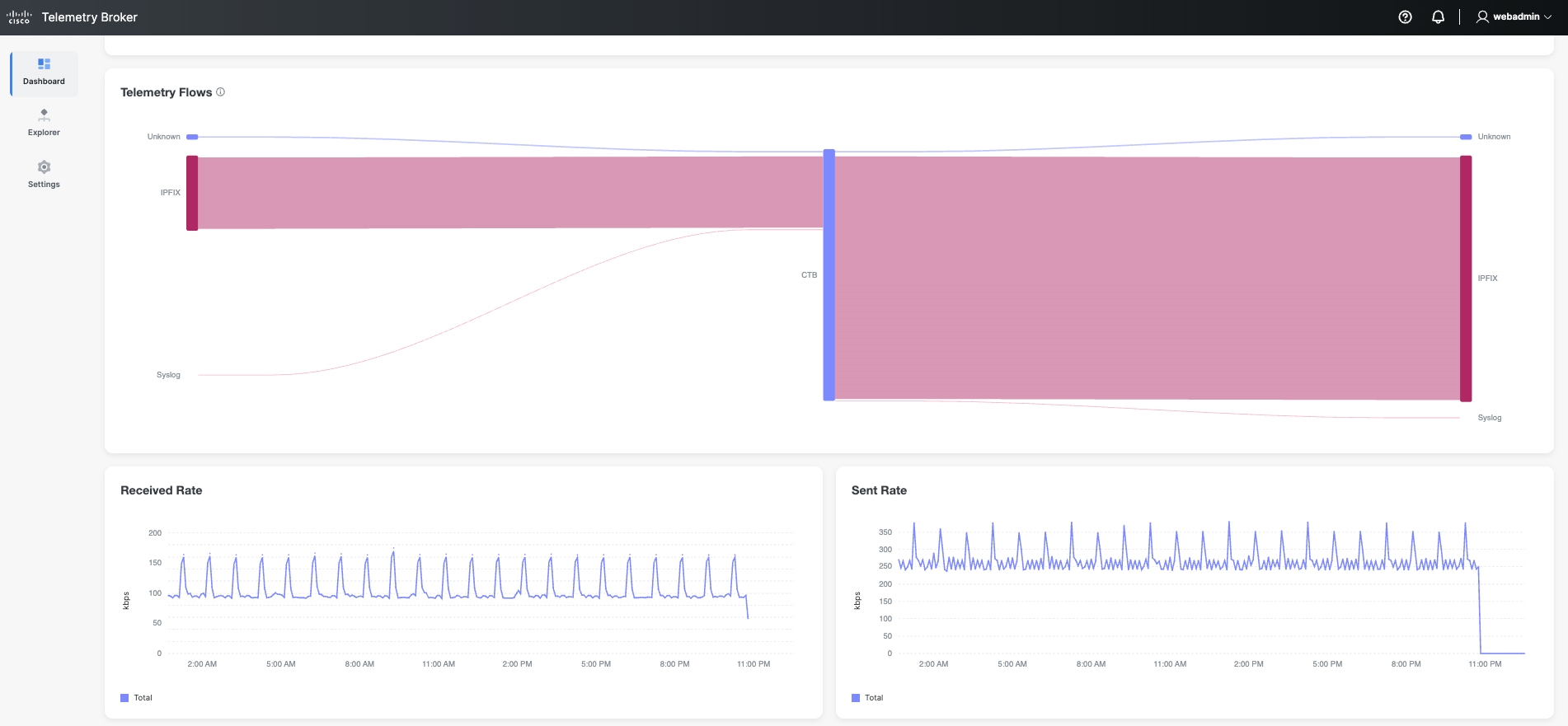
4. Confirm the Cisco ISE integration. The connection status on the Cisco ISE configuration page should report connected, and live sessions should appear against hosts in the dashboards.
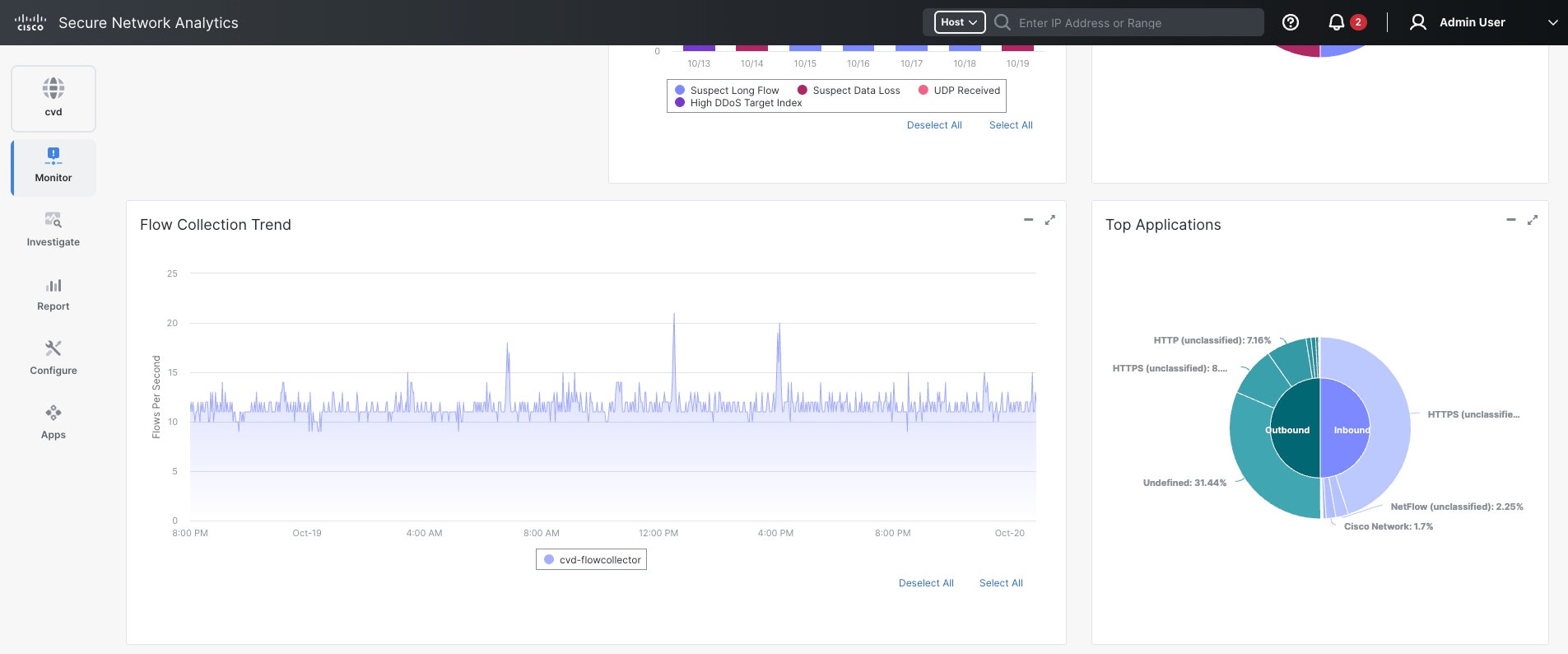
5. Confirm host group automation. Expanding Inside Hosts should show the automation group populated with endpoints classified by operating system, profile, and scalable group tag.
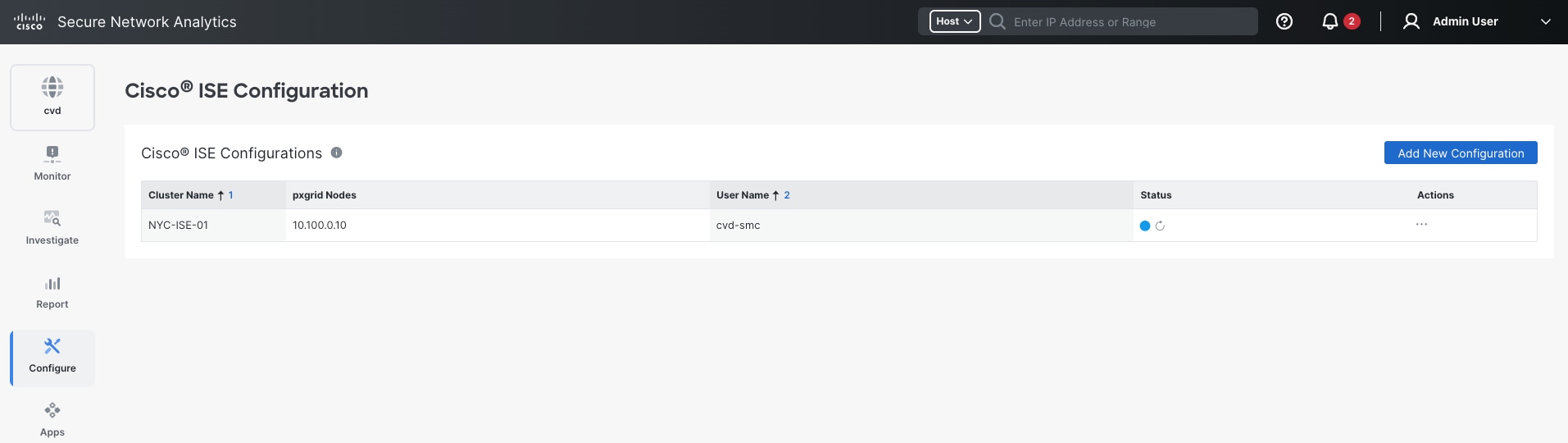
6. Confirm response. For a host with a live Cisco ISE session, the quarantine action should be available from the host address, and the resulting authorization change should be visible in the session on the fabric edge node.
This guide described how to deploy a medium-scale, single-site Cisco SD-Access fabric managed on premises by Cisco Catalyst Center, as an implementation of the Cisco Secure Networking Reference Architecture. LAN Automation builds the routed OSPF underlay. Catalyst Center workflows then provision the LISP VXLAN overlay, BGP VRF-Lite handoffs to the fusion nodes, fabric-enabled Wi-Fi 7 wireless, and a policy extended node. Cisco ISE supplies the identity, virtual network placement, and scalable group tags that drive macro- and micro-segmentation.
Step 6 checks the result against the running fabric: underlay adjacencies and MTU, LISP registrations, client onboarding, the virtual network boundary, and Assurance health. Two points carry forward to production. The build was validated on Catalyst Center 3.2.1, in which OSPF in LAN Automation is a Beta feature, so new deployments should use 3.2.3 or later. Secure Network Analytics flow collection, detection, and Adaptive Network Control response are validated in the Cisco Secure Network Analytics integration section.
The versions validated in the reference build are listed in Reference deployment information > Version alignment and licensing. For new deployments, use Cisco Catalyst Center 3.2.3 or later, in which OSPF in the LAN Automation workflow is a supported feature. Confirm the combination of Catalyst Center, Cisco IOS XE, Cisco ISE, and Secure Network Analytics releases against the Cisco SD-Access compatibility matrix before deployment or upgrade.
The following excerpts were taken from the running fabric. Cisco Catalyst Center generates this configuration. It is shown for reference, not for entry by hand.
Border node, Campus virtual network handoff (NYC103-CP-BR-01). One VLAN and SVI per fusion node carry the Campus VRF. The fabric subnets are advertised to the fusion nodes as summaries, and LISP routes are redistributed into BGP.
NYC103-CP-BR-01# show running-config interface Vlan6
interface Vlan6
description vrf interface to External router
vrf forwarding Campus
ip address 10.103.127.1 255.255.255.252
no ip redirects
ip pim sparse-mode
ip route-cache same-interface
end
NYC103-CP-BR-01# show running-config | section address-family ipv4 vrf Campus
address-family ipv4 vrf Campus
bgp aggregate-timer 0
network 10.103.67.1 mask 255.255.255.255
network 10.103.74.1 mask 255.255.255.255
network 10.103.127.0 mask 255.255.255.252
network 10.103.127.4 mask 255.255.255.252
aggregate-address 10.103.74.0 255.255.255.0 summary-only
aggregate-address 10.103.67.0 255.255.255.0 summary-only
redistribute lisp metric 10 route-map LISP_TO_BGP
neighbor 10.103.127.2 remote-as 65100
neighbor 10.103.127.2 update-source Vlan6
neighbor 10.103.127.2 activate
neighbor 10.103.127.2 send-community both
neighbor 10.103.127.2 weight 65535
neighbor 10.103.127.6 remote-as 65100
neighbor 10.103.127.6 update-source Vlan7
neighbor 10.103.127.6 activate
neighbor 10.103.127.6 send-community both
neighbor 10.103.127.6 weight 65535
Fabric edge node, Campus anycast gateway (NYC103-Edge1). The same SVI, with the same IP and MAC address, is configured on every fabric edge node. LISP mobility registers the endpoints learned on it with the control plane.
NYC103-Edge1# show running-config interface Vlan274
interface Vlan274
description Configured from Catalyst Center
mac-address 0000.0c9f.fc37
vrf forwarding Campus
ip address 10.103.74.1 255.255.255.0
ip helper-address 10.100.0.5
no ip redirects
ip pim passive
ip route-cache same-interface
ip igmp version 3
ip igmp explicit-tracking
no lisp mobility liveness test
lisp mobility Campus-IPV4
end
| Area |
Command |
Run on |
Expected result |
| Underlay |
show ip ospf neighbor |
Intermediate or border node |
FULL adjacency to every directly connected fabric node |
| Underlay |
show ip ospf interface brief |
Any fabric node |
Loopback0 in Area 1 as LOOP; each fabric link P2P with one neighbor |
| Underlay |
show system mtu |
Any fabric node |
Global Ethernet MTU is 9100 bytes |
| Control plane |
show lisp session |
Border and control plane node |
Sessions Up to every fabric node and the wireless controller |
| Control plane |
show lisp instance-id 4099 ipv4 server summary |
Border and control plane node |
Endpoints registered for the virtual network |
| Control plane |
show lisp instance-id 4099 ipv4 database |
Fabric edge node |
Local EIDs with the node's own Loopback0 as RLOC |
| Control plane |
show lisp instance-id 4099 ipv4 map-cache |
Fabric edge node |
Default entry with both border nodes as proxy ETRs |
| Border handoff |
show bgp vpnv4 unicast all summary |
Border node |
One established eBGP session per virtual network to each fusion node, with prefixes received |
| Onboarding |
show authentication sessions interface <interface> details |
Fabric edge node |
Method dot1x or mab, status Authorized, VLAN and SGT from Cisco ISE |
| Onboarding |
show device-tracking database |
Fabric edge node |
IP-to-MAC bindings for endpoints and the anycast gateways |
| Policy |
show cts environment-data |
Fabric edge or policy extended node |
State COMPLETE, ISE server ALIVE, SGT table downloaded |
| Policy |
show cts role-based permissions |
Fabric edge node |
SGACLs for each group pair in the policy matrix; default permit only when none is applied |
| Wireless |
show wireless fabric summary |
Wireless controller |
Fabric enabled, both control plane nodes Up, VN to L2 VNID mapping |
| Wireless |
show wlan summary |
Wireless controller |
Fabric SSIDs Up with the expected security |
| Telemetry |
show flow exporter |
Switch or wireless controller |
Destination 10.100.1.105, UDP port 7055 (Telemetry Broker) |
| Acronym |
Meaning |
Acronym |
Meaning |
| AAA |
Authentication, authorization, and accounting |
PEN |
Policy extended node |
| ANC |
Adaptive Network Control |
PKI |
Public key infrastructure |
| AVC |
Application Visibility and Control |
PnP |
Plug and Play |
| BGP |
Border Gateway Protocol |
PSN |
Policy Service Node (Cisco ISE) |
| BoM |
Bill of materials |
pxGrid |
Cisco Platform Exchange Grid |
| CTS |
Cisco TrustSec |
RADIUS |
Remote Authentication Dial-In User Service |
| EAP-TLS |
Extensible Authentication Protocol-Transport Layer Security |
RLOC |
Routing locator |
| EID |
Endpoint identifier |
SBEN |
Supplicant-based extended node |
| ERS |
External RESTful Services (Cisco ISE API) |
SGACL |
Security group access control list |
| ETR |
Egress tunnel router |
SGT |
Scalable group tag |
| FNF |
Flexible NetFlow |
SNA |
Cisco Secure Network Analytics |
| IGP |
Interior gateway protocol |
SNRA |
Cisco Secure Networking Reference Architecture |
| IID |
LISP instance identifier |
SSID |
Service set identifier |
| IPFIX |
IP Flow Information Export |
SVI |
Switched virtual interface |
| IS-IS |
Intermediate System to Intermediate System |
VN |
Virtual network |
| ISE |
Cisco Identity Services Engine |
VNID |
Virtual network identifier |
| LISP |
Locator/ID Separation Protocol |
VRF |
Virtual routing and forwarding |
| MAB |
MAC Authentication Bypass |
VXLAN |
Virtual Extensible LAN |
| MTU |
Maximum transmission unit |
WLC |
Wireless LAN controller |
| OSPF |
Open Shortest Path First |
WPA2, WPA3 |
Wi-Fi Protected Access 2 and 3 |
| PAN |
Policy Administration Node (Cisco ISE) |
XDR |
Cisco Extended Detection and Response |
● Cisco Secure Networking overview
● Cisco Live BRKENS-2810, Cisco SD-Access Solution Fundamentals
● Cisco Catalyst Center Installation Guide, Release 3.2.x
● Cisco Catalyst Center User Guide, Release 3.2.x
● Release Notes for Cisco Catalyst Center, Release 3.2.3
● Cisco Catalyst Center Administrator Guide, Release 3.2.x
● Cisco SD-Access Compatibility Matrix
● Cisco Catalyst and Cisco DNA Software Subscription Matrix for Switching
● Cisco Identity Services Engine Administrator Guide, Release 3.5: Cisco pxGrid
● Cisco Secure Network Analytics installation and configuration guides
● Integrate ISE 3.3 with Secure Network Analytics 7.5 (TechNote)
● Understand AVC on the Catalyst 9800 Wireless Controller (TechNote)