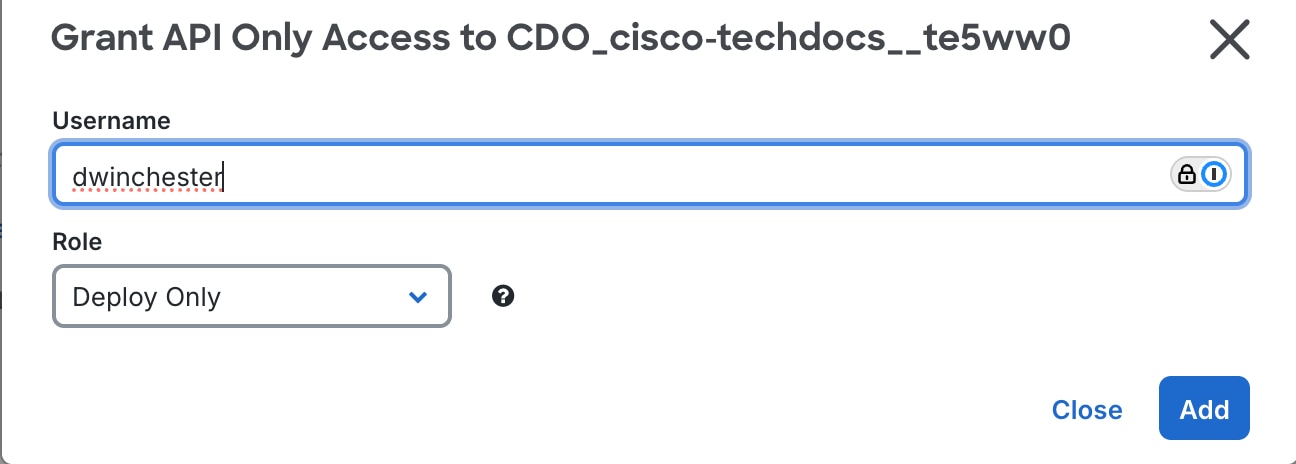
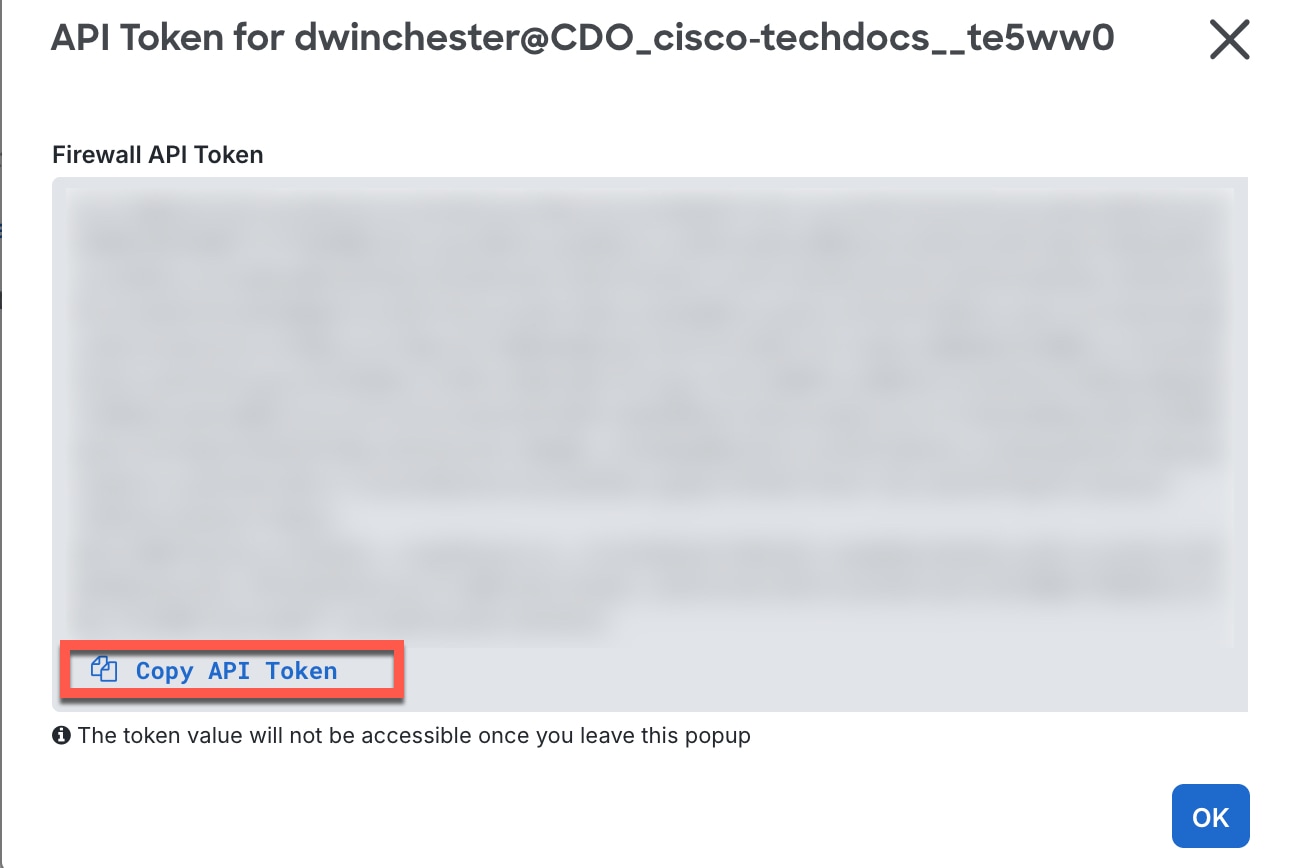
Manage credentials that Mesh Policy Engine uses to connect to install targets and intermediary managers through the interface or API.
To securely connect to the install targets, Mesh Policy Engine must authenticate the install targets using their credentials. Create a local copy of your credentials using JSON. Each credential is a reusable object that you can use for one or more install targets by name. This procedure lets you upload all of your credentials in bulk. If you want to update a credential, you need to paste in the complete credential set; Mesh Policy Engine replaces any existing credentials with the ones you upload.
You don't need to add Firewall Threat Defense credentials because they are imported directly from Security Cloud Control.
Procedure
| 1. | For the Security Cloud Control Firewall Management intermediary manager for ASA, generate a TOKEN type credential.
|
|
| 2. | Create a local JSON file with your named credential objects. Use the following JSON example showing the two credential types, USERNAME_PASSWORD and TOKEN: |
|
| 3. | From the Security Cloud Control Home page, click Mesh Policy Engine. |
|
| 4. | Choose . |
|
| 5. | Paste the JSON text for all credentials into the window and click Submit. 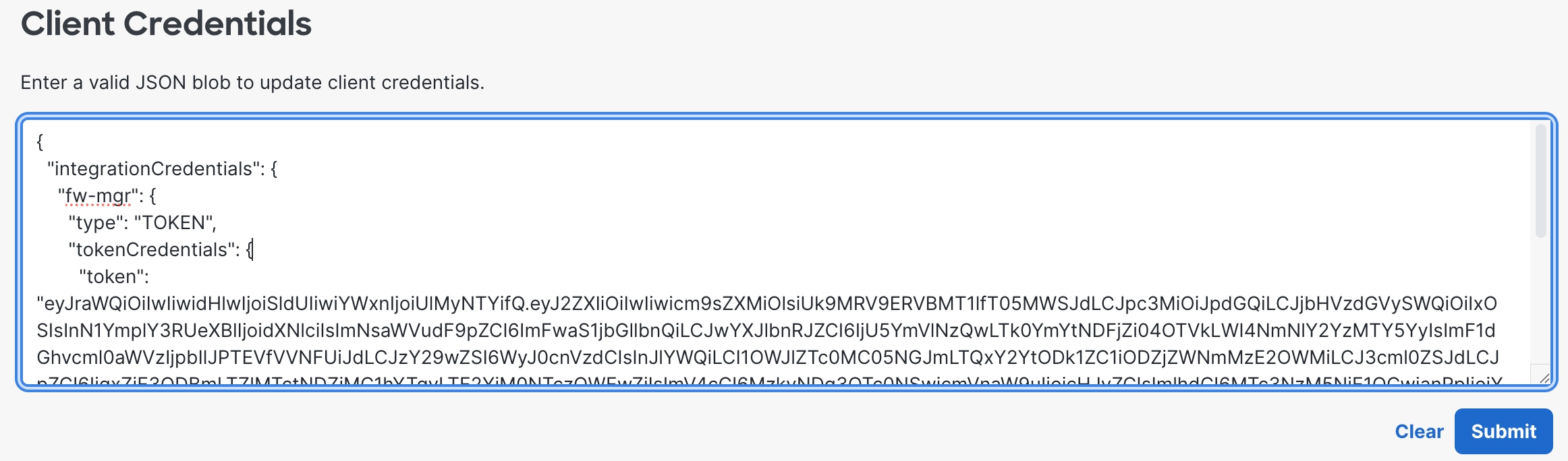
When you add install targets and topology, you will refer to the credential name. In the above graphic, the name shown is "fw-mgr." |
 )
)