Overview
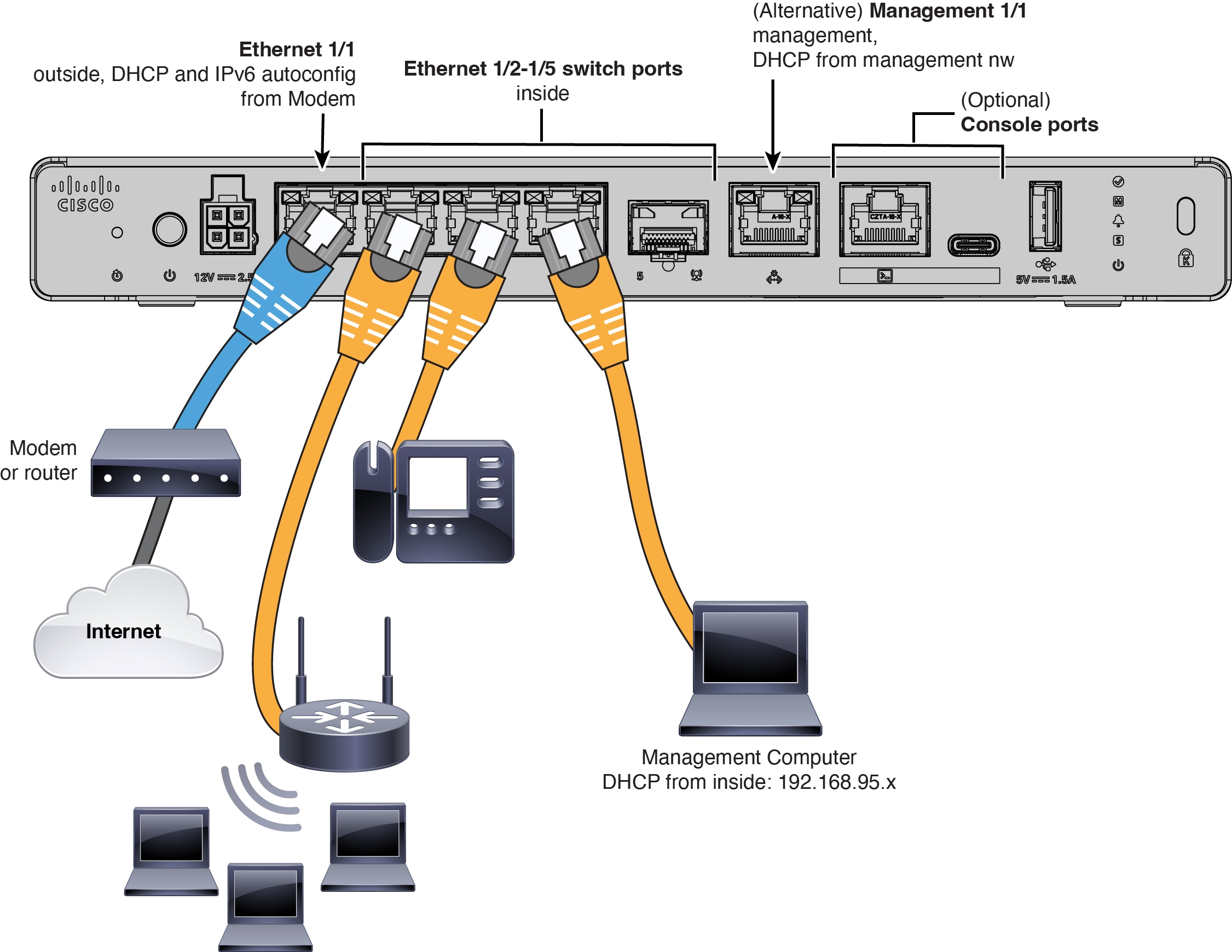
Learn how to cable the Secure Firewall 200 so you can complete the initial hardware setup and prepare required ports for network connectivity before configuration.
-
Install an SFP into Ethernet 1/5—It is a 1-Gbps SFP port that requires an SFP module.
-
See the hardware installation guide for more information.