Learn how to onboard a Cisco IOS device. You can onboard a live Cisco device running Cisco IOS (Internetwork Operating System).
You can onboard a live Cisco device running Cisco IOS (Internetwork Operating System).
Cisco Security Cloud Control: Cisco IOS Management
Learn how to onboard a Cisco IOS device. You can onboard a live Cisco device running Cisco IOS (Internetwork Operating System).
You can onboard a live Cisco device running Cisco IOS (Internetwork Operating System).
Before you begin, ensure that all prerequisites are met.
Your Cisco IOS server must support ciphers that are compatible with Security Cloud Control. Currently, Security Cloud Control supports a limited set of ciphers for onboarding Cisco IOS devices. Supported ciphers are aes128-ctr, aes192-ctr, aes256-ctr, aes128-gcm, aes128-gcm@openssh.com, aes256-gcm, aes256-gcm@openssh.com.
Log in to your Secure Device Connector (SDC) and run the command ssh -vv <ip_address> to view the ciphers your server supports.
You must have an active on-premises Secure Device Connector (SDC) in your network to add a Cisco IOS device.
For more information about SDCs and deployment scenarios, refer to About Secure Device Connector.
Click the blue add button  to begin onboarding the device.
When you onboard a Cisco Integrated Services Router (ISR) or Aggregation Services Router (ASR) device to Security Cloud Control, the device’s running configuration is represented as a Cisco IOS model. This model is a copy of the device configuration and is used to centrally manage supported security settings, such as firewall and VPN policies. You can download the Cisco IOS model as a text file and import it into another tenant that you manage to replicate or reuse the configuration.
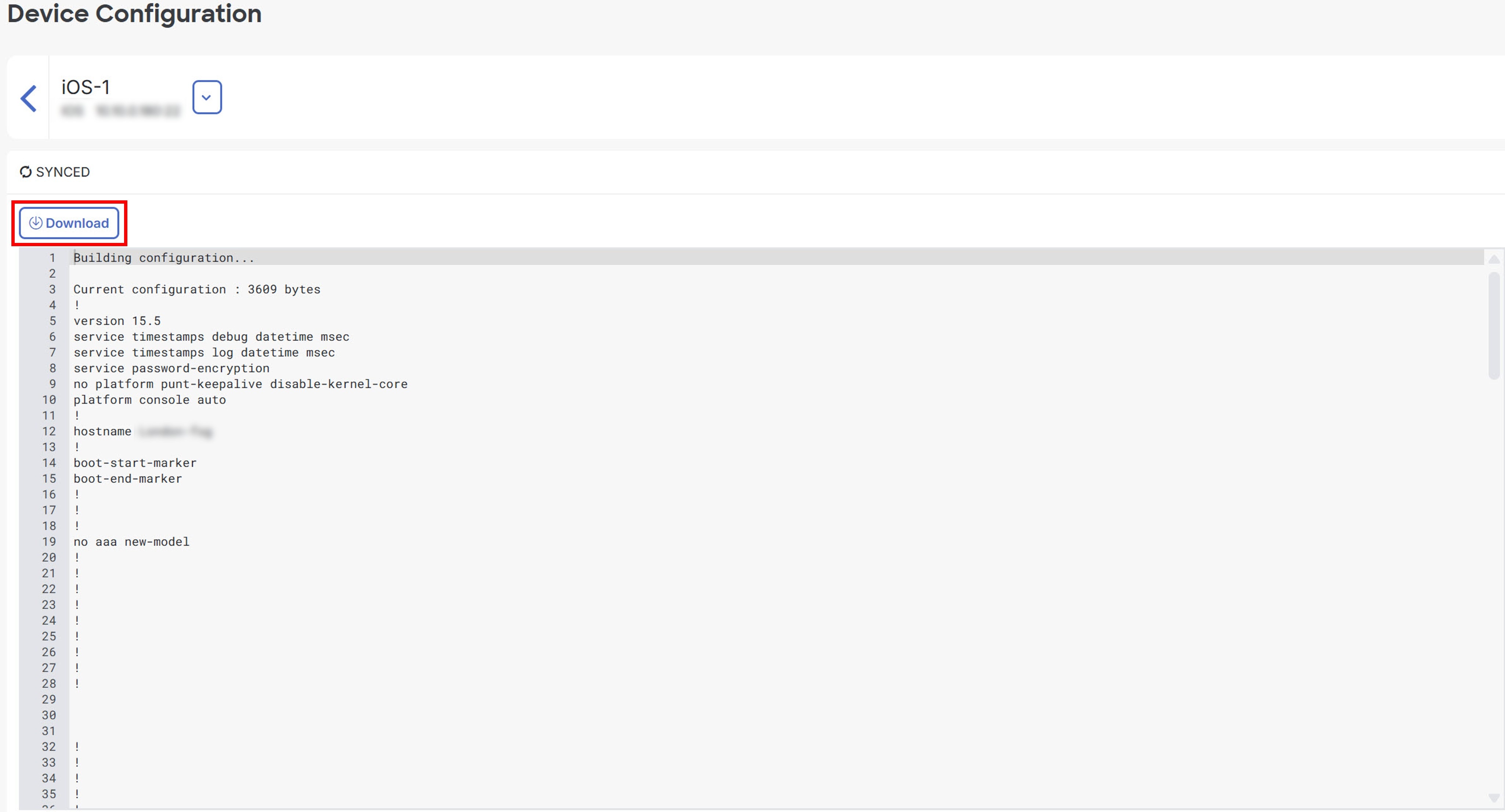
You can download the configuration for an onboarded Integrated Services Router (ISR) or Aggregation Services Router (ASR) device from Security Cloud Control and use it to bootstrap the device or save its current managed configuration locally.
Click Download to download the device configuration to your local computer.
You can import an Integrated Services Router (ISR) or Aggregation Services Router (ASR) configuration file into Security Cloud Control without onboarding a physical device. Uploading a text-based configuration file creates a model device in Security Cloud Control. You can use this model for analysis, labeling, and policy management. After you import and process the configuration, the model appears in the Security Devices list for further use.
Click the blue add () button to import the configuration.
Configuration import for offline device management is a feature that
allows you to review, analyze, and optimize device settings without requiring access to a live device in your network
creates models that represent copies of device configurations for policy review, planning, and reuse, and
processes uploaded configuration files so they appear in the Security Devices list for labeling, reviewing, and managing like other supported devices.
You can import the configurations for these device types into Security Cloud Control Firewall Management:
Cisco IOS devices such as Aggregation Services Routers (ASRs) and Integrated Services Routers (ISRs): You can upload a text-based running configuration file to create an IOS model for offline analysis and reuse. For more information, refer to Create and Import an ASR or ISR Model.
Follow these steps to delete a device from Security Cloud Control Firewall Management: