
Cisco Nexus Hyperfabric — Use Quick Command CLI for Network Troubleshooting
Quick Command CLI
Use the Quick Command CLI to test connectivity, clear switch data, and inspect fabric, device, interface, transceiver, route, and endpoint state for troubleshooting. It enables efficient access to fabric and device data without navigating through the graphical user interface.
Use the Quick Command CLI to test connectivity, clear switch data, and view fabric or device details.
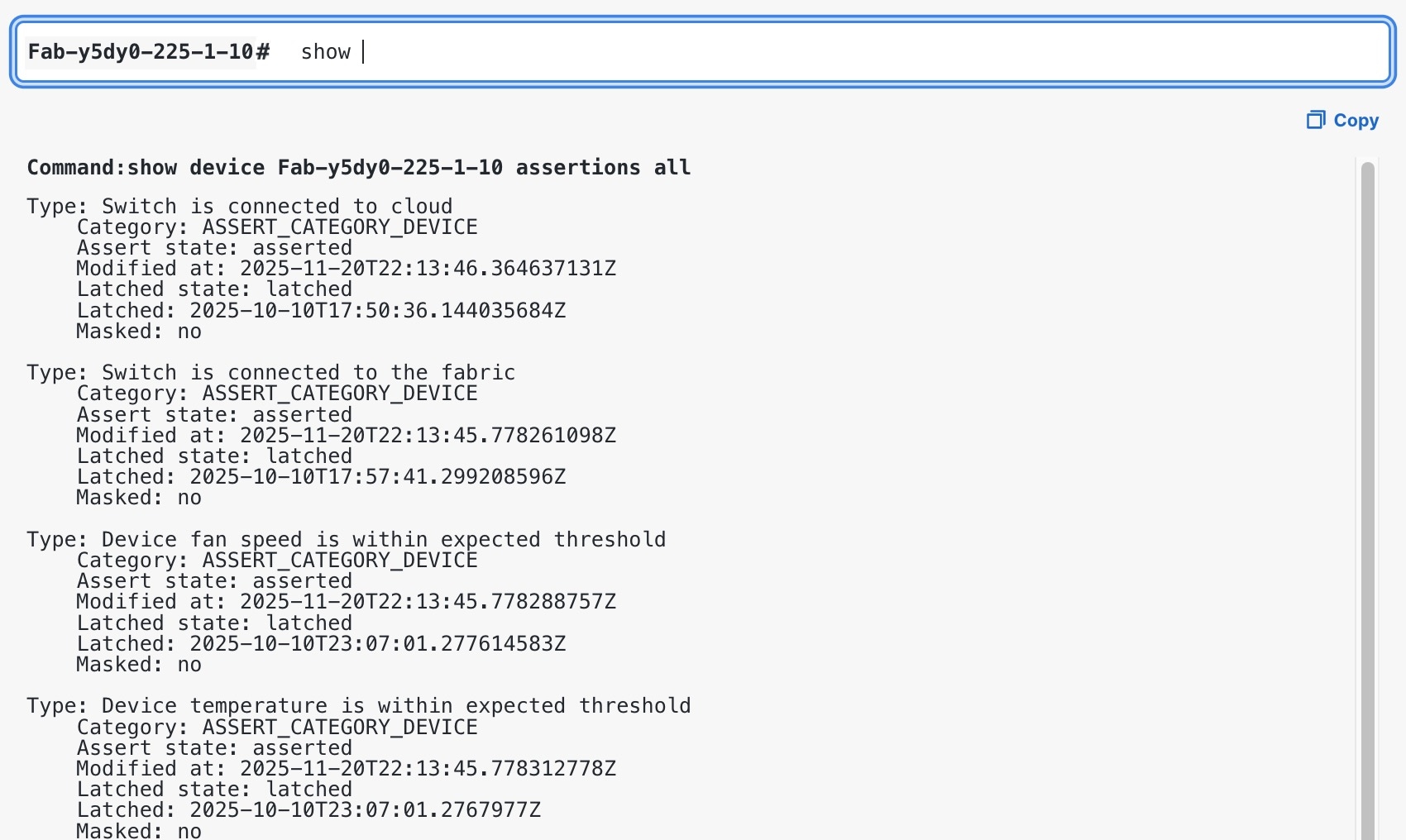
Using the Quick Command CLI
Step 1 | Select Fabrics, then choose the fabric you want to see information for. |
Step 2 | From the top menu, select |
Step 3 | Enter ? or press Tab to show available command options or help auto-complete a command. 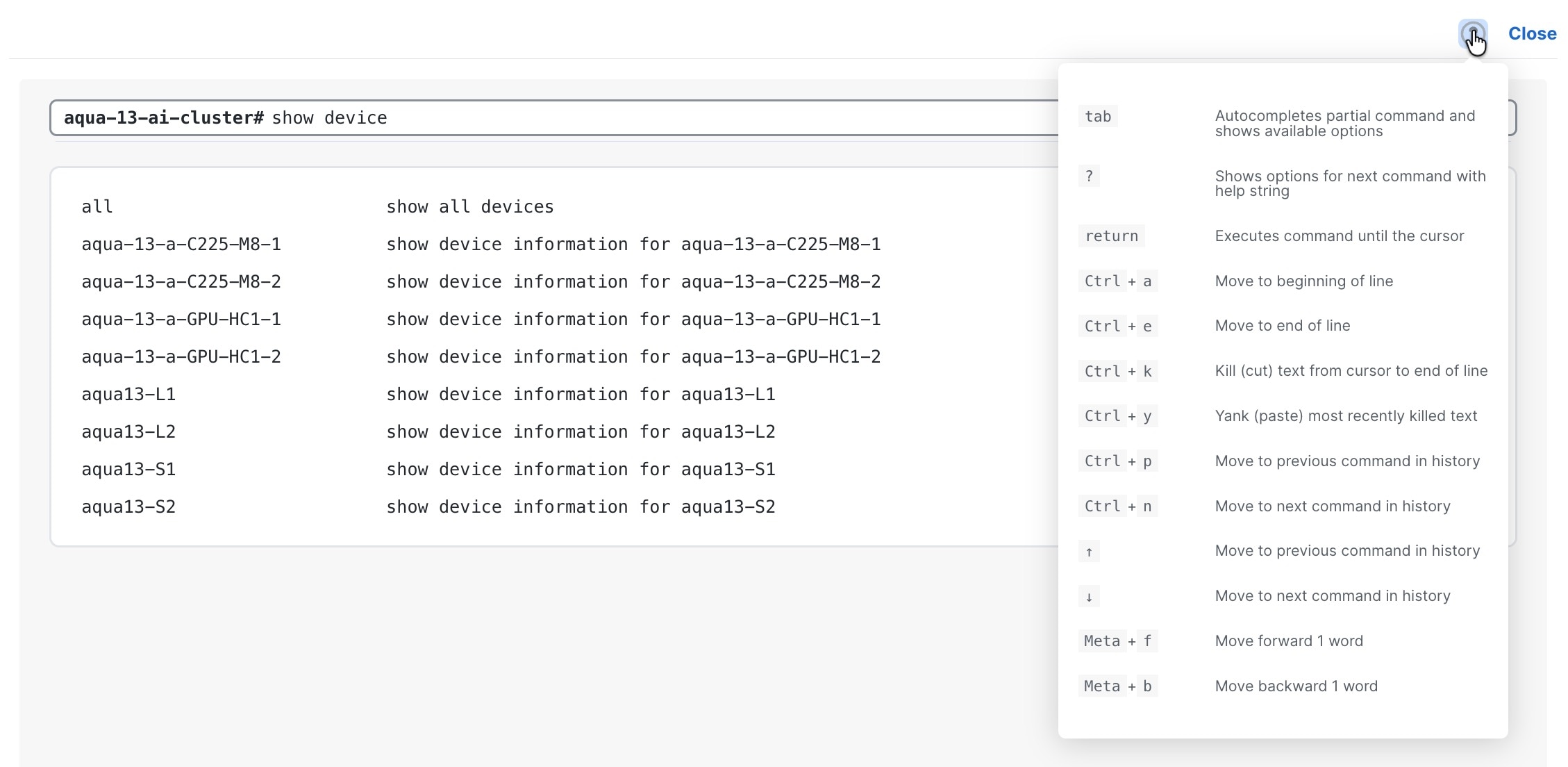 |
Step 4 | Enter a command. For more information on commands, refer to: |
Step 5 | Enter an option and press Enter to run a command. In this example, the Quick Command CLI displays:
You can copy the command and results. 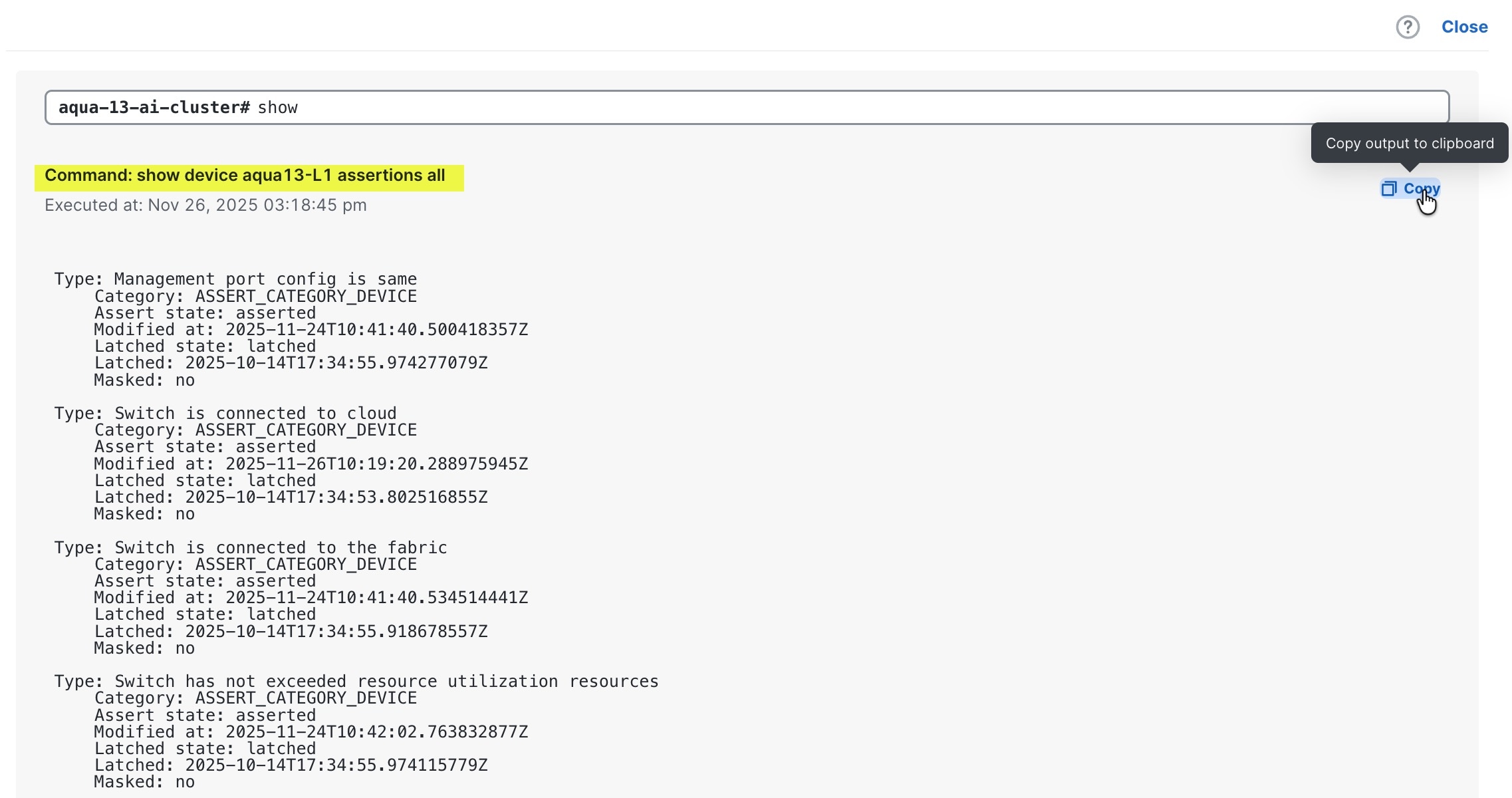 |
 .
.Run connectivity tests
Use a connectivity test to send traffic from a switch to a destination and verify reachability or trace a path.
Gather these details before running the test:
- the connectivity test you want to run, and its syntax. For more information, refer to Connectivity test commands.
- the destination IP address or hostname, and
- the optional source interface, VRF name, number of pings to send, and time in seconds to run the ping.
Step 1 | Enter device scope for the switch that you want to run the test from. |
Step 2 | Run the connectivity test for the destination. Example: |
Step 3 | Review the results, and press Ctrl+C to stop the test if necessary. |
Step 4 | Exit device scope. |
The connectivity test reports whether the destination is reachable.
Connectivity test commands
This table describes the connectivity tests.
|
Task |
Description |
Command |
Example |
|---|---|---|---|
|
Verify reachability |
Sends ICMP packets to verify reachability. Reports packet loss and round-trip time. |
|
|
|
Verify Layer 2 reachability |
Sends ARP requests to verify Layer 2 reachability, which helps isolate Layer 3 issues. Reports attempts sent and answered. |
|
|
|
Test TCP reachability |
Checks TCP connectivity to a destination and port when ICMP is blocked. Reports whether the port is reachable. |
|
|
|
Trace the path |
Traces the route to a destination. Lists each hop in the path. |
|
|
|
Trace the TCP path |
Traces the TCP route to a destination and port. Lists each hop in the TCP path. |
|
|
Variable descriptions:
- destination: Destination IPv6 or IPv4 address, or hostname.
- port: TCP port number. The range is from 1 to 65535.
- interface: Source interface name.
- vrf: VRF name.
- source: Source IP address or hostname for ARP requests.
- count: Number of packets or attempts. The range is from 1 to 1000
- wait: Wait time, in seconds. The value is 1 or higher.
- max-hops: Maximum hop count. The range is from 1 to 255.
Clear switch data
Use the clear commands during troubleshooting to reset the ARP cache and the IPv6 NDP cache on a selected switch. These commands require a selected or scoped switch. Only administrators and read-write users can run the clear commands.
Command descriptions
-
clear ip arp: Clears the targeted entry within the specified scope. The Quick Command CLI then reflects the updated switch state. -
clear ip ndp: Clears the IPv6 neighbor entry for the specified IPv6 address and VRF scope on the selected switch.
Before you clear an entry, identify the target IP address (or interface name) and the VRF scope. You can find the target IP address in the IP route data. For more information, refer to Fabric and device commands. To avoid clearing unintended entries, you must provide the VRF scope.
Step 1 | Enter device scope for the switch. |
Step 2 | Run the clear command with the IP address and required VRF scope: For example: |
Step 3 | Exit device scope. |
The selected cache is cleared on the switch, and the Quick Command CLI reflects the updated state from the switch telemetry.
View fabric and device data
Use show commands to view fabric, device, switch, server, interface, route, and endpoint data. You can run commands in scoped form after selecting a device, or use the fully qualified form with a fabric, device, server, or switch selector.
Identify the command you want to run and the data you want to view. For more information, refer to Fabric and device commands.
Step 1 | Choose how to run the command.
| ||||||
Step 2 | Run the command. Fully qualified form example:  Note NoteAdd | ||||||
Step 3 | (Scoped form only) Exit device scope when you are done. |
The Quick Command CLI displays the requested fabric, device, or switch data.
Fabric and device commands
This table lists representative commands for viewing fabric, device, and switch data. It is not an exhaustive list. To see the available options at any point in a command, press Tab or enter ?. Add table to a command for tabular output.
|
Data category |
Description |
Example command |
|---|---|---|
|
Inventory |
Lists all fabrics, devices, servers, and switches, with summary details such as name, model, and status. |
|
|
Fabric details |
Shows configuration and health for a fabric, including the recommended remedy action for a reported issue. |
|
|
Device information |
Shows device details, such as model, serial number, and software version, and the processes running on the device. |
|
|
Ports |
Shows port details, breakouts, and traffic counters for a single port or all ports on a device. |
|
|
VLAN-to-VNI mapping |
Shows how VLANs map to VNIs on a device. |
|
|
Environment |
Shows the status of fans, power supplies, and temperature sensors on a device.. |
|
|
BGP |
Shows the BGP neighbor summary, per-VRF details, neighbor details, and the routes received from a neighbor. |
|
|
QSFP |
Shows QSFP Digital Optical Monitoring (DOM) data and transceiver information for the ports on a device. |
|
|
Assertions |
Shows device assertions, including whether the device is connected to the fabric and to the cloud. |
|
|
Routing |
Shows route information for the selected switch. |
|
NoteValues such as the fabric name, switch name, port, VRF, and neighbor are values that you supply or select from command completion.
Interface and transceiver commands
Use interface and transceiver commands to inspect transceiver presence, status, errors, information, and firmware for interfaces on a selected switch.
|
Command |
Description |
|---|---|
|
|
Shows whether transceivers are present on interfaces. |
|
|
Shows transceiver status for interfaces. |
|
|
Shows transceiver error status for interfaces.. |
|
|
Shows transceiver information for interfaces. |
|
|
Shows transceiver information for firmware. |