Cisco Nexus Hyperfabric — Fabric Reference Points
Fabric Reference Points
Fabric Reference Points compares two fabric snapshots to identify changes. A snapshot is a capture of the fabric's operational telemetry and assertion states at a specific time.
You can promote a snapshot to a baseline to create a reference state. Comparing subsequent snapshots against this baseline identifies deviations.
Change metric types
When you compare a snapshot against a baseline, the system categorizes these types of changes.
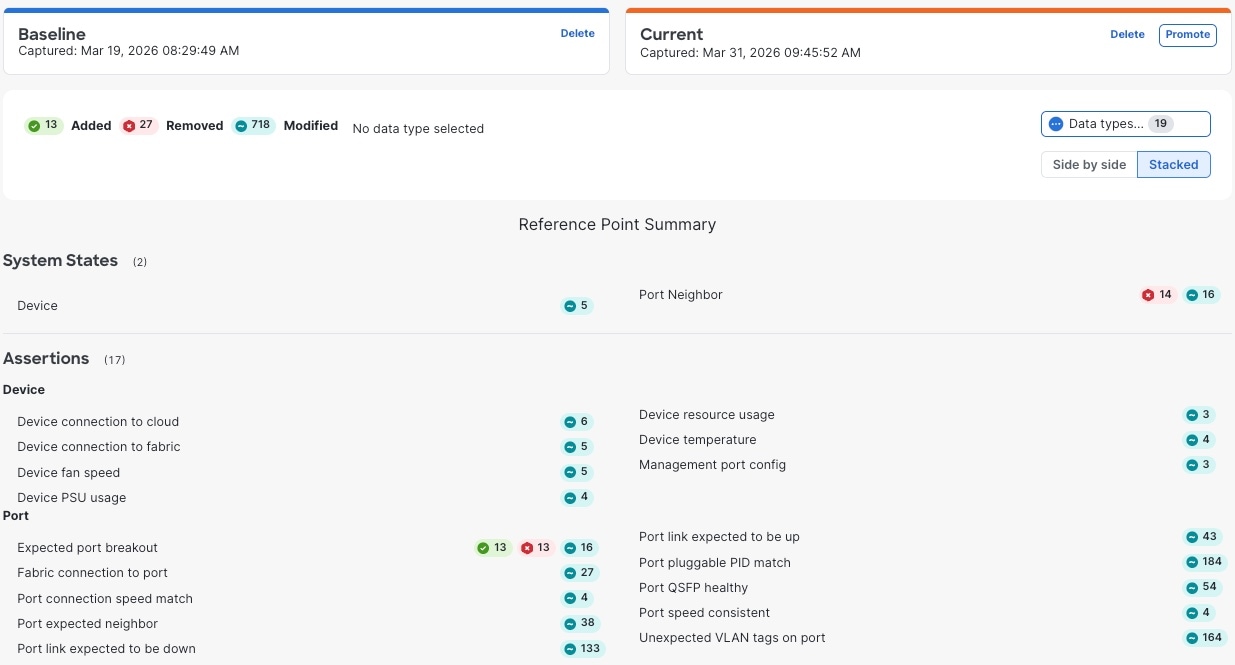
- Added: Elements present in the current snapshot but not in the baseline.
- Removed: Elements present in the baseline but not in the current snapshot.
- Modified: Elements present in both snapshots that have different values or states.
Supported data types
The system compares these two categories of data.
- System states: Operational telemetry, such as device resource usage and management port configurations.
- Assertions: Health and configuration rules, such as port link status, device temperature, and port speed consistency.
Create and promote a baseline snapshot
Use this procedure to establish a baseline. The baseline serves as a reference point to measure changes in your fabric's operational health. Capturing a snapshot when your network is functioning as intended creates an anchor for all future comparisons.
Step 1 | Navigate to the Reference points tool.
|
Step 2 | If a current snapshot exists, you can
|
Step 3 | Select Capture to record the current fabric operational state. The date and time of the snapshot appears in the Current area. |
Step 4 | Select Promote to set the snapshot as a baseline reference point for future comparisons. The date and time of the snapshot disappears from the Current area and appears in the Baseline area. |

Compare snapshots
Use this procedure to identify operational deviations in your fabric by comparing the saved baseline snapshot against the current system state. Comparing snapshots helps you troubleshoot instability, verify configuration changes, and identify drift from your established baseline.
When network performance degrades or behavior changes, comparing your current operational state against a baseline helps you identify the cause.
Ensure a baseline reference point exists.
Step 1 | Navigate to Reference points.
|
Step 2 | If a snapshot exists in the Current area, you can
|
Step 3 | In the Current area, select Capture. |
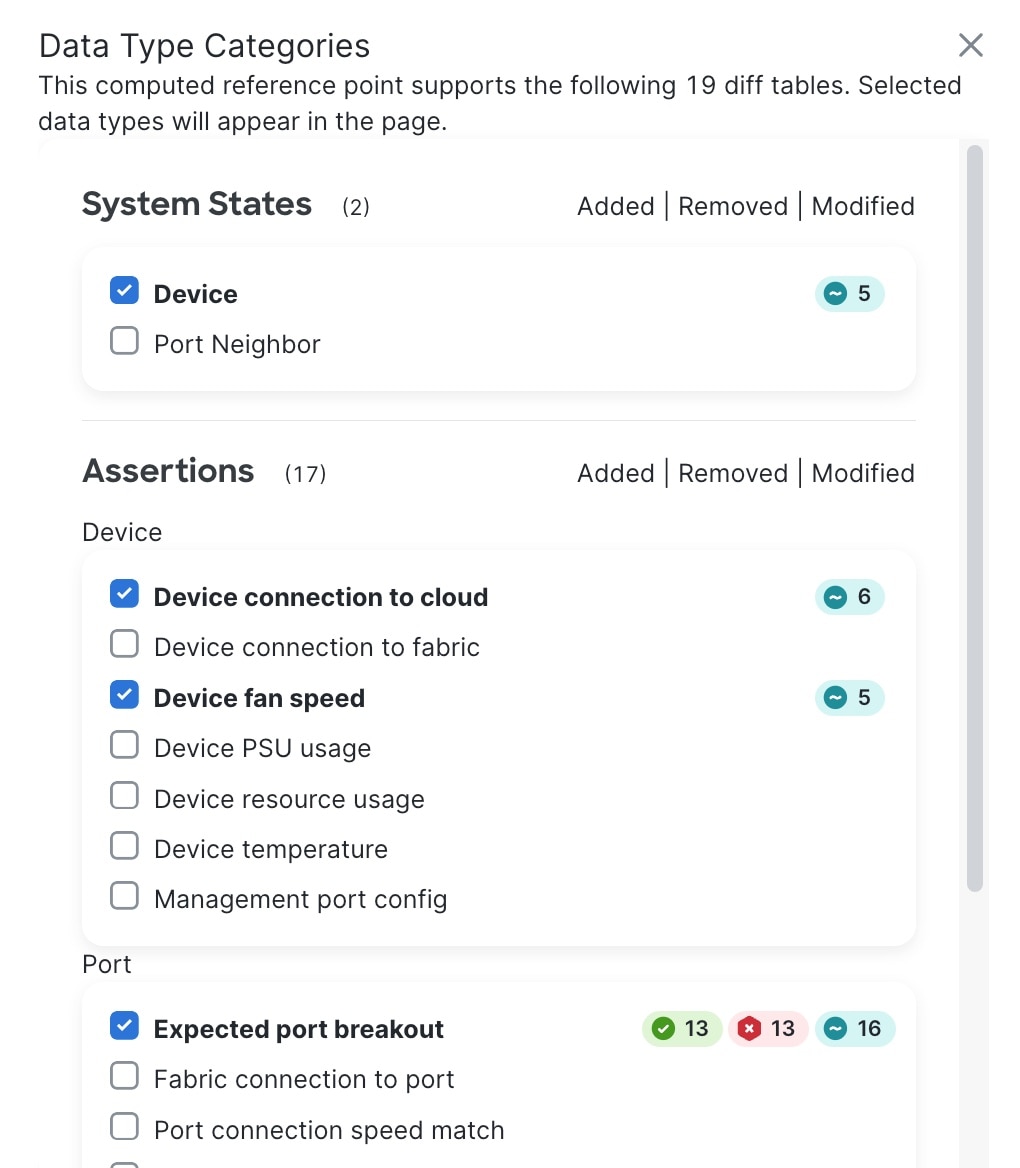
Step 4 | Review the change summary. The system displays a color-coded summary of differences, allowing you to pinpoint system state or assertion-based changes since the baseline was captured. Scroll through the Reference Point Summary to inspect specific changes.
|
Step 5 | Analyze the detailed differences.
|
 Note
Note