RV100 Product Family
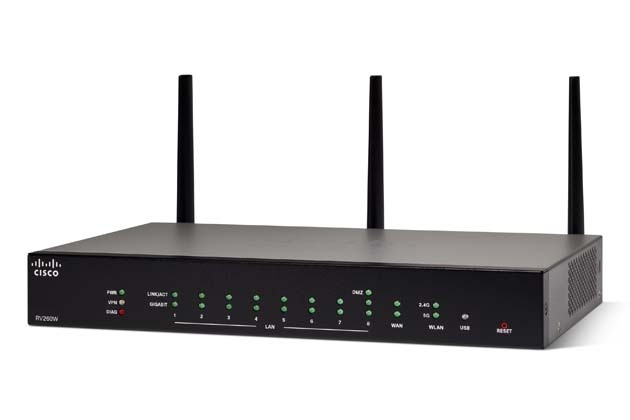
The Cisco® Small Business RV Series has a long tradition with our partners and customers. The new Cisco RV100 family of routers continue the tradition with a blend of performance, security, and quality, plus simple configuration, deployment, and flexibility.
-
Design
Install and Upgrade
Configure
-
Configure Web Filtering on the RV13x and RV32x Series Routers
-
Set Up a Wireless Connection via Wi-Fi Protected Setup (WPS) on an RV Series Router
-
Configure Static Dynamic Host Configuration Protocol (DHCP) on an RV Series Router
-
Configure Advanced Virtual Private Network (VPN) Setup on an RV130 or RV130W Router
-
Configure Virtual Local Area Network (VLAN) Membership on an RV Series Router
Maintain and Operate
-
Design
Cisco Tech Talk: EOS and EOL Announcements for Beginners | Understand Product Lifecycle & Support
In this Cisco Tech Talk, we break down the basics of End of Sale (EOS) and End of Life (EOL) announcements for beginners. Learn how to interpret these important product lifecycle milestones and how they impact your network planning, upgrades, and support decisions.
Cisco Tech Talk: Tracking Cisco Business EOS/EOL Announcements Easily
In this Cisco Tech Talk, learn how to access and interpret Cisco’s End of Sale (EOS) and End of Life (EOL) announcements for business-class products.
Configuration
Change the Default DHCP Scope on Cisco RV Series Routers | Custom IP Address Management
In this Cisco Tech Talk, we show you how to change the default DHCP scope on Cisco RV Series routers. Adjusting the DHCP scope allows you to define a custom IP address range for your local network, manage device assignments, and avoid conflicts with existing network infrastructure.
Cisco Tech Talk: Access VPN From Android Mobile Devices to Cisco RV Series Routers
Learn how to set up RV series routers to support VPN Client services on Android Mobile devices. To learn more about small business VPN, visit the Cisco Small Business RV345 router support page: http://cs.co/9002ERLzQ.
Cisco Tech Talk: Configure Class of Service
Learn how to configure Class of Service (CoS). For more, visit http://cs.co/nr0427b.
Cisco Tech Talk: Configuring DHCP Option 66 and 150 on RV Series Routers
Cisco phone IP addresses can be assigned manually or by using DHCP. To request information from the DHCP server, we’ll need to use option 150 or 66. Learn how to configure DHCP Option 66 and 150 on RV Series Routers.
Cisco Tech Talk: How To Create a Secure Tunnel Between Two RV130W Routers
Site-to-site VPN provides an internet-based infrastructure to extend network resources to remote offices, home offices, and business partner sites—all without sacrificing security. Learn how to create a Site-to-Site VPN Tunnel between two RV Series Routers. For additional support visit http://cs.co/9008E2MGM
Cisco Tech Talk: Inter-VLAN Configuration on RV180 and RV180W
Learn how to set up inter-VLAN routing on an RV180 and RV180W router. For more information, visit http://cs.co/6002DuX7Q.
Cisco Tech Talk: Remote Logging Configuration on the RV120W
Remote logging is one of the best methods to monitor the log files of multiple hosts from a single location. Learn how to configure remote logging on the RV120W here. for additional support visit http://cs.co/9006EFKGu
Cisco Tech Talk: Setting Up An Email Server Behind Cisco RV Series Routers
Learn how to Set up and Configure Router Settings to Support an Email server using an RV Series router. For additional information on this and other support materials, please visit the Cisco Small Business Support Community: http://cs.co/9004ERhF2.
How to Configure VLANs on Cisco RV Series Routers | Network Segmentation Guide
In this Cisco Tech Talk, we show you how to configure VLANs on Cisco RV Series routers to segment your network for improved performance, security, and manageability. Whether you're supporting guest access, VoIP, or separating departments, VLANs help you structure traffic with precision.
 Feedback