Customizing the Mission Control Menu Fields in Enterprise Security (ES 8)
Available Languages
Applicability
Splunk Enterprise SecurityDescription
By default, the Mission Control menu displays the following fields: Title, ID, Type, Entity, Risk Score, Findings, Intermediate Findings, Time, Disposition, Urgency, Status, Owner, and Action.
Users can customize the menu to display only the fields they need.
Investigation
Even after removing these fields, they reappear when the user logs back into the Analyst Queue.
Resolution
To customize the Mission Control menu and follow the below steps:
- Navigate to Splunk Enterprise Security -> Mission Control Panel.
- Click the gear icon on the right side of the page.
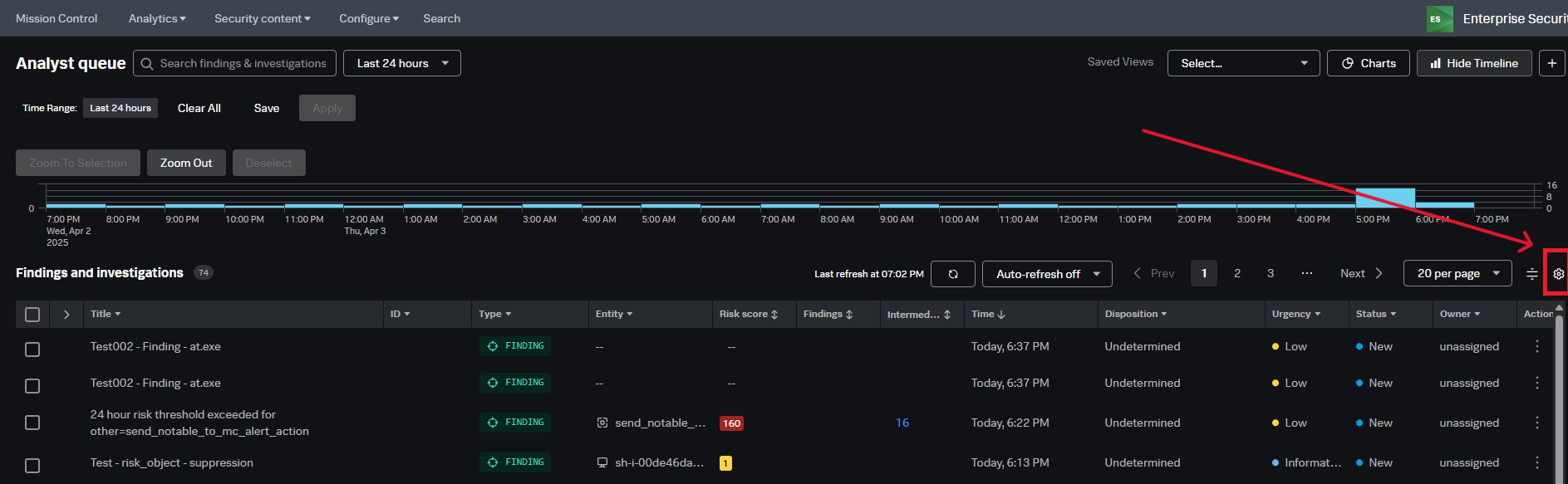
- In the table settings menu, select the fields to display, such as Title, ID, Type, Findings, Intermediate Findings, etc.
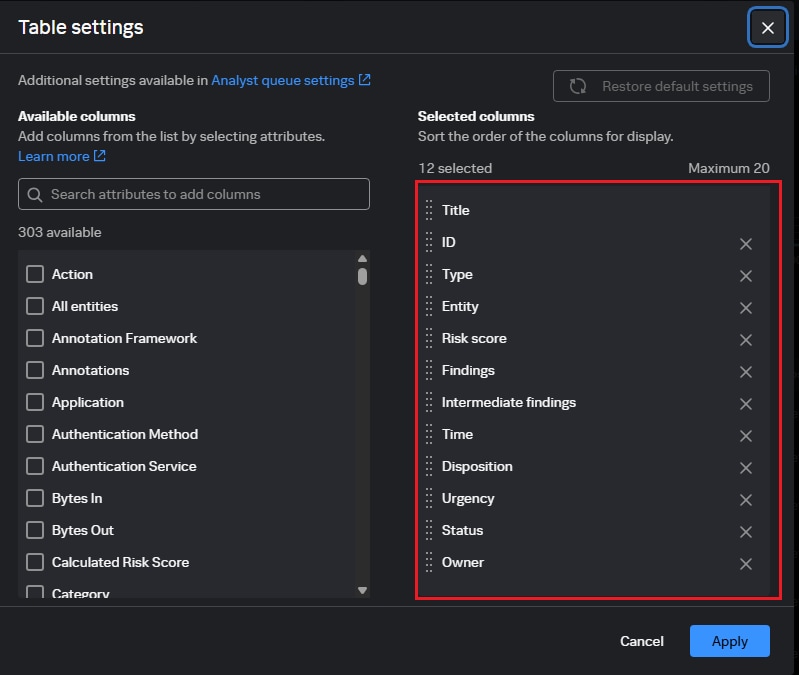
- Click Apply to confirm the changes.
- After applying, click Save under the Analyst Queue search bar to save the customization.
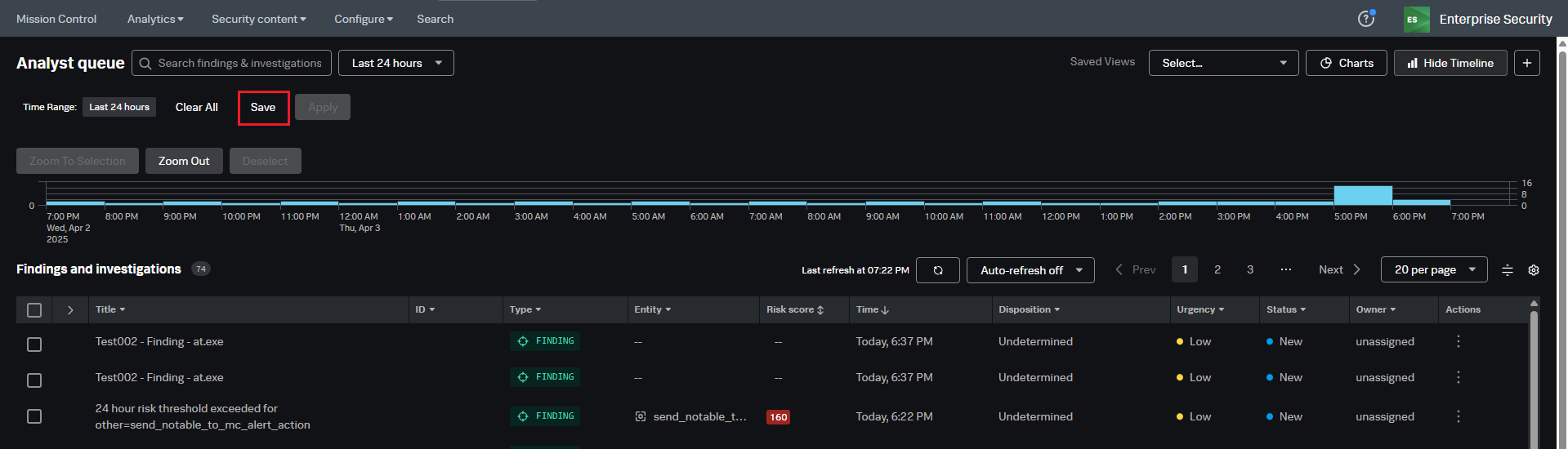
- After clicking on the save button a popup page will open, now enter the saved view name and click on the save button to save the view.
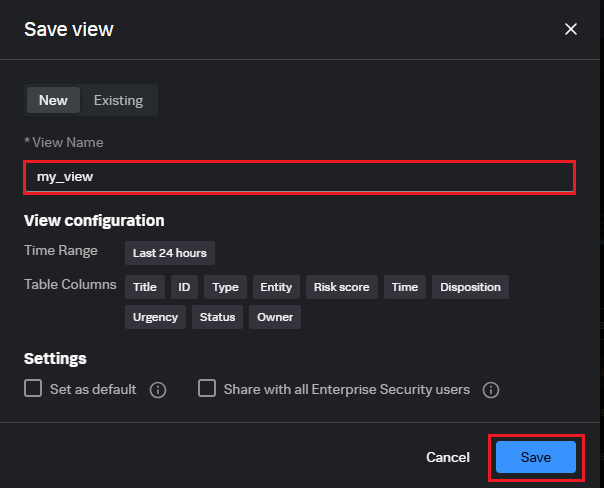
- Once the view is saved, click the saved views drop-down in the top right corner to select and load the saved view.
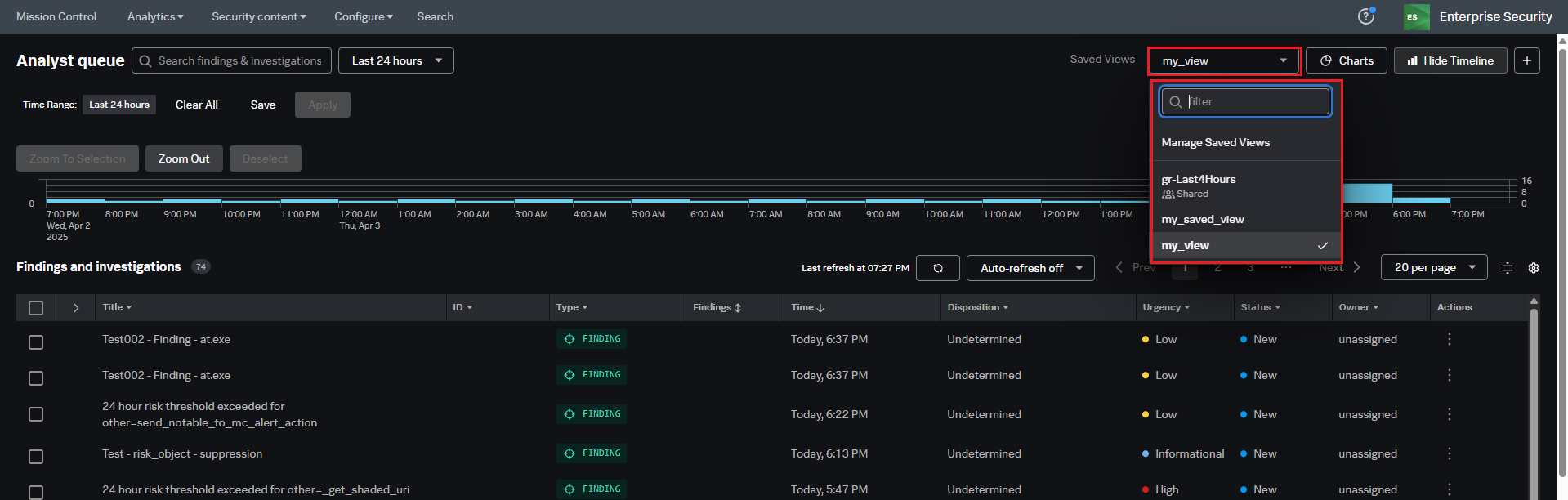
The following screenshot demonstrates the customized Mission Control menu, displaying only the relevant fields based on user preferences.
Related Links
Customize Saved view in the Mission Control
Revision History
| Revision | Publish Date | Comments |
|---|---|---|
1.0 |
30-Sep-2026
|
Initial Release |
 Feedback
Contact Cisco
- Open a Support Case

- (Requires a Cisco Service Contract)
Related Articles
- Mission Control page keeps loading after upgrading the Enterprise Security.
- Investigations are not visible in the Mission Control Panel in Splunk Enterprise Security 8.x
- Mission Control 'Action' Column Errors, View Malfunctions, and Formatting Issues After Upgrading to Splunk Enterprise Security 8.2.x
- Upgrading Splunk Enterprise Security (ES) 7.x to ES 8.x Terminology and Taxonomy Changes