Threat intelligence - Failed to import threat intelligence data.
Available Languages
Applicability
Splunk Enterprise Security (ES)Description
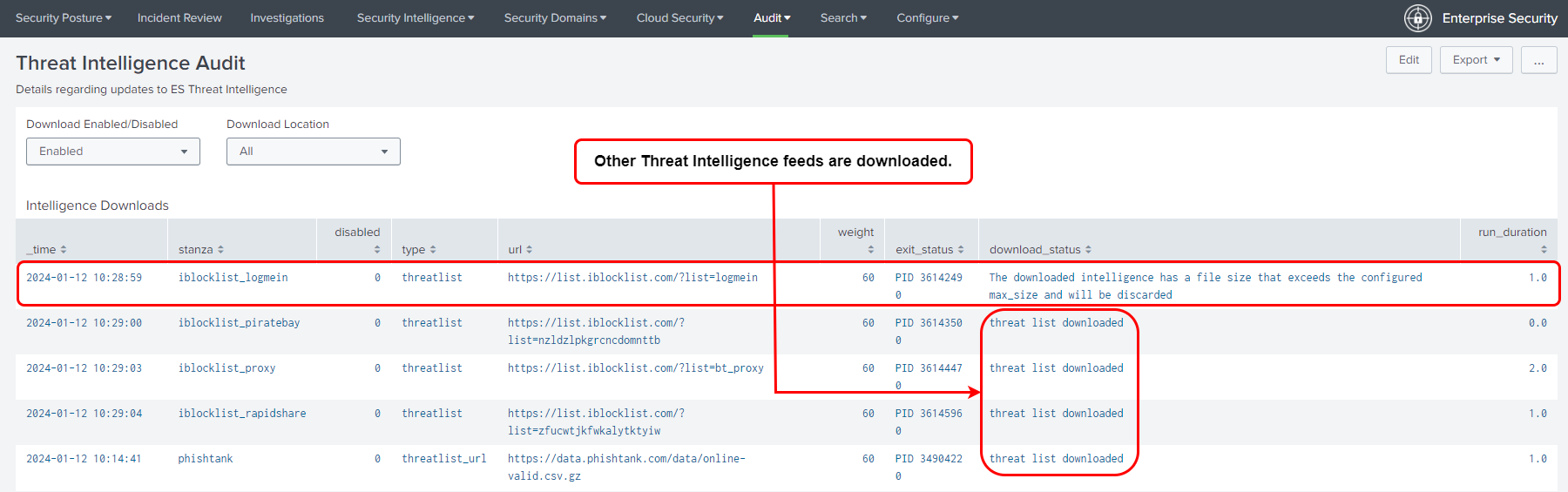
Despite numerous attempts, the threat intelligence download for a specific data source continues to fail. However, other threat intelligence sources are downloading successfully.
Here is the sample screenshot for failing downloads from a particular source in the threat intelligence audit dashboard, this is the issue faced.
Expected behavior: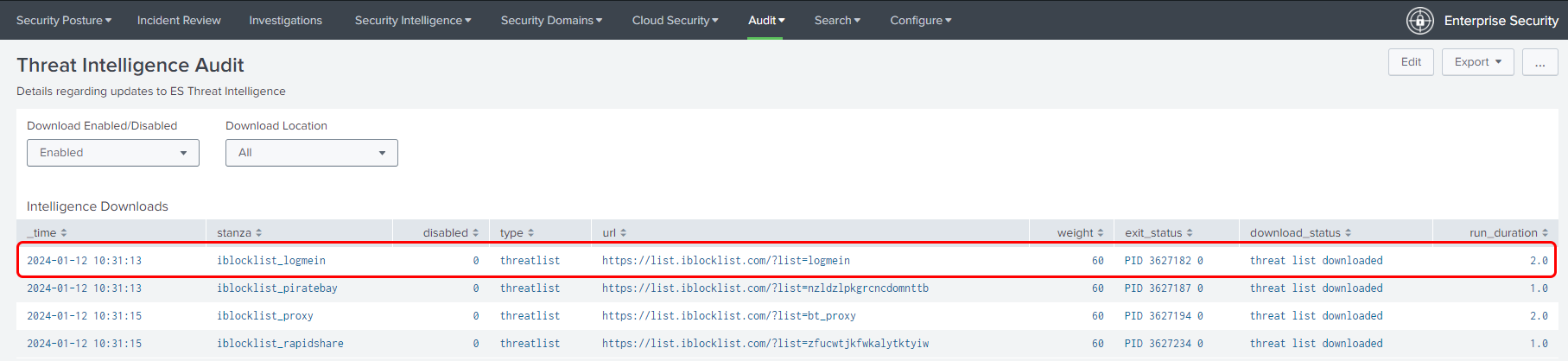
Investigation
With the below-mentioned search SPL the threat list log indicating the threat intel size trying to download is greater than the maximum size.
index=_internal source=*threatlist.log* sourcetype=threatintel:download "ERROR"
Here is the error message denoting that the file size is greater than the max_size.
2023-11-21 07:37:56,517+0000 ERROR pid=10227 tid=MainThread file=threatlist.py:handle_local_file:638 | status="The intelligence lookup size exceeds the configured max_size for this source and will be skipped" file_size="6026227591" max_size="5242880000" stanza="brz_misp_crowdstrike_file_intel"
Resolution
1) Navigate to Enterprise Security App and then go to Configure > Data Enrichment > Threat Intelligence Management > Sources tab
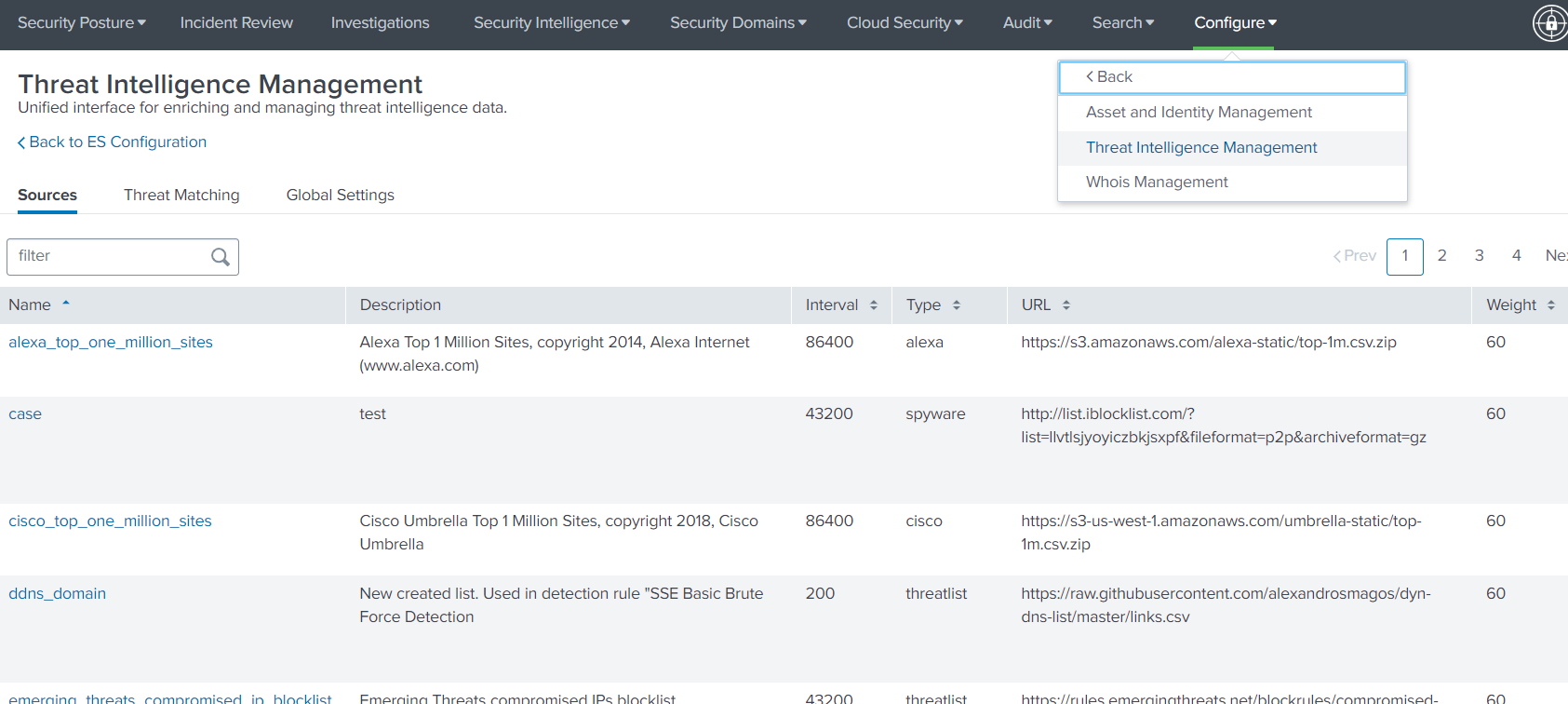
2) Click on the Threat Intel Name for which the download is failing, and change the Max Size to a higher value as required.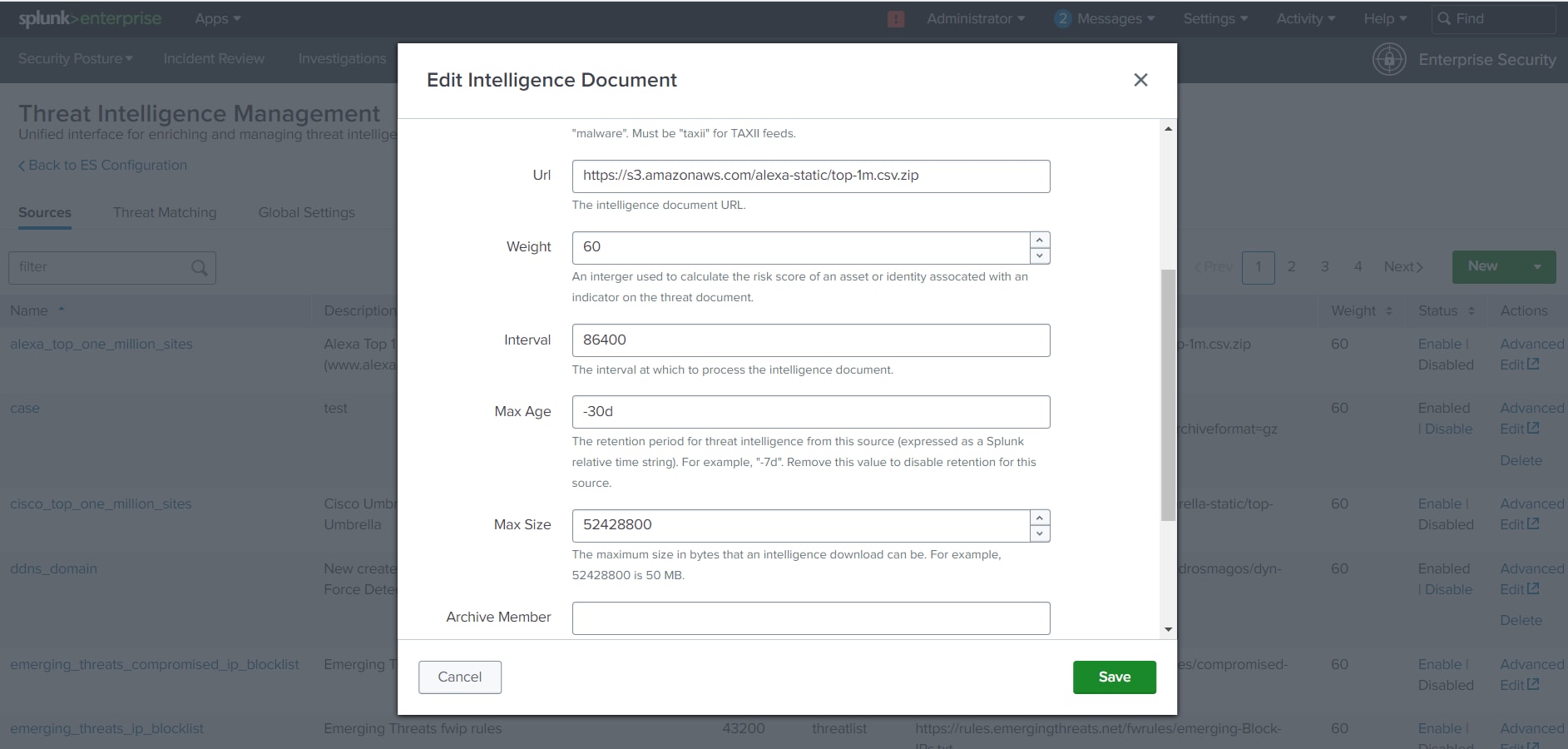
3) Click on the Save button on the bottom right of the popup Dialog
Related Links
Splunk Documentation - inputs.conf
Revision History
| Revision | Publish Date | Comments |
|---|---|---|
1.0 |
29-Sep-2026
|
Initial Release |
 Feedback
