Configure KDF Logs for Secure Client on Windows and MacOS
Available Languages
Introduction
This document describes how to collect KDF logs and other important troubleshooting logs on Windows and MacOS.
Windows and MacOS FLAGS
| DNS Related (When OpenDNS is involved): | 0x20801FF |
| Web flow (SWG) proxy and DNS Related: |
0x70C01FF |
| ZTA | 0x400080152 |
Collecting KDF Logs, Wireshark and DART Bundle

Note: When you submit the results, always let the TAC Team know what settings were used and be open to changing as TAC requires.
Windows
Open a CMD with admin privileges and run the next command:
"%ProgramFiles(x86)%\Cisco\Cisco Secure Client\acsocktool.exe" -sdf [FLAG]- Download DebugView from SysInternal to capture the KDF log.
- Run
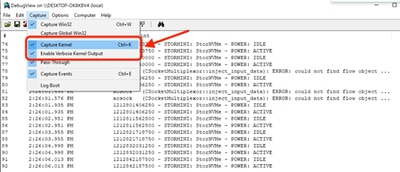
DebugViewasadministratorand enable the next menu options. - Click Capture.
- Checkmark
Capture Kernel. - Checkmark
Enable Verbose Kernel Output.
- Checkmark
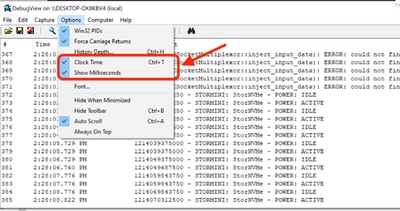
- Options
- Checkmark
Clock Time. - Checkmark
Show Milliseconds.
- Checkmark
-
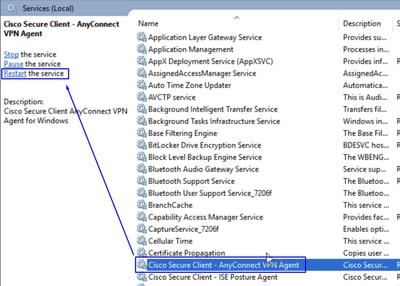
Restart the client service via admin prompt:
net stop csc_vpnagent && net start csc_vpnagent- If
net stop csc_vpnagent && net start csc_vpnagentdoes not work, restartCisco Secure Clientservice from services.msc.
-
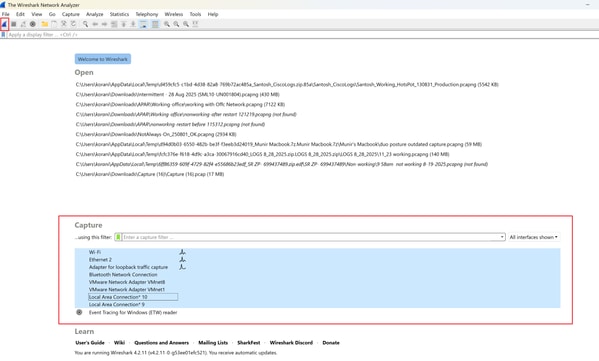
Start
Wireshark Capture. -
Select all the interfaces, and start the packet capture.
- Reproduce the issue, and save
KDF LogsandWireshark Capture, then follow the steps to captureDART Bundle. - Open the
Cisco Secure Client Diagnostics & Reporting Tool (DART)with administrator privileges.
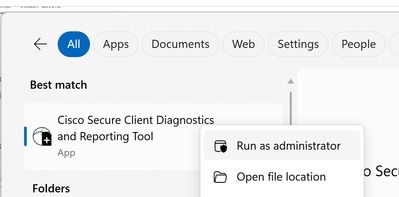
- Click
Custom.- Include
System Information ExtensiveandNetwork Connectivity Test.
- Include
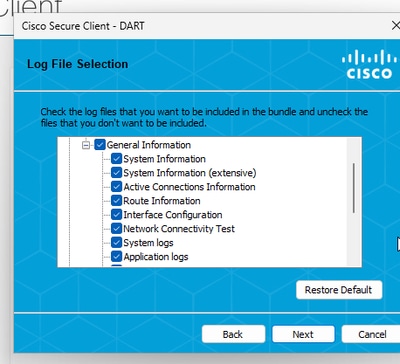
Note: Collect all the logs: KDF Logs, Wireshark Capture and DART Bundle to the TAC Case.
- To stop the KDF from logging on Windows use the next command:
"%ProgramFiles(x86)%\Cisco\Cisco Secure Client\acsocktool.exe" -cdfMacOS
Open terminal and follow the next command chain to enable KDF Logging on MacOS:
StopService.
sudo "/opt/cisco/secureclient/bin/Cisco Secure Client - AnyConnect VPN Service.app/Contents/MacOS/Cisco Secure Client - AnyConnect VPN Service" uninstallEnableFlag.
echo debug=[Flag Value] | sudo tee /opt/cisco/secureclient/kdf/acsock.cfgStartService.
open -a "/opt/cisco/secureclient/bin/Cisco Secure Client - AnyConnect VPN Service.app"-
Start
Wireshark Capture. -
Select all the interfaces, and start the packet capture.
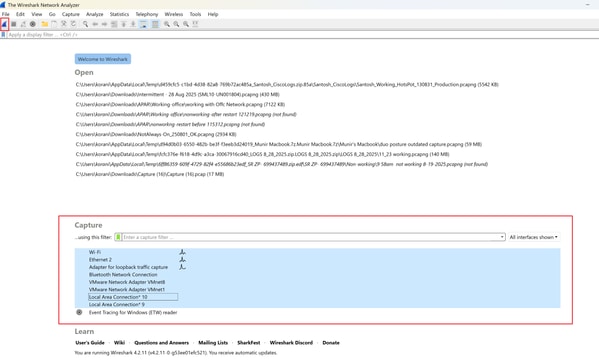
- Reproduce the issue, and save
KDF LogsandWireshark Capture, then follow the steps to captureDART Bundle. - Open the
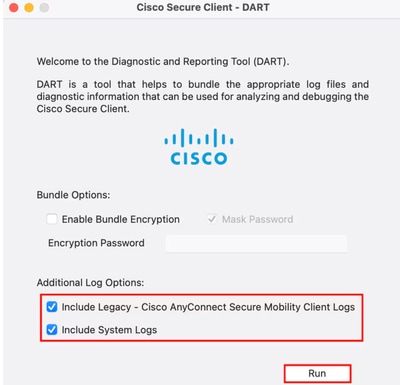
Cisco Secure Client - DART.
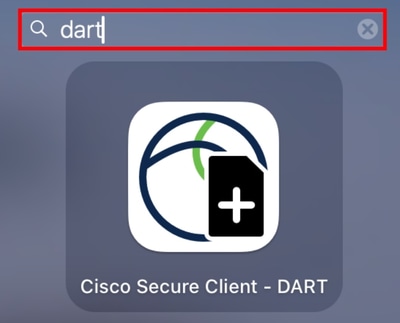
- Checkmark the next options:
IncludeLegacy - Cisco AnyConnect Secure Mobility Client Logs.IncludeSystem Logs.
- Click
Run.
Note: Collect all the logs: KDF Logs, Wireshark Capture and DART Bundle to the TAC Case.
Related Information
Revision History
| Revision | Publish Date | Comments |
|---|---|---|
2.0 |
27-Apr-2026
|
Updated Title and Formatting. |
1.0 |
30-Dec-2025
|
Initial Release |

 Feedback
Contact Cisco
- Open a Support Case

- (Requires a Cisco Service Contract)