Splunk On-Call - How to Contact Billing for Billing Related Inquiries
Available Languages
Applicability
Splunk On-CallDescription
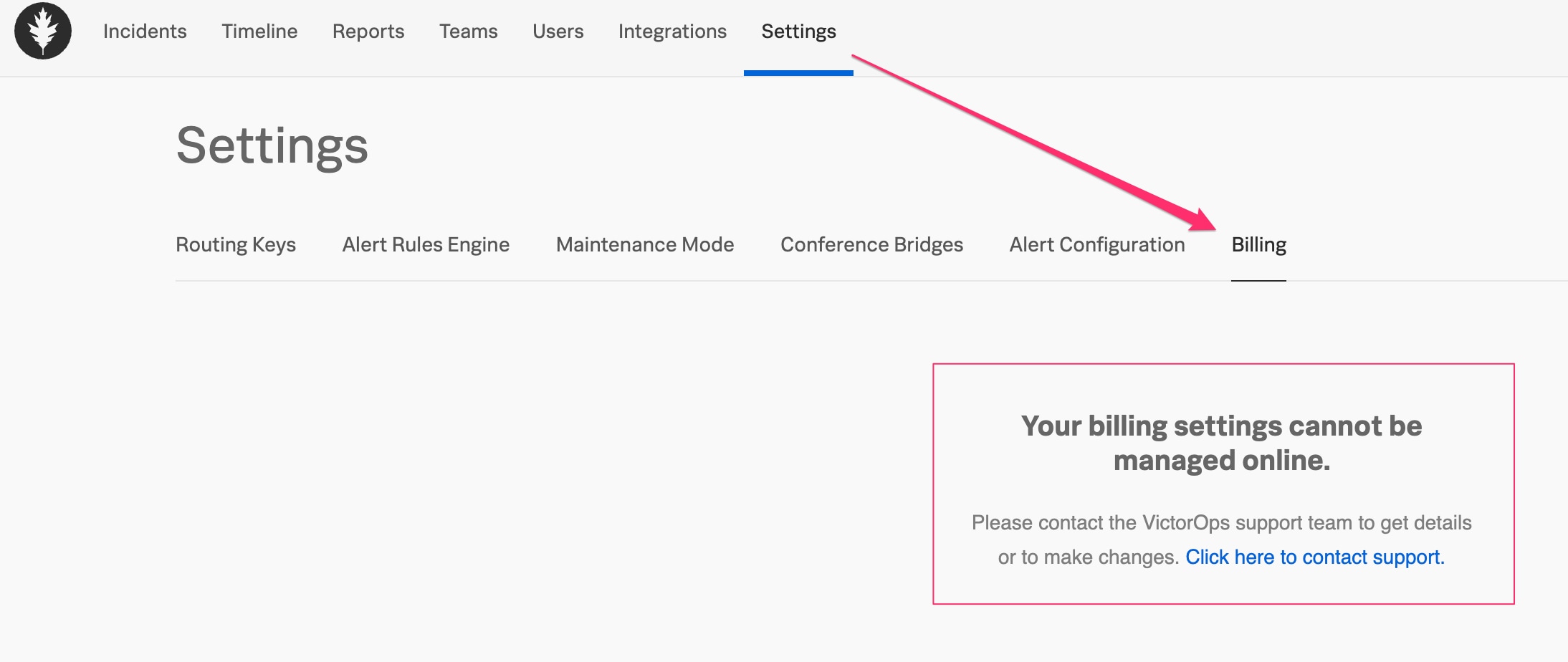
Have you navigated to the Billing tab in your Splunk On-Call instance, only to see a blank page and the words:
"Your billing settings cannot be managed online. Please contact the VictorOps support team to get details or to make changes. Click here to contact support."
If so, you may still always contact Splunk On-Call Support, but this article may help expedite your question regarding the status of your Splunk On-Call subscription, acceptable payment methods, invoicing, or anything billing-related by reaching out to our Splunk On-Call Billing team via email to the following address: VO_Billing@splunk.com
Investigation
As a user in a Global Admin role, navigate to the Billing tab in your On-Call instance. Go to "Settings". Go to the "Billing" tab:
Resolution
Email VO_Billing@splunk.com and someone from our finance team will help you with your query.Related Links
Splunk On-Call Billing: VO_Billing@splunk.comRevision History
| Revision | Publish Date | Comments |
|---|---|---|
1.0 |
30-Sep-2026
|
Initial Release |
 Feedback
