KPI and entities has incorrect values in the Service Analyzer of ITSI
Available Languages
Applicability
Splunk IT Service IntelligenceDescription
The KPI search returns the alert value as 1 which has 1 event in place for each of the search results which is based on calculating the file age from the filedate field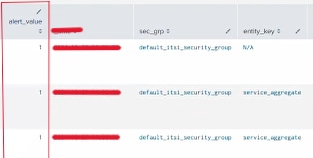
The KPI shows the value as 46 and the entity values are 4 and 46 respectively instead of 0 or 1 in the service analyzer page.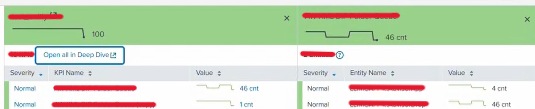
Investigation
The issue arises from a time zone discrepancy between the _time field, which is always in UTC, and the filedate field, which is in CST (Central Standard Time).

Since the two timestamps are in different time zones, calculating the difference between them results in incorrect values for file age.
Without adjusting for the time zone difference, the calculation becomes inconsistent, resulting in inaccurate file age values. This misalignment between UTC and CST shifts the time difference, impacting the accuracy of the KPI that relies on the file age calculation.
Resolution
To ensure accurate calculations, all date/time fields (like filedate and _time) involved in KPI searches must be converted to the same time zone.
This can be achieved by either manually adjusting the filedate field to UTC or the desired time zone, or by explicitly handling time zone information during the data preprocessing stage.
By normalizing the time zones before performing calculations, the discrepancies are eliminated caused by time zone differences and ensure consistency and accuracy in the results in the service analyzer page.
Related Links
Revision History
| Revision | Publish Date | Comments |
|---|---|---|
1.0 |
29-Sep-2026
|
Initial Release |
 Feedback
Contact Cisco
- Open a Support Case

- (Requires a Cisco Service Contract)
Related Articles
- Complete list of KPIs are not visible on selecting the service tile in the service analyzer.
- When drill-down of a service in service analyzer, it only shows some entities instead of all entities.
- Opening ITSI service analyzer page results in error.
- Deep Dive not retrieving results but the Service Analyzer has the data for the same service and KPI