Opening ITSI service analyzer page results in error.
Available Languages
Applicability
Splunk IT Service Intelligence 4.17.1Description
On opening the ITSI app, the service analyzer page throws the following error,
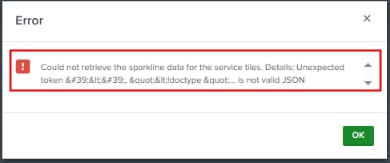
Could not retrieve the sparkline data for the service tiles. Details: Unexpected token '&It;', "&It;!doctype "... is not valid JSON
Investigation
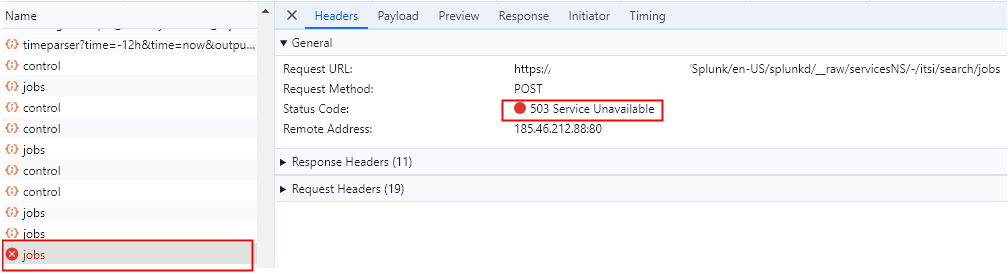
On taking a closer look at the HAR file, collected during accessing the service analyzer page, there were two searches failing,
Search-1:
| mstats latest(alert_value) AS alert_value latest(alert_level) AS alert_level WHERE `get_itsi_summary_metrics_index` `kpi_level_metrics_source_filter` itsi_team_id IN (default_itsi_security_group) `metrics_service_level_kpi_only` fillnull_value="N/A"[| mstats latest(alert_value) AS alert_value latest(alert_level) AS alert_level WHERE `get_itsi_summary_metrics_index` `kpi_level_metrics_source_filter` itsi_team_id IN (default_itsi_security_group) `metrics_service_level_kpi_only` earliest=1719309769, latest=1719312469 by itsi_kpi_id, itsi_service_id | where alert_level != "-3" | lookup service_kpi_lookup _key AS itsi_service_id OUTPUT title AS service | search service=* | sort 50 -alert_level | fields itsi_kpi_id] by itsi_kpi_id span=427s | `interpolate_kpi_data` | stats sparkline(avg(alert_value), 427s) AS spark by itsi_kpi_id
Search-2:
| mstats latest(service_health_score) AS service_health_score latest(alert_level) AS alert_level WHERE `get_itsi_summary_metrics_index` `service_health_metrics_source_filter` itsi_team_id IN (default_itsi_security_group) `metrics_service_level_kpi_only` [| mstats latest(service_health_score) AS service_health_score latest(alert_level) AS alert_level WHERE `get_itsi_summary_metrics_index` `service_health_metrics_source_filter` itsi_team_id IN (default_itsi_security_group) `metrics_service_level_kpi_only` earliest=1719311684, latest=1719312584 by itsi_service_id | where alert_level != "-3" | lookup service_kpi_lookup _key AS itsi_service_id OUTPUT title AS service | search service=* | `convert_null_value_to_NA(service_health_score)` | sort 50 service_health_score | fields itsi_service_id] by itsi_service_id span=427s | stats sparkline(avg(service_health_score), 427s) AS spark by itsi_service_id
Resolution
This issue is fixed in the ITSI versions 4.18.1 and above.
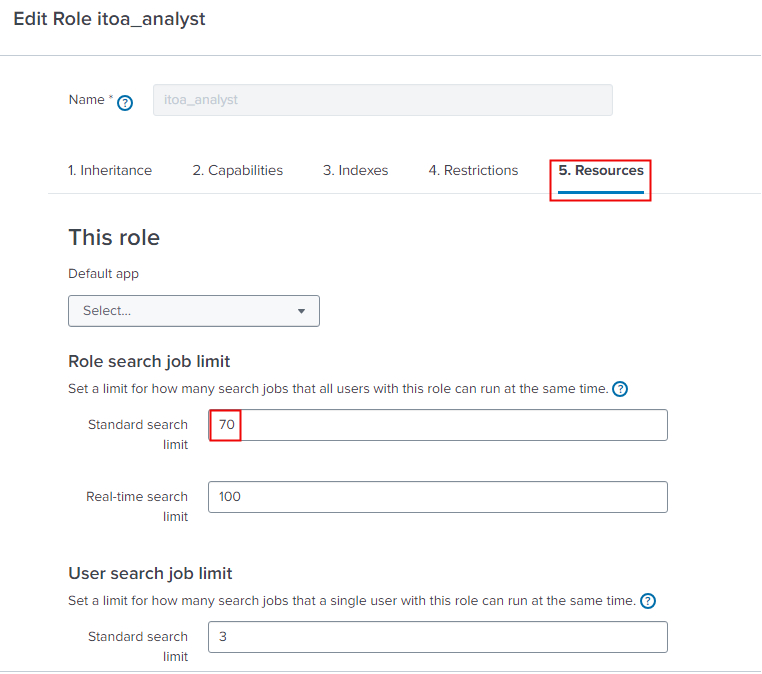
Temporary workaround is to increase the search job quota for the users with the itoa_analyst roles.
The search job quota can be increased by following the below steps,
- Navigate to Settings > Roles > select "itoa_analyst".
- Move to Resources tab, and increase the search job limit for this particular role.
- Save the changes.
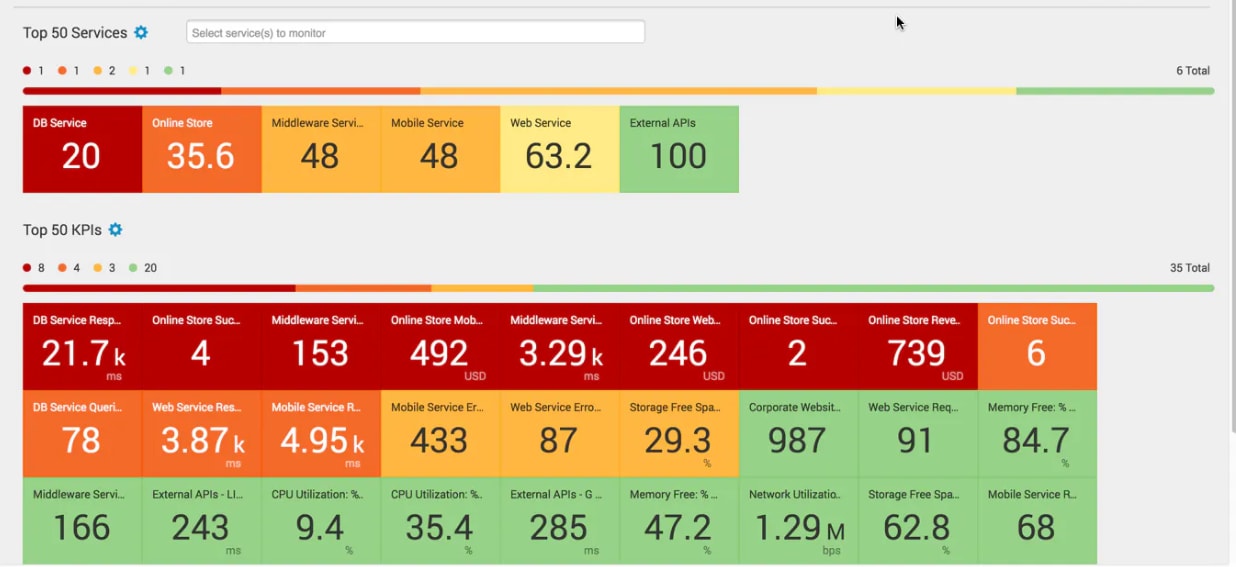
After changing the search job limit, the service anlyzer page is visible.
Related Links
Reference: The_maximum_historical_search_limit
Revision History
| Revision | Publish Date | Comments |
|---|---|---|
1.0 |
29-Sep-2026
|
Initial Release |
 Feedback
