Complete list of KPIs are not visible on selecting the service tile in the service analyzer.
Available Languages
Applicability
Splunk IT Service Intelligence (ITSI)Description
On selecting a service from the service analyzer page, the KPI that are under the service will be visible.
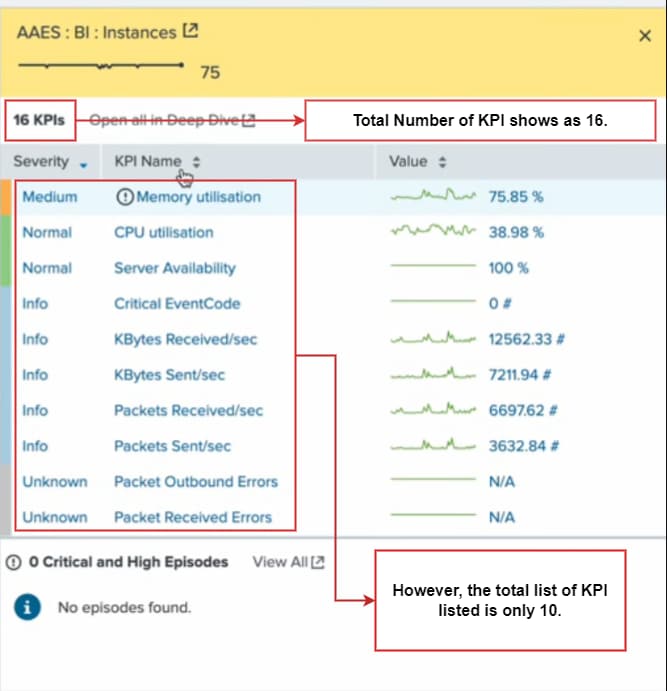
However, only few KPI are being listed in the service analyzer page.
Investigation
The list of KPI's are fetched from itsi_summary index and itsi_summary_metrics index.
From the scheduler logs and itsi_summary index , it was evident that the results generated by the KPI base searches were truncated to 50,000.
Scheduler logs:
Search used to check the number of results for a KPI base search.
index=_internal sourcetype=scheduler result_count=* savedsearch_name=
| fields result_count savedsearch_name
| stats max(result_count) by savedsearch_name
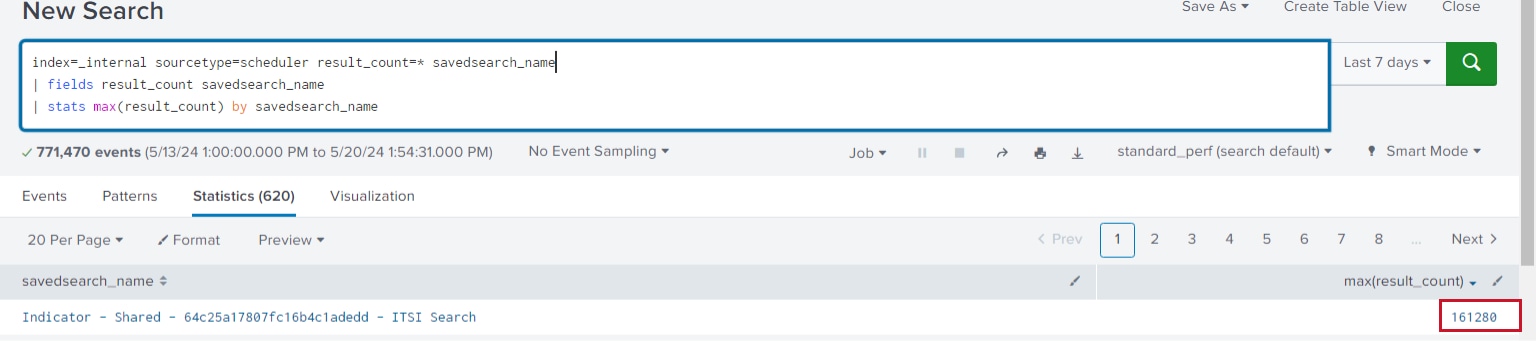
The scheduler log, shows that the number of results is more than 50K for few KPI base searches.
itsi_summary index:
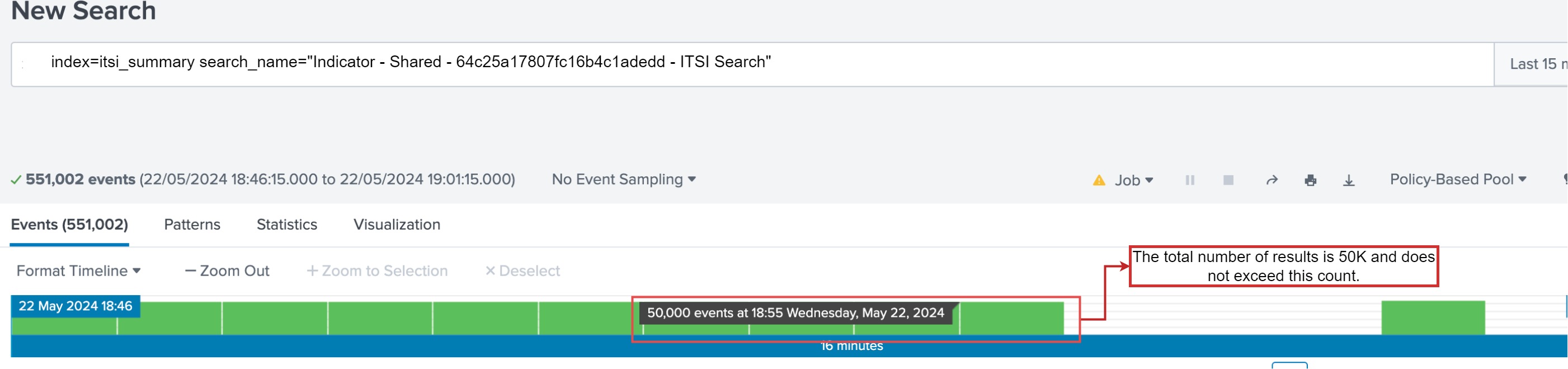
The total number of events indexed in the itsi_summary index is always 50K and does not exceeds this count, this implies that the results are being truncated.
Resolution
Once the truncating behavior is identified, the below official documentation is referred to mitigate the truncation.
Reference: Splunk_Docs
Follow the below steps, to increase the value for "max_action_results"
- Navigate to $SPLUNK_HOME/etc/apps/SA-ITOA/local/limits.conf
- Update/Add the [scheduler] stanza in the above mentioned file as follows,
[scheduler]
max_action_results = 175000
After increasing the parameter "max_action_results" the number of results in the itsi_summary index was increased more than 50K,

Also, complete list of KPI was populated in the service analyzer page.
Related Links
Splunk_reference_Documentation
Revision History
| Revision | Publish Date | Comments |
|---|---|---|
1.0 |
29-Sep-2026
|
Initial Release |
 Feedback
