Unable to view Service Analyzer with default ITOA User
Available Languages
Applicability
Splunk IT Service IntelligenceDescription
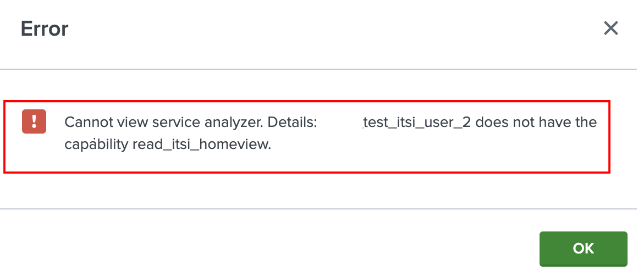
The default "itoa_user" user could not access the Service Analyzer page in ITSI, with an error message.
Cannot view service analyzer. Detail: test_itsi_user_2 does not have the capability read_itsi_homeview.
Investigation
The below error message was found in the HAR file.
Error message - [HTTP 404] https://127.0.0.1:8089/servicesNS/nobody/SA-UserAccess/storage/collections/data/app_acl?query=%7B%22%24or%22%3A%20%5B%7B%22obj_id%22%3A%20%22test_itsi_user3%22%7D%5D%7D; [{'type': 'ERROR', 'code': None, 'text': 'An object with name=app_acl does not exist'}]
This error message specifies that the itoa_user doesn't possess the capabilities to access the app_acl.
Resolution
To resolve this issue, the required capabilities should be granted to that user.
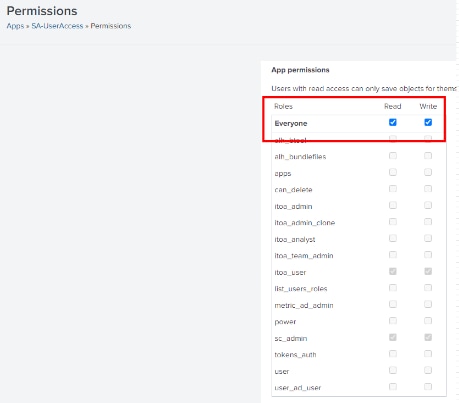
The SA-UserAccess app has read permissions only for the sc_admin role user and any user without this role can not view the Service Analyzer.
Follow the below steps to grant the required permissions.
- Navigate to Apps > Manage Apps
- In the filter, search "SA-UserAccess".
- In the App permission, provide the "Read" permission to Everyone.

After the changes, the users can access the Service Analyzer.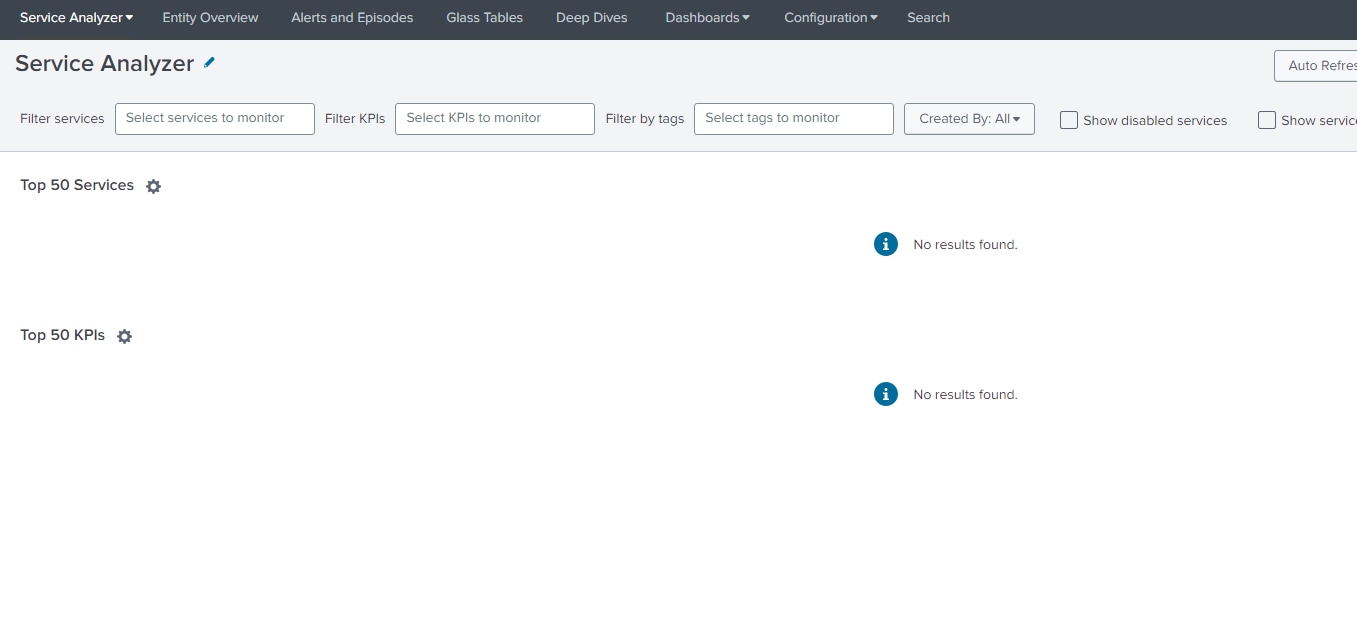
Revision History
| Revision | Publish Date | Comments |
|---|---|---|
1.0 |
29-Sep-2026
|
Initial Release |
 Feedback
