New clients are not visible on Forwarder Management UI
Available Languages
Applicability
Splunk Enterprise Deployment Server (Windows)Description
The deployment client is not visible in the forwarder management UI.

Here is the snippet where the client with the same hostname reported in _internal logs of the deployment server.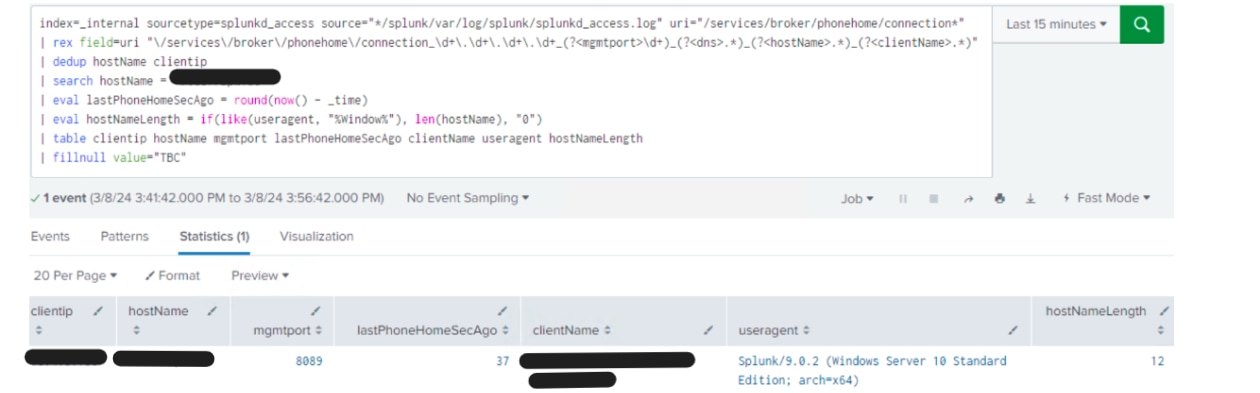
Investigation
- The Splunk version and the clients version were reviewed. They are the same, there is no version difference or compatibility issue.
- It was observed that the clients are whitelisted in $SPLUNK_HOME/etc/system/local/serverclass.conf and running the below command through CLI confirmed that clients are listed.
./splunk list deploy-clients
- From the above query, got the list of deployment clients from the deployment server and observed that the clients are reporting.
Resolution
This issue was observed, when onboarding the new deployment clients.
If multiple clients have the same GUID, it can lead to issues, especially in deployment server configurations where the uniqueness of GUIDs is crucial for proper identification and management of UFs.
Workaround:
i) Stop the Forwarder service: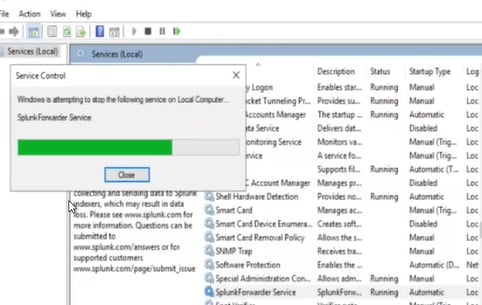
ii) Take a backup of the cfg file: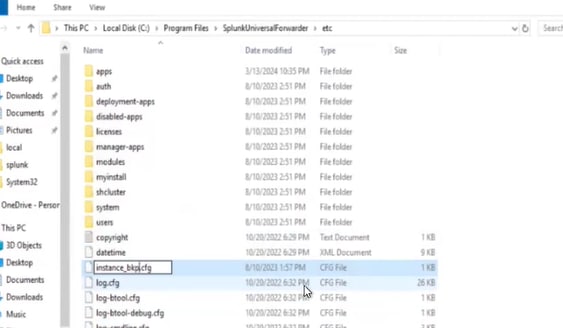
iii) Delete the existing instance.cfg and start the forwarder service.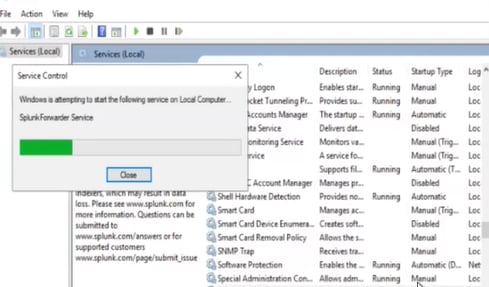
iv) A new instance.cfg file will be generated: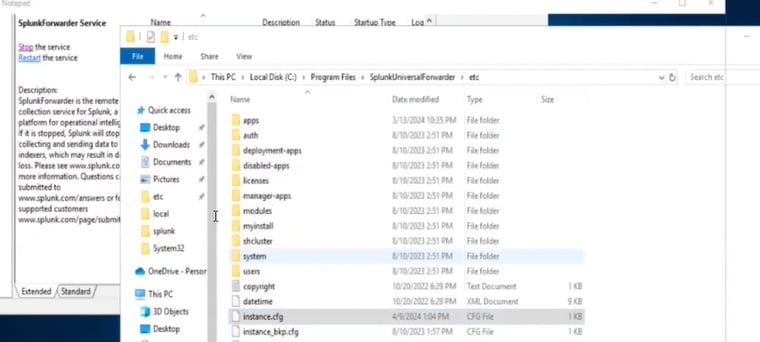
v) Verify the client in the forwarder management, from the UI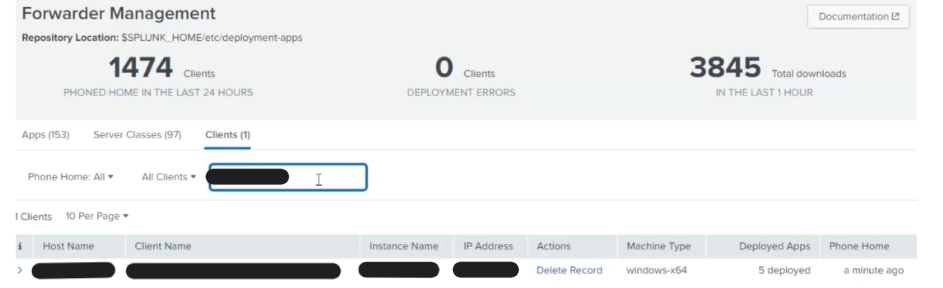
- By creating a new `instance.cfg` file for a Universal Forwarder (UF), it will generate a new Globally Unique Identifier (GUID) for that UF.
This action essentially resets the UF's identity, allowing it to register with the deployment server as a new entity. As a result, the UF should become visible in the deployment server UI, resolving any visibility issues.
The above steps to be followed for each UF experiencing visibility issues, to ensure that all UFs are properly registered with the deployment server and visible in the deployment server UI, maintaining consistency and manageability across your Splunk deployment.
If the clients with the new GUID don't show up after this workaround, restart the Deployment Server and wait for each Deployment Client to phone home.
Related Links
Revision History
| Revision | Publish Date | Comments |
|---|---|---|
1.0 |
30-Sep-2026
|
Initial Release |
 Feedback
Contact Cisco
- Open a Support Case

- (Requires a Cisco Service Contract)