The "Run Adaptive Response Actions" is not listing all the alert actions in Splunk.
Available Languages
Applicability
Splunk Apps Add onsDescription
Description:
1. Installed TA-thehive & TA-PagerDuty on Splunk ES search head.
2. While editing the correlation searches they are getting these apps alert options under Adaptive Response Actions. But in incident review panel when they are trying to add the "run adaptive response action" they are getting only the default alert actions, not the hive and PagerDuty.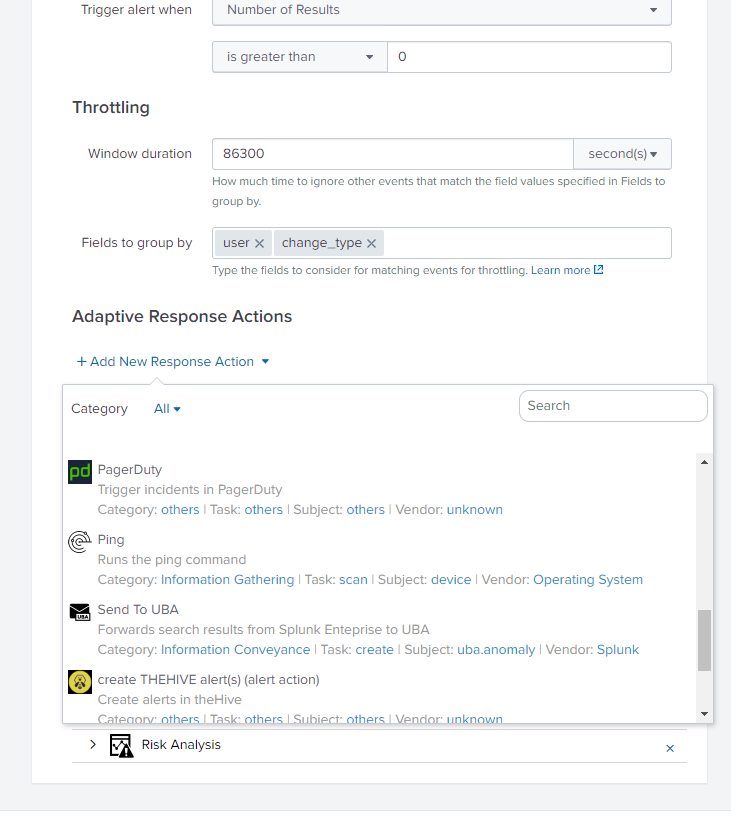
Investigation
Architecture: ES v 5.3.1 | Splunk v 7.3.1
Observation: In my Splunk environment, I installed the same add-on s to check the Splunk behavior, and I found the same.
Reproduction steps:
1. Install TA-thehive (https://splunkbase.splunk.com/app/4380/) & PagerDuty Addon (https://splunkbase.splunk.com/app/3742/) on ES search head.
2. Edit the correlation search and check for the Adaptive Response Actions, you will see the the-hive & pagerduty as an alert action.
3. Go to the incident review panel. Click "Action" in front of any notable and select * "run adaptive response action". the-hive and pagerduty options are not available. *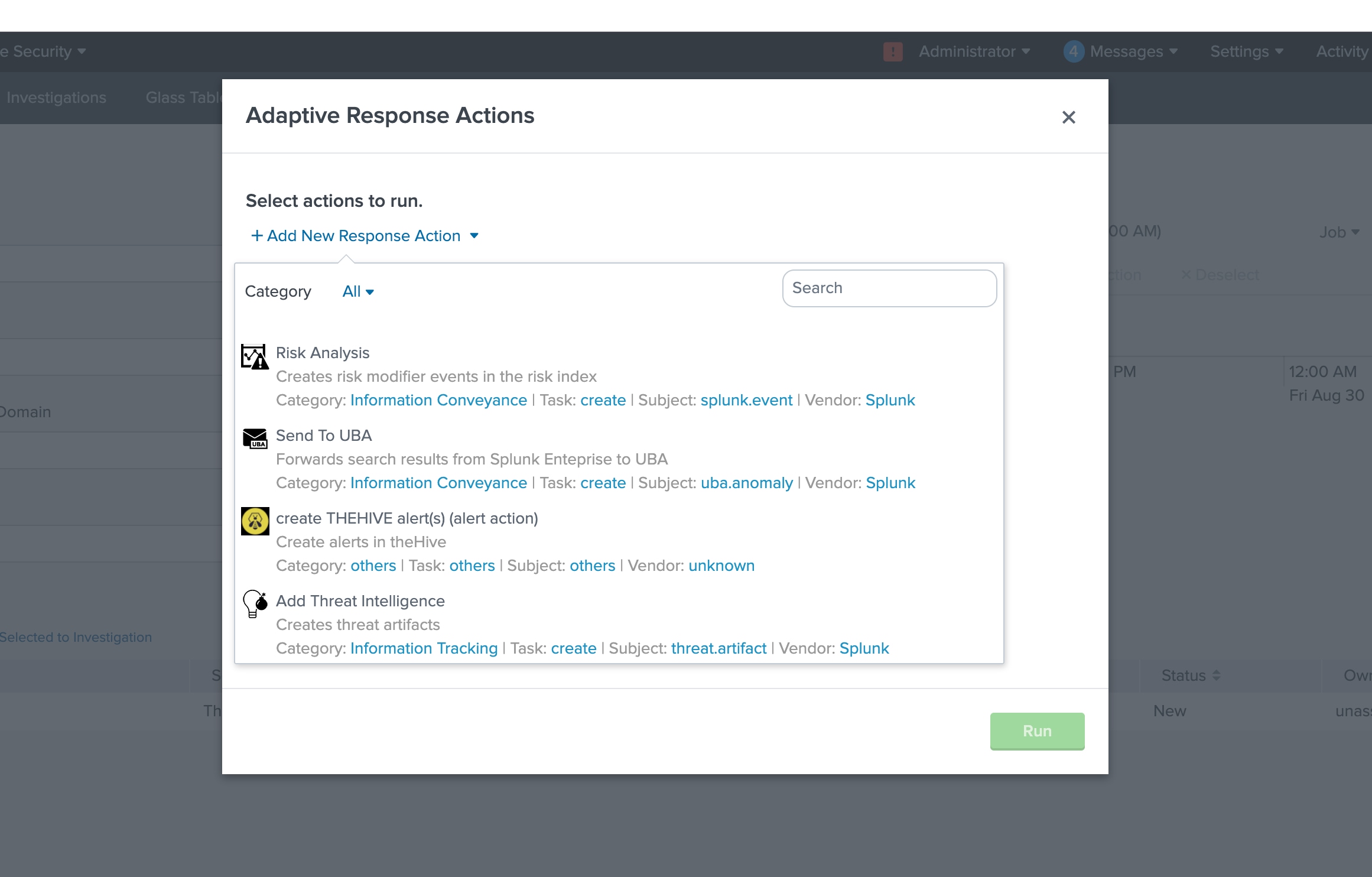
Resolution
"This is as Designed" if you don't have param._cam defined for your alert action. Also, the Incident Review requires that you have "supports_adhoc" set to true.
To Resolve:
$Splunk_Home/etc/apps/TA-thehive/default[thehive_alert_create_alert]
is_custom = 1
label = create THEHIVE alert(s) (alert action)
description = Create alerts in theHive
icon_path = thehive_logo_small.png
payload_format = json
disabled = 0
NOTE: that the action is named "thehive_alert_create_alert", and has no param._cam definition. I verified this does not show up on Incident Review.
Next, all I did was add a simple param._cam definition:
[thehive_alert_create_alert]
is_custom = 1
label = create THEHIVE alert(s) (alert action)
description = Create alerts in theHive
icon_path = thehive_logo_small.png
payload_format = json
disabled = 0
param._cam = {"supports_adhoc": true}
NOTE: Make the changes in $Splunk_Home/etc/apps/app_name/local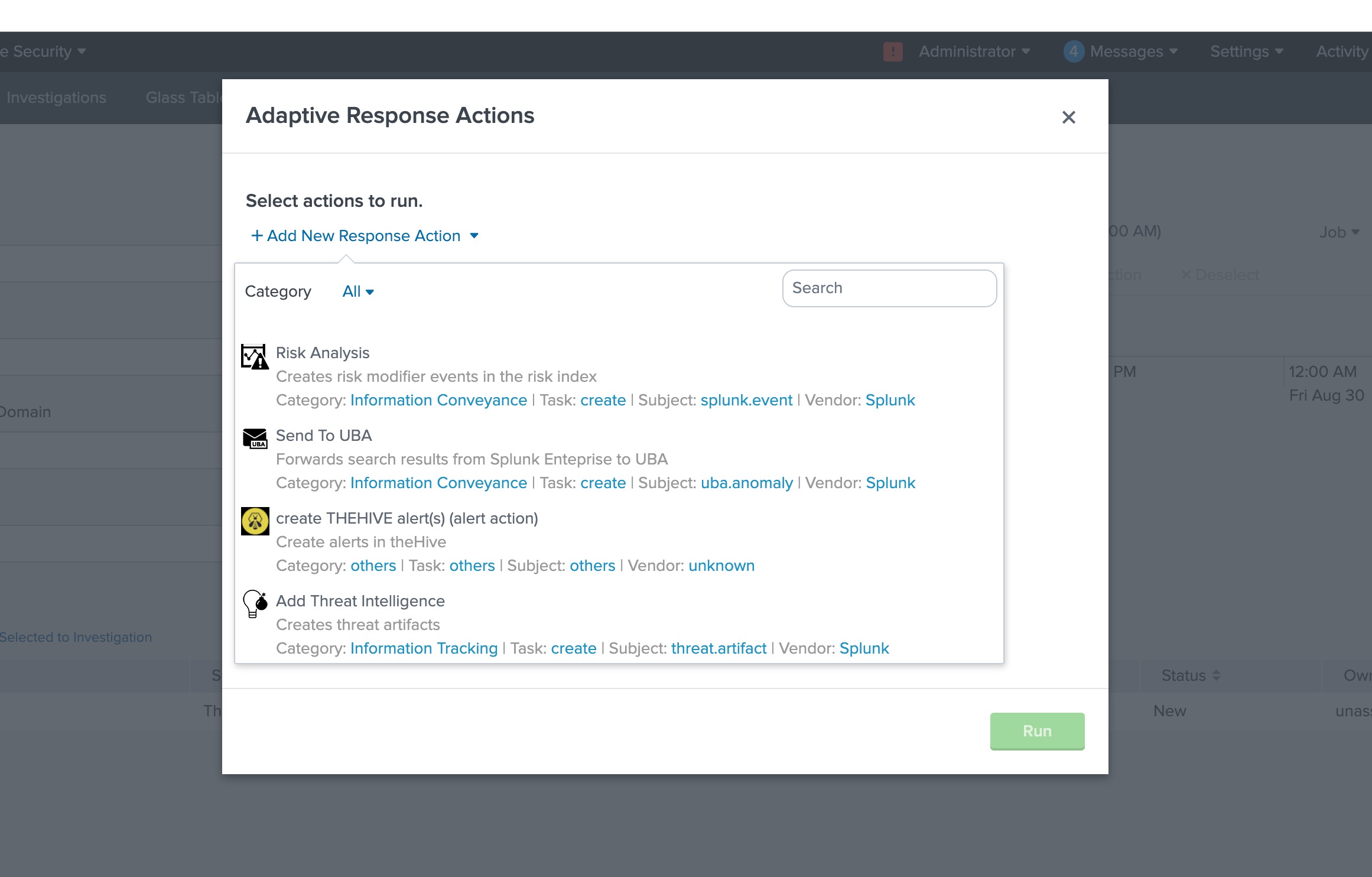
Revision History
| Revision | Publish Date | Comments |
|---|---|---|
1.0 |
28-Sep-2026
|
Initial Release |
 Feedback
Contact Cisco
- Open a Support Case

- (Requires a Cisco Service Contract)
This Document Applies to These Products
Related Articles
- Forescout Adaptive Response Add-on for Splunk is not displaying Alert Actions in Splunk Web.
- ES - Why Adaptive Response Actions in rules are unassigned by default
- Adaptive Response Action is not available in the Correlation Search configuration in Splunk Enterprise Security.
- Adaptive Response action returns "[HTTP 403] Client is not authorized to perform requested action"