Forescout Adaptive Response Add-on for Splunk is not displaying Alert Actions in Splunk Web.
Available Languages
Applicability
Splunk EnterpriseDescription
Forescout Adaptive Response Add-on for Splunk is not displaying any Alert Actions in Splunk Web. This issue is seen if the "is_custom" field in alert_actions.conf is set to 0 instead of 1.Investigation
Steps to check why the alert actions do not appear in Splunk Web:- Check if all the 3 applications were installed successfully by going to Splunk Web>Apps>Manage Apps.
- ForeScout App for Splunk (forescout_app)
- Forescout Adaptive Response Add-on for Splunk (TAforescout_response)
- Forescout Technology Add-on for Splunk (TA-forescout)
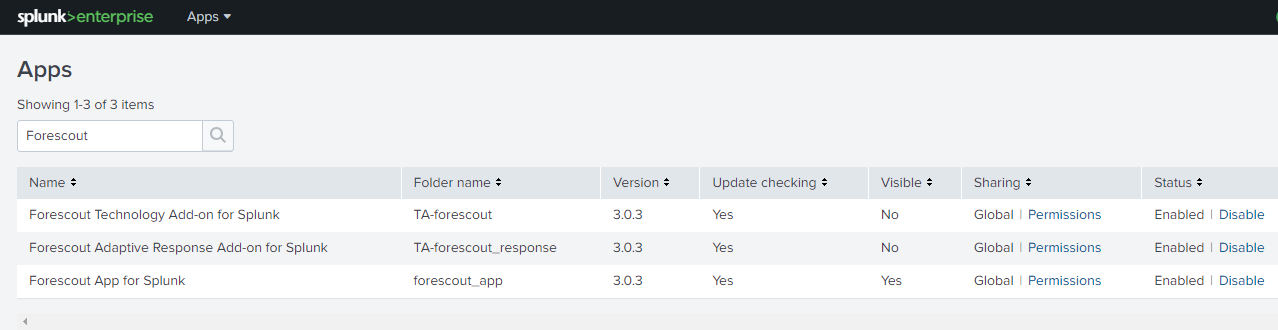
2. Check if the Alert Actions are visible in Splunk Web by going to Splunk Web>Settings>Alert Actions.
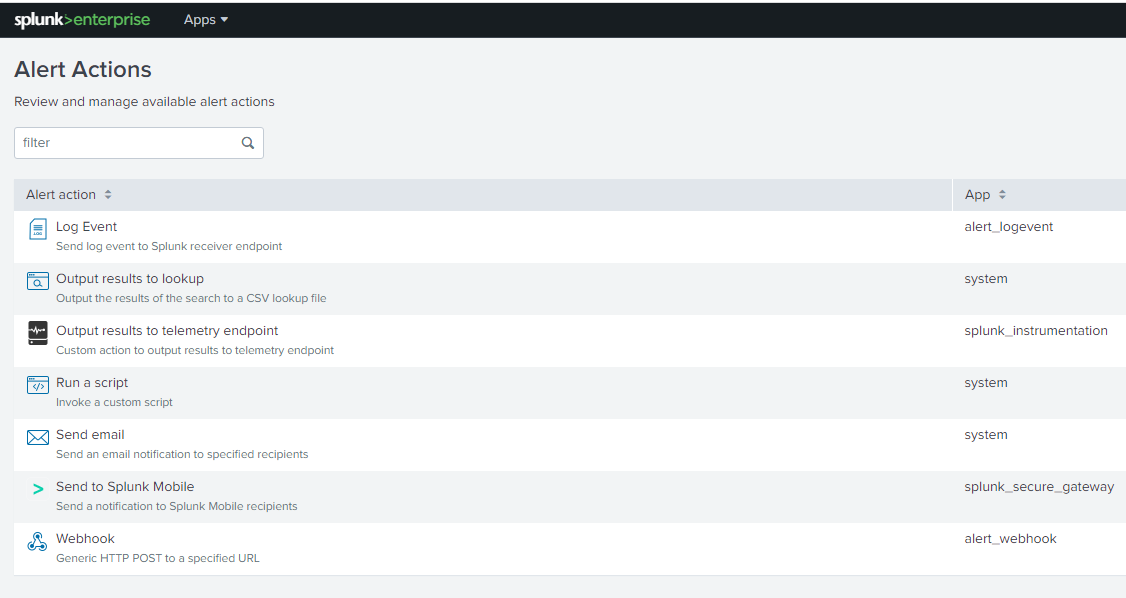
3. Go to the CLI/Backend where your Splunk Instance is installed and Go to $SPLUNK_HOME/etc/apps/TA-forescout_response/local.
4. Check if the alert_actions.conf exists, if not follow steps 5 and 6.
5. Go to the CLI/Backend where your Splunk Instance is installed and Go to $SPLUNK_HOME/etc/apps/TA-forescout_response/default.

6. Find alert_actions.conf and copy it in $SPLUNK_HOME/etc/apps/TA-forescout_response/local.
7. Once the file is in $SPLUNK_HOME/etc/apps/TA-forescout_response/local, Open alert_actions.conf with your preferred text editor.
8. Change is_custom to 1 in your desired Alert Actions.
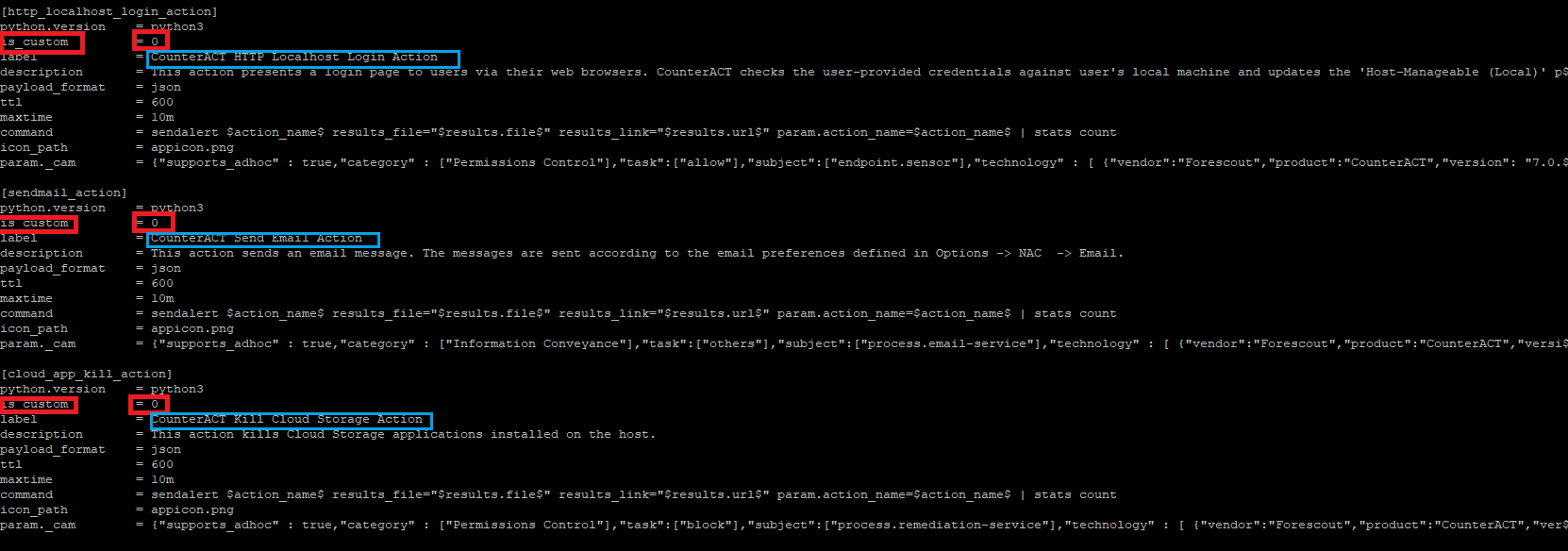
9. Save changes and Restart your Splunk Instance.
10. Check if changes were done successfully, and if the Alert Actions are visible in Splunk Web by going to Splunk Web>Settings>Alert Actions.
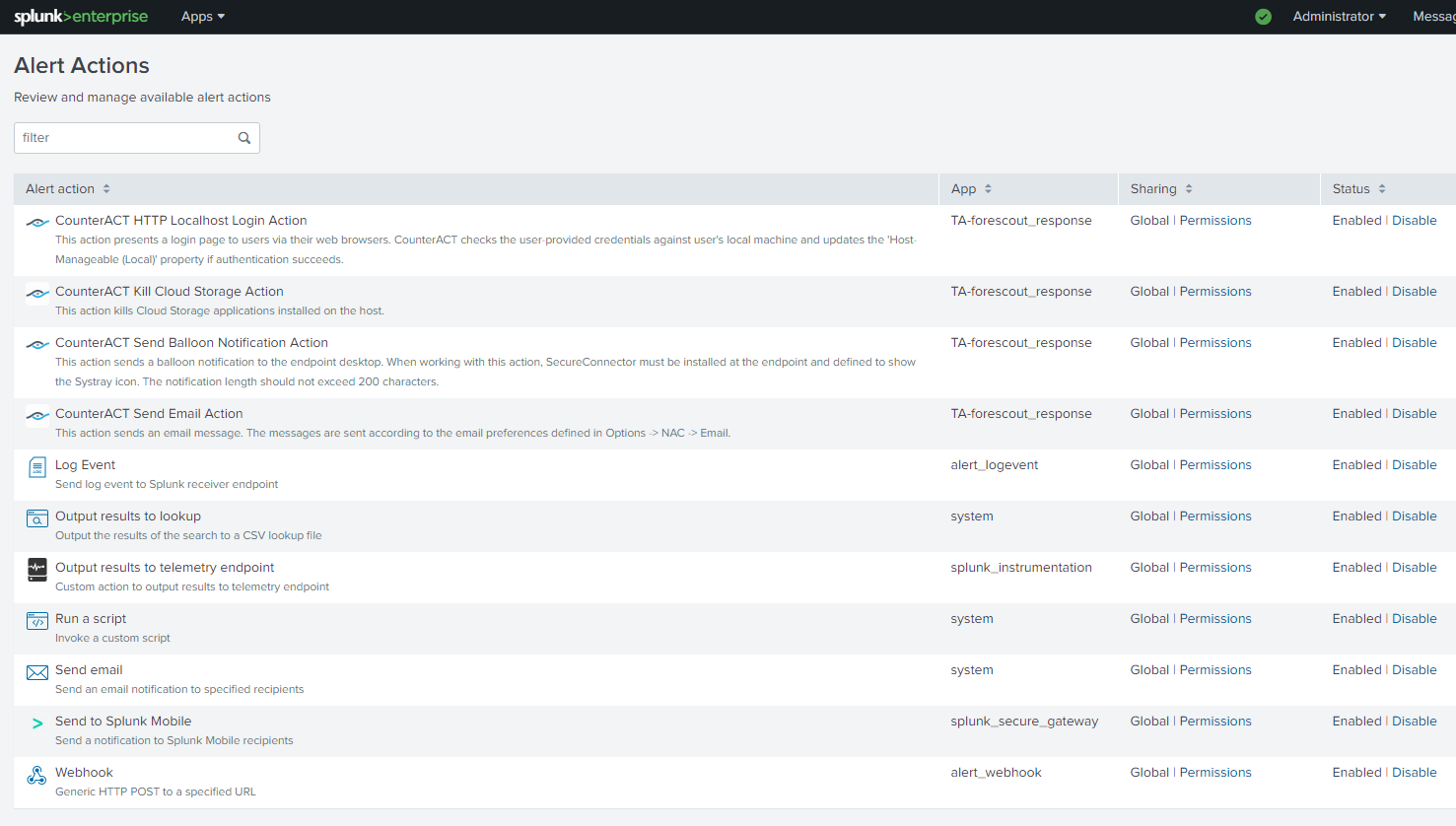
7. If the issue still persists Contact Splunk Support.
Resolution
How to fix:- Go to the CLI/Backend where your Splunk Instance is installed and Go to $SPLUNK_HOME/etc/apps/TA-forescout_response/local.
- Check if the alert_actions.conf exists, if not follow steps 3 and 4.
- Go to the CLI/Backend where your Splunk Instance is installed and Go to $SPLUNK_HOME/etc/apps/TA-forescout_response/default.
- Find alert_actions.conf and copy it in $SPLUNK_HOME/etc/apps/TA-forescout_response/local.
- Once the file is in $SPLUNK_HOME/etc/apps/TA-forescout_response/local. Open alert_actions.conf with your preferred text editor.
- Change is_custom to 1 in your desired Alert Actions.
- Save changes and Restart your Splunk Instance.
- Check if changes were done successfully, and if the Alert Actions are visible in Splunk Web by going to Splunk Web>Settings>Alert Actions.
Related Links
Forescout Adaptive Response Add-on for Splunkhttps://splunkbase.splunk.com/app/3383
Forescout App & Add-on for Splunk How-to Guide
https://www.forescout.com/resources/app-and-add-on-for-splunk-how-to-guide-2-9-1/
https://docs.forescout.com/bundle/app-for-splunk-3-0-htg/page/c-about-splunk-integration.html
Forescout Platform Workflow for Adaptive Response
https://docs.forescout.com/bundle/app-for-splunk-3-0-htg/page/c-forescout-platform-workflow--d1e2276.html#d1518e124
Revision History
| Revision | Publish Date | Comments |
|---|---|---|
1.0 |
29-Sep-2026
|
Initial Release |
 Feedback
Contact Cisco
- Open a Support Case

- (Requires a Cisco Service Contract)