Data Model Acceleration Status dashboard is not working within Infosec application.
Available Languages
Applicability
Splunk Apps & Add-ons Splunk Enterprise Splunk Cloud InfoSec app for Splunk Splunk Common Information Model (CIM)Description
On installation of Infosec app for splunk, performed all prerequisites but still got "No result found" error message for Data Model Acceleration dashboard.
Screenshot for reference: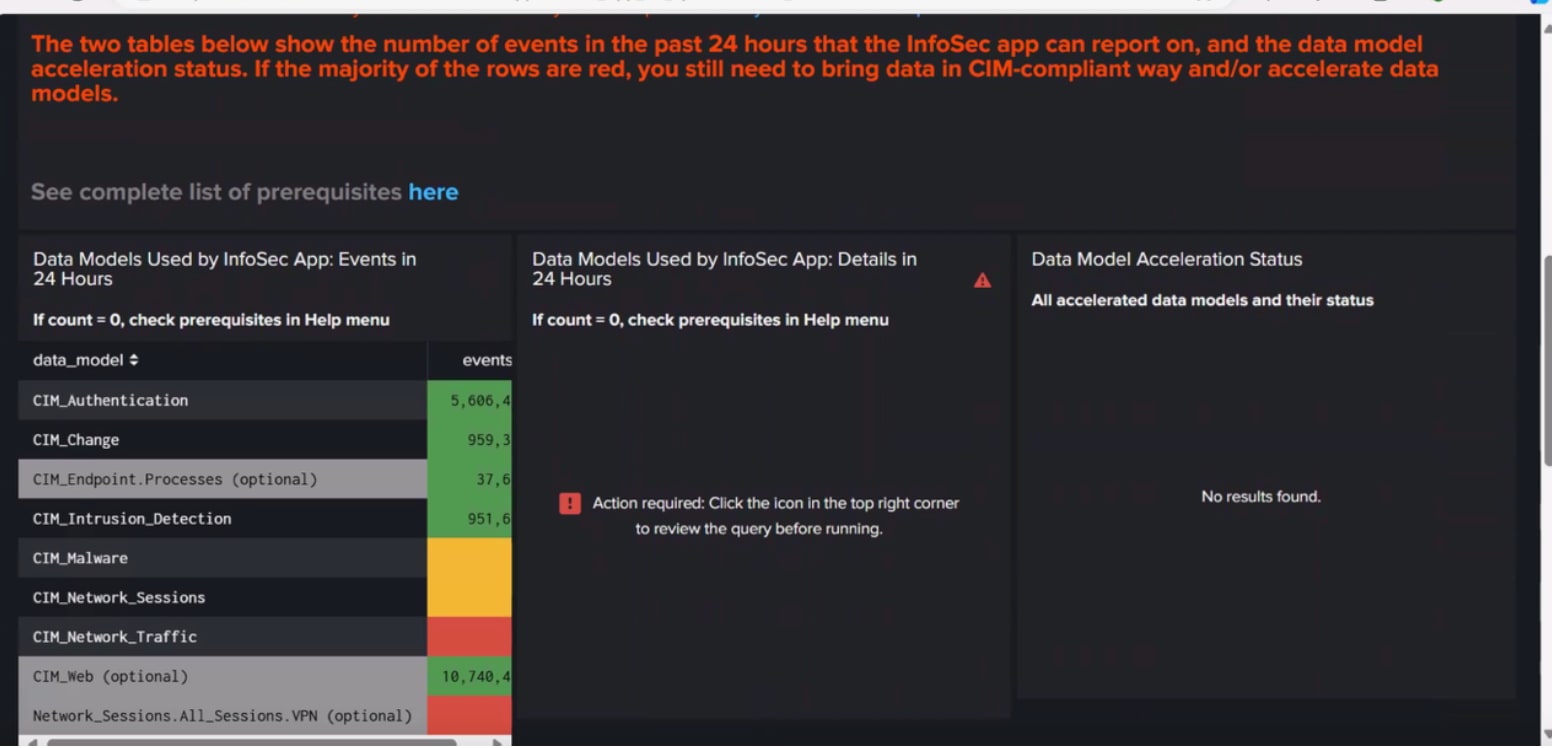
Investigation
Step 1: Validate installation steps for this application.
Step 2: Verify acceleration button is checked for requested data models.
Step 3. Verify the Data model audit dashboard showing the acceleration status of each data model correctly using the below steps
Open Search and reporting->Dashboard->Data model Audit
Step 4: Compare the rest API commands of the Infosec application Data Model Acceleration status dashboard with the data model audit dashboard and found splunk_server=local parameter helps to execute this REST command.
Screenshot
1)Data model audit dashboard: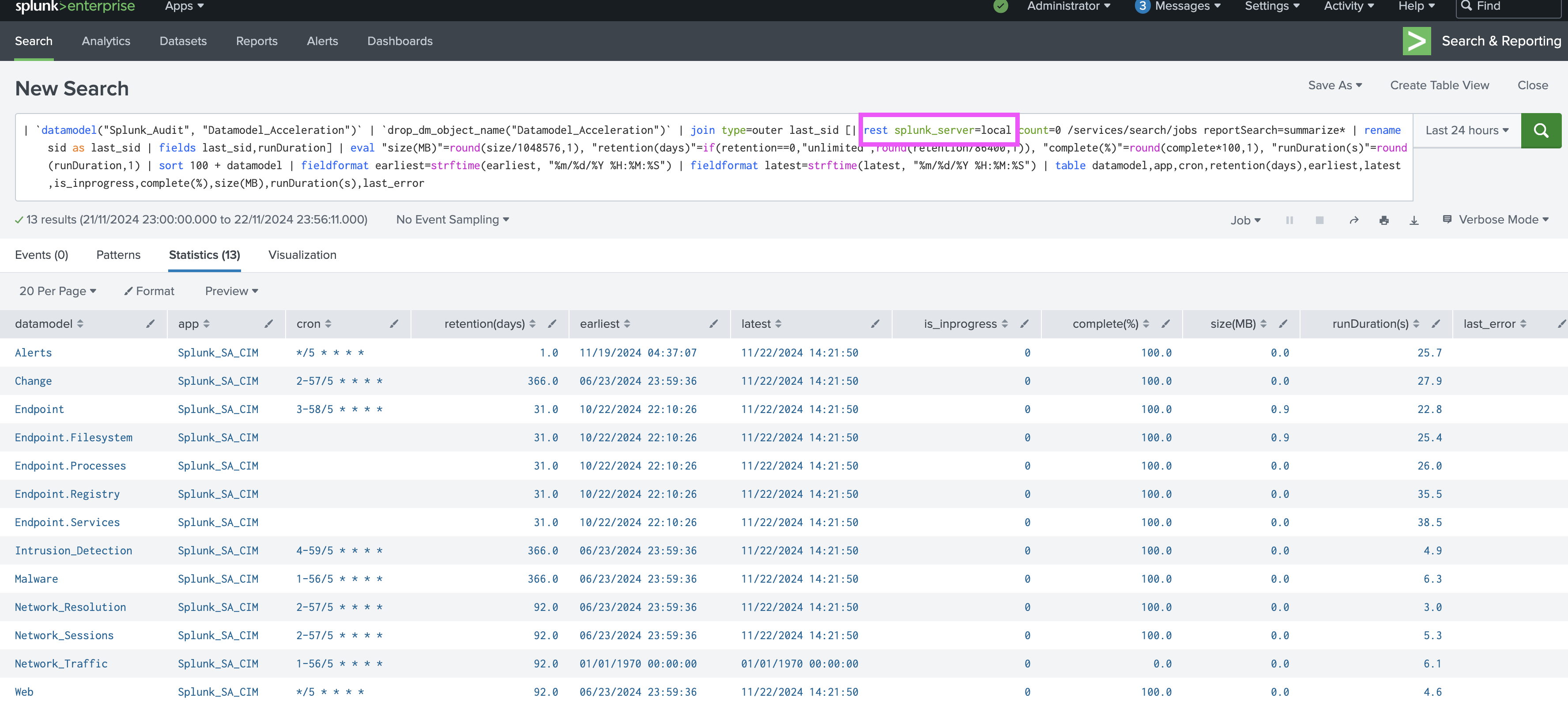
2)Infosec application Data Model Acceleration status dashboard: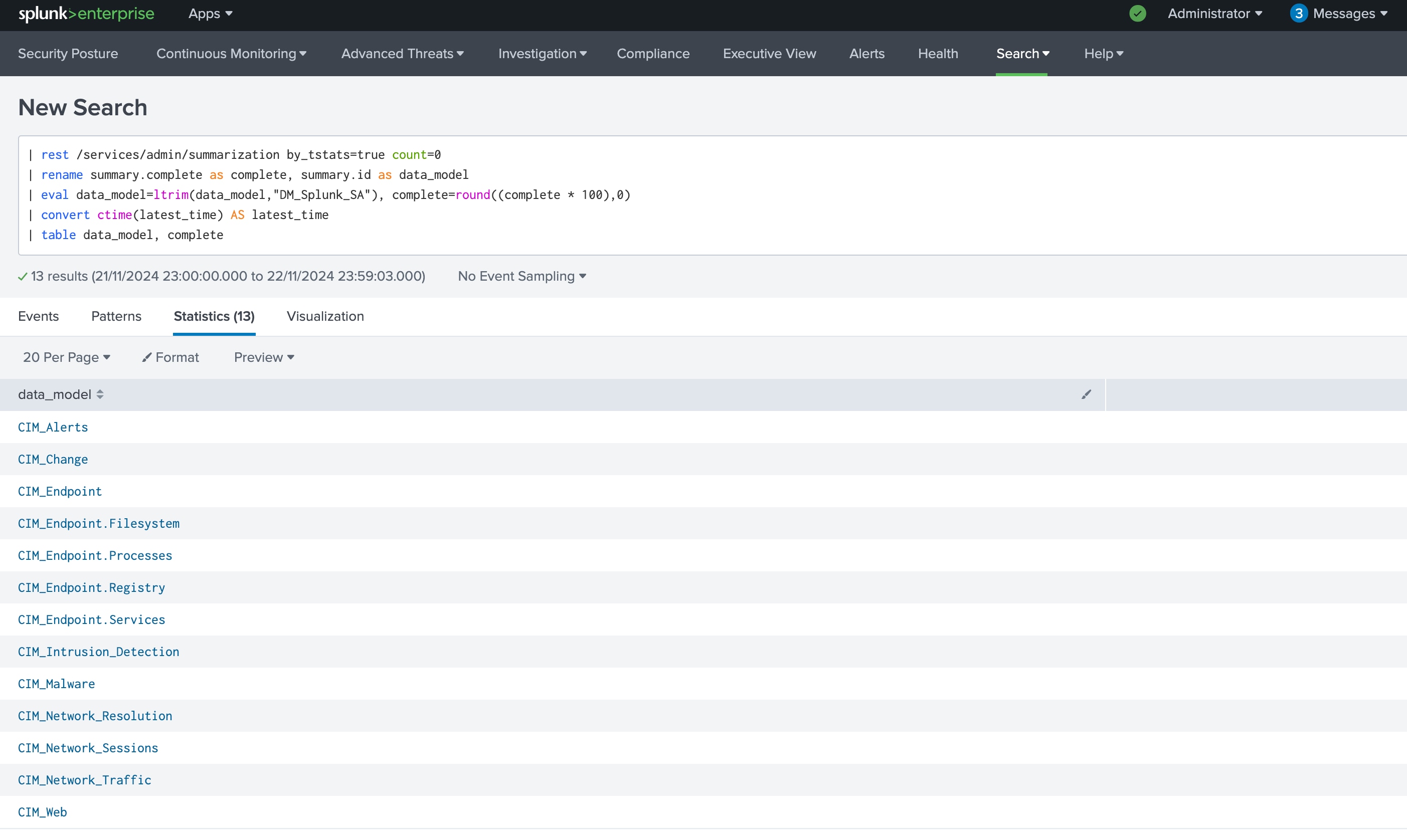
Resolution
To resolve this issue add "splunk_server=local" parameter in the existing REST command of Infosec application Data Model Acceleration status dashboard and after that, can see the resultant value in the dashboard.
Revision History
| Revision | Publish Date | Comments |
|---|---|---|
1.0 |
29-Sep-2026
|
Initial Release |
 Feedback
Contact Cisco
- Open a Support Case

- (Requires a Cisco Service Contract)