Data model acceleration job is not running
Available Languages
Applicability
Splunk Enterprise Splunk CloudInvestigation
Step 1:Deteremine how many data model acceleration search is running on that search head.
(This can eliminate the possible cause that problem is due to too many DM jobs or not)
index=_audit DM_* total_run_time=* | timechart max(total_run_time) as maxtime by savedsearch_name limit=20
Sample of a healthy system with total of 7 DM acceleration is running.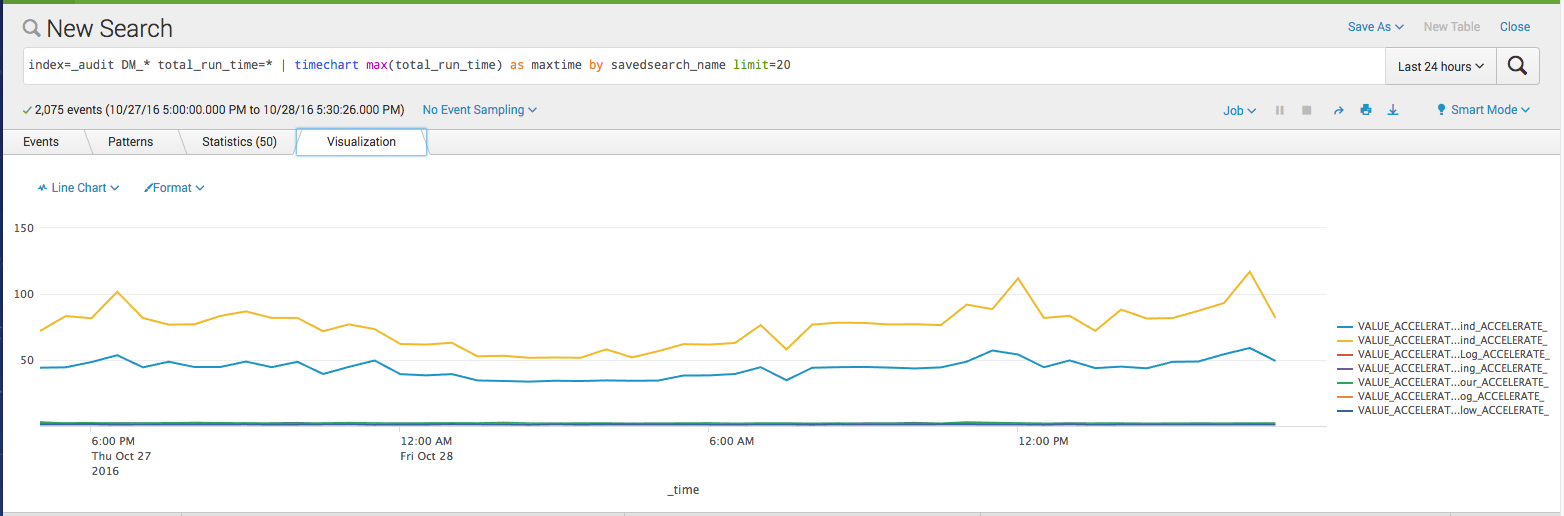
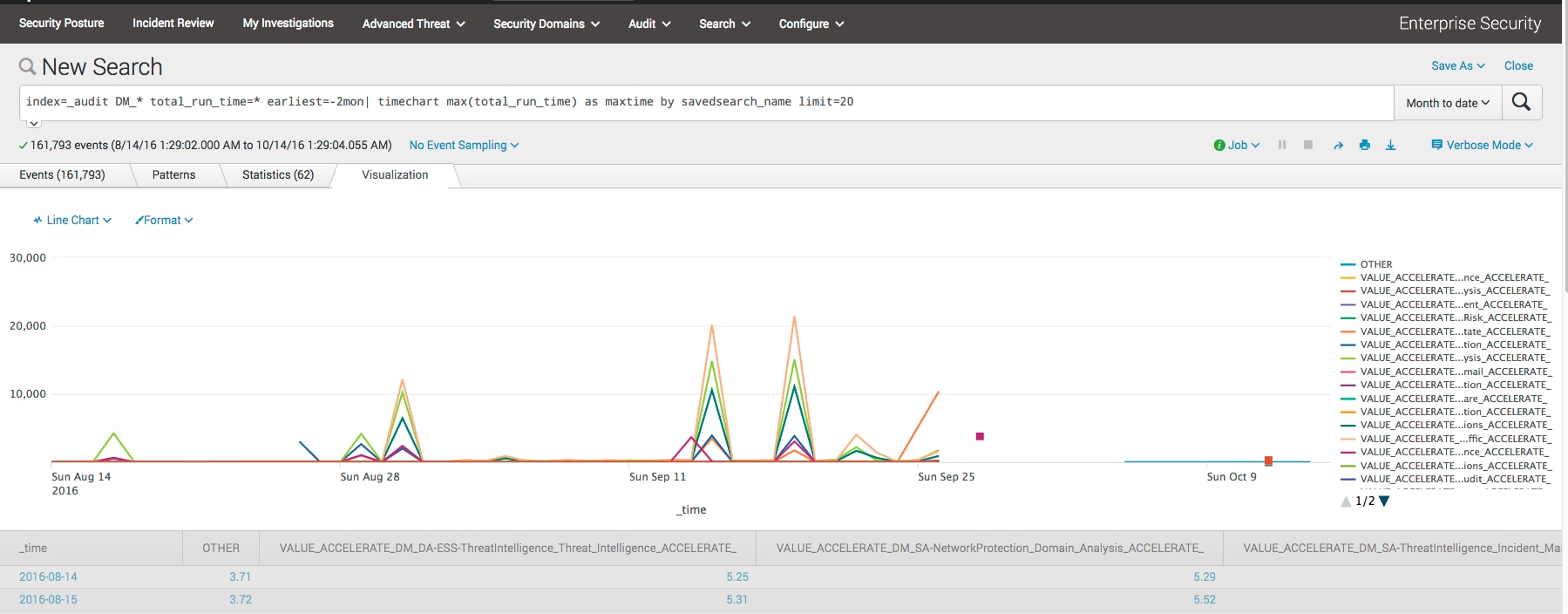
Below graph shows that DM search can't run most of the time and this indicate a problem.
(Below graph shows that it got more than 20 DM acceleration is running.)
Step 2: Select one of the problem DM acceleration job and check the running count.
index=_audit DM_* total_run_time=* savedsearch_name=_ACCELERATE_DM_data_model_replacement_dm_ss_ind_ACCELERATE_|timechart count
Below shows a healthy Data Model acceleration job which runs around 6 times every hour.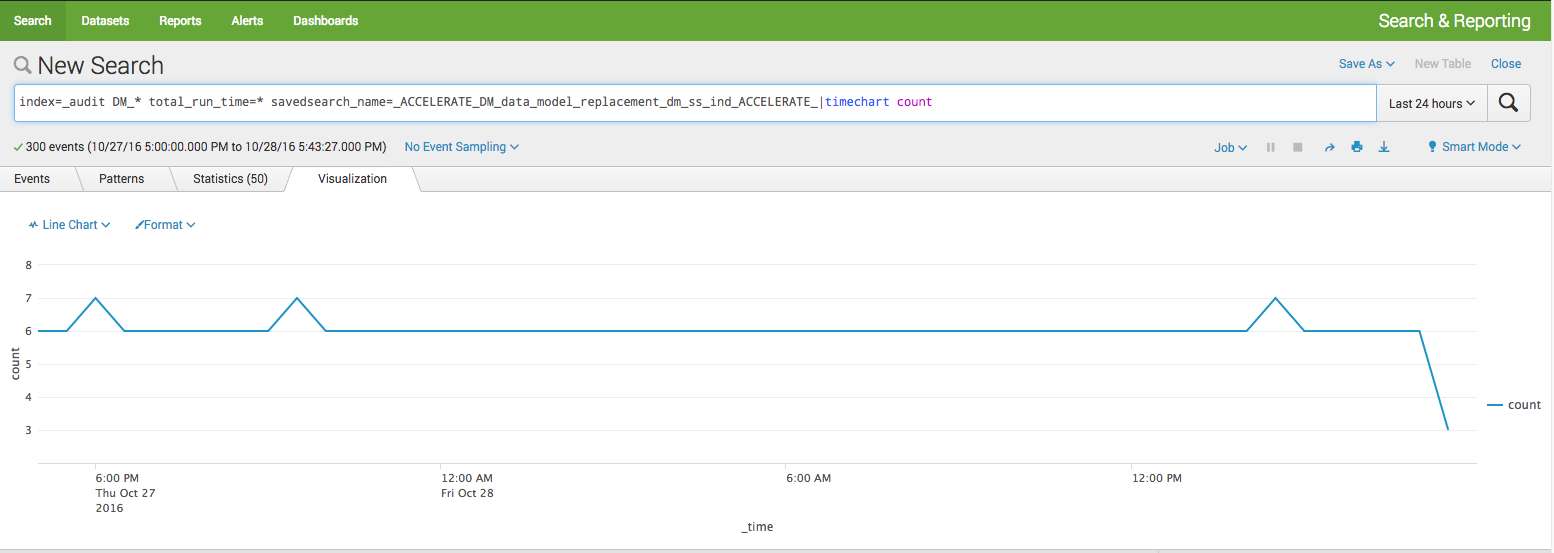
Below graph shows that DM acceleration dropped to zero over time which indicates a problem.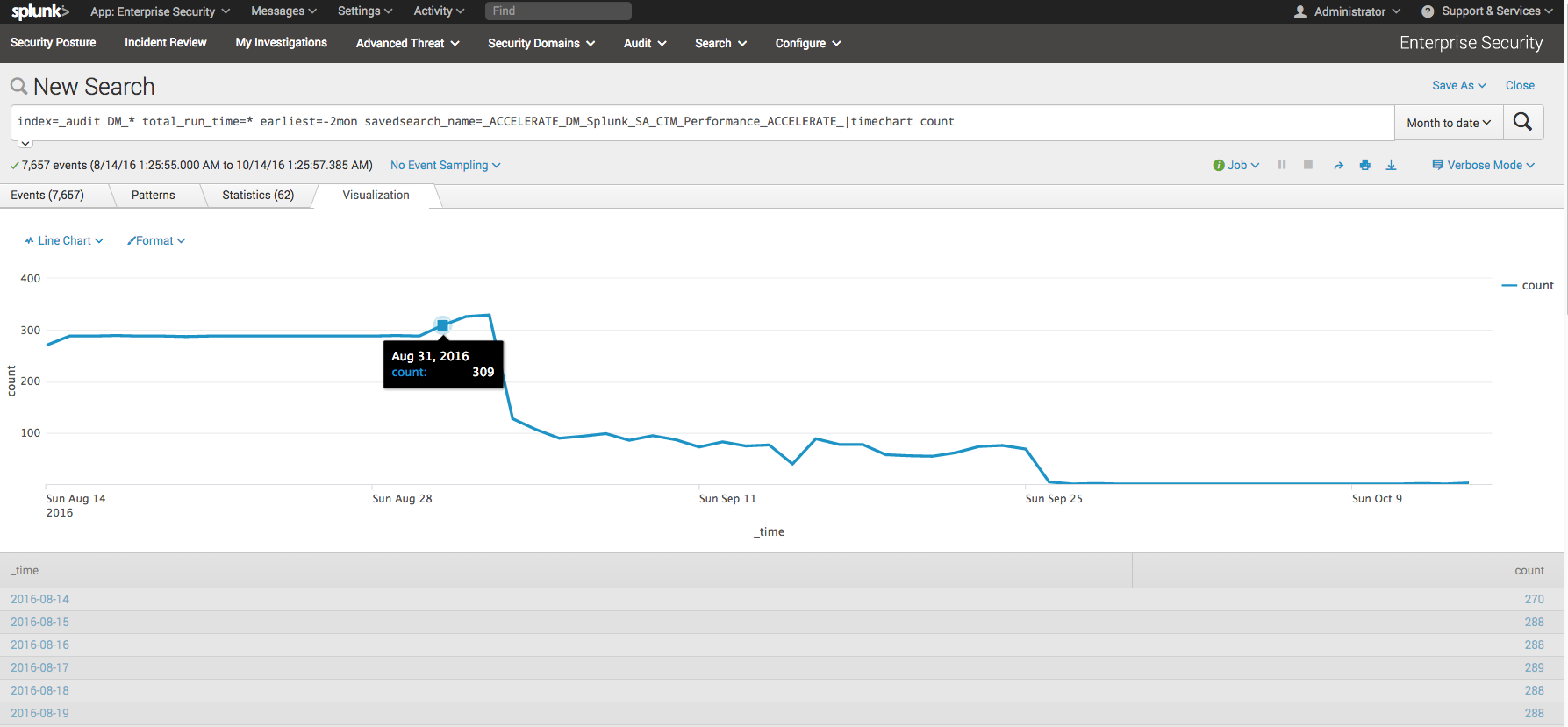
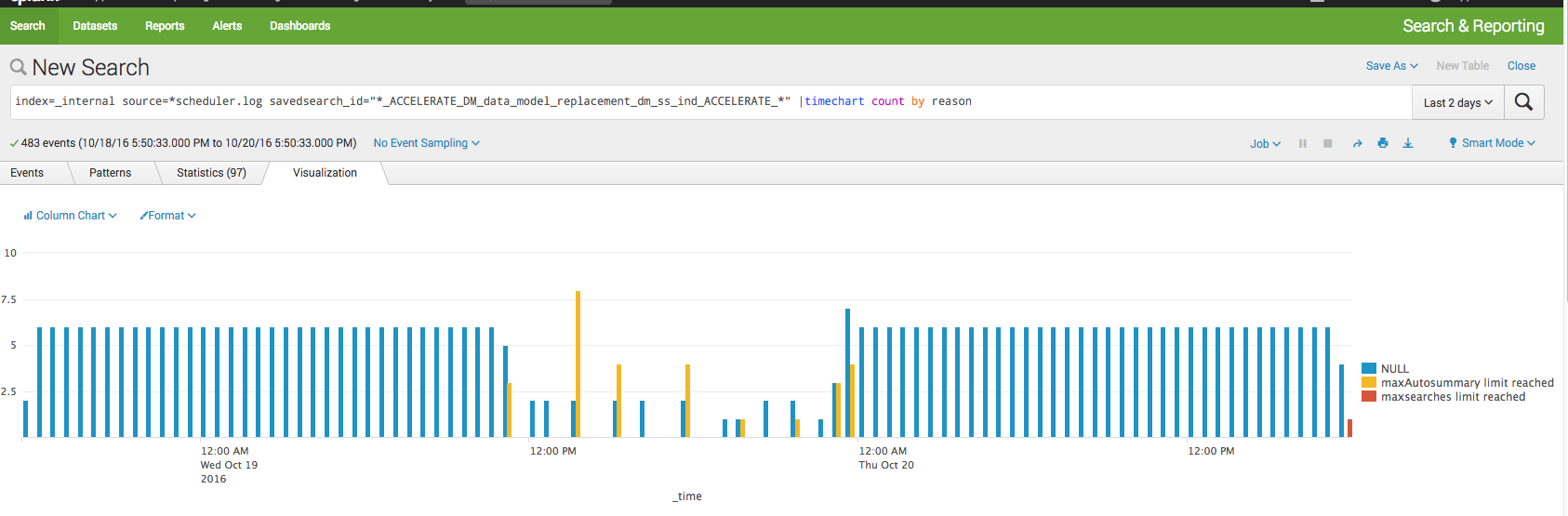
Step 3: Check the scheduler.log which will tell you why the data model acceleration job is not running.
index=_internal source=*scheduler.log savedsearch_id="*_ACCELERATE_DM_data_model_replacement_dm_ss_ind_ACCELERATE_*" |timechart count by reason
Resolution
Based on the reason returned from above investigation step 3, may need to tune below configuration.limits.conf [search] base_max_searches = 6 max_searches_per_cpu = 1 max_rt_search_multiplier = 1[scheduler] max_searches_perc = 50 auto_summary_perc = 50
Revision History
| Revision | Publish Date | Comments |
|---|---|---|
1.0 |
28-Sep-2026
|
Initial Release |
 Feedback
Contact Cisco
- Open a Support Case

- (Requires a Cisco Service Contract)