Introduction
This document describes how to resolve the Authentication key mismatch error while configuring HA peering between primary and secondary EPNM servers.
Prerequisites
Requirements
Cisco recommends that you know these topics:
- Evolved Programmable Network Manager (EPNM)
Components Used
The information in this document is based on these software and hardware versions:
- EPNM software version 8.x
The information in this document was created from the devices in a specific lab environment. All of the devices used in this document started with a cleared (default) configuration. If your network is live, ensure that you understand the potential impact of any command.
Problem Statement
Attempts to configure High Availability (HA) peering between primary and secondary Cisco Evolved Programmable Network Manager (EPNM) servers fail. An error message states that the HA key does not match between the primary and secondary servers. Resetting the secondary HA key and retrying the peering process does not resolve the issue.
- Error message: "Authentication key does not match between primary <Primary IP> and secondary servers <Secondary IP>"
- Failure occurs during HA setup between EPNM primary and secondary nodes
- Attempts to reset the HA key on the secondary server are unsuccessful

Environment
- Technology: Network Management Services (NMS)
- Product: Cisco Evolved Programmable Network Manager
- Software Version: 8.1.0
- Primary and secondary EPNM servers configured for HA
- Recent action: Attempted to reset HA key on secondary server and re-establish HA peering
- Observed error: "Authentication key does not match between primary <Primary IP> and secondary servers <Secondary IP>"
Resolution
1. Change HA Authentication Key on Both Servers
Update the HA authentication key on both the primary and secondary EPNM servers to ensure that they match.
Run the command on each server (replace <newkey> with the desired authentication key):
ncs ha authkey <newkey>
Example:
epnm/admin# ncs ha authkey HAAuthKey123
Going to update Secondary authentication key
Successfully updated Secondary authentication key in standalone server
epnm/admin#
2. Clear Tofu Certificates
To eliminate potential certificate mismatches, clear the Tofu certificates associated with the HA pairing process on both servers.
On the Primary Server:
List the existing Tofu certificates:
ncs certvalidation tofu-certs listcerts
If you see an entry for the secondary server IP, delete it with:
ncs certvalidation tofu-certs deletecert host <Secondary server IP>_8082
On the Secondary Server:
List the existing Tofu certificates:
ncs certvalidation tofu-certs listcerts
If you see an entry for the primary server IP, delete it with:
ncs certvalidation tofu-certs deletecert host<Primary server IP>_8082
3. Restart NCS Services on the Primary Server
After updating the HA key and clearing relevant Tofu certificates, restart the NCS services on the primary server to apply the changes.
Note: This step is service-impacting; access to the application is unavailable during the restart of the primary server.
Stop the NCS services:
ncs stop verbose
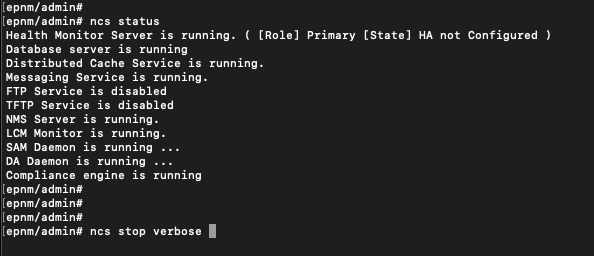
- Wait until all the services are stopped and check the status using the command:
ncs status
- Start all the services using the command:
ncs start verbose
- Wait until all the services are started and check the status again using the command:
ncs status
4. Reattempt HA Configuration via the Primary Server GUI
Once the primary server has restarted, proceed with the normal HA configuration workflow using the primary server graphical user interface (GUI).
Cause
The underlying cause of the HA peering failure is a mismatch in the HA authentication key between the primary and secondary Cisco EPNM servers. This results in the error:"Authentication key does not match between primary <Primary IP> and secondary servers <Secondary IP>". Additional certificate mismatches (Tofu certificates) can also prevent successful HA establishment.
Related Information

 Feedback