
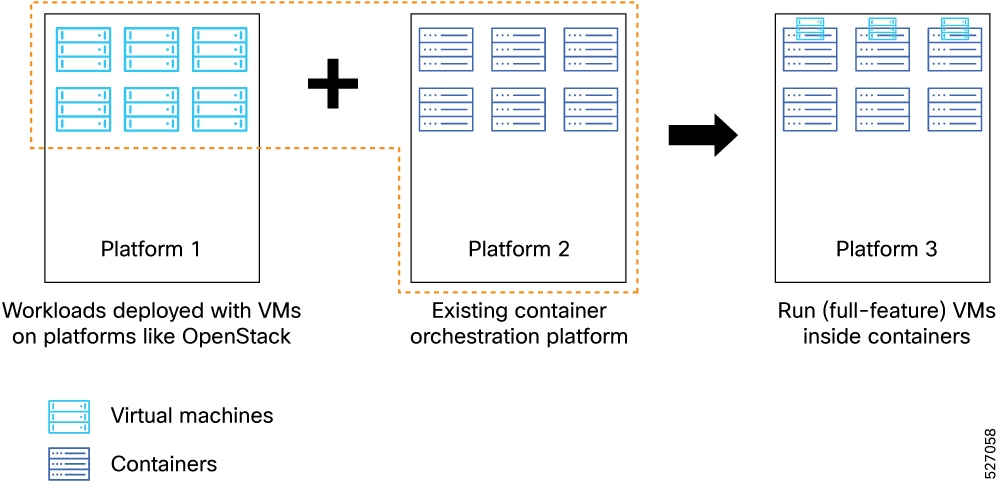
How VPC-SI and VPC-DI deployments work
Summary
The deployment process uses a model-driven approach to orchestrate virtual machines on Kubernetes. The key components involved in the process are
-
Configuration Layer: Uses YANG models to define infrastructure requirements and validate user input.
-
Deployment Layer: Uses Helm charts to generate Kubernetes resources, including virtual machine definitions and network attachments.
-
Runtime Layer: Uses KubeVirt and Kubernetes to execute the virtual machines and manage networking through Multus and SR-IOV
Workflow
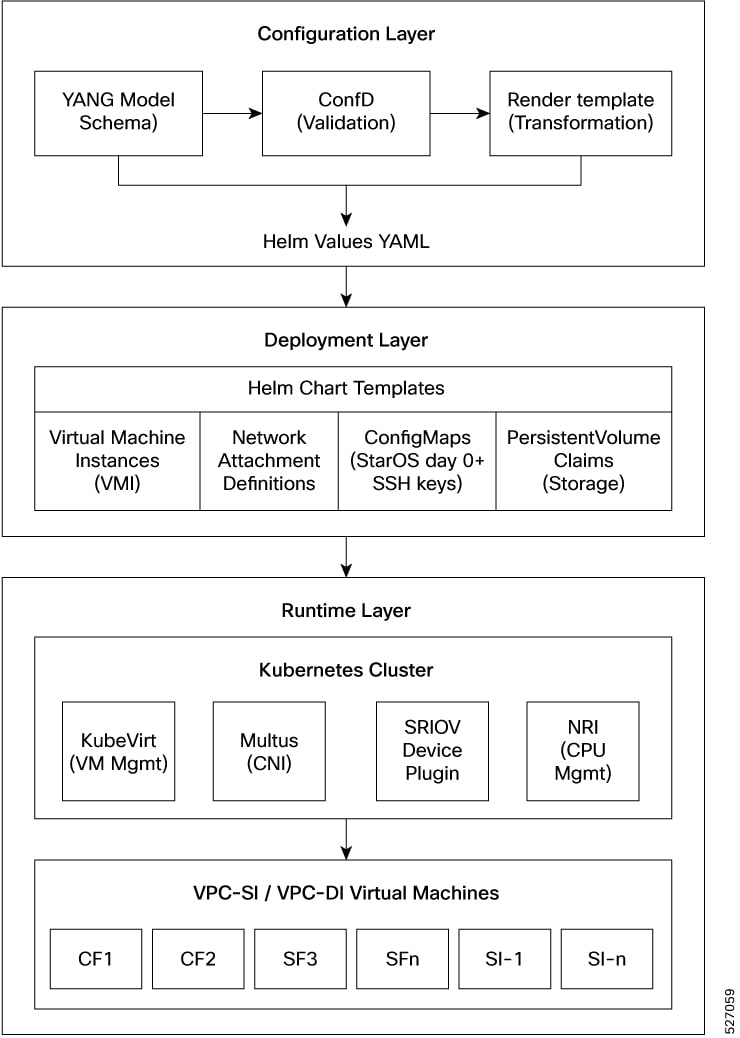
The process involves these stages:
- Define the deployment requirements, such as network attachments, resource allocations, and instance configurations, using the YANG-based model.
- The configuration system validates the input against the defined schema and stores it in the configuration database.
- Helm charts generate the necessary Kubernetes resources, including virtual machine definitions, network attachment definitions, and storage claims.
- KubeVirt creates and manages the virtual machine lifecycle on the Kubernetes infrastructure, providing near-native performance for network functions.
Result
The process achieves a standardized and scalable deployment of virtual machine-based network functions within modern Kubernetes environments.
 Feedback