Connectors and Ports on the AP
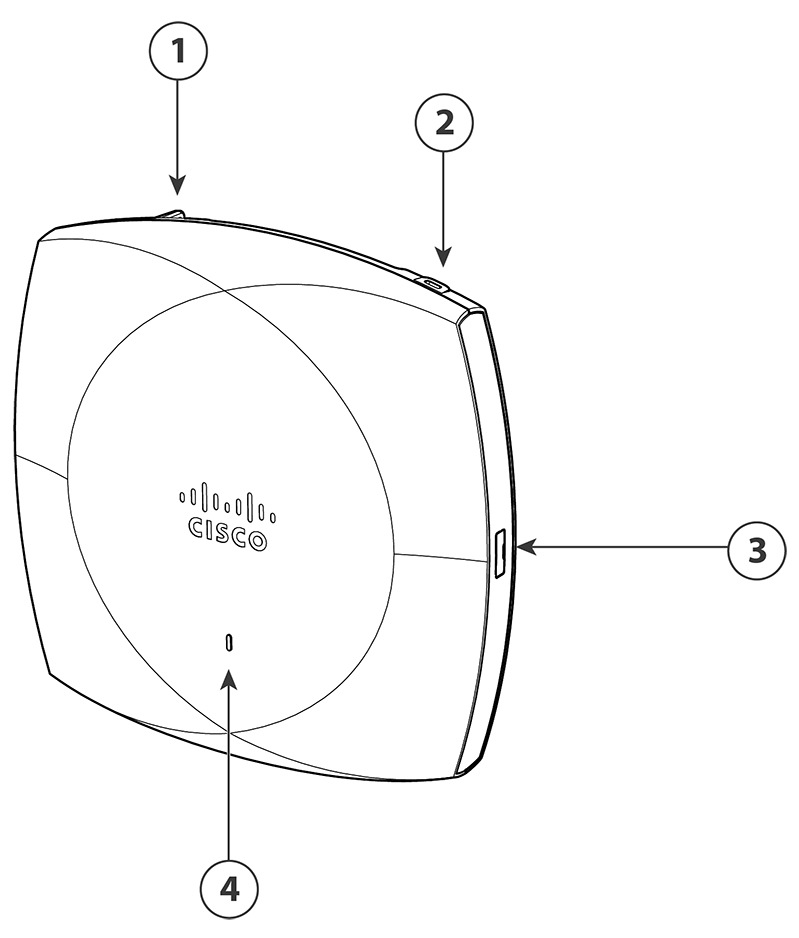
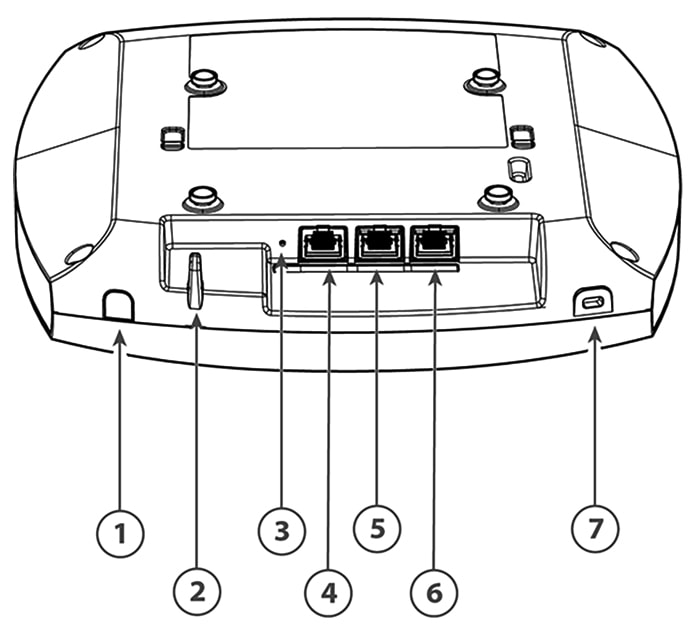
These figures show the available ports on the AP:
CW9178I Face View
|
1 |
Security hasp for padlocking AP to mounting bracket |
|
2 |
Kensington lock slot |
|
3 |
USB 2.0 port |
|
4 |
Status LED For information about the LEDs status, see LED Status Indications. |
CW9178I Top View
|
1 |
GPS external antenna port |
5 |
Ethernet port 1 |
|
2 |
Security hasp for padlocking AP to mounting bracket |
6 |
Ethernet port 0 |
|
3 |
Reset button For information on how to use the reset button, see the Using the Mode Button section |
7 |
Kensington lock slot |
|
4 |
RJ-45 console port Default baud rate is 115200. |
 Feedback
