Overview
Learn how to create an interface PAT (NAT) policy so inside clients can access external networks using the outside interface IP address.
This procedure creates a NAT rule for internal clients to convert the internal addresses to a port on the outside interface IP address. This type of NAT rule is called interface Port Address Translation (PAT).
Procedure
| 1. | Choose , and click . |
|
| 2. | Name the policy, select the devices that you want to use the policy, and click Save. 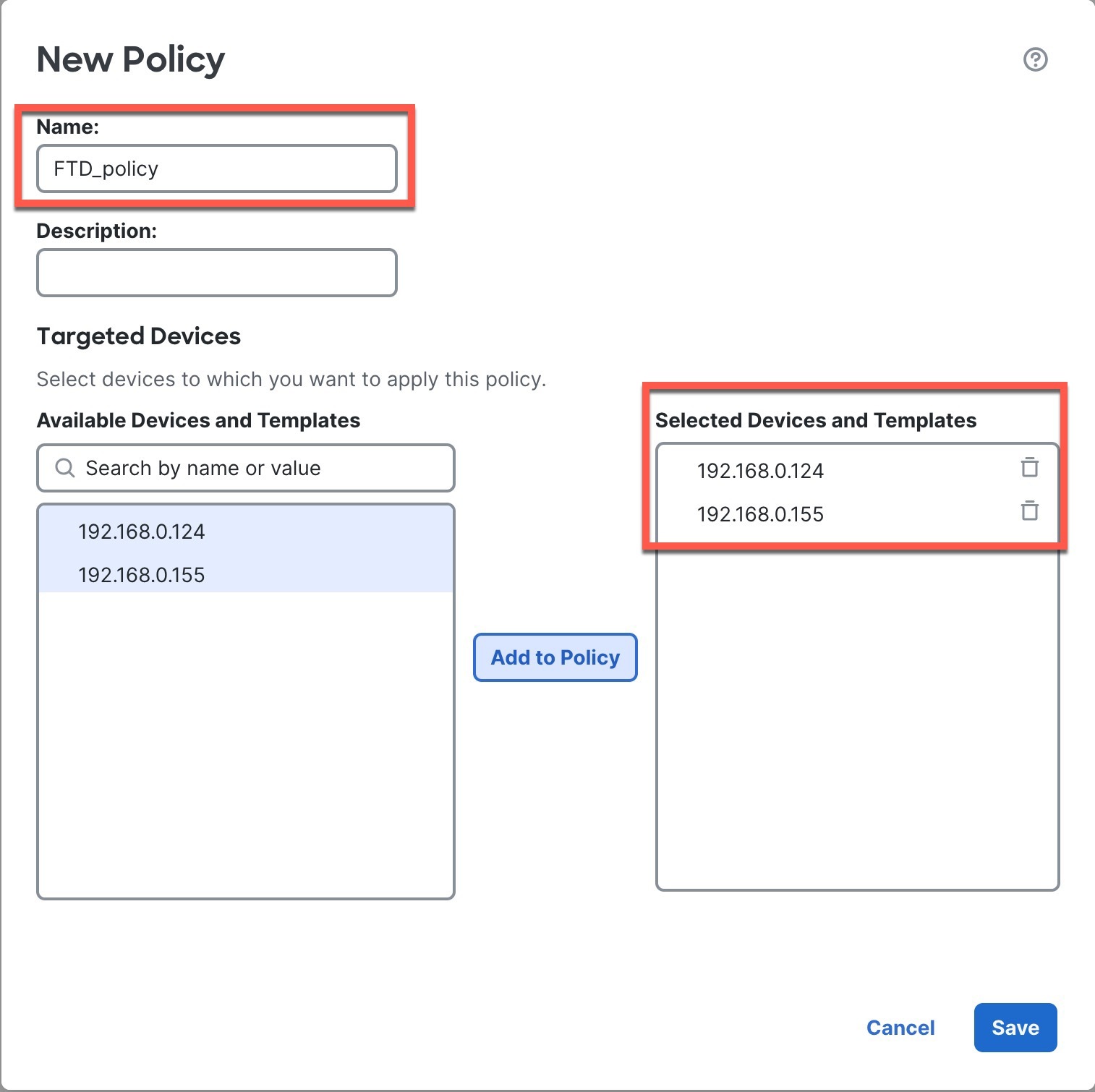
The policy is added the Firewall Management Center. You still have to add rules to the policy. 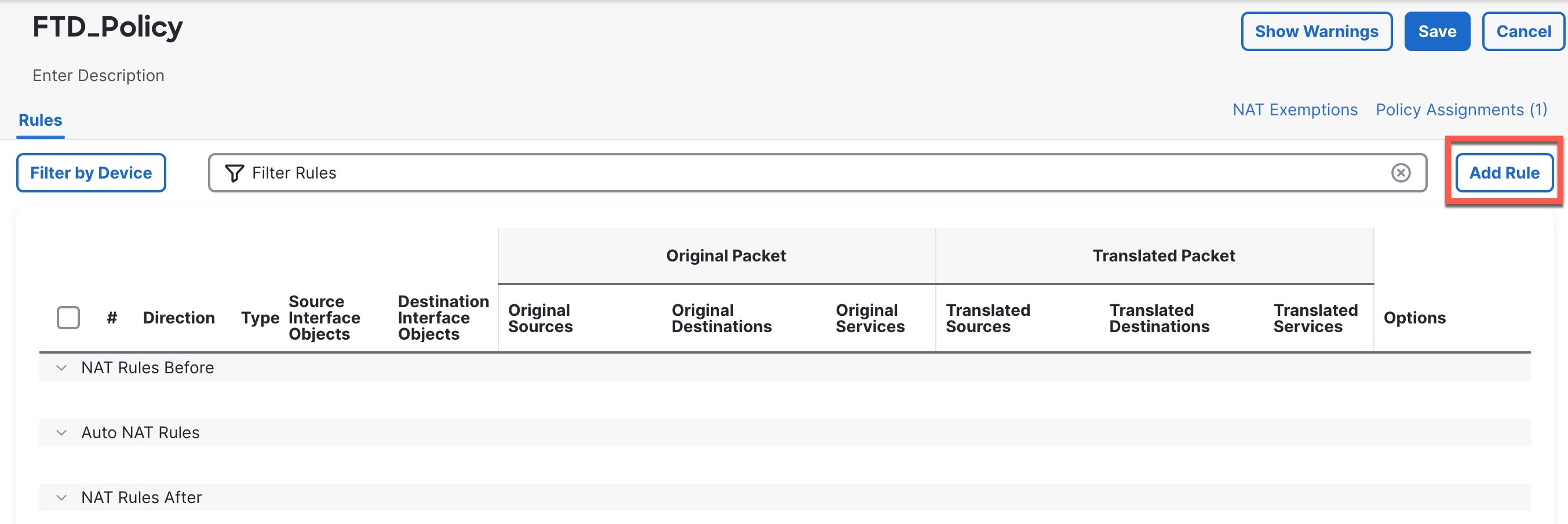
|
|
| 3. | Click Add Rule. |
|
| 4. | Configure the basic rule options: 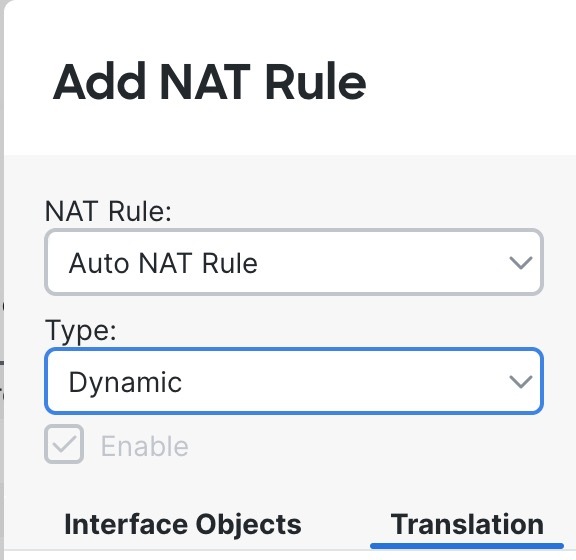
|
|
| 5. | On the Interface Objects page, add the outside zone from the Available Interface Objects area to the Destination Interface Objects area. 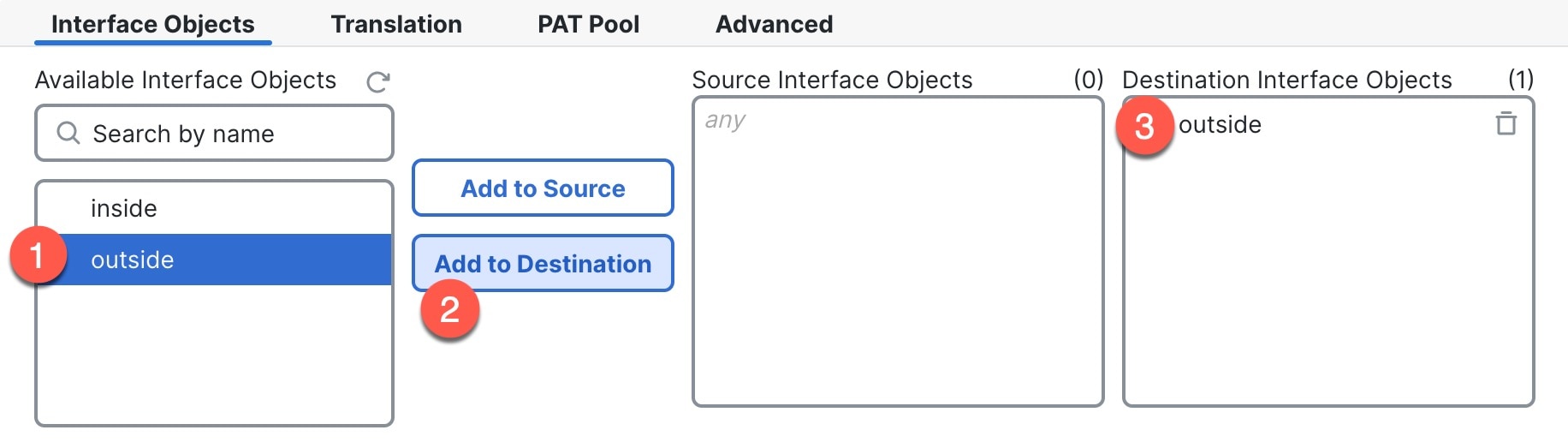
|
|
| 6. | On the Translation page, configure the following options: 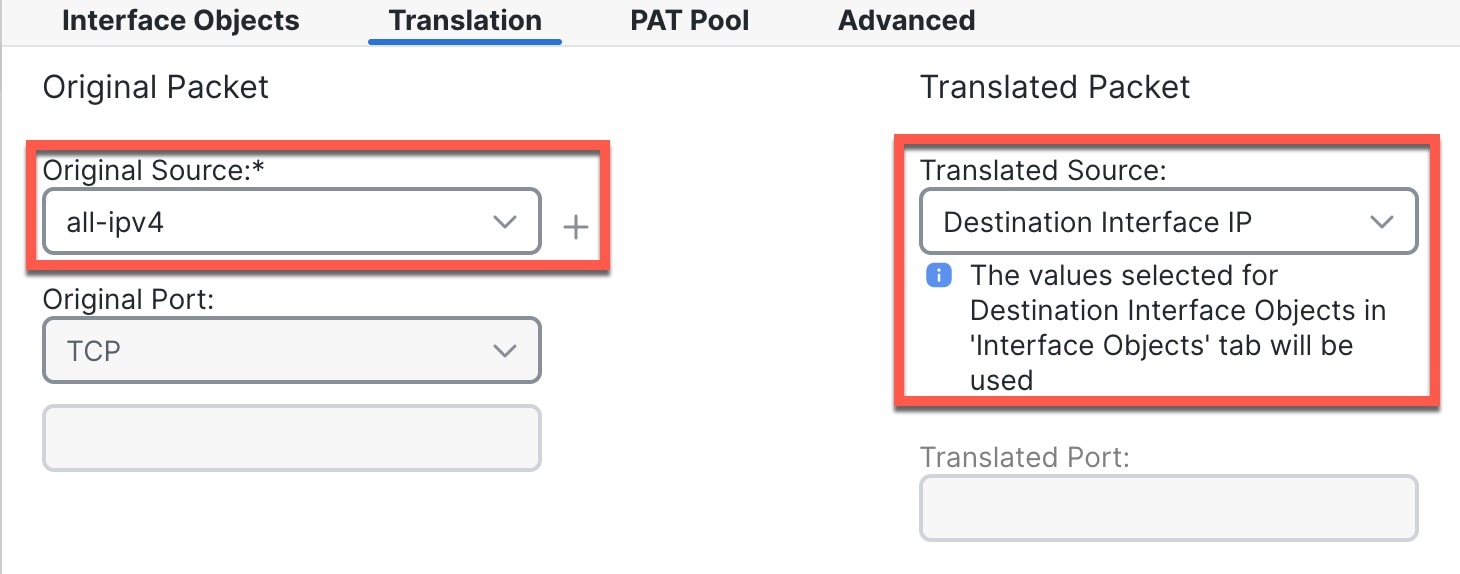
|
|
| 7. | Click Save to add the rule. The rule is saved to the Rules table. |
|
| 8. | Click Save on the NAT page to save your changes. |