Overview
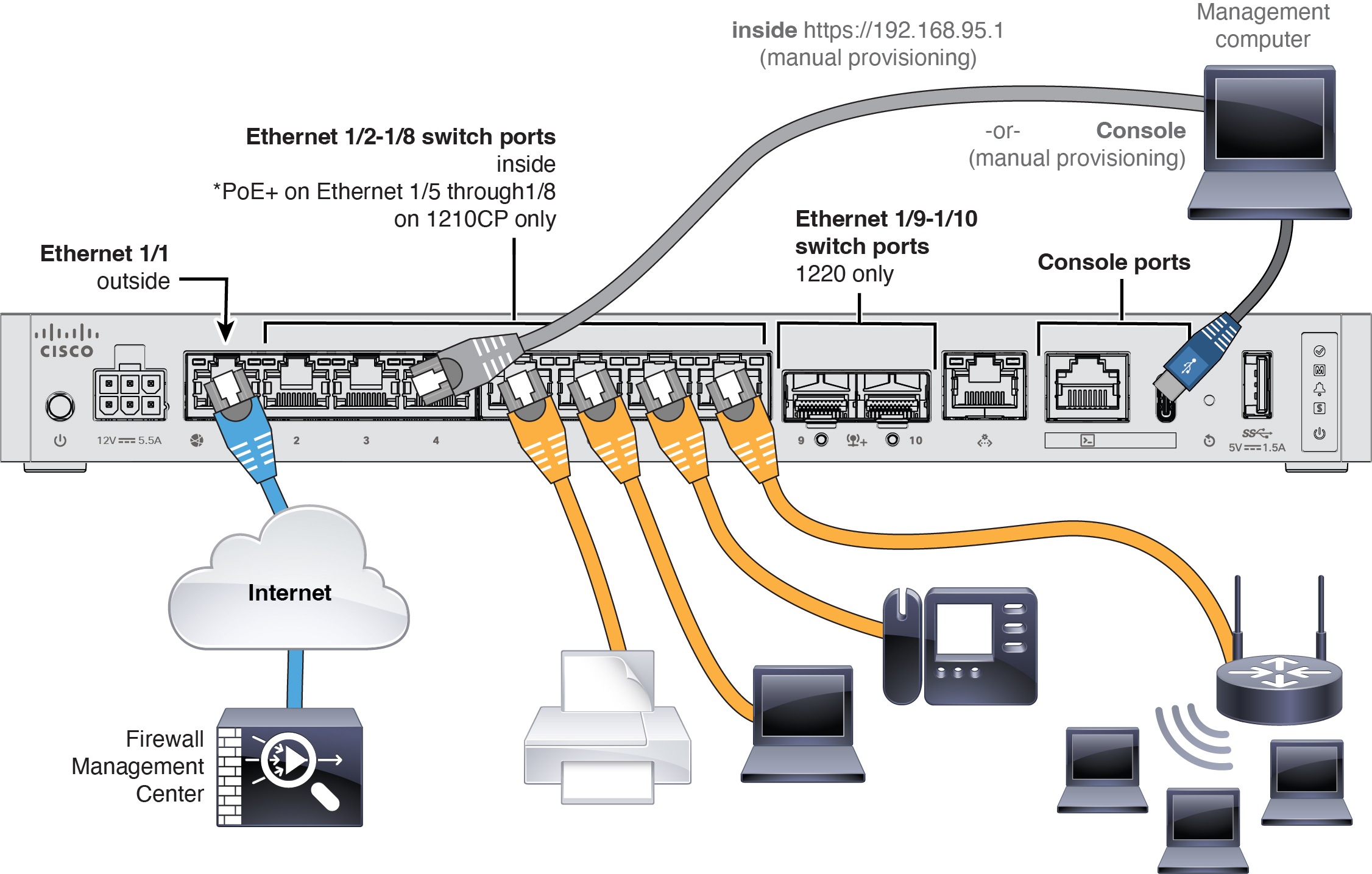
Learn how to cable the Secure Firewall 1210/20 so you can complete the initial hardware setup and prepare required ports for network connectivity before configuration.
-
For the Secure Firewall 1220, install SFPs into Ethernet 1/9 and 1/10—They are 1/10-Gb SFP+ ports that require SFP/SFP+ modules.
-
See the hardware installation guide for more information.
-
If you use zero-touch provisioning, do not cable both the outside and the Management interface. This guide covers management on the outside interface, but you may want to use zero-touch provisioning on Management with high availability. If you use zero-touch provisioning on outside and want to use high availability, you will have to change the outside IP address to a static address after registration.