
Remove the battery
Perform this procedure when the battery requires replacement or maintenance on supported hardware.
 Note |
Follow proper electrostatic discharge (ESD) precautions before handling the battery or device. Wear an ESD-preventive wrist strap, ensuring that it makes good skin contact. Connect the clip to an unpainted surface of the chassis frame to channel unwanted ESD voltages safely to ground. To guard against ESD damage and shocks, the wrist strap and cord must operate effectively. |
 Warning |
Statement 1015—Battery Handling To reduce risk of fire, explosion or leakage of flammable liquid or gas:
|
Procedure
|
Step 1 |
Before you perform any module replacement, read the Safety Warnings section and disconnect the power supplies. |
|
Step 2 |
To access the battery, remove the 8 screws (6 on the top and 2 on the sides) from the cover and remove the cover. |
|
Step 3 |
Pivot the battery in the direction shown. |
|
Step 4 |
Pull the battery out at an angle. 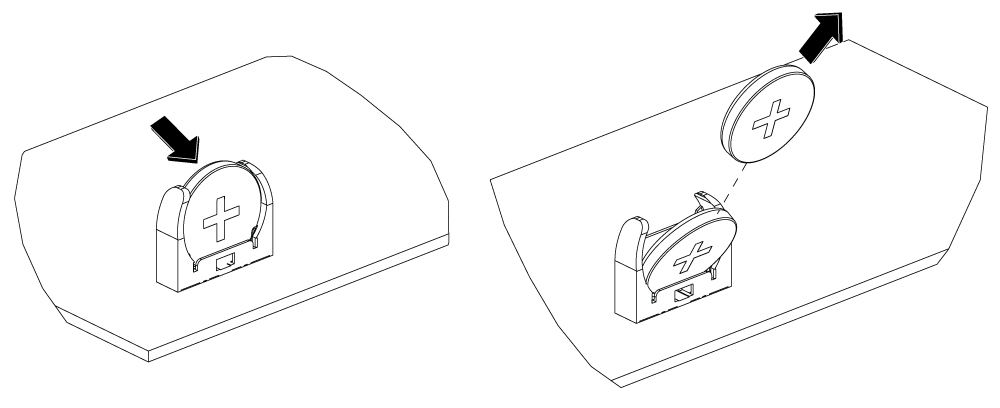
|
 Feedback